Turn your coding agent into a security auditor with Cloudflare's security-audit-skill
Cloudflare's open-source security-audit-skill turns any coding agent into a disciplined vulnerability hunter — coverage-led hunting waves, adversarial candidate validation, and machine-checked findings. Here is the full workflow: install it, audit a deliberately vulnerable app, and read the validated report.

On September 17, 2026, a quiet Cloudflare repository did something loud: it gained roughly 3,600 GitHub stars in a single day and hit #2 on GitHub's daily trending page. The repository is cloudflare/security-audit-skill — an Agent Skill that teaches a coding agent to perform structured security audits. Two days later it was sitting at about 14,200 stars and 765 forks. (Those figures are dated snapshots from secondary trackers, not live counts — check the repo for today's number.)
The interesting part is that the repo is not new. Its initial commit is dated June 18, 2026 — the same day Cloudflare published the blog post describing the internal system it came from. According to that post, the skill seeded Cloudflare's own vulnerability-discovery harness, the pipeline the company used to hunt bugs across its codebase. The README says the same thing. Three months later, the open-source world found it, and the star chart went vertical.
This tutorial is fully hands-on and fully verified. Every command below was executed on Linux on September 27, 2026, against the current upstream code (14 commits, latest September 14). You will install the skill, understand its two operating modes and six-phase workflow, build a deliberately vulnerable practice app, run a complete audit against it, and validate the machine-readable findings with the project's own zero-dependency checker scripts. The audit found real bugs — including one nobody planted, which the coverage critic caught — and the validators forced me to describe two findings more honestly than my first draft did.
How this tutorial was tested. The npx skills add install was run non-interactively and the installed files were diffed byte-for-byte against the upstream repo. The practice app is a 128-line zero-dependency Node.js server with five planted vulnerabilities; the audit's hunters confirmed three with bounded loopback-only execution and source-traced two more, and the final coverage critic found a genuine sixth defect the planting missed. Both shipped validators (validate-findings.cjs, validate-coverage-ledger.cjs) pass on the final artifacts. Nothing in this tutorial probes any system you do not own.
Why not just paste code into a chatbot?#
Asking a general-purpose agent "find the vulnerabilities in this repo" is the naive baseline, and it fails in predictable ways: the agent skims, fixates on the first plausible bug, declares victory, and reports findings with no consistent severity discipline. There is no mechanism forcing it to cover the whole attack surface, no adversarial check on its own claims, and no schema pinning down what a "finding" even is.
The security-audit-skill's answer is process as code. The skill is a directory of Markdown playbooks (SKILL.md plus companions like HUNTING.md, RECONNAISSANCE.md, and VALIDATION-AND-REPORTING.md) that an agent loads and follows. Three design choices do the heavy lifting:
- A coverage ledger, not vibes. Before hunting begins, the agent maps trust boundaries and attack surfaces into a
coverage-ledger.json— one unit per surface, each assigned to an isolated hunter. Nothing is "probably fine"; every unit ends in a terminal state (covered,candidate,blocked…), and a validator script machine-checks the ledger. - Adversarial validation. Every candidate finding is handed to a fresh verifier whose job is to disprove it — look for sanitization the hunter missed, an allowlist, a mitigating control. Only candidates that survive become
confirmed. Blocked candidates becomeneeds_validationwith an explicit plan, never quietly dropped or overstated. - Machine-checked output. Findings are written to
findings.jsonagainst a strict JSON schema (report-schema.json), andvalidate-findings.cjsenforces the schema plus semantic rules — including one that caught me inflating a severity (more on that below).
In other words: the skill does not make the model smarter about security. It makes the model accountable — to a ledger, to an adversary, and to a validator.
Prerequisites#
You need:
- Node.js 18+ — for the
skillsCLI, the practice app, and the zero-dependency validators. - A coding agent with tool use and sub-agent support — Claude Code, Codex, Cursor, OpenCode, or any of the 75+ agents the
skillsCLI supports. The skill's hunting waves assume the agent can delegate to isolated sub-agents. - An OS-enforced sandbox for running target code — the skill requires it: no external network (isolated loopback only), an allowlisted environment, scratch-only writes, and resource limits. If you cannot enforce every control, the skill says to skip executing target code and record the gap as a
needs_validationblocker instead. - About 30 minutes and a machine you own.
Step 1 — Install the skill#
The skill installs through the skills CLI (a Vercel Labs project, skills.sh), which manages Agent Skills across editors and agents. The non-interactive form — the one you want for scripts and CI — pins the agent and skips the prompts:
npx skills add https://github.com/cloudflare/security-audit-skill \
  --skill security-audit \
  -a claude-code \
  -y
Replace claude-code with your agent (codex, cursor, opencode…), or use -a '*' to install everywhere. Without -a and -y you get an interactive picker — fine for humans, fatal for scripts. I ran the command above verbatim on September 27 and got:
✓ security-audit (copied)
  → ~/.claude/skills/security-audit

Done!  Review skills before use; they run with full agent permissions.
Verify with npx skills list, which should show security-audit sourced from cloudflare/security-audit-skill. I also diffed the installed directory against a fresh clone of the upstream repo: identical, byte for byte. What lands on disk is the skill itself — SKILL.md, the companion playbooks (HUNTING.md, RECONNAISSANCE.md, VALIDATION-AND-REPORTING.md, plus domain guides like WEB-PROTOCOL-AND-AUTH.md and ATTACK-CLASSES.md), the report-schema.json, and the two validator scripts. Note the CLI's warning and take it seriously: installed skills run with your agent's full permissions, so review what you install.
Step 2 — Know the two modes#
Loading the skill does not authorize a full audit. It operates in two modes, and the distinction matters:
- Guidance mode (default). For security questions, focused reviews, triage, or investigating a specific finding. The agent uses only the relevant playbook sections — no six-phase workflow, no output directories, no artifact files.
- Full audit mode. Triggered when you explicitly ask to audit or pen-test a codebase, request a comprehensive review, or ask for report artifacts. The agent runs all six phases below and writes the defined output files, defaulting to
~/security-audit-skill/<repo-name>/run-<N>.
If your request could mean either, the skill instructs the agent to ask one focused question before creating files or launching the workflow. For this tutorial, we want the full audit: "Run a full security audit of this codebase and write the report artifacts."
Step 3 — The six-phase workflow#
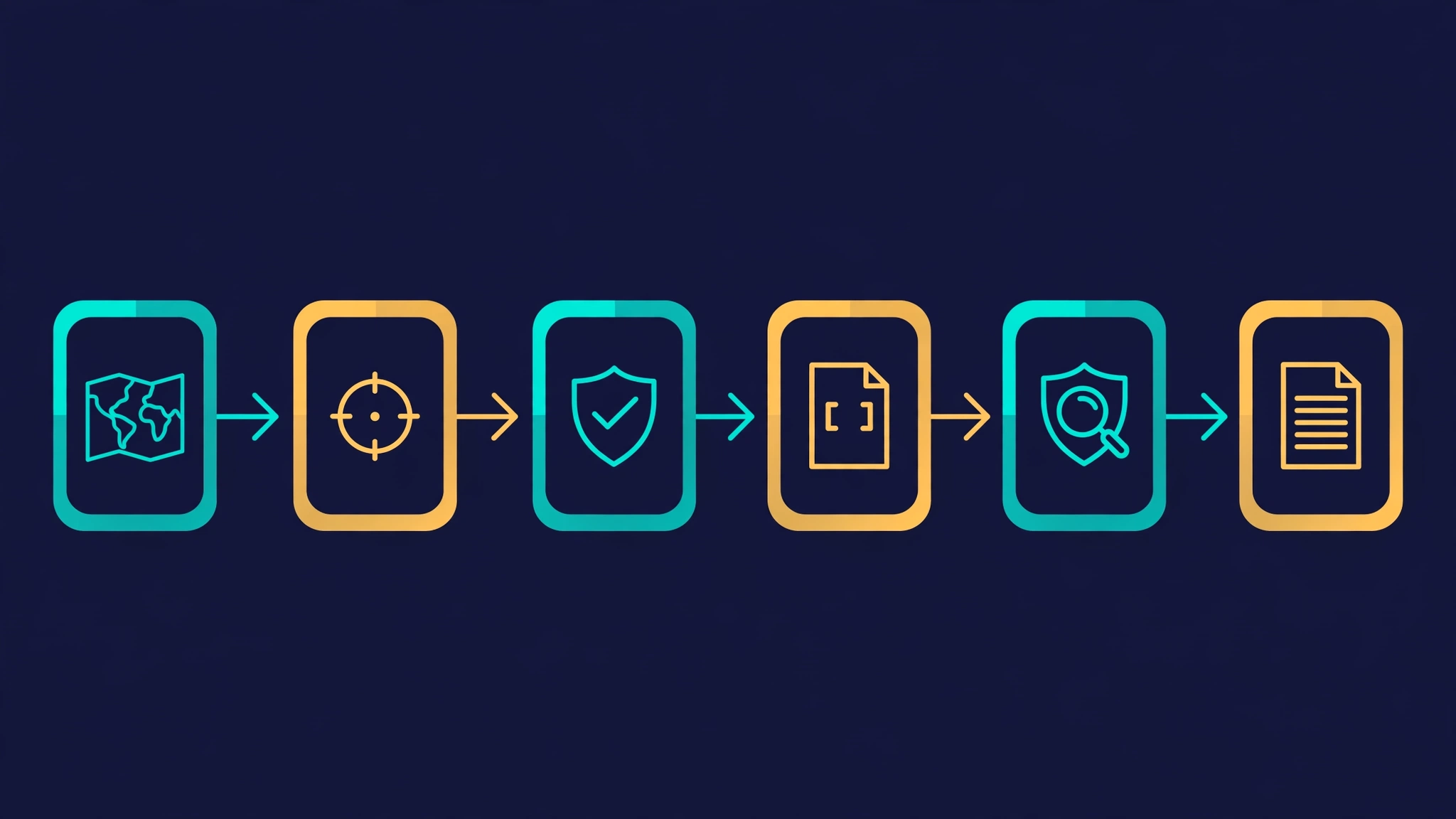
In full audit mode the skill runs six phases in order, each defined in SKILL.md:
- Reconnaissance — map the source, trust boundaries, local build paths, and prior evidence; write the initial deterministic coverage ledger.
- Coverage-led hunting waves — assign isolated hunters from the ledger (injection, access control, crypto, business logic, chained attacks…) and collect structured candidate results.
- Candidate validation — consolidate fingerprints and hand every candidate to a fresh verifier that tries to disprove it.
- Structured output — write final
confirmed,needs_validation, andrejectedrecords tofindings.json; validate againstreport-schema.jsonwithvalidate-findings.cjs, and validate the coverage claim withvalidate-coverage-ledger.cjs. - Independent record verification — fresh agents verify the final source claims and reconcile corrections.
- Target-neutral report — derive
REPORT.md,FINDINGS-DETAIL.md, andNEEDS-VALIDATION.mdfrom the final records, with no live-probe instructions.
The run may only end in one of two terminal states: all Phase 6 artifacts written with both validators passing, or an explicit incomplete status with the reason recorded and disclosed. "Never stop mid-phase" is a direct quote.
Step 4 — Build a practice target#
You would never point this at someone else's production system — the skill forbids it explicitly ("do not probe deployed endpoints… or live control planes"). So build a target you own. Mine is a 128-line, zero-dependency Node.js server with five deliberately planted vulnerabilities across six endpoints (the audit later found a genuine sixth defect the planting missed — more on that in Step 8):
mkdir -p practice/target-app && cd practice/target-app
# server.js: six endpoints — /users, /ping, /hello,
# /download, /login, /admin — five with planted bugs
node server.js   # listens on 127.0.0.1:3000, loopback only
The planted bugs, by endpoint:
GET /users?name=— the parameter is concatenated into a SQL string (server.js:49) handed to the data layer (:50).GET /ping?host=— the parameter is concatenated intochild_process.exec()(server.js:59), which spawns a shell.GET /hello?name=— the parameter is interpolated into an HTML response with no encoding (server.js:70).GET /download?file=— the parameter is joined into a filesystem path with no containment check (server.js:77).GET /admin— trusts HMAC tokens signed with a secret hardcoded in source (server.js:29).
Keep this server on loopback, and keep the bugs planted — the audit's job is to find them the hard way, through the skill's workflow rather than your memory of writing them.
Step 5 — Reconnaissance and hunting waves#
With the skill installed, open your agent in the practice directory and ask for the full audit explicitly:
Run a full security audit of this codebase and write the report artifacts.Phase 1 (reconnaissance) maps the app first: six endpoints, the trust boundary (unauthenticated HTTP on loopback), the data flows. Its output is an architecture.md and the initial coverage ledger — in my run, five coverage units, one per attack surface (a sixth was added later when the final critic caught a genuine gap — see Step 8):
web::unauthenticated-http::users-endpoint::injection-sqli
web::unauthenticated-http::ping-endpoint::injection-cmdi
web::unauthenticated-http::hello-endpoint::xss-reflected
web::unauthenticated-http::download-endpoint::traversal-path
web::authenticated-http::admin-endpoint::auth-token-forge
Phase 2 then assigns isolated hunters from the ledger — one agent per unit, each with a narrow brief (injection specialist, web/auth specialist) and no knowledge of the others' work. Isolation is the point: hunters cannot anchor on each other's conclusions. In my run the injection hunter took the SQLi and command-injection units; the web/auth hunter took XSS, traversal, and token forgery. Each hunter returns structured results: disposition per unit, the invariant the code must enforce, the check method (source trace, bounded local execution, or both), and candidate fingerprints.
This is also where the skill's sandbox rules bite: hunters may only run target code inside the OS-enforced sandbox — loopback networking, allowlisted environment, scratch-only writes. In my run, the practice server was a disposable local copy executed on the test machine, and every probe was addressed to 127.0.0.1 with non-destructive payloads; the sacrificial crash test ran on a separate copy on port 3001. I did not prove every OS-enforced control the skill demands (isolated network namespace, read-only toolchain, explicit resource limits), so treat my execution environment as bounded and loopback-only rather than a certified full sandbox — and on your own audits, enforce the real thing before you execute anything.
Step 6 — Adversarial validation#
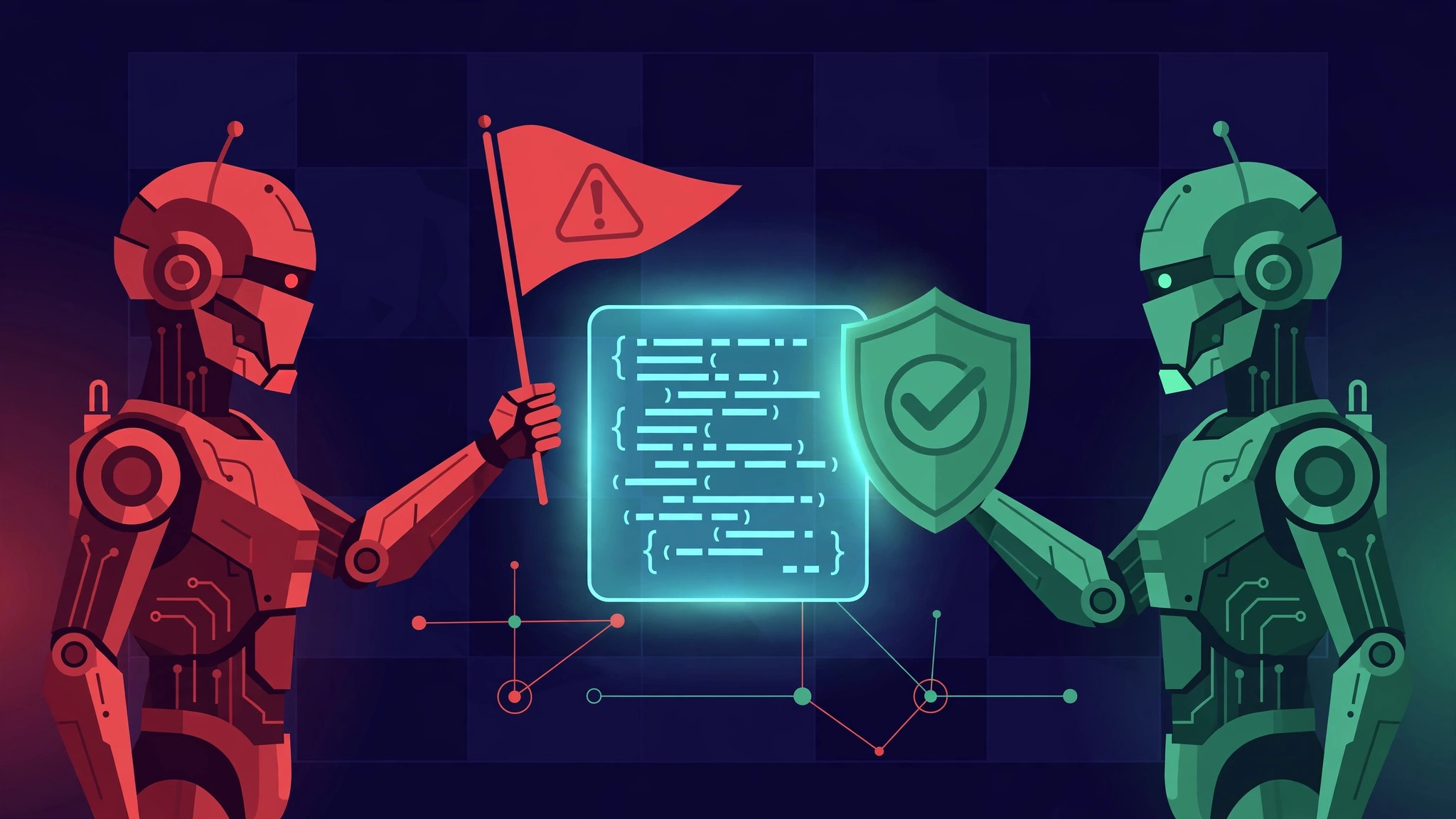
Phase 3 is the skill's most unusual idea, and the one most worth stealing for your own agent workflows. Every candidate is handed to a fresh verifier — an agent that did not hunt — with an adversarial brief: try to disprove this finding. Look for the sanitization the hunter missed, the allowlist, the middleware, the encoding step, the containment check. A candidate that survives becomes confirmed. A candidate whose decisive test is blocked becomes needs_validation, with the blocker and a validation plan written down. Nothing is silently dropped, and nothing is confirmed on vibes.
In my run the validator attempted refutation on all five candidates — searching the 128-line source for any validation, escaping, allowlist, middleware, or secret rotation that would break the claimed chains — and sustained all five. The three live-demonstrated findings stayed confirmed; the two source-traced ones stayed needs_validation, honestly labeled.
Step 7 — Structured output and the validators#
Phase 4 writes every final record — confirmed, needs_validation, and rejected — to findings.json against the strict report-schema.json. Each confirmed finding carries a stable fingerprint, a source trace (entrypoint → propagation → sink with file and line), evidence, exploit conditions, target-neutral reproduction steps, remediation with a minimal code fix, and a severity with likelihood/impact reasoning. Then the skill's own scripts grade the homework:
node validate-findings.cjs findings.json
node validate-coverage-ledger.cjs coverage-ledger.json
Both are zero-dependency Node scripts, and both must print PASS before the run can end. Mine did — but not on the first try, and the failures are worth your attention because they show what the validators are for:
ERROR: $[0].severity.overall_severity: cannot exceed demonstrated impact "high"
ERROR: $[1].fingerprint: findings must be sorted lexicographically
FAIL: 5 validation error(s)
My first draft had labeled the SQL injection critical. The validator refused: the practice app's data layer is a stub that logs queries and returns fixed rows, so what I demonstrated was full query-text control — impact high, not a data breach. overall_severity may not exceed demonstrated impact, so the finding was downgraded to high. The reflected XSS went from high to medium for the same reason. And the findings must be sorted lexicographically by fingerprint — a machine-checkable tidiness rule that keeps diffs stable across runs.
This is the skill's real lesson in miniature: the severity you feel is not the severity you demonstrated. An agent writing freeform reports inflates; an agent writing to this schema gets corrected by a script.
Step 8 — Read the report#
Phase 6 derives the human-readable reports from the validated records. Here is what the audit of the practice app found:
| # | Finding | Verdict | Severity |
|---|---|---|---|
| 1 | OS command injection in GET /ping — host concatenated into child_process.exec() (server.js:59) | confirmed | critical |
| 2 | SQL injection in GET /users — name concatenated into the statement (server.js:49) | confirmed | high |
| 3 | Unauthenticated remote DoS in POST /login — malformed body throws uncaught out of JSON.parse (server.js:94), process exits | confirmed | high |
| 4 | Reflected XSS in GET /hello — name interpolated into HTML unescaped (server.js:70) | confirmed | medium |
| 5 | Path traversal in GET /download — file joined with path.join, no containment (server.js:77) | needs_validation | high* |
| 6 | Admin token forgery — HMAC secret hardcoded in source (server.js:29) | needs_validation | critical* |
* Severity for needs_validation items reflects claimed impact if the source-grounded root cause is as analyzed; decisive live demonstration was blocked by tooling constraints in this run.
Four findings were demonstrated end to end with bounded loopback execution: the injected SQL text observed verbatim in the statement delivered to the data layer (both seeded rows returned), the injected shell command's output observed in the /ping response, the unescaped markup observed live in the /hello response, and — the surprise of the run — the /login crash. The final coverage critic noticed POST /login had no coverage unit at all; the follow-up found an unguarded JSON.parse on the request body, and a sacrificial instance confirmed it: one malformed request, no HTTP response, process exit code 1. A genuine sixth bug the planting missed. Two more — the traversal and the token forgery — are unambiguous in source (the /admin handler's own comment admits anyone reading the source can forge tokens) but their decisive live steps were blocked, so they sit honestly in NEEDS-VALIDATION.md with exact validation plans instead of being promoted.
Each confirmed finding also ships the smallest effective fix: parameterize the query, replace exec with execFile plus a hostname allowlist, HTML-encode the greeting, wrap the login body parse in try/catch and return HTTP 400. The audit describes fixes; per the skill's rules, it never modifies target source itself.
Limitations, honestly#
This skill is a workflow, not a vulnerability oracle. Know what it does not do:
- It is only as good as the hunter model. The skill structures the process; the underlying model still supplies the judgment. A weak model will miss bug classes no playbook can conjure, and the coverage ledger can only enumerate surfaces the reconnaissance phase recognized.
- Agent budget is real. A full audit of a large repo means many hunter and verifier agents. The skill has explicit budget-exhaustion handling (unvalidated candidates stay linked to ledger units, the run is marked
incomplete), but on a big codebase you should scope ruthlessly or run thequickprofile. - It audits source, not runtime behavior it cannot reach. Anything requiring deployed infrastructure, third-party services, or production data becomes
needs_validationby design. That is honest, but it means the report will have a tail of undecided items on real systems. - The sandbox is load-bearing. Every guarantee about safe execution assumes you actually enforce the OS-level controls. Without them, the skill tells you to stop executing target code — listen to it.
- Dual use is obvious. A tool that teaches agents to find vulnerabilities can be pointed at code you do not own. The skill's own rules forbid that; your ethics should too. Audit only systems you own or are explicitly authorized to test.
How it compares#
The skill sits between two established poles. Static analyzers (Semgrep, CodeQL) are fast, deterministic, and cheap — and blind to anything outside their rule sets; interestingly, Cloudflare's own writeup notes their hunters invoked Semgrep zero times, leaning on agent reasoning instead. Manual pentests and bug bounties bring human creativity at human cost and latency. The skill's pitch is the middle: agent creativity, but with the ledger forcing coverage, the adversarial verifier forcing honesty, and the validators forcing schema discipline.
Closest cousins: general "security review" Agent Skills and LLM-assisted SAST wrappers, which typically lack the coverage ledger and the adversarial validation phase — the two mechanisms that most distinguish this workflow. If you only adopt one idea from this tutorial into your own agent prompts, make it the fresh-verifier pattern: never let the finder be the confirmer.
Takeaway#
Cloudflare's security-audit-skill earned its September spike for a concrete reason: it turns the vague instruction "audit this code" into an accountable process — coverage ledger, isolated hunters, adversarial validation, machine-checked findings. Installed in one command, it runs on any capable coding agent, and its zero-dependency validators will correct your severity inflation without mercy. I know, because they corrected mine.
Run it against a practice app first, the way this tutorial did. Read the needs_validation items as carefully as the confirmed ones — they are where the honest uncertainty lives. And when you graduate to your own codebase, remember the skill's prime directive: own the target, sandbox the execution, and never let the finder be the confirmer.
Sources#
- Cloudflare, security-audit-skill — MIT-licensed Agent Skill (repository state verified September 27, 2026: 14 commits, latest September 14).
- Cloudflare engineering blog writeup of the internal dogfooding run (referenced for the workflow design and the Semgrep observation).
- GitHub Trending snapshots: ~+3,600 stars in a day and #2 daily trending (September 17, 2026); ~14.2k stars, 765 forks (September 19, 2026) — dated snapshots, not current counts.
Related reading#
- Teach Claude your workflow: build an Agent Skill with SKILL.md — the Agent Skill format this audit workflow is built on; write your own next.
- Plugin4Shell: the shared flaw that left four AI coding agents open to zero-click hijack — what real agent-targeted vulnerabilities look like in the wild.
- Testing agents: task-based evals for tool-using models — the methodology behind trusting tool-using agents with jobs like security auditing.