Cursor Voice Chat with Agents: talk to your coding agent in real time, powered by Grok Voice
Cursor shipped Voice Chat with Agents on November 6, 2026: you can now talk to your coding agent in a realtime voice call — describe a change out loud, ask what the agent is working on, and hear updates as the work moves forward. The voice layer runs on Grok Voice; the coding agent underneath keeps using whatever model you picked.
- Who: Cursor, shipping Voice Chat with Agents in its November 6, 2026 changelog.
- What: Voice Chat with Agents — realtime, two-way voice calls with a coding agent.
- When: November 6, 2026.
- Where it works: The Agents Window, the IDE, on the web, and in Cursor for iOS.
- Voice engine: Grok Voice, with named voices including Ara, Eve, Leo, Rex, and Sal. Privacy Mode runs voice chat with zero data retention.
- Limits: Requires a signed-in Cursor account (API-key sessions can’t start a call) and microphone permission. There is a daily limit on voice calls, with the number unpublished, and a call hangs up after about 10 minutes of silence while the agent has no work in progress.
Cursor's agents could already write the code. Now you can talk to them while they do it. The company shipped Voice Chat with Agents on November 6, 2026, a realtime voice call with the coding agent in your chat — the second agent-facing launch in two days, after Build Live Apps on November 5 let cloud agents deploy the apps they build to a shareable link.
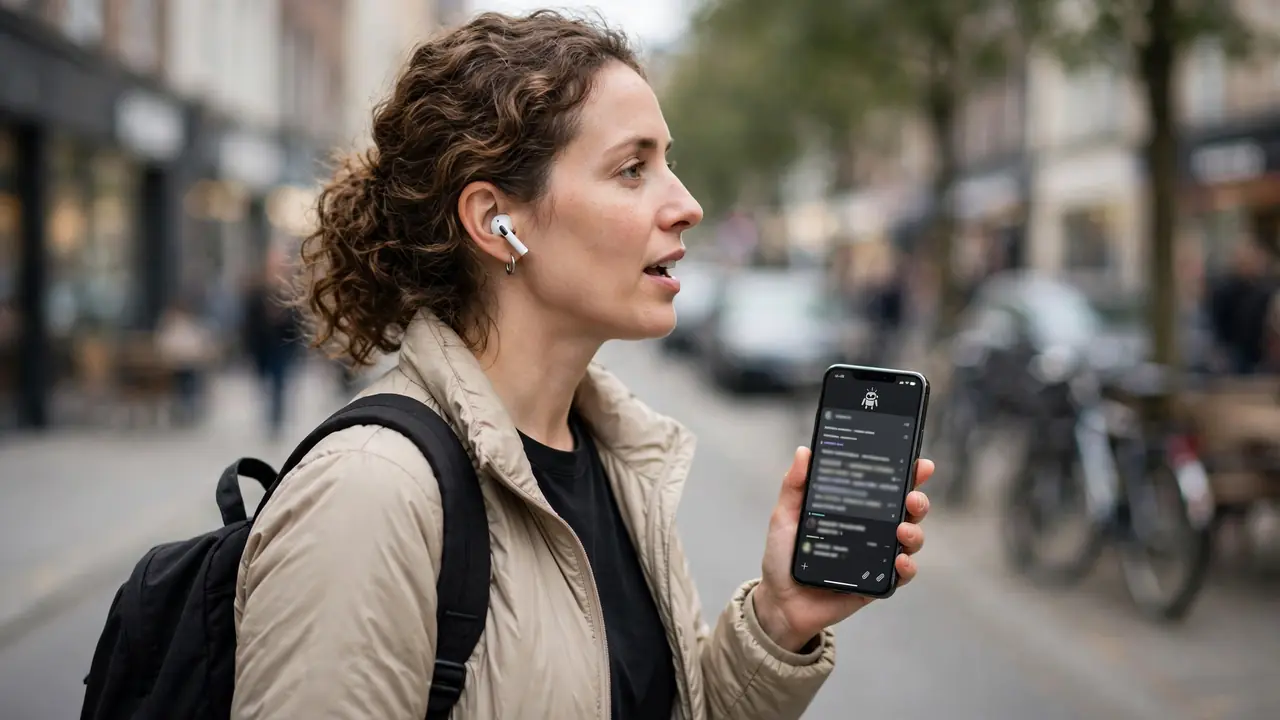
The pitch is hands-free coding. Describe a change out loud, ask what the agent is working on, and hear updates as the work moves forward — no typing, no waiting for a written reply to catch up with the work.
How a call works
When the agent is idle and the chat input is empty, a waveform button appears where Send usually sits, labeled Start voice chat. It sits next to the microphone button, which starts dictation instead. In the IDE, the chat also needs at least one message before the button shows up.
On iOS, you can also say “Hey Siri, call Cursor” to start a call with a new agent, and mute or hang up from the Lock Screen with a Live Activity. Allow microphone access when your system or browser asks, and the call connects — start talking, or the agent will check in after a few seconds.

Talk while the agent works
The voice agent listens, replies, and hands coding work to the agent in your chat. While that agent runs, you can keep the conversation going: ask what changed in a diff, check on a run, search earlier messages and calls with this agent, or switch between workers in a Project that has them.
The coding agent speaks for itself too. It shares short progress notes while it works and a brief answer when it is done, so you usually hear a short update instead of the full written reply. If it does not write a spoken update for a turn, the call reads its written reply instead. The call transcript appears in the chat, and cloud agent transcripts sync to your other devices while the call is live, unless Privacy Mode is on.
Powered by Grok Voice
Voice chat runs on Grok Voice, the speech-to-speech engine xAI launched as Grok Voice 3.0 on October 14. Pick from many voices in Voice settings, including Ara, Eve, Leo, Rex, and Sal, and change the voice mid-call — the choice sticks to the agent you are talking to. With Privacy Mode on, voice chat runs with zero data retention.
Voice chat is separate from dictation, which earlier releases called Voice Mode. Dictation still turns your speech into text in the chat input, and Cmd+Shift+Space still toggles it in the IDE. Voice chat is a two-way conversation where the agent answers out loud.
The limits to know
A few constraints are worth knowing before you reach for the waveform button. The call needs a signed-in Cursor account — sessions authenticated with an API key cannot start voice chat. There is a daily limit on voice calls; Cursor tells you when you can call again if you reach it, but does not publish the number. And by default, a call hangs up after about 10 minutes of silence from you while the agent has no work in progress.
The button is also hidden in some places: subagents and Project workers, archived chats, Claude Code chats, and chats owned by another teammate. And as with the trojanized extension that hit Cursor's marketplace in October, the voice layer is another surface where what the agent can hear and do matters — worth remembering the next time a coding agent asks for your microphone.
For developers who already live in their agent's chat, the change is small but real: the conversation no longer waits on the keyboard. Cursor has not said when — or whether — voice chat reaches other surfaces, but the changelog entry is live now: update Cursor to try it.
Frequently asked questions
What is Cursor Voice Chat with Agents?
It is a realtime voice call with the coding agent in your chat, shipped by Cursor on November 6, 2026. You describe a change out loud, ask what the agent is working on, and hear updates as the work moves forward, in the Agents Window, the IDE, on the web, and in Cursor for iOS.
Is voice chat the same as dictation?
No. Dictation, which earlier releases called Voice Mode, turns your speech into text in the chat input. Voice chat is a two-way conversation where the agent answers out loud. Cmd+Shift+Space still toggles dictation in the IDE.
What do I need to start a voice call?
A signed-in Cursor account — sessions authenticated with an API key can’t start voice chat — plus microphone permission, an idle agent, and an empty chat input. There is a daily limit on voice calls, with the number unpublished, and a call hangs up after about 10 minutes of silence while the agent has no work in progress.