Turn any scan or PDF into Markdown on your own CPU: a hands-on guide to Indra OCR
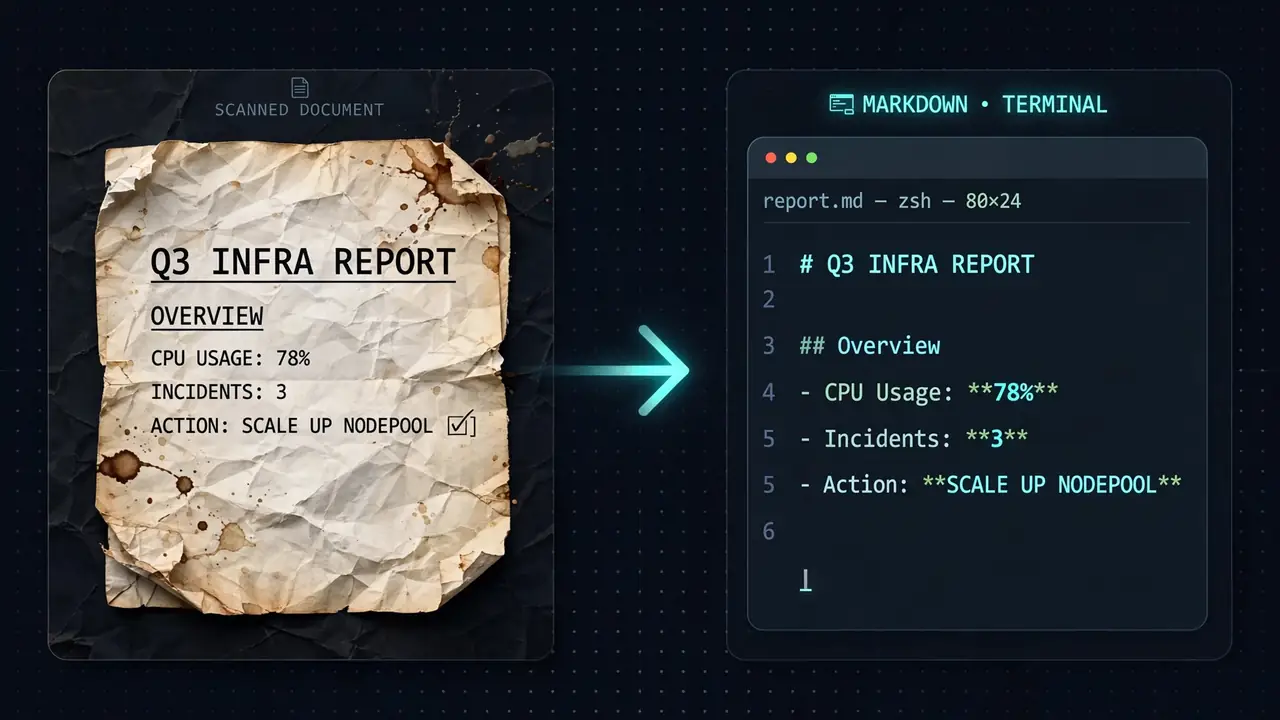
For decades the answer to "get the text out of this scan" has been the same: install Tesseract, wait, and receive a wall of text with no idea where the table was. Indra OCR — Datalab's new open-source model (Apache-2.0 code, around 340 GitHub stars two days after launch) — takes a different run at the problem: a 1M-parameter model that runs on CPU only, through ONNX Runtime, with about 18 MB of weights, and turns PDFs and images into Markdown with headings, lists, tables, and reading order intact. On the project's own benchmark runs it reports a 62.1 headline score against PaddleOCR's full document pipeline at 58.4, at a median 228 ms per page on four x86 cores. This tutorial installs it, converts a scan and a PDF, batch-processes a folder, reads the structured JSON, and scripts it in Python — then maps the limits honestly.
For decades the answer to "get the text out of this scan" has been the same: install Tesseract, wait, and receive a wall of text with no idea where the table was. Indra OCR — Datalab's new open-source model (Apache-2.0 code, around 340 GitHub stars two days after launch) — takes a different run at the problem: a 1M-parameter model that runs on CPU only, through ONNX Runtime, with about 18 MB of weights, and turns PDFs and images into Markdown with headings, lists, tables, and reading order intact. On the project's own benchmark runs it reports a 62.1 headline score against PaddleOCR's full document pipeline at 58.4, at a median 228 ms per page on four x86 cores. This tutorial installs it, converts a scan and a PDF, batch-processes a folder, reads the structured JSON, and scripts it in Python — then maps the limits honestly.
What you’ll need
- Python 3.10 or newer — the README reports Linux (x86_64 and aarch64, Python 3.10 to 3.13) and macOS on Apple silicon.
- No GPU. Everything runs on CPU via ONNX Runtime. There is no PyTorch to install.
- About 20 minutes and a PDF or a scan to feed it. The models (about 18 MB) download from Hugging Face on the first conversion and are cached.
Step 1: Install
pip install indra-ocrThat pulls in ONNX Runtime, OpenCV and pypdfium2 — no PyTorch. On my box it installed as indra-ocr 0.3.2. The models download automatically on first use; if you keep models offline, point at a local folder with --model-dir or the INDRA_OCR_MODEL_DIR environment variable.
Step 2: Convert one document
indra-ocr paper.pdf # markdown to stdoutAdd --timings and each page tells you which path it took, on stderr:
indra-ocr report.pdf --timings
# report.pdf page 1: text, 169 ms
indra-ocr scan.png --timings
# scan.png page 1: ocr, 1064 ms
Those are my own numbers from a 2-vCPU test box: the digital PDF used its own text layer and finished in 169 ms; a scanned invoice took the OCR path at 1064 ms. The source field is one of text (the PDF's own text layer), ocr, hybrid (text layer plus OCR of text inside images), or error. The default auto mode trusts the text layer where it passes the project's checks and OCRs everything else. --mode ocr ignores the text layer entirely; --mode text forces it even when the checks fail.
Step 3: Batch a folder
indra-ocr *.pdf --out results/        # one .md per input
indra-ocr *.pdf --out results/ --cores 8  # limit the workers
indra-ocr scan.png --format text       # plain text, one line per detected line
indra-ocr scan.png --keep-furniture    # keep page headers and footers
indra-ocr paper.pdf --mode ocr --timings  # force OCR, timings on stderr
Pages run in parallel — one single-threaded worker per usable core, so even a single long PDF uses every core. Other useful flags: --dpi (default 200), --max-pages, --password for encrypted PDFs, and --model-order to order text-layer lines with the order model instead of PDF content order. The CLI continues past files it can’t read and exits with 1 if any failed.
Step 4: Inspect what the machine sees
indra-ocr scan.png --format jsonYou get one JSON object per page: source, per-stage timings, the rotation and skew it corrected, lines (bounding box, text, confidence) in reading order, and blocks — layout blocks labeled Section-Header, Text, Table, Caption, Footnote, List-Group, Page-Header, Page-Footer, Table-Of-Contents or Form, each with its bounding box and text in reading order. On my test invoice the blocks came back as Section-Header / Text / Text / Table / Text — and the table’s cells landed in the right rows and columns.
Step 5: Script it in Python
import indra_ocr

conv = indra_ocr.load(threads=4)          # mode="auto" | "ocr" | "text"
for i, page in conv.convert("paper.pdf"):
    print(page.source, page.timings["total_ms"])
    print(page.markdown)                 # headings, lists, tables as HTML
    page.blocks                          # [{"label", "bbox", "text"}] in reading order
    page.lines                           # [Line(box, text, conf)] in reading order
For many files, convert_many runs one single-threaded worker process per core and returns results in input order — put the loop under if __name__ == "__main__": on macOS and Windows, or it warns and falls back to a single process. indra_ocr.load also takes path (model folder), dpi, mode, pdf_order, image_ocr, furniture and math.
Step 6 (optional): the local viewer and math
indra-ocr-viewer --port 8765     # open http://localhost:8765
indra-ocr paper.pdf --math        # write math as LaTeX ($...$)
The viewer is a local web app: drop in a PDF or image and each page shows its lines, layout blocks, and reading order drawn over the page, next to the rendered Markdown, the JSON output, and per-stage timings. Files never leave your machine. Math is off by default — it comes out as plain text — and --math runs a second recognizer that writes inline LaTeX. The project’s own benchmark says --math lifts the text score from 41.3 to 57.5, at the cost of speed (about 360 ms vs 210 ms median per page on their 4-core x86 box) and a little table accuracy, since numbers in table cells sometimes get read as math.
What you built
A CPU-only document pipeline: scans and PDFs in, Markdown with headings, tables, and reading order out — callable from the shell, from Python, or inspected in the local viewer. No GPU, no API bill, about 18 MB of models.
Honest limitations
- Complex tables break. Merged or spanning cells, cell text that wraps over several lines, nested headers, or tables with no ruling lines can land cells in the wrong rows or columns. Simple grid tables read well.
- No handwriting — about 8% on the project’s handwriting tests.
- The OCR script list is short: Latin (about 50 languages), Cyrillic, Greek, Devanagari, Bengali, and Chinese. Arabic, Hebrew, Thai, Japanese kana, and Korean Hangul only work through a digital PDF’s text layer; on scans and photos they come out wrong — a Hangul line, for example, becomes wrong Chinese characters.
- Degraded scans read poorly — about 20% on the old-scan tests. It’s built for speed on clean print.
- Math is plain text unless
--mathis on, and even then it’s slower and costs a little table accuracy. - No vertical text (such as traditional Chinese newspapers), very wide banner-shaped pages read poorly, labels inside engineering drawings often come out as small tables, and pages above 100 megapixels at 200 dpi get rendered at a lower dpi — small text can be lost.
- The license is split. The code is Apache-2.0, but the model weights use a modified OpenRAIL-M license: free for research, personal use, and startups under $20M funding or revenue — and not usable competitively against Datalab’s own API. For the hard cases (handwriting, math, complex tables, degraded scans) their paid answer is Chandra on the managed platform.
- The benchmarks are the project’s own runs on its own OmniParseBench harness — useful directionally, not independent. The timings in steps 2 and 4 are mine, from a 2-vCPU box.