Turn your AI coding assistant into a video studio: hands-on with OpenMontage
Most AI video tools give you a single clip from a prompt. OpenMontage gives you the whole production: describe a video in plain language and your AI coding assistant handles research, scripting, asset generation, editing, and final composition. Calesthio AI Labs’ open-source, agentic video production system (AGPL-3.0) sits past 68,000 GitHub stars and ships a dozen pipelines, 100+ tools, and — this is the part that matters — a free path that builds real videos from open archival footage, not animated stills. This tutorial takes it from zero to a finished render on your own machine.
Most AI video tools give you a single clip from a prompt. OpenMontage gives you the whole production: describe a video in plain language and your AI coding assistant handles research, scripting, asset generation, editing, and final composition. Calesthio AI Labs’ open-source, agentic video production system (AGPL-3.0) sits past 68,000 GitHub stars and ships a dozen pipelines, 100+ tools, and — this is the part that matters — a free path that builds real videos from open archival footage, not animated stills. This tutorial takes it from zero to a finished render on your own machine.
What you’ll need
- Python 3.10+, FFmpeg, and Node.js 18+ — the three hard prerequisites.
- An AI coding assistant that can read files and run code: Claude Code, Cursor, Copilot, Windsurf, or Codex. There is no orchestrator code in OpenMontage — your assistant is the orchestrator.
- No API keys to start. The free path uses Piper TTS, Archive.org/NASA/Wikimedia Commons footage, and React-based rendering. Add keys later when you want AI-generated clips.
- About 30 minutes.
Step 1: Install
Clone and set up:
git clone https://github.com/calesthio/OpenMontage.git
cd OpenMontage
make setup
No make? The README documents the manual route — a venv, pip install -r requirements.txt, an npm install inside remotion-composer, pip install piper-tts, then copy .env.example to .env. The Windows PowerShell equivalents are in the README too.
Step 2: Tell your assistant what you want
Open the project folder in your coding assistant and write one sentence:
"Make a 45-second animated explainer about why the sky is blue"The agent picks one of the dozen pipelines — Animated Explainer, Documentary Montage, Cinematic, Talking Head, Podcast Repurpose, Localization & Dub, Clip Factory, Screen Demo, Avatar Spokesperson, Animation, Hybrid, and more — and runs the same structured flow every production team follows:
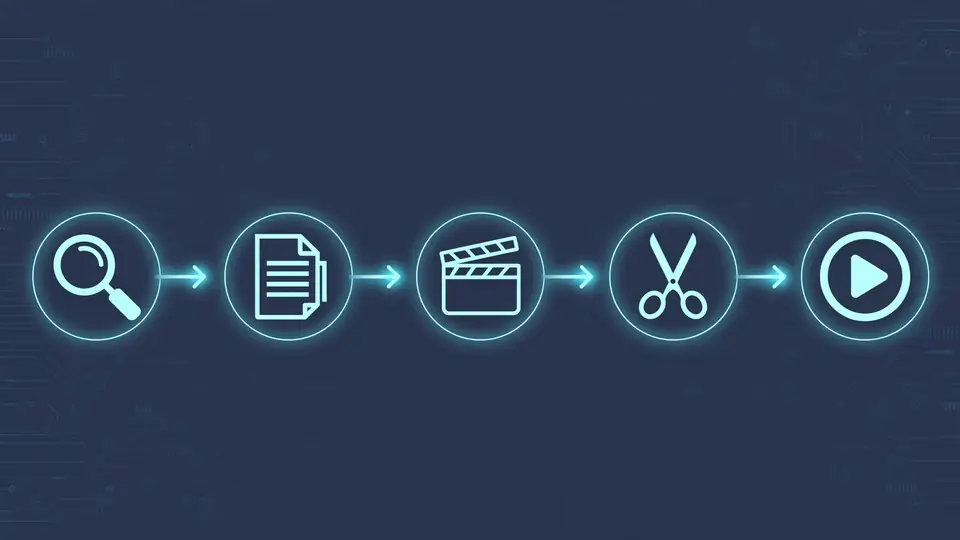
research -> proposal -> script -> scene_plan -> assets -> edit -> composeEach stage has a dedicated director skill — a markdown instruction file that teaches the agent exactly how to execute that stage, with checkpoints and creative approval gates before anything expensive renders. Web research is a first-class stage: before writing a word of script, the agent runs searches across YouTube, Reddit, news sites, and academic sources and cites them in a structured brief. Want an instant zero-key smoke test instead? The README ships make demo, which renders demo videos without any keys.
Step 3: Try the free real-footage path
The free path is what separates OpenMontage from the usual “animate stills and call it video” trick. Ask for it explicitly:
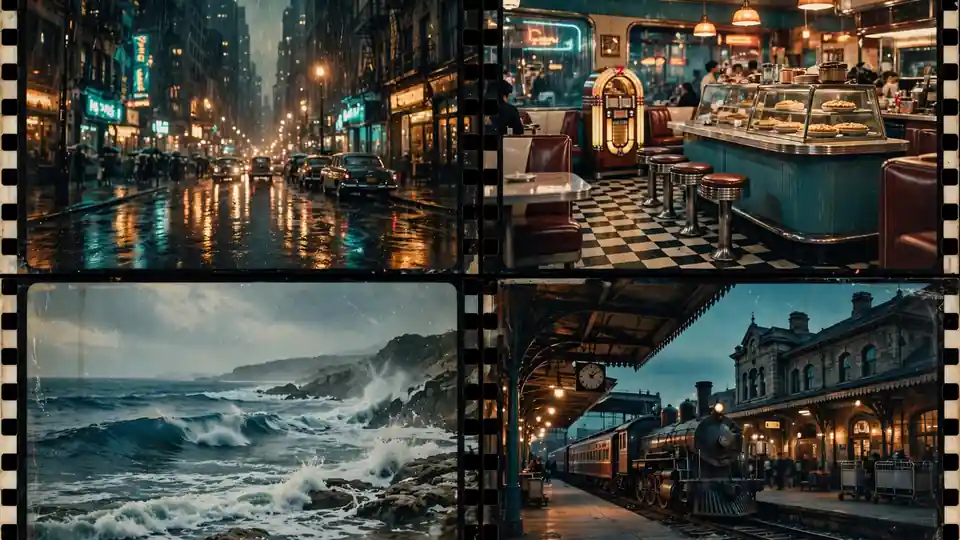
"Make a 75-second documentary montage about city life in the rain. Use real footage only, no narration, elegiac tone, with music."The agent builds a CLIP-searchable corpus from Archive.org, NASA, and Wikimedia Commons (plus Pexels, Unsplash, and Pixabay if you add their free developer keys), retrieves actual motion clips ranked semantically, edits them into a timeline, and renders a finished piece. The project’s own gallery shows what the paid tiers add: “The Last Banana”, a 60-second animated short with six Kling v3-generated clips via fal.ai, narration, and music, cost $1.33 total; a cinematic sci-fi trailer ran about $4.
Step 4: Watch it happen in Backlot
When a production starts, the agent opens Backlot — a local board that fills itself in as the pipeline runs:
python -m backlot open                  # the library - every project on disk
python -m backlot open <project-id>     # one production's live board
python scripts/backlot_simulate_run.py  # no production yet? watch a simulated one
Stages light up, the script lands as a screenplay page, scene cards shimmer while assets generate, and every provider decision and dollar spent is on the wall. The storyboard doubles as an approval gate: generation pauses on a scene-by-scene contact sheet — takes, prompts, per-asset cost, quality scores — so you approve visuals before the render. When a run finishes, hit replay and the whole production scrubs end to end from its timestamps.
Step 5: Add keys when you’re ready
Every key in .env is optional — more keys, more tools. The ones that matter most:
FAL_KEY=your-key               # FLUX images + Google Veo, Kling, MiniMax video
PEXELS_API_KEY=     # free stock footage (developer key is free)
PIXABAY_API_KEY=    # free stock footage (developer key is free)
ELEVENLABS_API_KEY= # or keep Piper TTS: free and offline
Budget governance is built in: the agent estimates cost before execution, enforces spend caps, and asks for approval per action. No surprise bills. If you have a GPU, make install-gpu unlocks free local video generation (Wan 2.2, Hunyuan, LTX-2, CogVideo-class models) via VIDEO_GEN_LOCAL_ENABLED=true.
Step 6: Start from a video you love
Reference-driven creation is often faster than a blank prompt:
"Here's a YouTube Short I love. Make me something like this, but about quantum computing."The agent analyzes the reference — transcript, pacing, scenes, keyframes, style — and returns 2–3 differentiated concepts, an honest tool path, a cost estimate at your target duration, and a sample before full production. It tells you what it keeps from the reference, what it changes, and what the result will actually look like with the tools you have.
What you built
A working agentic video studio on your own machine: a dozen production pipelines, a scored provider registry (60+ integrations across cloud APIs, local models, stock libraries, and open archives), production-grade quality gates — ffprobe validation, frame sampling, audio-level analysis, subtitle checks — and a replayable archive of every production. Point your coding assistant at a topic, approve the gates, and get a finished video with an auditable decision trail of every provider choice and dollar spent.
Honest limitations
- AGPL-3.0 is copyleft. Personal and internal content work is fine; if you modify OpenMontage and run it as a service for others, read the license obligations first.
- The agent is the weak link. The README’s quality assumes a capable coding assistant. A weaker assistant produces weaker scripts, worse asset choices, and more failed renders.
- The free path has a ceiling. Piper narration and archival footage are real and genuinely free, but they won’t produce a Hollywood trailer. AI-generated motion clips cost real money — budget $1–$4 for a short, and lean on the built-in cost estimates.
- Creative gates mean it’s not fire-and-forget. The pipeline pauses for your approval at script and storyboard stages by design. That’s the quality guarantee — and the speed limit.
- Local GPU video is heavy. The free local path (Wan 2.2 5B and friends) needs serious VRAM; on a laptop, the cloud APIs are the realistic route.