Turn any web chore into a one-line command: hands-on with Scout, the open-source browser agent
Browsing is the one chore AI still does clumsily. Chatbots can draft your email, but ask one to check a price, fill in a form, or compare two listings and you usually get confident fiction. Scout takes a different route: it opens a real browser, reads the page, clicks, types, and scrolls until the job is done — then hands back the answer. Outcrawl's open-source browser agent (Apache-2.0) passed 600 GitHub stars in its first day. This tutorial takes it from zero to a working agent script, on the cloud and on your own machine.
Browsing is the one chore AI still does clumsily. Chatbots can draft your email, but ask one to check a price, fill in a form, or compare two listings and you usually get confident fiction. Scout takes a different route: it opens a real browser, reads the page, clicks, types, and scrolls until the job is done — then hands back the answer. Outcrawl’s open-source browser agent (Apache-2.0) passed 600 GitHub stars in its first day. This tutorial takes it from zero to a working agent script, on the cloud and on your own machine.
What you’ll need
- Node 22 or later — check with
node -v. - An Outcrawl key — only for cloud runs. Free at outcrawl.ai: 1,000 credits every month, no card needed.
- A model key — any service that speaks the standard chat-completions API: a hosted provider, a gateway, or a model running on your own computer. Scout ships no model and no default; you pick one per job.
- About 15 minutes.
Step 1: Install Scout
Scout is a TypeScript package on npm:
npm i @outcrawl/scoutYou’ll also want a TypeScript runner for the examples — npx tsx fetches one on demand, or pin it with npm i -D tsx.
Step 2: Add your keys
Scout needs two things: a browser (Outcrawl’s cloud) and a model (yours). Set them as environment variables:
export OUTCRAWL_API_KEY="your-outcrawl-key"   # cloud browser; free tier at outcrawl.ai
export SCOUT_API_KEY="your-model-key"
export SCOUT_BASE_URL="https://your-endpoint/v1"
export SCOUT_HANDS_MODEL="your-model-id"
Step 3: Give it a task
Save this as task.ts — it’s the quickstart straight from the project’s README:
import { Scout } from '@outcrawl/scout';

const scout = new Scout({
  browser: 'outcrawl',
  models: {
    hands: {
      model: process.env.SCOUT_HANDS_MODEL!,
      baseURL: process.env.SCOUT_BASE_URL!,
      apiKey: process.env.SCOUT_API_KEY!,
    },
  },
});

const result = await scout.run('Find the top three stories on Hacker News right now');
console.log(result.data);
console.log(result.replayUrl); // watch the whole run, step by step
npx tsx task.tsScout opens a browser on Outcrawl’s cloud, works through the page, and prints the answer with a link to the replay. Their recorded demo does the classic smoke test — open books.toscrape.com, find the first Poetry book — and answers “A Light in the Attic, £51.77” in five steps.
Step 4: Point it at your own browser
Prefer your own machine? Install a browser and change one line:
npm i playwright-core && npx playwright install chromiumbrowser: { launch: {} } // instead of 'outcrawl'Add headless: false inside launch to watch it work. To drive a browser you already run, pass browser: { cdpUrl: 'http://127.0.0.1:9222' }. One caveat: replays come with the cloud, so replayUrl stays empty on your own browser.
Step 5: Get the answer in your shape
Want the answer in a fixed shape — say, a list of names and prices? Pass a JSON Schema with the task and the answer comes back in exactly that shape. The repo’s packages/scout/examples/ folder has five working scripts to steal from: research.ts (the three Hacker News stories with the most comments), form-fill.ts, compare.ts (two books: price and stock, cheaper one wins), login.ts, and outcrawl.ts (the cloud run with its replay).
If a model service refuses Scout’s request for a structured reply, the run error names the failing job and tells you what to change: set structuredOutput to 'json_object' or 'strict' on that job.
Step 6: Split the work across four model jobs
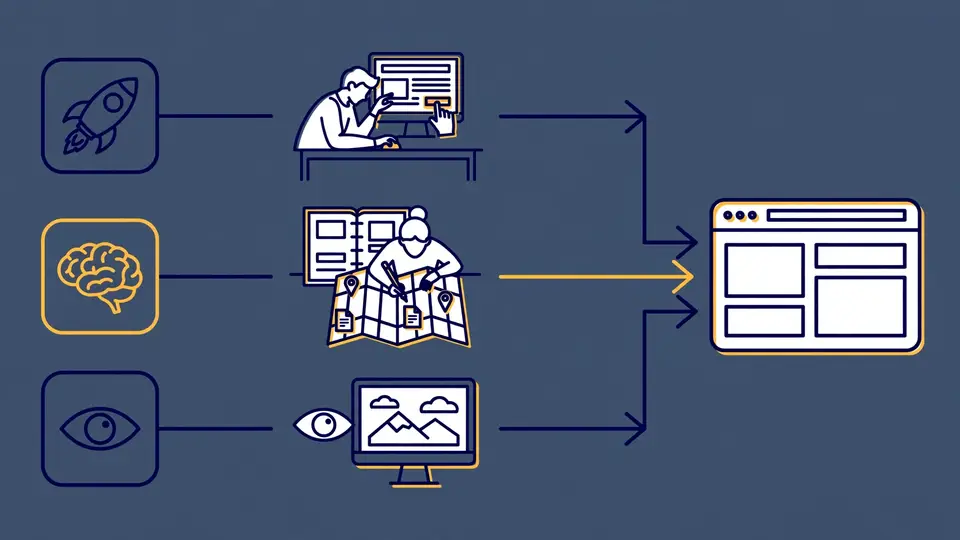
Scout divides every run into jobs, and you assign a model to each — even a different provider per job:
models: {
  hands:   { model: 'your-fast-model',   baseURL: urlA, apiKey: keyA },
  brain:   { model: 'your-strong-model',  baseURL: urlB, apiKey: keyB },
  eyes:    { model: 'your-vision-model',   baseURL: urlA, apiKey: keyA },
  extract: { model: 'your-local-model',    baseURL: localUrl, apiKey: '' },
}- hands (required) — reads the page and takes each step: click, type, scroll, read. It runs on every step, so a fast model pays off here.
- brain (optional) — plans the run and decides each step. Helps long tasks that cross many pages.
- eyes (optional) — looks at a screenshot when the page has to be seen. Needs a vision-capable model.
- extract (optional) — reads a page into your answer or your schema. Without it, hands does the job.
Step 7: Cap the run and read the receipt
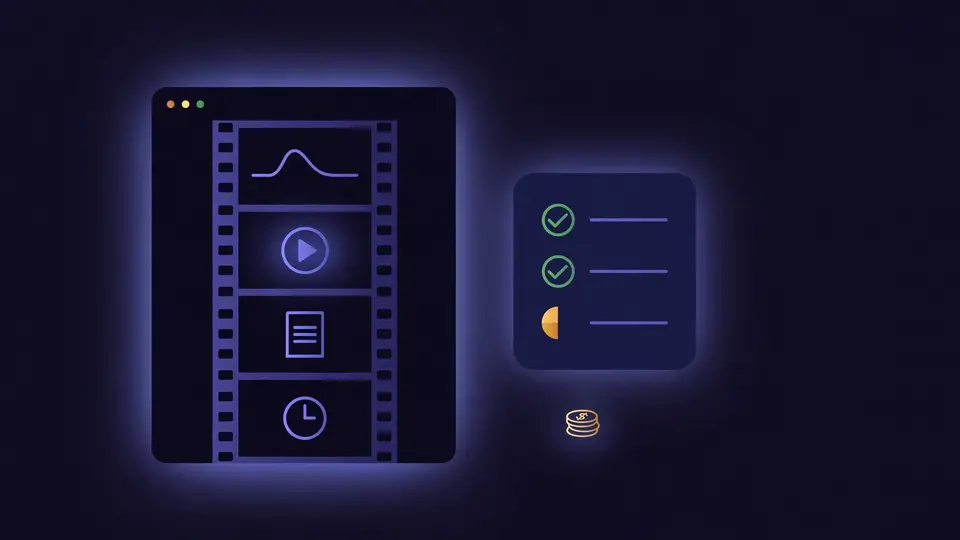
Every run returns a result object, even one that falls short:
- status:
completed,partial,capped(a limit you set was reached), orfailed - data: the answer, in your schema’s shape when you passed one
- error: on a partial or failed run, what is still missing
- steps: every action taken, with its timing and whether it worked
- costUsd: the run’s model spend, when it is known
- replayUrl: on Outcrawl’s cloud, a link to watch the run step by step
Bound a run up front with caps: { steps, duration, budget } — reaching a limit is a normal ending, with everything found so far.
What you built
A short script that takes a plain-English web task, drives a real browser to completion, and returns a structured answer with a receipt: status, steps, cost, and — on the cloud — a step-by-step replay. Swap one line and the same task, models, and code run on a Chromium on your own machine.
Honest limitations
- The GitHub repo is a mirror. Every change lands first in the private repository Outcrawl runs in production, then arrives on GitHub in a sync commit — expect lag, and a merged pull request comes back as part of the next sync.
- Cloud perks are cloud-only. Residential connections, in-browser challenge handling, and replays live on Outcrawl’s cloud. On your own browser you’re on your own IP, and
replayUrlis empty. - The model bill is yours. Scout reports
costUsdwhen known, but every token goes on your keys — and there is no default model, sohandsmust be configured. - The benchmark is vendor-run. Outcrawl reports 92.5% of pages reached on an 80-site benchmark (three full runs, October 7, 2026; next best 81.4%), scored with their own code — directional, not independent.
- 1,000 free cloud credits a month is generous for tinkering, but heavy research loops burn through it — set
caps.budgetbefore you let one loose.