
The moment you give a coding agent a shell, you have a containment problem. It can read your dotfiles, phone home to any host, and — if a prompt injection lands right — do all of it at an attacker's request. Permission prompts help, but they fatigue: after the fortieth "allow this command?" you stop reading them. Strands Box (strands-agents/box, 137 GitHub stars, Apache-2.0, first commit October 2) is the official sandbox engine from the Strands Agents team, and it takes the opposite approach: run the agent in operating-system isolation under a policy file, and deny by default. Nothing reaches the filesystem or the network unless a rule you wrote permits it.
Two ideas combine in Box. The first is classic sandboxing: the host OS restricts what the agent's process can touch, directly and without asking. The second is semantic policy: a policy engine evaluates every operation the agent routes through Box's shell, Python interpreter, egress gateway, or MCP broker against rules you write in Dogwood — permit and forbid rules that can depend on the operation, its arguments, earlier actions, and elapsed time. A file read through the shell can cause the gateway to deny a later HTTP request, because the interpreters share one event history. And because the policy engine runs in Box's own trusted process — outside the agent's sandbox — the agent can't tamper with its own verdicts.
brew install node if you don't have it.us-west-2. This walkthrough boxes the Strands CLI, which talks to the model through Bedrock — the key lasts up to 12 hours and only works in the region you made it in.jq for reading the decision log. That's it.Make a workspace and fetch the binaries. The download script checks the release checksum and unpacks everything into ./box-core; it doesn't touch your PATH:
mkdir ~/box-tutorial
cd ~/box-tutorial
curl -fsSL https://raw.githubusercontent.com/strands-agents/box/main/download.sh | sh
./box-core/box --version
Keep the downloaded binaries together in ./box-core — box needs the helper files beside it. Prefer to build it yourself? It's a Cargo workspace: cargo build --release -p strands-box -p strands-box-containment and copy the binaries into ./box-core.
Install the CLI with Homebrew's npm so it lands where the box config will expect it, and make a small project for it to work on:
/opt/homebrew/bin/npm install -g @strands-agents/cli
mkdir my-project
echo "# My project" > my-project/README.md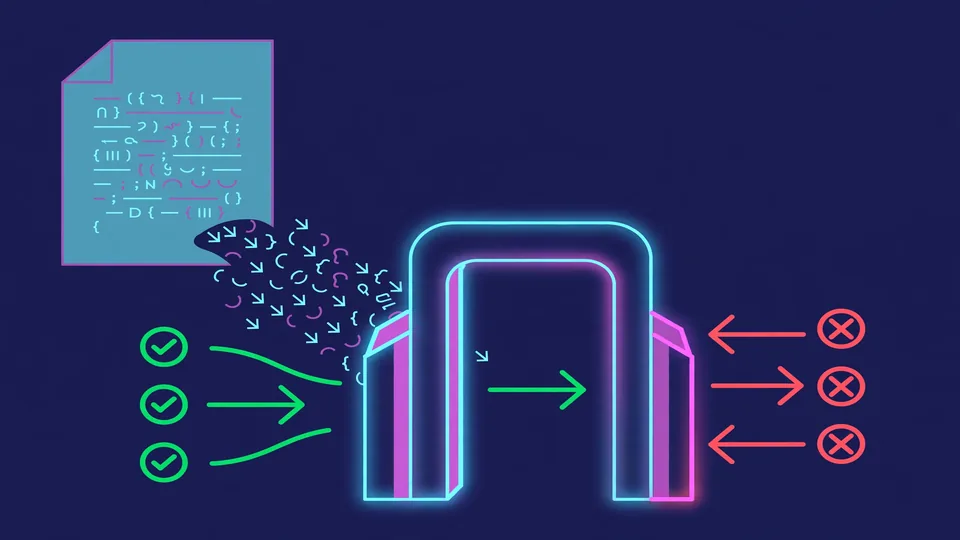
Box routes all of the agent's network traffic through its egress gateway and sets HTTPS_PROXY to the gateway's address. The AWS SDK for JavaScript opens its own connections and ignores HTTPS_PROXY, and its Bedrock calls use HTTP/2, which no proxy setting reaches — the guide is upfront that "not every agent runs in a box unchanged." The fix is a Node preload file that forces the SDK's connections through the proxy and downgrades HTTP/2 to HTTP/1.1. Save this as proxy-preload.mjs:
// Send the AWS SDK's requests through the box's egress gateway. Load with `node --import`.
import { createRequire } from "node:module";

// Find modules the way the CLI does, from the CLI's own script.
const require = createRequire(process.argv[1]);

if (process.env.HTTPS_PROXY) {
  // Make every Node connection use the proxy settings from the environment.
  const http = require("node:http");
  const https = require("node:https");
  const proxyEnv = process.env;
  const HttpAgent = http.Agent;
  const HttpsAgent = https.Agent;
  http.Agent = class extends HttpAgent {
    constructor(options) {
      super({ proxyEnv, ...options });
    }
  };
  https.Agent = class extends HttpsAgent {
    constructor(options) {
      super({ proxyEnv, ...options });
    }
  };

  // Bedrock calls use HTTP/2, which ignores these proxy settings. Use HTTP/1.1.
  const handlers = require("@smithy/node-http-handler");
  handlers.NodeHttp2Handler = handlers.NodeHttpHandler;
}
This one is Node-specific, not Box-specific — any Node program behind a proxy has the same problem. But it's the reason the next two files look the way they do.
The CLI reads settings from ~/.strands/cli/config.json; the box will set the CLI's HOME to ./strands-home, so create the settings there:
mkdir -p strands-home/.strands/cliSave this as strands-home/.strands/cli/config.json:
{
  "onboarding": { "version": 1 },
  "providers": { "enabled": ["bedrock"] },
  "profile": { "model": "bedrock/global.anthropic.claude-opus-5" },
  "permissions": { "mode": "bypassPermissions" },
  "settings": { "setupOnLaunch": false }
}
This makes the CLI use Claude Opus 5 on Bedrock, open straight into chat, and skip its setup screens. Note bypassPermissions: the CLI will no longer ask you to approve each tool call — the box's policy decides each command instead. That's the trade you're making, and it only works because the policy is about to be airtight.
Make the box directory and save this as my-box/box.toml — the file that says what to run and what it may reach:
# The box's name, and where it keeps its own state. The agent can't reach box_dir.
name = "strands"
box_dir = "<HOME>/box-tutorial/my-box/state"
# The policy file, next to this one.
policy = "policy.dw"

[agent]
# The program the box starts. Node loads the preload file first, then runs the CLI.
command = [
  "/opt/homebrew/bin/node",
  "--import=<HOME>/box-tutorial/proxy-preload.mjs",
  "/opt/homebrew/lib/node_modules/@strands-agents/cli/bin/strands.js",
  # Give the agent its shell and web fetch, and no file tools, so the policy decides each file it works on.
  "--set", 'builtinTools={"*":false,"shell":true,"web_fetch":{"transport":"direct"}}',
  # Keep sessions and memory out of the project.
  "--set", 'session.dir="<HOME>/box-tutorial/strands-home/sessions"',
  "--set", 'memory.dir="<HOME>/box-tutorial/strands-home/memory"',
]
# The directory the agent starts in. This alone grants nothing.
workspace = "<HOME>/box-tutorial/my-project"
# The agent gets these variables, plus the ones the box adds. Nothing comes from your shell.
env = { AWS_REGION = "us-west-2", HOME = "<HOME>/box-tutorial/strands-home", PATH = "/usr/bin:/bin", TERM = "xterm-256color" }

# What the agent's own process can touch without asking the policy.
[agent.filesystem]
# Node loads the CLI, and the CLI reads its settings.
read = ["/opt/homebrew/lib/node_modules/@strands-agents/cli", "~/box-tutorial/strands-home"]
# Node loads the preload file, and reads Homebrew's OpenSSL settings when it starts.
read_file = ["~/box-tutorial/proxy-preload.mjs", "/opt/homebrew/etc/openssl@3/openssl.cnf"]
# The CLI writes its sessions and memory.
write = ["~/box-tutorial/strands-home"]
# The CLI lists the names in its working directory. It can't open the files itself.
list = ["~/box-tutorial/my-project"]

# The box adds your Bedrock API key to each request to Bedrock. The agent, and every tool or MCP
# server in the box, gets a stand-in value.
# "model" is a name you choose.
[egress.model]
destinations = ["bedrock-runtime.us-west-2.amazonaws.com"]
secret.ref = "env://AWS_BEARER_TOKEN_BEDROCK"
Read the shape of it: box_dir, command, workspace, and env describe the agent; [agent.filesystem] is what its own process may touch without a policy decision — enforced by the OS; [egress.model] declares the one network destination, with your API key injected by the gateway so the agent never sees the real secret — it gets a stand-in value. The paths with <HOME> need your home directory (the filesystem lists can start with ~, which Box expands):
sed -i '' "s|<HOME>|$HOME|g" my-box/box.tomlNow save this as my-box/policy.dw — the Dogwood rules that decide each request the agent makes:
// Connect to Bedrock, and send it requests.
@id("model_connect")
permit (principal, action == Box::Action::"net:connect", resource)
when { context.input.host == "bedrock-runtime.us-west-2.amazonaws.com" && context.input.port == 443 };

@id("model_request")
permit (principal, action == Box::Action::"http:request", resource)
when { context.input.host == "bedrock-runtime.us-west-2.amazonaws.com" };

// Run any command in the box's shell. Each file a command touches is still its own decision.
@id("shell_commands")
permit (principal, action == Box::Action::"shell:exec", resource);

// Read anything in the project. A path under your home starts with "~" here.
@id("project_read")
permit (principal, action == Box::Action::"fs:read", resource)
when {
  context.input.path == "~/box-tutorial/my-project" ||
  context.input.path like "~/box-tutorial/my-project/*"
};

// Use /dev/null, which agents redirect output to all the time.
@id("dev_null")
permit (principal, action in [Box::Action::"fs:read", Box::Action::"fs:write"], resource)
when { context.input.path == "/dev/null" };
The semantics are the whole point: operations the engine checks are denied by default. A matching permit must allow the operation, and a matching forbid overrides that permission. The box refuses any request that no permit matches — which right now includes writing a single file anywhere.
In the Amazon Bedrock console, pick us-west-2, open API keys, and on the Short-term API keys tab choose Generate short-term API keys. Put the key in your shell — the guide's own caution applies: don't paste it into a coding agent, export it yourself in your own terminal:
export AWS_BEARER_TOKEN_BEDROCK="your-key"A key lasts up to 12 hours and works only in the region you made it in. Run the box from the same shell.
./box-core/box run --config my-box/box.tomlThe box prints what the agent can touch, then the CLI opens a chat:
strands-box: box box-4a4cdb2b114ab6ce created · config my-box/box.toml
strands-box: starting workload
strands-box: [agent] runs /opt/homebrew/Cellar/node/26.5.0/bin/node with no policy decision over these paths:
  read        /opt/homebrew/lib/node_modules/@strands-agents/cli
  read        /Users/you/box-tutorial/strands-home
  write       /Users/you/box-tutorial/strands-home
  read_file   /Users/you/box-tutorial/proxy-preload.mjs
  read_file   /opt/homebrew/etc/openssl@3/openssl.cnf
  list        /Users/you/box-tutorial/my-project
Now ask the agent:
Read README.md, then add a line to it that says hello.The agent reads README.md — permitted — then tries the write, and the box refuses it. The agent tells you the write was denied. Type /exit to leave the chat, which stops the box. You asked for something reasonable and got told no. That is the feature working.
Box writes every decision to my-box/state/private/telemetry/records.jsonl in OTLP JSON. This prints one line per decision — the guide's own jq incantation:
jq -r '.resourceLogs[]?.scopeLogs[].logRecords[]
  | (.attributes | map({(.key): .value}) | add) as $a
  | select($a["strands.box.policy.verdict"])
  | [$a["strands.box.policy.verdict"].stringValue, $a["strands.box.policy.action"].stringValue,
     ($a["file.path"].stringValue // $a["server.address"].stringValue
      // ($a["process.command_args"].arrayValue.values | map(.stringValue) | join(" ")))]
  | @tsv' my-box/state/private/telemetry/records.jsonl
The output shows every verdict — permits and denies. The guide's example run includes lines like these:
deny    net:connect   telemetry.strandsagents.com
deny    shell:spawn   /usr/bin/uname -s
permit  shell:exec    pwd
permit  net:connect   bedrock-runtime.us-west-2.amazonaws.com
permit  shell:exec    cat /Users/you/box-tutorial/my-project/README.md
permit  fs:read       ~/box-tutorial/my-project/README.md
deny    fs:write      ~/box-tutorial/my-project/README.md
Notice the two denies you never asked for: the CLI tried to phone home for a version check (telemetry.strandsagents.com — no host but Bedrock is named in the policy) and probed the machine with uname at startup (the policy allows shell:exec but not shell:spawn). The log holds what the agent did on its own as well as what you asked for. That quiet telemetry ping, refused silently, is the difference between this and a permission prompt you'd have waved through.
The loop with any agent is: run it, read what the box refused, and allow only what it needs. Append this permit to my-box/policy.dw:
// Write anything in the project.
@id("project_write")
permit (principal, action == Box::Action::"fs:write", resource)
when { context.input.path like "~/box-tutorial/my-project/*" };
Run the box again and ask the same thing. Box reads policy.dw each time it starts, so the new rule applies immediately — and the decision log now shows permit fs:write ~/box-tutorial/my-project/README.md. The agent can write in its one folder. It still can't read your home directory, still can't spawn binaries, still can't reach any host but Bedrock. Clean up when you're done:
rm -rf ~/box-tutorialA boxed coding agent: a sandbox that limits the agent's direct file, program, and network access at the OS level, plus a deny-by-default Dogwood policy that decides every shell command, file operation, and HTTP request — with credential injection so the agent authenticates to Bedrock without ever holding your API key, and a complete decision log of everything it tried. The working pattern generalizes: box the program you don't fully trust, read what it gets refused, and extend the policy one permit at a time.
us-west-2; short-term keys expire in 12 hours, and there's no free tier. You're paying AWS for every run.uname, version pings, output redirection. Budget time for the policy loop; there is a policy-authoring skill in the repo that teaches Dogwood syntax and Box's action vocabulary, and it's worth pointing your coding agent at it.HTTPS_PROXY and Bedrock uses HTTP/2, which is why the walkthrough carries proxy-preload.mjs — any other Node agent you box will need the same treatment until its SDK learns to respect the proxy.Still: the idea is right. A permission prompt is a judgment call made under time pressure by a tired human. A policy file is a judgment call made once, while calm, that every run has to pass. For agents you hand a shell to, that's the containment model worth learning first.