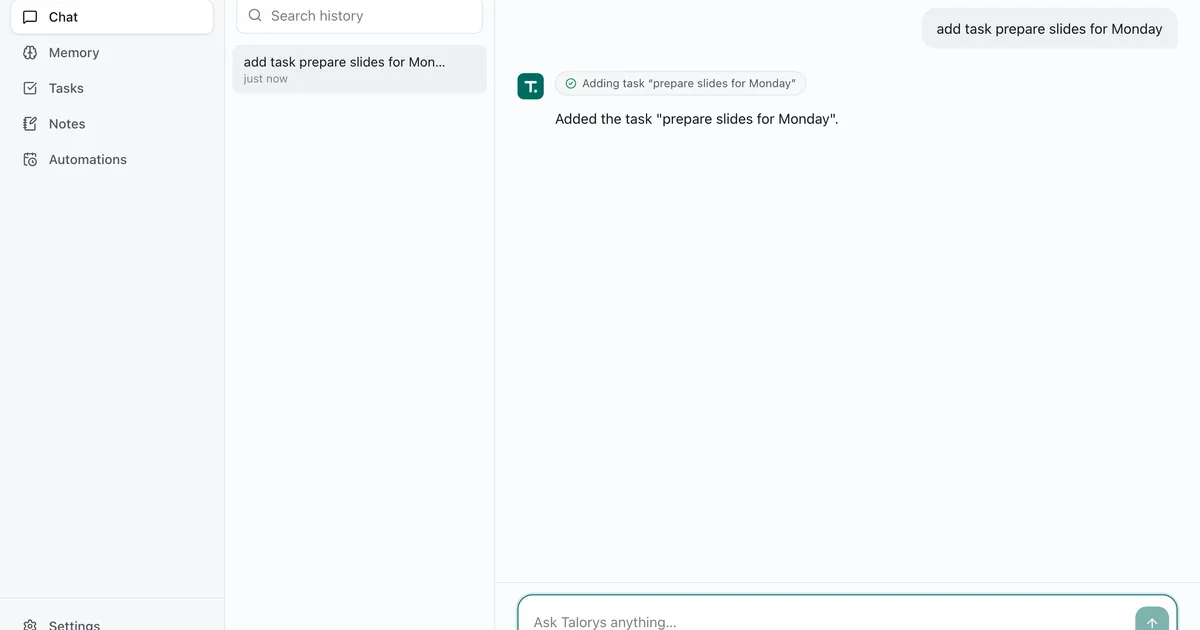
Every personal AI assistant you’ve ever used lives on someone else’s computer. Your chats, your reminders, your routines — all of it sits in a vendor’s database, metered by their quota and visible to their support staff. Talorys flips that around: a private AI assistant that runs entirely inside your own Cloudflare account — chat with streaming responses, long-term memory, tasks, notes, and scheduled reminders — deployed with a single command. It’s MIT-licensed, and it picked up roughly 720 GitHub stars within two days of release (October 2026). This tutorial: deploy it, sign in, teach it to remember things, and set up an automation — then decide what you trust it with.
node --version. The installer bundles its own Wrangler CLI, so you don’t need wrangler installed.One honest note before we start: Talorys was created on 2026-10-10 — two days before this tutorial. Treat it as a promising young project, not battle-tested infrastructure. We’re deploying it exactly the way its README describes, nothing more.
The whole deploy is one line:
npx create-talorys@latestThe installer does eight things, all documented in the README:
wrangler or cf is detected but not required.talorys-<id>-agent, talorys-<id>-web).https://….pages.dev URL reported by Cloudflare.It also writes a talorys/ directory containing talorys.json — installation id, account id, resource names, URL, and no secrets. Keep it; you’ll need it for updates. Interrupted halfway? Run the same command again in the same place: it reconciles what already exists, never duplicates resources, and never deletes data.
Open the URL the installer printed and enter your owner password. Now look at what you’re actually talking to. Your browser only ever reaches your *.pages.dev site; /api/* requests run a Pages Function that forwards them over a service binding to the agent Worker — which is deployed with workers_dev: false and preview_urls: false, meaning it has no public URL at all. Authentication happens in the Worker, not the frontend, and chat responses stream end-to-end as Server-Sent Events.
In practice that means: no one can reach your assistant except through your Pages site, and there’s no vendor account in the middle holding your data. Say hello. Ask it what it can do — the README’s honest summary is that it chats, remembers, manages tasks and notes, and runs reminders on a schedule.
This is the part that makes it yours. Tell it something it should keep:
Remember that I work from Montreal and my team standup is at 9:30am.Memories are durable personal facts and preferences you can view, edit, and delete in the UI. On each turn, only the most relevant ones are sent to the model — it doesn’t dump your whole life into the context window. Later, ask “what do you remember about my schedule?” and it should answer from what you taught it, not from training data.
If you want recall by meaning rather than keyword, there’s an optional semantic-recall mode — off by default, enabled under Settings → AI, or by installing with the --semantic flag. The README documents it in docs/semantic-recall.md.
Tasks, notes, and projects have full CRUD in the UI — and from chat. Try the README’s own example:
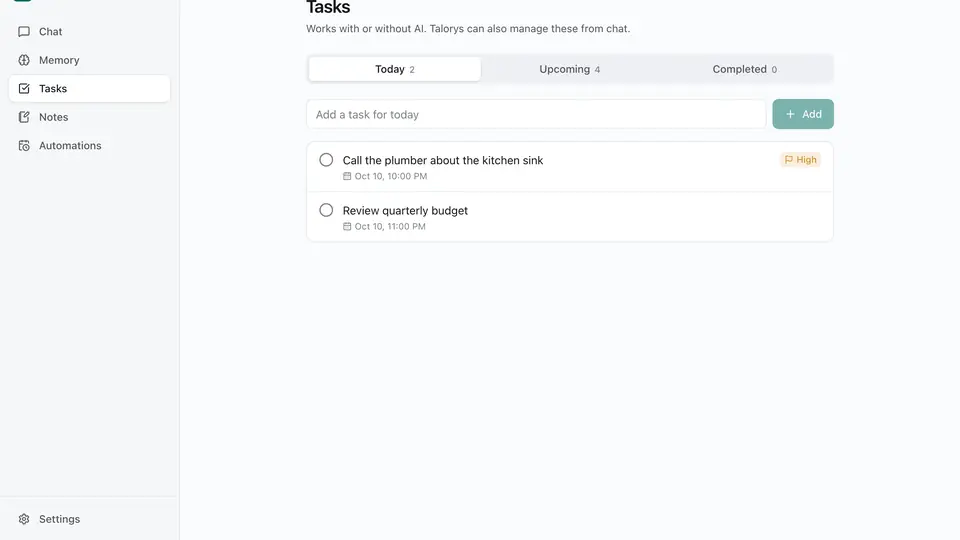
Add a task to review my project tomorrowYou’ll see a tool-activity indicator, then the task lands in your list. Reminders and routines are where the architecture pays off: one-time and recurring reminders, daily task digests, and optional AI routines are delivered to an in-app notification center, and they run on Durable Object alarms — so nothing has to stay online. No always-on server, no cron box, no phone app pinging a vendor.
A personal assistant you can’t maintain is a liability. From your talorys/ directory:
npx create-talorys@latest updateThis redeploys the latest Worker and frontend to the same resources. The Durable Object namespace is never recreated (migrations are append-only), the owner password and sessions are kept, and schema migrations run automatically and transactionally on first request. Two more commands worth knowing: npx create-talorys@latest status and npx create-talorys@latest doctor — the latter checks everything automatically when something feels off.
Backups are deliberately boring: export produces talorys-backup.json with conversations, memories, tasks, notes, projects, settings, and automations — never sessions or credentials — and import validates and merges in one transaction. Importing the same backup twice is harmless. And if you ever get locked out:
npx create-talorys@latest reset-passwordThat replaces the password secret and signs out every device. Running headless? Set TALORYS_OWNER_PASSWORD and, if you’re not logged in, CLOUDFLARE_API_TOKEN with these permissions: Account › Workers Scripts › Edit, Account › Cloudflare Pages › Edit, Account › Workers AI › Read, Account › Account Settings › Read, plus User › User Details › Read (optional, shows your email).
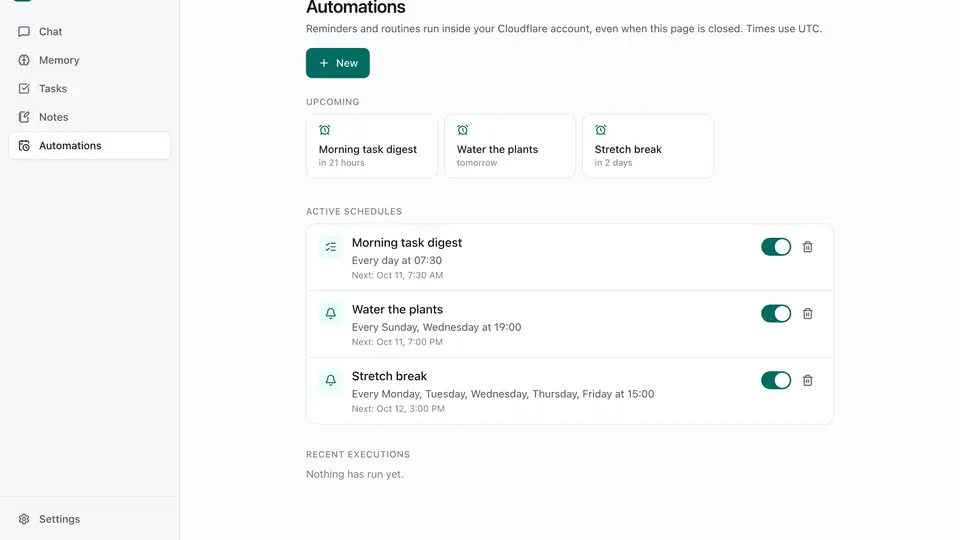
A private AI assistant that lives in your Cloudflare account instead of a vendor’s. It chats with streaming responses, remembers what you teach it, manages tasks and notes from plain chat, and runs reminders and daily digests on Durable Object alarms — all on the free tier, with the model served by Workers AI (@cf/zai-org/glm-4.7-flash). No server to babysit, no database to provision — Talorys explicitly uses no R2, D1, KV, or Vectorize — and no telemetry: the README’s pitch is one person, one Cloudflare account, one command.
@cf/zai-org/glm-4.7-flash — a Zhipu GLM model served through Workers AI. The model menu follows Cloudflare’s Workers AI catalog; you’re not bringing your own API key to a frontier model here.talorys/ directory, you’re redeploying.The uncomfortable part: “private AI assistant” used to mean a Raspberry Pi in a closet and a weekend of YAML. Talorys’s bet is that privacy is mostly about whose account the data sits in — and that one command is the right price for it. Whether that bet is right depends on what you’re willing to trust Cloudflare with. Either way, you now have a working assistant you can audit line by line — MIT, on GitHub — which is more than any closed assistant offers.