
Claude Code can build an entire feature while you sip coffee — and a month later you can’t explain a line of it. That gap is exactly what VibeWise targets. It’s a small plugin for Claude Code and Codex (MIT licensed, around 3,300 GitHub stars in its first two weeks) with an unfashionable idea: slow the agent down on purpose. Before it writes anything, the AI asks for your approach, walks you through build, design, and implementation checkpoints, and keeps per-project learning notes that resume across sessions.
For Claude Code, install from Anthropic’s built-in directory. Run this in Claude Code:
/plugin install vibe-wise@anthropic-plugin-directoryChoose an installation scope and confirm — no marketplace setup needed. Then restart Claude Code.
If your Claude Code version doesn’t have the Anthropic Directory, install through GitHub instead. Run these commands one at a time in Claude Code (pick one installation method; you don’t need both):
/plugin marketplace add nykooi1/vibe-wise
/plugin install vibe-wise@vibe-wise
Tip from the README: enable automatic updates through /plugin → Marketplaces → vibe-wise → Enable auto-update. It’s off by default for third-party marketplaces.
For Codex, run these in your terminal one at a time:
codex plugin marketplace add nykooi1/vibe-wise
codex plugin add vibe-wise@vibe-wise
In Codex, plugin commands use $ instead of /: /vibe-wise:learn becomes $vibe-wise:learn.
Restart Claude Code in the project you want to work on, then run:
/vibe-wise:learnSetup asks one question at a time; use the arrow keys and Enter for choices, or pick Use defaults to skip preference setup entirely. Then just ask Claude to build something. On Codex, run $vibe-wise:learn at the start of each session (and again whenever Codex seems to have lost track of learning mode — it resumes from your saved notes without repeating setup).
Here’s the part that feels different. Instead of jumping to code, the AI asks you to work out how the problem should behave. The README’s walkthrough uses a Notion-style notes app: you say a note can live in several folders, and deleting a folder should delete its notes. The agent pushes back:
"Trip ideas" is in both Travel and Summer. Deleting it removes it from both.
When someone deletes Travel, what should happen to that note in Summer?
You answer in plain English — no syntax required:
Keep it in Summer. If it has no folders left, keep the note outside any folder.The agent refines the model with you ("separating deleting a folder from deleting a note") and may probe the data shape: how would you represent which folders a note belongs to, without copying the note? You don’t need to know the answer already; the AI can explain unfamiliar concepts, sketch the relevant pieces, or shrink the question. Answer in plain English, ask for more help, or say skip whenever you want.
When the reasoning settles, you get a design checkpoint — a short proposed design with a numbered menu:
1. Confirm and continue
   This approach makes sense to me; move to the next piece.
2. Discuss
   Ask questions or clarify anything that doesn't make sense before deciding.
Confirm and continue records the design and moves planning forward; no code is written yet. This is the VibeWise contract in one screen: describing what you want sets the requirements, and a feature preference never silently becomes an architecture decision. Note the README is honest that these aren’t three mandatory stops — when you’re ready to code, the implementation checkpoint also confirms the design, skipping a separate design step.
At the implementation checkpoint, the agent states exactly what it will build and test — then you type:
Implement this step.It writes the code and runs the tests. Afterwards you get an implementation report covering what changed, how the key code works, why it fits the decision you made, which tests were added or updated and what they cover, and which checks ran with their results. When the agent proposes implementation details beyond your decisions, it separates them into a short list with reasons, and you can question or change any item before proceeding.
The experience adapts to you. There are three levels — Beginner (more explanations, diagrams, smaller reasoning questions), Intermediate (less context, more tradeoffs), and Advanced (hard constraints, failure modes, design assumptions probed). Separately, checkpoint frequency comes in Light, Normal, or Frequent. You steer it in plain language mid-session:
Use fewer checkpoints.
Focus on backend architecture.
Use multiple-choice questions.
Just implement this one.
Pause learning.
To change your level or preferences, just tell the AI — no reset needed. Resume a paused session with /vibe-wise:learn.
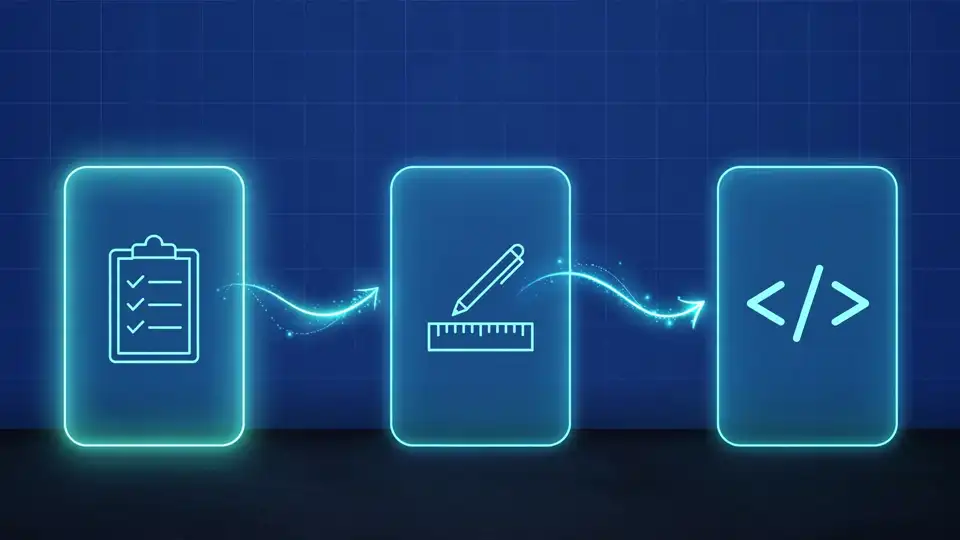
Preferences, learning notes, and a project map live in .vibe-wise/ at your project root (in a Git repo that’s the repository root, and VibeWise finds it from any subfolder). Add it to your .gitignore to keep your notes out of Git — the plugin won’t touch your .gitignore silently:
echo ".vibe-wise/" >> .gitignoreTo start learning a project from scratch, run /vibe-wise:reset: it shows the project, asks Cancel / Reset learning, then backs up your profile, progress, and project map inside the notes directory’s backups/ folder before restarting onboarding. Source code and other projects stay untouched. To check the installed version: claude plugin list.
A project where you still own every decision — the requirements, the design tradeoffs, the implementation plan — with a saved trail of why things are the way they are. The notes in .vibe-wise/ double as onboarding docs for the next person (or the next you) picking up the codebase.
The uncomfortable truth VibeWise bets on: the risk of AI coding isn’t bad code, it’s unexamined code. A plugin that makes you explain the links table before the migration runs is worth its slight slowdown — roughly 3,300 developers starred that idea in its first two weeks.