Stop letting your coding agent grep: hands-on with XERJ, the local search engine for AI agents
Your coding agent reads whole files to answer narrow questions, and you pay for every wasted line. XERJ replaces the grep-and-read loop with a local index: one Rust binary, one command to index a folder, and passages back with file and line — verified here end to end on v1.0.0-rc.99.
- Who: xerj-org/xerj on GitHub.
- What: a local-first search engine and MCP server for AI agents: BM25, vector, and hybrid search behind an Elasticsearch-compatible API, in one Rust binary.
- When: the repository was created 30 June 2026 and had 16,954 GitHub stars and 1,196 forks at the time of writing, with roughly 7,000 stars gained in the previous seven days per the independent tracker findarepo.
- Requirements: Linux, macOS, or Windows; curl and a shell. No API key, model account, or GPU for the lexical default used in this guide.
- Licence: Apache-2.0.
- Verified: autoindex turned 5 files into 15 records across 2 datasets in 12.4s; search returned README.md:3 at score 15.70 and app.log:2 at 22.71; def located apply_discount at cart.py:11 and OrderStore at orders.py:6; raw Elasticsearch search returned 5 hits; the MCP handshake listed 22 tools — all on v1.0.0-rc.99.

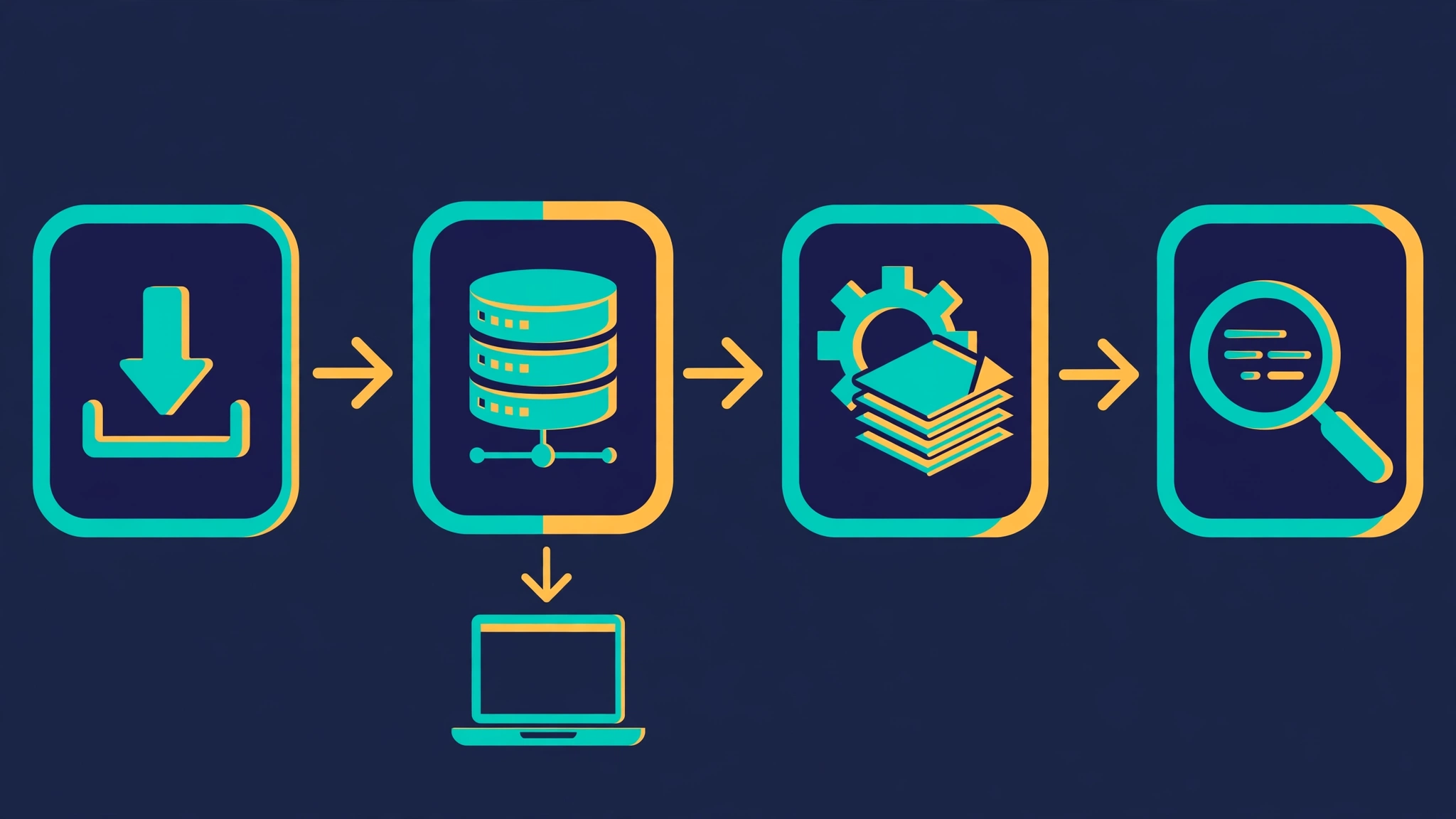
Your coding agent has a reading problem. Give it a question about a codebase it has not seen, and it does what a junior developer does on a first day: it greps, opens whole files, reads past the answer, and reads them again on the next step. The context window fills with code the agent will never use, and the bill for that reading lands on you. XERJ attacks that specific waste. It is a single Rust binary that indexes a folder — code, docs, logs, CSVs, PDFs — and answers questions with the passage that matters, cited by file and line, instead of the file itself.
Why now: XERJ is having its breakout week. The repository (xerj-org/xerj) was created on 30 June 2026 and, at the time of writing, has 16,954 stars and 1,196 forks on GitHub, with roughly 7,000 of those stars gained in the previous seven days according to the independent tracker findarepo, which listed it on its daily trending ranking. The current release is v1.0.0-rc.99, published under the Apache-2.0 licence. The pitch that earned those stars is narrow and testable: an agent that queries an index spends less of its context on reading, so it can be smaller, cheaper, and still solve the task. This guide tests the machinery behind that pitch, not the pitch itself. Every command below was run against v1.0.0-rc.99, and every output quoted is output the run actually produced.

What you'll need
- A Linux, macOS, or Windows machine. This guide runs on Linux x86-64; the release page carries builds for all three systems on x86-64 and arm64.
curland a shell. No Rust toolchain, no Docker, no Java runtime: the download is one static binary.- No API key, no model account, and no GPU. The default search mode is lexical and runs entirely offline. A neural embedding mode exists, but nothing in this guide needs it.
- About 15 minutes and a folder you are allowed to index. You will build a tiny demo shop below, so you do not need to point the tool at a real codebase to follow along.
Step 1: Install XERJ
Download the release asset for your system from the project's GitHub releases page and check it before you run it. The hand-verified path used here, for Linux x86-64, is:
curl -fsSL -o xerj.tar.gz https://github.com/xerj-org/xerj/releases/download/v1.0.0-rc.99/xerj-1.0.0-rc.99-x86_64-unknown-linux-gnu.tar.gz
curl -fsSL -o xerj.tar.gz.sha256 https://github.com/xerj-org/xerj/releases/download/v1.0.0-rc.99/xerj-1.0.0-rc.99-x86_64-unknown-linux-gnu.tar.gz.sha256
sha256sum xerj.tar.gz
The checksum must read 44fe510cff2538f6801ce2317ea4586a1cb177ded43b4c37aa9c1589e816528a. If it does not, stop: you have a different file than the release, and nothing downstream is trustworthy until that is resolved. Extract it and confirm the version:
mkdir -p ~/xerj && tar -xzf xerj.tar.gz -C ~/xerj
~/xerj/xerj-1.0.0-rc.99-x86_64-unknown-linux-gnu/xerj --version
Expected output:
xerj v1.0.0-rc.99The tarball is about 33 MB. If you would rather use the project's one-line installer, it is curl -fsSL https://xerj.org/get | sh, which places xerj in ~/.local/bin on Linux and macOS without editing your PATH; the PowerShell equivalent adds its directory to the user PATH. This guide uses the direct download because a checksum can be checked against it. Either way, put the binary somewhere on your PATH or use its full path in the commands below. The rest of this guide calls it xerj.
Step 2: Start a node — and understand the trust boundary first
Start the server before anything else, because the search commands talk to a running node; they do not start one:
xerj --insecure --data-dir ~/xerj-data &
curl -s http://localhost:9200/ | head -c 300
The second command should return a JSON block naming cluster xerj with an Elasticsearch-compatible version block. Two things in that first command deserve a pause, because both are deliberate and both are easy to misuse.
First, --insecure turns off TLS and API-key authentication. The README is blunt about what that means: every caller that can reach the port is a superuser who can read and delete every index. It is safe on a dev machine only because a fresh node binds 127.0.0.1 and nothing else, so nothing off the machine can reach it. Never run --insecure on a shared host or a machine with its ports exposed. Without the flag, authentication is on by default and the server writes its key to <data-dir>/admin.key on first boot; clients then pass it with --api-key or the XERJ_API_KEY environment variable.
Second, keep the data directory outside any folder you will index. The directory data/ is not in the built-in ignore list, so a data directory inside an indexed tree gets indexed along with everything else. ~/xerj-data sits beside the demo project, not inside it.
Step 3: Build the demo project
Create a small shop with a cart module, an order store, a CSV of orders, a log file, and a README. The point is variety: code, structured data, logs, and prose in one folder, so you can see the indexer sort them into datasets instead of one flat pile.
mkdir -p demo-shop/shop demo-shop/data
cat > demo-shop/shop/cart.py <<'EOF'
"""Shopping cart: totals, discount codes, and checkout."""

DISCOUNT_CODES = {"SAVE10": 0.10, "SAVE20": 0.20}


def calculate_subtotal(items):
    """Return the sum of price * quantity for every item dict."""
    return sum(item["price"] * item["quantity"] for item in items)


def apply_discount(subtotal, code):
    """Apply a discount code; unknown codes leave the subtotal unchanged."""
    rate = DISCOUNT_CODES.get(code.upper(), 0.0) if code else 0.0
    return round(subtotal * (1 - rate), 2)


def checkout(items, code=None):
    """Charge the discounted total. Retries the payment gateway twice
    on timeout before raising, so a slow gateway does not lose the order."""
    total = apply_discount(calculate_subtotal(items), code)
    return {"total": total, "items": len(items)}
EOF
cat > demo-shop/shop/orders.py <<'EOF'
"""Order storage: append orders to CSV and read them back."""

import csv


class OrderStore:
    """A tiny CSV-backed order store."""

    def __init__(self, path):
        self.path = path

    def save_order(self, order_id, total):
        """Append one order row to the CSV file."""
        with open(self.path, "a", newline="") as f:
            writer = csv.writer(f)
            writer.writerow([order_id, total])

    def load_orders(self):
        """Return every stored order as a list of dicts."""
        with open(self.path, newline="") as f:
            return list(csv.DictReader(f))
EOF
cat > demo-shop/data/orders.csv <<'EOF'
order_id,total
ORD-1001,59.98
ORD-1002,24.50
ORD-1003,120.00
EOF
cat > demo-shop/app.log <<'EOF'
2026-10-27T09:00:01Z INFO checkout started order=ORD-1004
2026-10-27T09:00:03Z ERROR checkout error: payment gateway timeout, retrying (attempt 1 of 2)
2026-10-27T09:00:05Z INFO checkout succeeded order=ORD-1004 total=89.99
EOF
cat > demo-shop/README.md <<'EOF'
# Demo Shop

A tiny shop used to demo local code search. Refund window: 30 days from
purchase. Discount codes SAVE10 and SAVE20 are defined in shop/cart.py.
EOF
Step 4: Index it with one command
Point autoindex at the folder and give it a prefix. One prefix is one source folder, and the prefix becomes the first part of every index name, so pick something that means the project:
xerj autoindex demo-shop --prefix demoThe run for this guide finished with this summary line:
xerj-done ok=true exit=0 reason=completed wall=12.4s files=5 records=15 datasets=2 junk_files=0 code_files=2 code_files_indexed=2 code_files_junked=0Five files became 15 records across two datasets: demo-docs (12 records from the code, log, and README) and demo-data (3 records from the CSV). Nothing needed a schema, a mapping, or a config file. The indexer sniffed each file, worked out what it was, and split it accordingly; code went through tree-sitter, so it arrived with symbols and line numbers rather than as flat text.
Three prefix rules will save you confusion later. First, the default prefix is ax when you do not pass one, and xerj search searches that default unless you tell it otherwise — so if you indexed with --prefix demo, search with --prefix demo or you will search an empty default. Second, a prefix keeps only lowercase letters and digits, joined by single dashes, so My_Proj becomes my-proj. Third, one prefix per folder: indexing a second folder under the same prefix is refused, because datasets are keyed to the prefix. To see what an index actually contains, run xerj autoindex map, which prints a data map of datasets, record counts, file formats, and fields.
Step 5: Ask questions, get passages
Search takes plain words, not a query language. Ask about the refund policy:
xerj search "refund window" --prefix demo -k 3Output (abridged only by the tool's own passage window):
xerj search: these hits are lexical; this command does not consult the embedding.

─── README.md:3  (score 15.70)
    # Demo Shop

    A tiny shop used to demo local code search. Refund window: 30 days from
    purchase. Discount codes SAVE10 and SAVE20 are defined in shop/cart.py.

1 passage(s) from 'demo-*'. Cite ax_path:line (ax_path#locator for a data row) for anything you rely on.
That header line matters: the default ranking is lexical, matching the words you typed. It is not a neural reading of the code, and the tool says so on every run. Ask a harder question, one whose answer lives in two places:
xerj search "payment gateway timeout retry" --prefix demo -k 3─── app.log:2 (score 22.71)
2026-10-27T09:00:01Z INFO checkout started order=ORD-1004
2026-10-27T09:00:03Z ERROR checkout error: payment gateway timeout, retrying (attempt 1 of 2)
2026-10-27T09:00:05Z INFO checkout succeeded order=ORD-1004 total=89.99
─── shop/cart.py:18 (score 7.34)
def checkout(items, code=None):
"""Charge the discounted total. Retries the payment gateway twice
on timeout before raising, so a slow gateway does not lose the order."""
total = apply_discount(calculate_subtotal(items), code)
return {"total": total, "items": len(items)}
2 passage(s) from 'demo-*'.Notice what the agent receives in each case: a passage with a file and a line, not a directory listing and not a whole file. The log line outscores the docstring because more of the query's words appear there — lexical ranking is transparent like that, which makes it debuggable when a result surprises you. Two flags are worth knowing: -k sets how many passages come back (default 5), and --full sets how many characters of each passage print (default 600). Add --json when a script, not a human, consumes the result.
Step 6: Jump to definitions instead of searching
When you already know the name, def is the sharper tool. It returns the declaration, not every mention:
xerj def "apply_discount" --prefix demo --lang python
xerj def "OrderStore" --prefix demo --kind class
─── shop/cart.py:11 [function]
def apply_discount(subtotal, code):
─── shop/orders.py:6 [class]
class OrderStore:The --kind and --lang filters do what they say: the class query returned exactly one definition. Use search when you do not know the name and def when you do. That distinction is the whole workflow in miniature — a vague question gets passages, a precise name gets a location.
Step 7: Use the Elasticsearch API you already know
Because the node speaks the Elasticsearch wire API, nothing in your existing tooling needs to learn a new dialect. List the indices:
curl -s "localhost:9200/_cat/indices?format=json" | python3 -m json.tool | head -40You will see demo-docs and demo-data alongside the node's own catalog and memory indices, all green and open. Run a raw search the way you would against Elasticsearch itself:
curl -s "localhost:9200/demo-*/_search?q=discount&size=2"The response for this guide reported 5 hits, all in demo-docs, in standard Elasticsearch JSON shape — hits, total, source documents included. That compatibility is the reason the rest of the ecosystem works unchanged: existing Elasticsearch clients, dashboards, and query DSL point at localhost:9200 and function. The node even answers the root endpoint with an Elasticsearch 8.13 version block. Treat that as wire compatibility, not as a claim that this is Elasticsearch under the hood — it is a Rust engine speaking the same protocol.
Step 8: Do reference coding with a peer project
Indexing your own project answers questions about your code. The use case XERJ is built around goes one step further: before writing a feature, index the open-source projects that already solved it, and read how they did it. Reproduce the loop on a small scale with a second folder that implements retries differently — exponential backoff instead of a fixed retry count:
mkdir -p demo-peer
cat > demo-peer/retry.py <<'EOF'
"""Retry helper from a peer project: exponential backoff."""

import time


def retry_with_backoff(fn, attempts=3, base_delay=0.5):
    """Call fn, retrying with exponential backoff on failure.

    Delay doubles each attempt: 0.5s, 1s, 2s. Raises the last
    exception after the final attempt.
    """
    delay = base_delay
    for attempt in range(attempts):
        try:
            return fn()
        except Exception:
            if attempt == attempts - 1:
                raise
            time.sleep(delay)
            delay *= 2
EOF
xerj autoindex demo-peer --prefix peer
xerj search "exponential backoff retry" --prefix peer -k 2
The peer index took one file to two records, and the search returned retry.py:1 with the full function, score 3.59. The loop is now visible end to end: clone the peer project, index it under its own prefix, search it before writing your own version, and cite what you borrowed. In real work the peer folder is a cloned repository, not a ten-line file, but the commands do not change. One discipline belongs in the loop and XERJ's own docs state it plainly: respect the licenses of the projects you index and cite what you reuse.
Step 9: Hand the index to your agent over MCP
So far a human has typed the commands. An agent that cannot run a shell reaches the same index through the Model Context Protocol, and the binary you installed is already the MCP server — nothing else to download. First, wire it into the project. The safe way to preview that wiring is a dry run, which prints what would be written and writes nothing:
cd demo-shop && xerj init --dry-runIn this guide the dry run listed four files it would write: .mcp.json (registering the xerj mcp server), .claude/skills/xerj/SKILL.md and .claude/skills/xerj-hub/SKILL.md (teaching files for the search commands and the hub), and AGENTS.md (a short XERJ section). Run xerj init without --dry-run to actually write them; it backs up any file it edits with a .bak copy. Then restart the agent session so it picks up the new server.
The MCP registration itself is one entry. In the generic JSON form it looks like this, with the absolute path to your binary:
{
  "mcpServers": {
    "xerj": {
      "command": "/home/you/.local/bin/xerj",
      "args": ["mcp"],
      "env": { "XERJ_URL": "http://localhost:9200" }
    }
  }
}
Two details decide whether this works. First, use the absolute path: hosts launched from a desktop icon do not inherit your shell's PATH. Second, xerj mcp does not start a node — it speaks MCP over stdio and proxies to the node named by XERJ_URL (default http://localhost:9200), so step 2's server must already be running. If the node runs with authentication on, add "XERJ_AUTH": "ApiKey <key>" beside the URL; the key lives in the node's <data-dir>/admin.key.
To confirm the server side independently of any agent client, this guide spoke raw MCP JSON-RPC to it: an initialize request, the initialized notification, then tools/list. The server answered as xerj-mcp version 1.0.0-rc.99 with 22 tools, including the search family (xerj_search, xerj_semantic_search, xerj_vector_search, xerj_hybrid_search, xerj_batch_search), go-to-definition (xerj_def), agent memory (xerj_memory_store, xerj_memory_recall), the link index (xerj_brain_overview and friends), and planning and hub tools. The project's README documents 21 tools in one place and a client run that saw 20; the count measured here, on rc.99, is 22, and it will drift as releases add tools. What matters for your setup is not the exact number but the check: after registering, xerj_search must appear in your client's tool list.
Step 10: Measure what it saved you
XERJ keeps an audit log of the searches it served, and gain reports it back as counts, not estimates:
xerj gain searches served 5 (100.0% found something; 0 zero-hit)
latency p50 1ms · p95 2ms
busiest indices
demo-* 5 searches (5 with hits)Those five are the demo searches from this guide, and the latencies are local-index latencies on a five-file corpus — do not extrapolate them to a million-line monorepo. The value of gain is narrower and more durable: it turns "the agent reads less" from a slogan into a number you can watch over a week of real work, including how often searches come back empty. A rising zero-hit rate is a signal to index more of the corpus or to reword how the agent asks.
When to use XERJ vs alternatives
- Use XERJ when an agent works on code it has not memorised. Private codebases, internal tools, niche libraries, and anything published after a model's training cutoff are where retrieval beats memory. The project's own case study states the boundary explicitly: on popular public libraries the model already knows, retrieval overhead can make the comparison neutral or negative.
- Use grep or ripgrep when the answer is a single string in a small tree. A search engine is the wrong tool for "where is this constant defined" in a hundred files. XERJ earns its keep when the question is conceptual ("how does checkout handle a gateway timeout") and the answer spans files, logs, and docs.
- Use Elasticsearch or OpenSearch when you need a production search cluster. XERJ's compatibility means your clients work, but it is a local-first, single-binary engine for agent workflows, not a distributed cluster with replicas, sharding operations, and a team to run it. If you already operate a cluster, XERJ is a complement for the agent's desk, not a replacement for the cluster.
- Use a pre-indexed code graph when you need relationships, not passages. Tools that build call graphs and dependency maps answer "what breaks if I change this" in a way a passage retriever cannot. XERJ answers "show me the passage where this is handled." Many teams will end up with both, and XERJ's Elasticsearch API means the passage side drops into existing tooling without a new protocol.
- Use a hosted RAG service when the corpus lives in the cloud and the team is not local-first. XERJ's advantage is that the index never leaves the machine: no data leaves for search, no account, no per-query bill. That advantage disappears if the workflow already centralises code in a cloud service the agent queries anyway.
What this guide did not verify
Three boundaries keep this guide honest. First, XERJ is a release candidate: v1.0.0-rc.99 carries the rc tag, and there is no 1.0 final yet. Release candidates move fast — this guide's commands were checked against rc.99 specifically, and flags or tool counts may shift in the next one. Second, the neural embedding mode was not executed. It is a built-in BERT model of about 90 MB that loads at startup, per the binary's own help text; this guide's searches are lexical, and the article says so wherever it matters. Third, the MCP server was verified with a raw protocol handshake, not a full agent-client session: the 22 tools were listed by the real binary against the real node, but no model call was made through them. The project's README documents client runs (OpenCode, Cline, Kimi Code) that did complete that last step, and those are the project's results, not this guide's.
One more claim needs its boundary stated. The "2.7x fewer output tokens than grep at the same solve rate" figure is the project's controlled study — 8 tasks, 4 languages, 16 runs per arm, real token bills — not a number this guide reproduced, and it applies to code the model had not memorised. Treat it as the reason to try the tool on your own private codebase, where the boundary favours it, and measure with xerj gain and your own token bills before believing it for your workload.
The takeaway
The durable idea in XERJ is not the binary; it is the unit of retrieval. An agent that reads whole files will always waste most of what it reads. An agent that queries an index reads the passage, with a file and a line attached, and the passage is checkable in a way a model's recollection is not. Install one binary, start one node on loopback, index each project under its own prefix, and teach the agent to search before it reads and to check a peer project before it writes. Keep --insecure on the dev machine where it belongs, watch xerj gain for a week, and let the counts decide whether the index stays. That is the whole adoption story, and it fits in one afternoon.
Sources
- XERJ repository and README (xerj-org/xerj on GitHub) — install paths, the
--insecuretrust boundary, prefix rules, MCP client table, and the reference-coding case study. - XERJ v1.0.0-rc.99 release assets and the binary's own
--helpoutput — version, checksum, flags, and the neural-mode model note quoted in this guide. - GitHub repository data for xerj-org/xerj, retrieved 27 October 2026 — 16,954 stars, 1,196 forks, Apache-2.0 licence, created 30 June 2026.
- findarepo daily trending ranking — roughly 7,000 stars gained in the seven days to 27 October 2026.