There is a specific smell to AI-written Japanese. Not wrong grammar — a sheen of dead metaphors, boldface on every other sentence, sentences whose subjects quietly went missing. “アクセシビリティが静かに壊れます” (accessibility silently breaks), “時間を溶かさない” (not melting time). Nobody would write that. Everybody’s model does. yomiyasu (よみやす, “easy to read”) is an open-source agent skill — MIT, built by ALGO ARTIS, roughly 1,850 GitHub stars as of October 2026 — that fixes this at the structural level instead of swapping banned words. It repairs missing subjects, deflates metaphors into plain operations, and thins out the bold-and-bullet inflation, while refusing to add anything that wasn’t in your draft. This tutorial: install it in Claude Code, run it on a real AI-written draft, then audit the result with its built-in lint and diff tools.
One honest note before we start: the skill, its docs, and its examples are written in Japanese, with English summaries. The commands and output shown here are real; the Japanese quotations are reproduced from the project’s own README examples.
The project’s recommended route is one command:
npx skills add nanaism/yomiyasuThat drops the skill definition into your agent’s config directory. Updating later is just as short:
npx skills update yomiyasuTwo more routes exist, both documented in the README. If you’re a GitHub CLI person:
gh skill install nanaism/yomiyasu yomiyasuAnd the whole project is shipped as a single SKILL.md under skills/yomiyasu/, so Claude Code users can also register it as a plugin:
/plugin marketplace add nanaism/yomiyasu
/plugin install yomiyasu@yomiyasu
Restart Claude Code after installing. If you use other Japanese proofreading skills alongside it, the README warns the instructions can conflict and the output can degrade — disable the similar ones while you work.
The usage is deliberately boring. Paste your draft into the chat and write one line:
この文章を読みやすくして。That’s it — no flags, no templates. The skill detects the domain (technical article, business document, essay) from the content. If you want to pin it, say so in plain words — “技術記事向けに” — or explicitly: “ドメイン tech”. The three domains are:
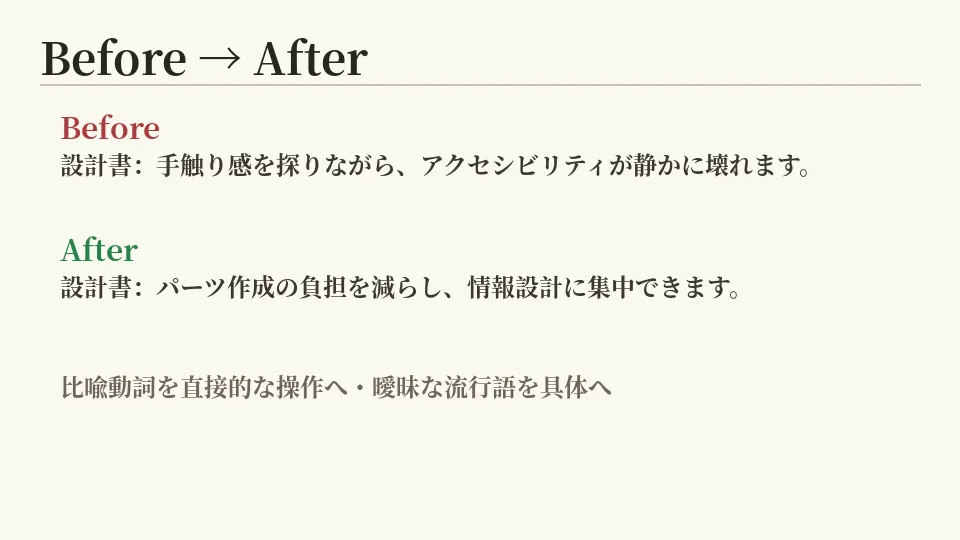
To see what “structural” actually means, here is the project’s own example — a spec-explanation Before/After, reproduced verbatim:
# Before
設計書:画面ごとに手触り感を探りながらパーツを作っていました。しかし、
片方だけを見て画面を作ると、もう片方のアクセシビリティが**静かに壊れます**。

# After
設計書:ボタンや入力欄などのUIパーツを一から作成する負担を減らし、
画面全体の情報設計に集中することにあります。
Notice what changed and what didn’t. The metaphor verbs (“quietly breaks”) and the vague buzzwords (“hand feel”) became concrete operations. The boldface — which the original sprinkled for emphasis — is gone, and the list is folded back into running prose. The claims stayed the same; only the readability changed.
Here’s the habit that makes the skill trustworthy: it treats readability as seven named transformation principles, not vibes. Skimming them explains nearly every edit it makes:
Principle 6 is the one that separates this from a generic “make it sound better” prompt: it may reorganize how a sentence reads, but it is contractually barred from making the draft smarter than it was.
The repo ships two Python checkers that need nothing but the stdlib. Clone the repo and point the linter at your file:
git clone https://github.com/nanaism/yomiyasu.git
cd yomiyasu
python3 scripts/yomiyasu_lint.py my-draft.md
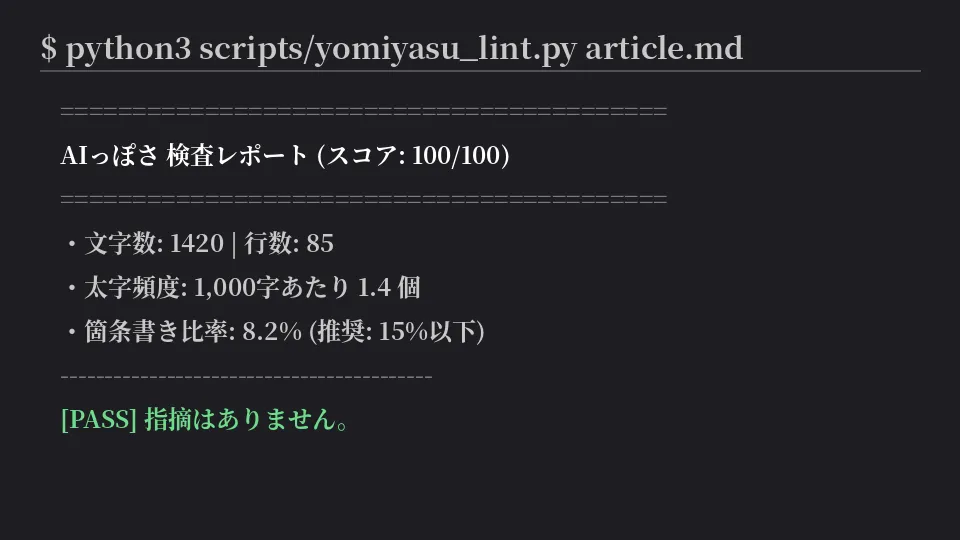
It scores the text out of 100 and checks for the usual suspects: metaphor verbs, bold/bullet inflation, emoji, trailing colons, repeated sentence endings, and bold markup that won’t even render because of surrounding Japanese punctuation. A clean report looks like this (from the README):
============================================================
AIっぽさ 検査レポート (スコア: 100/100)
============================================================
・文字数: 1420 | 行数: 85
・太字頻度: 1,000字あたり 1.4 個 (推奨: 2.0以下 / 警告: 3.0超)
・箇条書き比率: 8.2% (推奨: 15%以下 / 警告: 25%超)
------------------------------------------------------------
[PASS] 設定された検査ルールによる指摘はありません。
Two flags matter in practice. --strict exits non-zero on any warning — built for CI and git hooks — and --json gives you machine-readable output. The project is explicit about what the tool is not: not a full renderer, not a guarantee of naturalness, and a [PASS] means only “no rule fired,” not “this is good writing.” Don’t mechanically zero out the warnings; read each one against the sentence.
The second checker compares your original and the edited version and hunts for unintended changes:
python3 scripts/yomiyasu_diff.py original.md edited.md --stance=説明It reports word gains and losses, shifts in sentence endings (polite vs. plain), changes in the sentence’s “stance” — is it recommending, stating a rule, or explaining? — and whether bold markup will actually render. The --stance value is the document’s role (説明 = explanatory); there’s also an --endings mode that just shows the distribution of endings. The README’s caveat applies here too: it surfaces candidates for review. It does not automatically decide the meaning is unchanged — that judgment is yours, which is exactly the point of running it.
A readable-Japanese pipeline you can run from your editor. You installed an MIT-licensed agent skill (nanaism/yomiyasu) that repairs AI-written Japanese at the sentence-structure level, learned to pin its domain (tech/business/essay), and added two stdlib-only guardrails: yomiyasu_lint.py to catch AI fingerprints before publishing, and yomiyasu_diff.py to make sure the rewrite didn’t quietly change what you meant. No model API, no subscription, nothing leaves your machine unless you want it to.
evals/ and regression fixtures in tests/, but a month-old project is a month-old project — read the diff, always.The uncomfortable part: much of what this skill fixes — the metaphor verbs, the breathless boldface, the sentences that gesture instead of saying — is in your writing too if you prompt sloppily. The linter makes a decent mirror for that. Run it on your own prompt output before you blame the model.