Put your agents to sleep: hands-on with Infinity, the runtime built for 75,000 concurrent agents
Infinity, the AWS and UC Berkeley agent runtime released in October 2026, suspends an agent the moment it calls a tool and resumes it when the result arrives — instead of holding a process open while it waits. This guide builds a real agent on the runtime with no API key and no AWS account, using the crate’s own scripted model, and watches a sleep tool call hibernate and resume.
- Who: hydro-project/infinity (Apache-2.0) — 394 stars, 37 forks, 513 commits at check on October 30, 2026; about +180 stars that day; a Hydro project collaboration between AWS and UC Berkeley, released October 2026.
- What: a Rust agent runtime that executes each agent as bounded slices — one model completion and at most one tool call per slice — with in-memory or durable stores, an input queue per thread, and a provider trait for models.
- When: verified October 30, 2026: Rust 1.99.1, infinity-agent-core 0.2.0, infinity-provider-protocol 0.2.0, Tokio 1.54.1; first build 5m37s on a 2-core VM, later builds ~12s.
- Requirement: a terminal, Rust, and 1–2 GB free disk for the build directory. No API key, no AWS account, no GPU for the worked example; AWS credentials plus Bedrock model access only for the real-model step.

Why this runtime is blowing up now
Most agent frameworks run an agent the way a person reads a recipe: call the model, run the tool, wait for the tool, repeat — with a process and its memory held open for the entire wait. That works when a tool takes milliseconds. It breaks down when the tool is a twenty-minute build, a pull request that needs a human review, or a pipeline that finishes tomorrow. You end up paying for thousands of idle agents, or you build your own queueing, persistence, and resume logic on top.
Infinity, from the Hydro project — a collaboration between AWS and UC Berkeley — takes the opposite approach. When an agent calls a tool, Infinity dispatches the call, saves the conversation, and suspends the agent. When the tool result arrives, the runtime resumes the agent from its saved state. A waiting agent is pure data: its conversation history, with no task, no stack, and no open connection. That is the whole idea, and it is why the project is suddenly everywhere: it was released under the Apache 2.0 licence in October 2026, and on October 30 it was gaining about 180 stars a day, with 394 stars and 37 forks on GitHub at the time of writing.
The headline number comes from the AWS announcement. The team ran a benchmark of 80,000 agents, each doing twenty turns through the runtime against a simulated model, on a single thread of an AMD EPYC 9R14 with in-memory stores. Resident memory grew by about 100 KB per idle agent, which puts roughly 75,000 agents inside the 8 GB of a Raspberry Pi 5. That is their benchmark, with a simulated model — not a number reproduced here. What this guide does reproduce, on a plain virtual machine with no API key and no AWS account, is the mechanism itself: a real agent built on the real runtime, calling a real tool, suspending, and resuming. If you follow every step below, you will see the same event stream this guide shows.
One honest limit up front, because it shapes the whole tutorial. The project's own quickstart runs its agent against Amazon Bedrock, which needs AWS credentials and Bedrock model access. This sandbox has neither, so the Bedrock path in Step 7 is documented from the project's docs, not run here. Everything else — the install, the build, the agent, the tool call, the suspend-and-resume sequence — was run for this article, twice, with identical event streams.
What you'll need
- A Linux or macOS machine with a terminal. The steps below were run on a 2-core Linux virtual machine with 8 GB of RAM.
- No API key, no AWS account, no GPU. The worked example uses the crate's own scripted test model, which is published as part of the project. You need an AWS account only for the optional Bedrock step at the end.
- Rust, installed in Step 1. No Rust experience is assumed; you will paste one file and run two commands.
- Time and disk. The first build took 5 minutes 37 seconds on this 2-core machine, and the build directory reached about 950 MB, mostly compiled dependencies. Keep 1–2 GB free. Later builds take seconds.
- About 30 minutes. Most of it is the first compile.
Step 1: Install Rust
Infinity is a Rust library, so its programs are ordinary Rust programs built with Cargo. If you already have Cargo, skip to Step 2. Otherwise, download the official installer and run it with the minimal profile, which is what was used here:
curl --proto '=https' --tlsv1.2 -sSf https://sh.rustup.rs -o rustup-init.sh
sh rustup-init.sh -y --profile minimal
export PATH="$HOME/.cargo/bin:$PATH"
cargo --version
The last command should print a version. This guide's run printed cargo 1.99.1 and rustc 1.99.1; any recent stable toolchain works the same way, though your version numbers will differ. The export line puts Cargo on your path for the current terminal session; repeat it in each new terminal, or add it to your shell profile.
Step 2: Create the project and pin the dependencies
Create a new binary project and move into it:
cargo new my-agent
cd my-agent
Replace the generated Cargo.toml with this one. Three things are pinned deliberately, because a tutorial that says "latest" rots: infinity-agent-core 0.2 is the runtime, infinity-provider-protocol 0.2 is the provider abstraction (with its mock feature switched on, which is what makes the keyless demo possible), and Tokio is the async runtime the library is built on.
[package]
name = "my-agent"
version = "0.1.0"
edition = "2021"

[dependencies]
infinity-agent-core = "0.2"
infinity-provider-protocol = { version = "0.2", features = ["mock"] }
tokio = { version = "1", features = ["macros", "rt-multi-thread"] }
serde_json = "1"
The versions this resolved to on October 30, 2026 were infinity-agent-core 0.2.0, infinity-provider-protocol 0.2.0, Tokio 1.54.1, and serde_json 1.0.154. If your lockfile resolves differently, that is fine — the APIs used below are the 0.2 APIs.
Step 3: Write the agent
Replace src/main.rs with the program below. It is short, and every line earns its place:
use std::sync::Arc;

use infinity_agent_core::stores::{InMemoryConversationStore, InMemoryStateStore};
use infinity_agent_core::system::{AgentEvent, AgentSystemBuilder, StaticModel};
use infinity_provider_protocol::mock::mock_model;
use infinity_provider_protocol::{ModelEntry, SingleModelProvider};
use tokio::task::LocalSet;

#[tokio::main]
async fn main() -> Result<(), Box<dyn std::error::Error + Send + Sync>> {
    LocalSet::new()
        .run_until(async {
            // The crate's own scripted test model: no API key, no network.
            let (model, mut ctrl) = mock_model();
            let entry = ModelEntry {
                model_id: "mock".to_owned(),
                display_name: "mock".to_owned(),
                context_window: 0,
                max_output_tokens: None,
                supports_image_input: false,
            };
            let provider = Arc::new(SingleModelProvider::new(entry, model));
            let model = StaticModel::new(provider, "mock").await?;

            let system = AgentSystemBuilder::new_local(
                InMemoryConversationStore::new(),
                InMemoryStateStore::new(),
                model,
            )
            .with_tokio_sleep_tools()
            .start();

            // Drive the scripted model on a local task: round 1 calls the
            // built-in sleep tool, round 2 answers after the tool result.
            let driver = tokio::task::spawn_local(async move {
                let _req = ctrl.next_request().await;
                ctrl.send_tool_call(
                    "tc-sleep",
                    "sleep",
                    serde_json::json!({"seconds": 2, "reason": "demo pause"}),
                );
                ctrl.finish();
                let _req = ctrl.next_request().await;
                ctrl.send_text("Slept, then answered: hibernation works.");
                ctrl.finish_with_usage(None);
            });

            let mut thread = system.thread_builder().launch().await;
            thread
                .send_user_text("Sleep for 2 seconds, then confirm you are back.")
                .await?;
            let mut finished_rounds = 0;
            let started = std::time::Instant::now();
            while let Some(event) = thread.recv().await {
                println!("{:?}", event);
                if matches!(event, AgentEvent::CompletionFinished { .. }) {
                    finished_rounds += 1;
                    if finished_rounds == 2 {
                        break;
                    }
                }
            }
            println!("ELAPSED_SECS {:.1}", started.elapsed().as_secs_f64());
            driver.await?;
            system.shutdown().await;
            Ok(())
        })
        .await
}
Four pieces matter. First, AgentSystemBuilder::new_local builds an agent system with two in-memory stores: one holds conversation history, the other holds runtime state. Those stores are the whole reason an agent can hibernate — everything a suspended agent is, lives in them. Second, with_tokio_sleep_tools() registers the runtime's built-in sleep and sleep_until tools, backed by Tokio timers. The sleep tool takes seconds (a number, required) and reason (a string). Third, StaticModel fixes one model for every completion round; here it wraps the scripted model, registered under the id "mock". Fourth, the driver task is the stand-in for a language model: it waits for each completion round, then feeds the runtime a scripted response. Nothing in the runtime knows the model is scripted — it goes through the same provider trait a Bedrock or Anthropic provider would.
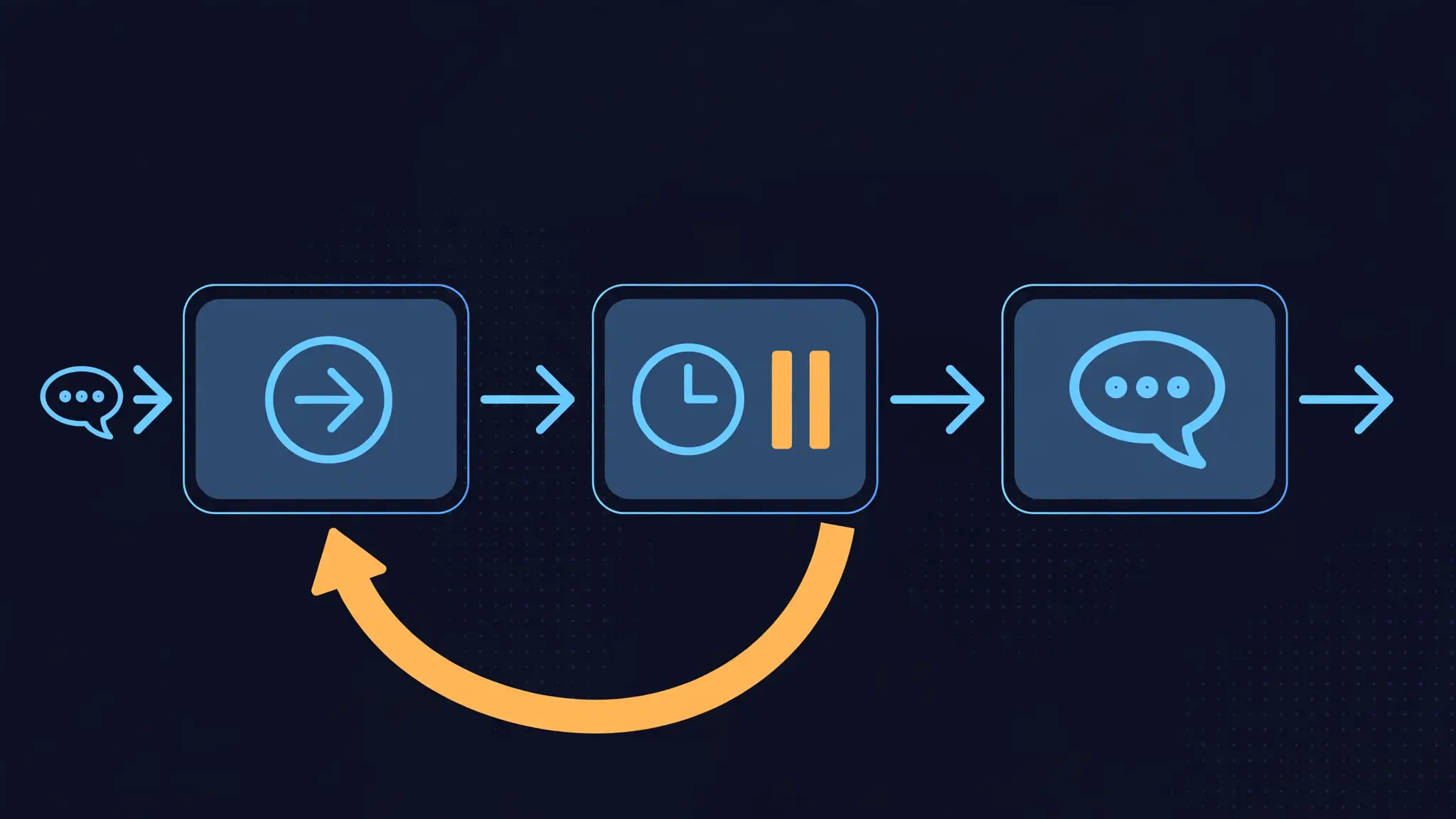
Step 4: Understand the two rounds before you run anything
Read the driver task again, because it is the experiment. Round 1: the model answers the user's message with a single tool call — sleep for 2 seconds — and then finishes its turn. The runtime must now do the thing Infinity exists to do: persist the turn, dispatch the tool, and end the slice without blocking. Round 2: only when the sleep tool's result arrives does the runtime start a new completion, and the model answers with plain text.
If Infinity worked like a conventional agent loop, the event stream would still look similar for a 2-second sleep — the difference is architectural, not visible at this scale. What this demo proves is narrower and more useful: the runtime's own machinery accepts a tool call, ends the round, delivers the tool result asynchronously, and starts a fresh round from the persisted state, with no process held open in between beyond the demo harness itself. The scale claim — thousands of idle agents costing only their histories — follows from that design, and it is AWS's benchmark, not something one agent on one machine can demonstrate.
Step 5: Build and run, then read the event stream
Build, then run:
cargo build
./target/debug/my-agent
The first build took 5 minutes 37 seconds here; the second build, after a one-line change in Step 6, took 12 seconds. You should see exactly this output (your elapsed time will vary by a tenth of a second):
UserInput { text: "Sleep for 2 seconds, then confirm you are back." }
CompletionStarted
ToolCall { name: "sleep", args: Object {"reason": String("demo pause"), "seconds": Number(2)}, display_as: Some("Sleeping 2s: demo pause") }
CompletionFinished { usage: None }
ToolResult { segments: [Text("Slept for 2 seconds")] }
CompletionStarted
TextChunk { text: "Slept, then answered: hibernation works." }
CompletionFinished { usage: None }
ELAPSED_SECS 2.1
Read it line by line. UserInput is your message entering the thread's history. CompletionStarted opens round 1. ToolCall is the model calling sleep — note display_as, the runtime's pretty-printed form of the call, rendered from the tool's own display script. CompletionFinished ends round 1: the slice is over, and the agent is now just stored history. ToolResult arrives later, on its own, carrying the sleep tool's text — this is the resume. A second CompletionStarted opens round 2, TextChunk carries the answer, and the final CompletionFinished ends the run. ELAPSED_SECS 2.1 confirms the wall-clock cost is the sleep itself, not overhead.
If your output differs, check three things in order: that Cargo.toml has the mock feature on infinity-provider-protocol (without it, the mock module does not exist and the build fails); that you replaced the whole of src/main.rs rather than appending to the generated hello-world program; and that you are running the freshly built binary from the project directory.
Step 6: Vary the pause and watch the resume follow
Change one number — "seconds": 2 to "seconds": 10 in the driver — rebuild, and run again. The output changes in exactly the three places it should:
ToolCall { name: "sleep", args: Object {"reason": String("demo pause"), "seconds": Number(10)}, display_as: Some("Sleeping 10s: demo pause") }
ToolResult { segments: [Text("Slept for 10 seconds")] }
ELAPSED_SECS 10.0
Everything else is identical. That is the point of the exercise: the pause is a property of the tool call, not of the agent loop, and the runtime does not care whether the wait is 2 seconds or — in a real deployment, where the sleep timer is a durable queue delay rather than a Tokio timer — days. Change the number back to 2 when you are done, so your project matches the listing in Step 3.
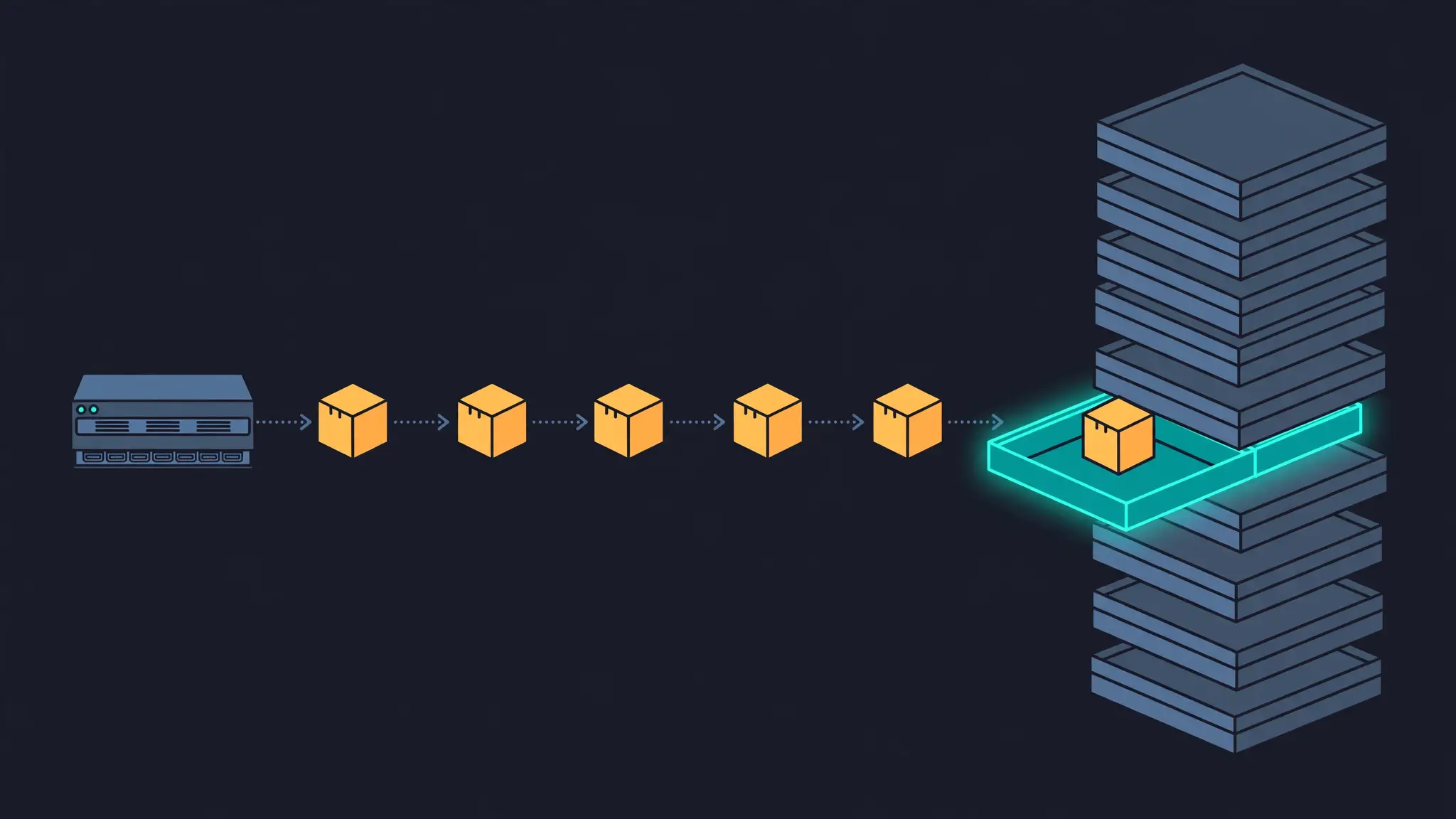
Step 7: From the scripted model to a real one (documented, not run)
The demo proves the runtime. A real deployment needs a real model, and this is where the project's own quickstart takes over. It is reproduced here from the docs, with the one substitution the docs themselves describe, and it was not run in this sandbox because it needs an AWS account with Bedrock model access enabled for the Anthropic models in your region.
Swap the provider dependency: replace infinity-provider-protocol with infinity-provider-bedrock = "0.2", and replace the mock-model setup with the quickstart's version:
use infinity_provider_bedrock::BedrockProvider;

let provider = Arc::new(BedrockProvider::from_env());
let model = StaticModel::new(provider, "global.anthropic.claude-sonnet-4-6").await?;
Everything else in the program stays the same: the same builder, the same stores, the same thread loop. BedrockProvider::from_env() reads your AWS configuration from the environment, and StaticModel looks the model id up in the provider's catalog. The runtime never calls an LLM API directly — all inference goes through the provider trait, which lists models and streams completions back. That is also why a single-model setup can be tested with a one-method adapter: implement the CompletionModel trait, wrap it with SingleModelProvider, and the runtime treats it like any other provider. If you would rather use Anthropic, OpenAI, or Gemini directly than Bedrock, the docs point to the infinity-provider-rig bridge crate, which serves one of the Rig library's backends through the same trait.
Two more pieces of the project are worth knowing about before you commit to it, both documented rather than run here. First, the runtime has a step mode for serverless deployment: instead of keeping tasks running, the platform calls step once per batch of queue messages and the process may exit as soon as it returns, with conversation history in a durable store and one queue group per thread. The reference deployment uses an SQS FIFO queue, a Lambda function per delivery, Aurora DSQL for histories, DynamoDB for deduplication, and SQS delays plus EventBridge Scheduler for the sleep timers, with CDK constructs in the repository to provision them. Second, the project ships Infinity Code, a coding agent built on the runtime, and a Reactive Agent Protocol for serving tools over the network to agents that currently have no process at all, with a compatibility layer for existing MCP servers. Both are beyond one tutorial, but they show what the runtime is for: it is infrastructure for agent fleets, not a chatbot demo.
When to use this vs alternatives
Use Infinity when your problem is concurrency and waiting. If you run many agents that spend most of their lives waiting on builds, approvals, webhooks, or other agents, and you want waiting to cost history storage rather than running processes — including on serverless platforms where a function is supposed to exit — this is the runtime designed for exactly that. Use it in Rust, where its model fits naturally, and where you are comfortable with a 0.2 research release whose APIs may still move.
Use a process-level harness instead when your unit of work is a coding workflow driven by an existing agent CLI. Archon, covered in this blog's earlier tutorial, turns a development process into a YAML graph of agent, script, loop, and approval-gate nodes and runs it through Claude Code, Codex, or Pi — with a human gate between a check and a release. That is the right shape when the agent is a guest in your repository and the workflow is the product. Infinity is the right shape when the agent fleet is the product and the runtime is yours.
Use neither when there is no language model in the loop. If your tasks are plain async work with no model calls, Tokio tasks and queues already give you suspend-and-resume semantics without a provider trait, a model catalog, or a 950 MB build directory. Infinity earns its complexity only when model completions and long waits mix.
The takeaway
The agent frameworks most people reach for treat waiting as an accident: the loop blocks, the process stays up, and scale means paying for idleness. Infinity treats waiting as the normal state. A tool call ends a slice, a result starts a new one, and an idle agent costs about 100 KB of history — AWS's measured figure, on their benchmark. You have now seen the mechanism work with your own build: a sleep call, a finished round, a result arriving on its own, and a second round answering from the resumed state. The Bedrock step is a provider swap away, the serverless step is a queue away, and the part that would have been hardest to believe — that an agent can simply stop existing between tool calls and come back intact — is the part you just ran.