Build a phone agent on your own machine: a hands-on guide to Lampline
Phone agents are usually a cloud subscription: you rent the voice, the model and the phone number by the minute, and your callers' conversations pass through somebody else's servers. Lampline runs the whole thing on your own machine — free, with local models and speech — and it imports the Dialogflow CX agent you already have.
scripts/docker-up.sh --free, build a front-desk agent from a template, and grade it with an AI caller that phones it over a real line.- What: Lampline — an open-source, self-hosted voice-agent platform built on Pipecat, with a drag-and-drop builder, a test console, phone calls over Twilio, Telnyx or SIP, and agents stored as YAML and Markdown.
- Project: C4rohan/lampline, Apache-2.0 license, created 2026-10-19 — 272 stars (verified 2026-10-25), by Rohan Salvi.
- Free start:
scripts/docker-up.sh --freeruns Qwen3 4B in Ollama, Moonshine for listening and Kokoro for speaking on your own computer; the first start downloads about 3 GB, after which it starts in seconds. - Models: 20 providers on the Integrations page — Claude, OpenAI, Gemini, Vertex AI, Azure OpenAI, Bedrock, Groq, Mistral, DeepSeek, Grok and more, or Ollama with no key.
- Phone routes: Twilio, Telnyx, or any SIP trunk through jambonz; evals place real calls through a Google Voice bridge in the browser, graded check by check.
- Cost claim: the project puts a call at about $0.02-0.17 with Lampline against a $0.50 baseline — list-price estimates from October 2026 that change often.
- Limits: free local replies are slower and simpler than a cloud model's; contact-center integrations and a Google Cloud deployment are still coming soon.
Phone agents are usually a cloud subscription: you rent the voice, the model and the phone number by the minute, and your callers' conversations pass through somebody else's servers. That is a strange deal for something as ordinary as answering a phone — especially when the agent only needs to book appointments, answer opening-hours questions, or take a message.
Lampline is the self-hosted alternative. It is an open-source voice-agent platform, built on Pipecat, that runs on your own machine: a builder where scripted pages and LLM steps mix in one agent, a test console that lights up each step as a call moves, and real phone calls over Twilio, Telnyx or any SIP trunk. It also does the thing that makes it interesting for anyone already invested in Google's tools — it imports Dialogflow CX and CX Agent Studio agents, flows, pages, playbooks and tools included, and exports them back again.
It is C4rohan/lampline, Apache-2.0 licensed, created on 2026-10-19, with 272 GitHub stars at writing time, created and maintained by Rohan Salvi. The headline promise is cost: the project puts a call at about $0.02-0.17 with Lampline against a $0.50 baseline. Those are its own list-price estimates, and the limitations section below says exactly where they get shaky. First, the free route — no API keys, no accounts, everything on your own computer.
What you'll need
- Docker with Compose v2 (Docker Desktop is fine), or Python 3.11+ for the native route
- git, and a microphone if you want to talk to the agent rather than type
- About 3 GB of downloads on the first start, and a machine that can run a 4B model locally
- Optional, for later steps: a Dialogflow CX export zip, a Twilio or Telnyx account, or a Google Voice account for evals
- Nothing else — no API keys, no cloud account for the free start
Build a phone agent with Lampline
1. Start Lampline free on your own machine
git clone https://github.com/C4rohan/lampline
cd lampline
scripts/docker-up.sh --free          # everything on this computer: Ollama, Moonshine and Kokoro
The --free flag is the whole trick: it runs the model (Qwen3 4B in Ollama) and speech (Moonshine listening, Kokoro speaking) on your own computer. The first start downloads about 3 GB and shows progress; after that it starts in seconds. The script prints a link like http://localhost:7860/#/?key=… — open it once and the page remembers the key. Your agents live in ./agents, which you can edit and keep in git; everything else the engine keeps — settings with your keys, records, knowledge and downloaded models — is in ./.vpe-data. scripts/docker-up.sh --down stops it; --logs follows its log.
On a Mac, the native route is faster, because Ollama uses the GPU outside Docker: install Ollama, then run scripts/engine-up.sh --free. With no Docker at all, scripts/engine-up.sh runs the engine natively (Python 3.11+) at http://localhost:7860, which also lets browser calls reach it directly.
2. Pick your model and voice
Open the Integrations page. Each provider starts on a sensible default model you can change, and Test connection checks the key. The list is long — Claude, OpenAI or any OpenAI-compatible endpoint, Gemini, Gemini on Vertex AI, Azure OpenAI, Amazon Bedrock, Groq, Mistral, DeepSeek, Grok, Together AI, Fireworks AI, OpenRouter, Cerebras, NVIDIA NIM, Qwen, SambaNova, Nebius and Novita AI, or Ollama with no key at all. If you would rather configure by file, put keys like ANTHROPIC_API_KEY, GEMINI_API_KEY or DEEPGRAM_API_KEY in .env (see .env.example). For free, private speech, go to Integrations, then Whisper and Kokoro, and choose Download models — or Moonshine for listening, which transcribes while the caller talks.
The honest trade, stated in the README itself: free local replies are slower and simpler than a cloud model's. Start free to learn the shape of the thing, then switch providers when a call needs to sound sharper.
3. Start from the front-desk template with vk
Lampline's agents are code as well as a builder: each agent is a folder with agent.yaml for the graph and one Markdown file per prompt, so changes are reviewable in git. The vk command line is how you work with them from a terminal or an AI coding agent:
pip install -e cli                  # installs the `vk` command
vk templates install front-desk     # start from a ready-made agent
vk lint agents/front-desk           # graph checks + a scan for real-looking patient data
vk test agents/front-desk           # runs tests/*.yaml conversations on the engine
Run the lint before you change anything, so you know the template is clean and your baseline is good. The test command runs the template's scripted conversations against the engine — your first proof that the whole loop, model plus speech plus agent, actually works before a real caller is involved.
4. Shape the agent in the builder
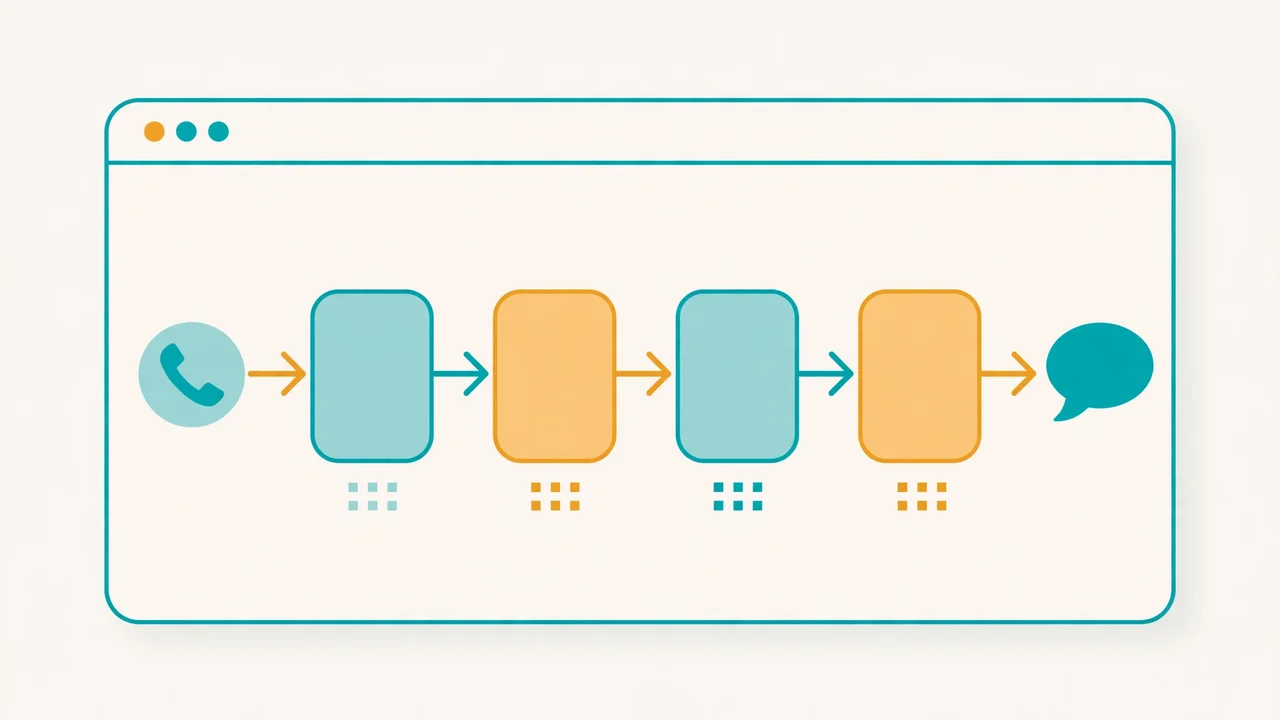
Open the builder and find the front-desk agent. This is where Lampline's design shows: scripted pages and LLM steps live in one agent. Pages say their entry messages word for word — the agent never improvises the greeting, the address or the price — while LLM steps carry a goal, guidelines and steps for the parts where the caller can wander. Flows group them, forms collect details with types, choices, synonyms and keypad input, and transfers hand the call to a person with the call's details attached as SIP headers.
Two habits make the builder pleasant. First, the engine reads the agent folders on every call, so a change is live on the next call — no deploy step between editing and testing. Second, agents get their own data: collections the agent looks up and saves during calls, and document search over your FAQs, all on your machine. A front-desk agent that checks an appointments collection before offering a slot is a few clicks here, not a backend project.
5. Test it in the test console
Before any real phone is involved, test from the console: chat or talk through your microphone. The steps light up as the call moves, and every collected detail shows on the right. Try the paths a real caller takes — the happy path, the caller who interrupts, the caller who answers a different question than the one asked — and watch where the agent's step changes. If a step never lights up, that is a flow bug you just found for free.
This is also the moment to decide what stays scripted and what goes to the model. Anything the business must say exactly — prices, policies, disclaimers — belongs in a scripted page. Anything open-ended — "what do you need help with?" — belongs in an LLM step. Getting that split right is most of the craft of a phone agent, and the console is where you see it.
6. Bring over a Dialogflow CX agent
If you already have an agent in Google's tools, you do not rebuild it. Export it from Google's console, then drop the .zip on New agent → Import in the builder: flows, pages, forms, routes, playbooks and tools carry over, with a report of anything to check before it takes calls. From the terminal it is one command:
vk import dfcx export.zip           # Dialogflow CX or CX Agent Studio
vk export dfcx agents/front-desk    # back to a Dialogflow CX package
vk export ces agents/front-desk     # or to a CX Agent Studio app
The mapping is explicit: Dialogflow flows and pages become flows of scripted pages, form parameters and entity types become form fields, intent and condition routes become transfers the model decides plus rules, playbooks become LLM steps, and webhooks, OpenAPI tools and data store tools become tools and local knowledge search. Webhooks answer with a mock until connected, so an imported agent runs before you wire anything up. The conversion runs on your computer and never runs code from the export.
7. Grade it with a real phone call
Testing in the console proves the agent works. An eval proves it works on a phone line, under phone conditions. Open the Evals tab: it phones a voice agent over a real phone line, plays the caller with an AI Test Caller, and grades the call against what should happen. It works on any agent with a phone number — one built in Lampline, Dialogflow CX, CX Agent Studio, Vapi, Retell, or your IVR.
The free route is the Lampline Phone Bridge extension for Chrome or Edge: it connects the call's audio to the Test Caller inside the browser through Google Voice, no cables, on Windows or Mac. Or use any phone on speaker. You write who is calling, what they want and what must happen; your model grades the transcript, check by check. A call that heard nothing shows Didn't run, never Failed — a small honesty that matters when you are reading a report. Tough callers are built in: background noise, accents, interruptions, long pauses, hesitant or rambling speech. And you get the agent's speed as callers hear it — typical and p95 response time, phone line included. You can paste Hammer, Cyara or spreadsheet test scripts and they become runnable cases, and you can replay any failed call.
One rule, stated in the README and worth repeating: only call agents you own or are allowed to test. You press Call yourself — Google Voice does not allow automated dialing.

What you built
A phone agent that runs on your own machine: a front-desk agent you can edit in a builder or in git, a local model and speech stack that costs nothing per call, a test console for the happy path and the interruptions, an import path for the Dialogflow CX agent you already have, and an eval that grades a real phone call check by check. When you are ready for real callers, the Phone numbers page has the webhook to copy and the steps for Twilio, Telnyx or a SIP trunk through jambonz.
Honest limitations
- Free local replies are slower and simpler than a cloud model's. The README says so plainly. The free stack is for learning and testing; a production voice usually wants a cloud model, which is when the per-call cost stops being zero.
- The cost figures are estimates, and the big savings are the least measured part. The project's cost table is list prices from October 2026, and it says the self-hosted savings rest on two assumptions nobody has published good data for: concurrent calls per GPU, and whether an 8B open model is good enough for your flows. Reproduce or change any assumption with
python3 costs/cost_model.pybefore budgeting. - Contact centers are coming soon, not here. Genesys Cloud, Avaya, Cisco Webex Contact Center, Cisco UCCE and PCCE, Amazon Connect, NICE CXone, Five9 and Twilio Flex show on the Integrations page as coming soon. Until each lands, most of them can already send calls to your agents over a SIP trunk through jambonz — but that is a workaround, not an integration.
- Google Cloud deployment is coming soon too. Local and on-prem work today — one Docker container, or the engine natively. If you need a one-command cloud deploy, it is on the roadmap, not in the release.
- Evals have a human in the loop by design. Unattended eval runs placed by Lampline through Twilio are still on the roadmap, and Google Voice does not allow automated dialing, so you press Call yourself. Do not point evals at agents you do not own or have permission to test.
- It is six days old at writing time. Created 2026-10-19, with 272 stars — expect fast-moving docs, and check the README before trusting any command here against a newer release.
Frequently asked questions
Do I need API keys or a cloud account to try Lampline?
No. The --free start runs the model (Qwen3 4B in Ollama) and speech (Moonshine listening, Kokoro speaking) entirely on your own computer, with no API keys or accounts. Keys are only needed if you switch to a cloud model or speech provider on the Integrations page.
Can Lampline take real phone calls?
Yes. A Twilio number can ring your agent, Telnyx works the same way through a TeXML application, and any SIP trunk, PBX or session border controller can reach it through jambonz. For testing, the Evals tab phones an agent over a real line through the Google Voice bridge in your browser.
What does a call actually cost with Lampline?
The project puts its own hosted-style baseline at about $0.50 a call and Lampline at about $0.02-0.17 a call, and publishes a full cost table for 10,000, 50,000 and 200,000 calls a month. Those are list-price estimates from October 2026 that change often, and the biggest savings rest on self-hosted models, which the project is upfront about needing better data for.
Does Lampline replace Dialogflow CX?
It runs your Dialogflow CX and CX Agent Studio agents on hardware you control, imports their flows, pages, playbooks and tools, and exports agents back as a Dialogflow CX package or a CX Agent Studio app. It is not affiliated with Google, and the contact-center integrations for Genesys, Avaya, Cisco and others are still marked coming soon.