Learn anything from where you actually are: a hands-on guide to LearnHarness
Most AI tutors answer your question and move on. LearnHarness does the opposite: it measures where your understanding actually stops, plans a lesson from that point to your goal, and keeps what you learn in a knowledge graph your next session builds on — for free, on your own machine, with your own model key.
- What: LearnHarness, a free desktop app that uses AI agents to plan and teach lessons from your current understanding to your goal.
- Project: amosblomqvist/learnharness, AGPL-3.0, 3,200+ GitHub stars, created in mid-October 2026.
- Version used: 0.3.9, released October 27, 2026, for macOS (Apple Silicon), Windows (x64), and Linux (x64).
- Providers: 30+ options, including OpenAI, Anthropic, Google, DeepSeek, and OpenRouter; no LearnHarness subscription, you pay your provider.
- How it teaches: measure, then plan, then teach one reasoning step at a time, then practice separately; learning persists as a knowledge graph of propositions and reasoning chains.

Most AI tutors answer your question and move on. That is the problem: an answer feels like learning, but nothing was checked. LearnHarness starts from the opposite end. Before it teaches anything, its agent measures where your understanding actually stops — what you know, how you reason about it, and how confident you are — then plans a lesson from that point to your goal, one reasoning step at a time. This guide installs it, connects your own model provider, and runs a first session on a topic you genuinely want to understand.
LearnHarness is a free, open-source desktop app by amosblomqvist, released under the AGPL-3.0 license. It was created in mid-October 2026 and has already passed 3,200 GitHub stars, with version 0.3.9 released on October 27, 2026. There is no subscription and no markup: you pay your model provider for usage, and a live cost meter shows what each session costs. Your chats, knowledge graph, settings, and API keys live on your own machine as plain files you can inspect.
What you'll need
- A Mac with Apple Silicon, a Windows x64 PC, or a Linux x64 machine, plus roughly 170 MB of download.
- An API key from a model provider: LearnHarness supports 30+ provider options, including OpenAI, Anthropic, Google, DeepSeek, and OpenRouter.
- One topic you actually want to understand — pick something hard enough that a single explanation would not settle it.
- Optional: a Deepgram API key with the Member role or higher, only if you want dictation instead of typing.
Step 1: Download and install version 0.3.9
Download from learnharness.ai or from the GitHub Releases page for amosblomqvist/learnharness. The current release is 0.3.9, published October 27, 2026. Pick the installer for your machine:
- macOS (Apple Silicon): the signed and notarized DMG. Drag the app to Applications, as usual.
- Windows (x64): run the installer. It is currently unsigned, so Windows may show an "unknown publisher" or SmartScreen warning — that is expected for this release, not a sign the download failed.
- Linux (x64): make the AppImage executable and open it, or install the Debian/Ubuntu package.
# Linux, AppImage route
chmod +x LearnHarness-0.3.9-x86_64.AppImage
./LearnHarness-0.3.9-x86_64.AppImage

# Linux, Debian/Ubuntu route
sudo dpkg -i LearnHarness-0.3.9-amd64.deb
All three platforms support in-app updates, so later releases arrive inside the app. If you would rather run it from source, the repository's development setup is equally short:
npm install
npm run dev        # http://localhost:3000
npm test           # deterministic, no LLM, no network
Step 2: Add your provider key and choose your models
Open LearnHarness and add your provider API key, then choose your models. This is the only billing relationship in the app: there is no LearnHarness subscription, and the app takes no markup on model usage. The live cost meter is worth glancing at before your first long session, because a tutor that reasons step by step makes more calls than a chatbot that answers once.
Two things are worth knowing before you start. First, the system prompts are visible and editable, so you can read exactly what the tutor is instructed to do — and change it. Second, dictation is a separate setup: create a Deepgram key with the Member role or higher and add it under Settings, then Providers, then Dictation. A 403 "Insufficient permissions" error during token minting means the key's role is too low, not that dictation is broken.
Step 3: Start a session with a real goal — and an honest starting point
Start a session with what you want to understand. Be specific about the goal ("understand how transformer attention actually computes its weights") and honest about where you are ("I know matrix multiplication and softmax, but not why queries, keys, and values are separate projections"). The agent's first job is measurement, not teaching: it probes each part the lesson depends on, using your answers, your stated confidence, and your thinking to find where your understanding ends. That starting point is the whole point of the app — a lesson planned from a guessed level wastes the first half and loses you in the second.
Step 4: Work the loop — predict, explain, check, repair
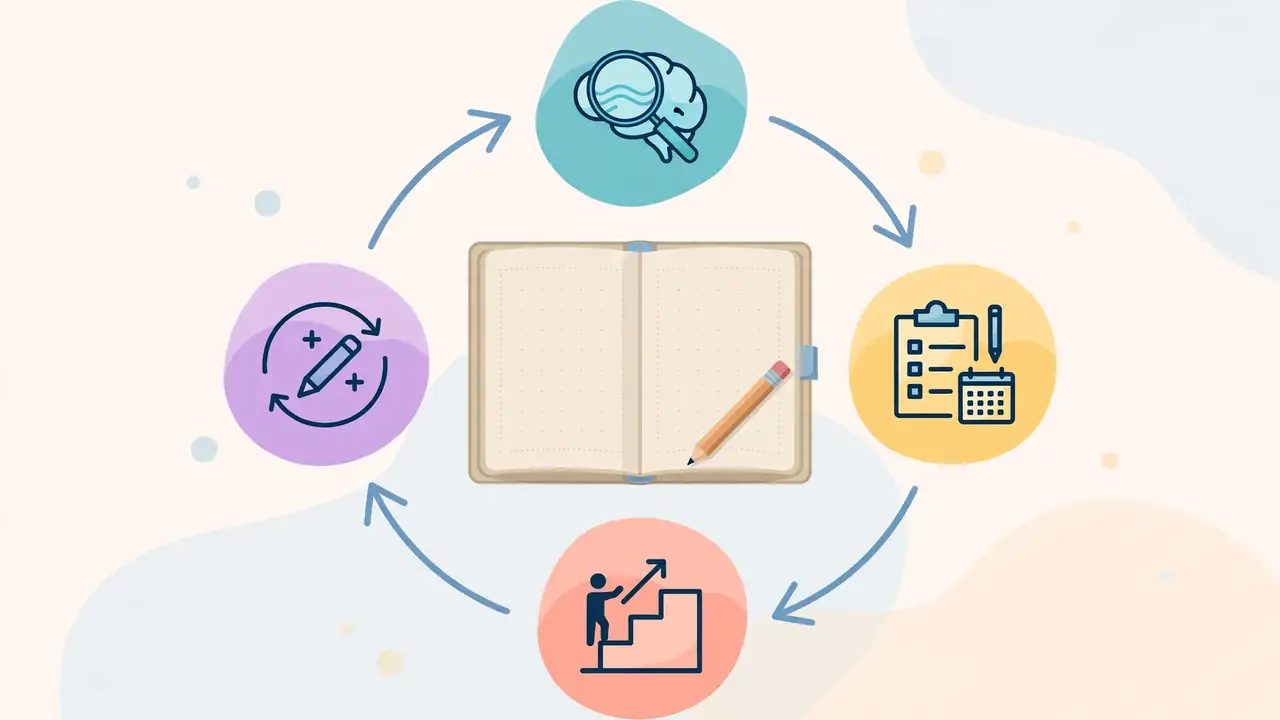
Once it has your starting point, the agent builds a dependency map from there to your goal. You can see the plan, and the lesson adapts when your understanding turns out different from the measurement. Each teaching step builds on something you already understand: you predict, you get an explanation, and you check your understanding before anything new is built on top of it. Confusions are repaired before they become foundations.
The habit that makes this work is thinking out loud. The thinking fields let you explain your reasoning, uncertainties, and reactions in your own words, by typing or dictation. This is how the agent gets a detailed picture of how you reason rather than a record of right and wrong answers — so write what you actually think, including the parts you are unsure about. The agent can also research questions in the background, create visual explanations, and build interactive demonstrations when a plain explanation is not enough.
Step 5: Practice in a separate session
Teaching is not the same as being able to use the knowledge, so practice runs as a separate session. It poses varied problems that require the right knowledge to come to mind without being named first — the difference between recognizing an answer and producing it. Problems and hints adapt to your reasoning, not just to whether you got the last one right. If a practice problem exposes a gap, that gap feeds back into what you are taught next instead of being filed away as a low score.
Step 6: Open the knowledge graph and watch it carry forward
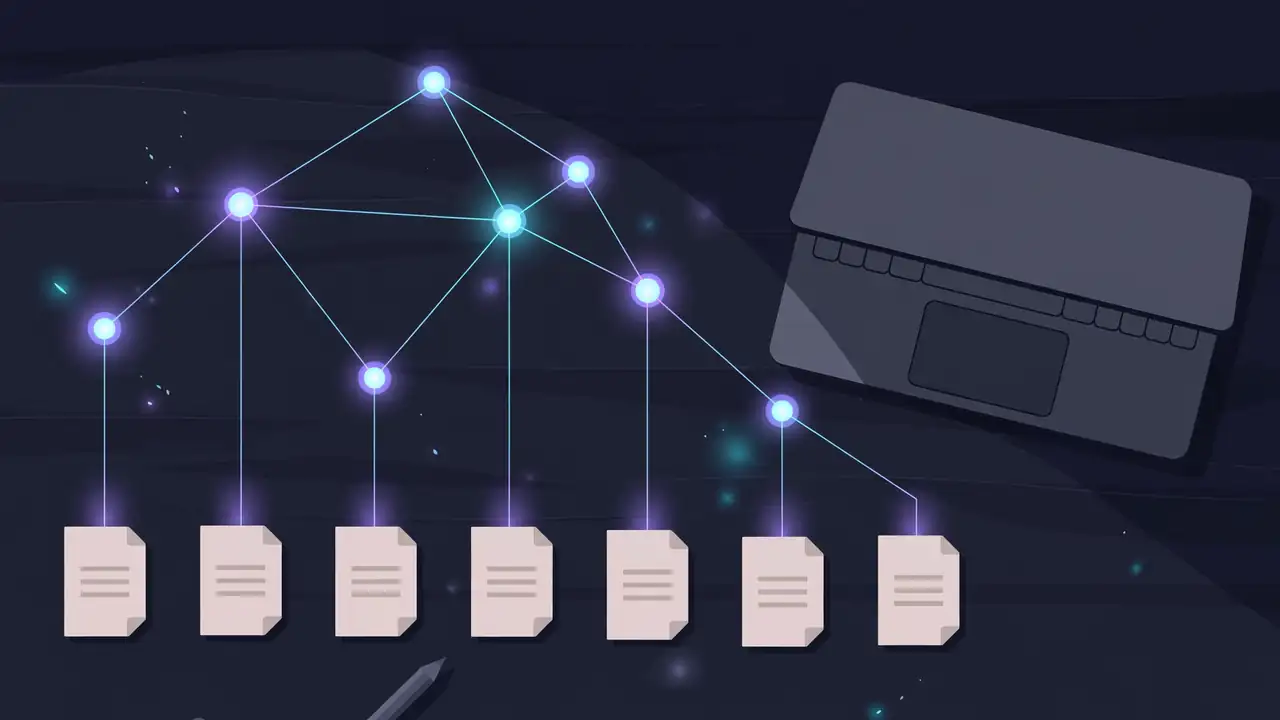
What you are taught accumulates as propositions and reasoning chains: individual claims plus the premises that lead to them. The graph shows this structure, with links back to the source sessions, and you can import notes into it. The important property is persistence: future teaching sessions can read the graph instead of starting from scratch, and practice sessions can draw their material from it. The graph stores ideas and their connections, not ratings of your ability.
Because learning records are plain files on your machine, you can also inspect them directly — open the app's local storage and confirm for yourself what is being kept. That inspectability is the app's answer to the usual tutor-app bargain, where your learning history lives on someone else's server.
What you built
By the end of one session you have three things a chatbot never gives you: a lesson plan built from your measured starting point, a practice session that tested whether the knowledge is usable, and a knowledge graph entry that your next session will build on. Run a second session on a related topic and you will feel the difference immediately — the tutor does not re-teach what the graph already says you know.
Honest limitations
Local storage does not mean offline processing. Your chats and graph stay on your machine, but model requests go to the provider you configured, and web research and dictation contact external services too. LearnHarness ships no model of its own: without a provider key, there is nothing to run the tutor on, and usage bills land on your provider account. The Windows installer is unsigned for now, and this is a young, fast-moving project — 0.3.9 landed on October 27, 2026, days after the releases before it — so expect interface labels to shift between versions. Finally, the tutor is only as good as the model you point it at and the honesty of your thinking fields: rush the predictions, and the measurement it plans from will be wrong.
Sources
- LearnHarness — GitHub repository (how it works, downloads, development setup)
- LearnHarness — Download (macOS, Windows, and Linux installers)
- LearnHarness — Releases (version 0.3.9, October 27, 2026)
Frequently asked questions
Does LearnHarness need a subscription?
No. The app is free and open source under the AGPL-3.0 license, with no subscription and no markup. You pay your model provider for usage, and a live cost meter shows what each session costs.
Is my learning data private?
Your chats, knowledge graph, settings, and API keys live on your machine as plain files you can inspect. But local storage does not mean offline processing: model requests go to the provider you configured, and web research and dictation contact external services.
Which models can it use?
LearnHarness supports 30+ provider options, including OpenAI, Anthropic, Google, DeepSeek, and OpenRouter. Dictation is optional and separate, using a Deepgram key with the Member role or higher.