Magnific One: an image model that art-directs before it generates — with a Brand Kit that enforces your visual identity
Magnific launched Magnific One today, an image generation model the company says decides a picture's art direction before it generates a single pixel — and with it Brand Kit, an agentic feature that extracts a team's visual identity and applies it to every image the model makes.
Magnific today announced the launch of Magnific One, an image generation model built around a bet most labs have tiptoed past: that taste is a product feature. Instead of following prompts literally, the model settles the art direction first — palette, mood, composition — and then generates an image that carries what the company calls a visual sensibility of its own. “Most image models are very good at making the picture you described,” said Martin LeBlanc, chief experience officer at Magnific, in the launch announcement. “Magnific One makes the picture you would have arrived at with a good art director in the room.”
The framing is the point. The company, which says it has spent more than 15 years building tools for creatives, describes taste as a responsibility and says the model was designed to make the calls an art director would make — aiming for images that come out vivid, lifelike and original. On the product page, Magnific pitches the model around free exploration, brand consistency and the user keeping the final say, in a three-step workflow: set up a Brand Kit, create with the model, then finish the image with the company's editing tools.
Draft and Final: two modes, four prompt levels
A prompting guide written by Magnific creative technologist Melissa Diago documents two modes. Draft turns one idea into a grid of 4, 8 or 16 directions for exploration, with fewer images returning more detail in each; Final produces a single deliverable image at 2K High by default, up to 4K and Max — and it is in Final that Brand Kit takes effect.
Prompting itself is presented as a ladder of four levels built on the same idea: one word is enough to return a directed image (the guide's own example is “gossip”), then naming the subject, adding a story, and finally spelling out the full scene — camera angle, light, palette — progressively hands direction from the model to the user. The guide advises naming the medium first — photo, illustration, 3D or design — and describing causes rather than effects: a word like “premium” gives the model nothing to work with, it says, while brushed steel and a single window light do. It also warns that restating the same idea in different words makes the model drop details instead of following them.
Brand Kit: your identity as a standing rule
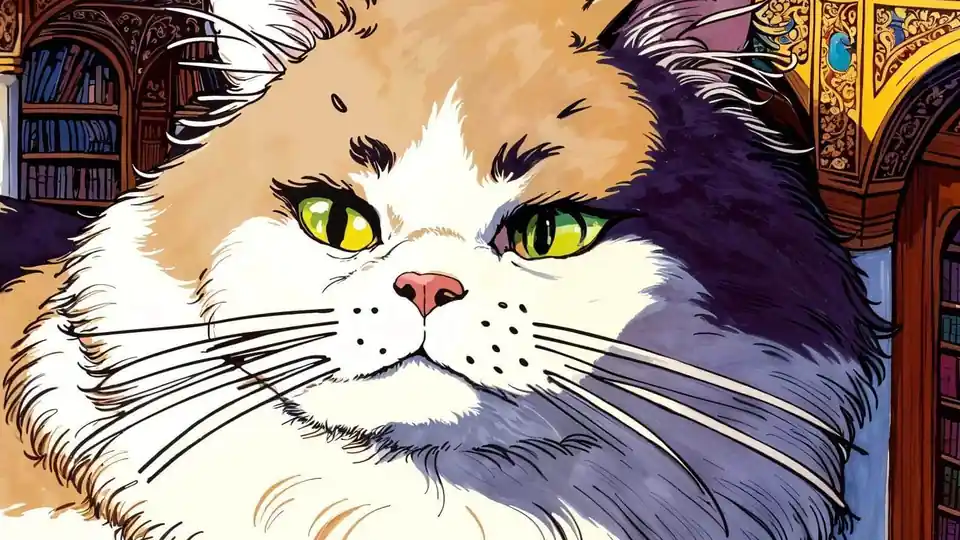
Brand Kit launched alongside the model, and it is the enterprise angle. Given a website, a guidelines PDF, a few images or a written description, an agent extracts the logo, palette, typography, imagery and tone into a first version of the kit, which the team then reviews and refines. Magnific One applies the kit to every image it generates in Final mode — checking each image against the kit regardless of who prompted it, and marking an image as off-brand converts that call into a standing rule. Each client gets its own kit, shared across the team, and using one is optional.
A separate Styles feature lets a user upload one to five reference images that share a palette, texture or technique, and the look holds across both Draft and Final. For finishing work, the guide publishes eight short editing and relighting lines — covering fixes such as yellowed whites, exact text reproduction and changing only the light — that also work on images the user uploads. Users can set exact type, colors and text on an existing image without regenerating it, while Auto Layers splits a generated image into editable layers and the company's Designer tool opens it for full vector control.
Where it runs: web, desktop, mobile, MCP — and the API
Magnific One is available immediately on all Magnific paid plans worldwide — on the web, in the desktop and mobile apps, and through the Magnific MCP, which the guide describes as a way to use the model from an AI assistant. The Image Generator and the Spaces canvas are also listed as entry points. On the same page, the company states that it never trains AI on user data and that everything created on the platform stays private.
Developers get it too: the company's API changelog, updated today, shows Magnific One live at POST /v1/ai/magnific-one with two API modes. quality (the default) returns one finished image at medium or high quality up to 4K; draft returns a contact sheet of 8 or 16 quick variations to explore directions before rendering the winner. Both accept up to 10 reference images and ten aspect ratios from 21:9 to 9:16 — and the pricing is refreshingly flat: a quality request is billed once for its quality and resolution, a draft request once at the medium/2K price regardless of how many tiles it returns, and reference images never change the price.
The context: Freepik is now Magnific, and the money is real
Magnific is the former Freepik. The company announced the rebrand on April 28, 2026, saying Freepik had launched in 2010 as a search engine for graphic resources, founded in Málaga without venture capital, and had evolved into an AI creative platform across image, video, 3D and audio. At the time it reported one million paid subscribers, 100 million monthly visits, $230 million in annual recurring revenue and more than 290 enterprise teams running production workflows on the platform.
For launch week, Magnific is offering seven days of unlimited Magnific One generation at 2K and 4K in its desktop app for macOS and Windows — which mirrors projects to a local folder over a one-way sync, without counting credits. The offer runs through October 15, 2026. The open question is the one the announcement invites: whether baked-in art direction is what creative teams have been waiting for, or just a new button between the prompt and the render. Magnific's answer — a model that disagrees with your prompt on aesthetic grounds — is at least a genuinely different take.