OpenRouter for agent tools: self-host one registry for every API your agents call — hands-on with treg
treg is OpenRouter for agent tools: one base URL and one token for every API your agents call, with real credentials injected server-side. We self-hosted the registry, registered a tool, and verified the injection end to end.

OpenRouter won the model layer: one API key, every model, per-token pricing. The tool layer — the hundreds of APIs your agents actually call to get work done — never got the same treatment. Instead, every agent project accumulates its own pile of credentials: a key in an env file here, a token pasted into a chat there, a secret hardcoded in a script nobody remembers writing.
treg is the open-source project trying to fix that. Built by the Superdesign team, it gives your agents one base URL and one token for everything they call, and injects the real credentials server-side at call time. The numbers explain why it's trending: 3,927 stars on GitHub (created July 15, 2026), a roughly 2,600-endpoint hosted catalog priced per call from a cent, and a self-hostable registry you can run with pip. Unlike most trending repos, you can have the whole thing working locally in about ten minutes — so that's exactly what we did. Every command below actually ran; the credential injection is verified end to end, not asserted.
What treg actually is#
treg has two halves that share one protocol:
- The hosted catalog (treg.to). Roughly 2,600 curated endpoints — SEO and backlink data, social and trend APIs, enrichment, ads, scraping, image and video generation — each priced per call, "from a cent." You sign in with GitHub, top up a prepaid balance, and call any of them with your treg token. No per-provider signup, no per-provider key.
- Your own registry (self-hosted).
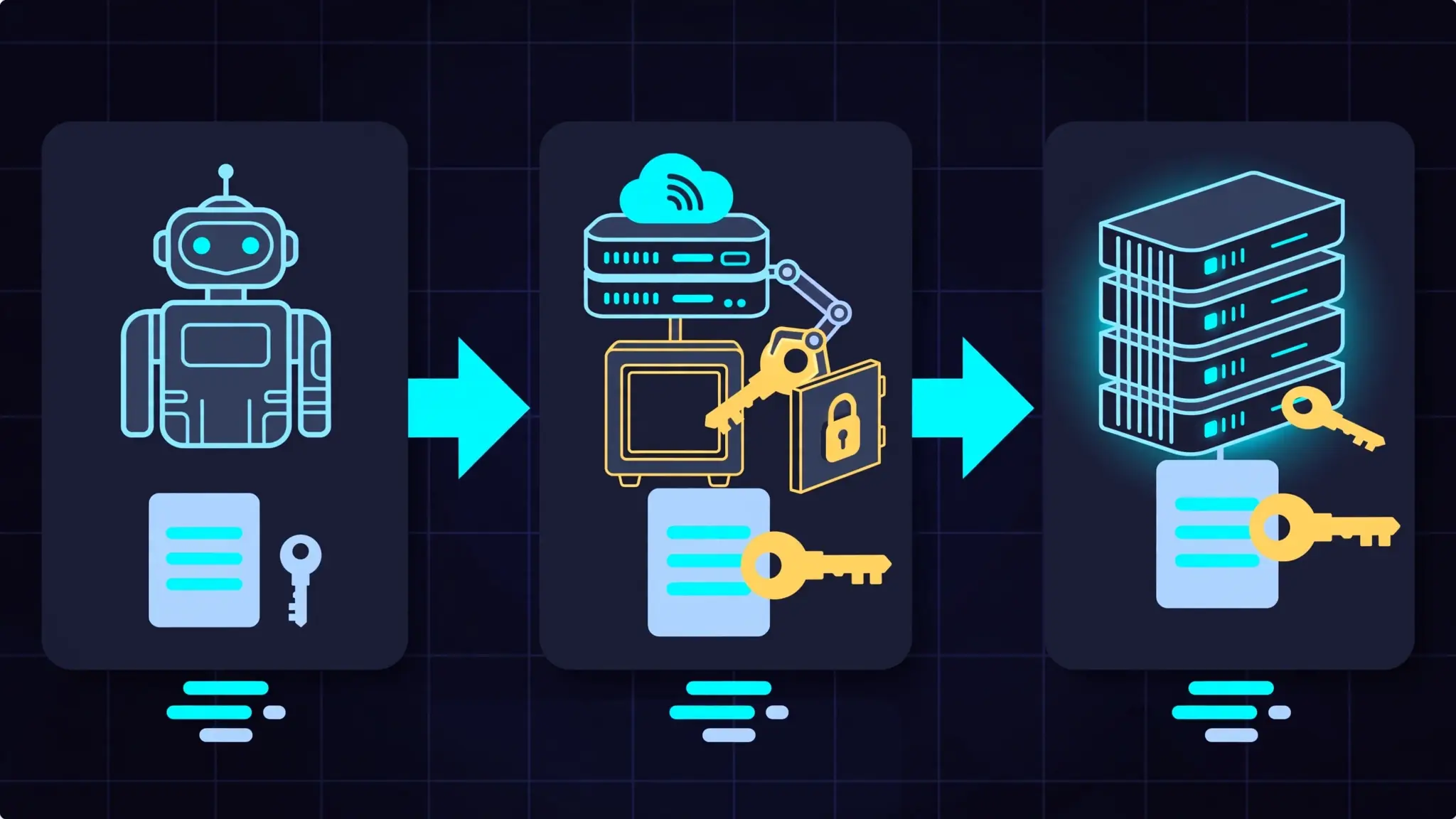
pip install "tools-registry[server]"andpython -m treggives you the same machinery for your team's own APIs: register a tool, store its secret once, and every agent calls it through your registry with the credential injected server-side. SQLite by default, Postgres when you outgrow it.
The mental model that clicked for us: LiteLLM is OpenRouter-style routing for models; treg is the same idea for tools. (We covered the LiteLLM gateway on September 28 — the two complement each other; one normalizes model APIs, the other normalizes everything else.) Agents can also reach your tools through treg's MCP surface, so coding agents can call registry tools like any other MCP server.
Prerequisites#
- Python 3.10+ and pip (we used Python 3.12 on Linux; macOS and Windows work the same)
- About ten minutes, a terminal, no GPU, no API keys, no cloud account
- For the hosted catalog half (covered briefly at the end): a GitHub account and a topped-up balance. Everything hands-on below uses only the self-hosted registry.
Step 1 — Install the CLI and server#
The PyPI package is called tools-registry; the command it installs is treg. The [server] extra pulls in the registry itself:
pip install "tools-registry[server]"
treg --version   # treg 0.22.0
Version 0.22.0 is what we tested. The install is small — no model weights, no Docker, no build step.
Step 2 — Start your own registry#
python -m tregThat's the whole server. It serves on 0.0.0.0:18790, keeps its data in treg.db (SQLite) in the working directory, and runs its schema migrations on first boot — give it a minute the first time. Two environment variables are worth setting before you go further:
TREG_SECRET_KEY— a Fernet key (32 url-safe base64 bytes; generate one withpython -c "from cryptography.fernet import Fernet; print(Fernet.generate_key().decode())"). Secrets are encrypted with it. Skip it and the server mints an ephemeral key — which means every secret you store is silently lost on restart. We learned this one the hard way so you don't have to.TREG_EMAIL_DEV_MODE=true— makes the email sign-in endpoint return the one-time code in its response instead of sending mail. Made for exactly this kind of local setup.
export TREG_SECRET_KEY="<your-fernet-key>"
export TREG_EMAIL_DEV_MODE=true
python -m treg
Step 3 — Point the CLI at it and sign in#
treg config --base-url http://127.0.0.1:18790
treg login --email [email protected]
The CLI asks for the 6-digit code; with dev mode on, the code prints right in the terminal (in production it arrives by email). This is register-or-login: the first sign-in creates your identity. For agents and CI there's a non-interactive variant, treg login --token <per-org-token>.
Step 4 — Create a team#
Secrets and tools belong to teams, not individuals — that's what makes the sharing story work:
treg org create "My Team"
# ✓ Token saved. Active org: my-team
The new team becomes your active org. Teammates join with treg org invite / treg accept; scoped per-agent tokens come from treg org agent-new.
Step 5 — Store a secret and register a tool#
To prove the injection is real, we'll aim treg at an upstream we can inspect: a tiny echo server that returns the request it received. Save this as echo_server.py and run it in another terminal:
import json
from http.server import BaseHTTPRequestHandler, HTTPServer

class Echo(BaseHTTPRequestHandler):
    def _respond(self):
        length = int(self.headers.get("Content-Length", 0) or 0)
        body = self.rfile.read(length) if length else b""
        payload = {"method": self.command, "path": self.path,
                   "headers": dict(self.headers),
                   "body": body.decode("utf-8", "replace")}
        data = json.dumps(payload, indent=2).encode()
        self.send_response(200)
        self.send_header("Content-Type", "application/json")
        self.send_header("Content-Length", str(len(data)))
        self.end_headers()
        self.wfile.write(data)
    do_GET = _respond
    do_POST = _respond

HTTPServer(("0.0.0.0", 18791), Echo).serve_forever()
Now store the "upstream API key" and register the tool. The secret is encrypted server-side and never returned by any API:
treg secret add UPSTREAM_KEY --value sk-demo-upstream-9f31
# {"id": 1, "name": "UPSTREAM_KEY", ...}

treg tool add demo-echo --base-url http://HOSTNAME:18791 --secret 1
A few things worth knowing here. The binding defaults are the common case: the env injector, the Authorization header, the Bearer {secret} format. APIs that differ are covered with flags: --auth-in query --auth-name api_key for key-in-query APIs, --auth-format for custom schemes, and repeatable --bind when one call needs several credentials at once.
One honest caveat from our testing: the registry refuses loopback and private addresses as a tool's base_url — an SSRF guard, and a good one — so register the echo server via your machine's hostname rather than localhost, and start the server with TREG_PROXY_SSRF_CHECK=false for this local dry run (that's the same flag the project's own test suite uses; leave it on everywhere else). Pointing at a real public API needs none of this.
Step 6 — Make your first proxied call (and prove the injection)#
treg call demo-echo /probeThe echo server shows us exactly what arrived over the wire. In our run, the upstream received:
{
  "method": "GET",
  "path": "/probe",
  "headers": {
    "Host": "...",
    "user-agent": "python-httpx/0.28.1",
    "Authorization": "Bearer sk-demo-upstream-9f31"
  }
}
The agent never saw that key. It called with its treg token; the registry injected the real credential server-side. We confirmed the value cryptographically (SHA-256 of the received header matched the stored secret) — and two details matter for the security-minded:
- No
X-Treg-Tokenorx-treg-*header reached the upstream. The relay strips its own auth before forwarding; the upstream can't learn your agent's token from a proxied request. - The CLI redacts injected secrets from displayed output. When the upstream echoes the key back (like ours does), your terminal shows
Bearer <redacted>— a teammate can't shoulder-surf a shared key out of a terminal log.
Injected credentials also always win: if the caller sends its own Authorization header, the binding overwrites it.
Step 7 — Check the audit log#
Every call is recorded. treg calls (and the treg audit view for teams) shows who called what, when, through which client, and what came back:
{
  "user_email": "[email protected]",
  "tool_name": "demo-echo",
  "method": "GET",
  "path": "http://HOSTNAME:18791/probe",
  "status_code": 200,
  "client": "cli",
  "created_at": "2026-09-30T19:29:06"
}
For a team sharing paid APIs, this is the missing receipt: per-user, per-tool usage without anyone ever holding the key.
How the proxy actually works#
Reading the relay code (it ships in the pip package, treg/infra/upstream/relay.py) clarified what "faithful relay" means in practice:
- Headers pass through untouched except hop-by-hop headers, anything named in the caller's own
Connectionheader, and treg's own auth and cookies. Everything else — including duplicates — is preserved. - Bodies stream. The relay doesn't buffer or re-serialize your body (unless you use a JSON-location binding), so signing-sensitive upstreams see exactly what the caller sent.
- The SSRF guard fires twice: once at registration (loopback, private, link-local, and cloud-metadata hosts refused) and again at call time, re-resolving the hostname to defeat DNS rebinding.
- One credential ladder per call decides whose key — and whose money — is used (next section).
The credential ladder: whose key pays?#
When your agent calls a tool, treg walks a ladder to find a credential:
- The caller's own key for that tool, if one is attached — costs nothing extra.
- The team's stored secret for the tool — your org's key, billed to whoever owns it.
- treg's key, billed per call against your prepaid balance.
Run out of balance and the call fails with HTTP 402, not a surprise invoice. treg balance shows credit left, calls in flight, and recent spend. The ladder is the whole business model in one diagram: bring your own keys where you have them, rent per-call where you don't.

The hosted side: treg.to's catalog#
Everything above ran against our own registry, which is the point of this tutorial — but the hosted service is why the project is trending. At treg.to you sign in with GitHub, then:
treg catalog search "serp"     # find endpoints by what you want to DO
treg call tiktok/video-search  # call a catalog endpoint by id
treg balance                   # credit left, spend, calls in flight
treg topup                     # add funds
Endpoints are priced per call from a cent — the pitch is that an agent needing one backlink check shouldn't require a $99/month SEO subscription. We didn't exercise the paid catalog in this run (it needs GitHub OAuth and real money), so treat per-endpoint pricing as the project's documented claim, not our verified finding. The self-hosted mechanics above are the verified part, and it's the same proxy either way.
When to use treg vs the alternatives#
| Approach | What it solves | Where treg fits |
|---|---|---|
| treg | One token + one base URL for every tool; server-side credential injection; audit log | — |
| LiteLLM gateway | One OpenAI-compatible endpoint for 100+ models | Different layer: LiteLLM normalizes model APIs, treg normalizes everything else. Use both. |
| Secret managers (Vault, AWS Secrets Manager) | Secure storage and rotation of secrets | Storage without a call plane: your agent still fetches the secret and calls the API itself. treg never lets the secret leave the server. |
| Per-provider MCP servers | One integration per vendor, tool-shaped for agents | One registry instead of N integrations — and one place to rotate keys, set budgets, and audit. |
| Direct SDK integration | Simplest thing for one API | Fine for one API. At ten APIs across three agents, you have a key-management problem and don't know it yet. |
One license caveat before you commit#
treg is Apache 2.0 with additional terms (GitHub shows the license as NOASSERTION, which is why you should read the LICENSE file itself). The extra terms are short and plain: commercial use inside your own organization — including running your own registry for your own team — is "expressly permitted and encouraged." What you may not do without the licensor's written permission is offer treg itself as a hosted or managed service to third parties. Self-hosting for your agents: fine. Competing with treg.to: ask first.
The takeaway#
- The model layer got OpenRouter; the tool layer gets treg. One base URL and one token for your agents, thousands of endpoints behind it.
- Self-hosting is genuinely ten minutes:
pip install "tools-registry[server]",python -m treg, sign in, register a tool. No cloud account, no Docker. - The injection is real and verified: the upstream receives
Authorization: Bearer <your-key>while the agent never sees it, treg's own token is stripped in transit, and the CLI redacts shared keys from terminal output. - Teams are first-class: secrets belong to the org, every call lands in the audit log, and the credential ladder means you only pay per call when you have no key of your own.
- Know the boundaries: the SSRF guard keeps loopback targets out (good), the hosted catalog needs GitHub OAuth plus a prepaid balance (not exercised here), and the license forbids reselling it as a hosted service.
If your agents call more than a couple of external APIs, a registry like this stops being infrastructure yak-shaving and starts being the thing that lets you hand an intern — or an intern-shaped agent — API access without handing them the keys. That's the whole pitch, and unlike most trending repos, it survives contact with a real terminal.