Two agents, one repo: run Claude Code and Codex together with OpenAI’s official plugin
OpenAI’s Codex plugin puts a second frontier coding agent inside Claude Code — reviews, rescues, and session handoffs without leaving your chat. This guide installs it, proves every command, and shows the three workflows that actually earn their keep.
/codex:review, /codex:adversarial-review, /codex:rescue, /codex:transfer, /codex:status, /codex:result, /codex:cancel, and /codex:setup — plus an optional review gate that runs a Codex check before Claude stops. This guide installs the Codex CLI and the plugin, verifies every command against the installed files, and walks the three flows worth using: the second-opinion review, the rescue handoff, and the session transfer.- What:
openai/codex-plugin-cc— OpenAI’s official plugin that runs Codex from inside Claude Code for code reviews and delegated tasks. - Versions: plugin 1.0.6; Codex CLI 0.164.0-alpha.9; Claude Code 2.1.319; Node.js 18.18+ required (this guide used Node v24.22.1).
- Verified: November 8, 2026: both CLIs installed and version-checked on this machine; the plugin installed from the marketplace and listed as enabled; all eight slash commands, the
codex-rescuesubagent, and the review-gate hook checked against the installed plugin files. Live agent calls need your own ChatGPT and Claude sign-ins, so the review, rescue, and transfer steps follow the plugin’s own command files and README rather than captured transcripts. - Requirement: Node.js 18.18+, a ChatGPT plan (Free works) or an OpenAI API key for Codex, a paid Claude plan or API usage for Claude Code, and about 30 minutes.

Your coding agent just finished a change and it looks right. The tests pass. The diff is clean. And you still have the same feeling you get before merging anyone's pull request: somebody else should look at this before it ships. The problem is that the somebody else is usually you, twenty minutes later, reading code you already read while writing it.
OpenAI's answer is to put a second agent in the room. The Codex plugin for Claude Code — OpenAI's official plugin, Apache-2.0, just under 35,000 stars — adds eight slash commands to your Claude Code session. From the same chat where Claude wrote the code, you can ask Codex to review it, argue with the design, take over a bug, or inherit the whole session. No second terminal, no copy-paste, no re-explaining the repo. The two agents share your checkout; they do not share a brain, and that is the point.
This guide installs the plugin and proves every command. The Codex CLI and Claude Code were installed and version-checked on this machine, the plugin was installed from the marketplace and listed as enabled, and all eight slash commands, the rescue subagent, and the review-gate hook were checked against the installed plugin files. The live review, rescue, and transfer calls need your own ChatGPT and Claude sign-ins, so those steps follow the plugin's own command files and README instead of captured transcripts — nothing in this guide is a fabricated run.
What you'll need#
- Claude Code 2.1 or later. This guide used 2.1.319, installed with
npm install -g @anthropic-ai/claude-code. Claude Code is included in paid Claude plans; checkclaude --versionbefore you start. - Node.js 18.18 or later and npm. This guide used Node v24.22.1. Check yours with
node --version. - A ChatGPT plan or an OpenAI API key for Codex. A ChatGPT subscription — including the Free tier — works, and usage counts against your Codex limits. The plugin itself is free.
- A git repository to work in. The plugin's review commands read your working tree and branch diffs, and
codex execrefuses to run outside a git repo. - About 30 minutes. The install takes five; the rest is learning which of the eight commands earns its keep.
Step 1: Install the Codex CLI#
The plugin is a thin wrapper: it delegates through your local Codex CLI and its app server, on the same machine, with the same authentication and the same config.toml you would use running Codex directly. So install Codex first:
npm install -g @openai/codex
codex --version
On this machine that printed:
codex-cli 0.164.0-alpha.9Your version will be newer; the commands below are stable across recent releases. Then sign in. From your shell:
codex logincodex login accepts a ChatGPT sign-in or an API key. If you are already signed into Codex on this machine, the plugin will pick that up and you can skip this step entirely — the FAQ in the README is explicit that no second account is needed. If you only use Claude Code today, this is the one new sign-in the setup asks for. You can also sign in from inside Claude Code later with !codex login, which runs the shell command from the chat.
While you are here, confirm the two commands the plugin leans on exist in your install:
codex --help | grep -E "exec|review|resume"You should see exec (run Codex non-interactively), review (run a code review non-interactively), and resume among the subcommands. The plugin drives those same entry points; nothing it does is a private API.
Step 2: Install the plugin in Claude Code#
Inside a Claude Code session, the README's install is three slash commands:
/plugin marketplace add openai/codex-plugin-cc
/plugin install codex@openai-codex
/reload-plugins
The same install works from your shell, which is how it was verified here:
claude plugin marketplace add openai/codex-plugin-cc
claude plugin install codex@openai-codex
claude plugin list
The marketplace add clones github.com/openai/codex-plugin-cc and reports:
✔ Successfully added marketplace: openai-codex (declared in user settings)The install reports:
Installing plugin "codex@openai-codex"...✔ Successfully installed plugin: codex@openai-codex (scope: user)And claude plugin list confirms it is live:
❯ codex@openai-codex
  Version: 1.0.6
  Scope: user
  Status: ✔ enabled
Version 1.0.6 is the current release. After install, a Claude Code session should offer eight slash commands — /codex:review, /codex:adversarial-review, /codex:rescue, /codex:transfer, /codex:status, /codex:result, /codex:cancel, and /codex:setup — and a codex:codex-rescue subagent in /agents. All eight command files, the subagent definition, three skills, and the hooks were checked on disk in the installed 1.0.6 package. If the commands do not appear in an already-open session, run /reload-plugins or restart Claude Code; the plugin loads at session start.
Step 3: Prove Codex is ready — /codex:setup#
Before delegating anything, run the readiness check:
/codex:setup/codex:setup checks whether Codex is installed and authenticated, and tells you plainly which half is missing. If Codex is missing and npm is available, it asks once whether Claude should install it for you — Install Codex (Recommended) or Skip for now — and runs npm install -g @openai/codex if you accept. If Codex is installed but not signed in, it points you at !codex login. Run setup again after either fix and it reports ready.
Setup is also where you set the defaults Codex will use for every delegated task. Codex reads the same configuration it always has — your user-level ~/.codex/config.toml, with per-project overrides in .codex/config.toml at the repo root (project overrides only load when the project is trusted). To pin a model and reasoning effort for one project, add:
model = "gpt-5.4-mini"
model_reasoning_effort = "high"
That is the documented example from the README, and it is worth setting deliberately: without --model or --effort on a rescue call, Codex chooses its own defaults, and the cheapest fast pass is not always the one you want for a bug that has already eaten an afternoon.
Step 4: Your first second-opinion review — /codex:review#
The command you will use most is the simplest. Make a change with Claude, then, before you commit:
/codex:reviewThat runs a normal, read-only Codex review of your current uncommitted changes — the same review you would get running /review inside Codex directly — and returns Codex's output verbatim. It does not fix anything, apply patches, or rewrite your code. It is a second pair of eyes, and the plugin's command file is blunt about the constraint: review-only, return the output as-is.
Three flags cover the variations that matter:
/codex:review --base main
/codex:review --background
/codex:review --scope branch
--base <ref>reviews the branch against a base branch instead of the working tree. Use it when the work is already committed on a feature branch and you want the whole branch reviewed, not just the uncommitted tail.--backgroundruns the review detached and lets you keep working. Multi-file reviews take a while; the README recommends background for anything but a tiny diff, and the command itself estimates the size first — it checksgit statusand both diffs — and recommends waiting only for a one-or-two-file change.--scope auto|working-tree|branchpicks what gets reviewed when you do not want the default.
Background jobs are managed with the two commands that pair with every long-running call:
/codex:status
/codex:result
/codex:status lists running and recent Codex jobs for the repo; /codex:result prints the stored output of the finished job, including the Codex session ID so you can reopen that run directly in Codex with codex resume <session-id>. A specific job takes its ID as an argument — /codex:status task-abc123 — and /codex:cancel kills a job that is still running.
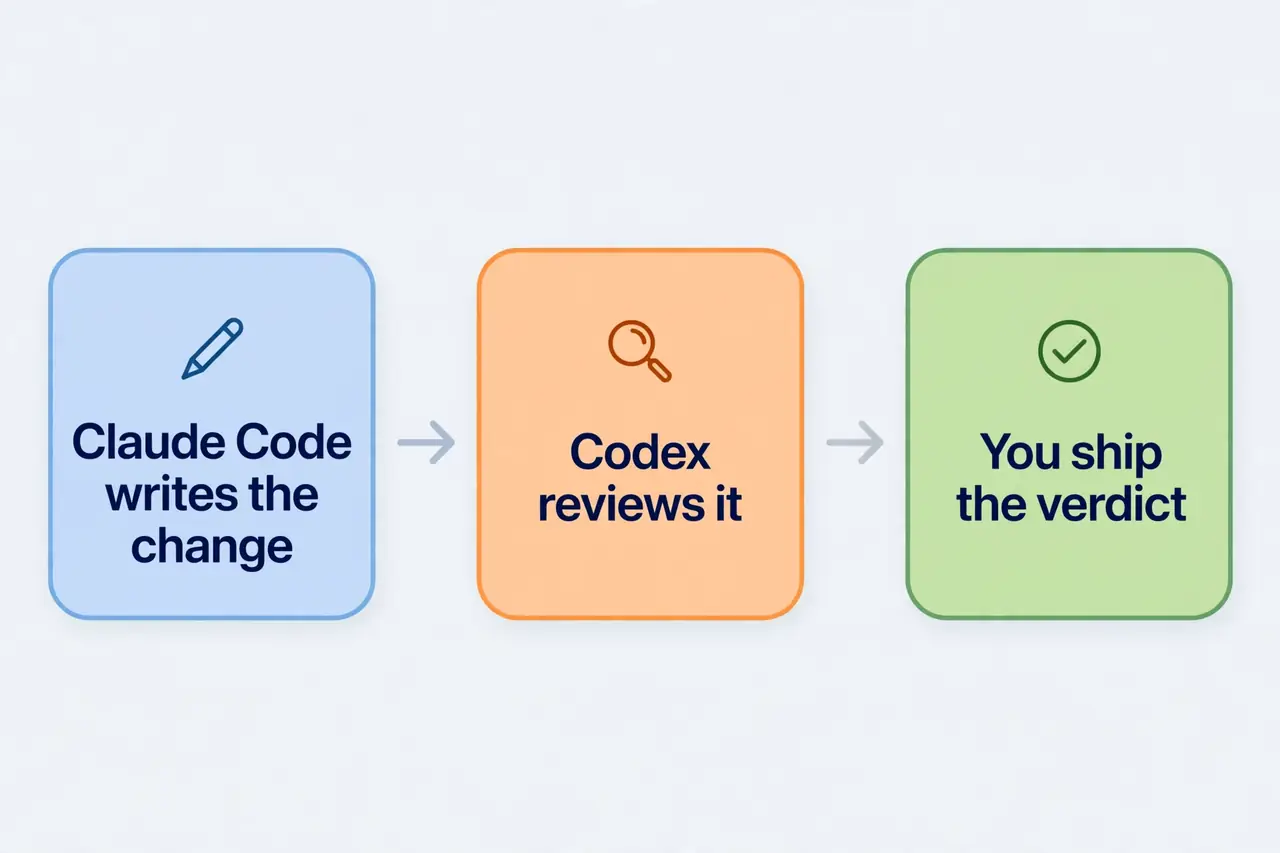
One habit makes the review worth more than a rubber stamp: treat it as the last gate before commit, not as a post-mortem. Run it on the branch, read the whole output before you touch the code, and fix the findings yourself or hand them back to Claude. A review you skim is a review you paid for twice — once in tokens, once in the bug it named and you merged anyway.
Step 5: Pressure-test the design — /codex:adversarial-review#
A normal review checks whether the code is right. An adversarial review checks whether the decision behind it was right. It is steerable: it takes focus text after the flags, and it questions the implementation and the design — the assumptions, the tradeoffs, the failure modes, whether a different approach would have been safer or simpler.
/codex:adversarial-review --base main challenge whether this was the right caching and retry design
/codex:adversarial-review --background look for race conditions and question the chosen approach
Use it when the change is a judgment call, not a typo hunt: a caching layer, a retry policy, an auth flow, a migration, anything where the code can be correct and the design still wrong. It takes the same --base, --wait, and --background flags as the plain review, and it is read-only too — it does not fix code, it argues with it.
The two reviews are not interchangeable, and picking the wrong one wastes a run. /codex:review takes no focus text and no steering: if you need custom review instructions or a specific risk area examined, the plugin's own docs send you to the adversarial command. Run the plain review on every change; run the adversarial review on the changes where you are least sure of the direction — which is usually the change you most want to skip reviewing.
Step 6: Hand a problem to Codex — /codex:rescue#
Review is read-only. Rescue is the command that lets Codex touch the code: investigate a bug, try a fix, continue a previous Codex task, or take a cheaper pass with a smaller model. It runs through the codex:codex-rescue subagent, and the final response you see is Codex's output verbatim.
/codex:rescue investigate why the tests started failing
/codex:rescue fix the failing test with the smallest safe patch
/codex:rescue --resume apply the top fix from the last run
/codex:rescue --model gpt-5.4-mini --effort medium investigate the flaky integration test
/codex:rescue --model spark fix the issue quickly
/codex:rescue --background investigate the regression
The flags, verified in the installed command file:
--model <model|spark>— pick the model.sparkis a shortcut the plugin maps togpt-5.3-codex-spark, the fast model for a quick pass. Omit it and Codex chooses its own default.--effort none|minimal|low|medium|high|xhigh— reasoning effort. Match it to the problem:lowfor a typo-level fix,highfor the flaky test that has survived three fixes already.--resume/--fresh— follow-ups continue the latest rescue thread for the repo by default;--resumemakes that explicit and--freshstarts a new one. If a rescue keeps re-litigating the old thread,--freshis the fix.--background/--wait— rescue tasks can run long; background is the recommended default, and you check in with/codex:statusand/codex:resultexactly as in Step 4.
You do not even need the slash command. A plain sentence in the Claude Code chat works too — Ask Codex to redesign the database connection to be more resilient
— and the plugin routes it to the same subagent. The slash command is for when you want the flags; the sentence is for when you want the delegation and do not care how it is configured.
One boundary to respect: rescue is a delegate, not a janitor. Give it a problem with a checkable outcome — the failing test
, the regression
— not a vague brief. The smaller and more verifiable the task, the better a second agent does on it, because the agent that verifies the fix is the same one that has to live with it if the fix is wrong.
Step 7: Move the whole session over — /codex:transfer#
Sometimes the right move is not a review or a fix but a change of driver: you started a debugging or implementation conversation in Claude Code and want to continue the same context directly in Codex. That is what transfer does:
/codex:transferThe command builds a persistent Codex thread from the current Claude Code session and prints a codex resume <session-id> command. Run that in your shell — or pick the session from the list codex resume shows — and you are continuing the same conversation in Codex, in the TUI or the app, with the turns visible and continuable there. The transfer uses Codex's external-agent session importer, so it follows the same conversion rules as importing Claude history in the Codex app.
Two details from the command file are worth knowing before you rely on it. The plugin's SessionStart hook supplies the current transcript path automatically, so the plain command is normally enough; --source ~/.claude/projects/<user>-<repo>/<session-id>.jsonl is the manual override when you want to transfer a different session. And the source has to sit under ~/.claude/projects — older Codex versions that do not expose session import need an upgrade first. If transfer reports that it cannot import, codex update is the first thing to try.
Transfer is the least-used of the eight commands and the most useful when it fits: the moment you realize the problem wants Codex's strengths — a long interactive debugging session, a task that will run for an hour — rather than a one-shot review. It is also the cleanest exit from a Claude session that has grown too long: hand the context over instead of summarizing it by hand and losing half of it.
Step 8: The review gate — powerful, off by default, and that is correct#
Everything so far has been on demand: you ask for a review, you get one. The review gate makes it automatic. Enable it with:
/codex:setup --enable-review-gateWith the gate on, the plugin installs a Stop hook. Every time Claude finishes a response and is about to stop, the hook runs a targeted Codex review of what Claude just did. If the review finds issues, the stop is blocked and Claude has to address them first. Disable it the same way:
/codex:setup --disable-review-gateThe README carries a warning, and it is worth repeating in spirit: the gate can create a long-running Claude/Codex loop and drain usage limits quickly. Only enable it when you plan to actively monitor the session. A gate that fires on every stop, on a long session, with a model that keeps finding nits, is two agents billing you to argue with each other while you watch. Use it for a focused session — a security-sensitive change, a migration — where a second check on every stop is what you actually want, and turn it off when the session ends. The default is off, and the default is right for most days.
Step 9: Run both agents side by side (optional)#
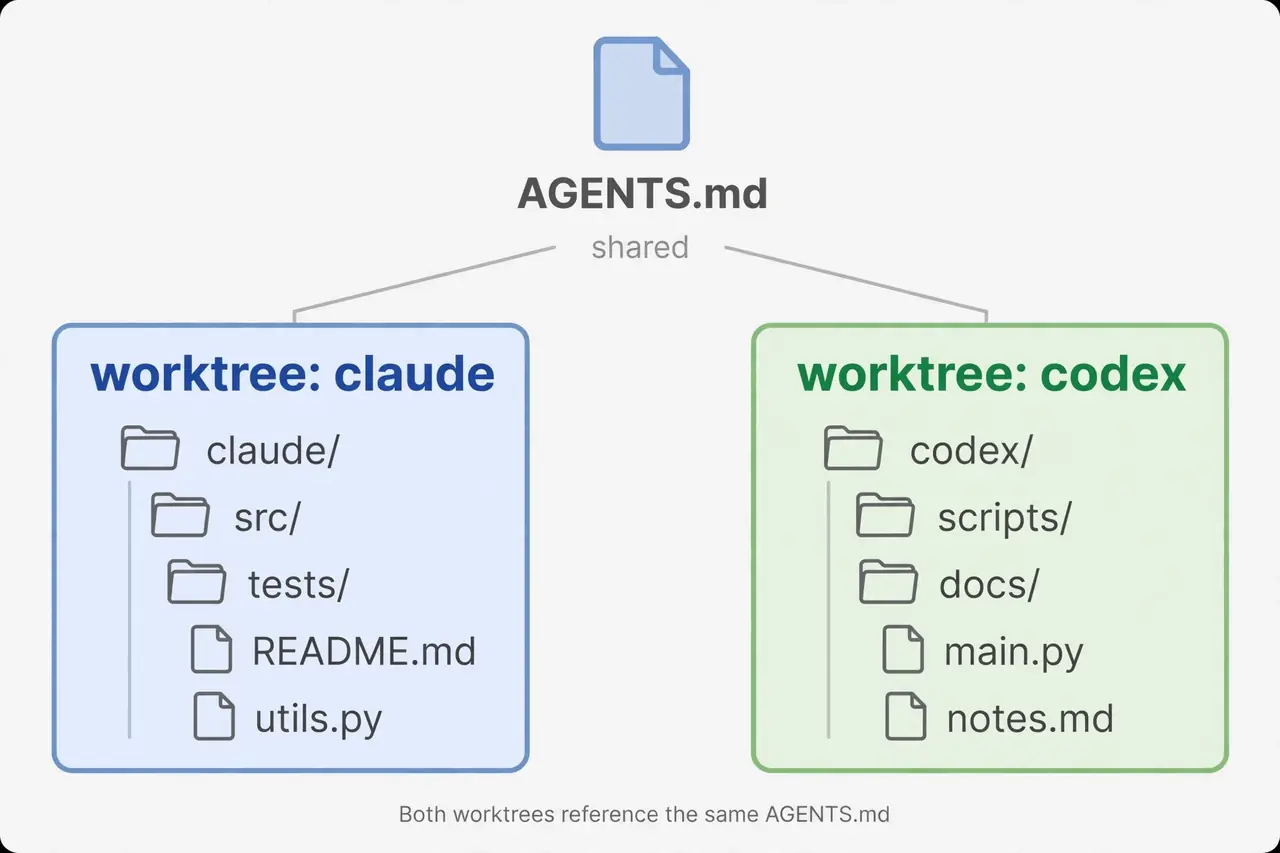
The plugin covers the handoff pattern: Claude builds, Codex checks. There is a second pattern worth knowing, for the days you want both agents building at once: separate git worktrees, one shared instruction file.
git worktree add ../repo-codex -b codex/task
git worktree add ../repo-claude -b claude/task
Each agent gets its own checkout and branch, so they never overwrite each other's files. Both read the same AGENTS.md at the repo root — one instruction file, two agents, no drift between their rules. Claude works in one worktree, Codex in the other, and you merge the branches when each is done. This is the same shape the multi-agent harnesses use, minus the harness: the worktree is the isolation, the shared AGENTS.md is the contract.
For a lighter version of the same idea — a second opinion that needs no plugin at all — a small skill file can dispatch Codex directly. A SKILL.md that runs codex exec --sandbox read-only -o audit.md "…" gives any agent a read-only Codex audit on demand: codex exec runs one task non-interactively, starts in a read-only sandbox, prints the final answer to stdout with progress on stderr, and -o writes the answer to a file. Keep it read-only; --sandbox workspace-write is the flag that lets it edit, and an audit has no business editing.
Which approach should you use?#
| Approach | Use it when | What it costs you |
|---|---|---|
/codex:review | Every change, before commit — the default second opinion | One review run against your ChatGPT plan or API key; read-only, so nothing to undo |
/codex:adversarial-review | The change is a judgment call — caching, retries, auth, migrations | Same as a review, plus the focus text you write; slower, because it argues |
/codex:rescue | A bug or a fix you want delegated, with a checkable outcome | Codex edits your tree; pick the model and effort deliberately |
/codex:transfer | The session itself belongs in Codex now — long debugging, an hour-long task | The context moves; the Claude session ends |
| Review gate | A focused, watched session where every stop deserves a check | Can loop and burn usage; off by default for a reason |
| Side-by-side worktrees | Both agents building at once on different branches | Two checkouts to merge; one shared AGENTS.md to maintain |
If you only adopt one of these, adopt the plain review. It is the cheapest habit on the list and the one that catches the most: a second frontier model reading your diff before it ships, from the same chat where the code was written. Everything else on the list is a sharper tool for a narrower job.
Troubleshooting: the failures you will actually hit#
/codex:setupsays Codex is missing. Runnpm install -g @openai/codexand then/codex:setupagain. The setup command offers to do the install for you; accept it.- Codex is installed but not signed in. Run
!codex loginfrom inside Claude Code, orcodex loginfrom your shell, and choose ChatGPT or an API key. - The
/codex:commands do not appear. The plugin loads at session start. Run/reload-pluginsor restart Claude Code, then checkclaude plugin listshowscodex@openai-codexenabled. - The review says there is nothing to review. Check
git status --short. The command reviews the working tree or the branch diff; an empty status and an empty diff mean an empty review. Untracked files do count as reviewable work. - A rescue keeps continuing the old thread. Pass
--fresh. Follow-ups continue the latest rescue thread for the repo unless you say otherwise. /codex:transferfails on session import. Your Codex is too old to expose session import. Runcodex updateand try again.- The review gate will not stop. That is the documented failure mode: the gate can loop Claude and Codex against each other and drain usage. Disable it with
/codex:setup --disable-review-gateand review on demand instead. codex execrefuses outside a git repo. Run it at the repo root. The refusal is a guard against destructive changes in folders you cannot roll back;--skip-git-repo-checkexists, but a repo is the right answer.
The takeaway#
The interesting thing about this plugin is not that two agents are better than one. It is that the second agent is a different lab's model, with different training, different blind spots, and no stake in defending the first agent's choices. Claude wrote the code and has already decided it is good; Codex has no such attachment. That asymmetry is the whole value: a review from a model that did not write the code catches the things the author cannot see, and a rescue from a model that did not make the mistake fixes it without the sunk-cost instinct to defend the original approach.
Install the CLI, install the plugin, run /codex:setup, and put /codex:review between your last edit and your next commit. That one habit is the plugin. The adversarial review, the rescue, the transfer, and the gate are the rest of the toolkit — reach for them when the work calls for them, and leave the gate off until the session deserves it.
Frequently asked questions
Do I need a separate Codex account for this plugin?
No. The plugin delegates through your local Codex CLI, so it uses the authentication you already have. If you only use Claude Code today, you will need to sign in to Codex once — with a ChatGPT account (including Free) or an OpenAI API key — and /codex:setup walks you through it.
What does it cost?
The plugin is free and Apache-2.0. Usage counts against your Codex limits: your ChatGPT plan (Plus is $20 a month) or your OpenAI API billing. Claude Code usage is billed as usual on the Claude side.
Can I use Codex without Claude Code?
Yes. Everything the plugin does is a wrapper around the Codex CLI. Run codex for the interactive TUI, codex exec "task" for one non-interactive run, or codex review for a standalone review — the plugin is the convenience of doing it from inside Claude Code, not the only way in.
Does Codex see my Claude Code settings?
No. It uses its own configuration — ~/.codex/config.toml and per-project .codex/config.toml — and its own authentication. What the two agents share is the repository checkout and the machine they run on.
Does my code leave my machine?
Yes, for the parts you hand to Codex: delegated work runs on OpenAI's models, so the diff and context you send are processed on OpenAI's side, exactly as if you ran Codex directly. The plugin adds no extra exfiltration — but do not send code to Codex that you would not paste into ChatGPT.
Which models does the rescue use?
Whatever you pass with --model, or Codex's own default if you pass nothing. --model spark maps to gpt-5.3-codex-spark, the fast model for quick passes; the plugin also ships a gpt-5-4-prompting skill that tightens prompts for the GPT-5.4 family. Match --effort to the problem: low for a typo-level fix, high for the flaky test that has survived three fixes.
Sources
- openai/codex-plugin-cc — GitHub repository — README: install, all eight slash commands, typical flows, Codex config, FAQ; 34,971 stars, Apache-2.0; read November 8, 2026.
- How to use Claude Code and Codex together in 2026: 10 ways compared — enjoy.dev — plugin install commands, Codex plugin v1.0.6, ChatGPT Plus at $20 a month, Claude Code included in paid Claude plans; verified November 1, 2026, read November 8, 2026.
- Claude Code Plugins vs Skills: Marketplace, JetBrains & Cross-Harness Guide — frankx.ai —
/plugin marketplace addmechanics, thecodex exec --sandbox read-onlysecond-opinion skill pattern; read November 8, 2026. - Codex exec: execute Codex non-interactively in scripts and CI — vibeide.dev —
codex execdefaults: read-only sandbox, progress on stderr, final answer on stdout,-ooutput file; read November 8, 2026. - Installed plugin files, version 1.0.6 —
commands/*.md,agents/codex-rescue.md,hooks/hooks.json,skills/: review flags (--scope), rescue flags (--model,--effort,--resume/--fresh), spark model mapping, review-gate hook; read November 8, 2026.