Claude Code hooks: the complete hands-on guide to deterministic agent control
CLAUDE.md is advice. Hooks are enforcement. This guide walks you through Claude Code's lifecycle hooks — PreToolUse guards, PostToolUse automation, Stop gates, and prompt enrichment — with every script tested end to end.

You can write the most carefully worded CLAUDE.md in the world — "always run the tests before finishing," "never push to main," "never delete anything" — and Claude Code will still, occasionally, do the thing. Instructions in a prompt are probabilistic. They nudge. They don't gate.
Hooks are the other half of the system. A hook is a script you write that Claude Code runs automatically at a specific moment in its lifecycle: before a tool call fires, after a tool call completes, when Claude tries to stop, when a prompt arrives. Your script gets the details as JSON on stdin, and it answers with an exit code or structured JSON: allow, deny, ask the user, rewrite the input, inject context, block the stop.
This is deterministic control over a non-deterministic agent. In this tutorial you'll build four hooks that together supervise a coding session end to end: a command guard that blocks destructive shell calls, a git gate that forces confirmation on pushes, a stop gate that refuses to let Claude finish until tests pass, and a context injector that hands Claude live repo state with every prompt. Every script below was run through the exact invocation path Claude Code uses — JSON piped to stdin, exit codes checked — so what you copy will behave as described.
1. Why CLAUDE.md is not enough#
Three mechanisms compete to steer Claude Code, and they sit at different layers of the stack. CLAUDE.md is long-term memory: soft guidance the model reads at startup. The permission system is the interactive gate: it asks you (or your rules) before risky tool calls, with prompt rules like "always ask before editing production files." Hooks are the deterministic layer: code that runs no matter what the model thinks, capable of blocking, rewriting, and annotating actions without a human in the loop.
Most teams rely on the first two and hit the same wall. Guidance drifts as the conversation grows. Permission rules require a human watching the terminal. Hooks close the loop: the "never push without confirmation" rule becomes an ask decision emitted by a script, enforced every single time, whether or not you're at the keyboard. They're also where automation lives — formatting files after every edit, logging tool calls to an audit trail, injecting ticket context before the model reasons.
One caution before we start, and it's important enough to put here rather than in a footnote: a hook that inspects tool input is a deterrent, not a security boundary. A mistyped path, a timed-out script, or a clever command chain can slip past a regex. Anthropic's own documentation warns that if-condition hooks are best-effort and that hard enforcement belongs to the permission system. Throughout this guide I'll mark exactly where each hook is strong and where it's porous, because a guardrail you misunderstand is worse than none at all.
2. Your first hook in five minutes#
You'll need Claude Code installed and a project directory to work in. No accounts, no API keys — hooks execute as local scripts on your machine, so this tutorial costs nothing beyond your normal Claude Code usage.
Create a hooks directory and a logger script in your project:
mkdir -p .claude/hooks
cat > .claude/hooks/log.sh <<'EOF'
#!/bin/bash
# PostToolUse logger: append every Bash command to an audit trail.
set -euo pipefail
INPUT=$(cat)
CMD=$(echo "$INPUT" | jq -r '.tool_input.command // "?"')
echo "$(date -u +%FT%TZ) $CMD" >> .claude/tool-audit.log
exit 0
EOF
chmod +x .claude/hooks/log.sh
Now register it in your project's .claude/settings.json:
{
  "hooks": {
    "PostToolUse": [
      {
        "matcher": "Bash",
        "hooks": [
          { "type": "command", "command": "${CLAUDE_PROJECT_DIR}/.claude/hooks/log.sh" }
        ]
      }
    ]
  }
}
That nesting is the whole configuration model, so learn it now: event (here PostToolUse, which fires after a successful tool call) → matcher group (here filtered to the Bash tool) → handler list (the scripts to run). The ${CLAUDE_PROJECT_DIR} placeholder expands to your project's root, which keeps the config portable between machines.
Verify it's wired up before doing anything clever. Run /hooks inside Claude Code — it's a read-only inspector that lists every configured hook. Then ask Claude to run any shell command, and check .claude/tool-audit.log. You should see a timestamped line. If nothing appears, the debugging section near the end of this guide will show you how to trace exactly where the signal died.
3. How hooks actually work: events, matchers, handlers#
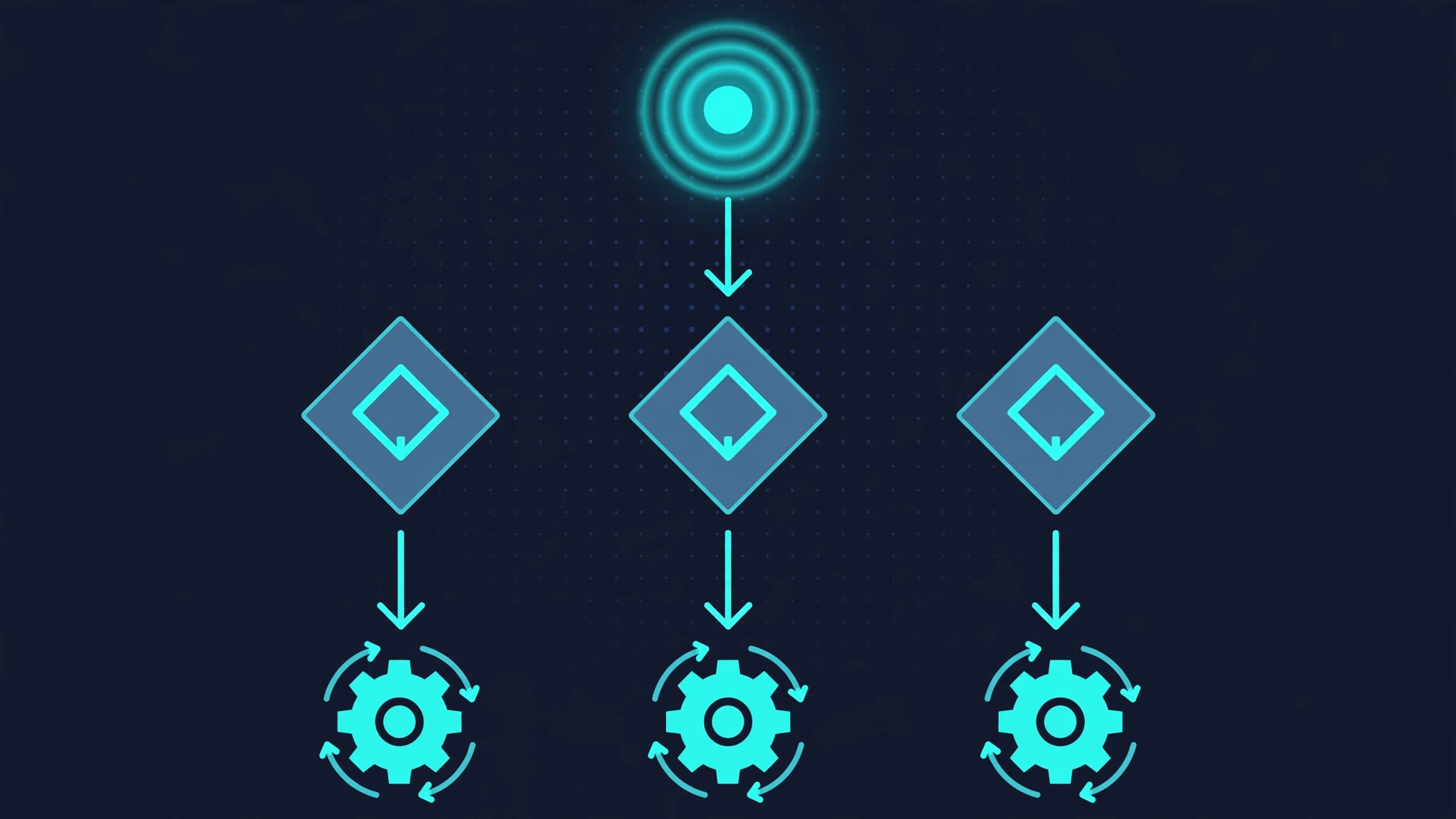
Claude Code fires hooks at roughly thirty lifecycle points. The ones you'll use constantly are PreToolUse (before a tool runs — the only place you can block it), PostToolUse (after a successful tool call), PostToolUseFailure (when a tool call fails), UserPromptSubmit (when your message arrives), Stop (when Claude tries to end its turn), SessionStart, and Notification. The full list also covers subagent start/stop, compacting, model switches, file changes, and more — but start with the big five above and add the rest when you need them.
Matchers decide which tool calls a hook sees. "Bash" matches the Bash tool exactly; "Edit|Write" is a JavaScript-style regular expression matching either tool; omit the matcher entirely to fire on every tool. An optional if field adds permission-rule-style conditions, like "if": "Bash(npm test *)", evaluated best-effort against the tool call.
Handlers are what runs. The workhorse is the command handler: Claude Code executes your command and pipes a JSON payload to its stdin. That payload always includes hook_event_name, session_id, transcript_path, cwd, and permission_mode; tool events add tool_name and the full tool_input. Other handler types exist — http posts the JSON to a URL, mcp_tool routes it through an MCP server, prompt delegates the decision to an LLM call, and agent launches a subagent — but command handlers are the ones you'll debug and test yourself, so this guide builds everything on them.
The contract between your script and Claude Code is exit codes and stdout. Exit 0 means success. Exit 2 means a blocking error on events that can be blocked — on PreToolUse it stops the tool call and hands your stderr text to Claude as feedback; on Stop it keeps the conversation going. Any other nonzero exit is a non-blocking error: Claude sees it, the action continues. If your stdout begins with { and ends with }, Claude Code parses it as structured JSON — that's how you return allow/deny/ask decisions, inject context, or rewrite tool inputs. Anything else printed to stdout becomes context for Claude on events that support it.
Where hooks live matters. Project hooks go in .claude/settings.json (checked into git, shared with the team), machine-local ones in .claude/settings.local.json (gitignored — the right place for your personal audit logger), and user-wide ones in ~/.claude/settings.json. Note the trust nuance: in an interactive session, Claude Code holds back settings-file hooks until you've accepted workspace trust for the folder; in non-interactive (-p) or SDK sessions the folder is treated as trusted. Always review a repo's .claude/ directory before running it unattended — hooks are arbitrary code execution by design.
4. Blocking dangerous commands: PreToolUse#

PreToolUse is the enforcement point. It fires before the tool executes and hands your script tool_name, tool_input, and tool_use_id. Here's a guard that blocks the classic disasters — recursive deletes against root-level targets and fork bombs:
#!/bin/bash
# .claude/hooks/guard.sh — PreToolUse guard: block destructive shell commands.
set -euo pipefail

INPUT=$(cat)
COMMAND=$(echo "$INPUT" | jq -r '.tool_input.command // empty')
NORMALIZED=$(echo "$COMMAND" | tr -s '[:space:]' ' ')

if echo "$NORMALIZED" | grep -Eq '(^|[;&|] *)rm +-+r[f]* +(/|~|\.|\*|\$HOME)( |$|;)'; then
  echo "Blocked: 'rm -rf' against a root-level or home-level target is not allowed." >&2
  echo "Use 'mv <target> /tmp/trash/' instead, or ask the user to confirm." >&2
  exit 2
fi

if echo "$NORMALIZED" | grep -Eq ': *\(\) *\{ *: *\| *: *& *\} *; *:'; then
  echo "Blocked: fork bomb pattern detected." >&2
  exit 2
fi

if echo "$NORMALIZED" | grep -Eq 'mkfs|dd +.*of=/dev/|: *>/dev/sd'; then
  echo "Blocked: raw disk operations are not allowed." >&2
  exit 2
fi

exit 0
Register it alongside your logger, scoped to the Bash matcher with a short timeout:
"PreToolUse": [
  {
    "matcher": "Bash",
    "hooks": [
      { "type": "command",
        "command": "${CLAUDE_PROJECT_DIR}/.claude/hooks/guard.sh",
        "timeout": 10 }
    ]
  }
]
I tested this script by feeding it exactly what Claude Code sends — a JSON payload on stdin — and checking exit codes. rm -rf ~ exits 2 with the denial message on stderr; a fork bomb exits 2; npm test && rm -rf / exits 2 because the pattern catches commands chained after &&. Meanwhile npm test exits 0, and — deliberately — rm -rf /tmp/build also exits 0: the guard blocks catastrophic targets and leaves scoped deletes to the permission system, which is the right division of labor.
Two gotchas belong here. First, a hook that times out on PreToolUse does not block — it fails open into the normal permission flow. Keep guard scripts fast (hence "timeout": 10) and never build a security story on a slow hook. Second, when several PreToolUse hooks return decisions, precedence is deny > defer > ask > allow: one deny anywhere wins. That makes layered hooks composable — your team's strict guard and your personal lenient one can coexist, with the strict one always winning.
5. Structured decisions: allow, deny, ask#
Exit 2 is a blunt instrument: block with feedback. For finer control, print structured JSON and exit 0. The permissionDecision field accepts allow, deny, ask (surface a confirmation in the UI), and defer (hand the call to the next hook or the permission flow). You can also supply permissionDecisionReason and — powerfully — updatedInput, which replaces the tool call's input entirely before it executes.
This Python hook forces a confirmation on every git push while auto-allowing read-only git commands so they never interrupt flow:
#!/usr/bin/env python3
"""PreToolUse hook in structured-output mode."""
import json, sys

payload = json.load(sys.stdin)
command = (payload.get("tool_input") or {}).get("command", "")

def decide(decision, reason):
    print(json.dumps({
        "hookSpecificOutput": {
            "hookEventName": "PreToolUse",
            "permissionDecision": decision,
            "permissionDecisionReason": reason,
        }
    }))
    sys.exit(0)

if command.strip().startswith("git push"):
    decide("ask", "Pushing to a remote is irreversible. Confirm in the UI.")
if command.strip().startswith(("git status", "git log", "git diff")):
    decide("allow", "Read-only git command; skipping the permission prompt.")

print(json.dumps({}))  # no opinion: the normal permission flow decides
Run through the same stdin harness, it behaves exactly as written: git push origin main returns an ask decision with the reason attached, git status returns allow, and anything else returns an empty JSON object — "no opinion" — so the normal permission flow proceeds untouched. Note the honest limitation I flagged earlier: this matches commands that start with git push, so git status && git push would slip through. If pushes are genuinely load-bearing for your team, pair this hook with a permission-system rule; hooks are the convenient layer, permissions are the hard one.
6. Reacting to results: PostToolUse#
PostToolUse can't block — the tool already ran — but it's where automation lives. It receives tool_name, tool_input, and tool_response. Classic uses: run the formatter on every file the agent edits, append to an audit log, or feed the result into another check.
Auto-formatting after every edit is a three-liner on the Edit|Write matcher. The file path comes from the JSON input, not from an environment variable — always extract it from stdin:
"PostToolUse": [
  {
    "matcher": "Edit|Write",
    "hooks": [
      { "type": "command",
        "command": "jq -r '.tool_input.file_path' | xargs -r npx --yes prettier --write" }
    ]
  }
]
Two output mechanisms make this event more than a dumb trigger. additionalContext in your JSON output injects a system reminder alongside the tool result — useful for whispering "also update the changelog" after every edit. updatedToolOutput goes further and rewrites what the tool returned, so you can compact verbose output before it eats the context window (the same idea behind output-condensing tools, but under your own rules).
Slow follow-ups belong in async handlers. Set "async": true on a command handler and Claude Code fires it without waiting; with asyncRewake it can even wake the session back up when the background job finishes — handy for a test suite that takes minutes while the agent moves on. And don't forget PostToolUseFailure: it fires when a tool call errors, and its feedback goes straight back to Claude, making it the natural place for corrective hints ("the migration failed — did you mean to run it against the test database?").
7. Guarding the finish line: the Stop hook#
The most common agent failure mode isn't a wrong command — it's premature completion. "Done!" with the tests red. The Stop hook exists for exactly this: it fires when Claude tries to end its turn, receives last_assistant_message and stop_hook_active, and can refuse with a decision: "block" plus a reason telling Claude what to do instead.
This hook keeps Claude working until the test suite passes:
#!/usr/bin/env python3
"""Stop hook: refuse to finish until the test suite is green."""
import json, subprocess, sys

payload = json.load(sys.stdin)
last = (payload.get("last_assistant_message") or "").lower()

if payload.get("stop_hook_active"):
    sys.exit(0)  # already continued once; never loop forever

if "all tests pass" in last:
    sys.exit(0)

result = subprocess.run(["go", "test", "./..."],
                        capture_output=True, text=True, timeout=120)
if result.returncode == 0:
    sys.exit(0)

print(json.dumps({
    "decision": "block",
    "reason": "Tests are failing. Fix them before stopping:\n"
              + result.stdout[-1500:],
}))
Two safety details are load-bearing. First, the stop_hook_active check: when your hook blocks a stop, the field comes back true on the next attempt, and your script must respect it — otherwise a permanently red suite traps Claude in an infinite continue loop. (There's also a backstop: stops are capped at eight consecutive continuations by default.) Second, check last_assistant_message rather than parsing the transcript file — it's the current turn's text, already in the payload, and far cheaper than reading the whole session history.
Tested through the harness, the behavior is clean: a message containing "all tests pass" exits 0, a repeat continuation with stop_hook_active: true exits 0, and anything else with a failing suite returns the block decision with the test output attached. Swap go test ./... for your own gate — npm test, pytest, a linter — and premature "done" stops happening.
8. Enriching every prompt: UserPromptSubmit#
UserPromptSubmit fires when your message arrives and before Claude processes it. Anything your script prints to stdout is added to the context as a system reminder — the cheapest way to give Claude live state it would otherwise have to fetch (or guess). This hook injects the current git branch and staged-change status with every prompt:
#!/bin/bash
# .claude/hooks/ctx.sh — remind Claude which branch it's on, every prompt.
set -euo pipefail
cat > /dev/null  # consume stdin; we only need the repo state

BRANCH=$(git branch --show-current 2>/dev/null || echo "not-a-git-repo")
if [ "$BRANCH" != "not-a-git-repo" ]; then
  STAGED=$(git diff --cached --stat 2>/dev/null | tail -1)
  echo "[repo] branch=$BRANCH staged='${STAGED:-clean}'"
else
  echo "[repo] not inside a git repository"
fi
exit 0
Run inside a git repo it prints [repo] branch=main staged='clean'; outside one, [repo] not inside a git repository — so it degrades gracefully on non-repo projects. Register it with a generous-ish timeout (the default here is 30 seconds, noticeably longer than tool hooks, because it runs on the critical path of every message) and keep the script itself fast anyway: a hook that shells out to a slow API on every prompt will make the whole product feel broken.
The JSON output options are worth knowing. additionalContext does what plain stdout does but structured; sessionTitle renames the session; suppressOriginalPrompt can hide the user's message from the transcript (useful for prompt-rewriting pipelines); and a decision: "block" with a reason can reject the prompt outright and erase it — the nuclear option for, say, prompts that match a data-exfiltration pattern.
9. Testing and debugging hooks#
Every script in this guide was verified the same way, and it's the workflow I'd recommend for any hook you write: invoke the script exactly as Claude Code does — JSON on stdin — and assert on the exit code and stdout. It's a two-line harness:
echo '{"hook_event_name":"PreToolUse","tool_name":"Bash",
  "tool_input":{"command":"rm -rf ~"}}' | ./.claude/hooks/guard.sh
echo "exit=$?"   # expect: 2, with the denial on stderr
Build a small library of these payloads — one per decision branch — and you have a regression suite for your guardrails that runs in milliseconds, no agent session required. That suite is also your documentation: it shows the next person exactly what the hook promises.
When a hook misbehaves in a live session, start with /hooks to confirm the configuration loaded at all (a JSON syntax error in settings.json silently disables everything — validate with python3 -m json.tool after every edit). Then run Claude Code with claude --debug-file /tmp/hooks.log: it records the full JSON payload going in and whatever your script printed coming out. For the firehose, CLAUDE_CODE_DEBUG_LOG_LEVEL=verbose shows hook stderr live. Nine times out of ten the bug is one of three things: a wrong path in the config (use ${CLAUDE_PROJECT_DIR}, never a relative path), unreadable stdin because the script reads arguments instead of the pipe, or stdout that almost-but-doesn't-quite parse as JSON.
10. Security: hooks are code, treat them that way#
A hook is arbitrary code that runs automatically on your machine, fed by an AI agent's actions. That deserves the same respect as any other privileged script. The official guidance distills to five rules, and they're all worth following:
- Quote your shell variables.
"$COMMAND", never$COMMANDunquoted — tool input can contain spaces, globs, and worse, and an unquoted expansion is a command-injection hole. - Use absolute paths to your scripts and validate them at startup. A hook that runs
./guard.shruns whatever happens to be in the working directory. - Block path traversal in anything your hook reads or writes: reject
..segments rather than trying to sanitize them. - Skip sensitive files. A logging hook that copies tool output into a shared audit log can leak secrets the agent handled; filter or redact before persisting.
- Prefer the exec form. When a hook needs no shell features, pass
commandplus anargsarray instead of a shell string — it removes a whole class of quoting bugs.
And the workspace-trust rule from earlier bears repeating: hooks configured in a project's .claude/settings.json execute when you work in that project, so review .claude/ before opening an untrusted repository — especially before running it with -p, where the folder is trusted automatically. If you ever need to run with hooks fully off, --settings '{"disableAllHooks": true}' is the escape hatch.
Which approach should you use?#
Hooks are one instrument in a five-piece band. Here's how to pick:
- CLAUDE.md — soft guidance, conventions, preferences. Use it for "how we do things here." It shapes behavior but enforces nothing.
- Permission rules — hard interactive gates on specific tools and paths. Use them for "always ask before touching production" when a human is watching. This is your security boundary.
- Hooks — deterministic automation: block/allow/ask decisions, input rewriting, output compaction, context injection, stop gates. Use them when the rule must hold with no human in the loop, or when the work is mechanical (formatting, logging).
- Skills — packaged knowledge and procedures the agent loads on demand. Use them for "how to deploy the staging environment," not for "never deploy on Fridays."
- MCP servers — new tools and data sources. Use them to give the agent capabilities; use hooks to supervise how it exercises them.
The pattern that wins in practice is layered: CLAUDE.md explains the convention, the permission system provides the hard interactive boundary, and hooks automate the parts that don't need a human — confirming pushes, formatting edits, refusing premature stops, keeping an audit trail. Each layer covers the others' weaknesses: guidance drifts, humans get tired, and regexes are porous.
The takeaway#
Start with one hook this week. The Stop gate from section 7 has the highest value per line of code: it converts "I'll run the tests" from a promise into a property of the system. Add the PreToolUse guard next, then the prompt context injector. Test each one with the stdin harness before trusting it, keep the scripts fast, quote everything, and remember the hierarchy: hooks automate, the permission system secures, CLAUDE.md explains.
An unsupervised agent is a very fast intern with the keys to production. Hooks are how you give it a supervisor that never blinks, never gets tired, and never forgets the checklist — because the checklist is code.
Sources: the official Claude Code hooks documentation (events, configuration, exit codes, structured output schemas, and security guidance, verified September 28, 2026), the hooks quickstart, and the settings reference. All scripts in this guide were executed through the same stdin-JSON invocation path Claude Code uses, and their exit codes and outputs verified.