Build a multi-agent research team with Google's ADK: researcher, writer, and guardrails, end to end
Google's Agent Development Kit turns multi-agent systems into plain Python: a coordinator that calls its specialists as tools, a researcher with Google Search, a writer, a save tool with a guardrail, and an eval that pins the behaviour. This tutorial builds the whole team, step by step — every command verified against ADK 2.14.
- Versions pinned: google-adk 2.14.1, Python 3.11 or later, model gemini-flash-latest. LiteLLM needs the google-adk[extensions] extra — or
pip install litellmdirectly, which is what ran here. - The moving parts: Agent objects with name, model, description, instruction, and tools; single_turn sub-agents exposed as tools the parent calls; ToolContext for session state; before_tool_callback for guardrails; adk eval for regression tests.
- Two things the docs don’t spell out: google_search is a model built-in tool, so it never appears in the eval trajectory — only the researcher, writer, and save_brief tool calls do; and template workflow agents (SequentialAgent) are deprecated in 2.x in favour of graph workflows.
- Cost: a free-tier Gemini API key covers the whole tutorial; each brief is a handful of model calls.
- Verified: install, scaffolding, CLI help, imports, the single-turn pipeline, tool execution, the guardrail, session state, and the eval file schemas were all exercised in a sandbox; the live model replies need your key (see Step 6).
Most agent tutorials stop at one agent, one tool, one chat turn. That is the easy 10%. The hard part — the part that decides whether an agent system survives contact with real users — is everything around the model: who does what, where state lives, what happens when the model asks a tool to do something it should not, and how you prove the whole thing still works after you change a prompt.
Google's Agent Development Kit (ADK) is built for exactly that second 90%. It is the open-source, code-first framework Google released for building multi-agent systems on Gemini — and, through LiteLLM, on other providers' models too. Version 2.14 is current as of this writing, and it ships the full loop: agents, tools, delegation, session state, guardrails, a dev UI, an eval harness, and one-command deployment to Google Cloud. This tutorial builds all of it, in one working system: a research-brief team that takes a topic, researches it with Google Search, writes a structured brief, and saves it to disk — with a guardrail that stops the model writing files outside the briefs folder, and an eval that catches regressions. The coordinator runs the team by calling its specialists as tools, so the whole pipeline completes in a single turn with the coordinator in control throughout.
Every command and code block below was run against ADK 2.14.1. The places where a live model call is required are marked as such; the wiring itself — delegation, tools, state, guardrails — was verified end to end with a scripted stand-in model, so the code you copy is the code that ran.
What you'll need#
- Python 3.11 or later. ADK 2.14 requires it — check with
python3 --version. - A Gemini API key. Free from Google AI Studio. The tutorial uses
gemini-flash-latest, the current fast Gemini model. A free-tier key covers everything here; the only cost is a handful of model calls per brief. - A terminal and a text editor. No cloud account, no Docker, no GPU. Everything runs on your machine until the optional deploy step.
- About 45 minutes. Most of that is reading; the build itself is under 200 lines of Python.
1. Install ADK and scaffold the project#
ADK ships as the google-adk package. Always install it in a virtual environment — ADK pulls in a large dependency tree (the Gemini SDK, FastAPI for the dev UI, and more), and you do not want that in your system Python.
python3 -m venv .venv
source .venv/bin/activate
pip install google-adk
adk --version
Expect adk, version 2.14.1 (or newer — the commands below are stable across 2.x). Then scaffold the project. The adk create command generates the exact layout ADK's runners expect:
adk create briefing_agent --model gemini-flash-latest --api_key YOUR_GEMINI_API_KEYThat creates:
briefing_agent/
    agent.py      # main agent code — this is where you will work
    .env          # API keys and project IDs (never commit this)
    __init__.py
    .gitignore
Two details worth knowing. First, the generated agent.py defines a single root_agent — that name is the only hard requirement in an ADK project; every runner, the CLI, and the dev UI look for it. Second, if you omit --api_key, adk create still scaffolds the project and you add the key to .env yourself:
GOOGLE_API_KEY=your-key-here
GOOGLE_GENAI_USE_ENTERPRISE=0
The second line tells ADK to use the Gemini API directly (AI Studio keys) rather than Vertex AI. If you work on Google Cloud with a project instead, pass --project and --region to adk create and skip the API key.
2. Your first agent: a researcher with Google Search#
Replace the generated agent.py with a researcher. In ADK, an agent is a Python object with five things that matter: a name, a model, a description, an instruction, and a list of tools.
from google.adk.agents import Agent
from google.adk.tools import google_search

MODEL = "gemini-flash-latest"

researcher = Agent(
    model=MODEL,
    name="researcher",
    description="Researches a topic with Google Search and returns sourced findings.",
    instruction=(
        "You research the topic the user names. Use google_search for every "
        "factual claim, and return your findings as short bullets, each with "
        "its source. Never invent facts; if search returns nothing useful, say so."
    ),
    tools=[google_search],
    mode="single_turn",
)
Three things to notice. google_search is a built-in ADK tool — no API key beyond your Gemini key, no search-API signup — and it only works behind a Gemini model: ADK refuses to run it under any other model, so keep the researcher on Gemini even if you swap the other agents later (step 8). The description is not decoration: when the coordinator later decides which specialist tool to call, it reads these descriptions, so write them as if a colleague were routing work from them. And the instruction's "never invent facts" line is doing real work: it is the cheapest hallucination control you will ever write, and it belongs in the agent, not in a wrapper around it. The mode="single_turn" line is the one that makes the team a pipeline — it is explained in the next step.
Run it before building anything else. From the folder that contains briefing_agent/:
adk run briefing_agent "What happened in solid-state batteries this year?"adk run starts a terminal chat; pass a query and it answers once, omit it and it goes interactive. You will see the model decide to call google_search, the results come back, and a sourced answer print. If that works, the whole stack — key, model, tool — is healthy, and everything after this is structure.
3. Add the writer and a coordinator that runs the team#
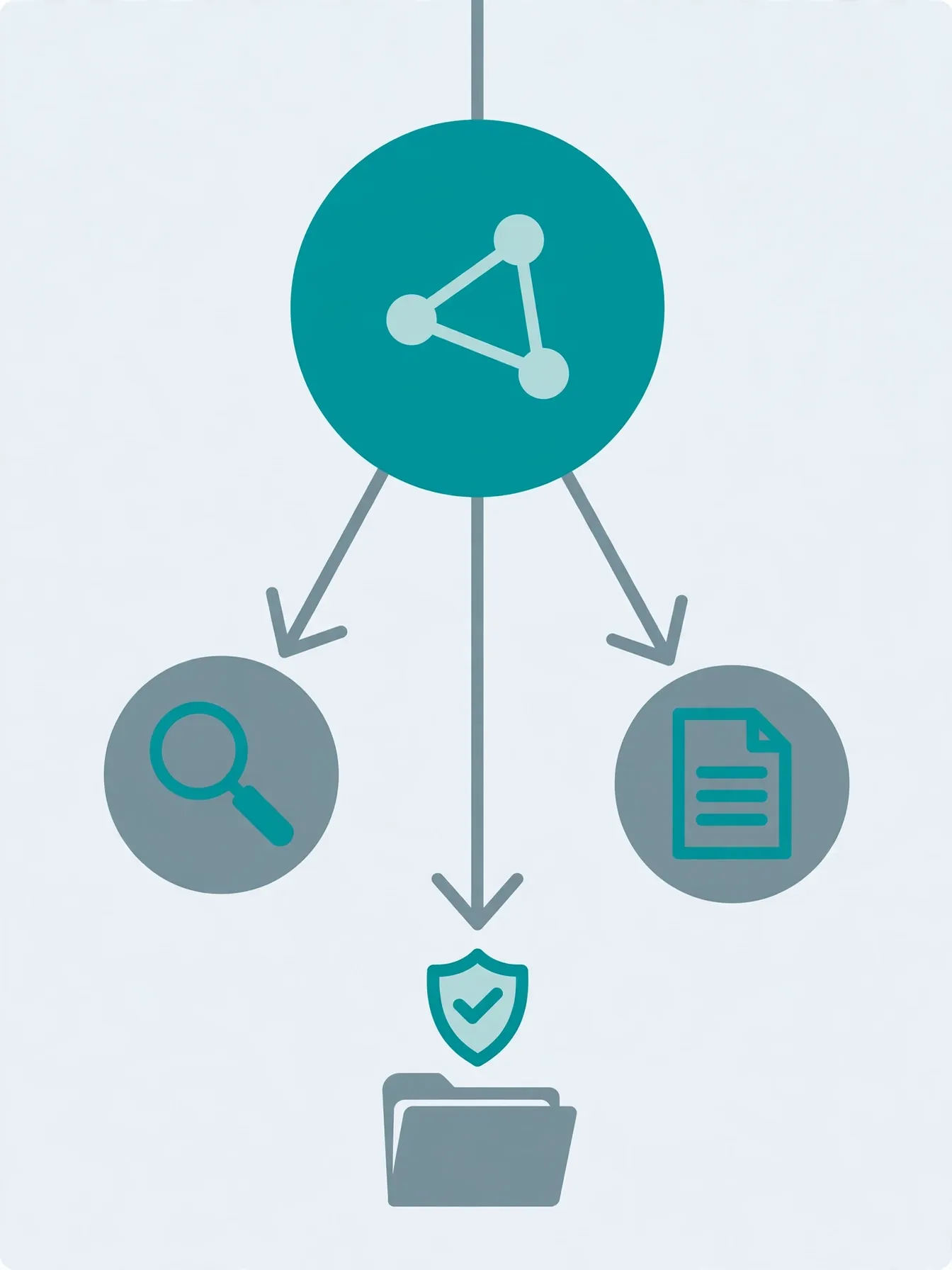
One agent doing research and writing is a prompt, not a system. Split the jobs: a writer that turns findings into a brief, and a coordinator that runs the two specialists in order. The key decision is how the coordinator invokes them, because ADK sub-agents have two modes and they behave very differently.
In the default chat mode, a sub-agent is reached with transfer_to_agent: the parent hands the conversation over and the specialist owns the turn. That is the right shape for routing — a support router sending billing questions to a billing agent and technical questions to a technical agent, one per turn. It is the wrong shape for a pipeline: after the first transfer, the researcher owns the turn and the coordinator never gets the findings back to hand to the writer.
single_turn mode is the pipeline shape. A single-turn sub-agent is exposed to the parent as a tool named after the agent, taking one argument — request, the task description. The parent calls it, the specialist runs inline, and the result comes back as a tool result the parent can use in its next step. Add the writer in that mode, and give the researcher the same mode:
writer = Agent(
    model=MODEL,
    name="writer",
    description="Turns research findings into a structured markdown brief.",
    instruction=(
        "You turn the researcher's findings into a markdown brief with exactly "
        "these sections: ## Summary, ## Key facts, ## What to watch. Keep it under "
        "300 words. Preserve the sources the researcher cited."
    ),
    mode="single_turn",
)
Then the coordinator, which lists both specialists as sub_agents. Because they are single-turn, ADK adds them to the coordinator's tools automatically — the coordinator sees tools named researcher and writer, each described by the agent's description:
root_agent = Agent(
    model=MODEL,
    name="briefing_coordinator",
    description="Coordinates a research team: researches a topic and writes a brief.",
    instruction=(
        "You coordinate a research team. When the user asks for a brief on a topic: "
        "call the 'researcher' tool with the topic, then call the 'writer' tool "
        "with the researcher's findings. Report the finished brief when done."
    ),
    sub_agents=[researcher, writer],
)
Try it now — adk run briefing_agent "Brief me on solid-state batteries." should come back with a researched, structured brief, and the trace will show the coordinator calling the researcher tool, then the writer tool, all inside one turn. The routing is model-driven, so keep the descriptions specific and non-overlapping — "researches with Google Search" versus "turns findings into a markdown brief" — and test it with the eval in step 7 rather than assuming it. If you need a routing decision that is guaranteed rather than probable, that is what ADK 2.0's graph workflows are for; the fixed-order workflow agents (SequentialAgent and friends) still exist in 2.x but are deprecated in favour of graphs, so do not build a new system on them. Steps 4 and 5 add the save tool and the guardrail to this coordinator.
4. Save the brief: a custom tool and session state#
The coordinator needs one tool of its own: save_brief, a plain Python function. In ADK, any function with type hints and a docstring becomes a tool — the docstring is the schema the model sees, so write it for the model, not for a human skimming the file. This one also takes a ToolContext, which ADK injects automatically and hides from the model; it is the bridge to the session's state.
import os
from google.adk.tools.tool_context import ToolContext

def save_brief(filename: str, markdown: str, tool_context: ToolContext) -> dict:
    """Saves a markdown brief to the briefs/ folder and records its path in session state.

    Args:
        filename: File name for the brief, e.g. "fusion-brief.md".
        markdown: The full markdown text of the brief.
    """
    safe = os.path.basename(filename)
    os.makedirs("briefs", exist_ok=True)
    path = os.path.join("briefs", safe)
    with open(path, "w", encoding="utf-8") as f:
        f.write(markdown)
    tool_context.state["last_brief_path"] = path
    return {"status": "success", "path": path}
Two design choices matter here. First, the tool returns a dict with a status key — the {"status": "success", ...} / {"status": "error", ...} shape is the convention across ADK's own examples, and the model learns to branch on it. Second, the tool writes last_brief_path into session state. State is how agents remember things across turns: a later turn can ask "where did you save that brief?" and the coordinator can answer from state instead of re-deriving it. The output_key="last_brief" on the coordinator does the same for the agent's final response — it saves the last answer into state under that key, so the next agent in a chain, or the next turn, can pick it up without the text being re-pasted through the conversation.
Give the coordinator the tool. Update root_agent in agent.py:
root_agent = Agent(
    model=MODEL,
    name="briefing_coordinator",
    description="Coordinates a research team: researches a topic, writes a brief, saves it.",
    instruction=(
        "You coordinate a research team. When the user asks for a brief on a topic: "
        "1) call the 'researcher' tool with the topic; 2) call the 'writer' tool "
        "with the researcher's findings; 3) save the finished brief with "
        "'save_brief', using a short slug filename like '<topic>-brief.md'. "
        "Report the saved path when done."
    ),
    sub_agents=[researcher, writer],
    tools=[save_brief],
    output_key="last_brief",
)
Session state lives in the session service. The default for local runs is in-memory (InMemorySessionService), which is fine for development; adk run and adk web also accept --session_service_uri sqlite://./sessions.db when you want sessions to survive a restart.
5. A guardrail that blocks unsafe saves#
A tool that writes files is a tool the model can misuse — a filename like ../../.ssh/authorized_keys is not a hypothetical. ADK's answer is callbacks: functions that run before the model is called or before a tool executes. A before_tool_callback receives the tool, its arguments, and the tool context, and returns None to allow the call or a dict to block it — the returned dict becomes the tool's result, so the model sees an error in the tool's own format and can recover gracefully.
from typing import Any, Dict, Optional
from google.adk.tools.base_tool import BaseTool

def block_unsafe_save(
    tool: BaseTool, args: Dict[str, Any], tool_context: ToolContext
) -> Optional[Dict]:
    """Blocks save_brief when the filename tries to escape the briefs/ folder."""
    if tool.name == "save_brief":
        name = args.get("filename", "")
        if name != os.path.basename(name) or name.startswith("."):
            tool_context.state["guardrail_blocked_save"] = True
            return {
                "status": "error",
                "error_message": (
                    f"Blocked unsafe filename: {name!r}. Briefs stay in briefs/."
                ),
            }
    return None
Wire it in by adding one line to the coordinator — before_tool_callback=block_unsafe_save alongside tools=[save_brief]. Note the belt-and-braces design: the callback blocks the traversal, and save_brief itself still applies os.path.basename before writing. A guardrail that exists in only one place is a guardrail you will eventually route around by accident. The callback also sets a state flag, guardrail_blocked_save, so the blocked attempt is visible in the session afterwards — guardrails you cannot observe are guardrails you cannot debug.
There is a matching before_model_callback for the other side of the loop: it runs before the model is called and can inspect or rewrite the request, or return a response that skips the model entirely. The common use is keyword or policy filtering on the incoming prompt. You rarely need both on day one; add the tool callback first, because tools are where side effects live.
6. Run it three ways#
ADK gives you three ways to run the same agent, and they are not interchangeable — each exists for a different job.
The terminal: adk run briefing_agent starts a chat in your terminal. Fastest for smoke-testing a prompt change. Add --save_session to dump the session to JSON on exit, or --replay a saved session file to re-run the same conversation after a change.
The dev UI: run adk web from the folder that contains briefing_agent/, open http://localhost:8000, pick the agent in the upper left, and chat. The UI shows every step — model calls, tool calls, transfers between agents — which makes it the fastest way to debug why the coordinator delegated (or didn't). Treat it as a development tool only: Google's own docs warn it is not meant for production, so never expose it to the internet.
From your own code: for scripts, tests, and anything you embed in an app, drive the agent with a Runner and a session service directly. This is the same machinery the CLI uses, and it is the version you will actually verify in CI. Save this as run_brief.py next to briefing_agent/:
import asyncio
from google.adk.runners import Runner
from google.adk.sessions import InMemorySessionService
from google.genai import types
from briefing_agent.agent import root_agent

APP_NAME = "briefing_app"
USER_ID = "user_1"
SESSION_ID = "session_001"

async def main() -> None:
    session_service = InMemorySessionService()
    await session_service.create_session(
        app_name=APP_NAME, user_id=USER_ID, session_id=SESSION_ID
    )
    runner = Runner(
        agent=root_agent, app_name=APP_NAME, session_service=session_service
    )
    content = types.Content(
        role="user",
        parts=[types.Part(text="Brief me on solid-state batteries.")],
    )
    async for event in runner.run_async(
        user_id=USER_ID, session_id=SESSION_ID, new_message=content
    ):
        if event.is_final_response() and event.content and event.content.parts:
            print(event.content.parts[0].text)

if __name__ == "__main__":
    asyncio.run(main())
python run_brief.pyThe runner yields events — tool call requested, tool result received, transfer to a sub-agent, final response — and event.is_final_response() marks the turn's conclusion. A finished brief lands in briefs/solid-state-batteries-brief.md and looks like this in shape:
## Summary
Solid-state batteries replace the liquid electrolyte ...
## Key facts
- ...
## What to watch
- ...
7. Eval it like software#
An agent without evals is a demo. ADK ships an eval harness that grades two things separately: the final response (response_match_score — is the answer close enough to the reference?) and the tool trajectory (tool_trajectory_avg_score — did it call the right tools, in the right order, with the right arguments?). You write the expected behaviour as JSON, and the runner replays it against the live agent.
Create briefing_agent/tests/brief.test.json. One case, one turn: the user asks for a brief, and the expected trajectory is the pipeline itself — call the researcher tool, call the writer tool, save the brief — plus a final response that mentions the saved file.
Two details in this file are easy to get wrong. First, the single-turn sub-agents appear in the trajectory as ordinary tool calls, named after the agent and taking a request argument — that is how the parent invokes them. Second, google_search does not appear at all: it is a model built-in tool, not a function the model calls, so the eval harness never sees it as a tool use. Third, the save_brief entry lists only the filename: the brief text is model-generated, so no exact argument can be predicted for it. That is why the config below sets ignore_args — the trajectory score checks the sequence of tool names, not their arguments.
{
  "eval_set_id": "briefing_agent_tests",
  "name": "Briefing agent smoke tests",
  "description": "One-turn checks that a brief request researches, saves, and reports the path.",
  "eval_cases": [
    {
      "eval_id": "brief_solid_state_batteries",
      "conversation": [
        {
          "invocation_id": "b7982664-0ab6-47cc-ab13-326656afdf75",
          "user_content": {
            "parts": [{"text": "Brief me on solid-state batteries."}],
            "role": "user"
          },
          "final_response": {
            "parts": [{"text": "Saved the brief to briefs/solid-state-batteries-brief.md."}],
            "role": "model"
          },
          "intermediate_data": {
            "tool_uses": [
              {"name": "researcher", "args": {"request": "Research solid-state batteries."}},
              {"name": "writer", "args": {"request": "Draft a brief from the research findings."}},
              {"name": "save_brief", "args": {"filename": "solid-state-batteries-brief.md"}}
            ],
            "intermediate_responses": []
          }
        }
      ],
      "session_input": {
        "app_name": "briefing_agent",
        "user_id": "test_user",
        "state": {}
      }
    }
  ]
}
Pair it with briefing_agent/tests/test_config.json, which sets the pass thresholds. Keep the response threshold forgiving — the model's wording will vary — and the trajectory threshold strict, because the trajectory is the behaviour you actually care about. match_type is IN_ORDER so extra tool calls don't fail the case as long as the expected sequence happens in order, and ignore_args is on because the brief text is model-generated:
{
  "criteria": {
    "response_match_score": {"threshold": 0.5},
    "tool_trajectory_avg_score": {
      "threshold": 0.8,
      "match_type": "IN_ORDER",
      "ignore_args": true
    }
  }
}
Run it:
adk eval briefing_agent briefing_agent/tests/brief.test.json \
  --config_file_path=briefing_agent/tests/test_config.json \
  --print_detailed_results
This runs the live model, so it needs your Gemini key and costs a few calls. That is the point: an eval that never touches the model is a syntax check, not an eval. Two habits make the suite useful instead of decorative. First, record eval sets from real sessions in the dev UI — run a conversation in adk web, check it, save it as an .evalset.json — rather than hand-writing every case. Second, run the suite after every prompt change; the trajectory score is the tripwire that tells you a "small wording tweak" silently broke the delegation.
8. Swap a model with LiteLLM#
ADK is Gemini-first but not Gemini-only. Through LiteLLM it can run GPT, Claude, and 100+ other models behind the same agent code. LiteLLM is an optional extra, not part of the base install:
pip install "google-adk[extensions]"Then wrap the model identifier in LiteLlm. Give the writer a different brain from the researcher — a reasonable split, since drafting rewards a different model than searching:
from google.adk.models.lite_llm import LiteLlm

writer = Agent(
    model=LiteLlm(model="openai/gpt-4.1"),
    name="writer",
    description="Turns research findings into a structured markdown brief.",
    instruction=(
        "You turn the researcher's findings into a markdown brief with exactly "
        "these sections: ## Summary, ## Key facts, ## What to watch. Keep it under "
        "300 words. Preserve the sources the researcher cited."
    ),
)
Set the matching API key — OPENAI_API_KEY for GPT models, ANTHROPIC_API_KEY for Claude (for example LiteLlm(model="anthropic/claude-sonnet-4-6")) — and nothing else changes: the same tools, the same delegation, the same evals. That is the practical payoff of a framework over a raw SDK call. Two cautions. First, keep the researcher on Gemini: google_search is a Gemini-only built-in tool and ADK refuses to run it behind any other model, so a LiteLLM researcher breaks at the first search. Second, model identifiers are LiteLLM's, not ADK's, so a name that works today can change when the provider renames a model — check the LiteLLM provider docs for the current list rather than copying a model string from an old tutorial.
9. Ship it#
Local runs end where production begins. ADK's deploy story is one command to Google Cloud's Agent Runtime (formerly Vertex AI Agent Engine), which gives you a managed API server, authentication, and tracing without changing the agent code:
adk deploy agent_engine --project YOUR_PROJECT --region us-central1 briefing_agentAgent Runtime is a paid service beyond its no-cost tier, so check pricing before load-testing. The alternatives are the same code in a container: ADK agents are plain Python, so the same project runs on Cloud Run or GKE, and adk api_server exposes the agent over HTTP for anything else to call. Whichever you pick, three things change at deploy time and none of them is the agent code: sessions move from in-memory to a persistent service (SQLite or Agent Engine sessions), secrets move from .env to your platform's secret manager, and the dev UI stays behind — it is a debugging tool, not an endpoint.
Which approach should you use?#
ADK is one of several honest answers to "how do I build a multi-agent system." The choice is about what you want to own.
| Approach | Best when | Watch out for |
|---|---|---|
| ADK | You want Gemini-native agents with delegation, sessions, evals, and Google Cloud deploy in one framework | Google-centric; the 2.x graph-workflow API is still settling |
| LangGraph | You want explicit state machines and fine-grained control over every transition | More code for the same system; you build sessions and evals yourself |
| CrewAI / OpenAI Agents SDK | Your stack is already OpenAI-centred, or you want role-based crews out of the box | Weaker story for Gemini and for Google Cloud deployment |
| Raw API calls | One agent, one tool, a weekend project | You re-implement sessions, retries, delegation, and evals by hand |
The rule of thumb: if the system has more than one agent, or more than one tool with side effects, use a framework — the session, delegation, and eval machinery is where the bugs live, and it is not the part that makes your product different. If it is a single prompt with a single read-only tool, the raw API is less code and the right call.
The takeaway#
Build in this order, and do not skip steps: one agent with one tool, run in the terminal; a second specialist and a coordinator that calls them as tools; a tool with a side effect, guarded by a callback and backed by session state; an eval that pins the behaviour; then, and only then, a second model or a deployment target. Each step is small, each is testable on its own, and the system that comes out is the same shape at 3 agents as at 30 — specialists with sharp descriptions, a coordinator that calls its specialists as tools, tools that return status dicts, state that outlives a turn, and a suite that fails loudly when a prompt change breaks the routing. That is the whole job. The model is the least interesting part.
Sources#
- ADK Python quickstart — install, scaffolding,
adk runandadk web - Build your first intelligent agent team — multi-model setup, delegation, session state, callbacks
- Sequential template workflow agent — the deprecation notice for template workflows in favour of graph-based workflows
- Why evaluate agents — test files, eval sets, and the
adk evalworkflow - Agent Development Kit home — framework overview and language support