Stop burning tokens on grep: find code by asking what it does — hands-on with jevgrep
jevgrep (2,100+ stars, MIT) is a CLI that turns repo questions into source excerpts: ask what the code does, Jev judges relevance across folders, files, and declarations, and your coding agent gets a place to start. Install it, authenticate, install the skill — and stop burning tokens on grep.
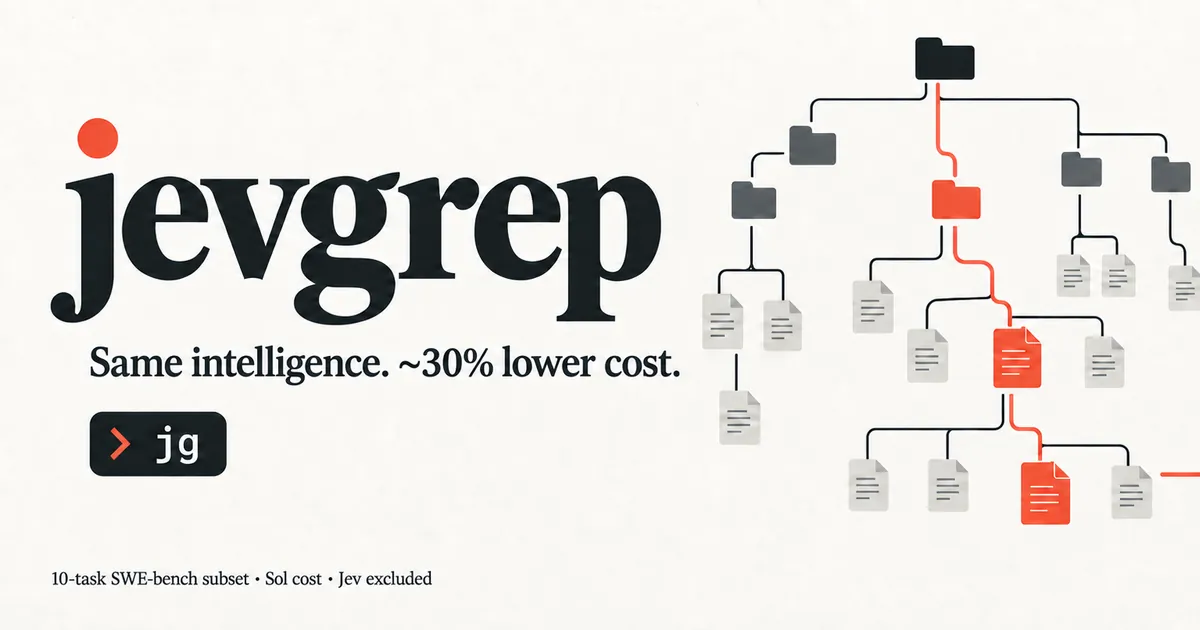
Your coding agent burns its context budget the same way on every unfamiliar repository: grep, read, guess, grep again. ripgrep is exact-match, which means the agent has to already know the codebase's vocabulary \u2014 the precise name of the thing it is looking for. That is backwards. Most of the time you know what the code does, not what it is called.
jevgrep treats this as a question-answering problem. It is a small CLI, invoked as jg, that lets you ask a repository a plain-English question and get back the relevant files, reading leads, and verbatim source excerpts in one stdout response. Under the hood it uses Jev to judge relevance across folders, files, and declarations instead of matching strings. The project (dzhng/jevgrep, MIT) picked up over two thousand stars within days of its late-September release, and the author published measurements: on a ten-task SWE-bench comparison, agents using jevgrep solved the same 8 of 10 tasks as the baseline while Sol-only token cost fell from $7.62 to $5.44 \u2014 a 28.6% reduction, rounded to ~30%. Every command below is from the project's own README.
What you'll need
- Node.js 22+ on macOS, Linux, or Windows (no Python, Bun, or ripgrep required)
- A key from one of the supported providers: Vercel AI Gateway, TypeSafe, OpenRouter, OpenCode Zen, or a custom TypeSafe-compatible endpoint
- A coding agent that can run shell commands \u2014 Claude Code, Codex, OpenCode \u2014 or just your own terminal
1. Install the CLI
npm install -g @dzhng/jevgrepProvider selection requires version 0.3.0 or newer. Check what you have and upgrade if needed \u2014 there is no jg upgrade command, npm is the upgrade path:
npm install --global @dzhng/jevgrep@latest
jg --version
2. Authenticate
jg auth asks which provider you want and saves its key in an owner-only config file \u2014 $XDG_CONFIG_HOME/jevgrep/credentials.json, or ~/.config/jevgrep/credentials.json. Searches always use the saved provider until you run auth again. For unattended setup (CI, containers), pipe the key from your secret manager \u2014 both flags are required for piped setup:
jg auth
echo "$OPENROUTER_KEY" | jg auth --provider openrouter --stdin
Then verify with jg doctor, which checks access with synthetic input and names the selected provider. Two things the README is blunt about: environment-based credentials and endpoint overrides are ignored \u2014 if you previously relied on an env key, you must run jg auth \u2014 and there is no automatic fallback or per-search provider override.
3. Teach your agent to use it (the step everyone skips)
Installing the CLI alone does not teach your coding agent to use it. From the project where your agent works, run:
jg skillThe installer detects your coding agents (Claude Code, Codex, OpenCode, and others) and asks where to install. Add --global for a user-wide install, or --yes for unattended installation. No CLI handy? The skill installs standalone:
npx skills add dzhng/jevgrep --skill jevgrepRemember to re-run jg skill after each CLI upgrade \u2014 updating the npm package does not overwrite skill files in your projects, and the skill installer itself never configures credentials.
4. Ask questions instead of grepping
Use jg when you know the behavior you need to understand but not where it lives:
jg "Where is authentication checked before a request reaches a handler?" .
jg "How are database connections created, pooled, and closed?" ./src
jg "Which tests cover retry behavior when a request times out?" .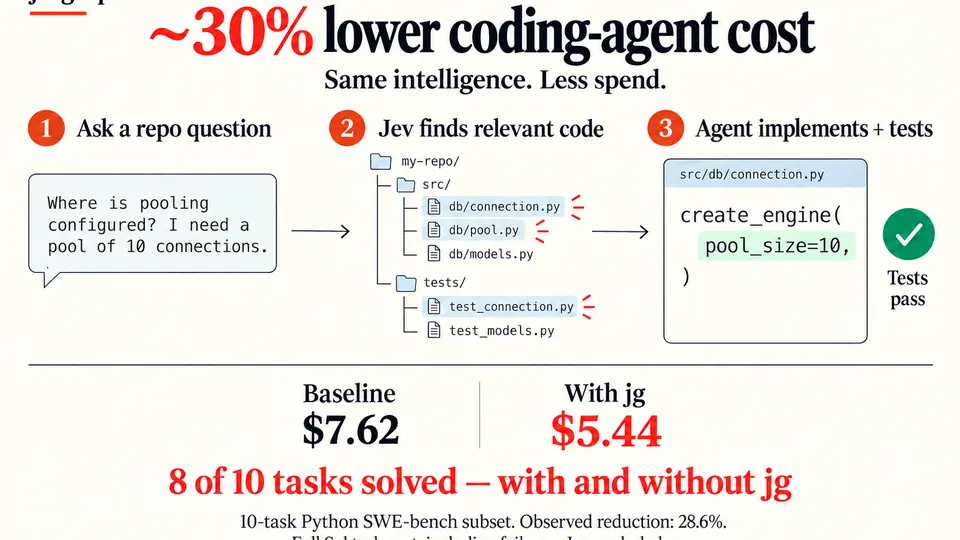
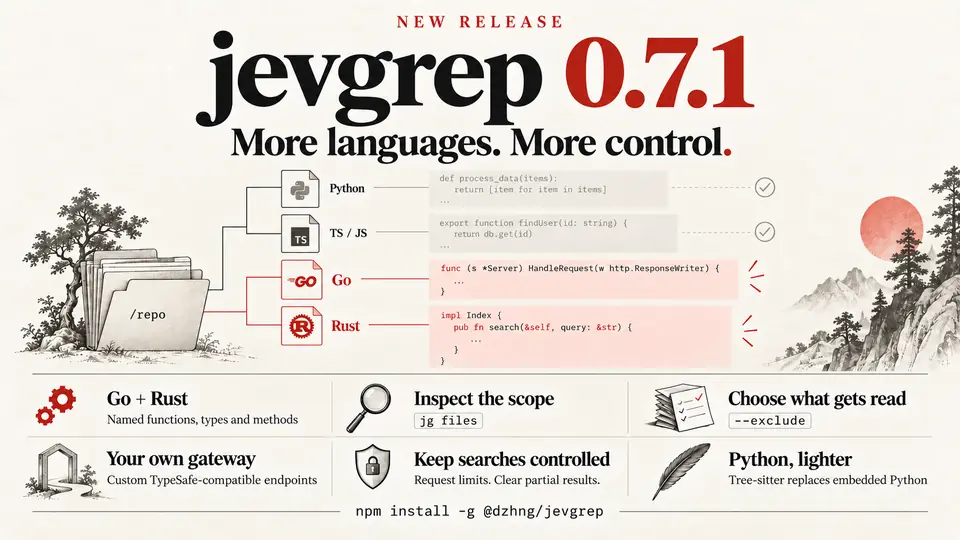
jevgrep explores the repository hierarchy and follows qualifying branches, selecting files from content previews and then identifying useful source units with surrounding context. The summary and a compact file list come first, then selected source with line references, then detailed declaration and call locations. Python, TypeScript/JavaScript, Go, and Rust get real declaration parsing; everything else falls back to plain text. Read what it supplies, then fill the gaps with ordinary tools \u2014 the output is evidence for the agent, not a guarantee every relevant file was found.
5. Control the scope
Before pointing it at a real codebase, see what a search is allowed to read \u2014 no key, no network request:
jg files ./my-projectDefault filtering respects ignore files and excludes hidden, dependency/build, binary, and obvious credential files. To skip paths inside the root for one search, pass --exclude with a gitignore pattern:
jg "Where is retry logic?" . --exclude '**/*.test.ts' --exclude 'src/generated/'Evaluation answers are cached locally by default; jg --help covers cache controls, search overrides, and incomplete-result behavior.
What you built
A question-answering layer over your repository that your coding agent can invoke on its own. Repo onboarding \u2014 usually the most token-expensive part of an unfamiliar task \u2014 becomes a single question: jg "How are telemetry events recorded and sent?" ./my-project. The agent gets reading leads and verbatim excerpts, then owns implementation and verification as before.
Honest limitations
- Your source leaves the machine. Searches send eligible source content to Jev through the provider you selected during auth. The default filters are reasonable, but the README states plainly they are not a guarantee that all sensitive information has been removed \u2014 choose a search root you intend to send.
- It finds leads, not answers. When you already know an exact symbol or path, a direct read or
rgis all you need. jevgrep earns its keep on questions that span unfamiliar files. - The benchmark is a single observation, not a proof. The author's own reports say the 8/10-vs-8/10 comparisons (28.6% Sol-only reduction; 25.8% total-cost reduction on the 0.4.3 rerun including Jev) "do not establish statistical equivalence or a speed improvement." Expect variation across repositories.
- Two installs to maintain. The CLI and the agent skill update separately \u2014 forget the skill update and your agent keeps reading stale instructions.