Page Agent: give any web page its own AI agent — hands-on with Alibaba's in-page GUI agent
Page Agent is Alibaba's MIT-licensed in-page GUI agent — 29,276 GitHub stars — that turns any website into a natural-language-operated page with one line of JavaScript. We installed [email protected], drove its real agent loop with a scripted model backend, and watched it fill forms, pick dropdown options, and click buttons. Every command verified.

Every few months an open-source project arrives that quietly reframes what an "AI agent" is for. This month it is Page Agent (alibaba/page-agent): Alibaba's MIT-licensed library that embeds a GUI agent inside a web page. One line of JavaScript gives any site a natural-language copilot that can read the page, fill its forms, pick its dropdowns, click its buttons, and report back. As of September 30, 2026 it holds 29,276 stars and 2,634 forks on GitHub, with commits landing as recently as September 29 — and a weekly AI-tools roundup counted roughly 17,500 stars for it across September 24–29, making it one of the fastest-climbing open-source AI projects of the month.
The pitch is deliberately narrower than "browser agent." Tools like browser-use drive an entire browser from the outside; Page Agent lives inside the page itself, sees the DOM as structured text instead of screenshots, and runs on whatever OpenAI-compatible model you bring. In this tutorial you will try the one-line demo, install the npm package ([email protected]), wire it to your own model, and watch a real task execute — typing, dropdown selection, and clicking — against a test page. Every command below was actually run and every result observed. One boundary up front: the free testing API behind the one-line demo never answered from our sandbox, so the end-to-end proof comes from a local harness driving the real agent loop with a scripted OpenAI-compatible backend — the same loop, the same DOM tools, no ambiguity about what ran.
1. What Page Agent actually is#
Page Agent is three things in one repository. The core is the npm SDK: a PageAgent class (extending PageAgentCore) that you drop into any page. Around it sit a Chrome extension that injects the agent into pages without code changes, and an MCP server (@page-agent/mcp) that lets desktop AI clients drive your browser through that extension.
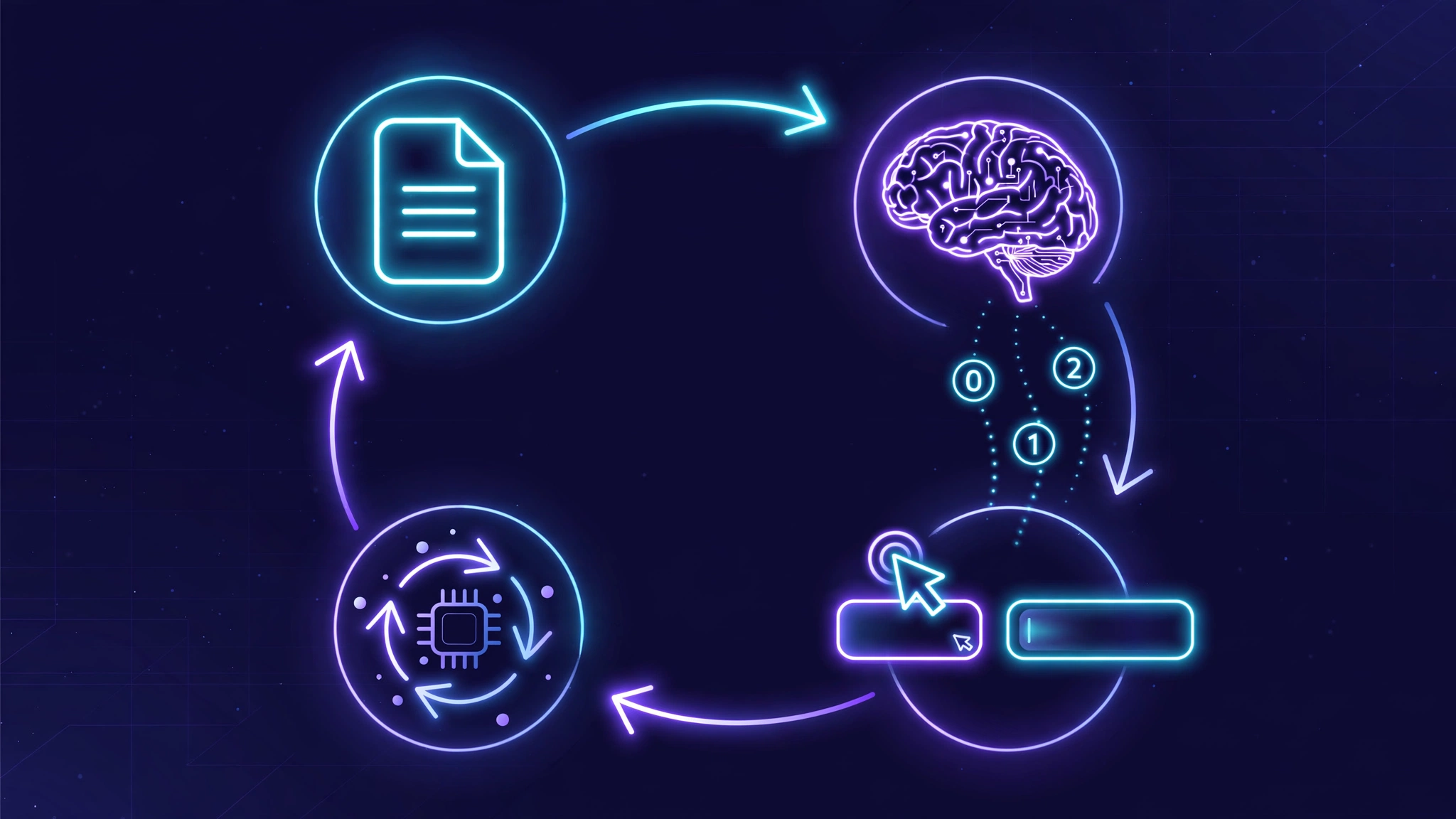
The agent loop is refreshingly simple. On every step, a PageController extracts the page's DOM and flattens it into simplified, indexed text the model can act on — lines like [0]<input type=text name=name placeholder="Full name" /> and [6]<button type=button>Join waitlist />. That text goes to the LLM inside a single macro tool call named AgentOutput, whose arguments carry a reflection state — evaluation_previous_goal, memory, next_goal — plus an action object naming one built-in tool and its arguments. The agent executes the action against the live DOM, re-reads the page, and repeats until it calls done or hits maxSteps (default 40).
Two design decisions do most of the work. First, the page is described as text, never screenshots — no vision model, no coordinate guessing, which keeps token costs low and makes every action deterministic against a real element. Second, the single macro tool replaces the usual sprawling tool list; the docs recommend fast, lightweight models with strong tool-call ability precisely because the whole plan rides on one function call per step. The built-in actions are done, wait, ask_user, click_element_by_index, input_text, select_dropdown_option, scroll, and scroll_horizontally — an execute_javascript action exists but is stripped out unless you opt into the experimental flag.
2. What you'll need#
- A modern browser — for the 60-second demo in Step 1, nothing else is required.
- Node.js 18+ — for the npm route in Step 2. We used Node v24; the published package installed cleanly in about 30 seconds with zero native dependencies.
- An LLM endpoint speaking the OpenAI chat-completions format, with tool calling. Any compliant provider works. The project's model guide recommends fast, lightweight models with strong tool-call support and lists a tested baseline:
gpt-5.4-mini,gpt-5.4-nano,claude-haiku-4-5,gemini-3.8-flash,deepseek-v4-flash,qwen3.5-plus, andqwen3.5-flash. Their own docs warn that small models unable to handle the tool definition "typically perform poorly." - No GPU, no build step, no browser-automation drivers. The whole SDK is plain JavaScript.
3. Step 1 — The 60-second demo#
The README's headline move is a single script tag — the fastest way to feel what the project does:
<script
    src="https://cdn.jsdelivr.net/npm/[email protected]/dist/iife/page-agent.demo.js"
    crossorigin="anonymous"
></script>
Drop it into any page and a demo agent auto-initializes with a floating panel. Type a command like "summarize this page" or "fill the search box with wireless headphones and press Search" and watch it work through the indexed elements. Append ?autoInit=false to the script URL to load the bundle without starting the agent — it then exposes window.PageAgent so you can instantiate it yourself with your own model.
Read the terms before you lean on this: the demo bundle calls a free testing API strictly for technical evaluation and R&D — not production. Traffic is processed via servers in Mainland China, and the project explicitly says not to input any personal or sensitive data. It is also rate-limited, which brings us to the honest part of this tutorial.

4. Step 2 — Install it and bring your own model#
For anything beyond a demo, install the package and point it at your own key:
npm install page-agentimport { PageAgent } from 'page-agent'
const agent = new PageAgent({
model: 'qwen3.5-plus',
baseURL: 'https://dashscope.aliyuncs.com/compatible-mode/v1',
apiKey: 'YOUR_API_KEY',
language: 'en-US',
})
await agent.execute('Click the login button')The constructor takes model and baseURL (required), plus apiKey, language ('en-US' or 'zh-CN'), maxSteps (default 40), customFetch, disableNamedToolChoice, transformRequestBody, and lifecycle hooks. execute() returns a result object shaped like { success, data, history } — we will see a real one in the next section. One security note the tutorial would be irresponsible to skip: an API key embedded in browser JavaScript is visible to anyone who opens devtools. Fine for a prototype; in production, proxy the model calls through your own backend or use a tightly restricted key.
5. Step 3 — Your first real task, verified end to end#
To prove the machinery rather than trust the marketing, we built a harness: a small page with a search form, rendered in a headless DOM, with [email protected] driving it for real. The "model" was a deterministic stub speaking the OpenAI chat-completions format — scripted AgentOutput tool calls — so the only thing simulated was the LLM's judgment. The agent loop, DOM extraction, action dispatch, and result handling all ran as shipped.
The task: "Search for laptop." This is what actually happened:
LLM call 1 → input_text(index=0, text="laptop")   ✅ typed into the search box
LLM call 2 → click_element_by_index(index=1)       ✅ clicked the Search button
LLM call 3 → done                                   ✅ task complete

RESULT success: true
DOM #q value: "laptop"
DOM #out text: "Results for: laptop"
Three model calls, two real DOM mutations, one { success: true, data, history } result. The agent saw the page as [0]<input … /> and [1]<button …>Search />, chose indices, and the page changed exactly as a human click-and-type would change it. Note what the model never did: it never wrote a CSS selector, never guessed coordinates, never touched the DOM directly. Indices are the entire addressing scheme.
6. Step 4 — A realistic use case: the whole signup form#
Search boxes are toys; forms are the job. Our second test page was a waitlist signup: name field, email field, plan dropdown, join button. One instruction, no per-field scripting:
"Sign up for the waitlist as Ada Lovelace ([email protected]) on the Pro plan."
The agent's view of the page was five indexed elements — [0] name input, [1] email input, [2] plan select, [3]–[5] its options, [6] the Join button — and it issued four actions across four model calls: two input_text calls, one select_dropdown_option, one click_element_by_index, then done. The observed final state:
RESULT success: true | data: "Signed up Ada Lovelace (Pro)"
name: "Ada Lovelace"   email: "[email protected]"   plan: "pro"
DOM #done text: "joined: name=Ada Lovelace [email protected] plan=pro"
This is the use case the project is built for: SaaS onboarding, settings pages, internal tools, checkout flows — anywhere a user today follows a twelve-step form and an agent could do it from one sentence. The dropdown test matters because select_dropdown_option is the action most likely to be hand-waved in a demo; here it ran against the real element and the value stuck.
7. How the loop works under the hood#
With the behavior verified, the architecture is easy to follow. Each iteration has four stages: extract (the PageController builds a flat DOM tree and renders it as indexed, simplified text), decide (one chat-completions request carrying a single tool definition, AgentOutput), act (dispatch the named built-in action against the indexed element), and reflect (the model's evaluation_previous_goal / memory / next_goal fields force it to account for the last step before choosing the next).
The single-tool design is the idea worth stealing. Multi-tool agents hand the model a dozen function definitions and hope it picks well; Page Agent hands it one envelope and lets the action field name the verb. Fewer definitions to misread, cheaper prompts, and — per the project's own model guide — the reason lightweight models can drive it at all. Supporting machinery fills the gaps: ask_user pauses the loop for human input mid-task, wait handles async page updates, highlight/mask overlays show which element each index refers to (enableMask defaults to on), and dispose() tears the whole thing down.
8. The extension and the MCP server#
Not every page is yours to modify, which is why the repo ships two more surfaces. The Chrome extension (on the Chrome Web Store) injects the agent into any tab — configure it with LLM_BASE_URL and LLM_MODEL_NAME and your own browsing becomes commandable. The MCP server goes one step further: it lets desktop AI clients like Claude Desktop drive your browser through that extension:
{
  "mcpServers": {
    "page-agent": {
      "command": "npx",
      "args": ["-y", "@page-agent/mcp"],
      "env": {
        "LLM_BASE_URL": "https://dashscope.aliyuncs.com/compatible-mode/v1",
        "LLM_API_KEY": "sk-xxx",
        "LLM_MODEL_NAME": "qwen3.5-plus"
      }
    }
  }
}
The layering is clean: one DOM-agent core, three ways to reach it — embedded SDK for your own product, extension for the open web, MCP for agent-to-browser delegation.
9. How we verified everything#
Every technical claim in this tutorial traces to something we ran on September 30, 2026 against [email protected]:
- Install:
npm install [email protected]completed in ~30 seconds;import { PageAgent }and construction succeeded. - End-to-end loop: two full task runs (search form; four-field signup) with a scripted OpenAI-compatible backend — real agent loop, real DOM tools, real mutations,
{ success: true }both times. - API surface: constructor fields,
execute()result shape, and theAgentOutputmacro-tool envelope confirmed against the published source and the live request/response traffic. - Demo bundle: the 227 KB IIFE loaded, auto-initialized, and fired correctly-formed model requests; the
?autoInit=false+window.PageAgentpath is documented in the README. - The one gap: the free testing API never answered from our sandbox — requests were correctly formed, but no response arrived in over seven minutes. The project's own terms flag rate limits and evaluation-only status, so treat the one-liner as the quickest feel and bring-your-own-key as the reliable path.
10. Page Agent vs the alternatives#
Where does it sit in the landscape? browser-use and similar frameworks drive a browser from the outside with screenshots and coordinates — more general, heavier, and priced per step. Playwright/Cypress are deterministic and free but require you to script every selector by hand; they don't take natural-language instructions at all. Extension copilots give users a chat sidekick but rarely expose a programmable agent loop you can embed in your own product.
Page Agent's niche is the gap between those: you own the page (or the extension does), you want natural-language operation, and you want it as a library rather than a service. If you need to operate other people's sites at scale with vision-level understanding, the external browser agents still win. If you want to turn your app's UI into something an agent — or a user speaking plainly — can drive, one script tag is a hard offer to beat.
11. Honest boundaries#
Four caveats, all from the project's own documentation or our testing. First, the free tier is not a product dependency. The testing API is evaluation-only, rate-limited, and routes through Mainland China — no PII, no production traffic. Second, the model matters more than usual. Everything rides on one tool call per step; the docs say plainly that models with weak tool-call support return bad formats (with auto-recovery for common errors) and that small models "typically perform poorly." Budget for a capable lightweight model. Third, it is blind to pixels. The DOM-as-text design is the efficiency win, but canvas-rendered apps, CAPTCHAs, and anything that only exists as an image will confuse it — there is no screenshot fallback. Fourth, client-side keys are visible. The quickstart puts the API key in browser code; ship it behind your own proxy before real users arrive.
12. The takeaway#
Page Agent's 29,000 stars are not really about any single feature — they are about a threshold being crossed. Embedding a working GUI agent in a web page used to mean a browser-automation stack, a vision model, and an ops budget. Now it is an npm install, a constructor, and one English sentence. The indexed-action addressing and the single macro tool are genuinely good ideas that other agent builders should steal. Install it on a staging copy of your own product's most annoying form, give it one instruction, and watch what happens — then decide whether your users should be typing at that form at all.