Stop your RAG from guessing: a hands-on tour of 42 battle-tested retrieval techniques
NirDiamant/RAG_Techniques has nearly 30,000 stars and 42 runnable notebooks covering every upgrade path from naive chunk-and-retrieve to Self-RAG and Corrective RAG. This guide runs the baseline, tunes the chunks, fixes the queries, adds guardrails, and shows how to measure the difference.
- RAG_Techniques (by Nir Diamant): ~29,918 GitHub stars and 3,819 forks, verified 2026-10-20.
- 42+ runnable Jupyter notebooks, each with an “Open in Colab” badge and a companion YouTube explainer.
- Created 2024-07-13; the most recent push landed 2026-10-17.
- Baseline script defaults: chunk_size=1000, chunk_overlap=200, top-2 retrieval, OpenAI embeddings, API key from a .env file.
- Technique ladder: foundational → query enhancement → context enrichment → advanced retrieval → iterative → evaluation → advanced architectures (Self-RAG, Corrective RAG, RAPTOR, MemoRAG, Graph RAG).
- Ships a custom License Agreement, not an OSI-approved open-source license.
Naive RAG is three steps: chop documents into chunks, embed them, and hope the top match answers the question. When it works it feels like magic; when it doesn't — a confident answer built on the wrong paragraph — it feels like the model is lying. The fix is rarely a bigger model. It is better retrieval, and there is now a field manual for it: RAG_Techniques, a community playbook of 42 runnable notebooks that walks every layer of the retrieval stack, from chunk sizing to Self-RAG.
This guide is a hands-on route through that playbook. We will clone it, run the real baseline script, then stack the upgrades in the order that matters: chunks first, queries second, guardrails third, evaluation last.
What you'll need
- Python 3.10+ with
pip, andgit - An OpenAI API key — the notebooks and scripts use OpenAI for embeddings and generation (
simple_rag.pyreadsOPENAI_API_KEYfrom a.envfile); usage is billed - A PDF to experiment on, or the sample PDFs the repo ships under
data/ - Optionally, a free Google Colab session — every notebook carries an “Open in Colab” badge
Step 1 — Clone the playbook
git clone https://github.com/NirDiamant/RAG_Techniques.git
cd RAG_Techniques
The README's table is your map: 42 techniques numbered and grouped into categories — foundational, query enhancement, context enrichment, advanced retrieval, iterative, evaluation, explainability, and advanced architectures. The notebooks live in all_rag_techniques/, and several foundational ones also ship as plain Python scripts in all_rag_techniques_runnable_scripts/, which is where we'll start.
Step 2 — Run the baseline
The SimpleRAG class in simple_rag.py is the whole naive pipeline in one file: encode_pdf chunks the document (chunk_size=1000, chunk_overlap=200), embeds the chunks with OpenAI, and builds a retriever that returns the top 2 matches (search_kwargs={"k": n_retrieved}). Run it against a PDF:
pip install python-dotenv
echo "OPENAI_API_KEY=sk-your-key" > .env
python all_rag_techniques_runnable_scripts/simple_rag.py \
  --path ../data/Understanding_Climate_Change.pdf \
  --query "What is the main cause of climate change?"
The script prints chunking time and retrieval time, then shows the retrieved context. Add --evaluate to score the retriever on the query. These are the script's real flags — --chunk_size, --chunk_overlap, --n_retrieved, --query — so play with them before reaching for anything fancier.
Step 3 — Tune the chunking
Most retrieval failures start here. A 1,000-character chunk blends several ideas, and its embedding points at nothing in particular. Two notebooks attack this directly:
choose_chunk_size.ipynb— experiments with fixed chunk sizes to find the balance between preserved context and retrieval efficiency for your documents.proposition_chunking.ipynb— an LLM rewrites each chunk as self-contained factual propositions, then a quality gate grades each one on accuracy, clarity, completeness, and conciseness.
Proposition chunking is the biggest single win for fact-seeking questions: each indexed unit is one claim, so similarity search retrieves claims instead of paragraphs.
Step 4 — Fix the query side
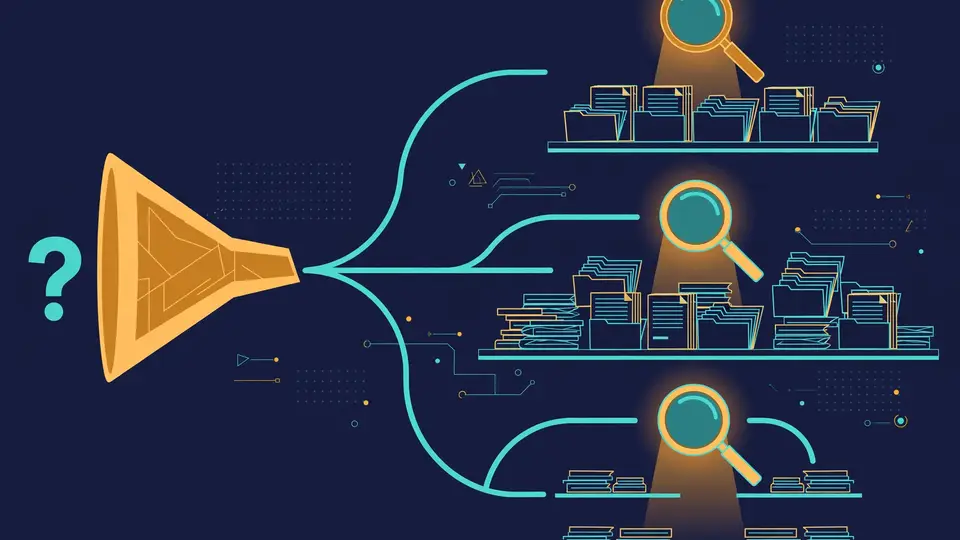
The words in a question rarely match the words on the page. query_transformations.ipynb applies three rewrites — rewrite the question, step back to a broader version, or split it into sub-questions — and keeps the original question in charge of the final answer. HyDE (Hypothetical Document Embedding) goes further: it has the LLM draft a fake answer, then searches with the fake answer's embedding, because a short question and a long document land far apart in embedding space even when they mean the same thing.
Step 5 — Add guardrails
reliable_rag.ipynb upgrades the baseline with validation: it checks each retrieved document for relevancy before answering, and highlights the exact segments of the documents the answer was built from. That second part matters more than it sounds — it turns the answer into something a skeptical reader can verify, which is half the battle for RAG trust.
Step 6 — Prove the improvement
Opinion is cheap; the repo ships measurement. The evaluation section includes DeepEval, GroUSE, and — recently added — End-to-End RAG Evaluation and Open-RAG-Eval. Run the baseline through an eval notebook, apply one upgrade from Steps 3–5, and re-run. You will find that some famous techniques do nothing on your data — that negative result is the most valuable thing the playbook teaches.
Step 7 — Go deeper
Once the ladder works, the advanced architectures are variations on the same themes: Self-RAG (the model critiques and retrieves again), Corrective RAG / CRAG (retrieval is graded and corrected), RAPTOR (recursive summarization trees), MemoRAG (memory-augmented retrieval), and the graph family — Graph RAG with LangChain, Microsoft GraphRAG, and LightRAG. Each has its own notebook; each is a rabbit hole you now enter with a working baseline and a way to measure.
What you built
A layered retrieval pipeline: a measured baseline, tuned chunks, rewritten queries, relevancy guardrails, and an eval harness proving each layer earns its keep — all mapped to runnable notebooks you can re-run on your own documents.
Honest limitations
- The notebooks assume OpenAI APIs, so every experiment costs embedding and generation calls — proposition chunking in particular multiplies LLM usage.
- Quality varies across community notebooks; the newest additions (MemoRAG, Open-RAG-Eval) are less battle-tested than the foundational ones.
- The repo ships a custom License Agreement, not an OSI-approved open-source license — fine for study, but check the terms before commercial use.
- Some techniques will do nothing on your data. That is normal; the evaluation notebooks exist precisely to tell you so.
Frequently asked questions
Do I need a GPU or a paid API key?
No GPU — every notebook runs on free Google Colab via its “Open in Colab” badge. You do need an OpenAI API key: the notebooks and runnable scripts call OpenAI for embeddings and generation (simple_rag.py reads OPENAI_API_KEY from a .env file), and that usage is billed.
Where should I start?
Run simple_rag.ipynb (or its LlamaIndex twin, simple_rag_with_llamaindex.ipynb) first — or run the plain-Python script all_rag_techniques_runnable_scripts/simple_rag.py from a terminal. Then follow the numbered order in the README’s technique table.
Is the repo actually open source?
It ships a custom License Agreement rather than an OSI-approved license (verified in the repo on 2026-10-20). Fine for learning and study — read the terms before using it in anything commercial.