Turn chatbot answers into working apps: a hands-on guide to Open Intelligent UI
Thesys's Open Intelligent UI (thesysdev/open-intelligent-ui, 535 stars, MIT) is an open-source recreation of ChatGPT's interactive answers — maps, charts, working sliders — that you can self-host. Hands-on: a one-command API key, the /gallery tour, customizing the component library, and the fully-local Ollama path.
npm run generate:apiKey for a free key, and npm run dev to try it; the /gallery tour shows every component with no key at all.- Repo: thesysdev/open-intelligent-ui, maintained by Thesys; created 2026-10-08.
- 535 stars on GitHub as of 2026-10-18, ten days after creation.
- License: MIT. The project is independent and not affiliated with or endorsed by OpenAI.
- Requires: Node 24 (
engines≥ 24). Local path: qwen3.8:27b (~18 GB, 32 GB RAM recommended). - Free key:
npm run generate:apiKeywrites THESYS_API_KEY into.envfor OpenUI Cloud; default modelopenai/gpt-6.1-sol. - Scope: 16 worked examples in
/gallery, 59 generic@functions, OpenUI Lang 1.0; the system prompt is ~8,000 tokens.
ChatGPT’s Intelligent UI is the moment the chat answer stopped being text. Ask for a day in San Francisco and you get an interactive itinerary: photos, a map with a route, something you can click and edit. It’s the shape of where chat interfaces are going — and you no longer need OpenAI’s servers to build it.
thesysdev/open-intelligent-ui, from the company behind the OpenUI standard, is an open-source recreation of that experience: a Next.js chat app where the model streams OpenUI Lang 1.0 and the app renders it with a library of components the model arranges itself — no fixed layouts. It picked up 535 stars in ten days after launch (2026-10-08) and it’s MIT-licensed. This is the hands-on tour: run it, try the examples, bend the component library to your own app, and run the whole thing offline.
What you’ll need
- Node 24 (
node --versionmust say 24 or higher — the package.json engines field requires it). - About 15 minutes for the hosted path, a bit more for the local-model path.
- A terminal. Optional: an OpenRouter key if you’d rather skip OpenUI Cloud, or Ollama for the fully-local run.
Step 1 — Clone it and boot
The repo README’s setup is four commands after the clone. The key detail is the second one: the project generates its own free API key for OpenUI Cloud and writes it into your .env for you.
git clone https://github.com/thesysdev/open-intelligent-ui.git
cd open-intelligent-ui
cp .env.example .env
npm install
npm run generate:apiKey   # writes THESYS_API_KEY into .env
npm run dev
Open http://localhost:3000 and try the canonical prompt:
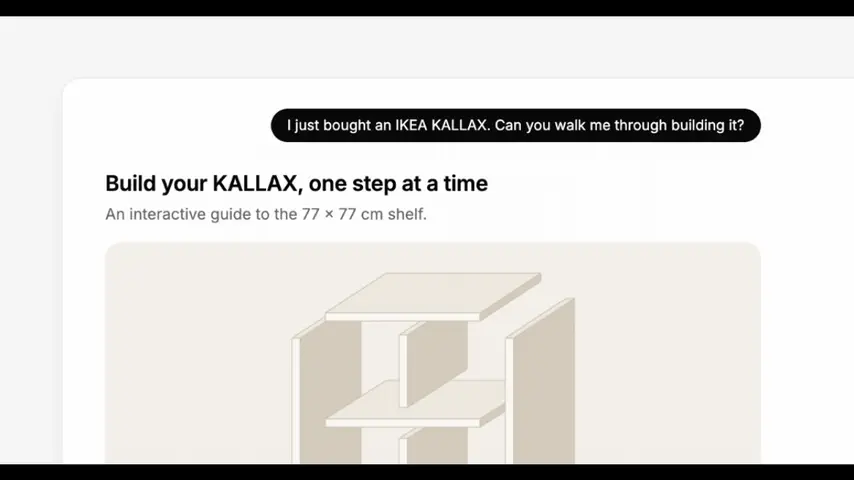
I'm in San Francisco for a day, plan a sightseeing route for meWatch what comes back: not a paragraph, but a composed answer — photos (resolved from Wikipedia/Wikimedia by the app’s SearchImage component, so the model never announces a search that shows nothing), a route map, and an itinerary you can edit. Maps run on MapLibre GL; street geometry comes from the public OSRM demo server, cached on the server, and falls back to a labelled direct connection when OSRM is unavailable.
Step 2 — Take the /gallery tour with no key at all
Before touching any API, open http://localhost:3000/gallery. This page needs no key: every example renders from hand-written OpenUI Lang programs.
- Working tools — 16 complete answers built around components, from a 7-speed bike configurator to a playable arcade game, plus two dashboards over demo data.
- Components — one program per primitive: layout (
Col,Row,Grid,Card,Carousel), text, every input (Slider,DatePicker,Timer,Form…), media (Table,Chart,Map,YouTube), drawing (Svg,HtmlViewwith a sandboxed game iframe). - Switch between light and dark at the top right and try phone width — this is the design surface, meant for stealing ideas.
The chat shell itself is light-only; the dark token set is reserved for the gallery and preview pages. Tokens live in src/lib/components/theme.css if you want to re-skin everything.
Step 3 — Point it at your own model
The default path sends requests to OpenUI Cloud’s Gateway (Responses API), which validates and corrects the generated OpenUI Lang against your component library before the browser renders it. The free key you generated covers that. But the server route (src/app/api/chat/route.ts) also supports any OpenAI-compatible Chat Completions API — the app builds the full OpenUI 1.0 system prompt on the server and relays the stream, so the browser is unchanged:
# in .env
LLM_BASE_URL=https://openrouter.ai/api/v1
LLM_API_KEY=sk-or-...
LLM_MODEL=openai/gpt-6.1-sol
One honest trade-off: Cloud’s correction step doesn’t exist on the direct path. The model’s output is rendered as written, so malformed OpenUI Lang shows up as broken UI instead of being fixed. The default model (openai/gpt-6.1-sol, overridable via THESYS_MODEL) and low reasoning effort (LLM_REASONING_EFFORT=low, about five times faster to the first line of UI) are the README’s suggested defaults for a reason.
Step 4 — Make the component library yours
The interesting part is that the library is your contract with the model. Everything it can render is defined in code, and anything you change has to be regenerated into the prompt:
# 1. Edit the library: src/lib/library.ts
#    components live in src/lib/components/ (defineComponent + Zod schema each)
# 2. Teach the model how to use them: src/lib/prompt-options.ts
# 3. Regenerate the spec + system prompt:
npm run generate && npm run prompt
npm test        # vitest: @functions + every gallery program parsed by the 1.0 parser
npm run typecheck
npm run build
The prompt options are where the working-tool magic lives: rules and worked examples teach the model to answer with tools that work in the page. Inputs bind to $variables (Slider($price, 0, 100)), anything reading them updates live, and buttons run @Set steps instead of submitting forms. The library ships 59 generic @functions for that logic — @Payment for loans, @Allocate for splits that add to the cent, @GroupBy/@Pivot/@MovingAvg for dashboards. A bad argument evaluates to null rather than crashing, per the 1.0 spec. The repo even ships a benchmark (scripts/bench/run.mjs: 16 example prompts plus 8 dashboard prompts, parser-checked and screenshotted) so you can grade how well a model speaks your library.
Step 5 — Run it fully local with Ollama
No key, no cloud — the README’s local path works with any OpenAI-compatible local server. The catch is the context window: the generated system prompt is about 8,000 tokens, and Ollama’s default 4,096-token window silently truncates it, producing broken output. So:
ollama pull qwen3.8:27b   # ~18 GB; 32 GB of RAM recommended
                            # smaller: gpt-oss:20b or qwen3:8b
OLLAMA_CONTEXT_LENGTH=32768 ollama serve
or create a variant with a larger window:
printf 'FROM qwen3.8:27b\nPARAMETER num_ctx 32768\n' > Modelfile
ollama create qwen3.8-32k -f Modelfile
Then in .env:
MODEL_PROVIDER=ollama
OLLAMA_MODEL=qwen3.8:27b   # or qwen3.8-32k
# OLLAMA_BASE_URL defaults to http://localhost:11434/v1
Restart with npm run dev. Same caveat as the direct API path: no Gateway correction, so the model’s raw output is rendered as written — larger models give visibly better results. The first request is slow while Ollama reads the whole prompt; later ones reuse the cached context.
What you built — and the honest limitations
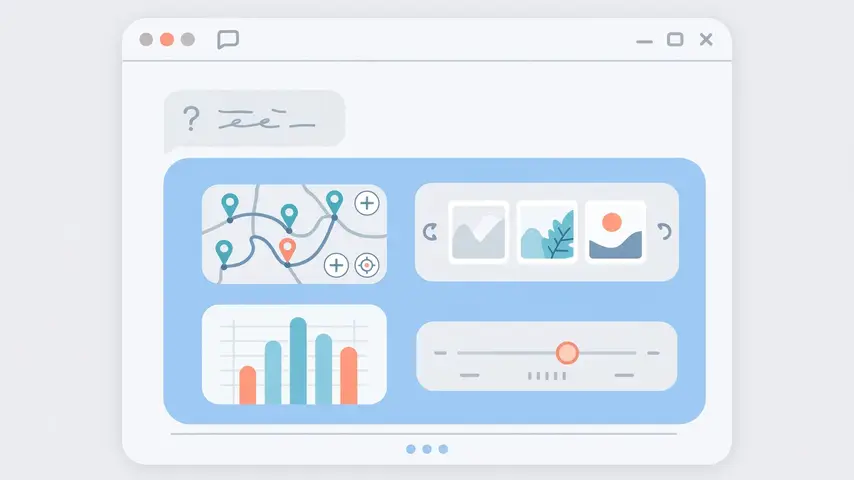
You now have a self-hosted chat app whose answers are working software: maps you can expand, sliders that recompute, dashboards over real data functions, games in sandboxed iframes. Fork it, redefine the library, and your users get an AI that answers in interfaces instead of paragraphs.
The limitations, straight from the source: the correction step is Gateway-only — direct and local paths render whatever the model emits. The chat is light-only. Map routing is the public OSRM demo server’s driving profile (cached server-side; degrades gracefully when it’s down). Photos are Wikipedia/Wikimedia lead images, so SearchImage only finds things Wikipedia knows. And this is a demo of the pattern, not hosted infrastructure — the repo is explicit that it is independent and not affiliated with or endorsed by OpenAI.
Frequently asked questions
Is this an official OpenAI project?
No. It is an independent recreation by Thesys, built on its OpenUI standard, and the README states it is not affiliated with or endorsed by OpenAI. “Intelligent UI” is the name of the ChatGPT feature this demo imitates.
Do I need to pay for an API key?
No. npm run generate:apiKey creates a free OpenUI Cloud key and writes it into .env. Alternatively, point LLM_BASE_URL, LLM_API_KEY and LLM_MODEL at any OpenAI-compatible API (for example OpenRouter), or set MODEL_PROVIDER=ollama to run a local model with no key at all.
Why does the local model need a 32k context window?
The generated system prompt is about 8,000 tokens, and Ollama’s default 4,096-token window silently truncates it, which produces broken output. Serve Ollama with OLLAMA_CONTEXT_LENGTH=32768, or create a model variant with num_ctx 32768.