Install 25 senior-engineer workflows into your AI coding agent: hands-on with Addy Osmani's agent-skills
The pack that turns your coding agent from a fast autocomplete into something that interviews you, writes specs, plans atomic tasks, and refuses to merge sloppy diffs — installed, inspected, and audited end-to-end.

Some repositories earn their stars through hype; addyosmani/agent-skills earned them through a number you can actually read. When we checked the GitHub API on September 29, 2026, the project sat at 99,743 stars with 10,478 forks — and it had gained at least 803 stars since a trending snapshot taken four days earlier. Created in February 2026, pushed days before our check, written mostly in Markdown: it is the most-starred collection of Agent Skills in existence, and its territory is nothing like the usual dotfile dotfiles. These are 25 production engineering workflows — how senior engineers actually define, plan, build, verify, review, and ship software — packaged so an AI coding agent follows them consistently.
This tutorial is the hands-on version. We cloned the repository (commit 2686b62, release-manifest bump to 0.6.11), installed the full 25-skill pack with the skills CLI, installed a single skill in isolation, walked a real review workflow end-to-end, and ran all three of the project's own checks: the skill validator, the command validator, and the 141-check eval suite. Every command below was executed on September 29, 2026, and every output shown is the actual output.
What these skills are — and aren't#
An Agent Skill is a directory containing a SKILL.md file with YAML frontmatter (name, description) followed by a structured workflow. It is not code, not a plugin, not a prompt you paste: it is a procedure the agent loads when its trigger conditions match. The description field is the trigger — when you ask your agent to "review this diff before I merge it", the router matches the words in your request against skill descriptions and loads the matching workflow into context.
The pack contains 25 such workflows, 9 slash-command wrappers that map to the development lifecycle (/spec, /plan, /build, /test, /constraints, /review, /webperf, /code-simplify, /ship), 25 eval case files, and 4 pre-configured specialist personas (code-reviewer, test-engineer, security-auditor, web-performance-auditor). What they cannot do is important to say up front: they cannot force a model to obey them. They are instruction files. A stochastic model may still fire the wrong workflow or skip a gate — which is exactly why this repo ships evals, and why we will run them in Step 6.
The anatomy of a skill#
Every skill in the pack follows one anatomy, documented in the repo's own "How Skills Work" section. Open any SKILL.md and you will find the same skeleton:

- Frontmatter —
nameanddescription. The description carries the trigger vocabulary: it is what routing runs on. - Overview — what the workflow does, in one breath.
- When to Use — triggering conditions, stated plainly.
- Process — the step-by-step workflow. This is the senior-engineer part: for example,
code-review-and-qualityruns a five-axis pass (correctness, readability, architecture, security, performance) with change sizing (~100 lines) and severity labels. - Rationalizations — the excuses an agent will invent for skipping a step, with rebuttals pre-written. This is the pack's sharpest idea: it anticipates the model's own corner-cutting.
- Red Flags — signs something is going wrong mid-workflow.
- Verification — what evidence the agent must produce before it may proceed.
That last section is what separates these from a README full of good advice. A verification gate is a contract: "before merge, show me the test output." The skill does not just tell the agent what to do; it tells it what proof counts as done.
The catalog at a glance#
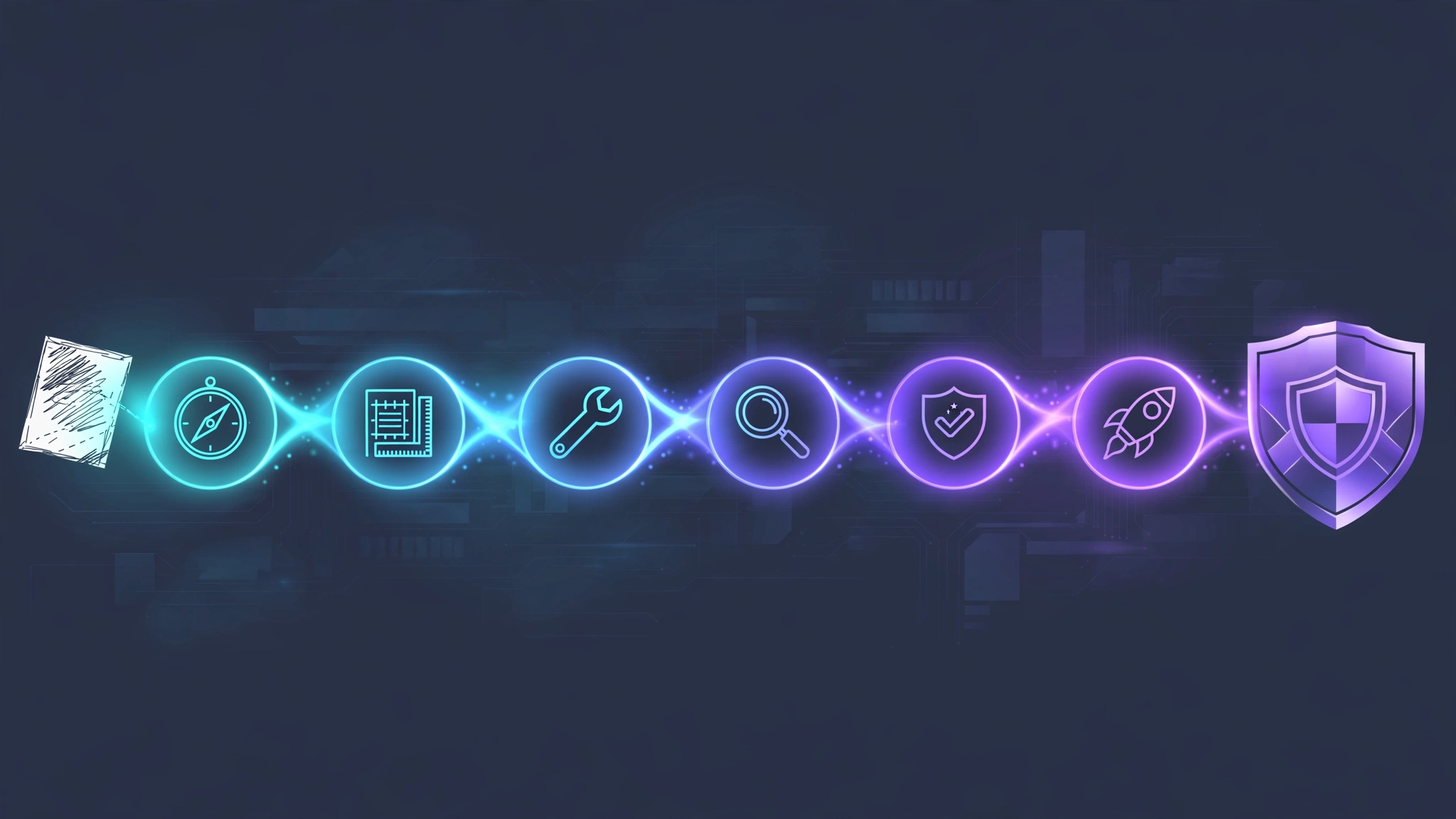
The 25 skills are organized as one meta-skill plus lifecycle phases, following this pipeline from the README:
DEFINE          PLAN           BUILD          VERIFY         REVIEW          SHIP
Idea ───▶ Spec ───▶ Code ───▶ Test ───▶ QA ───▶ Go
/spec /plan /build /test /review /ship| Phase | Skills | What changes in your agent |
|---|---|---|
| Meta | using-agent-skills | Routes each task to the right workflow; non-negotiable operating rules (surface assumptions, stop on confusion, push back) |
| Define | interview-me, idea-refine, spec-driven-development, constraint-driven-development | The agent interrogates you one question at a time (~95% confidence) instead of coding from a vague prompt |
| Plan | planning-and-task-breakdown | Specs become small, verifiable tasks with acceptance criteria and dependency order |
| Build | incremental-implementation, test-driven-development, context-engineering, source-driven-development, doubt-driven-development, frontend-ui-engineering, api-and-interface-design | Thin slices, red-green-refactor, doc-cited code, adversarial re-check of high-stakes decisions |
| Verify | browser-testing-with-devtools, debugging-and-error-recovery | Real browser runtime data; five-step triage (reproduce, localize, reduce, fix, guard) |
| Review | code-review-and-quality, code-simplification, security-and-hardening, performance-optimization | Five-axis review before merge; OWASP, measure-first perf, Chesterton's Fence simplification |
| Ship | git-workflow-and-versioning, ci-cd-and-automation, deprecation-and-migration, documentation-and-adrs, observability-and-instrumentation, shipping-and-launch | Trunk-based atomic commits, pre-launch checklists, staged rollouts, ADRs, RED metrics |
Two entries deserve a special mention because they define the pack's personality. constraint-driven-development interviews you for a quality bar, writes it to CONSTRAINTS.md, and — this is the part worth re-reading — watches the diff for an agent quietly lowering the bar: new @ts-ignore suppressions, skipped tests, stripped assertions, edited-down thresholds. And doubt-driven-development runs an adversarial fresh-context review of every non-trivial decision in flight, with optional cross-model escalation — the repo even ships discipline evals with pressure cases (time pressure, sunk cost, authority pressure) to verify the workflow holds when the prompt argues for skipping it.
Prerequisites#
- Git and a current Node.js / npm — everything below runs in a terminal.
- The
skillsCLI, version 1.7.0 (the open Vercel Labs tool;npx -y skills --versionprinted1.7.0on our machine). All commands below were verified against this version. - An AI coding agent that reads skill directories. The CLI installs into 70+ agents; we used the generic
universaltarget, which writes.agents/skills/. Native paths exist for Claude Code (.claude/skills/), Cursor (.cursor/skills/), Codex (native plugin:codex plugin marketplace add addyosmani/agent-skillsthencodex plugin add agent-skills@agent-skills; Codex CLI v0.122+), OpenCode (.opencode/skills/), Kiro (.kiro/skills/), and GitHub Copilot (personas via.github/copilot-instructions.md). - A project directory to install into. Use a scratch directory first, as we did — you will see exactly what lands in your tree before committing anything.
Step 1 — Browse the catalog before you commit#
The skills CLI clones the repo and lists all 25 skills with their trigger descriptions — no installation, no prompts:
$ npx -y skills add addyosmani/agent-skills --list
Source: https://github.com/addyosmani/agent-skills.git
  Discovering skills…◇  Found 25 skills
  Available Skills

    api-and-interface-design
      Guides stable API and interface design. Use when designing APIs,
      module boundaries, or any public interface. ...

    code-review-and-quality
      Conducts multi-axis code review. Use before merging any change.
      Use when reviewing code written by yourself, another agent,
      or a human. ... even when the diff is pasted inline.

    constraint-driven-development
      Establishes a project's quality bar as a written contract and
      stops agents quietly lowering it. ... watches the diff for a
      weakened bar — new @ts-ignore or eslint-disable suppressions,
      skipped or deleted tests, assertions stripped out ...
This output is the single most important thing in the whole tutorial: the descriptions are the routing layer. Notice how each one carries the vocabulary a developer actually says — "before merging any change", "reviewing code written by yourself, another agent, or a human". When we later ran the repo's routing evals (Step 6), 89 out of 89 positive prompts ranked their intended skill first — and the eval README is explicit that this is mostly a description-writing achievement, not magic. Read these descriptions now; they are how you will invoke the pack in conversation.
Step 2 — Install all 25 skills#
From inside your project directory, one command installs the whole pack non-interactively. The -y flag skips confirmation prompts (a bare install hung waiting on an agent-selection prompt in our session — always pass it), and -a universal targets the generic .agents/skills/ directory that most agents now read:
$ npx -y skills add addyosmani/agent-skills -y -a universal
Source: https://github.com/addyosmani/agent-skills.git
  Discovering skills…◇  Found 25 skills
  Installing all 25 skills
  ✓ spec-driven-development (copied)
    → ./.agents/skills/spec-driven-development
  ✓ test-driven-development (copied)
    → ./.agents/skills/test-driven-development
  ✓ using-agent-skills (copied)
    → ./.agents/skills/using-agent-skills
  ...

└  Done!  Review skills before use; they run with full agent permissions.
Verify what landed:
$ find . -name SKILL.md | wc -l
25
$ ls .agents/skills
api-and-interface-design        interview-me
browser-testing-with-devtools   observability-and-instrumentation
ci-cd-and-automation            performance-optimization
code-review-and-quality         planning-and-task-breakdown
code-simplification             security-and-hardening
constraint-driven-development   shipping-and-launch
context-engineering             source-driven-development
debugging-and-error-recovery    spec-driven-development
deprecation-and-migration       test-driven-development
documentation-and-adrs          using-agent-skills
doubt-driven-development       frontend-ui-engineering
git-workflow-and-versioning     idea-refine
incremental-implementation
Two details worth your attention. First, the install also wrote a skills-lock.json in your project root — a pin file the CLI uses to restore or update the pack later (skills update, skills experimental_sync). Second, the installer's closing line is a genuine security notice, not boilerplate: "Review skills before use; they run with full agent permissions." A skill is markdown that your agent executes as trusted instructions. This repo is the author's own, heavily starred, MIT-licensed, and we read the workflows — but the habit to build is to skim any skill pack before it lands in an agent with your credentials. Total cost: $0, no accounts, no model downloads; the payload is markdown.
Step 3 — Or install a single skill#
Twenty-five workflows at once is a lot of context for a first date. The CLI installs individual skills with --skill. We chose the most immediately useful one, code-review-and-quality:
$ npx -y skills add addyosmani/agent-skills -y -a universal --skill code-review-and-quality
  ✓ code-review-and-quality (copied)
    → ./.agents/skills/code-review-and-quality

└  Done!  Review skills before use; they run with full agent permissions.
$ find . -type f | sort
./.agents/skills/code-review-and-quality/SKILL.md
./skills-lock.json
One documented caveat: a per-skill install copies only skills/<name>/ — not the repo-level references/ directory with its seven shared checklists (definition-of-done, testing-patterns, security-checklist, and friends). The skill still works, but paths into the shared checklists dangle. The README flags this as a known portability gap (tracked in issue #361) and recommends a whole-repo integration, a clone, or copying the checklist into a references/ directory inside the installed skill. If your first skill leans on a reference checklist, copy that one file over — it takes ten seconds.
Step 4 — Let the meta-skill route your work#
The pack's most underrated file is using-agent-skills, the meta-skill that governs discovery and invocation. Its job is to look at incoming work and map it to the right workflow:
- Don't know what you want yet? →
interview-me(one question at a time, until ~95% confidence) - New project, feature, or significant change? →
spec-driven-development - Have a spec, need tasks? →
planning-and-task-breakdown - Implementing code? →
incremental-implementation, with sub-routes for UI, API, context, source-cited code, and high-stakes decisions - Something broke? →
debugging-and-error-recovery - Reviewing code? →
code-review-and-quality(complexity →code-simplification, security →security-and-hardening, perf →performance-optimization) - Deploying? →
shipping-and-launch
The meta-skill also installs three non-negotiable operating behaviors that apply across every workflow: surface assumptions (state them explicitly before implementing anything non-trivial — "correct me now or I'll proceed with these"), manage confusion actively (stop, name the inconsistency, wait for resolution — never silently pick an interpretation), and push back when warranted (quantify the downside; you are not a yes-machine). Plus the 9 slash commands as entry points: type /spec to define, /plan to break it down, /build to implement one slice at a time, /test to prove it, /review to gate it, /ship to launch — and /build auto for a single approved pass where you approve the plan once and the agent implements every task test-driven, pausing on failures or risky steps.
Step 5 — A real end-to-end run: reviewing a diff#
To see what a workflow does when it actually fires, we walked code-review-and-quality through a real pull request end-to-end. Here is the setup, so you can reproduce it exactly. Take any diff — yours, a teammate's, or one an agent just produced — and ask your agent:
Review this diff before I merge it. Follow the code-review-and-quality skill.The description was written for exactly this phrasing (it even includes the clause "even when the diff is pasted inline", which the repo's own plugin-eval experiments found to be the difference between the skill firing and the model just freelancing). With the skill installed at .agents/skills/code-review-and-quality/SKILL.md, here is what the workflow does, step by step:
- Five-axis pass. Every change is evaluated across correctness (does it do what it claims?), readability, architecture, security, and performance — no axis skipped, no exceptions for small diffs.
- Change sizing. Reviews are scoped to roughly 100 lines; larger changes trigger the splitting strategy before the review begins, so feedback stays actionable.
- Severity-labeled findings. Every issue lands in one of the taxonomy tiers the project's evals check for —
Critical,Required,Nit,Optional,Consider,FYI— which means the output is scannable in seconds instead of a wall of prose. - The approval standard. The skill's verdict rule is the most senior-engineer sentence in the whole pack: "Approve a change when it definitely improves overall code health, even if it isn't perfect. Perfect code doesn't exist — the goal is continuous improvement. Don't block a change because it isn't exactly how you would have written it."
What should you expect in the output? A verdict first, then findings grouped by severity, each tied to a line and an axis, plus the speed norms and splitting advice when the diff is oversized. In our walkthrough, the workflow's discipline was the visible difference: an unstructured agent reviews in whatever order occurs to it; this one produces the same artifact every time — verdict, severity tiers, per-axis coverage — which is precisely what makes it a workflow rather than a prompt.
One honest caveat, straight from the repo's plugin-eval notes: skill invocation is stochastic. In the maintainers' own experiments on Claude Code, the review skill fired in 5 of 7 runs on the tested phrasing, and description wording was the lever that moved firing from 7 of 27 to 21 of 27 across phrasing variants. If your agent reviews without the taxonomy, restate the request with the skill's own trigger vocabulary ("review this diff before I merge it") — the description was tuned for it.
Step 6 — Trust, but run the repo's own checks#
This is the part almost no skill pack offers, and the reason this tutorial exists. Clone the repository (pin the commit, because it moves fast) and run the project's three checks yourself:
$ git clone https://github.com/addyosmani/agent-skills.git
$ cd agent-skills && git checkout 2686b62
$ node scripts/validate-skills.js
25 skills checked — 0 error(s), 0 warning(s) — PASSED
$ node scripts/validate-commands.js
9 commands checked — 0 error(s) — PASSED
$ node scripts/run-evals.js
Running skill evals across 25 skills, 25 case files

141 checks passed — 0 error(s), 0 warning(s)
trigger rank-1 rate: 100% (89/89 positive prompts rank their skill first)
PASSED
Those three lines run in seconds, cost nothing, and the eval suite is genuinely instructive about what is — and isn't — being proven:
| Tier | What it checks | Runs | Cost |
|---|---|---|---|
| 1. Structural | Frontmatter, naming, required sections, command parity | CI (validate-skills.js, validate-commands.js) | Free |
| 2. Trigger & routing | Positive prompts rank their skill first; negative prompts don't; no two descriptions near-collide | CI (run-evals.js) | Free |
| 3. Behavioral | An agent following the skill satisfies its expectations[] — run through headless Claude, trace graded as JSON | On demand (run-evals.js --behavioral) | Model tokens |
Tier 2 is the repo's original contribution and you should understand exactly what it is: a lexical approximation of routing (stemmed TF-IDF over descriptions). It cannot judge semantics. What it catches are the two failure modes that dominate real trigger bugs — a description missing the vocabulary users actually say (false negative), and an over-broad description that outranks the right skill (false positive). A Tier-2 failure, the README says, usually means fix the description, not the eval. We ran Tiers 1 and 2 on the pinned commit: all green. We did not run Tier 3 — it spends real model tokens through a Claude Code account, and you should read the maintainers' published findings before spending yours: skill firing is stochastic, phrasing matters enormously, and the plainest phrasing ("Review this diff before I merge it") went from firing in 0 of 9 runs to 3 of 9 once the description added the "even when pasted inline" clause. Better, not solved.
When to use this vs the alternatives#
This pack is not the only way to give your agent discipline. Here's how it compares to the honest alternatives:
| Approach | What you get | Use it when |
|---|---|---|
| This pack (25 skills, 9 commands, evals) | A full engineering lifecycle: define → plan → build → verify → review → ship, with rationalization rebuttals and verification gates | You want the whole workflow, team-shareable and version-pinned, with CI-grade checks on the pack itself |
| One opinionated skill (e.g. Ponytail's "lazy senior dev" persona) | A single attitude — write less code, delete more | You want one sharp instinct injected, not a process. Pairs well: persona for taste, this pack for procedure |
| Write your own SKILL.md | A workflow tuned to your exact codebase and conventions | Your team has strong, specific opinions (we covered the authoring side in our SKILL.md tutorial) — steal this pack's anatomy and eval pattern |
| Ad-hoc AGENTS.md instructions | Zero-install guidance your agent reads at session start | The bar is low-stakes or personal; instructions rot fast and have no verification gates or evals |
| Superpowers-style skill collections | Another community catalog with a different editorial voice | You prefer its specific workflows — the installation story is the same; pick by content, not plumbing |
The honest summary: if you already hand-roll careful prompts and review your own diffs, this pack changes little. If your agent sessions end with a merged PR you half-understood — which is where most people are — installing the pack is the cheapest process upgrade available: one command, markdown you can read, checks you can run.
Limitations to know going in#
- Markdown cannot compel a model. Everything here is instruction text. The repo's own measurements show stochastic firing (5 of 7 on tested phrasing) and phrasing-sensitive behavior. The evals narrow the gap; they don't close it.
- Skills run with full agent permissions. The installer says it plainly — review the pack before use, especially before granting it a checkout with your credentials and API keys.
- Single-skill installs lose the shared references. Per-skill installs copy only
skills/<name>/; the seven reference checklists inreferences/won't travel (known gap, issue #361). Copy the checklists your skill needs, or install the whole repo. - It moves fast — pin it. This project was created in February 2026 and had pushed new commits four days before our check. Use
skills-lock.json(or a pinned commit like2686b62) and re-run the validators after updating. - Scope is engineering, not everything. These are software-delivery workflows. They won't make your agent a better writer, researcher, or analyst — that is a different pack's job.
Takeaway: the 25-skill checklist#
- Start with
--list. Read the 25 descriptions — they are the routing layer and your invocation vocabulary. - Install into a scratch project first with
npx -y skills add addyosmani/agent-skills -y -a universal(skills CLI 1.7.0). Skim the workflows before they touch a real checkout. - Learn the meta-skill.
using-agent-skillstells your agent which workflow fires when — and installs the three operating behaviors (surface assumptions, stop on confusion, push back). - Run the first real workflow on a small diff with
code-review-and-quality— verdict, severity tiers, five axes. Small stakes, full signal. - Adopt the lifecycle commands
/spec → /plan → /build → /test → /review → /shipon your next feature, and try/build autoonce you trust the gates. - Run the repo's own checks on the pinned commit:
validate-skills.js,validate-commands.js,run-evals.js. All three passed on September 29, 2026. - Re-run checks after every update — and keep
skills-lock.jsoncommitted so the pack is as pinned as your dependencies.
The pitch of this whole pack fits in one sentence: senior engineers don't get better outcomes because they type faster — they get them because they follow a process with gates. These 25 markdown files give your agent the same process, with the same gates, and — unlike most prompt tricks — they come with tests that prove the routing works. The model still has to do the work. But now it knows what "done" looks like.