Month-long coding sessions on a 100K context window: hands-on with billion-context
billion-context is a local proxy that sits between your coding agent and the model API, folding consumed conversation into summaries the model itself writes — so one session can run for weeks. This guide installs 0.1.212, proves the proxy rewrites requests, and shows how to read its cache report.
- Who: billion-context (ranxianglei/billion-context), a context-compression proxy for coding agents, MIT licensed plus an attribution term.
- What: A local proxy on port 8787 that rewrites requests in flight, injects compress/decompress/search_context/acp_status/acp_cache/acp_read_original_image tools, and folds consumed conversation into model-written summaries.
- When: Verified November 7, 2026: package 0.1.212, Node v24.22.1, doctor verdict ok with registry match, health endpoint ok:true, full request-rewrite proof against a local stand-in upstream, sessions list/export and cache report returning live data.
- Requirement: Node.js 22+ and about 50 MB disk. No GPU, no model download, no account with the project; a model API key or subscription is needed for real use, not for the verification in this guide.

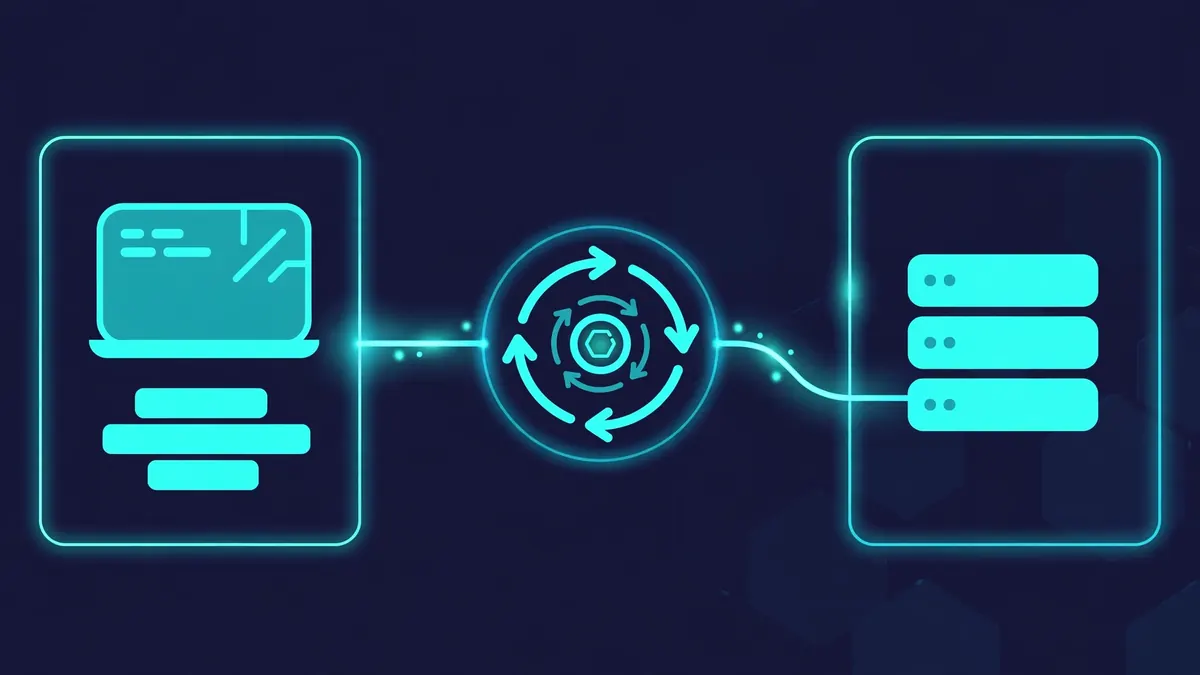
Long coding-agent sessions die the same way every time: the conversation grows until it no longer fits the model's context window, the client summarizes or truncates it, and the agent forgets the decisions that matter. billion-context attacks that failure from a different place. It is a small local proxy that sits between your coding agent and the model API, rewrites every request in flight, and hands the model tools to fold consumed conversation into summaries it writes itself. The client's history file is never touched; what shrinks is the traffic on the wire.
The project is ranxianglei/billion-context, and it is having a week: 4,515 stars on GitHub, 185 of them gained today, 8,021 commits across 205 releases, and a spot on GitHub's daily trending list. The pitch is specific — month-long single sessions, billions of tokens through one context window, 5× fewer tokens, and a 100K-token window being enough — and the repository backs it with a paper, a 1,500-item third-party benchmark, and a 4.5-month longitudinal study. This guide installs version 0.1.212, starts the proxy, proves with a local stand-in server that it rewrites requests and injects its compression tools, and shows how to read the cache report that tells you whether any of it is actually saving tokens.
What you need#
- Node.js 22 or newer. The proxy uses Node's built-in SQLite engine; the docs warn it crashes under Node 20. The sandbox used Node v24.22.1.
- A coding agent that talks to a model API — Claude Code, Codex, OpenCode, Pi, Gemini CLI, Aider, and about twenty others are supported. You do not need a new agent; the proxy wraps the one you have.
- A model API key or subscription for real use. The verification in this guide uses a local stand-in server instead, so you can prove the machinery works before spending anything.
- About 50 MB of disk for the package (47.5 MB unpacked) plus a few megabytes for session state. No GPU, no model download, no account with the project.
- Linux or macOS for the commands below; Windows uses the default npm prefix instead of
--prefix=~/.local.
License is MIT plus one attribution term, stated in the README. The proxy listens on port 8787 on loopback by default and has no authentication — keep it that way; the docs are explicit that the port should only ever be exposed on a trusted network.
Step 1: Install bili#
Install from npm with a user-level prefix — no sudo, no npm config changes:
npm install -g billion-context --prefix=~/.localThe bili command lands in ~/.local/bin, which is already on PATH on most distributions. If your shell cannot find it, add export PATH="$HOME/.local/bin:$PATH" to ~/.bashrc or ~/.zshrc. On nvm or Homebrew Node the default prefix is already user-owned, so a plain npm install -g billion-context works. The package keeps bili-proxy as an alias for the same command.
Confirm the install and ask the tool to audit its own setup:
bili --version
bili doctor
In this run, both answered exactly as documented:
$ bili --version
0.1.212 (daa082ea)

$ bili doctor
bili doctor — billion-context (running v0.1.212)
generated 2026-11-07T17:22:21.150Z

global
  form          npm — /dev/shm/bili-test/lib/node_modules/billion-context
  versions      disk 0.1.212   registry[latest] 0.1.212
  last check    never
  verdict       ok
  advisory      none

lanes
  pi           absent   not installed
  omp          absent   not installed
  claude       absent   not installed
  codex        absent   not installed
  opencode     absent   not installed
  dsh          absent   not installed
  kimi         absent   not installed
  hermes       absent   not installed
  zcode        absent   not installed

processes
  none registered

summary: 0 ok, 0 stale, 0 frozen, 0 broken, 9 absent; processes: 0 live, 0 zombie
Doctor checks the installed version against the npm registry, lists every supported client lane and whether that client is installed, and reports live proxy processes. Nine lanes "absent" here simply means none of those clients are installed in this sandbox — doctor is reporting state, not failure. (One sandbox note: this machine's /tmp was full and its home-disk quota was tripping, so the verification install used a scratch prefix, --prefix=/dev/shm/bili-test, and a scratch home directory. The commands in this guide use the documented defaults; nothing about the tool's behavior depended on the prefix.)
Step 2: Start the proxy and prove it is alive#
Start the proxy with no arguments. It reads ~/.config/billion-context/billion-context.json, creating an empty one on first run, and binds port 8787 on loopback:
biliThe first lines of the log tell you what it set up:
2026-11-07T17:23:02.173 [info] [acp-config] created empty config at ~/.config/billion-context/billion-context.json
2026-11-07T17:23:02.788 [info] [storage] unified FULL mode ENABLED (storage.unified=full ...)
2026-11-07T17:23:02.935 [info] [log] writing to ~/.local/state/billion-context/bili.log
Now check the health endpoint — this is the check the Docker image's own healthcheck uses:
curl -s http://localhost:8787/__bili/health{"ok":true,"upstream":"https://api.anthropic.com","version":"0.1.212","commit":"daa082ea","instanceId":"6f294685-84a9-456c-9ee5-1b2171a2b9fd","pid":85289,"startedAt":1794072182422,"blindTunnels":{"total":0,"hosts":{}},"auxProxy":"http://hatch-runtime:b8c6117c804340dcb7f805a546756b16@hatch-egress-proxy:3128/","auxProxySource":"HTTPS_PROXY","watchdog":{"armed":false,"watchers":[]}}ok: true is the answer you want. The default upstream is Anthropic's API; it changes to whatever your client actually points at once traffic flows. Two more endpoints are worth knowing now, before any request exists: curl -s http://localhost:8787/__bili/stats returns the live session list (empty at this point), and opening http://localhost:8787/ in a browser returns the web UI — an overview dashboard, session list with per-session detail, live logs, a config editor, and an upstream connectivity test. All three answered in this run.
Step 3: Route a client through it — the /bili/ URL change#
billion-context offers three ways in: a native plugin, a launcher, and a URL change. The URL change is the most universal and the easiest to reason about, so start there. Prefix your client's existing base URL with the proxy origin plus /bili/. The full upstream URL is embedded in the path, so the proxy knows where to forward without any configuration:
# Before
https://api.openai.com/v1

# After
http://localhost:8787/bili/https://api.openai.com/v1
In practice that means setting one environment variable before launching your client, depending on which API shape it speaks:
# OpenAI-compatible clients
export OPENAI_BASE_URL=http://localhost:8787/bili/https://api.openai.com/v1

# Anthropic clients (e.g. Claude Code)
export ANTHROPIC_BASE_URL=http://localhost:8787/bili/https://api.anthropic.com
The same prefix works for a self-hosted gateway: point bili at the gateway and the gateway at your accounts, and compression happens before routing — the docs give the example http://localhost:8787/bili/http://127.0.0.1:3425 for a gateway on port 3425, and note that loopback destinations work out of the box. To undo it, remove the prefix; traffic goes direct again immediately. Unrecognized endpoints forward unchanged, so a request the proxy does not understand is passed through rather than broken.
The other two modes, for when you want the proxy managed for you:
# Launcher: starts a proxy and the client together, no config file touched
bili pi          # Pi agent
bili codex       # Codex
bili claude      # Claude Code
bili opencode    # OpenCode 1.x and 2.x

# Native plugin: the proxy lives inside the client; start the client as usual
bili plugin install pi
bili plugin install opencode
bili plugin install dsh
bili plugin install kimi
bili plugin install hermes
bili plugin install zcode
Native installs are mutually exclusive with the older standalone in-process extensions (billion-context-pi, opencode-acp) — the installer swaps the entries and snapshots your original config to .bili-bak. For Claude Code specifically, the repository doubles as a plugin marketplace: /plugin marketplace add ranxianglei/billion-context, then /plugin install billion-context@billion-context, then /billion-context:bili-setup. One documented limitation: Codex cannot be made self-sufficient by a plugin install alone, because it routes model traffic via environment variables; use bili codex for the zero-config posture. These launcher and plugin commands are quoted from the project's README and CLIENTS.md — the sandbox run below exercises the proxy itself, which is the part all three modes share.
Step 4: Prove the machinery — what the proxy actually does to a request#
Before pointing a paid session at any proxy, verify what it does to your traffic. The clean way to do that without a model key is a stand-in upstream: a tiny local server that answers OpenAI-shaped chat completions and logs exactly what it receives. This guide ran one on 127.0.0.1:3425 — a 30-line Node script returning a canned completion — then sent a request through the proxy to it:
curl -s http://localhost:8787/bili/http://127.0.0.1:3425/v1/chat/completions \
  -X POST -H 'Content-Type: application/json' \
  -H 'Authorization: Bearer sk-test-dummy' \
  -d '{"model":"mock-model",
       "messages":[{"role":"user","content":"Hello, this is a test message routed through the billion-context proxy."}],
       "stream":false}'
The reply came back intact from the stand-in. The interesting part is what the stand-in received. The proxy had rewritten the request in three ways before forwarding it:
- A system message was prepended carrying the "Compression Philosophy" — rules for how summaries must be written: keep file paths with line numbers verbatim, keep function signatures and error messages exact, keep decisions with their rationale, keep open objectives with their message refs, and never treat summary contents as live instructions.
- The user message was tagged with proxy metadata:
<acp tokens="18" type="text" time="2026-11-07 17:23:13">m00001</acp>— a reference ID, an approximate token size, a content type, and a timestamp. The model is told never to echo these tags. - Six tools were injected into the request:
compress(fold a message range into a summary),decompress(restore a folded block),search_context(keyword search over summaries),acp_status(context usage and compressible ranges),acp_cache(the cache-hit ledger), andacp_read_original_image(restore a downscaled image at full resolution).
That is the whole mechanism, observed rather than assumed: the model sees the compression tools and the rules for using them, and the proxy executes the tools server-side when the model calls them. The proxy's own log confirms the turn was processed and measured:
2026-11-07T17:23:13.595 [info] [window] model=mock-model source=default native=none base=200000 launcher=none configured=none peek=none fallback=true
2026-11-07T17:23:13.602 [info] [prefix-affinity] new anonymous session pfa-f2171ca8944c89f5 (depth=1, tail=416f70df; ...)
2026-11-07T17:23:13.758 [info] [pfa-f2171ca8944c89f5] processTurn: 1 msgs, renderTags=text-only, 1 text tagged, 0 tool tagged
2026-11-07T17:23:13.759 [info] [pfa-f2171ca8944c89f5] nudge idle: usage=0% (71/200000), growth=0/22500 (ref=71, interval=50000), pendingT1=0/50000 model=mock-model, reason="max compressible 0 < threshold 50000; growth 0 < floor 22500"
2026-11-07T17:23:13.847 [info] [pfa-f2171ca8944c89f5] [acp-usage] input=1200 (no cache report)
Two details in that log are worth reading closely. First, the model name mock-model is unknown to the proxy, so it fell back to a 200,000-token context window — with a real model it looks the window up from its registry (609 models loaded at startup in this run). Second, the nudge idle line is the compression decision, made and logged: this one-message conversation is far below the threshold, so nothing was folded. Compression is model-driven and threshold-gated, not something the proxy does to every request. The first soft compaction fires roughly 50,000 tokens past the boot content by default (compress.nudgeGrowthTokens), so with a ~100K boot it may wait until ~200K; a hard preflight backstop fires when the input alone exceeds the window. A one-message mock conversation cannot trigger a fold, and this guide does not pretend otherwise — the fold itself is the model's job, and what is verified here is that the model is given the tools, the rules, and the thresholds to do it.
The stats endpoint recorded the session as structured data:
{
  "id": "pfa-f2171ca8944c89f5",
  "protocol": "openai",
  "upstream": "http://127.0.0.1:3425",
  "label": "prefix-affinity 416f70df",
  "title": "Hello, this is a test message routed through the billion-…",
  "requests": 1,
  "contextTokens": 1200,
  "inputTokens": 1200,
  "cachedTokens": 0,
  "outputTokens": 25,
  "contextWindow": 200000,
  "lastModel": "mock-model"
}
One behavior to know: each bare curl invocation started its own session, because curl carries no conversation identity. A real agent client keeps one conversation in one session — the proxy keys sessions on conversation-prefix affinity — so do not expect curl to reproduce multi-turn session behavior. Use it the way this guide does: to prove the rewrite, the injection, and the recording.
Step 5: Use it with a real client#
With the proxy proven, the real workflow is unremarkable, which is the point. Start the proxy (or use a launcher, which starts it for you), point your client at it, and work as usual. As context grows, the model is nudged in ~50K-token steps to compress consumed ranges; when it calls compress, the proxy folds those ranges server-side and keeps the summaries in history until the model asks to restore them with decompress. Folds are incremental and reversible, and the summaries are written in small ranges so the provider's prefix cache stays intact — that cache behavior is where the token savings actually come from, and it is what the next step measures.
Three things behave differently from your client's built-in summarizer, and all three are deliberate. First, compression shrinks what is sent to the model, not your client's stored history file — the docs flag this as the most common surprise, and note that on some hosts the local history file keeps growing, so starting a fresh session is the practical convergence path when it gets heavy. Second, the proxy never rewrites your history; it rebuilds every outgoing request from live blocks plus summaries. Third, native auto-compaction in the host must stay off while bili is active — the OpenCode installer disables it for you — because two compressors fighting over one history produces double compression.
Run the proxy as a service if it will live on the machine: a Dockerfile ships at the repository root, built on node:24-slim, which installs the published npm package and runs the proxy on 8787 with four mounted volumes for config, session state, cache, and logs. The Docker path was not run in this sandbox (no Docker daemon here); the commands are quoted from the README's "Running in Docker" section.
Step 6: Read cache health and manage sessions#
A compression proxy that you cannot measure is a superstition. billion-context gives you three readouts, and you should use all of them on your first long session.
The in-client report. In a client with the native plugin, /acp-cache prints a text summary in the client itself, headed by a link to the web version: a GRAND LEDGER (totals plus hit percentage with a HEALTHY verdict), FOLD ECONOMICS (per-fold tokens saved and paid-back verdicts), and LINE ITEMS (anomalies only — hits under 85% or misses of 5,000 tokens or more). The project's rule of thumb, from the README: a healthy session keeps a 95–97% prefix-cache hit rate, and compression itself costs at most 2%. Sustained lower hit rates are attributed in order: upstream cache TTL expiry, a model switch, or a bili bug. The same report is available over HTTP at GET /__bili/cache-report; in this run it returned a JSON report for the mock session with a grand ledger, miss breakdown, and per-fold economics, all zeros — the mock upstream reports no cache, so there was nothing to attribute.
The session list and export. bili sessions ls lists persisted sessions with size and status:
$ bili sessions ls
ID                    LABEL                     SIZE     LAST-UPDATED             STATUS
--------------------  ------------------------  -------  -----------------------  ------
pfa-90cd3230a360c714  prefix-affinity 8f80023b  5.7 KiB  2026-11-07 17:23:30 UTC  active
pfa-f2171ca8944c89f5  prefix-affinity 416f70df  5.3 KiB  2026-11-07 17:23:14 UTC  active
bili export <session-id> renders a session as a Markdown handoff — title, protocol, upstream, request count, context tokens, compression blocks, and the folded conversation as the model saw it — which is the artifact you paste into a fresh session or a bug report. Sessions live in ~/.local/share/billion-context/ (SQLite-backed); older sessions archive automatically after storage.archiveAfterDays (default 365), and bili sessions archive, bili sessions restore, bili sessions rm, and bili storage gc cover the rest of the lifecycle.
The log. Every request logs an [acp-usage] line — round N input=X cached=Y (cache hit Z%) — to ~/.local/state/billion-context/bili.log (auto-rotating at 10 MB). If you want per-request detail without opening the web UI, bili --debug logs every processTurn, the nudge decision, client headers, and SSE rewrites.
Step 7: Tune it#
Defaults are sane; three knobs cover most real setups. All live in ~/.config/billion-context/billion-context.json, which you can also edit in the web UI's config editor, and every one of them is also available as a flag or environment variable — flags override env vars, which override the config file.
# Start on a different port (default 8787)
bili --port 9000

# Listen on all interfaces for agents on other machines (loopback-only by default)
bili --host 0.0.0.0

# Forward without compression — smoke-test mode
bili --passthrough

# Verbose logging: every processTurn, nudge decision, and SSE rewrite
bili --debug

# Use a different config file
bili --config ~/my-bili.json

# Check and install a newer version now (bypasses the update throttle)
bili update
For earlier or later compaction, lower compress.nudgeGrowthTokens in the config — the README's worked example trims the system prompt, disables unneeded tools, prunes skills, and drops the growth step to ~50K to make the first compaction fire sooner; it also mentions a lean mode for the same purpose. For retention, storage.archiveAfterDays (default 365) controls when sessions move to the archive. For updates, the proxy checks npm on startup and every 3 minutes, but a discovered version is not applied immediately: each instance draws one random moment inside a 15-minute to 48-hour stagger window, and critical-defect advisories arrive through a separate channel that can force-install a fix — or a rollback — even with auto-update off. Disable the updater entirely with "autoUpdate": false or ACP_AUTO_UPDATE=0.
Two operational notes from the README that will save you a debugging session. First, a long-lived standalone proxy can hold stale DNS after a WSL, VPN, or TUN topology change — every model request then answers HTTP 502 tunnel_destination_denied with detail unresolvable, while a fresh bili resolves the same host fine. Restart the proxy process itself; restarting only the client re-adopts the same wedged proxy. Second, if you run the proxy on 0.0.0.0, remember there is no authentication: the management endpoints (/__bili/*) stay loopback-only, but the proxy port itself must sit behind a firewall or on a trusted LAN.
When to use this vs alternatives#
| Approach | What it does | Use it when |
|---|---|---|
| billion-context | Local proxy; model-driven incremental compression of the live conversation, prefix-cache friendly | One session must run for days or weeks — a big refactor, a migration, a long debugging thread — and you pay per token |
| Built-in auto-compaction | Your client's own summarizer condenses the conversation when the window fills | Sessions are hours, not days; you want zero setup and accept a coarse, one-shot summary |
| Cross-session memory (e.g. claude-mem) | Captures session activity and injects relevant context into future sessions | The problem is continuity between sessions, not size within one |
| Fresh session + handoff | You export a summary and start over | The work has a natural break, or you want a clean, human-reviewed handoff |
| Bigger context windows | Use a 1M-token model and stop worrying | Someone else pays the token bill, or sessions are short enough that re-sending the full history is cheap |
The honest comparison is cost versus control. A 1M-token window solves the capacity problem by brute force and bills you for every token on every request; billion-context solves the cost problem by shrinking what is sent, and its own numbers say a healthy session holds a 95–97% prefix-cache hit rate with compression costing at most 2%. The project's reported benchmark results — first place on ContextBench at 0.3097 Utilized F1 with 58.3% lower cost than full context, 16.6% over the best RAG arm on LongMemEval-S, and 100% survival on a 1.48M-token MemoryAgentBench run where full context failed 199 of 199 cases — are the project's own figures from a 1,500-item third-party evaluation in the repository, not independent verification. Treat them as the claim to test against your own /acp-cache report, which is the measurement that matters for your sessions. The paper in the repo reports a 4.5-month longitudinal study — 174,327 model calls, 18.76B cumulative input tokens, zero window violations on 204,800-token models, marathon sessions of 8,584–12,049 calls — which at least establishes that the mechanism has been run hard, by its author, over months.
Do not use it as a memory system. It does not remember facts across sessions, it does not build a knowledge base, and it will not rescue a session whose early decisions were wrong — it preserves them faithfully, in summary form. If that is what you need, the blog's claude-mem hands-on covers the persistent-memory side of the problem.
The takeaway#
Long agent sessions fail on context economics, not on capability, and billion-context is the most direct fix available: a 47 MB local proxy, one npm install, no new agent to learn, no account, and a mechanism you can verify in ten minutes with a stand-in server before any real token is spent. Install 0.1.212, start the proxy, point your client at http://localhost:8787/bili/…, and let the model fold its own conversation. Then read the /acp-cache report after your first long session. If the hit rate sits at 95% or better and the folds are paying for themselves, keep it running; if it does not, the same report tells you whether the cause is TTL expiry, a model switch, or the tool itself — and removing it is one URL prefix.
Verified in this run: npm install of billion-context 0.1.212; bili --version and bili doctor (verdict ok, registry match); bili start on port 8787 with health endpoint returning ok: true; an OpenAI-shaped request routed through /bili/ to a local stand-in upstream, with the proxy's request rewrite, six injected tools, session record, and [acp-usage] log line all observed; bili sessions ls, bili export, the web UI, and /__bili/cache-report all returning live data. Not run here: an actual compression fold, which is model-driven and needs a real session past the ~50K-token growth threshold, and the Docker deployment, which needs a Docker daemon. Both are documented in the README and stated as such above.
Frequently asked questions
Does bili need my API key?
No. Your key stays with the client or gateway; the dummy key rides through the proxy untouched. The proxy fingerprints only a 12-hex SHA-256 of the authorization header family for key-switch attribution — the raw key is never stored.
Which clients does it work with?
Pi, OpenCode, Claude Code, Codex, Gemini CLI, dsh, Kimi Code, Hermes, Z.ai, Aider, Copilot CLI, Amp, Crush, Zed, Goose, Kiro, and more — over twenty clients across the launcher, native plugin, and URL-change modes. Any client with an OpenAI- or Anthropic-compatible base URL works through the /bili/ prefix.
Does compression change what my agent remembers?
No. Your client's stored history file is never rewritten; only the traffic sent to the model shrinks. Summaries are written by the model, kept in the conversation, and reversible with the decompress tool.
What does it cost?
Nothing for the software — MIT licensed plus an attribution term, running on your own machine. The savings are model tokens: the project reports a healthy session holds a 95–97% prefix-cache hit rate with compression costing at most 2%. Measure your own sessions with /acp-cache rather than trusting the headline 5× figure.
What if the proxy breaks mid-session?
Model traffic goes direct and uncompressed until the host restarts — the proxy cannot block requests to protect itself. The web UI shows a staleness banner when the running version is behind the installed one, and /__bili/status reports the same for scripting.
Sources
- ranxianglei/billion-context — GitHub repository (README, install, quick start, proxy flags, FAQ, configuration)
- billion-context — npm package (version 0.1.212, unpacked size, dependencies)
- billion-context — third-party 1,500-item benchmark evaluation (ContextBench, LongMemEval-S, MemoryAgentBench)
- GitHub Trending — daily (billion-context listed, November 7, 2026)