Coral hands-on: give your coding agent a gateway that writes its own tools
Coral puts a gateway between your coding agent and your services: the agent writes short TypeScript programs, each one runs sandboxed and policy-checked, and the good ones become reusable tools. Here is the whole loop, hands-on, against a local API that needs no accounts or tokens.
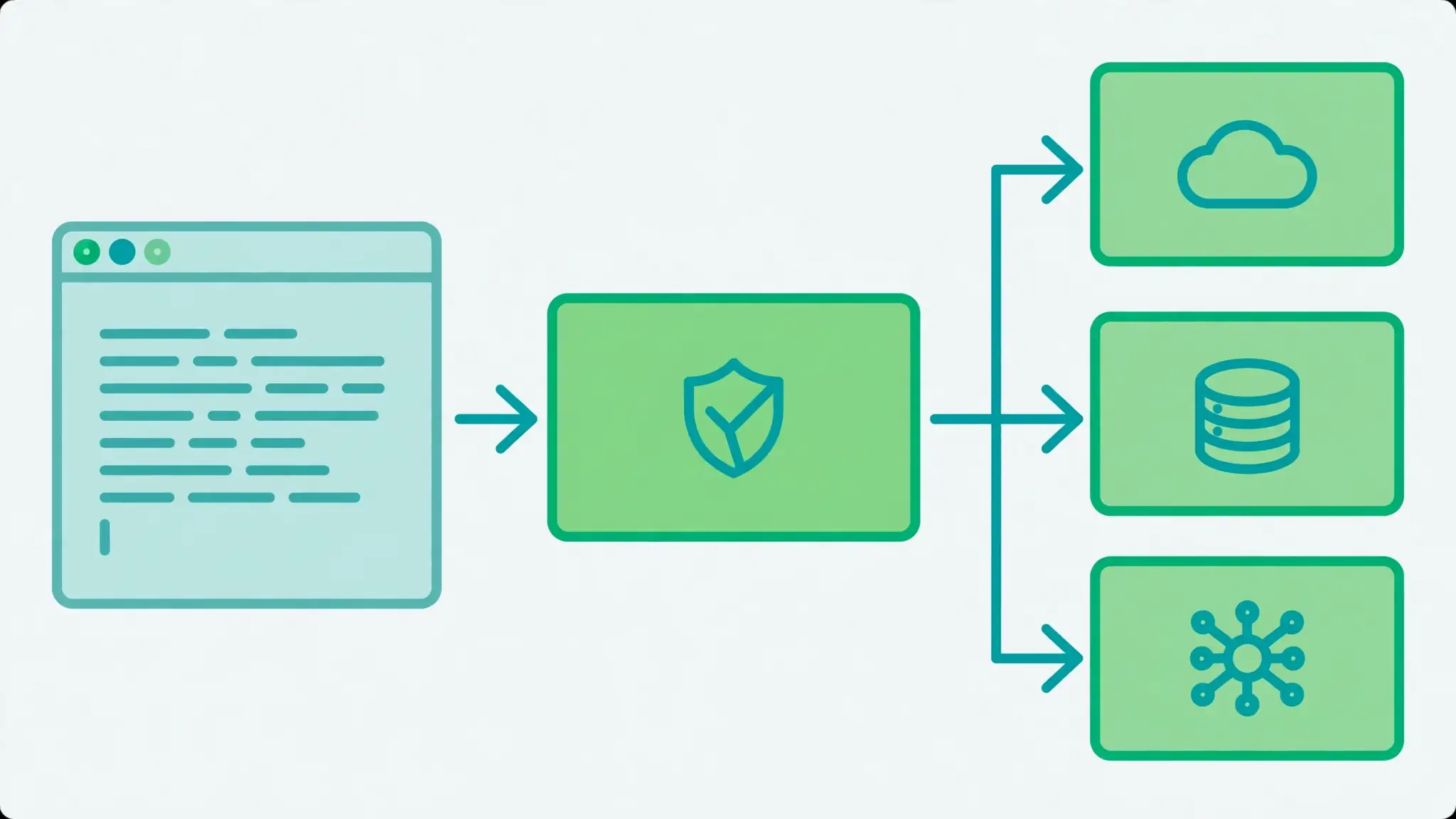
- What Coral is: a self-hosted MCP gateway (“execution rails for agents”), Apache-2.0, written in Rust. Agents write TypeScript programs; each runs in a fresh V8 isolate with no network and no credentials; every provider call is checked against an Allow, Ask, or Block policy; Coral injects credentials server-side.
- The numbers: 5,020 stars, 228 forks, 1,632 commits; version 1.10.0 shipped November 19, 2026; front page of Hacker News on November 16, 2026.
- The loop: add a provider from the catalog or an OpenAPI document or MCP server → connect the agent once per workspace → run a program with
exec→ save it ascoral.private.<name>. - Verified hands-on: the ticket program returned the two open tickets; the saved tool called back with the same result.
listTickets()takes no arguments — passing{}draws a non-fatal type diagnostic. - Policy defaults: tools that read data run without approval; everything else needs approval. Only workspace owners can add providers or change the policy.
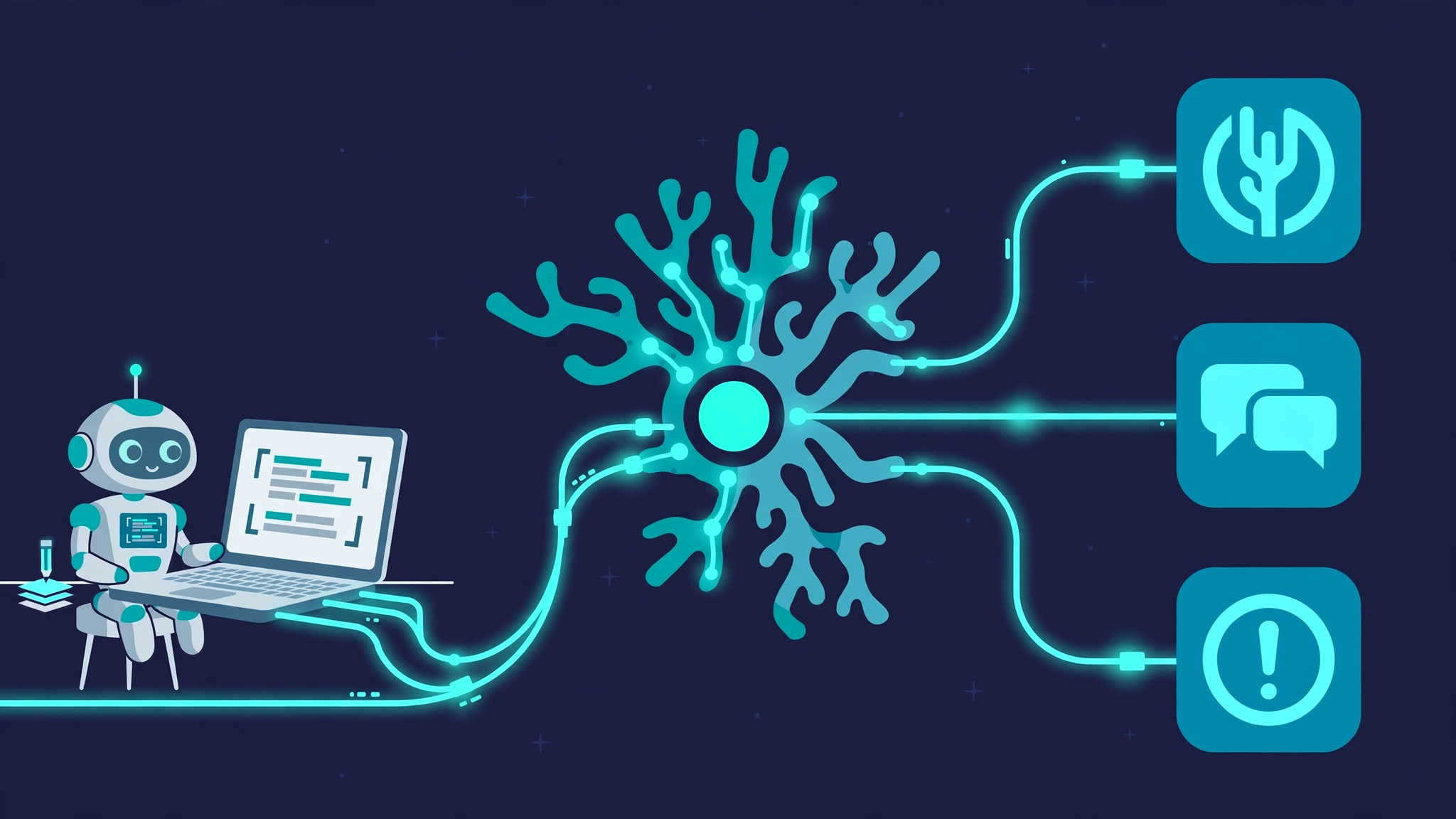
Your coding agent can already call tools. The problem is what happens next: every MCP server hands it a different set of raw tools, every call burns a full round trip of tokens, and the same three-step sequence gets re-invented — and re-paid for — in every conversation. Coral, an open-source gateway from withcoral/coral, moves that logic out of the conversation and into the gateway. Agents write short TypeScript programs against your providers, Coral runs each one in a fresh sandbox, checks every call against a policy, and lets you save the good programs as tools your agents can call by name.
It is having a moment. The project passed 5,000 stars this week, shipped version 1.10.0 on November 19, and hit the Hacker News front page on November 16 with the pitch "the open-source gateway where agents write their own tools." This tutorial installs Coral 1.10.0, connects it to a small ticket API that runs on your own machine — no accounts, no tokens — and ends with a custom tool your agent can reuse in one call.
Why Coral is getting attention now#
The standard way to give an agent access to a service is an MCP server: the agent sees a list of tools, picks one, and calls it. That works, but it has three costs that grow with use. First, every tool call is a model decision, so a job that needs five calls costs five rounds of reasoning. Second, the agent sees your credentials' blast radius — a tool that can close a ticket can close any ticket. Third, nothing is reusable: the agent re-derives the same sequence tomorrow and pays for it again.
Coral changes the unit of work from a tool call to a program. The agent writes a short TypeScript function that calls your providers — GitHub, Slack, Linear, Datadog, or anything with an OpenAPI document or MCP server, from a catalog Coral puts at more than 5,000. Coral runs the program in a fresh V8 isolate with no network access and no credentials, checks each provider call against an Allow, Ask, or Block policy, and injects credentials server-side only when a call is approved. The program's return value is the answer; the agent never sees the intermediate calls.
The payoff Coral reports from its own testing: 37% fewer tokens, 31% lower cost, and 29% faster task completion across 34 tasks on GitHub, Linear, and Slack with Opus 5.5. Those are the project's numbers, not an independent benchmark — treat them as a claim about the mechanism (fewer round trips, smaller context) rather than a guarantee. The mechanism itself is easy to verify, and that is what this tutorial does.
The project is Apache-2.0 licensed, written in Rust, and has 5,020 stars, 228 forks, and 1,632 commits as of this writing. The desktop app is the personal-use path; a shared server for teams runs on Docker Compose or Kubernetes and needs an OIDC identity provider, a reverse proxy, and SQLite or Postgres. A separate ee/ directory in the repo carries the Enterprise licence — a plain build compiles only the open-source code.
What you will need#
- A Mac (Apple silicon), Windows, or Linux machine. Coral ships as a desktop app; the macOS build is Apple silicon only.
- Claude Code or Codex (or any MCP client that speaks Streamable HTTP). You connect it once per workspace.
- Python 3 for the mock ticket API in Step 2. No accounts, no API keys, no cloud services anywhere in this tutorial.
- About 30 minutes. Most of that is reading; the install takes a few minutes.
Step 1: Install the desktop app#
Download Coral from withcoral.com/download or the releases page — note that the release assets live in the coral-releases repository, not the main repo. Pick the file for your platform: a .dmg on macOS (drag Coral into Applications), an installer on Windows, or the AppImage on Linux. This tutorial was tested with version 1.10.0, released November 19, 2026; the Linux AppImage is roughly 206 MB and the embedded server reports itself as coral 1.10.0+bea7621.
On Linux, make it executable and run it:
chmod +x coral-app-linux-x86_64.AppImage
./coral-app-linux-x86_64.AppImage
If your system lacks FUSE, the AppImage will fail with a libfuse.so.2 error. Extract it instead and run the binary inside:
./coral-app-linux-x86_64.AppImage --appimage-extract
./squashfs-root/coral-app --no-sandbox
Launch Coral and create a workspace — the home screen offers a Create workspace button. A workspace is the boundary for everything that follows: providers, policies, and custom tools all belong to one workspace, and agents only see the providers in the workspace they connect to. Coral keeps running in the background after you close the window, so your agents can still reach it, and the app updates itself in the background.
Step 2: Add a provider — your own ticket API#
A provider gives your agents access to a service. Coral's catalog covers the usual suspects, but the instructive path is adding your own from an OpenAPI document — it shows exactly how Coral discovers tools, and it needs no credentials. The service is a tiny ticket API on your own machine: three tickets, two open, one closed.
Save this as mock_api.py and run it with python3 mock_api.py. It serves the API on port 8899 and the OpenAPI document at /openapi.json.
import json
from http.server import BaseHTTPRequestHandler, ThreadingHTTPServer

TICKETS = [
    {"id": 1, "title": "Checkout returns 500 after deploy", "status": "open"},
    {"id": 2, "title": "Flaky login test on main", "status": "open"},
    {"id": 3, "title": "Invoice PDF missing logo", "status": "closed"},
]

class H(BaseHTTPRequestHandler):
    def _send(self, obj, code=200):
        body = json.dumps(obj).encode()
        self.send_response(code)
        self.send_header("Content-Type", "application/json")
        self.send_header("Content-Length", str(len(body)))
        self.end_headers()
        self.wfile.write(body)
    def do_GET(self):
        if self.path == "/tickets":
            self._send(TICKETS)
        elif self.path.startswith("/tickets/"):
            tid = int(self.path.rsplit("/", 1)[-1])
            for t in TICKETS:
                if t["id"] == tid:
                    return self._send(t)
            return self._send({"error": "not found"}, 404)
        elif self.path == "/openapi.json":
            self._send(json.load(open("openapi.json")))
        else:
            self._send({"error": "not found"}, 404)

ThreadingHTTPServer(("127.0.0.1", 8899), H).serve_forever()
And the OpenAPI document, saved as openapi.json in the same directory:
{
  "openapi": "3.0.3",
  "info": {"title": "Ticket API", "version": "1.0.0"},
  "servers": [{"url": "http://127.0.0.1:8899"}],
  "paths": {
    "/tickets": {
      "get": {
        "operationId": "listTickets",
        "summary": "List open support tickets",
        "responses": {"200": {"description": "A list of tickets"}}
      }
    },
    "/tickets/{id}": {
      "get": {
        "operationId": "getTicket",
        "summary": "Get one ticket",
        "parameters": [{"name": "id", "in": "path", "required": true,
                        "schema": {"type": "integer"}}],
        "responses": {"200": {"description": "One ticket"}}
      }
    }
  }
}
Check it responds before going further:
curl -s http://127.0.0.1:8899/ticketsYou should see the three tickets as JSON. Now add it as a provider in the Coral UI: open your workspace, choose Add provider, and supply the OpenAPI document — from a file, a URL, or pasted text. Coral discovers the operations and shows a configuration review: the server URL it found, the authentication method (here: none), and the tools it will expose. Confirm the configuration and publish the provider. Only workspace owners can add providers.
What Coral discovered from this document is two tools under the namespace you choose at publish time — call it tickets:
coral.providers.tickets.listTickets— list the tickets.coral.providers.tickets.getTicket— fetch one ticket by id.
The naming is the whole addressing scheme: coral.providers.<namespace>.<operation>. Your agent will call exactly those paths, spelled out in full, in its programs.
Step 3: Connect your agent#
Connect your agent to Coral once, and it can use every provider in the workspace. Copy the setup from the Coral UI — it already contains your workspace's URL. Each workspace has its own MCP endpoint, of the form http://127.0.0.1:<port>/workspaces/<workspace-id>/mcp; the port is assigned when the app starts, so copy it rather than guessing it.
For Claude Code:
claude mcp add --scope user --transport http coral <your-mcp-url>For Codex:
codex mcp add coral --url <your-mcp-url>Coral speaks Streamable HTTP MCP, and in desktop mode the workspace endpoint needs no separate sign-in. Once connected, the agent sees four tools: exec, wait, cancel, and end_task. Everything else — every provider tool, every custom tool — is reached from inside a program, not from the MCP tool list. That is the design: the agent's job is to write programs, and Coral's job is to run them.
Step 4: Run your first program#
Ask your agent for the open tickets. Behind the scenes it sends one exec call with a goal and a TypeScript program. You can reproduce the same call directly against the workspace MCP endpoint; the program is short enough to read in full:
const { data: tickets } = await coral.providers.tickets.listTickets();
const open = tickets.filter((t) => t.status === "open");
return open.map((t) => `#${t.id} ${t.title}`);
The run succeeds and returns the filtered list — the two open tickets, with the closed one dropped:
["#1 Checkout returns 500 after deploy", "#2 Flaky login test on main"]Three details matter here. First, the program is the complete unit of work: one exec call, one run, one result. The agent does not make a tool call per ticket; the filtering happens inside the isolate, where it costs no tokens. Second, the call path is literal — coral.providers.tickets.listTickets(), exactly as Coral's discovery reported it. Programs cannot hide paths in variables, and only provider tools reach the network: fetch, setTimeout, and other ambient APIs are absent inside the isolate. Third, the program takes no arguments: listTickets has no parameters, so call it with no arguments. Passing an empty object still runs, but Coral reports a non-fatal type diagnostic (Expected 0 arguments, but got 1) — a useful signal that the generated signature disagrees with your call.
The run lifecycle is worth knowing because you will see it in agent transcripts. exec starts a run and returns a run_id and a task_id; while the run is still going, the agent calls wait with the same run_id and the latest cursor until the state reads succeeded; when the work is done it calls end_task once with the outcome. Long programs can publish interim output with await coral.emit(value); the program's return value is the final value. If a run needs a person — an approval, an OAuth sign-in — it reports required_actions and waits instead of failing.
Step 5: Save it as a custom tool#
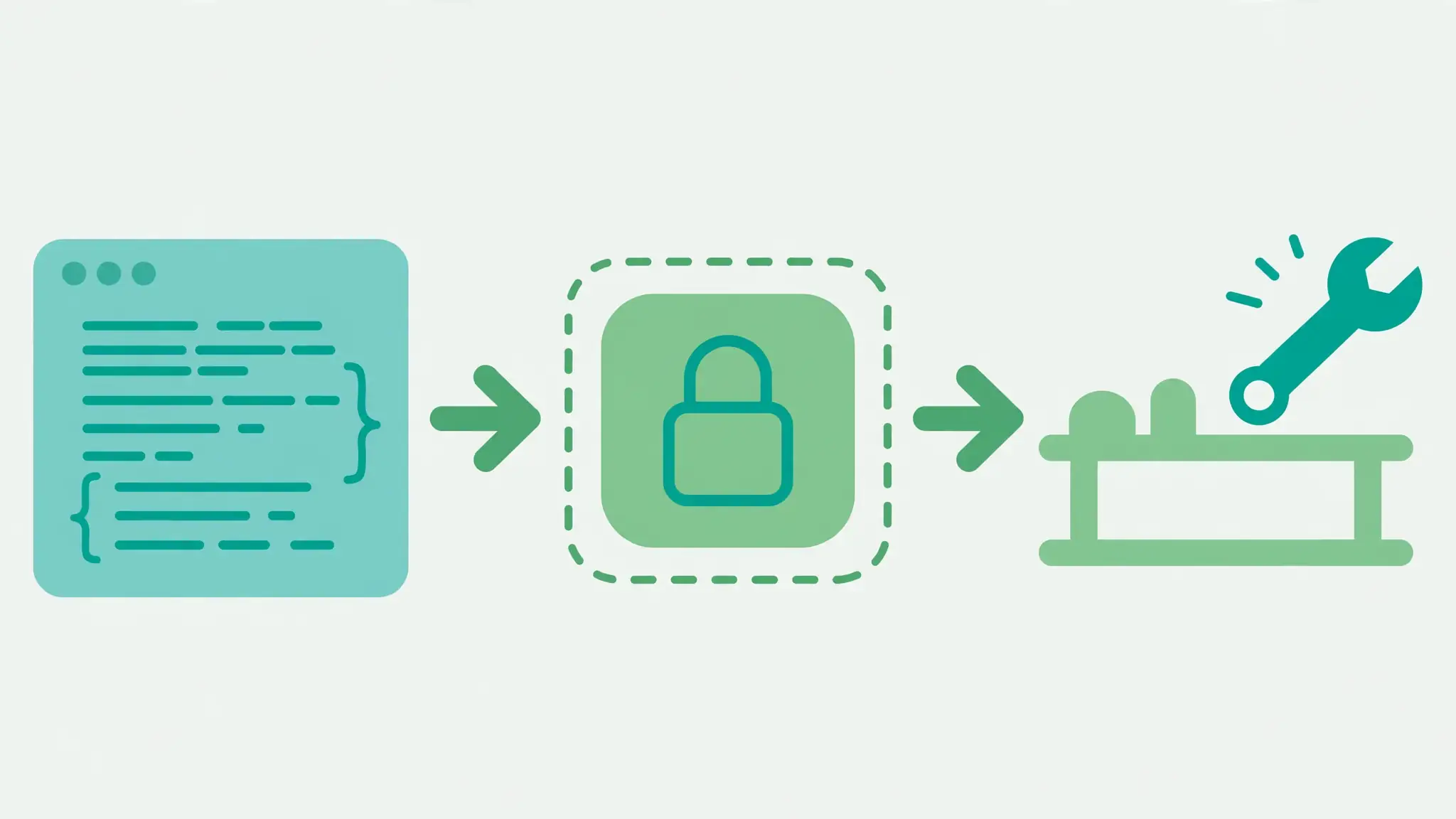
Listing open tickets is a two-line program, but it is also a job you will ask for again. Coral lets the agent save a working program as a private tool with coral.addCustomTool, so the next run calls it by name instead of re-deriving it. The same program, wrapped as a named function:
async function openTickets() {
  const { data: tickets } = await coral.providers.tickets.listTickets();
  return tickets.filter((t) => t.status === "open").map((t) => `#${t.id} ${t.title}`);
}
const saved = await coral.addCustomTool({
  description: "List the titles of open support tickets",
  path: "openTickets",
  source: openTickets,
});
return saved;
Coral saves it as coral.private.openTickets and returns its declaration — declare function openTickets(): Promise<string[]>; — at revision 1. A fresh run can now call it directly:
return await coral.private.openTickets();It returns the same two tickets. That round trip — write, save, call back by name — is the feature the Show HN thread is about. A program that composes three providers, joins the results, and formats a report becomes one tool; the agent's next request for the same report is one call, not a fresh reasoning chain. Tools can be shared with the workspace as coral.shared.<name>, replaced with coral.updateCustomTool, and removed with coral.removeCustomTool. The rule of thumb from Coral's own guidance: save work that will be reused — many calls, paging, joins, filters — and skip one-off writes and exploration.
Step 6: Set the policy#
None of this is useful if the gateway cannot say no. Every provider starts with a default policy: tools that read data run without approval, and everything else needs approval. Workspace owners can change the policy per tool to enabled, approval_required, or disabled — and per-tool policy is also the policy argument when a program saves a custom tool.
The policy is what makes the README's showcase example safe to hand to an agent. In Coral's own example, a program lists open GitHub pull requests with no requested reviewers and posts them to Slack:
const { data: pulls } = await coral.providers.github.pulls.list({
  owner: "withcoral",
  repo: "coral",
  state: "open",
});
const unreviewed = pulls.filter((pull) => pull.requested_reviewers.length === 0);
await coral.providers.slack.chat.postMessage({
  channel: "#engineering",
  text: `Unreviewed PRs: ${unreviewed.map((pull) => `#${pull.number}`).join(", ")}`,
});
Read that program with the policy in mind: the GitHub list is a read, so it runs; the Slack post is a write, so it asks first. A second example in the README, closeStaleTicket, changes one field and only on tickets with no activity for 30 days — the same shape, a narrow write behind an approval. The pattern to copy is small programs, narrow writes, and a policy that makes the dangerous call the one that asks.
When to use Coral vs the alternatives#
| Approach | Use it when | Watch out for |
|---|---|---|
| Coral | Your agent repeats multi-step work across providers, and you want programs, policy checks, and reusable tools in one place. | Young project (v1.10.0); the shared server needs OIDC and a reverse proxy. |
| Plain MCP servers | One service, simple calls, no shared logic worth saving. | Every call is a model decision; no policy layer beyond the tool itself. |
| Agent SDKs with code execution | You are building a product around one agent framework. | The code runs with the agent's credentials and network; you build the sandboxing and audit trail yourself. |
| Workflow automation (n8n, Zapier) | The flow is fixed and trigger-based, not decided by an agent at run time. | Not built for agents writing new logic per request. |
Coral's niche is the middle: agents that need to do real multi-step work against real services, where the work is worth writing down once and reusing. If your agent only ever makes one call to one service, a plain MCP server is simpler. If the flow never changes, a workflow tool is simpler. Coral earns its place when the same agent, against the same providers, keeps solving variations of the same job.
The takeaway#
Coral's idea is small and well aimed: stop paying the model to re-derive the same sequence of tool calls, and stop giving it raw credentials to do it. Programs run sandboxed, calls are policy-checked, credentials stay server-side, and the good programs become tools. The tutorial above is the smallest honest version of that loop — a local API, one program, one saved tool — and it runs without a single account or API key. From here, the next step is the obvious one: point Coral at a provider you actually use, write the program you keep asking your agent for, and save it.
How this tutorial was tested: every program in it ran end to end against Coral 1.10.0 on Linux — the desktop app's runtime, the local ticket API on port 8899, the MCP loop (exec → wait → end_task), and the custom-tool save and call-back. The workspace and provider setup steps follow Coral's own quickstart; the equivalent setup in the test run was performed through Coral's management API. Vendor performance figures are Coral's own, not independently verified.