Study any website, then rebuild it clean-room: hands-on with Craft Anything
Craft Anything (storytold/craft-anything, MIT OR Apache-2.0, 8,386 GitHub stars in its first three days) studies a website, app or game with 320 inspection tools and has a coding agent rebuild it from evidence, checking the result at three screen widths. This guide installs it, inspects example.com without any AI, runs a clean-room rebuild, and states plainly what is still early alpha.
- Who: Craft Anything, by storytold and the ArtCraft team (
storytold/craft-anythingon GitHub). Licence MIT OR Apache-2.0. - What: A pure-Rust engine with 320 tools (300 engine tools in 17 toolsets, plus AI and setup layers) driving a desktop app, a CLI and an MCP server. Workflow: Study → Build → Check → Ready. Clean room is the default; Deep mode inspects internals.
- When: Repository created 31 October 2026; version 0.3.0 released 2 November 2026. At the check on 3 November 2026: 8,386 GitHub stars, 1,408 forks.
- Needs: Rust 1.97 or newer to build from source; Claude Code signed in under your own account to build anything. No AI is needed to inspect a target. On Debian/Ubuntu the desktop app also needs the system libraries listed in Step 1.
- Checks: A website rebuild is compared at 1440, 768 and 390 pixels, with up to 6 refinement rounds, aiming for 90% likeness. New projects live in
Documents/Craft Anything. - Status: Early alpha. The project's own status file records no live Clean room build run yet, a Codex adapter not yet verified on a real install, and API-key builds built but not yet run live.
Three days. Craft Anything appeared on GitHub on 31 October 2026, and by the evening of 3 November it had gathered 8,386 stars and 1,408 forks, with three releases already out. The pitch is easy to say and hard to do: point it at a website, an app or a game, and it studies the original with real inspection tools, has a coding agent build a new version, checks the result against the original, and refines it. Evidence, then a build, then a check.
That is why it deserves a careful first run. It is early alpha, it builds with your own signed-in Claude Code, and a full rebuild can run for a long time. This guide follows the project's README and docs in order: install, prove the install, inspect a target with no AI at all, connect a builder, then rebuild — on example.com and an invented snake game, so nothing here asks you to copy anyone's software.
Why this matters now
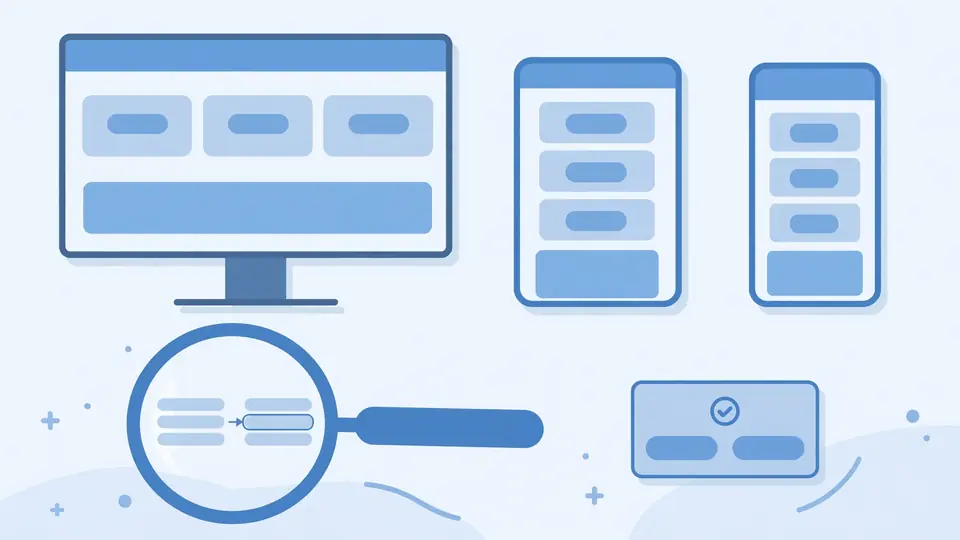
Most “rebuild this app” demos feed a screenshot to a model and guess. They look right once, then fall apart at the second screen width, the open menu, or the first console error. Craft Anything measures first: for a website, Study records screenshots at desktop, tablet and phone widths, rendered HTML, design tokens, breakpoints, layout measurements, page health and an accessibility outline. Check then serves your rebuild on loopback, compares every page at 1440, 768 and 390 pixels, and lists what does not match — sideways scrolling, heading sizes, section padding, new errors, a menu that does not open. Up to 6 refinement rounds, or until a website reaches 90% likeness.
The second idea matters more. Clean room mode, the default, works only from what a visitor can see: screenshots, visible text, measured layout, colours, fonts, spacing, menus opened. Tools that would look inside are refused. Learn it on a target you own, or one that exists to be copied, before pointing it at anything real.
What you’ll need
- A computer running Windows, macOS, Linux or FreeBSD, or a browser for the WebAssembly viewer. The app and CLI are the full experience; the web build only says what a file is.
- Rust 1.97 or newer if you build from source (
rustup updategets you there). Or skip the build and download the v0.3.0 release — the app has included the CLI since versions after 0.2.0. - Claude Code, signed in under your own account, if you want to build. Craft Anything runs your own, unmodified
claudeand never sees your account. Inspecting needs no AI. - A target you own or are allowed to examine. This tutorial uses
https://example.comand an invented snake game, so the responsible-use rule is satisfied by construction. - Time. Builder turns may run up to 24 hours, and no live Clean room build run had been recorded yet. Budget an evening, not a coffee break.
Step 1: Install it — release download, or build from source
Two honest ways in. Fastest is the release: the latest release on GitHub has every build, and SHA256SUMS.txt lists a checksum for every file — check yours against it. Windows gets an installer or portable zip; macOS a signed, notarized universal .dmg; Linux an AppImage, Flatpak, .deb, .rpm or tarball for x86_64 and aarch64, plus a riscv64 tarball; FreeBSD a tarball. Since versions after 0.2.0 the app includes the CLI, so the separate CLI zip is only for command-line use without the app.
On macOS, the README's terminal download avoids the “Apple could not verify” block a browser download can hit. Set the version to the current release — 0.3.0 at the time of writing — and check the Releases page first:
ver=0.3.0   # change this to the version you want
curl -fLO "https://github.com/storytold/craft-anything/releases/download/v$ver/craft-anything-cli-$ver-macos-universal.zip"
ditto -x -k "craft-anything-cli-$ver-macos-universal.zip" .
mkdir -p ~/.local/bin
mv "craft-anything-cli-$ver-macos-universal/craft-anything-cli" ~/.local/bin/
~/.local/bin/craft-anything-cli --version
Add ~/.local/bin to your PATH to run it as just craft-anything-cli. If macOS already blocked a browser copy, press Done, then run xattr -d com.apple.quarantine <path to craft-anything-cli>, or allow it in System Settings → Privacy & Security → Open Anyway.
The source route is the one the README documents for the app itself. On Debian or Ubuntu, install the desktop app's system libraries first:
sudo apt-get install libxkbcommon-dev libwayland-dev libx11-dev libxrandr-dev libxi-dev libgl1-mesa-dev libgtk-3-devThen clone, run the app, and install the CLI:
git clone https://github.com/storytold/craft-anything && cd craft-anything
cargo run --release -p craft-anything                # the desktop app
cargo install --path apps/craft-anything-cli         # the CLI, as `craft-anything-cli`
That is the whole install: no account, no key for the engine itself. Generated pictures and 3D models are opt-in with your own fal.ai key; plugins arrive as MCP servers, or WebAssembly components with the wasm-plugins feature.
Step 2: Prove the install — doctor, then all 320 tools
Before you spend anything on a build, run the check the project provides. It inspects the install, the coding agents it can find, and the engines, and says plainly what is missing:
craft-anything-cli doctorFix what doctor names first. A missing coding agent only matters when you build; a broken CLI install matters now.
Next, see the actual surface you are working with. Every one of the 320 tools is a CLI command and an MCP tool, and one command lists them all, grouped by toolset:
craft-anything-cli commands                                   # every tool, by toolset
craft-anything-cli mcp                                        # serve them to any MCP client
The 300 engine tools sit in 17 toolsets, with AI and setup layers adding their own. The full list is in docs/tools.md; each tool id becomes a CLI command by swapping underscores for dashes. Skim the website toolset: web_site_open, web_site_capture, web_page_screenshot_take, web_snapshots_compare.
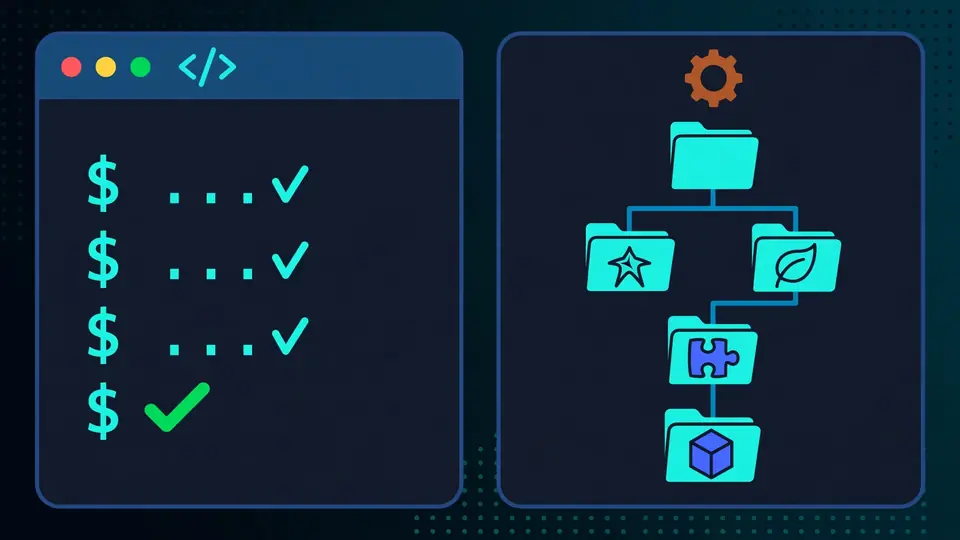
Step 3: Connect your builder and choose Clean room
Building needs a coding agent, and Claude Code is supported first. Craft Anything runs your claude program headless, offering its own tools through an MCP server. Before a build it checks claude auth status; if you are not signed in, the run stops and tells you to run claude auth login. Your use falls under your own agreement with Anthropic, and each build's cost and tokens are saved in the project as an estimate, not the bill.
Other agents carry caveats. A Codex adapter exists but had not been verified on a real install. Copilot works through its CLI after copilot login. Other ACP agents — Gemini CLI, Qwen Code, opencode, goose, Hermes, Maki — can be switched to per backend; only Maki had been run live. API-key builds were built, not yet run live. If you are not on Claude Code, read the adapter docs first.
Wire the engine into your coding-agent apps with the setup command, then decide your mode before you start anything:
craft-anything-cli setupStay in Clean room, the default: it refuses every tool that would look inside the original, and approvals keep the builder out of the original's folder and site. Deep mode — title-bar or Settings switch, or --deep for one run — uses every tool, including Ghidra's decompiler when installed. It is for your private use on software you own.
Step 4: Study first — inspect example.com with no AI
In the desktop app, pick Simple mode and “Just look inside” for a website — the look-only path. Point it at https://example.com. In Clean room, the capture keeps only what a visitor sees: screenshots, visible text, measured layout, colours, fonts, spacing, menus opened. No HTML, CSS rules, scripts, requests or errors.
Read the evidence, not the summary. The website tools record screenshots at each width, rendered HTML and design tokens in Deep mode, breakpoints and layout, page health, and an accessibility outline — the project's status file records a live run of exactly this on example.com. Ask questions from the evidence: heading sizes at each width, sections that pad differently, what breaks? Every answer should carry its evidence record, with confidence, coverage and limitations. If a claim has no evidence behind it, treat it as a guess the tool has not earned yet.
This step costs nothing — no model call, no account, no build. If it feels thin, stop here: a rebuild on evidence you have not read is a guess with extra steps.
Step 5: Run your first rebuild — a website, then a game
Now start a build, with the README's exact command shapes. First, the website:
craft-anything-cli rebuild https://example.com "Recreate this website"Then the from-scratch case: the dash means no target, and --rounds 1 keeps it to one refinement round:
craft-anything-cli rebuild - "A snake game in Rust" --rounds 1Watch the four steps. Study inspects the target (for a website, up to 4 other pages too). Build hands the brief to your agent, which studies, asks questions, records unknowns, and tests its own build mid-turn with the final checks. Check serves the build on loopback and compares it; Ready previews the result. The request decides the stack: a named language, framework, engine or library — Next.js, shadcn/ui, Tailwind CSS — wins over the default.
When it finishes, read the project folder, not just the preview. New projects go in Documents/Craft Anything: craft.json (request, target, status, history), capture/, app/, checks/, investigation.cany/, inbox/. Open checks/ first: which pages matched, at which widths, what still does not? A build that previews nicely and checks badly is a first round, not a finish.
Step 6: Refine, continue, and keep what worked
A rebuild is a conversation. Ask for a change with the same shape, continuing the project:
craft-anything-cli rebuild https://example.com "Make the header blue" --continue-in "<project folder>"
craft-anything-cli rebuild - "Add a contact form" --project-folder "<your folder>" --existing edit
The second form covers a folder with files already: say what they are — the app itself, edited in place, or material to start from. Expect questions as cards, and approvals (“Allow once / Always / Don't allow”) for anything outside the rules — edits outside app/, commands beyond a fixed build list. Dev servers are refused outright: they never exit.
If a build is interrupted — closed app, cut-off turn, crash, dropped connection — it resumes up to 3 times, and a copied project keeps building from its kept builder session. When a build is good, pin it: a frozen copy in pinned/. The project page shows time and AI cost per build, so you can see what each round cost.
What you built, and where it stops
You built a working loop: an installed engine, an inspected target, a clean-room rebuild checked at three widths, and a project folder you can continue or pin. The engine has its own decoders, disassembler and decompiler, plus Ghidra in Deep mode — and the same 320 tools reach any agent through the MCP server.
Its limits are in its own status file. Early alpha. No live Clean room build run had been recorded. The Codex adapter was unverified on a real install. API-key and other-agent builds were built, not run live. App and game behaviour checks are only partly there. And rebuilds recreate layout, style and behaviour from evidence — the agent is told not to copy logos, photos or text unless you confirm ownership or permission. Use it on targets you have the right to examine. Anywhere else: stop, and ask whether you have permission.
Frequently asked questions
Do I need an AI account to use Craft Anything at all?
No, not to inspect. Studying a target needs no AI. Building needs a coding agent on your computer — Claude Code first, signed in under your own account — and Craft Anything never sees or handles that account. The Codex adapter had not been verified on a real install, and building with API keys and other agents was built, not yet run live.
Can I rebuild any website or app I like with it?
Only software you own or are allowed to examine. Craft Anything never bypasses DRM, logins or anti-cheat, Clean room works from only what a visitor can see, and the agent is told not to copy logos, photos or text unless you confirm you own them or have permission. This tutorial uses example.com and an invented snake game for exactly that reason.
How long does a rebuild take, and what happens if it stops?
Budget hours, not minutes: builder turns may run up to 24 hours, with up to 6 refinement rounds for a website aiming at 90% likeness. A turn cut off by a time limit, crash or dropped connection resumes up to 3 times, and a copied project keeps its builder session so it can carry on. Read the project's checks/ folder to see what matched before asking for another round.