Make your agent draw diagrams worth publishing: a hands-on guide to diagram-design
cathrynlavery/diagram-design (57,687 stars, MIT) is an agent skill that turns plain-language requests into self-contained HTML+SVG diagrams in your brand — 45 diagram types, no shadows, no Mermaid slop. Hands-on: the one-command install, your first diagram, onboarding your brand colors, and exporting to SVG or PNG.
npx skills add cathrynlavery/diagram-design, ask your agent for a diagram, onboard your site’s palette with one sentence, and export to SVG or PNG.- Repo: cathrynlavery/diagram-design by Cathryn Lavery (LittleMight); gallery at cathrynlavery.github.io/diagram-design.
- ~57,700 stars on GitHub as of 2026-10-18, growing by roughly 1,800 a day — one of the fastest-climbing AI repos this month.
- License: MIT. Official builds come only from this repository; listings under any other name are unofficial copies.
- Output: one self-contained HTML+SVG file per diagram — no build step, no JavaScript, no external image dependency (45 diagram types, each in minimal light, minimal dark, and full-editorial variants).
- Works with any Agent Skills host: Claude Code, Codex, GitHub Copilot, Cursor, Gemini CLI, Cline, Windsurf, Amp.
- PNG export rasterizes via Playwright at 2× by default — one-time setup:
pip install playwright && playwright install chromium.
Every engineer has a version of this ritual. You need an architecture diagram for a blog post or a design doc, so you ask an AI, get back a gray rounded-box flowchart with tiny text, and either spend 30 minutes fighting a drawing tool or ship the gray boxes. The model understood your content perfectly. What it lacked was taste.
cathrynlavery/diagram-design is the fix, packaged as an agent skill: you describe the diagram in plain words, your agent picks the type, states its plan, and writes one self-contained HTML file with inline SVG — in your brand colors, on a 4px grid, with no shadows and no Mermaid slop. The repo has gone from roughly 54,400 to 57,687 stars in a few days, making it one of the fastest-climbing AI projects on GitHub. Here is the hands-on tour: install it, draw your first diagram, onboard your brand, and export it for slides.
What you’ll need
- A coding agent that reads Agent Skills: Claude Code, Codex, GitHub Copilot, Cursor, Gemini CLI, Cline, Windsurf, or Amp.
- About 10 minutes for the whole tour.
- Your website’s URL if you want brand matching (optional, takes a minute).
- Optional: Python + Playwright for PNG export.
Step 1 — Install the skill with one command
The cross-agent install works on every host that reads Agent Skills:
npx skills add cathrynlavery/diagram-designThe CLI resolves the repo, finds skills/diagram-design/SKILL.md, and installs the whole skill (references, assets, scripts) into every host root you select. If you live in Claude Code and want updates automatically, use the plugin marketplace instead:
/plugin marketplace add cathrynlavery/diagram-design
/plugin install diagram-design@diagram-design
Then run /plugin, open Marketplaces, select diagram-design, and choose Enable auto-update — Claude Code disables auto-update by default for third-party marketplaces, so this toggle matters. Two honesty notes from the README: a standalone npx skills add copy will not follow marketplace updates (refresh it with npx skills update diagram-design), and official builds come only from this repository — a listing under any other name is an unofficial copy. A PRIVACY.md in the repo lists what the skill sends over the network.
Step 2 — Open the gallery and ask for your first diagram
Before prompting, browse the 45 types so you know what the skill can pick from:
# From a cloned checkout, open the gallery
open skills/diagram-design/assets/index.html       # macOS
xdg-open skills/diagram-design/assets/index.html   # Linux
Now ask your agent in plain words, like the examples on the README:
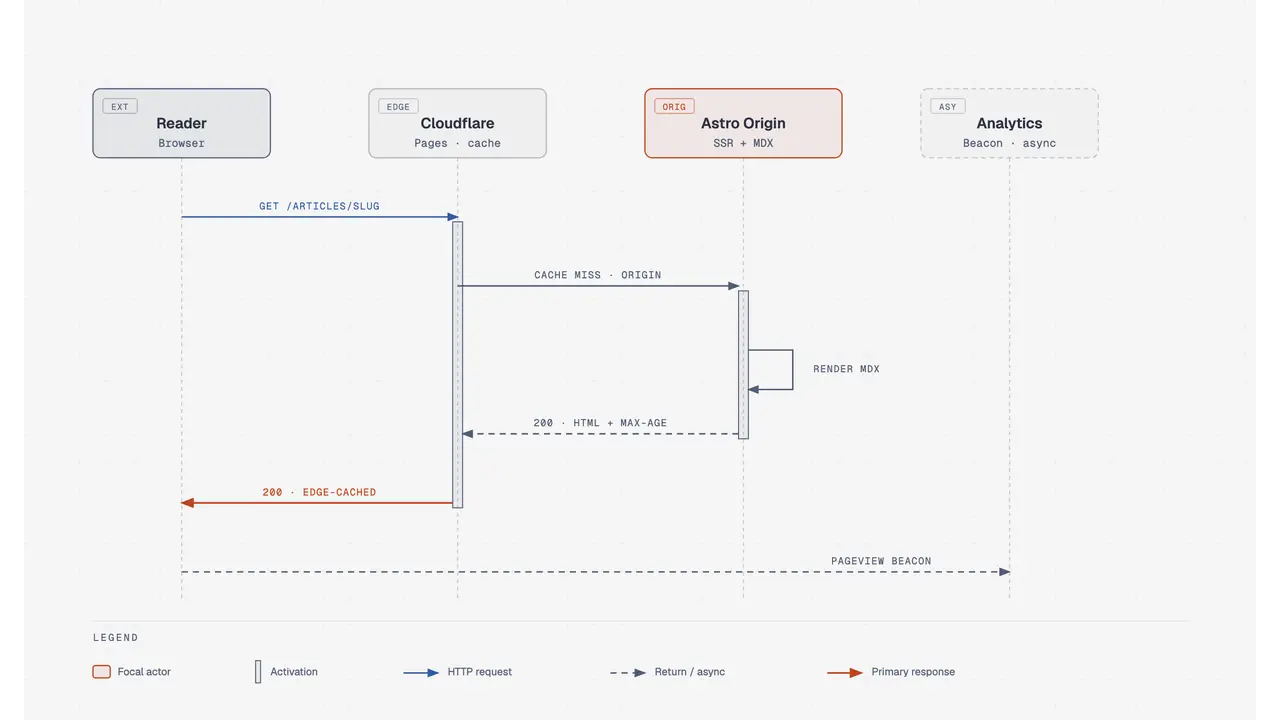
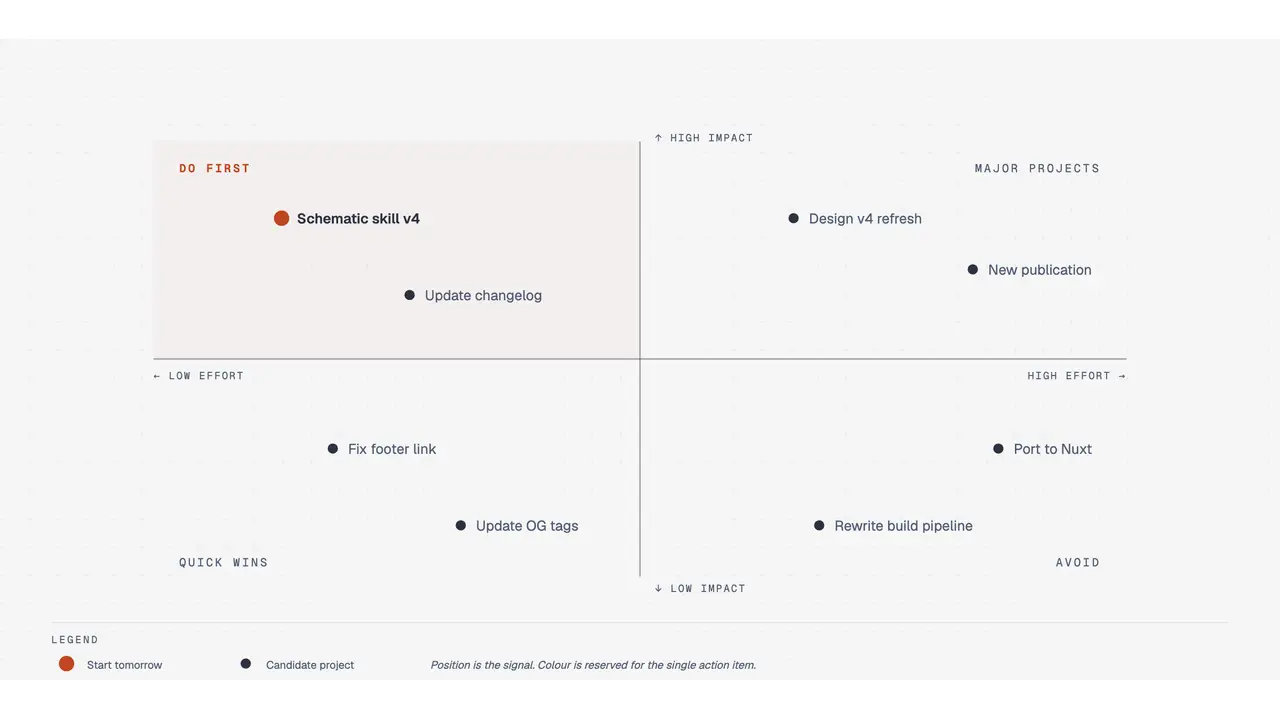
Make me an architecture diagram of my app: frontend, backend, database, Redis cache.A routine request loads the skill, exactly one type reference, and the two core references — nothing else. Before drawing, the agent states the chosen type, pattern, size, and planned cuts, then writes one .html file you open by double-clicking. No build step, no JavaScript, no external image dependency. Architecture, sequence, flowchart, ER, quadrant, timeline, org chart — the agent does the layout on a 4px grid with CI checks for overlaps and clipping.
Step 3 — Onboard your brand colors
Out of the box, diagrams render in a jet-black + tangerine palette on white-smoke paper — good enough to screenshot right away. Sixty seconds of onboarding is better: the skill pulls your brand from your website and applies it across every diagram.
"onboard diagram-design to https://yoursite.com"The agent fetches your homepage, extracts the dominant palette and font stack, maps them to semantic roles (paper, ink, muted, accent, link), and shows you a proposed diff before writing the tokens to references/style-guide.md. Say “yes, apply it” and every new diagram uses your colors: your site’s paper becomes the diagram background, your CTA color becomes the focal accent, your body font becomes the node label family. You also get a fidelity receipt naming the sampled URLs, exact color roles, and font sources.
Underneath, the design system is opinionated: one accent color, one or two focal elements per diagram, Instrument Serif titles, Geist sans node names, Geist Mono for technical labels, 1px hairlines, no shadows, max 10px border radius, every coordinate divisible by 4. That is what keeps the output from feeling AI-generated.
Step 4 — Redraw your old diagrams and validate the output
The skill redrafts diagrams from other formats instead of starting from scratch:
"redraw this Mermaid diagram with diagram-design"draw.io and Excalidraw imports work the same way (there is a dedicated /import-mermaid command on marketplace installs). Once the file is written, validate it the way the project’s own CI does:
python3 skills/diagram-design/scripts/self_check.py my-diagram.htmlIt prints OK on a good file; add --offline to also fail on the Google Fonts link. If anything here fails, the README says plainly: that’s a bug worth filing.
Step 5 — Export to SVG or PNG for slides and docs
Diagrams ship as self-contained HTML, but the export command pulls just the diagram out for Figma, slides, or social cards. On Pi:
/export-diagram path/to/diagram.html
/export-diagram path/to/diagram.html --svg-only
/export-diagram path/to/diagram.html --png-only --scale=3
On Claude Code the command is /diagram-design:export-diagram with the same flags, or just say “Export this diagram as SVG and PNG.” The SVG export extracts the <svg> node and injects the fonts so it renders standalone in browsers, Figma, and Illustrator; PNG rasterizes via Playwright at 2× by default, which needs a one-time setup:
pip install playwright && playwright install chromiumOne caveat: both formats are diagram-only — the editorial cards and headers from the -full variants are not included. For a screenshot of the full editorial layout, use your browser’s print-to-PDF or a full-page screenshot.
What you built — and the honest limitations
You now have a workflow that turns a sentence into a publishable diagram: one double-clickable HTML file in your brand, exportable to SVG or PNG, validated by the project’s own checks.
The limitations, straight from the README’s comparison table: output quality depends on the model, and the same prompt can lay out differently twice. The result is not an editable source format — there is no text to diff in a pull request and no canvas to drag a box on. For docs that live in Git and change every sprint, Mermaid is still the better fit. As the author puts it: diagram-design is for the diagram you are going to publish.
Frequently asked questions
Does diagram-design replace Mermaid or draw.io?
Not for everything. The README is explicit: for docs that live in Git and change every sprint, Mermaid is still the better fit because the source is diffable text. diagram-design is for the diagram you are going to publish — the one that needs to look designed.
Why did the same prompt produce a different layout?
Output quality depends on the model you run it with, and the same prompt can lay out differently twice. The skill’s contract is that the agent states the chosen type, pattern, size, and planned cuts before drawing, and CI checks catch overlaps and clipping. Ask for a redraw, or edit the SVG directly.
What does the skill send over the network?
The repo links a PRIVACY.md that lists what the skill sends over the network. Official builds come only from the cathrynlavery/diagram-design repository; plugin directory listings under any other name are unofficial copies, published by LittleMight, the author’s company.