Stop shipping AI slop: hands-on with Hallmark, the design skill that refuses to look AI-made
Hallmark (Nutlope/hallmark, 38,038 GitHub stars) is a design skill for Claude Code, Codex, Cursor and OpenCode that refuses to look AI-generated: 48 themes, a hard floor of design rules, and a linter that grades your page. This guide installs it, deals a theme, and runs its own linter on a deliberately sloppy page until it passes clean.
- Who: Hallmark (Nutlope/hallmark on GitHub), made by Together AI.
- What: An anti-AI-slop design skill: 48 themes as materials, a 16-rule Floor, and the sloplint linter, plus redesign and audit verbs.
- When: 38,038 GitHub stars and 1,981 forks at the 27 October 2026 repository check, up from 32,133 stars on 25 October; HEAD commit 7ec8682, 22 October 2026.
- Requirements: Node.js 18 or newer; no API key, model account, or GPU for the lint path. A coding agent is needed for /hallmark builds; puppeteer-core plus Chrome for the render tier.
- Licence: MIT.
- Verified results: skill installed to .agents/skills/hallmark; deal returned Dusk, Coral, and Wayfind; draw dealt Marquee Hero in the Counter posture; scaffold wrote tokens.css and base.css; sloppy page 25 FAIL, 4 REFLEX, 2 WARN (exit 1); clean page 0 FAIL, 0 REFLEX, 0 WARN (exit 0); --before/--kept links 1/1; render tier reported not run without puppeteer-core.
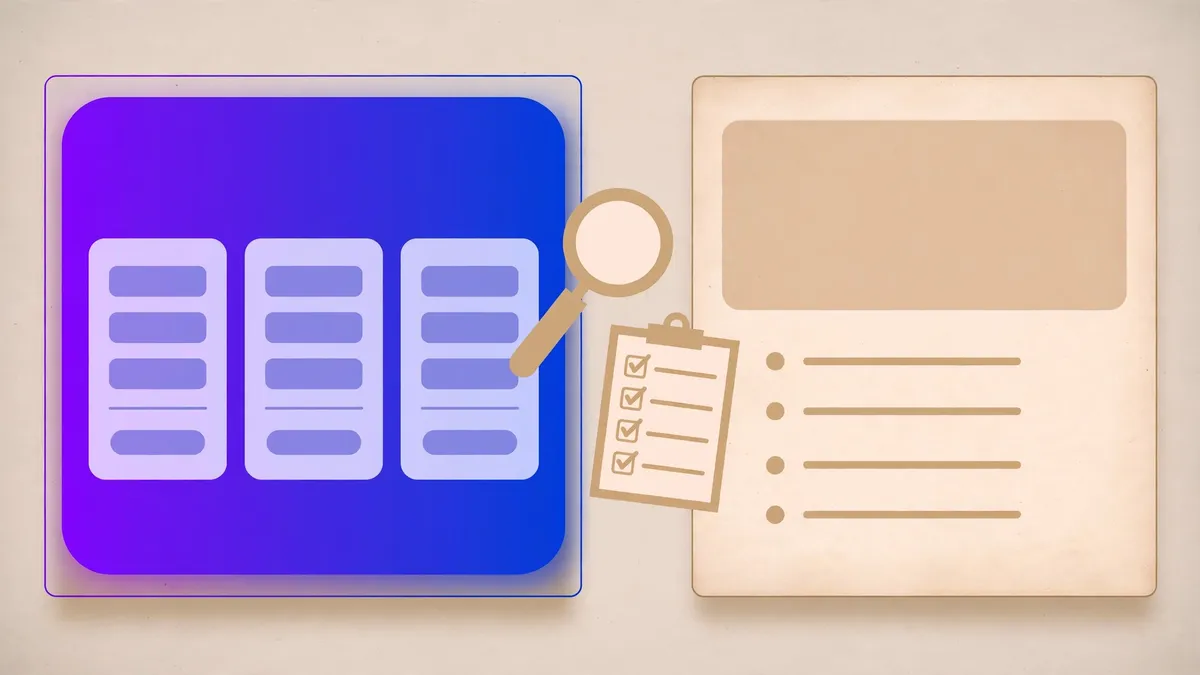
Every AI-generated landing page looks the same. Purple gradient hero, three cards, an eyebrow label in tracked capitals above every heading, a sign-up band at the bottom. You have seen it a hundred times because every model was trained on the same defaults, and a cleverer prompt does not fix it: the model slides back to the default the moment your attention moves elsewhere. Hallmark takes a different approach. Instead of asking the model to be tasteful, it gives it a floor it cannot go below, a theme it must build in, and a linter that grades the result before anyone sees it.
Hallmark (Nutlope/hallmark on GitHub) is a design skill for Claude Code, Codex, Cursor and OpenCode, made by Together AI. It is MIT licensed, and it is climbing fast: the repository page showed 38,038 stars and 1,981 forks when checked on 27 October 2026, up from 32,133 stars reported on 25 October. That is roughly 5,900 stars in two days, on top of 297 commits. This guide installs it, deals a theme, and runs its own linter on a deliberately sloppy page until the page passes clean. Every command below was run in a sandbox, and every number quoted is the output that came back.
What you will need
- Node.js 18 or later. Check with
node --version. This guide was verified with Node v24.22.1. - No agent subscription, API key, or GPU for anything in steps 1 to 6. Installing the skill, dealing a theme, scaffolding tokens, and running the static lint are all local and free.
- A coding agent (Claude Code, Codex, Cursor, or OpenCode) for the agent section below, where the skill actually builds pages for you. The lint path in this guide is the same binary the skill uses, so its verdicts are the skill's own, with or without an agent in the loop.
- Optional, for the render tier:
puppeteer-coreand Chrome. Without them the static checks still run, and the linter says so plainly instead of pretending. More on that in step 5.
Step 1: Install the skill
Hallmark installs through the skills CLI. The global form puts it in every project; leave off -g to install it into the current project only. In a fresh demo directory, the project-local install looks like this:
mkdir hallmark-demo && cd hallmark-demo
npx -y skills add nutlope/hallmark -y -a universal
Expected output, abridged:
Installed 1 skill
  Hallmark
  ✓ hallmark (copied)
    → hallmark-demo/.agents/skills/hallmark

Done!  Review skills before use; they run with full agent permissions.
Two things are worth verifying before you trust the install. First, the skill landed where your agent looks: .agents/skills/hallmark for Codex-style agents, ~/.claude/skills/hallmark for Claude Code, with Cursor and OpenCode finding the copies above. Second, the installed copy is the real thing: its SKILL.md was byte-identical to the one in a fresh clone of the repository, and it carries version 2.0.0 in its frontmatter. A skills-lock.json file records the install in the project.
Two install details from the README that matter later. Installing for one harness only takes a flag, for example npx skills add nutlope/hallmark -g --agent claude-code (or codex, opencode, cursor, github-copilot). And installing from a clone runs a validator first: node skills/hallmark/scripts/install.mjs checks every theme and reference before it copies anything. If the skill does not fire on its own inside your agent, name it: use hallmark to build ... is the documented nudge.

Step 2: Deal a theme, then scaffold it
A Hallmark build starts with a deal, not a blank page. The theme script deals three themes that fit your prompt and your genre, and you pick the material that can carry the brief. Run it from inside the installed skill:
node .agents/skills/hallmark/scripts/theme.mjs deal --genre modern-minimal --prompt "landing page for a small invoicing tool that chases late payments"Expected output, abridged:
deal: small-invoicing-tool-chases-3fad·4d954f52·2026-10-27·r0 · genre modern-minimal
1. Dusk (dusk) · dark/grotesk-sans/cool · a real landscape at the turn of the light
   behind the hero, slate below it, the product in smoked glass with a lit top edge,
   Wix Madefor Display at a quiet weight over Wix Madefor Text · fits: payments, invoicing
2. Coral (coral) · light/grotesk-sans/warm · warm grey paper and a felt desk, cotton
   stationery lit from the left, General Sans throughout with Geist Mono figures,
   letterpress card controls, coral pressed into the stock for the one settled state
   · fits: payments, invoicing
3. Wayfind (wayfind) · light/mono/cool · cool grey paper, blue-black ink, Chivo Mono
   throughout, square 2px ink borders, ink plates, cobalt for what is live
   · genre fit
The deal is seeded and repeatable, and the output tells you what to do next: look at the three theme pictures, pick one, read only that theme file. This guide picked Coral: a light, warm, modern-minimal material whose paper-and-felt desk suits an invoicing tool better than Dusk's dark landscape or Wayfind's mono ink plates. A theme is a material, not a plan. It never says what the page contains or in what order, so two prompts in one theme make two different pages. That sentence is the whole idea: the theme stops visual convergence without dictating content.
The draw deals the page's shape. It takes the material, the job, and a seed, and it deals a shape, a hero posture, a nav, a footer, and the sections to leave out:
node .agents/skills/hallmark/scripts/theme.mjs draw --material words --job "sign up" --theme coral --seed a1b2c3Expected output:
draw a1b2c3 (fresh each build; --seed a1b2c3 repeats it) · clear of the theme
picture's conversational faq and desk
shape: Marquee Hero · hero: Counter · nav: search-led bar · footer: letter close
leave out this time: Split and Grid · the hero leads with the list itself
job: sign up · the action: sign up in the hero and beside the price
build these, in the order the shape suits: pricing as a table with its period
switch; a code sample or the integration; the product at work as a Pinned run
close on: the code sample
Scaffolding turns the pick into files. The scaffold command writes the theme's tokens and the shared base rules beside your stylesheet, and prints the stamp skeleton your page must carry:
node .agents/skills/hallmark/scripts/theme.mjs scaffold coral --dealt "2/3, seed small-invoicing-tool-chases-3fad·4d954f52·2026-10-27·r0"Expected output, abridged:
wrote tokens.css (Coral tokens plus the shared scale) and base.css (the base
rules the Floor already decided)

start the page's stylesheet with these lines, then write only the page:
/* Hallmark · shape: <shape> · genre: modern-minimal · theme: Coral (deal 2/3,
 * seed small-invoicing-tool-chases-3fad·4d954f52·2026-10-27·r0) · job: <...>
 * hero: <posture> · nav: <shape> · footer: <shape> · imagery: <...>
 * signature: <the one move> · axes: light/grotesk-sans/warm · v2.0.0 */
The generated tokens.css holds the Coral palette in oklch values, General Sans for display and body with Geist Mono for figures, and a shared spacing and type scale. The generated base.css already encodes several Floor rules: overflow-x: clip on html and body, a visible :focus-visible ring, balanced display heads, and a reduced-motion fallback. The skill's catalog holds 48 themes, each one file of at most 8 KB plus a picture, and the theme count was verified by counting the files: 98 files in the themes directory, which is 48 themes times two files plus an index and a readme.
The Floor: sixteen rules that never bend
Before the linter, understand what it enforces. The Floor binds every output in every harness, and none of it is waivable, even when nothing else is read. In short:
- Every colour and font goes through a token declared at
:root. No literal colour or font past the token block. - Never
transition: all. Never animate width, height, top, or left. - Never one italic word inside a roman heading. Never an eyebrow, and never a label in tracked capitals or small caps.
overflow-x: clipon both html and body. Neverhidden, never100vw.- Every interactive element has an instant
:focus-visiblestyle. Every animation has a reduced-motion fallback, and content is visible with scripting off. - Never an invented metric, testimonial, logo wall, or case-study count.
- Never middle-dot-joined meta strings, arrows glued to link text, or decorative status dots.
- Never a purple-to-blue gradient, a card inside a card, an emoji as an icon, or a hand-drawn browser window.
- The hero's headline, one sentence, and primary action are all visible at 1280 by 800 without scrolling. About 80 words on any one screen.
- The container is capped and centred: at 1920 pixels the gutters grow, the measure and the grids do not.
- The first non-empty line of the CSS is the Hallmark stamp, then the critique line, then any waivers.
Above the Floor sit two softer tiers. A Reflex gate is a default a model falls into; a build with a real reason may overrule one on the record. A Finish check is craft detail: answered, never blocking. The linter reports all three tiers separately, which is what makes its output readable: FAIL means the Floor, REFLEX means a default you must justify or fix, WARN means craft.
Step 3: Lint a deliberately sloppy page
Here is where Hallmark earns its keep. This guide wrote a small page that breaks the Floor on purpose: a purple-to-blue gradient hero, an eyebrow in tracked capitals, one italic word in the heading, literal colours with no tokens, transition: all, no focus style, a card inside a card, emoji as icons, a middle-dot meta string, an arrow glued to a link, 100vw with overflow-x: hidden, and no Hallmark stamp. Then it ran the skill's own linter over it, static checks only:
node .agents/skills/hallmark/scripts/sloplint.mjs sloppy.htmlExpected output, abridged. The full run reported 25 FAIL, 4 REFLEX, and 2 WARN, and exited with code 1:
sloppy.html
  FAIL 2a :8 purple-to-blue gradient on .hero | fix: One anchor hue; drop the gradient
  FAIL 4 :30 card nested in card: class="card" | fix: Keep one containment layer
  FAIL 7a :7 pure #fff: background: #ffffff (body) | fix: Tint the base toward the anchor hue
  FAIL 10a :12 transition: all on .card | fix: List the transitioned properties explicitly
  FAIL 19 :5 dash in copy | fix: A comma, a colon, a full stop or parentheses; never a dash
  FAIL 20 :1 no Hallmark stamp on the first non-empty line of any CSS
  FAIL 26a :1 no :focus-visible styling anywhere | fix: A focus ring at 3:1 or better, instant
  FAIL 30a :29 text opens with an emoji | fix: One icon library, a custom SVG, or the word alone
  FAIL 34 :7 overflow-x: hidden on body (breaks sticky) | fix: Use overflow-x: clip
  FAIL 34 :7 width: 100vw on body (scrollbar overflow) | fix: width: 100% with container padding
  FAIL 38i :21 <em>/<i> inside <h1> | fix: Roman headers; emphasis via weight or accent
  FAIL 48 :7 font-family literal "Inter, sans-serif" on body | fix: Lift the value into the token block
  FAIL 48 :7 colour literal #ffffff outside tokens (background on body)
  FAIL 54 :20 eyebrow "Introducing Acme" before <h1> | fix: Cut it; the heading already says this
  FAIL 63 :23 arrow glued to the label "Get started →" | fix: A verb as the label
  FAIL 63 :28 middle-dot meta string "Fast · Secure · Loved" | fix: Line breaks, columns or hairlines
  FAIL 67 :9 .eyebrow: uppercase tracked 0.3em at 12px in a label role | fix: Labels are
        the body face, a step smaller, sentence case, untracked
  REFLEX 26b :1 no :active styling anywhere | fix: All eight states
  REFLEX 38ii :11 italic display type on h1 em | fix: Roman headers
  WARN F3 :10 no text-wrap: balance on any display head | fix: Add text-wrap: balance
  WARN F23 :1 the document lacks a meta description
sloplint: 25 FAIL, 4 REFLEX, 2 WARN across 1 file(s).
Read that output the way a reviewer would. Every finding names its gate, its line, the offending construct, and a fix. The gate numbers are stable references into the skill's gate list, so a FAIL 48 in your run means the same thing as a FAIL 48 in anyone else's: a literal colour or font outside the token block. The linter also reads JSX, TSX, Vue, Svelte, and Astro files, including Tailwind class strings, so the same command works on a framework project, not just a single HTML file.
Step 4: Fix it until it passes clean
The clean page in this guide follows the draw: a Marquee Hero in the Counter posture, the late-payment list itself in the hero, a short how-it-works section, and pricing as a table. Its stylesheet starts with the filled-in stamp, uses only token variables for colours and fonts, keeps labels in sentence case, and carries explicit focus, active, and disabled styles plus a reduced-motion fallback. The first lint of the clean page returned exactly one FAIL:
clean.html
  FAIL 39a :22 disabled via opacity alone on button:disabled | fix: Three disabled
  channels: fill, ink and cursor, plus the disabled attribute
The fix is the kind of detail a prompt never produces: a disabled control must differ in three channels, fill, ink, and cursor, not just fade. After replacing the opacity-only rule with a token-based fill, muted ink, and a not-allowed cursor, plus a real disabled button in the page, the next run left one WARN about a long button label without nowrap. Shortening the label cleared that too:
node .agents/skills/hallmark/scripts/sloplint.mjs clean.htmlsloplint: clean. 0 FAIL, 0 REFLEX, 0 WARN across 1 file(s).The exit code is 0, and the machine-readable form agrees: sloplint.mjs clean.html --json reports fails 0, reflex 0, warns 0, and render "off". That last field matters, because it is the linter telling you what it did not do. Which brings us to the render tier.
Step 5: The render tier, and what it needs
With the --render flag, sloplint also checks the page at eight widths and writes screenshots. In this guide's sandbox, that tier did not run, and the reason is instructive:
node .agents/skills/hallmark/scripts/sloplint.mjs sloppy.html --rendersloplint: 25 FAIL, 4 REFLEX, 2 WARN across 1 file(s).
render tier not run: no puppeteer-core found locally, globally or via HALLMARK_PUPPETEERThe static checks ran anyway, and the render tier reported itself as not run instead of silently passing. To enable it, the README prescribes npm i -g puppeteer-core plus Chrome; the linter also honours a CHROME_PATH environment variable and a HALLMARK_PUPPETEER path to the puppeteer package. Treat the render tier as the second gate, not an optional extra, on any page you ship: the static tier catches the rules, the render tier catches the hero that misses its screen and the layout that breaks on a phone. In this guide the static tier was the verified result, and the article says so rather than claiming a render pass it did not run.

Step 6: Redesign without losing the wiring
Hallmark's other two verbs run through the same linter. /hallmark audit <path> only reports. /hallmark redesign <path> rebuilds a page while keeping its content and wiring. The safety net is two flags that work even without an agent:
node .agents/skills/hallmark/scripts/sloplint.mjs clean.html --before
node .agents/skills/hallmark/scripts/sloplint.mjs clean.html --kept
Expected output:
before: recorded 1 links, 0 fields, 0 handlers, 0 test hooks, 0 script hooks
in .hallmark/before.json; --kept checks a redesign against that record
kept: links 1/1; before 0 FAIL, 0 REFLEX, now 0 FAIL, 0 REFLEX
The --before pass records every link, field, handler, and heading first. The --kept pass fails the redesign if one went missing. That is the difference between a restyle and a rewrite that quietly drops a form field: the record makes the loss visible. A full redesign also hands over a side-by-side before and after, and the skill offers two narrower modes, keep the layout for a restyle and polish for only the tells.
What the static lint does not catch
Honesty about the tool's limits is part of using it well. The sloppy page in this guide also contained an invented claim, "Join 10,000+ happy customers", and a form that prints a thank-you message without sending anything. The static linter flagged neither. Those are judged gates: the Floor rule against invented metrics and the README's tell about fake-thanks forms are enforced by the agent and by the fresh-context review in the skill's full sweep, not by pattern matching over HTML. A clean sloplint run means the page obeys the checkable rules. It does not mean the copy is true. If your page carries numbers, quotes, or logos, those still need a human or a source, and Hallmark's own pre-flight step asks for exactly that material before building: screenshots, photos, real numbers, a quote with a name attached, logos you may use. Anything nobody gave is absent, never invented.
Two more limits worth knowing. Hallmark is not a component library and not a design system to lock in: its own skill description says never to use it on an existing design unless the user names Hallmark. And a theme is deliberately not a plan, so if you want pixel-identical pages across a site, you want the skill's design.md lock-in, which freezes the system for every page, not a single theme deal.
When to use this vs alternatives
| Approach | What you get | Use it when |
|---|---|---|
| A raw prompt ("make it look good") | Whatever the model's defaults produce, which is the slop itself | Throwaway prototypes you will never show anyone |
| A variant-prompt taste skill | Flavored guidance that changes the model's tone, with no enforcement | You want a nudge, and you will review every page by eye |
| Hallmark | 48 themes as materials, a hard floor, and an executable linter with stable gate numbers | An agent builds pages you ship, and you want the check to run before handoff |
| A locked design system (Hallmark's design.md, or your own) | One frozen system shared by every page | Consistency across a whole product matters more than variety per page |
The deciding factor is enforcement. Prompt-only approaches vary run to run because the rules live in the model's judgment. Hallmark's rules live in a script with an exit code, which means they can gate a commit, a review, or a handoff. That is also why the skill's photo handling is worth noting: its library holds 755 openly licensed photographs, picked per subject and credited on the page, drawn from Wikimedia Commons rather than stock sites whose terms bar AI tools from picking their images. The theme.mjs photos command picks from that library per subject and theme.
Using it with your agent
Once installed, the verbs are short. Describe a new build and the skill fires, or name it explicitly. The harness table from the README:
| Harness | Where it lands | Invoke |
|---|---|---|
| Claude Code | ~/.claude/skills/hallmark | /hallmark <prompt> |
| Codex CLI | ~/.agents/skills/hallmark | $hallmark <prompt> |
| Cursor | Finds the copies above | /hallmark <prompt> |
| OpenCode | Finds the copies above | /hallmark <prompt> |
For existing pages, the two named verbs are /hallmark redesign <path> and /hallmark audit <path>. Say custom and the skill drops the themes entirely: no plan, no components, no palette recipe, only the floor, the gates, and a short direction to find one idea that only this client has. Say lock the system and it writes a design.md your later pages share. And remember the install warning, because it applies to every skill, not just this one: skills run with full agent permissions, so review what you install.
Gotchas worth knowing before you build
- Global vs project-local install.
-ginstalls for every project. Without it, the skill lives in the current project's.agents/skillsand nowhere else. Pick deliberately: a design skill that fires in every project will also fire where you did not want it. - The render tier is a separate install. Static linting needs only Node. The eight-width render checks need
puppeteer-coreand Chrome, and without them the linter reports the tier as not run. Do not mistake a static pass for a render pass. - The stamp must stay on line one. The first non-empty line of the page CSS is the Hallmark stamp. Minifiers, formatters, and careless edits that push it down will fail gate 20 before anything else is checked.
- A theme is not a layout. If two builds in one theme come out looking alike, that is a failure of the draw, not the theme: re-deal, or change one decision and name the swap in the Picks block.
- Static clean is not copy-true. Invented numbers, quotes, and logos are judged gates. The linter will not catch them, and neither will a theme. Supply real material or leave the slot empty.
- Photographs are credited, not free-floating. Library photos carry their own licences and a credit on the page. Stock-site URLs are out: the skill refuses them by policy, not by accident.
The takeaway
Hallmark's insight is small and unfashionable: taste, for generated pages, is mostly a list of things not to do, enforced by a program. Install the skill, deal a theme, scaffold its tokens, and let the linter grade the page before you hand it back. The sloppy page in this guide failed 25 Floor rules. The clean page passed with zero findings, and the two iterations in between, a three-channel disabled style and a shorter button label, are exactly the kind of detail no prompt reliably produces. Run the install today, lint a page you already shipped, and count how many of the 25 failures are sitting in production right now.
Sources
- Hallmark on GitHub: github.com/Nutlope/hallmark — README (48 themes, Floor tiers, install table, render requirements) and repository page (38,038 stars, 1,981 forks, MIT licence, 297 commits, HEAD 7ec8682).
- Star growth: Digital Soul Hub on Hallmark — 32,133 stars on 25 October 2026; AI Rank daily risers — Hallmark up 2,244 stars on 26 October 2026.