Higgsfield hands-on: Soul ID keeps one face consistent from photo to cinematic video
AI video's hardest problem isn't making one beautiful clip. It's making the same person show up in the next one. Higgsfield's answer is Soul ID: train an identity once from 20 to 80 photos, and the same face holds across images and video, on any of the 35+ models in its workspace.
- Soul ID: 20–80 photos, 960px or wider, 3–5 minutes to train, 25 credits (~$1.25) to create, one person per ID.
- Soul 2.0: 0.12 credits per image, up to 2K, 20+ built-in looks; free pools of 300 on Starter, 5,000 on Plus, 10,000 on Ultra.
- Cinema Studio 4.0: 4–30 second clips, up to 50 references, 56+ camera moves.
- Plans: Starter $19 a month (270 credits), Plus $59 or $47 billed annually (1,200), Ultra $129 or $99 billed annually (3,000); free tier is watermarked.
- Platform: 35+ models including Veo 3.1, Kling 3.0, Sora 2, Seedance 2.0, and WAN 2.6.
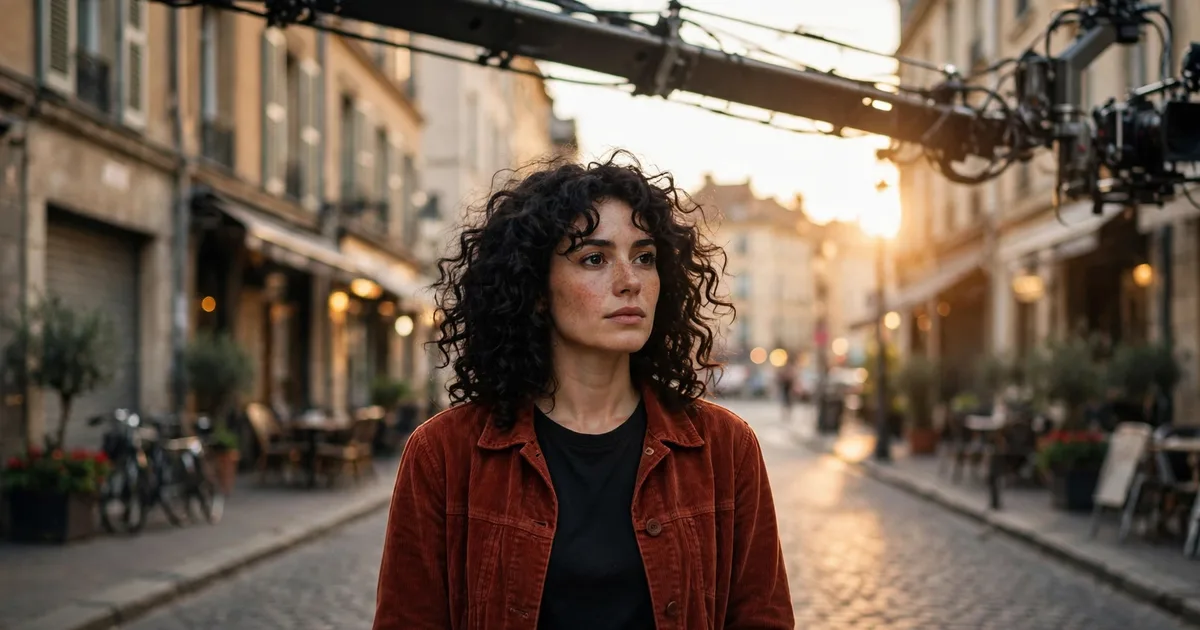
This tutorial walks the full loop with a fictional spokesperson — call her Mara, dark curly hair, rust-red jacket — from a photo set to a three-shot sequence. Every step below follows Higgsfield's own Soul ID and consistency guides, and every number comes from the platform's published specs and pricing.
How it works: train once, direct forever
The mechanism has two halves. Soul ID locks who is in the shot. Cinema Studio locks how the shot moves. Neither half re-describes anything per generation: the trained identity and the camera language are saved once and reused, which is why a series holds together instead of drifting shot by shot.
1. Train the Soul ID
Start with 20 or more clear photos of one person, up to 80 accepted, each 960px or wider. Vary the angles and expressions, keep the lighting consistent, and skip sunglasses, masks, and extreme expressions — the training needs a clean read of the face. Use only your own photos, or photos of someone who gave you permission; one Soul ID holds exactly one person.
Upload the set in Soul ID and pick which image model it trains for: Soul 2.0, Soul, or Soul Cinema. Training takes 3 to 5 minutes and costs 25 credits, about $1.25 on a standard plan. When it finishes, the identity appears as a Character element automatically, so it is ready to tag in images and video without re-uploading anything.
2. Generate the portrait
Pick the trained Soul ID in Soul 2.0 and write the scene, not the face. Soul 2.0 runs 0.12 credits per image at up to 2K, with 20+ built-in looks — editorial, retro, Y2K — plus Soul HEX to pin the color palette to a reference image. Soul Cinema does the same job for cinematic stills, without the preset looks. Paid plans include a pool of free Soul 2.0 and Soul Cinema generations: 300 on Starter, 5,000 on Plus, 10,000 on Ultra.
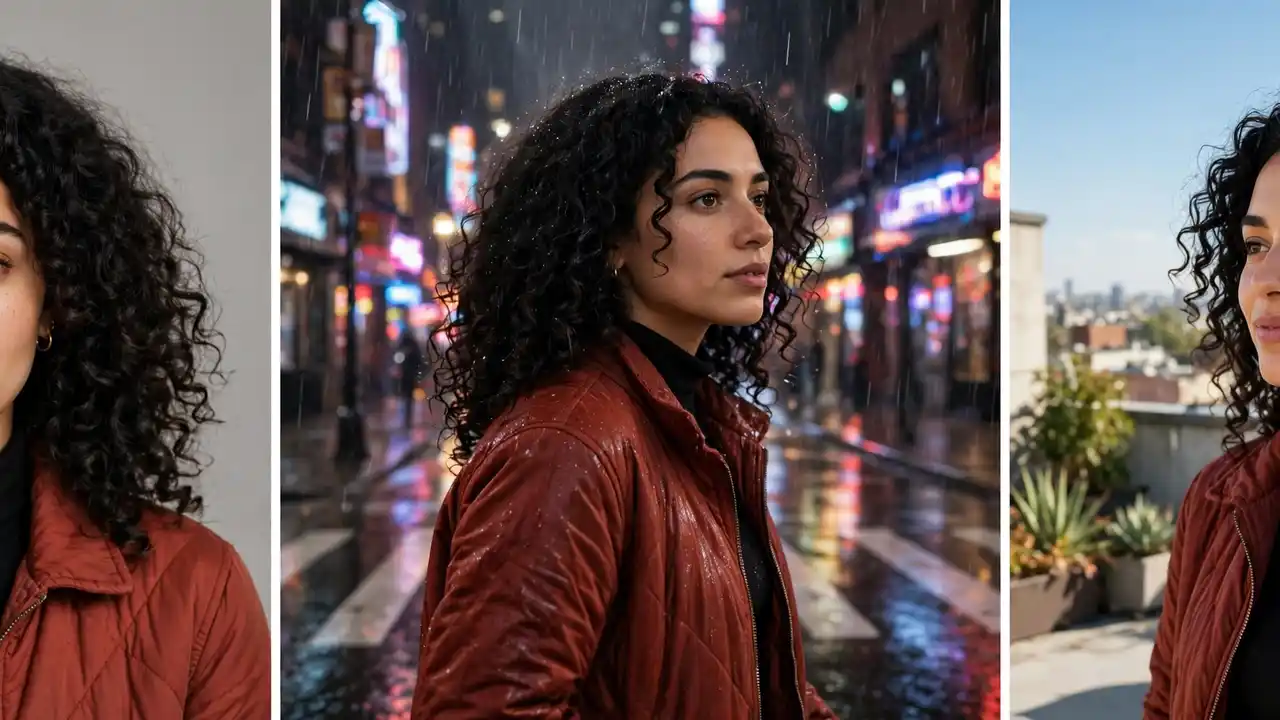
Generate the main shot first, usually a clean close-up, and check the face and outfit against your reference photos before going further. This portrait is the anchor for everything after it: the video steps below start from this frame, not from a text description.
3. Animate the still
Image-to-video holds a character better than text-to-video, because the first frame already contains the face, the outfit, and the framing. Upload the portrait as the start frame in Seedance, Veo 3.1, Kling 3.0, or WAN 2.6 — all four run inside Higgsfield — and keep the prompt about the action and the camera move. We compared Sora, Veo, and Runway head-to-head, and the same models are the ones Higgsfield hosts. The image carries the face, so the prompt does not have to describe it.
For Mara's street shot, the prompt is the action and the move: she walks toward camera down a golden-hour street as a crane sweeps overhead. The model only has to move what it sees. If a clip drifts, do not re-describe the face — regenerate from the same start frame, or fix it with the tools in step 5.
4. Direct the camera
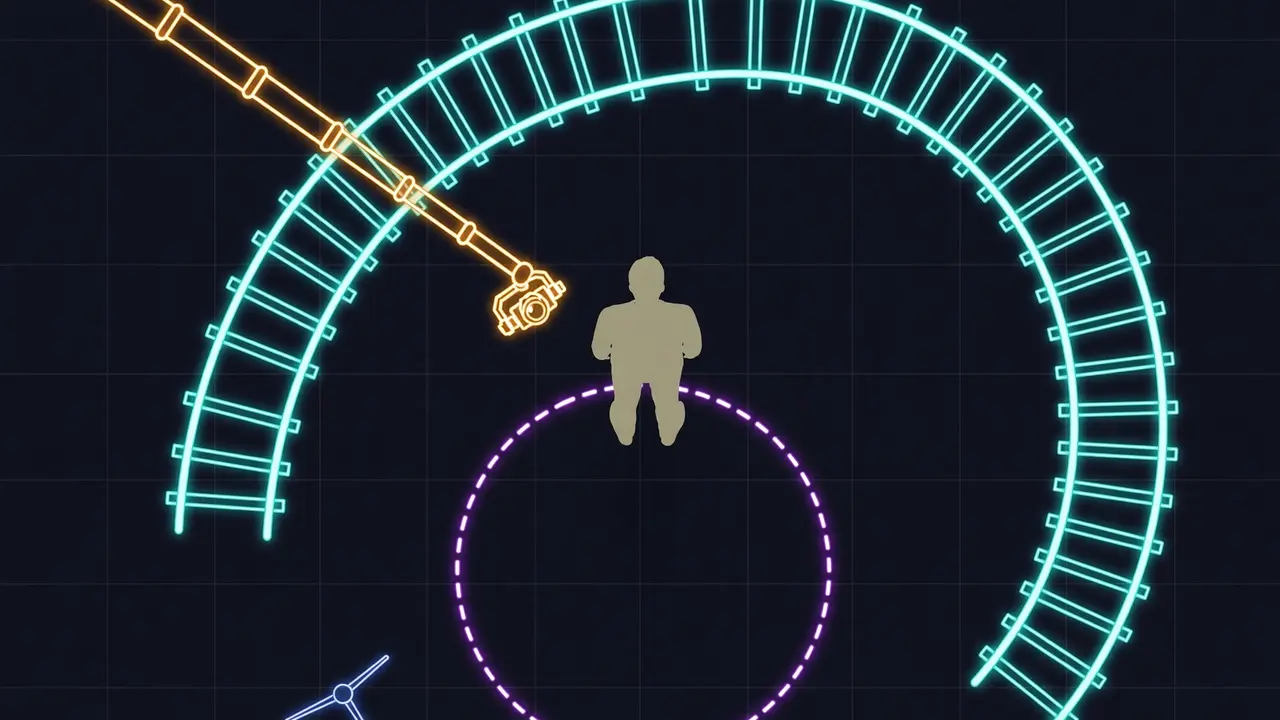
Cinema Studio treats the camera like a real one: pick a virtual camera body, lens, and focal length, then apply one of 56+ professional movements — crash zooms, crane shots, FPV drone, Snorricam. The same camera language applies the same way on every model, so a slow dolly toward the product in a Seedance 2.0 commercial and a tracking shot in a Kling 3.0 sequence are directed with the same words.
This is the part other generators leave to luck. A prompt that says "cinematic" gives you whatever the model feels like; a named move gives you a repeatable shot. Clips run 4 to 30 seconds in Cinema Studio 4.0, in 21:9 when you want the widescreen frame.
5. Hold it across a series
One clip is easy. Ten clips are where faces fall apart, so the series workflow is the part that matters. Save the character, the location, and the props as Elements first — each gets its own @ tag, and your Soul ID character is already there. Then tag the same Elements in every prompt instead of describing them again.
Three habits keep a series straight. Change one variable at a time: new setting with the same angle, new angle with the same lighting, never everything at once. Generate the main shot first and judge the rest against it. And chain clips with the last frame of one as the first frame of the next — in Cinema Studio 4.0, Forward and Backward Extend continue an uploaded video of up to 30 seconds seamlessly in either direction.
When a finished clip still drifts, Genjutsu fixes it without re-generating the scene. Object Swap corrects exactly what you point at — a face that drifted, a wrong prop — from a source video of 4 to 30 seconds plus reference photos, at 480p, 720p, or 1080p. Motion Transfer takes only the movement from a reference clip and rebuilds the scene around your character, so one performance repeats across any number of clips with the motion, camera, and timing intact.
What it costs
Higgsfield bills in credits, and the plan decides which models you can reach. Standard prices, checked against the pricing page in November 2026 — promos come and go, including a Black Friday offer running in mid-November, so treat the page as the final word.
| Plan | Monthly | Annual | Credits / mo | What it buys |
|---|---|---|---|---|
| Free | $0 | $0 | 0 | Small model set, watermarked output |
| Starter | $19 | $19 | 270 | ~15 Seedance 2.0 Fast videos; Seedance Fast and Mini only |
| Plus | $59 | $47 | 1,200 | ~80 Seedance 2.5 videos; every model; 6 videos in parallel |
| Ultra | $129 | $99 | 3,000 | ~200 Seedance 2.5 videos; 6,000 and 9,000 credit sizes up to $375/mo |
Two billing facts shape the real cost. Unused credits do not roll over — they reset every month, so the price per video depends on how much of the bundle you actually spend. And Starter cannot reach the full Seedance 2.0 or 2.5 line-up, which is the main reason to step up to Plus: a 5-second Seedance 2.0 clip at 1080p runs about 60 credits on the standard rate, so a Starter bundle covers a handful of full-quality clips, not a series.
Soul ID vs the other ways to hold a face
Soul ID is one of four ways to keep a character between generations. Higgsfield's own comparison lays out the trade-off plainly: the more the platform learns about the person, the more setup it takes.
| Method | How it works | Setup | Best for |
|---|---|---|---|
| Reference image | Attach a photo to each prompt | None | One-off clips, quick tests |
| Saved character | Store once, tag with @ in every prompt | One upload | A series from a single image |
| Trained identity (Soul ID) | Train on 20–80 photos of one person | A photo set, 3–5 min | One real person across images and video |
| LoRA | Train a small add-on model on your own set | A dataset and a GPU | Your own pipeline, full control |
The honest read: a reference image is enough for a single clip, and our reference-image workflow still wins on setup time for stills — our image-tools comparison covers the stills side if you want the broader context. Soul ID earns its 25 credits when the same person has to survive a series — a spokesperson across a campaign, a host across weekly episodes — where re-uploading a reference every time is the thing that breaks. LoRA gives the most control and the most work; it suits a team with a pipeline, not a solo creator.
What you built
Follow the five steps and you end with a reusable production kit, not a single clip. A trained Soul ID for Mara. A portrait in Soul 2.0 to use as the start frame everywhere. Three clips — golden-hour street on a crane, rooftop orbit, rainy neon night — all with the same face, the same jacket, and a named camera move in each. And a saved location Element, so the next episode starts from the same street instead of a fresh description.
The same kit works for the use cases Higgsfield's guides keep coming back to: a brand spokesperson across twenty ad variants, an educator's avatar across a course filmed months apart, an influencer who stops booking photoshoots for every new setting. The face is the asset; the clips are cheap once it exists.
The honest limits
Three limits are worth knowing before you pay. First, video burns credits fast: at about 60 credits for a 5-second Seedance 2.0 clip at 1080p, a Starter bundle is a few full-quality clips, and heavy video work belongs on Plus or Ultra. Second, two characters sharing one frame can still blend — give each person a separate reference, and expect small details like freckles or logos to drift even when the face holds. Third, the free tier is watermarked and model-limited, and Soul ID itself needs a paid plan. None of that changes the core result, but it decides which plan you actually need.
Frequently asked questions
How many photos does Soul ID need?
20 or more clear photos, up to 80 accepted, each 960px or wider, with varied angles and expressions. Training takes 3 to 5 minutes and costs 25 credits, and one Soul ID holds exactly one person.
Does Soul ID work in video, or only in images?
Both. The trained identity appears as a Character element automatically, so it carries into Cinema Studio and every video model on Higgsfield — Seedance, Veo 3.1, Kling 3.0, and WAN 2.6 — usually by starting the clip from a Soul ID portrait.
What does Higgsfield cost to start?
There is a free tier with a small model set and watermarked output. Paid plans start at Starter, $19 a month for 270 credits; Plus is $59 a month, or $47 billed annually, for 1,200 credits and every model; Ultra is $129 a month, or $99 billed annually, for 3,000 credits.
Sources#
- Higgsfield: Soul ID Explained — photo count, training time and cost, style presets, Cinema Studio and Genjutsu specs
- Higgsfield: Best AI Tools for Consistent Characters in 2026 — Soul ID and Elements workflow, Cinema Studio 4.0 specs, pricing checked November 9, 2026
- Higgsfield pricing — plan prices and credit allowances; standard rates, promos vary