Build your own AI app on llama.cpp 1.0: the stable C API, hands-on
llama.cpp 1.0, released today, freezes the C API after three and a half years of nightly builds. This tutorial builds it from source and writes a real chat program against libllama — load, tokenize, template, decode, sample — with every number measured on a CPU-only machine.
- llama.cpp and ggml are both at 1.0.0 as of November 13, 2026. From here, a breaking change to the public C API in
./includeis a major-version bump. - The 1.0 release removes 35 deprecated functions and promotes the NextN speculative-decoding API into
llama.h. - The new extended batch API —
llama_batch_extplusllama_process— is what the 1.0 examples use. The classicllama_batchandllama_decodestill work. - A source checkout reports version “1.0.0-dev (build 1, commit b1b770d)”. Build with
-DLLAMA_BUILD_IS_DEV=OFFfor the clean1.0.0string. - Everything here runs on CPU with no GPU, no account, and no API key. Total cost: zero.

For three and a half years, building on llama.cpp meant building on a moving target. The library was versioned by commit number, the C API changed whenever the maintainers needed it to change, and code you wrote in January could fail to compile in June. That was fine for an engine that was still finding its shape — and it was the reason half the local-AI ecosystem, from desktop apps to phone runtimes, depends on it anyway. But a library that everything depends on cannot keep breaking its public interface.
Version 1.0, released today, is the answer: a stable C API under semantic versioning, so the code you write against llama.h now is a contract, not a snapshot. This tutorial takes that promise literally. We will build the 1.0.0 release from source, download a small instruction-tuned model, and write a working chat program in C — about 200 lines, no dependencies beyond libllama — that loads the model, applies its chat template, tokenizes your question, decodes the answer one token at a time, and stops at the end-of-generation token. Along the way you will see exactly what the model sees (token ids, not words), how the new batch API works, and how sampling turns logits into text.
Why C and not Python? Because the C API is the layer everything else is built on: llama-server, the Python bindings, the desktop apps. If you can drive libllama directly, you can embed a model in anything — a game, a command-line tool, a service that has no business running a Python interpreter. The Python route is covered in our earlier tutorial; this one is for the layer underneath.
What you’ll need#
- A Linux or macOS machine with git, a C compiler (gcc or clang), and CMake. The commands below were run on Linux; the C code itself is portable, but the manual
cccompile line in Step 5 is Unix-specific — on Windows, build with the CMake-generated Visual Studio project instead. - About 350 MB free for the source and build outputs (measured: 352 MB for the checkout plus build directory), plus 469 MB for the model.
- Four CPU threads is plenty. No GPU, no account, no API key, and no cost — everything is free and local.
- Patience for one long build: the first compile takes about 15 minutes on four cores. After that, everything is seconds.
Step 1: What 1.0 actually changes#
The headline change is not a feature — it is a promise. The release announcement puts it plainly: “Moving forward, both llama.cpp and ggml will reflect API and ABI incompatibilities with major-version bumps.” The versioning rules, published with the release, are:
| Change type | What it means |
|---|---|
| MAJOR | Breaking change to the public C API in ./include |
| MINOR | Backward-compatible feature, backend updates, model support, or API addition |
| PATCH | Bug fix with no API change |
That is the whole point of the release: code written against 1.0 will compile against 1.1, 1.2, and 1.9. Only a 2.0 can break it. The release also does the housekeeping a 1.0 demands:
- 35 deprecated functions removed from the public headers, along with the warmup setter and the defrag threshold option.
- The NextN speculative-decoding API promoted into
llama.h— the engine behind speculative decoding, which we measured end to end in an earlier tutorial, is now part of the stable surface. - FP8 KV caches for lower-memory inference.
- llama-server security fixes (SSRF via the CORS proxy, DNS rebinding, child-instance access), plus a new
/v1/audio/speechendpoint, MCP cancellation, and a redesigned web UI. - ggml 1.0.0 as well, and support for more than 150 model architecture variants.
Distribution is wider than before, too: pre-built binaries on GitHub Releases, Homebrew, Winget, conda-forge, MacPorts, Debian, and Docker, plus the Llama desktop apps for macOS and Windows. This tutorial builds from source anyway — you learn the most that way, and you need the headers and the shared library for the C programs in Steps 4 and 5.
Step 2: Build llama.cpp 1.0 from source#
Clone the repo and check out the release tag:
git clone https://github.com/ggml-org/llama.cpp
cd llama.cpp
git checkout v1.0.0-b12359-b1b770d
Then configure and build. The two -DLLAMA_BUILD_* flags skip the test suite and the example programs, which you do not need for this tutorial:
cmake -B build -DCMAKE_BUILD_TYPE=Release -DLLAMA_BUILD_TESTS=OFF -DLLAMA_BUILD_EXAMPLES=OFF
cmake --build build -j4
The -j4 is the number of parallel jobs — set it to your core count. On the four-core machine used for this tutorial the full build took about 15 minutes. When it finishes, build/bin/ holds llama-cli, llama-server, and llama-quantize, and the shared libraries libllama.so.1.0.0 and libggml*.so.1.0.0 sit alongside them.
Check the version:
./build/bin/llama-cli --version
version: 1.0.0-dev (build 1, commit b1b770d)
That -dev suffix surprises people, so here is the explanation. The top of the project’s CMakeLists.txt says it plainly: LLAMA_BUILD_IS_DEV is “whether this is a development/nightly build — set this to OFF when making a release from a release tag”, and it defaults to ON. A checkout of the release tag is still a development build by that definition. To get the clean release string, reconfigure with the flag off and rebuild:
cmake -B build -DLLAMA_BUILD_IS_DEV=OFF
cmake --build build -j4 --target llama-cli llama-server
./build/bin/llama-cli --version
version: 1.0.0 (build 1, commit b1b770d)
The reconfigure plus rebuild of the two targets took about 14 seconds — only the version-stamped files are recompiled. From here on, this tutorial uses the clean 1.0.0 build.
Step 3: Get a model#
The model for this tutorial is Qwen2.5-0.5B-Instruct in Q4_K_M quantization — a 0.5-billion-parameter instruction-tuned model, 469 MB on disk. It is the smallest sensible choice for learning the API: it downloads in minutes, loads in seconds, and answers simple questions correctly. Download it from the official Qwen repo on Hugging Face:
curl -L -o qwen2.5-0.5b-instruct-q4_k_m.gguf \
  https://huggingface.co/Qwen/Qwen2.5-0.5B-Instruct-GGUF/resolve/main/qwen2.5-0.5b-instruct-q4_k_m.gguf
Verify the download before you trust it:
ls -l qwen2.5-0.5b-instruct-q4_k_m.gguf
sha256sum qwen2.5-0.5b-instruct-q4_k_m.gguf
-rw-r--r-- 1 root root 491400032 Nov 13 17:17 qwen2.5-0.5b-instruct-q4_k_m.gguf
74a4da8c9fdbcd15bd1f6d01d621410d31c6fc00986f5eb687824e7b93d7a9db  qwen2.5-0.5b-instruct-q4_k_m.gguf
The file should be exactly 491,400,032 bytes with the SHA-256 above. If the download breaks partway — slow connections to the Hugging Face CDN do that — add -C - to the curl command to resume it. Here is what the loader reports about this model when it opens it: a Qwen2 architecture with 24 layers, 896 hidden units, a 4,864-unit feed-forward network, 14 attention heads with 2 key-value heads, RoPE base 1,000,000, a trained context of 32,768 tokens, and a vocabulary of 151,936 tokens. The “Q4_K_M” in the filename is the quantization: 4-bit weights with a medium-sized scale block, the standard trade-off between size and quality for local runs.
One honest note before you go further: 0.5 billion parameters is a teaching model, not a model you would ship. It handles simple questions and short explanations; it will not write your essay. The same two programs work unchanged with any GGUF model — point them at a 7B or 8B file and only the load time and the RAM change.
Step 4: See what the model sees#
The model never sees characters. It sees token ids — integers from a fixed vocabulary — and the first API to understand is the tokenizer. This small program prints exactly how a string becomes tokens:
// tokens.c - show exactly how a model sees your text: token ids and pieces.
// Usage: ./tokens -m model.gguf "some text here"
#include "llama.h"

#include <stdio.h>
#include <stdlib.h>
#include <string.h>

int main(int argc, char ** argv) {
    const char * model_path = NULL;
    const char * text = NULL;

    for (int i = 1; i < argc; i++) {
        if (strcmp(argv[i], "-m") == 0 && i + 1 < argc) {
            model_path = argv[++i];
        } else {
            text = argv[i];
        }
    }
    if (!model_path || !text) {
        fprintf(stderr, "usage: %s -m model.gguf \"text\"
", argv[0]);
        return 1;
    }

    llama_backend_init();

    struct llama_model_params mparams = llama_model_default_params();
    mparams.n_gpu_layers = 0;

    struct llama_model * model = llama_model_load_from_file(model_path, mparams);
    if (!model) {
        fprintf(stderr, "error: unable to load model '%s'
", model_path);
        return 1;
    }
    const struct llama_vocab * vocab = llama_model_get_vocab(model);

    printf("vocab size: %d tokens
", llama_vocab_n_tokens(vocab));
    printf("BOS id: %d, EOS id: %d
", llama_vocab_bos(vocab), llama_vocab_eos(vocab));
    printf("trained context: %d tokens
", llama_model_n_ctx_train(model));

    const int n = -llama_tokenize(vocab, text, (int) strlen(text), NULL, 0, true, true);
    llama_token * tokens = malloc(sizeof(llama_token) * n);
    if (llama_tokenize(vocab, text, (int) strlen(text), tokens, n, true, true) < 0) {
        fprintf(stderr, "error: failed to tokenize
");
        return 1;
    }

    printf("\"%s\" -> %d tokens:
", text, n);
    for (int i = 0; i < n; i++) {
        char buf[256];
        const int len = llama_token_to_piece(vocab, tokens[i], buf, sizeof(buf), 0, true);
        printf("  %6d  '%.*s'
", tokens[i], len, buf);
    }

    free(tokens);
    llama_model_free(model);
    llama_backend_free();
    return 0;
}
Compile it with the same command you will use for the chat program in the next step. Set LLAMA to the directory you cloned llama.cpp into:
LLAMA=$PWD/llama.cpp
cc -O2 -std=c11 -I$LLAMA/include -I$LLAMA/ggml/include tokens.c -o tokens \
  -L$LLAMA/build/bin -lllama -lggml -lggml-base -lggml-cpu -lm \
  -Wl,-rpath,$LLAMA/build/bin
The flags: -I points at the two header directories (llama.h lives in include/, ggml.h in ggml/include/); -L and -l link the four libraries; -Wl,-rpath bakes the library path into the binary so it can find the .so files at run time. The alternative is export LD_LIBRARY_PATH=$LLAMA/build/bin before every run. Now try it:
./tokens -m qwen2.5-0.5b-instruct-q4_k_m.gguf "Hello, world!"
./tokens -m qwen2.5-0.5b-instruct-q4_k_m.gguf "The capital of France is"
vocab size: 151936 tokens
BOS id: 151643, EOS id: 151645
trained context: 32768 tokens
"Hello, world!" -> 4 tokens:
    9707  'Hello'
      11  ','
    1879  ' world'
       0  '!'

vocab size: 151936 tokens
BOS id: 151643, EOS id: 151645
trained context: 32768 tokens
"The capital of France is" -> 5 tokens:
     785  'The'
    6722  ' capital'
     315  ' of'
    9625  ' France'
     374  ' is'
Three things to notice. First, the tokenizer keeps the space attached to the following word — ' world' and ' France' are single tokens, which is why token counts never match word counts. Second, token ids are arbitrary: '!' happens to be id 0, and nothing about the number 9707 says “Hello” — the id is just an index into the vocabulary. Third, add_special=true added no BOS token for Qwen2.5. That is correct for this model: its chat template supplies the turn markers (<|im_start|> and friends) at the template stage, not the tokenizer stage. You will see those markers in the next step.
One idiom in the code is worth remembering: calling llama_tokenize with a NULL buffer and length 0 returns the negative of the token count. That is the documented way to size your buffer before the real call — you will see the same pattern in the official examples.
Step 5: Write the chat program#
Here is the whole program — one file, about 200 lines, no dependencies beyond libllama. It takes a question on the command line, renders it through the model’s chat template, tokenizes it, decodes it, and prints the answer as it is generated:
// chat.c - ask a question, get an answer. Minimal chat on llama.cpp 1.0.
// Usage: ./chat -m model.gguf [-n 128] [-t 0.7] "your question here"
#define _POSIX_C_SOURCE 200809L
#include "llama.h"

#include <stdio.h>
#include <stdlib.h>
#include <string.h>
#include <time.h>

// Put tokens into the batch at consecutive positions, logits on the last one.
static void batch_set_tokens(struct llama_batch_ext * batch, const llama_token * tokens,
                             int32_t n_tokens, llama_pos pos_0) {
    llama_batch_ext_clear(batch);
    for (int32_t i = 0; i < n_tokens; ++i) {
        const int32_t idx = llama_batch_ext_add_token(batch, 0, tokens[i]);
        const llama_pos pos = pos_0 + i;
        llama_batch_ext_set_pos(batch, idx, &pos);
    }
    llama_batch_ext_set_output_logits(batch, n_tokens - 1, true);
}

static double now_s(void) {
    struct timespec ts;
    clock_gettime(CLOCK_MONOTONIC, &ts);
    return ts.tv_sec + ts.tv_nsec / 1e9;
}

static void log_quiet(enum ggml_log_level level, const char * text, void * user_data) {
    (void) user_data;
    if (level >= GGML_LOG_LEVEL_ERROR) {
        fprintf(stderr, "%s", text);
    }
}

int main(int argc, char ** argv) {
    const char * model_path = NULL;
    const char * question = NULL;
    int   n_predict = 128;
    float temp = 0.7f;

    for (int i = 1; i < argc; i++) {
        if (strcmp(argv[i], "-m") == 0 && i + 1 < argc) {
            model_path = argv[++i];
        } else if (strcmp(argv[i], "-n") == 0 && i + 1 < argc) {
            n_predict = atoi(argv[++i]);
        } else if (strcmp(argv[i], "-t") == 0 && i + 1 < argc) {
            temp = (float) atof(argv[++i]);
        } else {
            question = argv[i];
        }
    }
    if (!model_path || !question) {
        fprintf(stderr, "usage: %s -m model.gguf [-n 128] [-t 0.7] \"question\"
", argv[0]);
        return 1;
    }

    // Only errors from the library, so stdout stays clean for the answer.
    llama_log_set(log_quiet, NULL);

    fprintf(stderr, "llama.cpp version: %s
", llama_version());
    llama_backend_init();

    struct llama_model_params mparams = llama_model_default_params();
    mparams.n_gpu_layers = 0; // CPU-only build: keep every layer on the CPU

    struct llama_model * model = llama_model_load_from_file(model_path, mparams);
    if (!model) {
        fprintf(stderr, "error: unable to load model '%s'
", model_path);
        return 1;
    }
    const struct llama_vocab * vocab = llama_model_get_vocab(model);

    // The model ships its own chat template (ChatML for Qwen2.5).
    const char * tmpl = llama_model_chat_template(model, NULL);
    if (!tmpl) {
        fprintf(stderr, "error: model has no chat template
");
        return 1;
    }

    llama_chat_message msgs[2] = {
        { "system", "You are a helpful assistant. Answer concisely." },
        { "user",   question },
    };

    char formatted[8192];
    int prompt_len = llama_chat_apply_template(tmpl, msgs, 2, true, formatted, sizeof(formatted));
    if (prompt_len < 0) {
        fprintf(stderr, "error: failed to apply the chat template
");
        return 1;
    }
    fprintf(stderr, "--- prompt sent to the model ---
%.*s
--- end prompt ---
", prompt_len, formatted);

    // Tokenize. add_special=true only for the first prompt in the session.
    const int n_prompt = -llama_tokenize(vocab, formatted, prompt_len, NULL, 0, true, true);
    llama_token * prompt_tokens = malloc(sizeof(llama_token) * n_prompt);
    if (llama_tokenize(vocab, formatted, prompt_len, prompt_tokens, n_prompt, true, true) < 0) {
        fprintf(stderr, "error: failed to tokenize the prompt
");
        return 1;
    }
    fprintf(stderr, "prompt: %d tokens
", n_prompt);

    struct llama_context_params cparams = llama_context_default_params();
    cparams.n_ctx = 2048;
    cparams.n_batch = 512;
    cparams.n_threads = 4;
    cparams.n_threads_batch = 4;

    struct llama_context * ctx = llama_init_from_model(model, cparams);
    if (!ctx) {
        fprintf(stderr, "error: failed to create the context
");
        return 1;
    }

    struct llama_sampler * smpl = llama_sampler_chain_init(llama_sampler_chain_default_params());
    llama_sampler_chain_add(smpl, llama_sampler_init_min_p(0.05f, 1));
    llama_sampler_chain_add(smpl, llama_sampler_init_temp(temp));
    llama_sampler_chain_add(smpl, llama_sampler_init_dist(1234));

    struct llama_batch_ext * batch = llama_batch_ext_init(ctx);

    const llama_token * tokens = prompt_tokens;
    int n_tokens = n_prompt;
    int n_pos = 0;
    int n_generated = 0;
    const double t_start = now_s();

    while (n_generated < n_predict) {
        batch_set_tokens(batch, tokens, n_tokens, n_pos);
        if (llama_process(ctx, LLAMA_PROCESS_TYPE_DECODE, batch) != 0) {
            fprintf(stderr, "error: decode failed
");
            return 1;
        }
        n_pos += n_tokens;

        const llama_token id = llama_sampler_sample(smpl, ctx, -1);
        if (llama_vocab_is_eog(vocab, id)) {
            break;
        }

        char buf[256];
        const int n = llama_token_to_piece(vocab, id, buf, sizeof(buf), 0, true);
        if (n < 0) {
            fprintf(stderr, "error: failed to convert token to piece
");
            return 1;
        }
        fwrite(buf, 1, n, stdout);
        fflush(stdout);

        tokens = &id;
        n_tokens = 1;
        n_generated++;
    }
    printf("
");

    const double dt = now_s() - t_start;
    fprintf(stderr, "generated %d tokens in %.2f s (%.1f tok/s)
",
            n_generated, dt, n_generated / dt);

    free(prompt_tokens);
    llama_batch_ext_free(batch);
    llama_sampler_free(smpl);
    llama_free(ctx);
    llama_model_free(model);
    llama_backend_free();
    return 0;
}
Two things in this listing will trip up C programmers who are used to the C++ examples. First, the type names: in C, llama_model, llama_context, llama_vocab, llama_sampler, llama_batch_ext, llama_model_params, and llama_context_params are forward-declared structs with no typedef — you must write struct llama_model *, as above. The C++ examples drop the struct keyword; the C compiler will not. (llama_chat_message, llama_batch, llama_token, and llama_pos are typedefs, so those need no prefix.) Second, the formatted buffer is a fixed 8,192 bytes — fine for one question, but a real app should size it dynamically: llama_chat_apply_template returns the number of bytes the rendered prompt needs, so you can reallocate and retry when the buffer is too small.
Compile it with the same command as tokens.c:
cc -O2 -std=c11 -I$LLAMA/include -I$LLAMA/ggml/include chat.c -o chat \
  -L$LLAMA/build/bin -lllama -lggml -lggml-base -lggml-cpu -lm \
  -Wl,-rpath,$LLAMA/build/bin
Then ask it something:
./chat -m qwen2.5-0.5b-instruct-q4_k_m.gguf "What is the capital of France? Answer in one sentence."
The answer comes on stdout; everything else goes to stderr, so the answer stays clean for piping. This is the exact output from the run made for this article:
The capital of France is Paris.
llama.cpp version: 1.0.0
.....................................................
--- prompt sent to the model ---
<|im_start|>system
You are a helpful assistant. Answer concisely.<|im_end|>
<|im_start|>user
What is the capital of France? Answer in one sentence.<|im_end|>
<|im_start|>assistant

--- end prompt ---
prompt: 36 tokens
generated 7 tokens in 1.17 s (6.0 tok/s)
Read the stderr block top to bottom and you can see the whole pipeline working. The version line confirms the 1.0.0 build. The row of dots is the loader’s progress as it maps the model file. Then the rendered prompt: the model’s own ChatML template wrapped the system message and your question in <|im_start|> and <|im_end|> markers and left an open <|im_start|>assistant turn for the model to complete — that is what “applying the chat template” means in practice. The prompt is 36 tokens, the answer is 7 tokens, and the model stopped by itself at the end-of-generation token (EOS 151645), which is why the answer is one sentence and not a runaway paragraph.
Step 6: How the generate loop works#
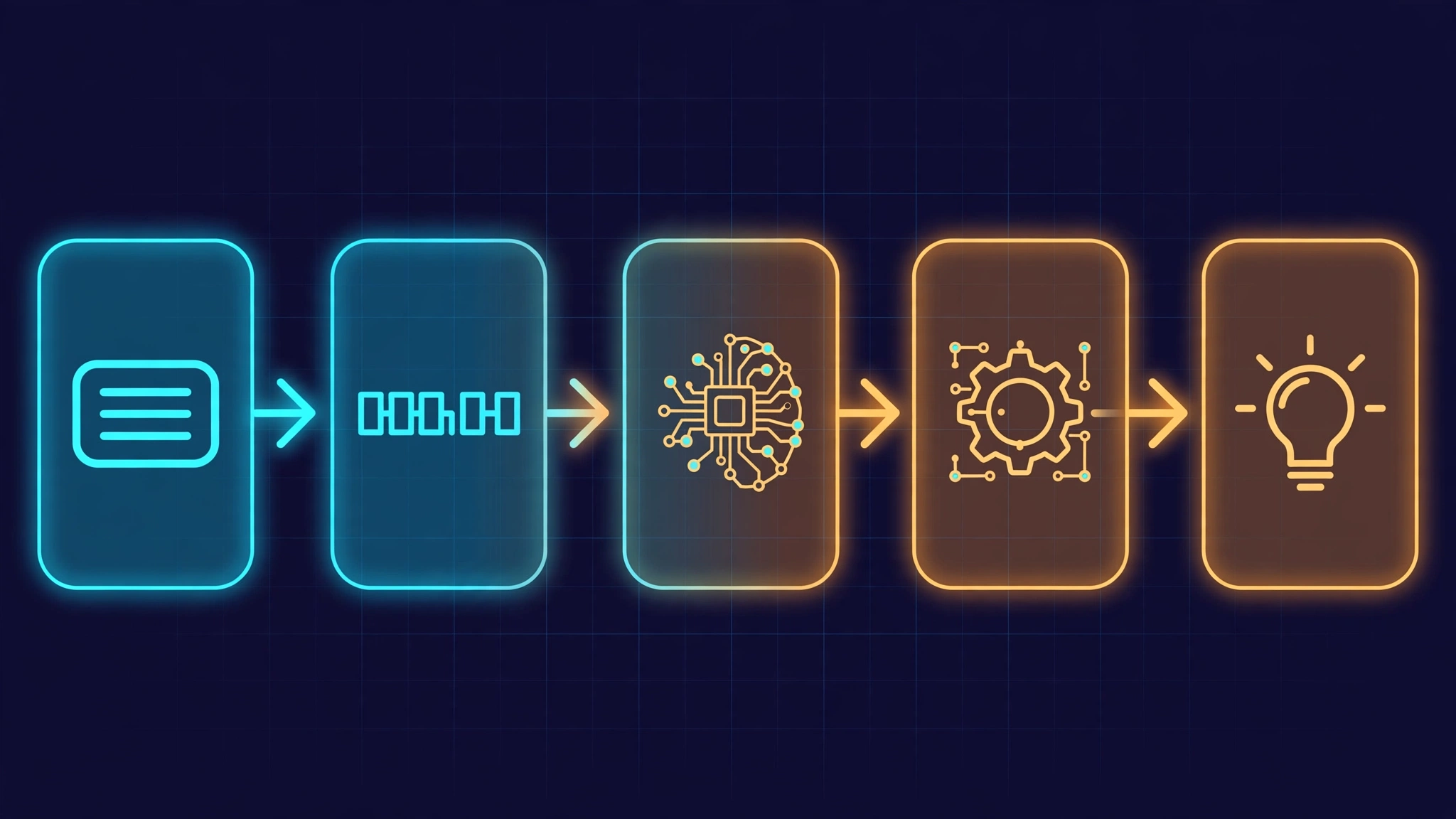
The program in Step 5 looks long, but the generate loop itself is ten calls. Walk it in order:
llama_backend_init()— once, at startup. It initializes the backends (CPU here; a GPU build would register its backends too).llama_model_load_from_file()— memory-maps the GGUF file and loads its tensors into astruct llama_model.llama_model_get_vocab()— the tokenizer lives on the vocabulary, so every tokenize/detokenize call takes the vocab.llama_model_chat_template()andllama_chat_apply_template()— the model ships its own template, and the apply call renders your messages into the prompt string. One caveat from the header: this function does not run a Jinja engine — it supports a predefined list of templates, and Qwen2.5’s ChatML is one of them.llama_tokenize()— the prompt string becomes token ids.llama_init_from_model()— creates the context, which holds the KV cache and the compute state. Heren_ctxis 2,048 tokens andn_batchis 512.- The sampler chain — the next step.
- The loop:
llama_batch_ext_add_tokenandllama_batch_ext_set_posput tokens at consecutive positions;llama_batch_ext_set_output_logits(batch, n_tokens - 1, true)asks for logits only on the last token;llama_process(ctx, LLAMA_PROCESS_TYPE_DECODE, batch)runs the model;llama_sampler_sample(smpl, ctx, -1)picks the next token from the last position;llama_vocab_is_eog()stops on the end-of-generation token;llama_token_to_piece()turns the id back into text and prints it. - Free everything in reverse: batch, sampler, context, model, backend.
Two details in the loop deserve attention. The first pass feeds the whole prompt — all 36 tokens at once, processed in parallel. Every later pass feeds exactly one token: the one just sampled. That is why the loop tracks n_pos separately from the token count, and it is also why prompt processing is fast and generation is one token at a time. The second detail is the logits request: the model only needs to predict the next token after the last prompt token, so asking for logits on every position would waste compute. Requesting them on the last position only is the standard optimization, and the new batch API makes it explicit.
A note on the new API versus the old one. The 1.0 examples use llama_batch_ext plus llama_process, and this tutorial follows them. The classic llama_batch plus llama_decode still exist and still work — the 1.0 release did not remove them. What changed is guidance: llama_batch_get_one is marked in the header as a helper “to facilitate transition to the new batch API — avoid using it”. If you are starting fresh, learn the extended API. If you are maintaining old code, it still compiles.
Step 7: Make it deterministic — and make it yours#

The model does not choose words. It produces a probability distribution over all 151,936 tokens, and the sampler chain turns that distribution into one token. The chain in chat.c has three links, applied in order:
llama_sampler_init_min_p(0.05f, 1)— drops every token whose probability is below 5% of the top token’s probability. Unlike a fixed top-k, min_p adapts: when the model is confident, the cutoff is strict; when it is uncertain, more tokens survive.llama_sampler_init_temp(0.7f)— scales the distribution. Temperature 1.0 is the model’s raw probabilities; lower is more conservative; 0.0 always picks the top token.llama_sampler_init_dist(1234)— draws the token, using seed 1234, so a run is reproducible.
Set the temperature to zero and the same question gives the same answer every time. Run twice:
./chat -m qwen2.5-0.5b-instruct-q4_k_m.gguf -t 0.0 "Name three primary colors."
./chat -m qwen2.5-0.5b-instruct-q4_k_m.gguf -t 0.0 "Name three primary colors."
Three primary colors are red, blue, and yellow.
Three primary colors are red, blue, and yellow.
Byte-identical, both runs. That is what temperature 0 buys you: determinism for tests, evals, and anything you need to reproduce. Now a longer answer at the default temperature 0.7:
./chat -m qwen2.5-0.5b-instruct-q4_k_m.gguf "Explain in three sentences why the sky is blue."
The sky is blue because of the scattering of sunlight. When sunlight enters the Earth's atmosphere, it is scattered by tiny particles in the atmosphere, such as nitrogen, oxygen, and water vapor. The scattering of sunlight creates colors, and the blue light is scattered the most, leading to the blue appearance of the sky.
Three sentences, correct physics, 64 tokens in 8.35 seconds (7.7 tok/s). It is also a little repetitive in the middle — a 0.5B model’s answer is what it is, and the repetition is a good reminder that a small model’s ceiling is low even when the prompt is right.
About speed: repeated runs of the questions in this tutorial landed between 3.8 and 8.6 tokens per second. That number is a property of the small shared-CPU sandbox used for this tutorial (1.5 shared CPUs, 4 threads) — not of llama.cpp, and not a claim about your machine. On a real machine with more cores the same code runs faster, and on a GPU you set mparams.n_gpu_layers to a value above zero with a GPU-enabled build to offload layers. The point of the numbers here is that they were measured, not claimed.
Three experiments to try on your own: re-run a question with -t 1.0 and compare the variety; ask a longer question with -n 300 and watch the model stop by itself at the end-of-generation token; and swap in a bigger GGUF — the program does not care what size the model is, only that it fits in RAM.
Step 8: The same model over HTTP#
Sometimes you do not want a C program — you want an endpoint. The build already produced llama-server, an OpenAI-compatible HTTP server wrapping the same engine. Start it:
./build/bin/llama-server -m qwen2.5-0.5b-instruct-q4_k_m.gguf --port 8899 --host 127.0.0.1
Wait for the model to finish loading before you call it. The /health endpoint answers 503 while the model is still loading — in this run it took about 3 seconds; a bigger model takes longer:
for i in $(seq 1 60); do
  code=$(curl -s -o /dev/null -w "%{http_code}" http://127.0.0.1:8899/health)
  [ "$code" = "200" ] && break
  sleep 1
done
curl -s http://127.0.0.1:8899/v1/models
{"object":"list","data":[{"id":"qwen2.5-0.5b-instruct-q4_k_m.gguf","object":"model",
  "owned_by":"llamacpp","meta":{"n_vocab":151936,"n_ctx":32768,"n_params":630167424,
  "ftype":"Q4_K - Medium"}}]}
The reply is trimmed here — the full response also lists the model under a models key with its format, family, and capabilities. The part that matters is the id: it is the file path you passed with -m, and the meta block confirms the vocabulary, context, parameter count, and quantization from the file itself.
Then a chat completion, using the OpenAI request shape:
curl -s -X POST http://127.0.0.1:8899/v1/chat/completions -H 'Content-Type: application/json' \
  -d '{"messages":[{"role":"user","content":"What is 2+2? Answer with just the number."}],"max_tokens":20,"temperature":0}'
{"choices":[{"finish_reason":"stop","index":0,
  "message":{"role":"assistant","content":"4"}}],
 "model":"qwen2.5-0.5b-instruct-q4_k_m.gguf","object":"chat.completion",
 "usage":{"completion_tokens":2,"prompt_tokens":42,"total_tokens":44}}
The answer is 4, with 42 prompt tokens and 2 completion tokens — the same engine, the same model, behind a standard HTTP API. The full reply also carries a per-call id, a system fingerprint, and a timings block: on this run it reported 49 prompt tokens per second and 10 generated tokens per second on the same small CPU sandbox. Stop the server with Ctrl-C when you are done. The 1.0 server also serves /v1/completions, embeddings, and the new /v1/audio/speech endpoint.
Which approach should you use?#
Five ways to run a local model, five different trade-offs:
| Approach | Use it when | What you give up |
|---|---|---|
| The C API (this tutorial) | You are embedding a model in an app or a library and want full control — memory, threads, sampling — with no process boundary | You write the loop, the template handling, and the error handling yourself |
| llama-server | You want an OpenAI-compatible HTTP endpoint for any language, in one command | A process boundary, HTTP overhead, and the server’s opinions about defaults |
| llama-cli | You want to chat with a model or benchmark it right now, with no code | There is no API of your own — it is a tool, not a library |
| llama-cpp-python | Your app is Python and you want the same engine behind a Python API | The C API’s control, and the binding’s own release cadence |
| Ollama | You want zero-code local serving with model management | Control over the engine and the API surface |
The honest rule: pick the highest layer that still gives you what you need. Most apps should start with llama-server or a binding and drop to the C API only when they hit a limit the higher layer cannot express. But when you do drop down, the layer underneath is now a stable contract — that is what 1.0 bought you.
The takeaway#
llama.cpp 1.0 does not change what the engine does. It changes what you can rely on: the C API in llama.h is now a versioned contract, 35 deprecated functions are gone, the extended batch API is the recommended path, and the code you write today will compile against 1.1, 1.2, and 1.9. The whole loop is about ten calls — backend, load, vocab, template, tokenize, context, sampler, batch, process, sample — and everything else is your app. Start from chat.c, point it at a bigger model, and you have the skeleton of every local AI product: a prompt in, tokens out, under your control, on your machine, with no API key and no bill.
Sources#
- llama.cpp v1.0.0: A stronger foundation for the local AI ecosystem — the release announcement from the llama.cpp team at Hugging Face, including the semantic versioning rules and distribution channels.
- llama.cpp v1.0.0 release notes (GitHub) — the full list of breaking changes, removals, and new features, including the 35 removed functions and the NextN promotion.
- ggml-org/llama.cpp — the source repository; the
v1.0.0-b12359-b1b770dtag andinclude/llama.hare what this tutorial builds and reads. - Qwen/Qwen2.5-0.5B-Instruct-GGUF (Hugging Face) — the model used in every measurement here.
- llama.cpp hits 1.0: the local AI engine finally gets a stable API — AI Frontier Post’s news coverage of the release.