MetaHarness: mint your own branded agent harness — scaffold, validate, and ship it under your name
One command mints a complete agent harness under your name — its own CLI, MCP server, agents, skills, and a default-deny policy. This guide scaffolds two of them, runs every gate the factory ships, and shows exactly where the free part ends and the paid agent run begins.
- Who: MetaHarness (ruvnet/metaharness on GitHub) from Cognitum One, the developer behind Ruflo — 722 stars, 92 forks, 1,038 commits, MIT, created June 13, 2026, read October 28, 2026.
- What: a generator that scaffolds a branded agent harness (CLI, MCP server, agents, skills, commands, memory namespace, governance policy) for 10 hosts, in 20 templates.
- When: announced October 28, 2026 at GitHub Universe 2026; CLI package verified here as 0.4.19, generated harness kernel 0.1.3.
- Requirement: Node.js 20+ and npm. No account, no API key, no GPU for scaffolding, doctor, tests, MCP, or scoring; a host subscription or model key only to run the finished harness as a live agent.

Why this is blowing up now
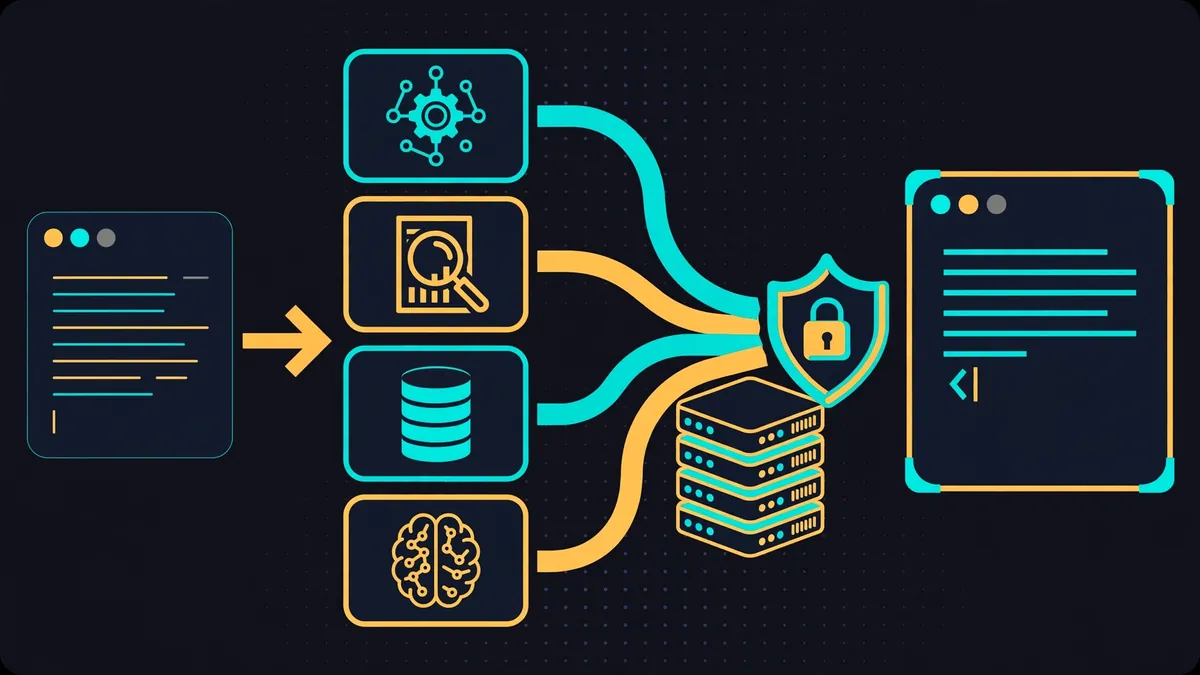
Most agent tools give you one assistant. MetaHarness gives you the factory that makes assistants: one command scaffolds a complete, branded agent harness — its own command-line tool, its own MCP server, its own agents, skills, slash commands, memory namespace, and governance policy — under your name, ready to publish as your own npm package. Cognitum One announced it on October 28, 2026, alongside GitHub Universe 2026 in San Francisco. It comes from the same developer behind Ruflo, the agent harness this blog verified earlier today, and the README describes MetaHarness plainly as the generator that Ruflo was factored apart from: Ruflo is one harness; MetaHarness mints new ones.
The repository (ruvnet/metaharness on GitHub) is MIT-licensed and, when this guide read it on October 28, 2026, showed 722 stars, 92 forks, and 1,038 commits since its creation on June 13, 2026. Those are modest numbers next to Ruflo's, and this guide does not pretend otherwise — the news here is the launch, not a star count. What makes it tutorial-worthy is that the core loop needs nothing you have to pay for: scaffolding, validating, scoring, and serving the harness over MCP all ran here with no account, no API key, and no GPU. The one thing that does cost money is running the finished harness as an agent, because that still needs a host subscription or a model provider key. This guide draws that line explicitly, in every step, so you know exactly which parts are free and which are not.
One more distinction before you start. MetaHarness is not another agent framework, and it is not a model. It does not answer questions itself. It produces the scaffolding — the agents, the tools, the permissions, the policy — that a host such as Claude Code or Codex then runs with a model. If you want a chatbot, this is the wrong tool. If you want every repo you own to have its own purpose-built agent team with rules you can read and audit, this is the tool built for that job.
What you'll need
- Node.js 20 or later and npm. This guide ran Node v24.22.1 with npm 10.9.4 on Linux x86_64. The generated harness declares
node >= 20.0.0in its engines field, so anything older is out. - A terminal and an empty scratch directory. The scaffold writes 25–31 files; keep it out of a repo you care about until you have seen what it generates.
- No account, no API key, and no GPU for Steps 1–5. Scaffolding, doctor checks, tests, the MCP handshake, and the repo scorecard are all local and keyless.
- A Claude Code or Codex subscription (or another supported host plus a model key) only if you go on to run the finished harness as a live agent. That step is outside this guide, and it is the only step that costs anything.
- About 100 MB of free disk for the scaffold's dependencies. The install in this guide pulled 58 packages.
Step 1: Check the factory before you use it
MetaHarness is distributed on npm, so there is nothing to clone and nothing to build from source for the basic path. Confirm the tool answers and list what it can generate:
npx metaharness --help
npx metaharness --list
Expected output: the help text shows the scaffold form (npx metaharness <name> [--template <id>] [--host ...]), the keyless utilities (score, analyze, genome), and the interactive wizard flag. The list shows 20 templates: minimal plus 19 verticals, from vertical:coding and vertical:repo-maintainer to vertical:legal, vertical:health, and vertical:trading. Each line also shows its shape in shorthand — for example, vertical:coding is listed as 4 agents, 1 skill, 2 commands — so you can compare templates before committing to one. At the time of this guide, the metaharness package resolved to version 0.4.19. Ten hosts are supported: claude-code, codex, pi-dev, hermes, openclaw, rvm, copilot, opencode, github-actions, and prime-agent.
Two cautions from the README itself, stated here because they affect what you should expect. The project labels itself v0.1.x beta, and notes that a credibility and documentation reconciliation is in progress. Treat its benchmark and leaderboard claims as the project's claims, not as verified results — this guide verifies the scaffold and its gates, not its scores.
Step 2: Scaffold your first harness
Generate a coding-team harness named demo-bot for the Claude Code host:
npx metaharness demo-bot --template vertical:coding --host claude-codeExpected output, verified October 28, 2026:
Scaffolded demo-bot into ./demo-bot
Files: 31
Manifest: ./demo-bot/.harness/manifest.json
Look at what those 31 files actually are, because the file list is the product. The scaffold contains four agents (agents/architect.md, implementer.md, reviewer.md, test-writer.md, each also mirrored as TypeScript under src/agents/), two skills (skills/plan-change/ and skills/evolve/), two slash commands (commands/doctor.md and commands/review-diff.md), a Claude Code plugin definition (.claude-plugin/plugin.json), host settings (.claude/settings.json), a bin/cli.js and bin/mcp.js, a smoke test (__tests__/smoke.test.ts), and the harness metadata directory (.harness/manifest.json, .harness/manifest.sha256, and .harness/mcp-policy.json). The manifest records the template, the host, and a SHA-256 hash per file, so a later drift check can tell you exactly what changed.
Read the policy file before you run anything. It is short, and it is the most important file in the scaffold:
{
  "defaultDeny": true,
  "allowNetwork": false,
  "allowShell": false,
  "allowFileWrite": false,
  "requireApprovalForDangerous": true,
  "toolTimeoutMs": 30000,
  "maxToolCallsPerTurn": 8,
  "auditLog": true
}
Default-deny means the harness starts with network, shell, and file writes all forbidden, dangerous actions gated on approval, a 30-second tool timeout, at most 8 tool calls per turn, and auditing on. That is a governance posture you can show a reviewer, not a promise buried in a prompt. The Claude Code settings file reinforces it with explicit allow and deny lists: it permits Bash(npx demo-bot*), npm test, and read-only git commands, while denying reads of .env files, git push, and rm -rf. If you relax any of this later, do it by editing these files deliberately, not by asking the agent to work around them.
Step 3: Install, then prove the harness works
Here is the trap this guide found, so you do not have to. The README's quick start shows cd my-bot && npx . --help right after scaffolding. Run that before installing dependencies and it fails: the CLI imports @metaharness/kernel, which does not exist on disk yet. Install first:
cd demo-bot
npm install
npx . --help
Expected results: the install added 58 packages in 52 seconds in this guide's sandbox, and the help listing then shows the harness's own commands — mcp start (serve read-only harness metadata over stdio), init, doctor, and --version. Now run the two checks that turn a pile of generated files into a verified result:
npm run doctor
npm test
Expected output from doctor, verified here:
PASS kernel loads
PASS kernel reports a version
PASS kernel backend is native|wasm|js
PASS host adapter has a name

demo-bot: all checks passed (kernel 0.1.3, js backend, host claude-code)
The test run passes 4 of 4, including a check that an unknown CLI command exits non-zero. Note the backend: js backend. The kernel also ships native and WebAssembly backends, but on this machine it ran the JavaScript fallback and passed everything anyway. If your machine reports a different backend, that is expected variation, not a failure — the gate is the four PASS lines, not the backend name.
Step 4: Serve the harness over MCP
The scaffold's MCP server is deliberately small, and its own source comment says so: "Read-only scaffold metadata over MCP stdio. No arbitrary paths, shell or network." Start it and speak MCP to it directly, with three JSON-RPC lines — initialize, initialized notification, tools list:
printf '%s\n' '{"jsonrpc":"2.0","id":1,"method":"initialize","params":{"protocolVersion":"2024-11-05","capabilities":{},"clientInfo":{"name":"probe","version":"0"}}}' '{"jsonrpc":"2.0","method":"notifications/initialized"}' '{"jsonrpc":"2.0","id":2,"method":"tools/list","params":{}}' | node ./bin/mcp.jsExpected output:
{"jsonrpc":"2.0","id":1,"result":{"protocolVersion":"2024-11-05","capabilities":{"tools":{}},"serverInfo":{"name":"demo-bot","version":"0.1.0"}}}
{"jsonrpc":"2.0","id":2,"result":{"tools":[{"name":"harness_info","description":"Read this generated harness name, version and description.","inputSchema":{"type":"object","properties":{},"additionalProperties":false},"annotations":{"readOnlyHint":true,"destructiveHint":false,"openWorldHint":false}}]}}
One tool, read-only, no arguments: any MCP client can ask this harness who it is, and nothing else, over this server. Do not mistake that for the full agent toolset — the full tools live in the host (Claude Code, Codex) once you run the harness there. What this step proves is the wiring: your branded CLI is a real MCP server endpoint, speaking the protocol, with its identity and version intact. In your MCP client, point a stdio server at node ./bin/mcp.js inside the harness directory, and harness_info is what it will find.
Step 5: Score a repo before you scaffold for it
The most useful keyless command in the factory is the one you run before generating anything. Point it at a repo — here, the harness you just built, so the numbers are checkable — and it prints a one-screen report card:
cd ..
npx metaharness score ./demo-bot
Expected output, verified here:
Scorecard — demo-bot  (best-fit archetype: typescript-sdk-harness)

  Harness fit:        67/100
  Compile confidence: 90/100
  Task coverage:      98/100
  Tool safety:        95/100
  Memory usefulness:  38/100
  Est. cost per run:  $0.048
  Recommended mode:   CLI + MCP  (template vertical:coding)
  Constraints:        6/6 hard ✓ scaffold-ready
Read it as a triage report, not a grade. Compile confidence (90) and tool safety (95) say the scaffold is buildable and tightly permissioned; memory usefulness (38) says this template's memory story is thin, which matches what the file list shows — there is no vector store or memory backend in the coding scaffold, only scoped configuration. The estimated cost per run ($0.048) is the factory's estimate for agent runs under this harness, not a bill you have received; treat it as a planning figure. The line that matters for a go/no-go decision is the last one: 6 of 6 hard constraints pass, so the repo is scaffold-ready. Run this on your own repo before scaffolding for it, and let a failing constraint — not enthusiasm — decide whether the template fits.

Step 6: Mint a second harness and see what changes
A factory proves itself when the second output differs from the first in exactly the ways you asked for. Scaffold a repo-maintainer harness for the Codex host:
npx metaharness repo-bot --template vertical:repo-maintainer --host codex
cd repo-bot
npm install
npm run doctor
Expected output: 25 files (not 31 — templates genuinely differ in size), and doctor passes again with one telling difference in its last line: repo-bot: all checks passed (kernel 0.1.3, js backend, host codex). The layout changes too: this template keeps its agents under src/agents/, ships a .codex/config.toml instead of relying on Claude Code settings alone, and still carries the same .harness/ trio of manifest, hash, and policy files. The second install took 14 seconds instead of 52, because the npm cache was warm — a small detail, but it is the difference between a repeatable workflow and a one-off demo.
That is your end-to-end result: two branded harnesses, each with its own CLI, MCP server, agents, skills, commands, and default-deny policy, both passing their own doctor gates, built without an account or a key. From here, the honest next steps are: rename the harness (edit name in package.json and regenerate the manifest hashes if you keep them), trim the agents and skills you will not use (the README's own advice — a smaller, targeted harness is faster and easier to reason about), and only then connect a host with a subscription or key and run it as a live agent. Publishing under your own name (npm publish with the scaffold's public access setting) is the final step the factory is designed for; do it after you have reviewed the generated policy, not before.
When to use this vs alternatives
Use MetaHarness when you want the same agent setup repeated across repos with rules you can audit: one template, many harnesses, each owned and versioned like code. Use Ruflo — the harness this factory was split from — when you want one powerful, ready-made swarm right now instead of building your own: Ruflo ships the 100-agent coordination; MetaHarness ships the means to mint a smaller, branded version of that idea. Use a single coding agent with a hand-written AGENTS.md when the job is one repo, one developer, and no governance review: the factory's manifest, policy, and witness machinery is overhead you do not need there. And use a full agent framework (LangGraph, the OpenAI Agents SDK, Pydantic AI — all covered in this blog's tutorials) when the agent logic itself is the product and needs custom code, retries, and state machines: MetaHarness generates configuration and scaffolding around a host, it does not replace a framework's runtime.
What this guide did not verify
- A live agent run: no Claude Code or Codex subscription was used, so no agent executed a task through either harness. Everything verified here is the scaffold, its gates, its MCP handshake, and its scorecard.
- The project's benchmark and leaderboard claims, including its OpenEnv Arena ranking and SWE-bench figures: quoted in the README, not re-measured here.
- Darwin Mode self-improvement (
npm run evolve), red/blue adversarial evaluation, weight fine-tuning, and the browser-based Studio: all documented, none exercised, and several need a model key or GPU. - Publishing a harness to npm: the scaffold is publish-configured, but no package was published for this guide.
- Star, commit, and fork counts move constantly. The figures here (722 stars, 92 forks, 1,038 commits, CLI package 0.4.19, kernel 0.1.3) are dated October 28, 2026; check the repository page before quoting them elsewhere.
The takeaway
MetaHarness earns its launch-day attention with a concrete, checkable promise: in about a minute, with no account and no key, you can mint a branded agent harness that passes its own health checks, serves itself over MCP, and carries a default-deny policy a reviewer can read in eight lines. The agent runs still cost money, the project is still beta, and its benchmark claims are still its own — all stated plainly above. But the factory floor itself is open, and you can walk it tonight: scaffold demo-bot, run doctor, watch the scorecard, and decide with evidence whether your repo deserves its own harness. If it does, the second scaffold takes fourteen seconds, and the harness that comes out has your name on it.
Sources
- MetaHarness repository page (github.com/ruvnet/metaharness) — star, fork, commit, license, and creation-date figures; template and host lists; beta status note.
- MetaHarness README — the 30-second quick start, template table, host table, MCP default-deny description, day-to-day commands, and architecture summary.
- Cognitum One announcement, October 28, 2026 (ACCESS Newswire, via Morningstar) — GitHub Universe timing, the factory description, and the getting-started commands.
- The installed tool itself, run in this guide: metaharness 0.4.19, generated harness kernel 0.1.3 — every scaffold count, doctor result, test result, MCP response, policy value, and scorecard figure quoted here came from running it, not from documentation alone.