Turn meeting recordings into speaker-labelled transcripts with Nvidia's Nemotron 3.5 Transcribe
Nvidia's newest open speech model turns one recording into a transcript, speaker labels, word timestamps, and a translation — all steered by plain-language prompts. This guide serves it with vLLM on one H100, wires up the OpenAI-compatible client, and turns the output into readable notes and subtitles.
- Who: Nvidia Nemotron 3.5 Transcribe (October 28, 2026) — 34B total parameters, about 4.3B active per token, 65,536-token context, recordings up to one hour, OpenMDW-1.1 licence.
- What: a vLLM server on one H100, an OpenAI-compatible client, and two output builders: speaker-labelled Markdown notes and a timed SRT file.
- When: verified October 29, 2026: ffmpeg 8.1.2 audio preparation, openai 3.41.0 client against a mock server, Markdown and SRT outputs byte-checked.
- Requirement: one supported GPU (H100 80 GB reference; see the hardware table in Step 1), Linux or WSL2, Python 3.13, uv, ffmpeg. No API key for the local server.
Why this matters now
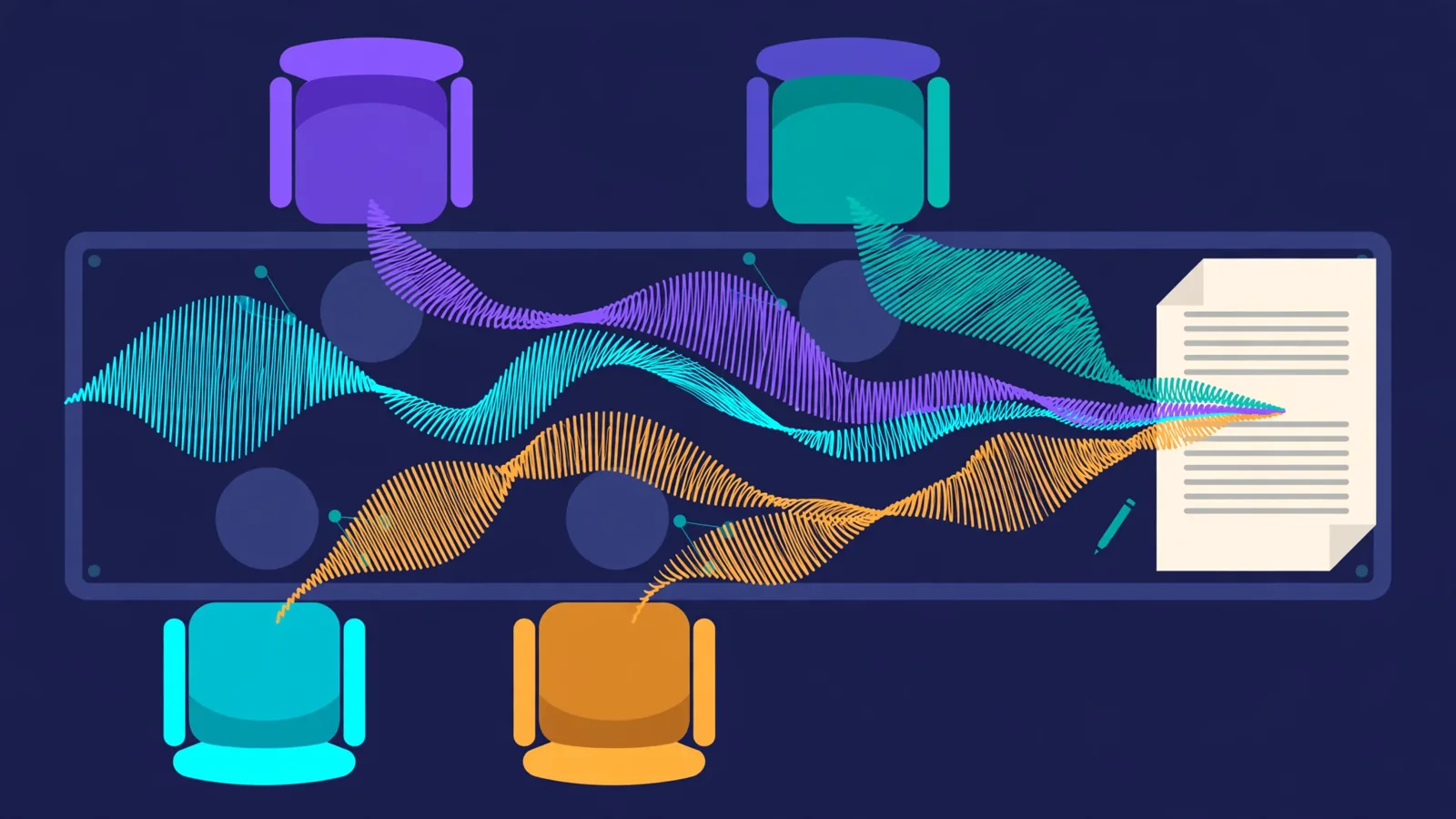
Meeting transcription used to mean chaining tools together: one model to turn speech into text, another to guess who was speaking, a third to translate, and a pile of glue code to reconcile three outputs that disagreed about where sentences ended. Every handoff was a place for errors to creep in — a speaker change lost between two passes, a timestamp that belonged to a different sentence than the one it labelled.
On October 28, 2026, Nvidia released Nemotron 3.5 Transcribe, an open-weight speech model that collapses that chain into one promptable model. It is a speech-augmented language model: an audio encoder feeds a hybrid Mamba-Transformer mixture-of-experts language model, so the same recording can produce a verbatim transcript, a cleaned-up readable version, a speaker-labelled transcript, a translation, or an answer to a question about the audio — depending on the instruction you send with it. The model card puts the size at 34 billion total parameters with about 4.3 billion active per token, a 65,536-token context, and recordings up to one hour long. It transcribes 40 languages, translates between English and 31 other languages, and labels up to eight speakers in a recording. The weights are released under the OpenMDW-1.1 licence, which allows commercial use.
That consolidation is the whole point of this tutorial. You will serve the model on one GPU with vLLM, talk to it through an OpenAI-compatible endpoint, and build the small amount of code that turns its raw output into two things people actually use: readable, speaker-labelled meeting notes and a subtitled file with real word timings. Along the way you will learn which of its tricks are free (prompt-steered style and translation) and which cost you something (word timestamps need a specific server setup, and the fastest serving numbers Nvidia quotes belong to a different, optimised build than the open one).
One honest boundary before you start: the model itself needs a serious GPU — the reference deployment is one H100 with 80 GB of memory — and this tutorial was written and verified on a machine without one. The server command below is copied from Nvidia's model card, not run here, and the article says so wherever that matters. Everything that could be verified without the GPU was verified: the audio preparation, the client code, and the post-processing, all against a mock server that mimics the real endpoint's reply shape. Rent the GPU for the serving step, or try the hosted demo linked from the model card first, and you will know exactly what to expect when the real server answers.
What you'll need
- A GPU machine for serving. The model card's reference is one H100 80 GB, serving the BF16 checkpoint. Its hardware table also lists an A100 80 GB (BF16), an L40S 48 GB (FP8 only), and an RTX 5090 (NVFP4 only), plus Blackwell cards and DGX Spark. A rented cloud GPU or a workstation with one of these cards is the realistic route; this is not a laptop-CPU model. Pick your checkpoint precision from that table, not from habit: the wrong precision for your card simply will not be the supported path.
- Linux (or WSL2 on Windows). The vLLM route below is a Linux recipe; the card notes Linux runtimes also run on Windows through WSL2.
- Python 3.13,
uv, and a Hugging Face account for the download. The NeMo Speech setup below usesuv venv --python 3.13. The checkpoint download is large — plan for a long download and enough disk for the weights plus a working margin, and do not start it on a metered connection without checking the checkpoint size on the model page first. - ffmpeg on the machine that prepares audio. Any recent ffmpeg works; this is the only step that runs comfortably on an ordinary laptop, and it is where your recordings get normalised before they ever reach the model.
- No API key for the local server. The vLLM server speaks the OpenAI chat-completions format on your own machine, so the client uses a placeholder key. Keep that server on localhost or behind your own authentication if you expose it — it is not a public API with built-in access control.
- Recordings you have the right to process. Speaker labels distinguish voices inside one recording; they do not identify real people, and the model card says so explicitly. Get consent where your jurisdiction or workplace requires it before you transcribe other people's meetings, and treat transcripts of sensitive meetings as sensitive documents.
Step 1 — Choose your precision and your serving route
Three decisions shape everything else, so make them before you download anything. First, precision: BF16 is the full-precision reference, FP8 is a quantised variant, and NVFP4 is the smallest. The model card's hardware table is the authority here — H100 takes BF16 or FP8, RTX 5090 takes NVFP4, L40S takes FP8 — and the checkpoint names follow the same pattern (NVIDIA-Nemotron-3.5-Transcribe-30B-A4B, plus -FP8 and -NVFP4 variants). If your card is not in the table, stop and check the card before downloading tens of gigabytes of weights you cannot serve.
Second, serving route. This tutorial uses vLLM, because it is the only route that gives you everything: transcription, translation, speaker labels, and word timestamps. SGLang-Omni is simpler — one command, no NeMo — but the model card is explicit that it does not do word timestamps, speaker-attributed output, translation, or speculative decoding; it is a whole-file transcription endpoint. Running the model in-process with Hugging Face Transformers is the third route, useful for a notebook experiment, but it gives up the serving optimisations and the timestamp middleware. The decision table at the end of this guide summarises the trade-off; for meeting notes with speakers and timings, vLLM is the right default.
Third, expectations about speed. The model card reports batched English ASR throughput on one H100 of roughly 410x real-time with two-token speculative decoding (MTP2) and 270x with eight-token decoding (MTP8) — and it warns, in the same breath, that these are rough batch estimates excluding startup, not single-request latency. Separately, Nvidia quotes an optimised NIM build transcribing up to 2,238 seconds of audio per second on an RTX PRO 6000. That NIM build is not the open-source release, and the card says the open vLLM integration is expected to be roughly two times slower. Do not budget a project on the NIM number; budget on the vLLM number, and measure your own first hour before promising anyone a turnaround time.
Step 2 — Install NeMo Speech and vLLM, then download the checkpoint
The model card's environment setup installs vLLM 0.32.0 and the latest NeMo Speech main branch into one environment with uv, then downloads the checkpoint. Run it exactly as written — the two extra packages at the end are not optional extras, they are fixes for gaps in the dependency sets: PyAV decodes compressed formats such as M4A without a system ffmpeg, and vLLM requires OpenCV, which NeMo's dependency settings exclude.
git clone https://github.com/NVIDIA-NeMo/Speech.git nemo-speech
cd nemo-speech
uv venv --python 3.13 .venv
UV_PROJECT_ENVIRONMENT=$PWD/.venv uv sync --extra asr --extra vllm --locked --no-install-project
uv pip install --python .venv/bin/python --no-deps -e .
# PyAV decodes compressed audio formats, such as M4A, without a system FFmpeg.
uv pip install --python .venv/bin/python --no-deps av==19.0.2
# vLLM requires OpenCV, which NeMo's dependency settings exclude.
uv pip install --python .venv/bin/python --no-deps opencv-python-headless==5.0.0.93
source .venv/bin/activate
hf download nvidia/NVIDIA-Nemotron-3.5-Transcribe-30B-A4B --local-dir ./NVIDIA-Nemotron-3.5-Transcribe-30B-A4B
If you chose FP8 or NVFP4 in Step 1, substitute that checkpoint name in the download command. The hf command comes with the Hugging Face tooling in the environment; if it is not on your path after activation, install huggingface_hub into the same environment and retry before assuming the download failed. Expect this step to take a while: you are downloading a frontier-scale checkpoint, not a pip package, and a failed download halfway through is usually a disk-space or network problem, not a model problem. Check both before re-running.
Step 3 — Start the vLLM server (the command, explained flag by flag)
Here is the model card's server command, verbatim. The environment variables come first because they change behaviour the flags cannot: the plugin that teaches vLLM about this model, the one-hour audio limit (the default is 600 seconds), the 180 MB per-clip file-size cap, and the V1 model runner, which word timestamps require.
export VLLM_PLUGINS=nemo_speechlm
# Allow vLLM to decode recordings up to one hour long (the default is 600 seconds).
export VLLM_MAX_AUDIO_DECODE_DURATION_S=3600
export VLLM_MAX_AUDIO_CLIP_FILESIZE_MB=180
# Word timestamps require the V1 model runner.
export VLLM_USE_V2_MODEL_RUNNER=0

vllm serve ./NVIDIA-Nemotron-3.5-Transcribe-30B-A4B \
  --served-model-name nvidia/NVIDIA-Nemotron-3.5-Transcribe-30B-A4B \
  --trust-remote-code --dtype bfloat16 --gpu-memory-utilization 0.94 \
  --max-model-len 65536 --max-num-batched-tokens 4096 --max-num-seqs 192 \
  --enable-chunked-prefill --no-enable-prefix-caching \
  --use-replayssm --mamba-backend flashinfer --mamba-cache-mode none \
  --mm-processor-cache-gb 0 --no-async-scheduling \
  --limit-mm-per-prompt '{"audio":{"count":6,"length":120000000}}' \
  --speculative-config '{"method":"mtp","num_speculative_tokens":8}' \
  --reasoning-parser nemotron_v3 \
  --trust-request-mm-kwargs \
  --middleware nemo.collections.speechlm2.vllm.salm.ctc_serving.ctc_timestamp_middleware
What the flags you are most likely to touch actually do: --gpu-memory-utilization 0.94 lets vLLM use 94% of GPU memory — lower it if the card runs other work. --max-model-len 65536 matches the model's context window; a dense one-hour conversation can need about 20,000 output tokens, so do not shrink this casually. --no-enable-prefix-caching and the ReplaySSM flags are not tuning knobs to experiment with on day one; the card instructs you to keep them as written. The last two flags are the timestamp switch: --trust-request-mm-kwargs plus the CTC timestamp middleware are what let a request opt into word timestamps in Step 6. Leave them out and timestamps silently will not be available, which is the single most common setup mistake with this model.
The server listens on 127.0.0.1:8000; use --host and --port to change that. The first requests after startup are slower while kernels compile and warm up — the card says so, and it is worth knowing before you judge the server on its first transcript. If you want the DFlash2 draft model instead of MTP speculative decoding, read the card's DFlash2 section first: it needs a small patch to vLLM 0.32.0's DFlash2 code, runs only on the V2 runner (so you unset the V1 variable), and word timestamps are not available with it. For meeting notes, stay with MTP and keep your timestamps.
Step 4 — Prepare your recording: 16 kHz, mono, under one hour
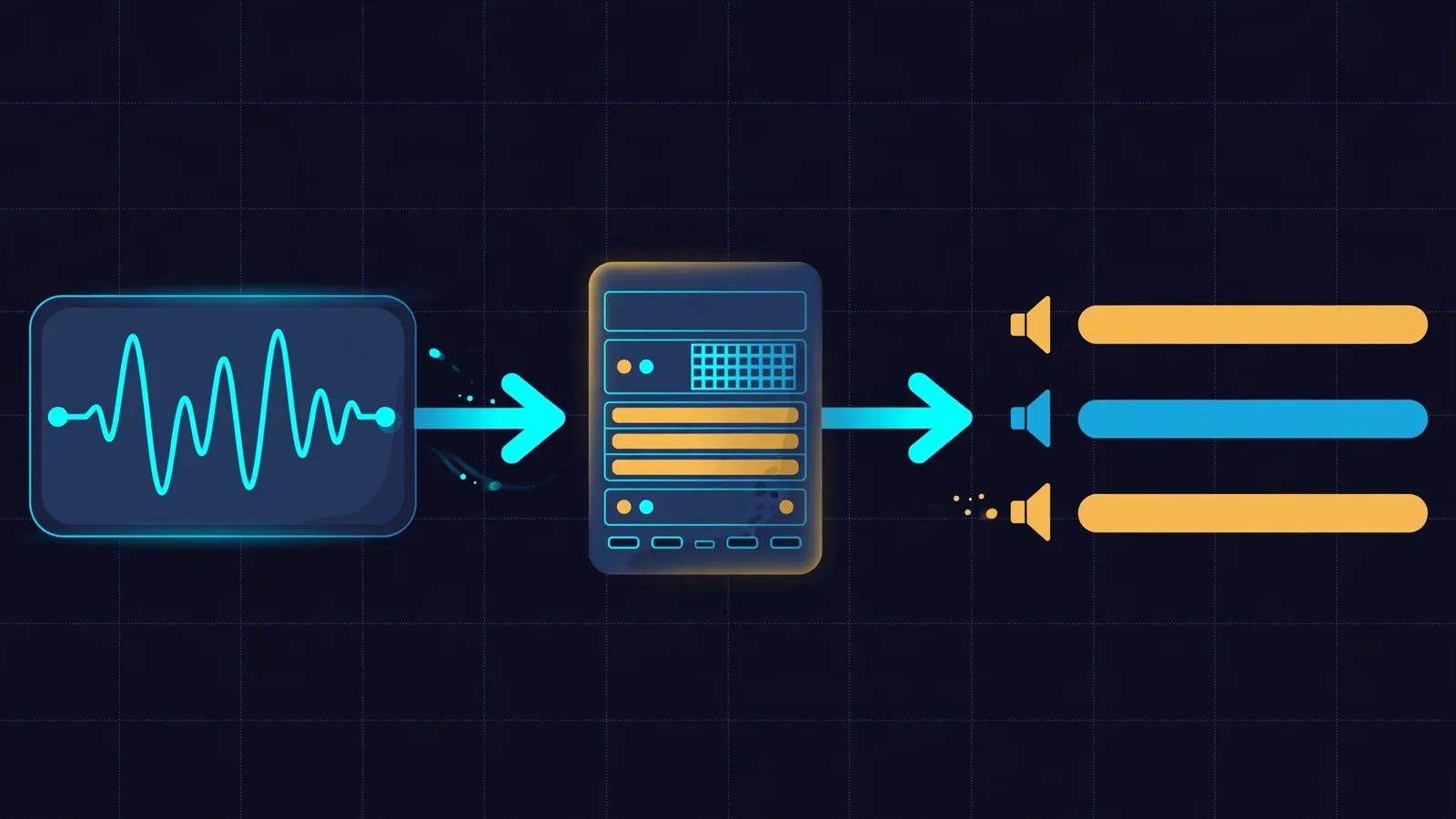
The model card's recipe uses 16 kHz audio, and the server caps a clip at one hour and 180 MB. Normalise before you send anything: one ffmpeg command handles the sample rate, the channel count, and the container in a single pass, whatever your recorder produced.
ffmpeg -y -i meeting_raw.m4a -ar 16000 -ac 1 meeting_16k.wav
ffprobe -v error -show_entries stream=sample_rate,channels,codec_name \
  -show_entries format=duration -of default=noprint_wrappers=1 meeting_16k.wav
Verified here on a generated test recording: a 44.1 kHz stereo file converted cleanly to 16,000 Hz mono PCM with its 5-second duration intact, which is exactly the shape the server expects. If your recording is longer than an hour, split it before transcribing — ffmpeg's -ss and -t options cut clean segments — and transcribe each part separately. One consequence to plan for: speaker tags restart with each request, so spk:0 in part two is not necessarily the same person as spk:0 in part one. Keep a mapping per part, or better, keep meetings under an hour per request whenever the agenda allows it. The same applies to the 180 MB cap: a long, high-bitrate original that survives as a WAV will trip it, which is another reason to normalise to 16 kHz mono first.
Step 5 — Send your first transcript request
The client below follows the model card's request function, with one change you should know about: the model name is a constant, so you cannot typo it differently in two places. Audio travels as a base64 data URL inside an OpenAI-style chat message, which is why the same code works against any OpenAI-compatible server, including the mock used for verification here.
import base64
from pathlib import Path

from openai import OpenAI

MODEL = "nvidia/NVIDIA-Nemotron-3.5-Transcribe-30B-A4B"
client = OpenAI(base_url="http://127.0.0.1:8000/v1", api_key="not-needed")

def ask(audio_path, prompt, system_prompt="", reasoning=False, timestamps=False):
    audio = base64.b64encode(Path(audio_path).read_bytes()).decode()
    messages = [{"role": "system", "content": system_prompt}] if system_prompt else []
    messages.append({"role": "user", "content": [
        {"type": "text", "text": prompt},
        {"type": "audio_url", "audio_url": {"url": f"data:audio/wav;base64,{audio}"}},
    ]})
    extra_body = {
        "chat_template_kwargs": {"enable_thinking": reasoning},
        "skip_special_tokens": False,  # keep speaker and event tags
        "spaces_between_special_tokens": False,
        "seed": 0,
    }
    if reasoning:
        extra_body.update(top_k=-1, thinking_token_budget=17408)
        extra_body["chat_template_kwargs"]["reasoning_budget"] = 16384
    if timestamps:
        extra_body["mm_processor_kwargs"] = {"capture_ctc_timestamps": True}
    return client.chat.completions.create(
        model=MODEL,
        messages=messages,
        temperature=0.6 if reasoning else 0,
        top_p=0.95 if reasoning else 1.0,
        max_tokens=20480 if reasoning else 16384,
        extra_body=extra_body,
    )

response = ask("meeting_16k.wav", "Transcribe the following audio.")
print(response.choices[0].message.content)
Two settings in that function deserve emphasis because they are easy to get wrong. Transcription, translation, and language identification all use temperature 0 with reasoning off — deterministic output for a job where creativity is a bug. And skip_special_tokens stays False on purpose: setting it to True would strip the speaker and event tags that Step 6 depends on. The sampling rule flips only for audio understanding in Step 7, where reasoning goes on and temperature rises to 0.6 with top-p 0.95.
Verification note, stated plainly: this client and everything after it were run against a mock server returning a canned two-speaker reply, because no H100 was available to this tutorial's verification machine. The mock proved the request shape (model name, temperature 0, the timestamp flag, and a base64 audio data URL), the speaker-tag parsing, and both output formats in Step 6 — but the transcript words in the examples below are illustrative, not model output. Treat your first real transcript as a test: run a two-minute clip you already know well, read it end to end, and only then hand the pipeline a real meeting.
Step 6 — Get speakers and word timings, then turn them into notes and subtitles
A plain transcript answers "what was said". A meeting note answers "who said it, and when" — and that needs two things at once: the speaker-tagged prompt from the model card's prompt guide, and the timestamp flag from Step 5. Ask for both together, then check the alignment error field before you trust a single timestamp. The card is explicit: timestamp requests accept one audio recording, stream=false, and n=1; a transcript without speaker tags is aligned as a single speaker; and when you are evaluating diarization itself, use the diarization segments, not the word timestamps.
SPEAKER_PROMPT = (
    "Transcribe this audio with punctuation and capitalization. "
    "Include all spoken words and verbal fillers. "
    "Write numbers in their standard written form. "
    "Put speaker tags <spk:0> <spk:1> <spk:2> <spk:3> on the transcription."
)

response = ask("meeting_16k.wav", SPEAKER_PROMPT, timestamps=True)
alignment = response.model_dump()["ctc_timestamps"]
if alignment["error"] is not None:
    raise RuntimeError(alignment["error"])
for word in alignment["words"]:
    print(word["word"], word["start"], word["end"], word["speaker"])
The ctc_timestamps object gives you four things: words (word text, start and end in seconds, and the transcript's speaker tag), diarization (speaker activity segments from the audio), a mapping between transcript tags and diarization speakers, and the error field. The two small functions below turn the words into the two outputs people actually open. One subtitle cue per speaker turn, timed by its first and last word, keeps subtitles readable; grouping the same words by speaker with a start time gives you meeting notes you can skim.
import re

def fmt_ts(seconds):
    seconds = float(seconds)
    h, rem = divmod(int(seconds), 3600)
    m, s = divmod(rem, 60)
    ms = int(round((seconds - int(seconds)) * 1000))
    return f"{h:02d}:{m:02d}:{s:02d},{ms:03d}"

def words_to_srt(words):
    cues, current = [], None
    for w in words:
        speaker = w.get("speaker") or "spk:0"
        if current and current["speaker"] == speaker:
            current["words"].append(w["word"])
            current["end"] = w["end"]
        else:
            current = {"speaker": speaker, "words": [w["word"]],
                       "start": w["start"], "end": w["end"]}
            cues.append(current)
    out = []
    for i, cue in enumerate(cues, 1):
        label = f"Speaker {int(cue['speaker'].split(':')[1]) + 1}"
        out.append(f"{i}\n{fmt_ts(cue['start'])} --> {fmt_ts(cue['end'])}\n"
                   f"[{label}] {' '.join(cue['words'])}")
    return "\n\n".join(out) + "\n"

def words_to_markdown(words):
    lines, current = [], None
    for w in words:
        speaker = w.get("speaker") or "spk:0"
        if current and current["speaker"] == speaker:
            current["words"].append(w["word"])
        else:
            current = {"speaker": speaker, "words": [w["word"]],
                       "start": w["start"]}
            lines.append(current)
    out = []
    for turn in lines:
        label = f"Speaker {int(turn['speaker'].split(':')[1]) + 1}"
        out.append(f"**{label}** [{fmt_ts(turn['start'])[:-4]}] "
                   f"{' '.join(turn['words'])}")
    return "\n\n".join(out) + "\n"
Run against the mock server, those functions produce exactly what you would expect from a two-speaker opening — Markdown reading **Speaker 1** [00:00:00] Good morning, everyone. followed by **Speaker 2** [00:00:01] Let's start with the budget., and an SRT file with matching cues (00:00:00,120 to 00:00:01,300, then 00:00:01,600 to 00:00:03,000). The words are canned mock data, so the point of the test is the shape, not the sentence: the same code paths, fed with a real server's ctc_timestamps, produce real notes and real subtitles without modification. Two details in the code are worth keeping: a word with no speaker tag falls back to spk:0 rather than crashing, and the Markdown timestamp drops the milliseconds for readability while the SRT keeps them, because subtitles need the precision and notes do not.
Step 7 — Change the job with the prompt: style, vocabulary, translation, questions
This is where one model replaces four tools, and the model card's prompt guide is the menu. Keep the system prompt empty for transcription and translation — that is the card's instruction, not a suggestion — and put the job in the user message.
- Verbatim vs readable. For a record you may quote, ask for wording verbatim, including fillers and repetitions. For captions and searchable notes, ask it to omit fillers and accidental repetitions while keeping the remaining wording unchanged. Both prompts add punctuation, capitalisation, and "transcript only" as the output format, so the model does not summarise when you asked it to transcribe.
- Domain vocabulary. Add context terms to the prompt — product names, drug names, internal jargon, the participants' names — instead of retraining anything. The card's contextual-transcription prompt is simply the transcription instruction plus
Context terms: <names and terms>. This is the cheapest accuracy win in the whole tutorial, and the one most people skip. - Translation.
Please translate the given speech to <target language>.That is the whole prompt. Translation runs at temperature 0 with reasoning off, like transcription, and covers English to and from 31 other languages. Check the card's language matrix for your pair before promising a translation: transcription covers 40 languages, but not every transcription language is a translation language. - Questions about the audio. Ask a specific question and turn reasoning on — that flips the sampling to temperature 0.6, top-p 0.95, a 20,480-token completion limit, and a 16,384-token reasoning budget, as in Step 5's function. This is the mode for "what did we decide about the launch date?" after you already have the transcript, not a replacement for reading it. Audio understanding was evaluated mainly in English, per the card, so treat non-English question-answering as experimental.
- Only the nearest speaker (experimental). The card offers a dictation-style prompt that transcribes only the speaker nearest the microphone and ignores other voices. It is labelled experimental in the guide; use it for voice interfaces and dictation, not for meetings where every voice matters.

Step 8 — Batch a folder, then run the quality checks that actually catch errors
One meeting is a demo; a folder of meetings is a workflow. The full client script used for verification in this tutorial — transcribe.py, with --mode speaker|readable|verbatim|translate|qa, --format md|srt|txt, --context for vocabulary terms, and --out for the output file — wraps Steps 5–7 into one command per file, so a folder batch is a shell loop, not a new program:
mkdir -p transcripts
for f in recordings/*_16k.wav; do
  base=$(basename "$f" _16k.wav)
  python transcribe.py "$f" --mode speaker --format md --out "transcripts/$base.md"
  python transcribe.py "$f" --mode speaker --format srt --out "transcripts/$base.srt"
done
ls transcripts/
Then, before anyone relies on a transcript, run these checks — they are the ones that catch the failure modes the model card itself lists: substitutions, deletions, repetitions, hallucinated speech, wrong language choice, and speaker-attribution errors.
- Check the error field first. If
ctc_timestamps["error"]is not null, the timestamps are not usable, even if the text looks fine. Do not ship subtitles from a failed alignment. - Spot-check names, numbers, and speaker changes. Read the first two minutes and every speaker change against the audio. Names and domain terms are where transcription fails most visibly, and speaker changes are where diarization fails most quietly. If a name is consistently wrong, add it as a context term and re-run that file — that is what the vocabulary prompt is for.
- Watch overlapping speech and long files. The card recommends targeted testing for long recordings, overlapping speakers, noise, names, and code-switching. A panel discussion with constant crosstalk is a harder test than a two-person interview; grade your pipeline on the hard file, not the easy one.
- Collapse, but do not trust, repeated lines. A cheap guard in the verification script drops exact consecutive duplicate lines, which catches the visible symptom of a generation loop. It is not a cure: if a transcript repeats itself, re-run it and inspect the audio around the loop before using that section.
- Stop the server when you are done. A rented GPU bills whether you are transcribing or not. The vLLM process holds the card's memory until you stop it, so make shutting it down part of the workflow, not an afterthought.
Which approach should you use?
The choice is not "which model" but "which serving route, for which job" — and the model card draws the lines clearly.
| Route | Use it when | What you give up |
|---|---|---|
| vLLM + NeMo Speech (this tutorial) | You need speaker labels, word timestamps, translation, or speculative decoding from one server. | The heaviest setup: a GPU machine, the NeMo environment, and the full serve command. |
| SGLang-Omni | You need whole-file transcription quickly and nothing else, on one GPU. | Word timestamps, speaker-attributed output, translation, and speculative decoding are all absent. |
| Transformers, in-process | You are experimenting in a notebook and want the model as a Python object. | Serving optimisations and the timestamp middleware; you manage memory and batching yourself. |
| The hosted demo linked from the model card | You want to hear what the model does on your audio before renting a GPU. | Your audio leaves your machine, and you get a demo, not a pipeline. |
| A smaller local transcriber (e.g. faster-whisper) | You have no GPU budget and your meetings are single-speaker or speaker labels do not matter. | Accuracy on multi-speaker, multilingual, and long-form material — the model card's benchmark leads are for this model, not for the smaller one. |
One more comparison, because it decides budgets: the model card's headline benchmark figures, captured October 12, 2026, are 4.71% mean word error rate on nine English sets, 4.62% across seven multilingual sets, and 15.80% mean cpWER on full multi-speaker sessions — each the best open-weight figure the card lists against its next-best open-weight rival. Those are the card's numbers, not measurements from this tutorial, and they describe the model, not your recordings. Your accent mix, your room noise, and your vocabulary will move them. The honest way to compare against your current tool is a side-by-side on ten of your own recordings, scored by hand on names, numbers, and speaker changes — the errors that cost you time, not the average that flatters a leaderboard.
The takeaway
Nemotron 3.5 Transcribe earns its place by removing glue code: one open-weight model, one prompt, and you choose between a verbatim record, a readable transcript, a speaker-labelled meeting note, a translation, or an answer about the audio. The price is a real GPU, a careful server setup where the timestamp flags are easy to forget, and the discipline to verify the first transcripts by ear before trusting the pipeline. Do the setup once, keep the prompt guide beside the client, add your vocabulary as context terms, and check the alignment error field every single run. The model does the transcribing; the workflow around it — normalised audio, the right prompt, and five minutes of spot-checking — is what makes the transcript trustworthy.
Sources: Nvidia's model card for nvidia/NVIDIA-Nemotron-3.5-Transcribe-30B-A4B on Hugging Face (architecture, 34B total / 4.3B active parameters, 65,536-token context, one-hour recordings, 40 transcription languages, OpenMDW-1.1 licence, hardware compatibility table, vLLM 0.32.0 + NeMo Speech environment setup, the vLLM serve command and its environment variables, the request function and sampling rules, the prompt guide, word-timestamp and diarization rules, SGLang-Omni limits, DFlash2 notes, and benchmark results captured October 12, 2026, all read October 29, 2026); launch coverage for the translation count (31 languages to or from English), speaker labelling (13 languages, up to eight speakers), and the NIM-versus-open-release speed distinction; and the verification runs quoted in Steps 4–6 and 8 (ffmpeg 16 kHz mono conversion, mock-server client runs with openai 3.41.0, Markdown and SRT outputs, and the flattened extra_body wire format). The vLLM serve command and the benchmark figures are the model card's, not runs performed here, and the article says so where it uses them.