Run huge open models on your own PC: a hands-on guide to PolyStrata
PolyStrata (VecSzn/PolyStrata, MIT, ≈365 GitHub stars) runs nine large open models — GLM 5.3 Flash, DeepSeek V4 Flash, and Qwen3.8-Flash-Next among them — on an ordinary gaming PC, behind one localhost app and an OpenAI- and Anthropic-compatible API your coding agents can already use. This guide installs it, picks a model that fits your hardware, serves it on http://127.0.0.1:8080, and wires it into Claude Code.
- What: PolyStrata (github.com/VecSzn/PolyStrata) — a one-click install (
START-HERE.baton Windows,./setup.shon Linux/Mac) that runs nine large open models on a normal PC. - License: MIT, free and open source; built on the Strata engine by Niko1221. The model weights carry their own licenses — LFM2.5 allows commercial use only for companies under $10M in yearly revenue.
- Traction: ≈365 GitHub stars since its 2026-10-06 debut.
- Hardware: Qwen3.8-Flash-Next needs a 12 GB+ NVIDIA or AMD card (Windows/Linux); the six smaller models also run on an 8 GB laptop card. GLM 5.3 Flash (79–114 GB file) and DeepSeek V4 Flash (91 GB) were measured on a 32 GB-card workstation with 120 GB RAM — most of the model stays in RAM.
- Speed (README-measured): Q2_0 writes 94 tokens/s on an RTX 5070 and 60 tokens/s on an RX 9070 XT; Qwen3.6-35B-A3B writes 94–100 tokens/s on an 8 GB laptop card; GLM 5.3 Flash writes 59–66 tokens/s on an RTX 5090 (32 GB). A token is about ¾ of a word — 60 tokens/s reads faster than you can read.
- API: one localhost server — OpenAI-compatible base
http://127.0.0.1:8080/v1(any key, any model name), Anthropic-compatible/v1/messages(Claude Code viaANTHROPIC_BASE_URLplus"fit_max_tokens": true), and/v1/responsesfor Codex CLI.
The most underused computer in AI right now is the one under your desk. PolyStrata argues your gaming GPU should double as your inference server: it serves nine large open models through one localhost app and an OpenAI- and Anthropic-compatible API your coding agents already speak. No cloud bill, no rate limits beyond your own hardware — but the downloads are enormous and the hardware bar is real. Here is the full, honest setup.
What you’ll need
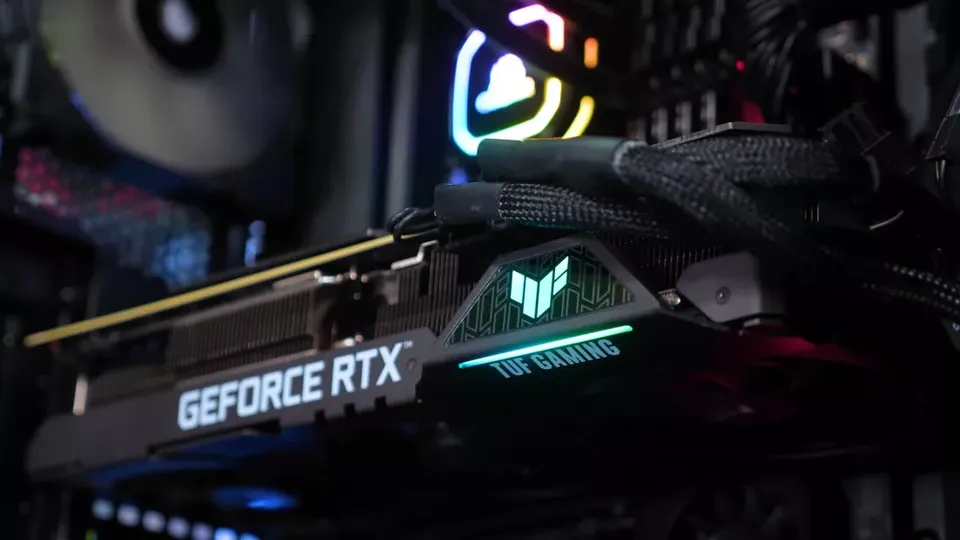
- A PC with an NVIDIA or AMD graphics card. Qwen3.8-Flash-Next needs 12 GB of VRAM or more and runs on Windows or Linux. The six smaller models — LFM2.5, Qwen3.6, Ornith 1.5, Gemma 4, Tiel Coder, MiniCPM-V — also run on a laptop with an 8 GB card. The two giants, GLM 5.3 Flash and DeepSeek V4 Flash, were measured on a workstation with a 32 GB card and 120 GB RAM: most of the model file lives in system RAM, not VRAM.
- Disk space: about 70 GB for Qwen3.8-Flash-Next, 79–114 GB for GLM 5.3 Flash, 91 GB for DeepSeek V4 Flash, 11–29 GB for each of the other six.
- On a Mac: macOS 15 or newer on M1–M5, plus Apple’s Command Line Tools (
xcode-select --install). The installer builds the Mac engine on your machine, which takes about 7 minutes.
Step 1 — Pick the model your hardware can actually hold
Don’t download 70 GB before deciding. The installer recommends a size from your RAM for Qwen3.8-Flash-Next: Coder for 32 GB (made for code, and it fits 32 GB), IQ2_XS for 48 GB, IQ3_S for 64 GB — smaller compression is faster, larger is a bit smarter. The README’s measured numbers help you calibrate: Q2_0 writes 94 tokens/s on an RTX 5070 (12 GB) and 60 tokens/s on an RX 9070 XT (16 GB); Qwen3.6-35B-A3B writes 94–100 tokens/s on a laptop with an 8 GB card. Remember a token is about three-quarters of a word — 60 tokens/s is already faster than you can read.
Step 2 — Install it
Download the PolyStrata zip (or git clone it). Windows: double-click START-HERE.bat. Linux: run ./setup.sh in the PolyStrata folder. Mac: run xcode-select --install once, then ./setup.sh.
git clone https://github.com/VecSzn/PolyStrata.git && cd PolyStrata
./setup.sh        # Linux / Mac — on Windows, double-click START-HERE.bat
The installer detects your card and asks which model and size, how much context to keep, and whether it should read pictures — press Enter each time for the recommended answer. ./setup.sh --family glm (deepseek, lfm25, qwen36, ornith, gemma4, tiel, minicpmv) jumps straight to one family. If the download stops, run it again: it resumes where it left off. While the model starts, your PC can be slow or unresponsive for 1–3 minutes while 35–55 GB load into RAM — that’s normal, don’t close the window.
Step 3 — Talk to it in the browser
The installer opens the PolyStrata app at http://127.0.0.1:8080: Chat for conversation, a live Monitor of the model and your GPU/CPU/RAM, and About with the settings and addresses. In the chat menu you can switch thinking between off, low, medium, and high — off is the fastest, high is best for hard questions. Say yes to “Images?” during setup if your model reads pictures, then attach them in chat the same way.
Step 4 — Point your apps at localhost
Add an “OpenAI-compatible” provider with the base URL http://127.0.0.1:8080/v1 — any API key and any model name work. Apps that use Anthropic’s API go to http://127.0.0.1:8080/v1/messages; for Claude Code, set ANTHROPIC_BASE_URL=http://127.0.0.1:8080 and add "fit_max_tokens": true in strata-<model>.json. Codex CLI and other apps on the OpenAI Responses API use /v1/responses. The server can switch between installed models while it runs, so one endpoint serves your whole collection. Verify it with one request:
curl http://127.0.0.1:8080/v1/chat/completions \
  -H "Content-Type: application/json" \
  -d '{"model": "polystra", "messages": [{"role": "user", "content": "Explain mixture-of-experts in one sentence."}]}'
Step 5 — Benchmark it on your own machine
Wondering if it’s fast on your PC? Run BENCH.bat (./bench.sh): about 5–10 minutes, it measures chat, 4K/16K prompts, and an agent-style session with your own settings, and writes a report you can share. If your RAM holds every expert (for example Q2_0 on a 64 GB PC), two opt-in tweaks buy a little more: add "--adapt-async", "1" to the args list in strata-<model>.json (measured +4–5% decode on an RTX 5070), and on Windows set "STRATA_PIN_BY_NEED": "1" in the env block (+4.4% prompt reading).
Step 6 — Update, restart, and reach it from elsewhere
Next time, run START-HERE.bat (./setup.sh) again — it starts right away and downloads nothing twice. Close its window to stop the model. UPDATE.bat (./update.sh) updates PolyStrata without starting it. From your phone or another PC: START-HERE.bat --setup --host 0.0.0.0 --api-key <secret> — and always set a key when you expose it.
What you built
A private inference server on your own PC: nine large open models one installer away, a browser app with live GPU monitoring, and an OpenAI/Anthropic-compatible API on localhost that your coding agents treat like any other provider. Nothing leaves the machine — no subscription, no per-token bill, and no rate limit except the one your hardware sets.
Honest limitations
First, the experimental engine: everything except Qwen3.8-Flash-Next runs on an engine written for PolyStrata that the README itself calls experimental, with each big model measured on exactly one PC — your mileage on different hardware is uncharted. Second, the scale: up to 114 GB downloads, and the first start can freeze your PC for 1–3 minutes. Third, throughput: one request at a time by default, the others wait — "parallel": 2 answers several at once, but each answer gets slower on a 12 GB card. Fourth, vision gaps: GLM 5.3 Flash, DeepSeek V4 Flash, and LFM2.5 read text only, and AMD cards can’t read pictures on Windows yet (on Linux the processor decodes them). Fifth, licensing: the app is MIT, but the weights carry their own terms — LFM2.5 allows commercial use only for companies under $10M in yearly revenue. Finally, long prompts are slow to ingest: on Qwen3.8-Flash-Next the first message of a chat reads about 30,000 tokens per minute.
Frequently asked questions
Do I need an NVIDIA card?
No. Qwen3.8-Flash-Next runs on AMD cards with 12 GB or more too — the README measures 60 tokens per second on an RX 9070 XT — and the six smaller models also run on a laptop with an 8 GB card. One AMD caveat: picture reading decodes on the processor on Linux and is not available on Windows yet.
Which model should I install first?
If you have a 12 GB+ gaming card, start with Qwen3.8-Flash-Next: the installer recommends a size from your RAM (Coder for 32 GB, IQ2_XS for 48 GB, IQ3_S for 64 GB) and Enter accepts it. Only reach for GLM 5.3 Flash or DeepSeek V4 Flash with a 32 GB card and around 120 GB of RAM — their files alone are 79–114 GB and 91 GB.
Does any of my data leave the PC?
No. The README states nothing leaves your PC: the models run locally and every app talks to the server on localhost. If you expose it to your phone or another machine with --host 0.0.0.0, always set --api-key.