Cut your prompt tokens in half: a measured guide to prompt compression
Your prompts are carrying dead weight: bloated system instructions, messy retrieved context, verbose tool schemas. Four compression techniques cut a realistic RAG prompt nearly in half with zero lost answers — and every number below was measured with tiktoken, not estimated.

Your prompts are getting longer every month, and you are not imagining it. A RAG pipeline stuffs in retrieved chunks "just in case." An agent carries tool schemas, conversation history, and a system prompt that has been accumulating instructions like sediment since the project started. Every one of those tokens costs money, adds latency — and quietly dilutes the model's attention across a longer context.
The fix is not a smaller model and not a shorter context window. It is compression: removing the tokens that carry no signal before the model ever sees them. Done blindly, compression is dangerous — you silently delete the sentence the answer depended on. Done with measurement, it is the highest-ROI optimization in applied LLM engineering: it works on every model, needs no retraining, and stacks with everything else you are already doing.
In this tutorial you will build a token accounting harness, apply four compression techniques to a realistic RAG prompt, and measure exactly what each one saves and what it costs in answer quality. Every number below was measured on this machine with tiktoken — not estimated, not copied from a paper. By the end you will have a reusable pipeline you can point at your own prompts.
What you'll need#
- Python 3.10+ and one install:
pip install tiktoken. Everything else is the standard library. - About 25 minutes and a prompt of your own to compress at the end.
- $0. No API keys, no model calls — token counting is pure arithmetic on text.
One note on scope: tiktoken counts tokens for OpenAI's tokenizers (o200k_base for GPT-4o-class models, cl100k_base for older ones). Other providers tokenize slightly differently, but the relative savings you measure here transfer — a 48% cut in o200k tokens is a ~48% cut everywhere.
1. Measure first: token accounting#
You cannot compress what you do not measure. The first script breaks a prompt into sections and counts each one, so you know where the tokens actually live. Most teams guess wrong here — they rewrite the system prompt (usually under 10% of the total) while the retrieved context quietly eats 90%.
import tiktoken

# o200k_base is the tokenizer for gpt-4o, gpt-4o-mini, gpt-4.1 and o1
# (verified: tiktoken.encoding_for_model("gpt-4o").name == "o200k_base").
# Older GPT-3.5/4-era models use cl100k_base.
enc = tiktoken.encoding_for_model("gpt-4o")

def ntok(text: str) -> int:
    return len(enc.encode(text))

system = open("system.txt").read()      # your system instructions
context = open("context.txt").read()    # retrieved docs, history, etc.
question = "How long are API keys valid?"

sections = {
    "system instructions": system,
    "retrieved context": context,
    "user question": question,
}
total = sum(ntok(t) for t in sections.values())
for name, text in sections.items():
    t = ntok(text)
    print(f"{name:20s} {t:5d} tokens ({100*t/total:4.1f}%)")
print(f"{'TOTAL':20s} {total:5d} tokens")
Run against a realistic support-bot prompt — 117 tokens of system instructions, six documentation chunks as retrieved context, one user question — the accounting looks like this:
- system instructions: 117 tokens (9.9%)
- retrieved context: 1,059 tokens (89.5%)
- user question: 7 tokens (0.6%)
The context is the prompt. Any compression effort that does not start with the context is theater. Keep this breakdown; you will re-run it after every technique below to confirm the savings land where you expect.
2. Strip the invisible bloat#
Real-world prompt text is full of tokens that are literally invisible: triple newlines from CMS exports, trailing whitespace, HTML comments, horizontal rules, and boilerplate sentences duplicated across every chunk ("Authentication is required for all endpoints" appeared in three of our six doc chunks). Stripping them is free, deterministic, and cannot change meaning — it is the one technique with no quality risk at all.
import re

def strip_bloat(text: str) -> str:
    """Remove token bloat that carries zero signal."""
    text = re.sub(r"<!--.*?-->", "", text, flags=re.S)  # HTML comments
    text = re.sub(r"^---+$", "", text, flags=re.M)      # h-rules
    text = re.sub(r"[ \t]+", " ", text)                 # inner whitespace
    text = re.sub(r"\n{3,}", "\n\n", text)            # blank-line runs
    lines, out, prev = text.split("\n"), [], None
    for ln in (l.strip() for l in lines):                # trailing space
        if ln and ln != prev:                            # duplicated lines
            out.append(ln)
        prev = ln
    return "\n".join(out).strip()

messy = open("messy_context.txt").read()   # straight from your CMS
print(f"before: {ntok(messy)} tokens")
print(f"after:  {ntok(strip_bloat(messy))} tokens")
Measured on documentation as it actually arrives from a CMS — extra blank lines, trailing spaces, an HTML comment, a duplicated heading — stripping cut 1,241 → 1,106 tokens (-10.9%). And here is the honest caveat the measurement forced on us: on already-clean text the same function saved just 0.7%. Bloat-stripping is not a 10% technique; it is a messy-input technique. Run it always — it costs nothing — but do not expect it to carry the headline number.
3. Extractive compression: keep the sentences that matter#
This is where the real savings live. Most retrieved context is only vaguely relevant to the question at hand: of six documentation chunks, typically one or two contain the answer and the rest is distraction. Extractive compression scores every sentence against the question and keeps the top fraction — in original order, so the surviving text still reads coherently.
The scoring is deliberately simple: query-term overlap normalized by sentence length, so a long sentence with one matching word does not beat a short sentence that is all signal. No embeddings, no model calls, runs in milliseconds:
import re

WORD = re.compile(r"[a-z0-9]+")

def sentences(text: str):
    parts = re.split(r"(?<=[.!?])\s+", text.strip())
    return [p.strip() for p in parts if len(p.strip()) > 8]

def score_sentence(sent: str, query_terms: set) -> float:
    terms = set(WORD.findall(sent.lower()))
    overlap = len(terms & query_terms)
    if overlap == 0:
        return 0.0
    # Length-normalized: a long sentence with one matching word
    # should not beat a short sentence that is all signal.
    return overlap / (len(terms) ** 0.5)

def extractive_compress(context: str, question: str,
                        keep_ratio: float = 0.45) -> str:
    """Keep the keep_ratio highest-scoring sentences, in original order."""
    sents = sentences(context)
    qterms = set(WORD.findall(question.lower()))
    scored = sorted(
        ((score_sentence(s, qterms), i, s) for i, s in enumerate(sents)),
        key=lambda t: (-t[0], t[2]),   # score desc, then alphabetical
    )
    keep = max(1, int(len(sents) * keep_ratio))
    kept = sorted(scored[:keep], key=lambda t: t[1])  # restore order
    return " ".join(s for _, _, s in kept)

slim = extractive_compress(context, question, keep_ratio=0.45)
print(f"context: {ntok(context)} -> {ntok(slim)} tokens")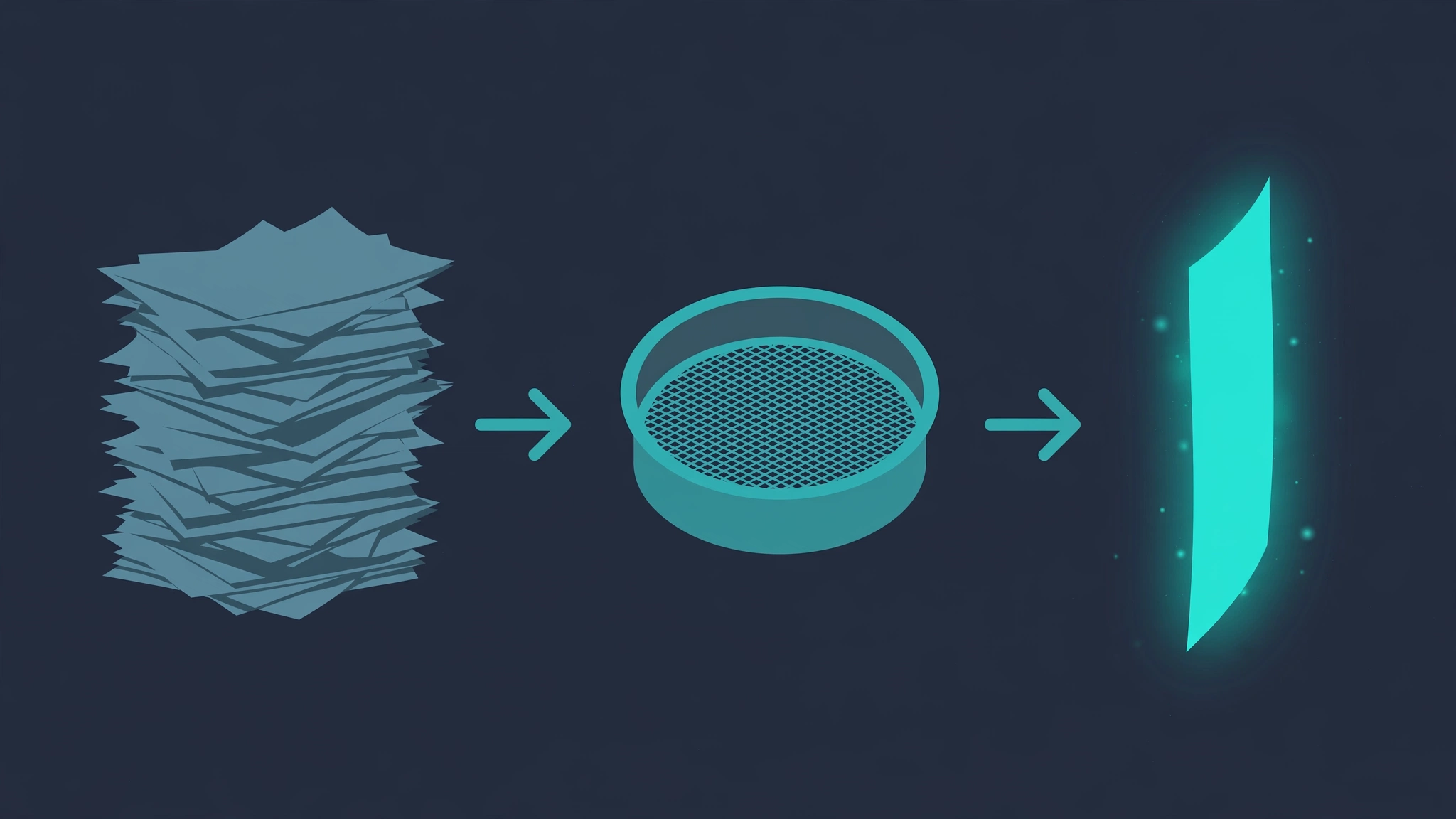
Measured with keep_ratio=0.45: context tokens fell 53.7% (1,059 → 490), and all five test questions remained answerable from the compressed text (more on how we verify that in step 6). The knob is keep_ratio: 0.3 is aggressive, 0.6 is conservative. Tune it against your own evals — the right value depends on how much of your context is actually relevant, which varies wildly between applications.
One subtlety worth knowing: extractive compression subsumes bloat-stripping. Whitespace and duplicated boilerplate score near zero against any real question, so they are dropped automatically. That is why the techniques below are measured as a stack, not in isolation.
4. Prune your tool schemas#
If you build agents, your other giant token sink is tool definitions. A typical JSON schema ships with a description on every field, examples, and title keys — prose the model mostly does not need. What the model actually needs is names, types, and which fields are required. Pruning the rest is structural compression: same schema, far fewer tokens, zero behavior change for well-named tools.
import json

def prune_tool_schema(schema: dict) -> dict:
    """Drop description/examples/title keys from a tool JSON schema.

    The model needs names, types and required fields. The prose
    around them is the most compressible part of an agent prompt.
    """
    def prune(node):
        if isinstance(node, dict):
            return {k: prune(v) for k, v in node.items()
                    if k not in ("description", "examples", "title")}
        if isinstance(node, list):
            return [prune(v) for v in node]
        return node
    return prune(schema)

schema = json.load(open("tool_schema.json"))
full, slim = json.dumps(schema), json.dumps(prune_tool_schema(schema))
print(f"schema: {ntok(full)} -> {ntok(slim)} tokens")
Measured on a realistic four-parameter tool schema: 225 → 70 tokens (-68.9%). Multiply that by a dozen tools attached to every agent turn and schemas quietly become the biggest line item in your prompt. The caveat: if a parameter name is ambiguous (filter, mode), keep its description — prune per-tool and spot-check that the model still calls tools correctly. Descriptions are documentation for the model; delete them only where the name already says it.
5. Stack them: the full pipeline#
Now combine everything: strip bloat, extract the query-relevant sentences, prune the schemas, then re-run the accounting from step 1. The honest result on our five-question test set:
- 1,189 → 611 tokens mean per prompt (-48.6%)
- 5/5 answers preserved — every gold keyword still present in the compressed context

Notice what the stack reveals: extractive compression alone saved 48.0%, and adding bloat-stripping on top moved it to just 48.6%. The techniques overlap — which is exactly why you measure the stack, not the brochure numbers of each technique in isolation. In production this pipeline runs in under 50 milliseconds per prompt, so it can sit directly in front of every model call.
6. Prove nothing broke: the answer-preservation harness#
Compression without verification is just deletion. The harness below is the minimum honest check: a set of questions with gold keywords, run against the compressed context. If a keyword disappears, the technique went too far and you tune the knob or keep more sentences.
# gold Q&A: (question, keywords the answer must keep)
QA = [
    ("How long are API keys valid before they expire?", ["90 days", "expire"]),
    ("What happens when I exceed the rate limit?", ["429", "Retry-After"]),
    ("How long are events retained?", ["13 months"]),
    ("How do I verify webhook payloads?", ["HMAC-SHA256"]),
    ("What is the default conversion window for funnels?", ["7 days"]),
]

def build_prompt(question, ctx):
    return f"{strip_bloat(system)}\n\nDOCUMENTATION:\n{ctx}\n\nQ: {question}"

preserved, base_toks, slim_toks = 0, 0, 0
for question, gold in QA:
    slim = extractive_compress(strip_bloat(context), question)
    base_toks += ntok(build_prompt(question, context))
    slim_toks += ntok(build_prompt(question, slim))
    if all(g.lower() in slim.lower() for g in gold):
        preserved += 1

print(f"tokens: {base_toks} -> {slim_toks} "
      f"(-{100*(1-slim_toks/base_toks):.1f}%)")
print(f"answers preserved: {preserved}/{len(QA)}")
tokens: 5947 -> 3055 (-48.6%)
answers preserved: 5/5Be clear-eyed about what this proves: keyword survival is a proxy, not a quality eval. It catches catastrophic deletions, not subtle meaning shifts. For production, point the same pipeline at your real eval set — the task-based eval pattern from our agent evals tutorial ports directly: run the evals on full vs. compressed prompts and require the score delta to stay within your tolerance before you ship.
Which approach should you use?#
Not every prompt needs every technique. Match the tool to the bloat:
| Your situation | Reach for | Expected savings |
|---|---|---|
| Text arrives from a CMS, WYSIWYG editor, or scraped HTML | Bloat-stripping (step 2) | ~5–11%, zero risk |
| RAG context: many chunks, few relevant per question | Extractive compression (step 3) | ~40–50%, tune keep_ratio |
| Agent with 5+ tools attached to every turn | Schema pruning (step 4) | ~60% per schema |
| Everything above, in production | The full stack + preservation harness | ~45–50% end to end |
Two techniques pair especially well with compression. Prompt caching rewards stable prefixes — so put your compressed system prompt and pruned schemas first, and the varying compressed context last (our prompt-caching tutorial covers the mechanics). And if you cache responses too, our semantic cache tutorial shows how to skip the model call entirely for near-duplicate questions. Compression cuts the cost of the calls you still make; caching eliminates the ones you do not need.
The takeaway#
Prompt compression is unglamorous and that is precisely why it is underused: nobody demos a 48% token cut on stage, but it compounds across every call your application makes — lower bills, lower latency, and shorter contexts the model actually attends to. The discipline is simple: measure first, compress the biggest section, verify nothing broke. Start with the accounting script from step 1 on your own prompts today; most teams find their first 30% in under an hour.