Fine-tune Qwen3 with QLoRA: the complete Unsloth tutorial for one GPU
Take Qwen3-4B-Instruct-2507, add a few hundred of your own examples, and train a LoRA adapter on a single GPU — then export it to GGUF and run it in Ollama. Every step verified against Unsloth's own notebook.
- Base model: Qwen3-4B-Instruct-2507 - 4.0B parameters, 36 layers, 262,144-token native context, non-thinking mode; MMLU-Pro 69.6, GPQA 62.0 on the model card.
- QLoRA: frozen 4-bit base weights plus 16-bit adapters - you train roughly 1% of the parameters, and Unsloth's own notebook for this model runs on a free Colab T4 (15 GB).
- Versions that work together: transformers==4.57.6, trl==0.22.2, datasets==4.3.0 - the exact pins from Unsloth's Qwen3 notebook.
- Data format: ShareGPT {"conversations": [...]}. The rendered example in Step 4 was verified against the real tokenizer: 73 tokens for the refund-policy example, 56-73 across the four samples.
- Export: save_pretrained keeps just the adapter; save_pretrained_merged builds a full 16-bit or 4-bit model; save_pretrained_gguf with q4_k_m gives a ~2.5 GB file Ollama can run.

Two years ago, fine-tuning a language model meant a GPU cluster, a training framework you had to babysit, and a budget line. Today you can take a strong 4-billion-parameter instruct model, teach it your own data on one consumer GPU — or a free Colab notebook — and run the result locally, offline, in Ollama. The three pieces that make that possible are QLoRA, which shrinks training memory by quantizing the base model to 4-bit; Unsloth, which makes that training roughly twice as fast; and Qwen3-4B-Instruct-2507, a small open model that punches well above its size.
This tutorial does the whole job end to end, with nothing skipped: you will set up the environment, load the model, build a dataset in the format the trainer expects, train a LoRA adapter, test it against the base model, and export it to GGUF so it runs in Ollama. Every command and parameter below is taken from Unsloth's own Qwen3 (4B) notebook and the Qwen3 model card, and the data-formatting step was verified against the real Qwen3 tokenizer before publication.
What you'll need#
The setup is deliberately boring — boring is what makes a tutorial reproducible.
- A GPU with at least 15 GB of VRAM. A free Google Colab T4 works: Unsloth's own notebook for this exact model runs on one. Locally, any NVIDIA card with 16 GB or more (RTX 4060 Ti 16 GB, RTX 3090, RTX 4090) is comfortable. CPU-only training is not practical for a 4B model.
- Python 3.11–3.13 and a CUDA 12.4 or newer driver if you train locally. On Colab, the runtime already has both.
- A Hugging Face account (optional). Qwen3-4B-Instruct-2507 is ungated, so you can download it without a token. You only need an account if you want to push your adapter to the Hub.
- Your data. A few hundred question-and-answer pairs in your own voice, format, or domain. This tutorial uses a small support-FAQ example; the format is the same whether you have 50 examples or 50,000.
- Cost: $0 on Colab's free tier. The demo run in Step 5 takes a few minutes. A real run over a few thousand short examples is tens of minutes.
How QLoRA works — the 60-second version#
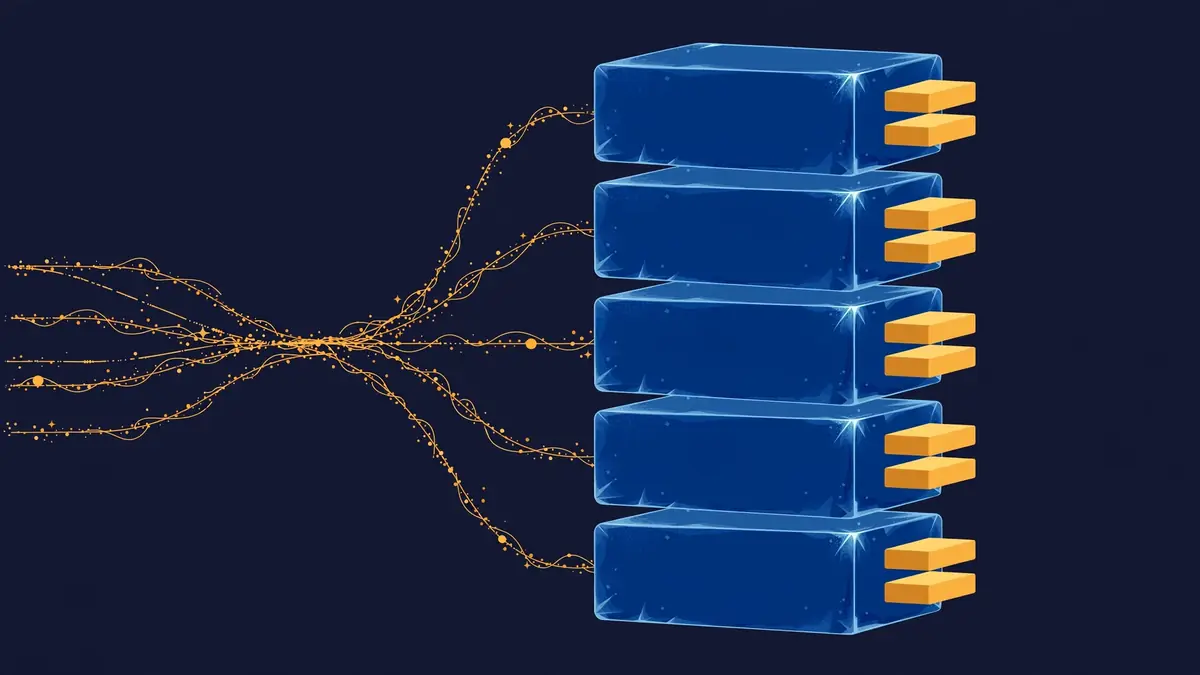
Full fine-tuning updates every weight in the model. For a 4B model that means optimizer states alone need tens of gigabytes — out of reach for a single consumer card. LoRA (Hu et al., Microsoft, 2021) freezes the base model and trains two small matrices per layer whose product approximates the update. You train roughly 1% of the parameters and get most of the quality.
QLoRA (Dettmers et al., 2023) adds one more idea: load the frozen base model in 4-bit NF4 precision, keep the small adapters in 16-bit, and page optimizer states to CPU if memory gets tight. The 4B model's weights shrink from about 8 GB in 16-bit to about 2.5 GB in 4-bit, and the whole training run fits on a card you can buy off the shelf. Unsloth's contribution is systems work: hand-written kernels that make the same training run roughly twice as fast as stock PEFT.
One thing to get straight before you start: fine-tuning teaches a model how to behave — tone, format, style, the shape of a good answer. It does not reliably teach it facts. If your data is "here are 500 facts the model should know," what you actually want is retrieval (RAG). If your data is "here are 500 examples of how answers in my domain should sound," fine-tuning is the right tool.
| Your problem | Right tool | Why |
|---|---|---|
| One-off or rare questions | A better prompt | Cheapest, fastest, no training |
| Answers must cite current or private documents | RAG | Facts that change belong in retrieval, not weights |
| Consistent format, tone, or style | Fine-tuning | Behavior is what training changes |
| New skill: tool calls, classification, a house style | Fine-tuning | Hundreds of examples beat pages of prompting |
| The model must know new facts and behave differently | Both | Fine-tune the behavior, retrieve the facts |
Step 1 — Set up the environment#
There are two paths, and they converge at Step 2. Pick one.
Path A: Google Colab (free, no setup). Open a new notebook, set Runtime → Change runtime type → GPU (a T4 on the free tier), and run Unsloth's install cell. These are the exact pinned versions from Unsloth's Qwen3 notebook — pin them, because Unsloth moves fast and unpinned installs are the most common source of broken runs:
%%capture
import os
if "COLAB_" not in "".join(os.environ.keys()):
    !pip install unsloth  # Do this in local & cloud setups
else:
    !pip install sentencepiece protobuf "datasets==4.3.0" "huggingface_hub>=0.34.0" hf_transfer
    !pip install --no-deps unsloth_zoo bitsandbytes accelerate peft trl triton unsloth
    !unsloth install-kernels
    !pip install --no-deps --upgrade "torchao>=0.16.0"
!pip install transformers==4.57.6
!pip install --no-deps trl==0.22.2
Path B: your own machine. Create a virtual environment, install PyTorch for your CUDA version first (see pytorch.org), then install Unsloth and the same pinned trainer versions:
python3 -m venv qlora-env
source qlora-env/bin/activate
pip install --upgrade pip
pip install unsloth
pip install transformers==4.57.6
pip install --no-deps trl==0.22.2 datasets==4.3.0
Confirm the GPU is visible before going further:
nvidia-smiYou should see your card listed with its memory — a T4 shows about 15 GB. If nvidia-smi is not found, your driver or CUDA install is the problem, not Unsloth; fix that first.
Step 2 — Load Qwen3-4B in 4-bit#
The base model is unsloth/Qwen3-4B-Instruct-2507: the updated non-thinking Qwen3-4B, 4.0 billion parameters across 36 layers, with a 262,144-token native context. On the model card's own benchmarks it scores 69.6 on MMLU-Pro and 62.0 on GPQA — strong for a model this size — and it is an instruct model, so it already knows how to hold a conversation. Your examples only have to teach it the specifics. Start from an instruct model, never a base model, for this kind of task.
from unsloth import FastLanguageModel  # import unsloth FIRST, before trl/transformers
import torch

model, tokenizer = FastLanguageModel.from_pretrained(
    model_name = "unsloth/Qwen3-4B-Instruct-2507",
    max_seq_length = 2048,  # Choose any for long context!
    load_in_4bit = True,    # 4-bit quantization to reduce memory (this is the QLoRA part)
    load_in_8bit = False,   # A bit more accurate, uses 2x memory
    full_finetuning = False,
    # token = "YOUR_HF_TOKEN",  # Only for gated models; Qwen3 is ungated
)
What each setting does: max_seq_length=2048 caps the context the trainer will use — plenty for short Q&A data, and shorter sequences train faster. load_in_4bit=True loads the frozen weights in 4-bit NF4. Unsloth also publishes a pre-quantized version, unsloth/Qwen3-4B-Instruct-2507-unsloth-bnb-4bit, which downloads faster and skips a conversion step; either name works in the same call.
When the load finishes, Unsloth prints a banner with the GPU, the torch and CUDA versions, and the free memory. If it reports "QLoRA and full finetuning all not selected. Switching to 16bit LoRA," your load_in_4bit flag did not take — re-check the call before training.
Step 3 — Attach the LoRA adapters#
Now add the trainable adapters. This is the exact configuration from Unsloth's notebook:
model = FastLanguageModel.get_peft_model(
    model,
    r = 32,  # Choose any number > 0! Suggested 8, 16, 32, 64, 128
    target_modules = ["q_proj", "k_proj", "v_proj", "o_proj",
                      "gate_proj", "up_proj", "down_proj",],
    lora_alpha = 32,
    lora_dropout = 0,  # Supports any, but = 0 is optimized
    bias = "none",     # Supports any, but = "none" is optimized
    # [NEW] "unsloth" uses 30% less VRAM, fits 2x larger batch sizes!
    use_gradient_checkpointing = "unsloth",  # True or "unsloth" for very long context
    random_state = 3407,
    use_rslora = False,  # We support rank stabilized LoRA
    loftq_config = None, # And LoftQ
)
The two numbers that matter are r and lora_alpha. Rank (r) is the size of the adapter matrices: higher rank can capture more complex behavior but trains more parameters and uses more memory. The notebook default of 32 is a good middle ground for a 4B model on a T4. A good rule: r=16 for a pure format task on a small dataset, r=32 as the default, r=64 when you are teaching a genuinely new skill with thousands of examples. Keep lora_alpha equal to r unless you have a reason not to. target_modules puts adapters on every attention and MLP projection — the standard choice, and the one that performs best in practice.
Next, set the chat template so your data is formatted exactly the way Qwen3 expects:
from unsloth.chat_templates import get_chat_template
tokenizer = get_chat_template(
    tokenizer,
    chat_template = "qwen3-instruct",
)
This matters more than it looks. If the template is wrong, the model trains on text that looks nothing like what it sees at inference time, and the fine-tune quietly underperforms. The qwen3-instruct template renders conversations with <|im_start|> and <|im_end|> markers — you will see the exact output in the next step.
Step 4 — Build your dataset#
Unsloth's trainer expects ShareGPT format: a list of conversations, each a list of role/content turns. Write your data as one JSON object per line in data.jsonl. Here is a small example in the format this tutorial verifies — a support assistant that answers in short, factual sentences and always states the numbers:
{"conversations": [{"role": "user", "content": "What is your refund policy for annual plans?"}, {"role": "assistant", "content": "Annual plans can be refunded in full within the first 30 days. After 30 days, we refund the unused months on a pro-rata basis, minus a $15 processing fee. Monthly plans are not refundable once the billing period has started."}]}
{"conversations": [{"role": "user", "content": "How do I reset my password if I no longer have access to my email?"}, {"role": "assistant", "content": "If you can't access your email, use the account recovery form and provide your order number and the last four digits of the card on file. Our team verifies the details manually and replies within one business day with a reset link."}]}
{"conversations": [{"role": "user", "content": "Do you ship to Canada?"}, {"role": "assistant", "content": "Yes, we ship to Canada. Standard shipping takes 5-8 business days and costs $12. Express shipping takes 2-3 business days and costs $25. Orders over $75 ship free with standard shipping."}]}
{"conversations": [{"role": "user", "content": "Can I change my plan mid-cycle?"}, {"role": "assistant", "content": "Yes. Upgrades apply immediately and we charge only the prorated difference. Downgrades take effect at the start of your next billing cycle, so you keep your current features until then."}]}
Four examples demonstrate the format; they are not a training set. For a real run, aim for 200–1,000 clean examples. Quality beats quantity here: one inconsistent answer style teaches the model to be inconsistent. Keep answers in a single voice, keep them the same length, and hold out 20 examples you never train on — those are your test set in Step 6. If you do not have your own data yet, Unsloth's notebook trains on mlabonne/FineTome-100k, a general instruction dataset you can load with one line and use as a drop-in while you build your own.
Load the file, normalize it, and render it through the chat template:
from datasets import load_dataset
from unsloth.chat_templates import standardize_data_formats

dataset = load_dataset("json", data_files="data.jsonl", split="train")
dataset = standardize_data_formats(dataset)

def formatting_prompts_func(examples):
   convos = examples["conversations"]
   texts = [tokenizer.apply_chat_template(convo, tokenize = False, add_generation_prompt = False) for convo in convos]
   return { "text" : texts, }

dataset = dataset.map(formatting_prompts_func, batched = True)
Before training, look at one rendered example. This is the single most useful debugging step in the whole tutorial — if the markers are wrong here, nothing downstream can fix it. Rendered through the real Qwen3-4B-Instruct-2507 tokenizer, the first example above comes out as exactly this:
<|im_start|>user
What is your refund policy for annual plans?<|im_end|>
<|im_start|>assistant
Annual plans can be refunded in full within the first 30 days. After 30 days, we refund the unused months on a pro-rata basis, minus a $15 processing fee. Monthly plans are not refundable once the billing period has started.<|im_end|>
That rendering — verified against the real tokenizer before publication — is 73 tokens. The four examples run 56–73 tokens, averaging about 66, so max_seq_length=2048 leaves enormous headroom. Check your own data the same way: if your longest example is close to your max_seq_length, raise it or shorten the examples, because the trainer truncates silently.
Step 5 — Train#
Now the trainer. This is TRL's SFTTrainer with Unsloth's patched model — the exact configuration from the notebook:
from trl import SFTTrainer, SFTConfig
trainer = SFTTrainer(
    model = model,
    tokenizer = tokenizer,
    train_dataset = dataset,
    eval_dataset = None,  # Can set up evaluation!
    args = SFTConfig(
        dataset_text_field = "text",
        per_device_train_batch_size = 2,
        gradient_accumulation_steps = 4,  # Use GA to mimic batch size!
        warmup_steps = 5,
        # num_train_epochs = 1,  # Set this for 1 full training run.
        max_steps = 60,
        learning_rate = 2e-4,  # Reduce to 2e-5 for long training runs
        logging_steps = 1,
        optim = "adamw_8bit",
        weight_decay = 0.001,
        lr_scheduler_type = "linear",
        seed = 3407,
        report_to = "none",  # Use TrackIO/WandB etc
    ),
)
Two settings deserve attention. per_device_train_batch_size=2 with gradient_accumulation_steps=4 gives an effective batch size of 8 — the gradients accumulate over four small batches before each update, which is how you get stable training on a card that cannot fit a large batch. And max_steps=60 is the notebook's demo setting: 60 steps to prove the pipeline works. For a real run, comment out max_steps and uncomment num_train_epochs=1, and drop the learning rate toward 2e-5 if you train for more than a couple of epochs — 2e-4 is a good starting rate for a short run, and too hot for a long one.
One more call before training: tell the trainer to compute loss only on the assistant's replies, not on the user's questions. Training on the questions teaches the model to predict questions, which is wasted capacity:
from unsloth.chat_templates import train_on_responses_only
trainer = train_on_responses_only(trainer)
trainer_stats = trainer.train()
The 60-step demo takes a few minutes on a T4. Watch the loss column, not any single value: in Unsloth's own notebook run the loss bounces between roughly 0.4 and 1.3 across the 60 steps and trends downward. What you are checking for is a downward trend and no nan. A loss that climbs, or flatlines at a high value from step one, usually means the learning rate is wrong or the data is not in the format you think it is — go back to Step 4 and print a rendered example. When training finishes, check the memory the run actually used:
used_memory = round(torch.cuda.max_memory_reserved() / 1024 / 1024 / 1024, 3)
print(f"Peak reserved memory = {used_memory} GB.")
Step 6 — Test the adapter against the base model#
Never ship a fine-tune you have not chatted with. Run the same prompts through the model now, and compare the answers with the held-out examples from Step 4:
messages = [
    {"role" : "user", "content" : "Do you ship to Canada?"}
]
text = tokenizer.apply_chat_template(
    messages,
    tokenize = False,
    add_generation_prompt = True,  # Must add for generation
)

from transformers import TextStreamer
_ = model.generate(
    **tokenizer(text, return_tensors = "pt").to("cuda"),
    max_new_tokens = 1000,  # Increase for longer outputs!
    temperature = 0.7, top_p = 0.8, top_k = 20,  # For non thinking
    streamer = TextStreamer(tokenizer, skip_prompt = True),
)
The sampling settings are Qwen's own recommendation for this instruct model: temperature 0.7, top_p 0.8, top_k 20. Test with the questions you held out, not the ones you trained on — the model will parrot training examples, which tells you nothing. What you want to see is the style generalizing: short, factual answers with the numbers stated, on questions it has never seen. If it answers in the base model's voice instead, the most likely cause is too few examples or too few steps; if it repeats itself or rambles, check that the chat template was applied (Step 3) and that the generation prompt ends with <|im_start|>assistant.
Step 7 — Export it and run it in Ollama#
Training produces an adapter, not a model you can chat with directly. You have three ways out, and the right one depends on where the model will live.
Save just the adapter — smallest option, and the one to use if you will keep training or swap adapters on the same base model:
model.save_pretrained("qwen_lora")  # Local saving
tokenizer.save_pretrained("qwen_lora")
# model.push_to_hub("your_name/qwen_lora", token = "YOUR_HF_TOKEN")  # Online saving
Merge the adapter into a full model — one self-contained model directory, for serving with vLLM or SGLang:
model.save_pretrained_merged("qwen_finetune_16bit", tokenizer, save_method = "merged_16bit",)
# Or the 4-bit merged version:
model.save_pretrained_merged("qwen_finetune_4bit", tokenizer, save_method = "merged_4bit",)
Export to GGUF for local use — the path this tutorial recommends for running the model on your own machine. Unsloth converts natively; q4_k_m is the recommended quantization (it keeps half of the attention and feed-forward weights at higher precision), and the default is q8_0:
model.save_pretrained_gguf("qwen_finetune", tokenizer, quantization_method = "q4_k_m")That writes qwen_finetune.Q4_K_M.gguf into the current directory. The conversion clones llama.cpp and takes a few minutes. Then import it into Ollama with a one-line Modelfile:
FROM ./qwen_finetune.Q4_K_M.gguf
PARAMETER temperature 0.7
PARAMETER top_p 0.8
PARAMETER top_k 20
ollama create qwen3-support -f Modelfile
ollama run qwen3-supportThe Modelfile bakes in Qwen's recommended sampling settings, so every chat with qwen3-support uses them. The GGUF file is about 2.5 GB — small enough to run on a laptop with no GPU at all, and to share with a colleague as a single file.

Which approach should you use?#
Three decisions define the run, and each has a clear default.
Adapter, merged model, or GGUF? Keep the adapter if you are still iterating — it is a few hundred megabytes and you can keep training it. Merge to 16-bit when you want to serve the model behind an API with vLLM. Export to GGUF when you want to run it locally in Ollama or llama.cpp. Most solo projects end at GGUF, because that is where the model becomes something you can actually use every day.
Which rank? Rank 16 for a format or style task on a few hundred examples; 32 as the default; 64 when you have thousands of examples and a real skill to teach. Higher rank is not automatically better — it mostly buys capacity you will not use on a small dataset, and it costs memory and time.
4B or bigger? Unsloth's sizing for QLoRA is roughly 5 GB of VRAM for a 4B model, 6 GB for 8B, 8.5 GB for 14B, and 22 GB for 27B, before headroom for activations at longer sequences. The 4B fits a free Colab T4 with room to spare; the 8B is the step up when the 4B's answers are consistently too shallow, and it still fits a 24 GB card. Do not jump to a bigger model to fix a data problem — fix the data first.
QLoRA or full fine-tuning? Full fine-tuning updates every weight and needs roughly an order of magnitude more memory — a 4B full fine-tune is a datacenter-GPU job, not a consumer card. QLoRA gets you most of the quality for this kind of behavioral training at a fraction of the memory. Reserve full fine-tuning for continued pretraining on a new domain, not for teaching a style.
Troubleshooting#
| Symptom | Most likely cause | Fix |
|---|---|---|
CUDA out of memory on load | Sequence length or batch too large for the card | Lower max_seq_length to 1024, drop per_device_train_batch_size to 1, or use the pre-quantized -unsloth-bnb-4bit model name |
| Install fails with version conflicts | Unpinned trl/transformers vs. Unsloth | Reinstall with the exact pins from Step 1: transformers==4.57.6, trl==0.22.2 |
Loss is nan or climbs | Learning rate too high, or bad data | Drop the learning rate to 2e-5, and print a rendered example to check the format |
| Model answers in the base voice | Too few examples or too few steps | More data first, then more epochs; check the held-out test, not training examples |
| Model repeats itself or never stops | Chat template missing or wrong | Re-run get_chat_template(tokenizer, chat_template="qwen3-instruct") and verify the rendered text ends with <|im_end|> |
| GGUF export is slow | Normal — it clones llama.cpp and converts | Wait it out; a 4B model takes a few minutes, not seconds |
ImportError on from unsloth import FastLanguageModel | Import order or a broken install | Import Unsloth before trl/transformers, and reinstall with pip install --upgrade --force-reinstall --no-cache-dir unsloth unsloth_zoo |
The takeaway#
Fine-tuning a capable model on your own data is no longer a research project. The recipe is short: load Qwen3-4B-Instruct-2507 in 4-bit, attach rank-32 LoRA adapters, format your data as ShareGPT conversations, train with response-only loss, and export to GGUF for Ollama. The whole thing runs on a free Colab T4, and the part that determines the result is not the GPU — it is the dataset. Write 200 clean examples in one consistent voice, hold out 20 for testing, and the model will sound like you. Write 2,000 sloppy ones, and no rank or learning rate will save it.
Sources: Unsloth's Qwen3 (4B) Instruct notebook (github.com/unslothai/notebooks) — install pins, model loading, LoRA configuration, training configuration, inference, and GGUF export; the Qwen3-4B-Instruct-2507 model card on Hugging Face — architecture, 262K context, benchmark figures, and sampling recommendations; Ollama's Modelfile documentation (github.com/ollama/ollama) — FROM, ollama create, and ollama run; and the verification runs quoted in Step 4 (chat-template rendering and token counts against the real Qwen3 tokenizer, November 8, 2026). LoRA: Hu et al., arXiv:2106.09685. QLoRA: Dettmers et al., arXiv:2305.14314.