From one page to a whole crawl: hands-on with Scrapling, the 99K-star Python scraping framework
Scraping is the unglamorous first step of every AI project — and Scrapling has absorbed the whole workflow into one install. This guide installs v0.5.1 and runs every step against a real site: a first fetch, five ways to parse, RAG-ready Markdown, a 100-quote crawl, and the MCP server that hands it all to an agent — every command verified.
- Who: Scrapling (D4Vinci/Scrapling, BSD-3-Clause), a Python web scraping framework by Karim Shoair.
- What: Fast HTTP fetching with browser impersonation, a stealth browser for JavaScript pages, adaptive parsing, concurrent spiders, a CLI and interactive shell, an MCP server with 17 tools, and an agent skill.
- When: Verified November 7, 2026: scrapling 0.5.1 on Python 3.12.3, every command below run in a 2-core sandbox.
- Requirement: Python 3.10+ and pip. No GPU, no model downloads, no account, and no API key; a Chromium download is needed only for the stealthy fetcher in Step 6.

Every AI project has an unglamorous first step: go and get the pages. A RAG corpus starts as a crawl. An eval dataset starts as a scrape. A price monitor, a research digest, a competitor watchlist — all of them start with fetching HTML and pulling the right fields out of it. The work is not hard in principle, but it is spread across half a dozen tools: one library for requests, another for parsing, a browser automation framework for JavaScript pages, a crawler framework for scale, and a separate export step at the end.
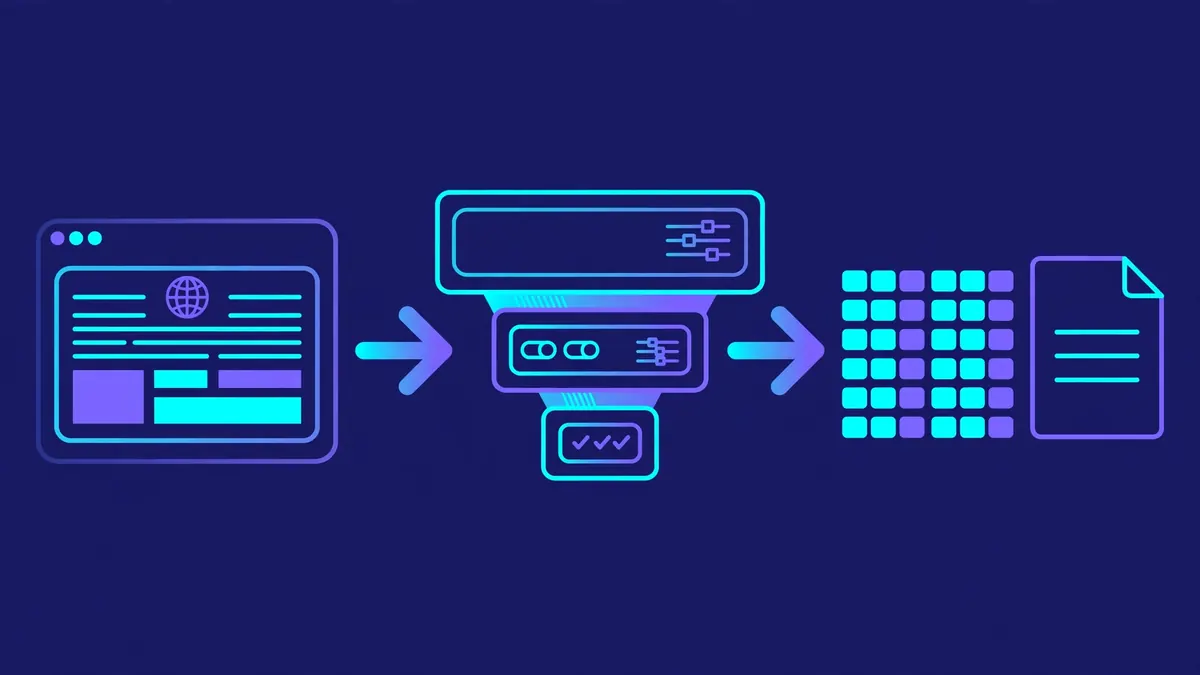
Scrapling is the library that has absorbed that whole workflow into one install. It is a Python web scraping framework — fast HTTP fetching with browser impersonation, a stealth browser for JavaScript-rendered pages, adaptive parsing that survives site redesigns, concurrent spiders, a command-line interface, an MCP server, and an agent skill — and it is having a loud week: 99,009 stars on GitHub, a place on the weekly trending list, and a fresh release, v0.5.1, published November 4, 2026. This guide installs 0.5.1 and runs every step against a real site, with the real output quoted. No account, no API key, no GPU.
What you'll need#
- Python 3.10 or newer. This guide ran against Python 3.12.3 on Linux.
pipand about 10 minutes. No account, no API key, no GPU, and nothing to compile.- For Step 6 only, a Chromium download (a few hundred MB of disk) via
scrapling install. Everything before that step is pure HTTP and needs no browser. - A target you are allowed to scrape. Every example here uses quotes.toscrape.com, the practice site built for exactly this purpose. Check a site's
robots.txtand terms before pointing any scraper at it.
Step 1: Install the library#
The install has one trap, and the README states it plainly: bare pip install scrapling installs only the parser engine. Importing anything from scrapling.fetchers or scrapling.spiders after that install raises ModuleNotFoundError. The fetchers live in an extra, so install that from the start:
python3 -m venv scrapling-env
source scrapling-env/bin/activate
pip install "scrapling[fetchers,ai]"
Verify the install:
scrapling --versionscrapling 0.5.1The [ai] extra adds the MCP server, covered in Step 7. If you also want the interactive shell from Step 4, add the shell extra — it pulls in IPython:
pip install "scrapling[shell]"That is the full install. There is also a scrapling[all] meta-extra and a scrapling[rag] extra for the RAG-system helpers; neither is needed for this guide.
Step 2: Your first fetch#
The smallest useful Scrapling program is three lines. Fetcher.get makes a one-off HTTP request and hands back a parsed page you can query with CSS selectors:
from scrapling.fetchers import Fetcher

page = Fetcher.get('https://quotes.toscrape.com/')
quotes = page.css('.quote .text::text').getall()
print(quotes)
As run here:
[2026-11-07 09:21:02] INFO: Fetched (200) <GET https://quotes.toscrape.com/> (referer: https://www.google.com/)
status: 200
quotes on page 1: 10
first: “The world as we have created it is a process of our thinking. It cannot be changed without changing our thinking.”
author: Albert Einstein
Two things are worth noticing. First, the selector syntax is Scrapy's: .quote .text::text means "the text of every .text element inside a .quote element", and .getall() returns all matches. If you know Scrapy or Parsel, you already know this API. Second, the request went out with a Google referer and browser-like headers by default — the fetcher impersonates a real browser's TLS fingerprint and headers rather than announcing itself as a script.
For more than one request to the same site, use a session. It keeps cookies and the impersonated fingerprint across requests:
from scrapling.fetchers import FetcherSession

with FetcherSession(impersonate='chrome') as session:
    page = session.get('https://quotes.toscrape.com/', stealthy_headers=True)
    page2 = session.get('https://quotes.toscrape.com/page/2/')
Both requests returned 200 with 10 quotes each, as run here. The session also accepts http3=True for HTTP/3, and there are async session classes (AsyncFetcherSession) with the same interface if your code is async.
Step 3: The parsing toolbox#
Fetching is the easy half. The parsing layer is where Scrapling earns its keep, and it gives you five ways to find the same element. All of the calls below ran against the same fetched page:
page.css('.quote')                          # CSS selectors
page.xpath('//div[@class="quote"]')         # XPath
page.find_all('div', {'class': 'quote'})    # BeautifulSoup-style
page.find_by_text('Albert Einstein', first_match=False)  # text search
Each of the first three returned 10 elements. The text search returned 3 hits — the three <small> author tags naming Albert Einstein on the page. Chained selectors work the way you would expect, and elements expose their neighbours:
first_quote = page.css('.quote')[0]
first_quote.css('.text::text').get()   # the quote text
first_quote.css('.author::text').get() # 'Albert Einstein'
first_quote.next                        # the next sibling element
first_quote.parent.attrib.get('class') # 'col-md-8'
first_quote.find_similar()             # the other 9 quotes
first_quote.below_elements             # 10 elements below it
find_similar() is the interesting one. It locates elements similar to the one you already have — same tag, similar classes and structure — which is how you recover when a site redesigns its markup and your selector stops matching. In this run it returned the other 9 quote blocks. The parser also works without fetching anything: Selector("<html>...</html>") parses a string you already hold, with the identical API — verified here with a one-line document that returned Hello for .hi::text.
Step 4: RAG-ready Markdown and the CLI#
If the end goal is feeding pages to a model, Scrapling has a one-line conversion. page.markdown() turns the fetched page into clean, sanitized Markdown with no LLM in the loop:
md = page.markdown()
print(len(md))  # 3019
The output starts with the page title and the quotes as Markdown, links intact. For a whole site, the ContentSpider template (Step 5's family) crawls a website into a Markdown corpus the same way.
You can also skip Python entirely. The CLI extracts a page to a file with no code at all:
scrapling extract get 'https://quotes.toscrape.com/' quotes.md --css-selector '.quote'[2026-11-07 09:21:22] INFO: Fetched (200) <GET https://quotes.toscrape.com/> (referer: https://www.google.com/)
[2026-11-07 09:21:22] INFO: Content successfully saved to '/home/hatch/workspace/scratch/quotes.md'The file is 88 lines of Markdown: all 10 quotes with authors and tags. Use .txt for plain text or .html for HTML, and --ai-targeted to select and sanitize the body content for model consumption — that flag also enables ad blocking, which the v0.5.1 changelog notes was fixed to work as documented. The interactive shell (scrapling shell, after the [shell] install) is the same idea for exploration: an IPython prompt with Scrapling preloaded, where you can fetch a page and try selectors live before committing them to a script.
Step 5: Crawl the whole site with a spider#
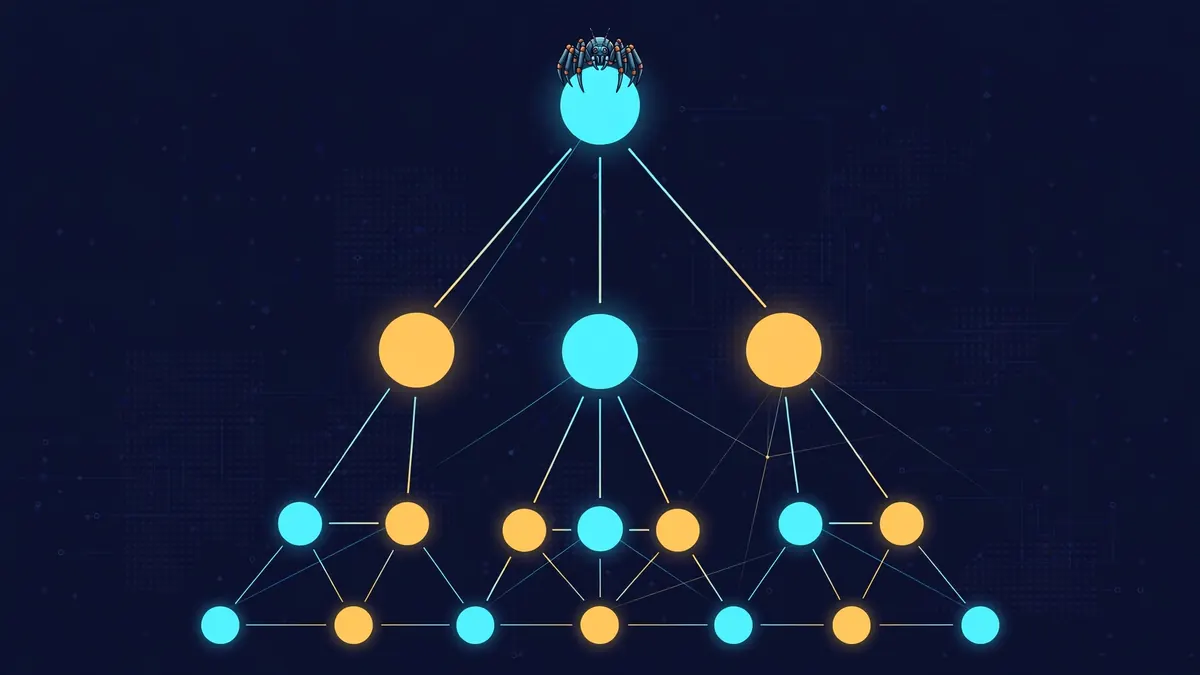
One page is a demo; a spider is the tool. Scrapling's spider API is Scrapy-shaped — a class with start_urls and an async parse callback that yields items and follow-up requests. This is the README's own example, run verbatim:
from scrapling.spiders import Spider, Response

class QuotesSpider(Spider):
    name = "quotes"
    start_urls = ["https://quotes.toscrape.com/"]
    concurrent_requests = 10

    async def parse(self, response: Response):
        for quote in response.css('.quote'):
            yield {
                "text": quote.css('.text::text').get(),
                "author": quote.css('.author::text').get(),
            }
        next_page = response.css('.next a')
        if next_page:
            yield response.follow(next_page[0].attrib['href'])

result = QuotesSpider().start()
print(f"Scraped {len(result.items)} quotes")
result.items.to_json("quotes.json")
The run:
Scraped 100 quotes
[2026-11-07 09:21:16] INFO: Saved 100 items to quotes.json
All 10 pages, 100 quotes, in about 10 seconds, with 10 concurrent requests. The JSON file opens with the Einstein quote and ends with George R.R. Martin's line about minds needing books as swords need whetstones. Exporters cover the other formats too — to_jsonl(), to_csv(), and to_xml() — and the spider layer adds the production features: per-domain throttling and AutoThrottle, automatic retries with blocked-request detection, proxy rotation, optional robots.txt compliance, and pause/resume via a crawldir that saves pending requests and seen URLs (Ctrl+C stops gracefully; restarting with the same directory resumes). Ready-made templates skip the boilerplate for common shapes: CrawlSpider for rule-based link following, SitemapSpider for sitemap-driven crawls, XMLFeedSpider/CSVFeedSpider for feeds, and ShopifySpider for public Shopify catalogs, one item per variant.
Step 6: JavaScript pages with the stealthy fetcher#
Some pages render their content in JavaScript, so no HTTP response contains the data. That is the stealthy fetcher's job: a real Chromium behind fingerprint spoofing, with Cloudflare Turnstile and interstitial handling. Install the browsers first:
scrapling installThen the same quotes site has a JavaScript-rendered twin at /js/, which is the honest test — the quotes only exist after the page's scripts run:
from scrapling.fetchers import StealthyFetcher

page = StealthyFetcher.fetch(
    'https://quotes.toscrape.com/js/',
    network_idle=True,
    wait_selector='.quote',
)
quotes = page.css('.quote .text::text').getall()
print(len(quotes))  # 10, once the page has rendered
wait_selector waits for the quote elements to appear before returning; network_idle waits for network activity to settle, which is what single-page apps need. A session form, StealthySession, keeps one browser open across fetches instead of launching one per request, and session.network.search() can read the API responses the page itself made — often the cleanest data source on a JS-heavy site. One honest limit from this guide's run: the sandbox this tutorial was verified in routes all traffic through an authenticated egress proxy, and the browser could not complete the proxy tunnel there — a minimal Playwright script failed the same way, so the failure is the sandbox's network, not the library. The browser itself launched fine, and the call above is the project's documented example for this exact page. On a normal connection, scrapling install downloads the browser and the fetch returns the 10 rendered quotes.
Step 7: Hand it to your AI agent#
This is the part that explains the star count. Scrapling ships two AI interfaces, and both are already installed: the MCP server came with the [ai] extra in Step 1, and the agent skill installs with one command.
The MCP server exposes 17 tools — one-shot HTTP and browser fetching (make_request, browser_fetch_once), persistent sessions (browser_open, open_request_session, close_session, list_sessions), page interaction (browser_actions, browser_evaluate, browser_extract), screenshots and motion observation (browser_screenshot, browser_observe), saved login state (browser_save_state, browser_load_state), and background API capture (browser_network_requests, browser_network_request). It runs over stdio by default — the command is scrapling-mcp — so Claude Desktop takes this config:
{
  "mcpServers": {
    "ScraplingServer": {
      "command": "/path/to/scrapling-mcp"
    }
  }
}
Find your path with which scrapling-mcp. Claude Code is one command: claude mcp add ScraplingServer "/path/to/scrapling-mcp". The server also runs over streamable HTTP — scrapling-mcp --http listens on 127.0.0.1:8000 — but HTTP mode requires an auth token (--auth-token or the SCRAPLING_MCP_AUTH_TOKEN environment variable), because anyone who can reach the port could otherwise make the server fetch arbitrary URLs. Both transports were verified here: stdio starts cleanly, and an HTTP initialize call returned a 200 with the tools capability advertised. The server sanitizes scraped content against prompt injection by default — hidden elements, aria-hidden content, HTML comments, and zero-width characters are stripped when main_content_only is on, which it is by default.
The agent skill teaches a coding agent the library itself, so the code it writes matches the current API instead of its training data. Install it with the skills CLI:
npx skills add D4Vinci/Scrapling --skill scrapling-officialAs run here, the CLI installed scrapling-official v0.5.1 — a 445-line SKILL.md plus reference docs and ready-to-run examples — into the project's skills directory. The prompt asks which agents to configure and whether the install is project or global scope.
When to use Scrapling — and when not to#
| Approach | Best for | Costs |
|---|---|---|
| Scrapling | One install covering fetch, parse, crawl, CLI, and agent use; adaptive parsing; JS pages without a separate browser framework | Browser download for the stealthy fetcher; a young project — v0.5.1, with breaking changes as recent as this release (remote sessions moved in 0.5) |
| Scrapy | Large, long-lived crawls with middleware, pipelines, and a big ecosystem | A framework, not a library: more structure to learn and more moving parts for a one-off scrape |
| requests + BeautifulSoup | One static page, five lines, no new dependency to learn | No stealth, no browser, no crawling, no export — you rebuild all of it by hand |
| Crawl4AI | Turning pages into LLM-ready Markdown for RAG, with minimal code | Focused on the Markdown pipeline; not a general crawler or agent tool |
| Playwright alone | Full browser automation where scraping is incidental | You write the parsing, the crawling, and the export yourself |
Scrapling is the wrong tool when the job is one static page — requests and BeautifulSoup are shorter — and when the target is a site whose terms forbid scraping. It is also young: v0.5.1 introduced breaking changes to remote browser connections, so pin the version in requirements (scrapling==0.5.1) and read the changelog before upgrading a working pipeline. Respect robots.txt, rate-limit yourself, and scrape only what you are allowed to collect.
The takeaway#
Scraping used to mean assembling a stack: a request library, a parser, a browser driver, a crawler, an exporter, and glue. Scrapling's argument — and the reason 99,009 people starred it — is that the stack should be one install with one API. The evidence from this guide: a first fetch in three lines, five ways to select the same element, clean Markdown with one call, a 100-quote crawl in ten seconds, a CLI that needs no code, and an MCP server that hands the whole thing to an agent with prompt-injection protection switched on. Install it with pip install "scrapling[fetchers,ai]", point it at a page you are allowed to scrape, and the dataset you need for your next RAG pipeline is a script away.
Sources#
- Scrapling repository (D4Vinci/Scrapling) — README, star and fork counts, license, release history, read November 7, 2026.
- Scrapling documentation — MCP server guide, agent skill guide, and v0.5.1 changelog (release date November 4, 2026), read November 7, 2026.
- GitHub Trending — weekly trending list, November 7, 2026.
- Quotes to Scrape — the practice site used for every example in this guide.