Every voice API bills you per character. The hosted voice platforms charge for synthesis the way cloud GPUs charge for compute — small amounts feel free, real workloads get expensive, and your audio runs through someone else's servers forever.
VoiceStudio bets that voice work shouldn't be a cloud service at all. It's a fully local, open-source voice studio: clone voices, design new ones from a text description, dub videos with timed speech, dictate, transcribe, and produce audiobooks — in 646 languages, powered by default by the k2-fsa/OmniVoice engine. It was the #1 trending repository on GitHub last week, adding more than 16,700 stars in seven days. Today it stands at 53,900+ stars and 6,000+ forks, released under AGPL-3.0.
What you get at the end: a desktop app where generating a voice costs nothing, plus a local speech service your coding agents can call over HTTP and MCP. Here's the whole thing, hands-on.
On macOS or Linux, one command installs the Electron desktop app:
curl -fsSL https://voicestudio.sh/install | shOn Windows, run this in PowerShell:
irm https://voicestudio.sh/install | iexPrefer a manual download? Grab macOS .dmg, Windows .exe, or Linux .AppImage / .deb from the Releases page and follow the platform guides in docs/install/. The installer preserves your settings, projects, and models across upgrades. One caveat from the README: version 0.5.3 was the final Tauri release — the Electron app is now the only desktop app.
If you live inside a coding agent, you can delegate the whole install. Paste this into Claude Code, Codex, or Cursor:
Install the VoiceStudio Electron app on this device and verify it works, following
https://github.com/debpalash/VoiceStudio/blob/main/docs/install/agent.md
The agent guide covers hardware detection, reusing existing data, asking before model downloads, and a test generation. Agents that support skills can also run npx skills add debpalash/VoiceStudio to get the voicestudio audio-workflow skill.
Open the Voice cloning workspace, pick a voice or add a clean reference recording, enter your text, and generate. The app installs the required model when prompted. That is the README's entire quick-start, and it's honest: the workflow is genuinely that short.
Two things worth knowing before you record. First, a clean reference beats a long one — a quiet room with no background noise produces a better clone than a long noisy recording. Second, the README's license section is explicit: clone voices only with permission. The same model licenses that enable cloning require you to review them before commercial use.
No reference recording? The Voice design workspace generates a voice from a plain-language description — gender, age, pitch, style, accent — and gives it a stable identity you can reuse. This is also where the MCP tools shine: describe_voice tells you which attributes your description maps to (and which words it couldn't map), while design_voice mints a new voice profile and returns a profile_id you can generate with later. It refuses descriptions that map to no attribute, which is a polite way of saying "be more specific."
The transcription workspace handles audio files in 646 languages. Dictation is a floating widget with a global shortcut — the app owns microphone capture, and the Python backend keeps ASR models warm.
Scripting transcription without the UI is one command, using the dependency-free Python bridge that ships with the app:
python -m backend.speech_client capabilities
python -m backend.speech_client transcribe recording.wav
It targets VOICESTUDIO_URL, else the loopback backend on port 3900, and sends OMNIVOICE_API_KEY as a Bearer POST :3900/v1/audio/transcriptions speaks the same contract — or stream live partial text over the WebSocket at :3900/v1/audio/transcriptions/stream. A machine-readable capability document lives at http://127.0.0.1:3900/.well-known/voicestudio-speech.
The Dubbing workspace turns timed speech into translated video: upload a video, generate speech in another language, and get timed dubbing out. It's the same engine stack as cloning, aimed at the most tedious part of video localization — matching translated speech to the timeline.
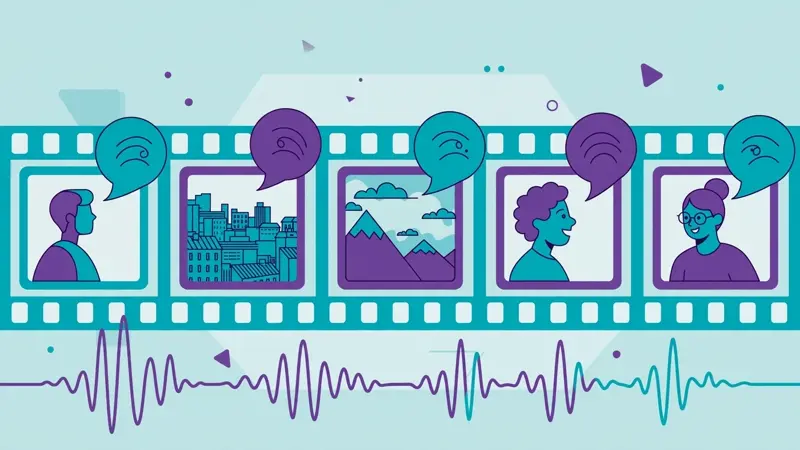
Pair this with the audiobook and batch-job workflows if you're producing content at volume: generate hours of narration once, pay nothing, and never send the source material to a third party.
VoiceStudio ships an MCP server so agents like Claude Code and Cursor can synthesize speech, clone voices, and transcribe — in a voice you choose per agent. The server is mounted on the running backend at /mcp, so there's nothing extra to start once VoiceStudio is open. For stdio-only clients, the shim is:
python -m backend.mcp_shimThe tools, from docs/mcp.md:
generate_speech — text to WAV by default (Opus/Ogg when ffmpeg is installed), in the agent's bound voice or any profile_id.clone_voice / design_voice — reference audio or a text description in, a new profile_id out.describe_voice — dry-run of a description: which attributes it maps to, which words it didn't understand. Saves nothing.transcribe — audio in, text out, 646 languages.list_voices / list_personalities / list_languages — enumerate what's available.check_health — backend status plus the active GPU device.One practical detail: a WAV as base64 is a lot of bytes in an agent's context. Setting OMNIVOICE_MCP_OUTPUT_MODE=files (or both) makes generate_speech write the audio to disk and hand back an audio_url served at /audio/<audio_id>.<format> plus an output_path — the agent gets a file path instead of megabytes of base64.
A voice studio with no meter running: a cloned voice and a designed voice saved to your library, a transcription pipeline you can hit from shell scripts or an OpenAI-compatible endpoint, a dubbed video, and a coding agent that can narrate its own work in any voice you choose. Per character billed: zero.