Run your own AI security operations center: hands-on with AiSOC
AiSOC turns a shelf of security tools into a self-hosted operations center: detection rules, agent triage, and a replayable ledger, all on your hardware with no API keys. At 6,681 stars and a week on GitHub Trending, it is the standout security project of the month. This guide runs its offline sandbox, walks three alerts through the investigation funnel, and maps the full deployment — every command verified.
- Who: AiSOC (beenuar/AiSOC, MIT), started in May 2026 by Beenu Arora, CEO and cofounder of the threat-intelligence firm Cyble, which funds the development.
- What: A self-hosted SOC — 2,966 executable detection rules from a 7,407-rule library, 91 connectors, local llama3.2:3b triage via Ollama, a replayable Investigation Ledger, and an MCP server for Claude, Cursor, and Continue.
- When: Verified November 7, 2026: aisoc-sandbox 0.1.0, five scenarios, the default demo plus two more scenarios plus a custom alert, each under a second. The full stack is documented from README v22.2.0, not run here — it needs Docker and 8 GB of RAM.
- Requirement: Python 3.9+ and pip for the sandbox; Docker Compose v2, 8 GB RAM, 20 GB disk for the full stack. No GPU, no model downloads for the sandbox, no account, no API key.

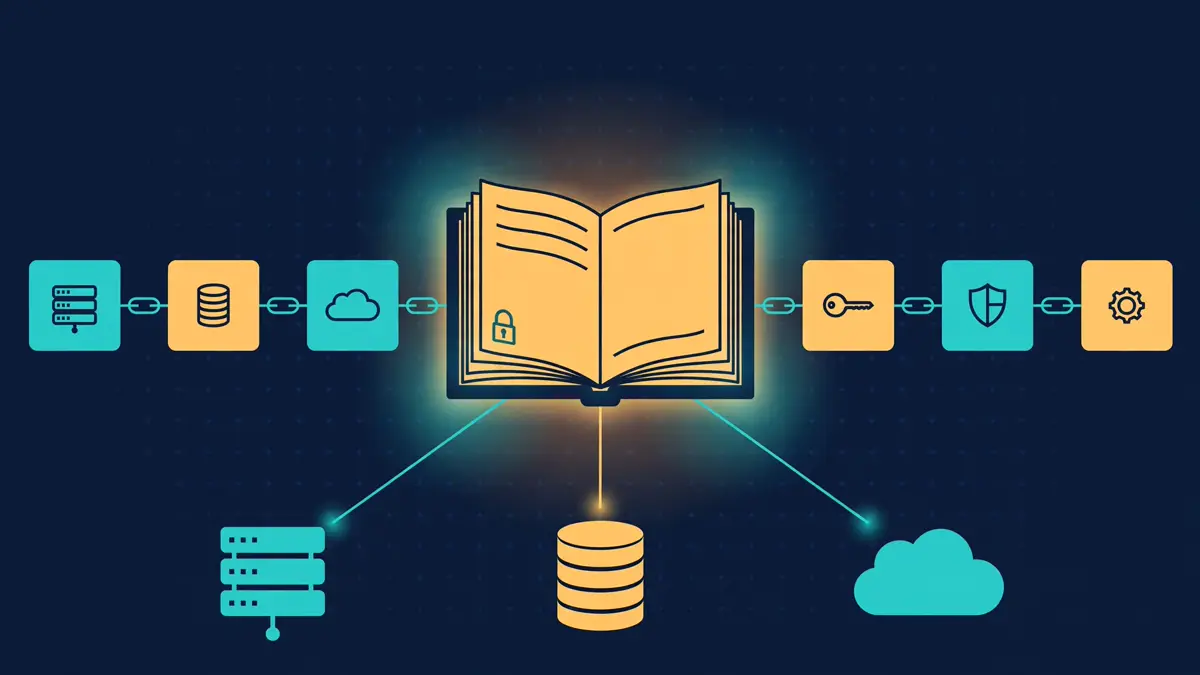
A security operations center is the team that watches an organisation's security alerts, decides which ones matter, investigates them, and acts. AiSOC is that team as open-source software you run on your own hardware: telemetry comes in, detection rules fire, alerts get grouped, an AI agent investigates each one, and every step lands in a replayable ledger. It is MIT-licensed, needs no API keys, and triages with a small model running locally instead of a cloud service.
The project is beenuar/AiSOC, started in May 2026 by Beenu Arora, CEO and cofounder of the threat-intelligence firm Cyble, which funds the development. As of November 7, 2026 it has 6,681 stars on GitHub, up 539 in the previous seven days, and it hit GitHub Trending on November 2, gaining 446 stars that day. The current release line is v22. An independent install-and-run check on November 6 listed AiSOC as running on a clean machine. This guide installs its offline sandbox, walks three alerts through the investigation funnel with real output, then maps the path to the full deployment.
What you'll need#
- Python 3.9 or newer and
pip. The sandbox is a 22 KB wheel; nothing else downloads. - A terminal. Every command below was run in a 2-core Linux sandbox on November 7, 2026, and the outputs quoted are the real ones.
- For the full stack (Step 6): Docker Compose v2, 8 GB of memory, 20 GB of free disk,
python3andbash. No GPU, no account, and no API key anywhere in this guide. Cost: $0, plus whatever server you run the stack on.
Step 1: Install the sandbox#
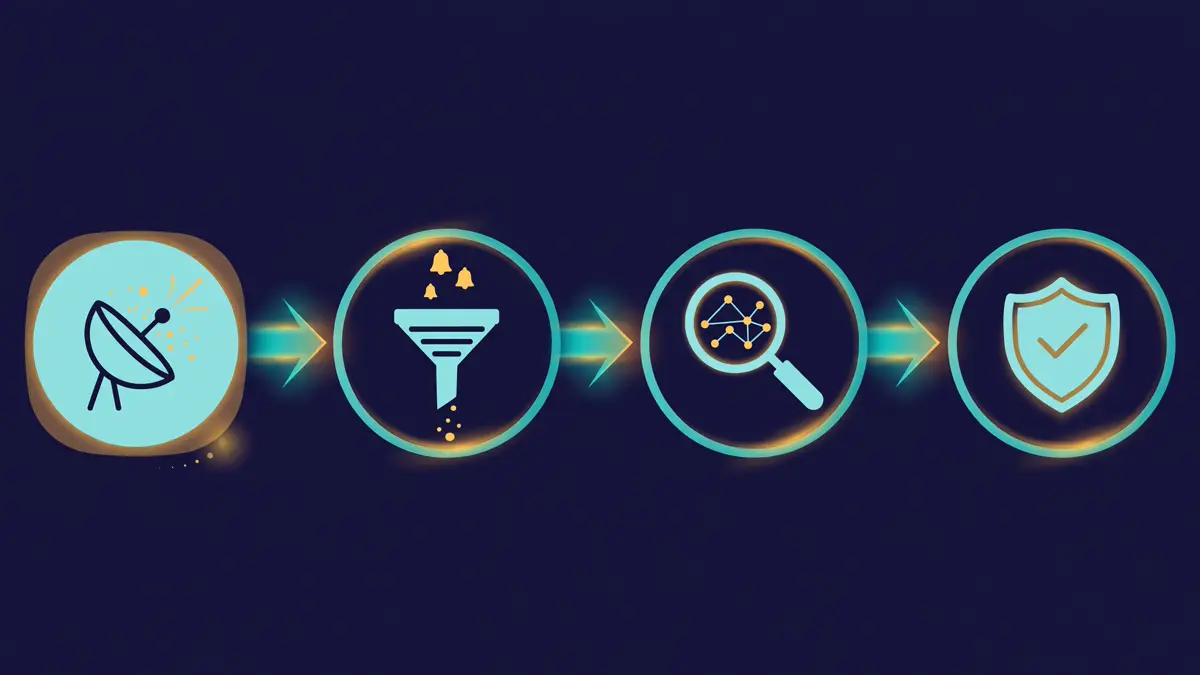
The sandbox is the project's own offline demo package. It ships five alert scenarios and walks one through the same four-stage funnel the real stack uses — Detect, Triage, Hunt, Respond — without Docker, without a model, and without a network call:
pip install aisoc-sandbox
aisoc-sandbox --help
Expected output:
Successfully installed aisoc-sandbox-0.1.0usage: aisoc-sandbox [-h] [--version] <command> ...
Run an AiSOC agent investigation offline in under 30 seconds. No Docker, no API key, no network.
positional arguments:
<command>
demo Walk one scenario through the Detect → Triage → Hunt → Respond
funnel.
scenarios
List the bundled scenarios and exit.If pip install fails behind a corporate proxy with a connection error, retry the same command; the install in this guide needed one retry before the wheel downloaded. Use a virtual environment (python3 -m venv .venv) if you prefer to keep the package out of your system Python.
Step 2: See the five bundled scenarios#
aisoc-sandbox scenariosBundled scenarios (use --scenario <id>):
aws-credential-exfil AWS credential exfiltration — IAM keys used from new ASN
github-token-theft GitHub PAT leaked — token used to clone six private repos in 11 seconds
kubernetes-privesc Kubernetes privilege escalation — namespace-scoped SA bound to cluster-admin
lateral-movement Lateral movement — impossible-travel Okta sign-in
phishing-payload Phishing — click-through to credential-harvest pageEach scenario is a small JSON file with a narrative, a severity, MITRE ATT&CK technique IDs, entities, raw events, and the response actions the funnel should propose. The default run picks lateral-movement.
Step 3: Walk an alert through the funnel#
aisoc-sandbox demoThe run takes under a second and prints the whole investigation. Here it is, verbatim:
Scenario: lateral-movement
Title:    Lateral movement — impossible-travel Okta sign-in
Narrative: Alice signs in successfully from New York at 09:30 UTC, then again
from Saint Petersburg eight minutes later. The geographical pivot is physically
impossible inside that window — classic credential-takeover signature.
MITRE:    T1078, T1078.004
Severity: high

Investigation Ledger
  4 steps · 0 ms total · synthetic offline run (no LLM, no Docker)
Step 0 — Detect. The DetectAgent ingests the two sign-in events and matches them against the detection ruleset for MITRE techniques T1078 (Valid Accounts) and T1078.004 (Cloud Accounts). Decision: open an alert at severity high.
Step 1 — Triage. The TriageAgent scores confidence and cross-references prior cases: three related cases in the last 30 days, entity risk scores for the user and both IPs, and a confidence of high (83/100). The rationale names the tell directly — the session signals look legitimate at the protocol layer, but the geographic pivot is physically impossible.
Step 2 — Hunt. The HuntAgent pivots from the user, both IPs, and the Okta tenant across the last 24 hours of events, in ES|QL, SPL, and KQL. Decision: no additional compromised entities surfaced beyond the alert payload.
Step 3 — Respond. The RespondAgent proposes four graduated actions under a blast-radius gate: revoke all of Alice's sessions, require a password reset, create a case, and notify the SOC on-call channel in Slack. The automation tier is L1 — recommendations only, human executes — so all four wait for analyst approval. Nothing executes on its own.
That last point is the design to notice. AiSOC's response verbs are governed: a playbook only acts when the deployment, the tenant, and the playbook all agree, every default is off, and anything less runs in preview with its plan attached to the alert. High-blast-radius actions pause for a human, and the pause is durable — the run suspends to Postgres, survives a restart, and resumes after approval.
Step 4: A critical scenario, and JSON output#
Run a different scenario by ID. The AWS credential-exfiltration case is the critical one:
aisoc-sandbox demo --scenario aws-credential-exfilScenario: aws-credential-exfil
Title: AWS credential exfiltration — IAM keys used from new ASN
Narrative: Long-lived IAM access keys belonging to a CI service account are used
from an ASN the workload has never previously contacted, immediately followed by
`s3:ListBuckets` + bulk `s3:GetObject` of a tagged-confidential bucket.
MITRE: T1552, T1567, T1078.004
Severity: criticalFor automation, add --json. The output is a single JSON document — tool, version, scenario, events, and recommended actions — ready to pipe into a ticketing system or a test harness:
aisoc-sandbox demo --scenario phishing-payload --json{
"tool": "aisoc-sandbox",
"version": "0.1.0",
"scenario": {
"id": "phishing-payload",
"title": "Phishing — click-through to credential-harvest page",
"narrative": "An email passed perimeter filters because the sender domain
was less than 14 days old and had a valid DMARC alignment for a
typosquatted root. A user clicked the link 6 minutes after delivery...",
"severity": "high",
"mitre_techniques": ["T1566", "T1566.002"],
"entities": {
"user": "[email protected]",
"sender": "[email protected]",
"url": "https://acme-paychecks.com/login",
"asset": "host-engineering-72"
},
"recommended_actions": [
{"name": "proxy.block_domain",
"args": {"domain": "acme-paychecks.com"}},
{"name": "user.session.revoke_all",
"args": {"user": "[email protected]"}}
]
}
}
Step 5: Investigate your own alert#
The sandbox also takes your own alert as a JSON file. Only id and title are required; narrative, severity, mitre_techniques, entities, events, and recommended_actions are optional. Severity must be one of the five tiers info | low | medium | high | critical — the same ladder the real stack enforces. Here is a GitHub token-theft alert, written to my-alert.json:
{
  "id": "github-token-theft-custom",
  "title": "GitHub token theft — PAT used from an unknown device",
  "narrative": "A classic personal access token belonging to a senior engineer
    was used from a device fingerprint never seen before, cloning two private
    repositories within seconds of first use.",
  "severity": "high",
  "mitre_techniques": ["T1552.001", "T1078"],
  "entities": {
    "user": "[email protected]",
    "asset": "github.com/acme/proprietary-api"
  },
  "events": [
    {"uuid": "gh-001", "published": "2026-11-07T13:00:00Z",
     "eventType": "github.token_used",
     "actor": "[email protected]",
     "device_fingerprint": "unknown"},
    {"uuid": "gh-002", "published": "2026-11-07T13:00:41Z",
     "eventType": "github.repo_cloned",
     "actor": "[email protected]",
     "repo": "acme/proprietary-api"}
  ],
  "recommended_actions": [
    {"name": "github.token.revoke",
     "args": {"user": "[email protected]"}},
    {"name": "user.session.revoke_all",
     "args": {"user": "[email protected]"}},
    {"name": "case.create",
     "args": {"title": "GitHub token theft — PAT used from unknown device",
              "severity": "high"}}
  ]
}
aisoc-sandbox demo --file my-alert.jsonThe funnel runs exactly as with a bundled scenario: Detect ingests the two events and matches T1552.001 and T1078, Triage scores confidence high (83/100) with the entity risk for the user at 85, Hunt pivots across the last 24 hours and finds nothing further, and Respond proposes the three actions from the file — revoke the token, revoke the sessions, create the case — again awaiting analyst approval. The point of the exercise is the shape, not the verdict: your alert's entities, events, and actions flow through the same four stages the real agents use, so you can check that a detection you care about is expressible in this format before you deploy anything.
What the sandbox is — and what it is not#
Read the ledger header honestly: "synthetic offline run (no LLM, no Docker)". The sandbox's verdicts are canned per scenario — the 83/100 confidence appears for unrelated alerts because it is fixture data, and every tool call is printed as "would-call", not executed. It demonstrates the funnel, the ledger format, and the response vocabulary. It does not triage anything.
Real triage lives in the full stack, where Ollama serves a pinned llama3.2:3b-instruct-q4_K_M model — about 2 GB, sized for CPU-only inference — and the Investigation Ledger records real verdicts with real token counts. The project's own measurement, over 50 alerts, is that the small model gave usable triage output 44 times before its replies were constrained to JSON, and 50 times after. That is the honest scale of the bundled model: usable for routine triage, not a frontier reasoner. If you want stronger reasoning, the console lets you plug in your own OpenAI-compatible provider — but the project states plainly that no hosted provider has ever been exercised by its own team, so per-model numbers read "not measured" rather than zero.
Step 6: Deploy the real stack#
The section below is the documented path from the project's README (v22.2.0), read from the repository itself. It was not run in this sandbox: the full stack needs Docker and 8 GB of RAM, and this sandbox is a 2-core machine with neither. Run it on a server, or open the repo in GitHub Codespaces and run make up in its terminal.
git clone https://github.com/beenuar/AiSOC && cd AiSOC
make up
Before that, make doctor checks host tools, memory, disk, every port, and each datastore by querying it, then prints the command to run next. make up creates .env and generates fifteen secrets into it, creates an administrator, and prints its password once — generated on your machine, shown once, stored nowhere. A port already in use does not stop the install: AiSOC publishes on a free one and moves the console address with it. The first run downloads the ~2 GB model into a volume that only make clean clears.
Then prove it works. make smoke posts one real event to the ingest API and follows it through Kafka, detection, correlation, and Postgres, then reads the alert back out of the public API. The documented result:
$ make smoke
[PASS] raw telemetry accepted by ingest
[PASS] event traversed the spine and became an alert
PASS: 10/10 stages
Sign in at the address make up printed. A tenant with nothing connected lands on a setup wizard, not an all-zero dashboard. Press Load sample data: five scenarios take the same ingest path a real connector uses, so watching them become alerts means watching the pipeline work. For the larger fixed corpus, make demo loads a labelled synthetic dataset — every row flagged is_synthetic = true.
To connect real data, mint a credential with make ingest-token and push events:
curl -X POST http://localhost:8081/v1/ingest/batch \
  -H 'Content-Type: application/json' \
  -H "Authorization: Bearer $AISOC_INGEST_TOKEN" \
  -d '{"connector_id":"edr-1","connector_type":"crowdstrike","events":[{"severity":"high",
       "title":"Encoded PowerShell from Office","host":"WIN-FIN-01"}]}'
Or configure one of the 91 click-and-connect data connectors in Settings → Connectors — Splunk, Sentinel, Elastic, CrowdStrike, Okta, AWS, and Kubernetes audit among those with vendor-specific normalisation. There is also an MCP server for Claude, Cursor, and Continue, so an agent can query the SOC instead of the console.
| Profile | Command | Services | RAM | What you get |
|---|---|---|---|---|
| core | make up | 16 | ~8 GB | Full alerting pipeline: ingest → detect → correlate → alert → triage → console, plus the LLM gateway, a local model, the CISA KEV threat feed, and connector/response services |
| full | make up-full | 22 | ~12 GB | Core plus event lake, entity graph, full-text search, enrichment |
| demo | make up && make demo | 16 | ~8 GB | Core plus labelled synthetic data |
One real external feed ships with a fresh install: the CISA Known Exploited Vulnerabilities catalogue, public, no API key — the one thing in a fresh install that is neither synthetic nor yours. Behind the pipeline, fusion runs 2,966 executable detection rules from a 7,407-rule library, plus 76 sliding-window rules. "Executable" is earned, not declared: a rule only joins the compiled ruleset after a vendor-shaped event is replayed through the real connector and engine and the rule is watched to fire.
When to use AiSOC vs the alternatives#
Against a cloud SIEM or SOAR platform (Splunk, Sentinel, Cortex XSIAM): choose AiSOC when the data must stay on your hardware and the bill must stay at zero. The trade is that you operate it — sixteen services, a Postgres, Kafka, and a model to keep healthy — where the cloud vendor operates theirs. AiSOC's own comparison is that it is not a drop-in SIEM replacement: it correlates and investigates, but does not replace long-term log retention and compliance search.
Against an open-source SIEM (Wazuh and its peers): choose AiSOC when you want the agent layer — triage with a written rationale, hunts the model proposes, and a ledger you can replay — rather than detection and dashboards alone. Choose the SIEM when you need compliance reporting and retention more than investigation.
Against the sandbox alone: use the sandbox to learn the funnel, to demo the concept to a team, and to test whether your alerts fit the schema. Use the stack the moment a verdict has to be real — the sandbox's confidence scores are fixtures, and no demo result is production validation.
Two limits to carry into any decision. First, the bundled 3B model is a pragmatic pick for CPU-only triage, not a frontier model; complex investigations will want a larger model plugged in from the console. Second, there is no independent review and no external security audit on record, and the project's own internal audit in September 2026 found its then-current quick-start guide produced a non-functional setup — fixed since, and the version numbers have raced from 8.1.0 to 22.2.0 in six weeks, which says as much about velocity as about maturity. Treat a first deployment as a lab install: run make smoke, load the sample data, and connect one real source before promising anyone a SOC.
Troubleshooting#
pip installfails with a proxy or connection error. Retry the identical command; the wheel download in this guide failed once on a proxy reset and succeeded on the next attempt.demo --fileerrors about missing keys.idandtitleare required. A severity outsideinfo | low | medium | high | criticalis rejected — check the spelling against the five tiers.- Every scenario reports confidence 83/100. That is the sandbox, not a bug: the verdicts are fixture data. Real confidence scores come from the full stack's local model.
make upon a small machine. The core profile needs 8 GB of RAM and 20 GB of disk. Below that, stay with the sandbox, or use GitHub Codespaces.make doctorsays you have not runmake upyet. It means exactly that — runmake upfirst, then re-check.- A port is already in use. AiSOC picks a free port automatically and prints the new console address; nothing to configure.
The takeaway#
AiSOC's bet is that a small team can run a real SOC on its own hardware if the agent does the triage and the ledger carries the receipts. The sandbox proves the shape of that bet in under a minute: install one pip package, run one command, and you have a four-stage investigation with a written rationale at every step and a human gate before anything executes. The full stack is the same shape at production scale — 2,966 executable rules, 91 connectors, a local model, and an MCP server — for the price of a server and the effort of operating sixteen services. Start with pip install aisoc-sandbox, run the lateral-movement demo, then feed it an alert of your own: if your detection fits the funnel, the deployment decision mostly makes itself.
Frequently asked questions
Do I need an API key?
No. The sandbox needs nothing at all — no Docker, no model, no network. The full stack also needs no API key: triage runs on a local llama3.2:3b model served by Ollama, and the one bundled external feed is the public CISA Known Exploited Vulnerabilities catalogue.
Is the sandbox's triage real?
No. The sandbox is a synthetic offline simulation: verdicts are canned per scenario and every tool call is printed as “would-call”. Real verdicts with real token counts come from the full stack's local model.
Can AiSOC replace my SIEM?
No, and the project says so itself. It correlates and investigates; it does not replace long-term log retention and compliance search.
How much does it cost?
The software is $0 under the MIT licence. You pay for the server it runs on: the core profile needs 8 GB of RAM and 20 GB of disk.
Sources
- beenuar/AiSOC — GitHub repository (README, quick start, deployment profiles, v22.2.0)
- aisoc-sandbox 0.1.0 — PyPI package (offline sandbox)
- AiSOC docs — Installation requirements (Docker Compose v2, 8 GB memory, 20 GB disk)
- RepoRadar — star history (6,681 stars, +539 in 7 days, as of November 7, 2026)
- Argusic daily report, November 6, 2026 — independent install-and-run check (AiSOC listed as running)