Your AI coding agent may have leaked your API keys to GitHub — here's how to find and purge them
One careless click in Claude Code — “Yes, and don't ask again” — writes the exact command, secrets included, into a settings file that can end up on public GitHub. Apiiro found 2,539 real secrets that way. This tutorial shows you how to check your own repos, clean them up properly, and make sure it never happens again.
.claude/settings.local.json — including any password or API key typed into the command. Apiiro found 2,539 real secrets in public repos this way. Audit every repo with Gitleaks and TruffleHog, rotate anything exposed before you purge history with git-filter-repo, then lock the door with a pre-commit hook and GitHub push protection.- The finding: Apiiro (Nov 5, 2026) examined 104,185 public copies of
.claude/settings.local.jsonon GitHub; 1,122 of them (1.1%) contained real secrets, holding 1,379 distinct credentials. Counting git history, shared settings files, and saved agent transcripts, the total reached 2,539 secrets across 1,994 repositories. - What leaked: 379 database passwords, 122 Supabase service-role keys, 103 Supabase account tokens, 43 SSH credentials — plus a database vendor's own admin cloud key, a production Azure Postgres password, a Square production token, and a medical-records database owner password. 63 organisations were affected, and at least one company confirmed its key was still live.
- Why scanners disagree: on the same 1,122 leaking files, Gitleaks flagged 564 and TruffleHog flagged 643. Neither catches everything — run both.
- The fix order matters: rotate the credential first, purge history second, force-push third. Purging without rotating leaves a live key in every fork and clone.
- Cost: everything in this tutorial is free and open source. No accounts, no API keys, about 30 minutes.

You ask Claude Code to check a database or call an API. It proposes a command, and the command carries the secret — pasted from your config, your shell history, or your own typing. Claude Code asks before running it, and you click “Yes, and don't ask again” so it stops bothering you. Reasonable. Except that click saves the exact command, secret included, as an allow rule in .claude/settings.local.json at the root of your project. Nothing in the repository marks that file as private, so the next git add -A commits it like any other file — and the next push publishes your password to the world.
That is not a hypothetical. Security firm Apiiro published the research on November 5, 2026, and the numbers are blunt: 2,539 distinct secrets across 1,994 public repositories, found by searching for that one settings file and its history. The researchers did not test whether the credentials worked — but one notified company confirmed its exposed key was live, and in 539 of the 1,105 repositories they traced, a Claude-coauthored commit was the one that changed the file. The agent did not just write the secret down; in half the cases it committed it too.
This tutorial is the hands-on companion to that finding. You will reproduce the leak in a safe lab repo, scan it with the two standard open-source scanners, see exactly what each one catches and misses, rotate and purge a leaked secret properly, and wire up the guards that stop it recurring. Every command below was run while writing this article — versions, flags, and outputs are real.
What you'll need#
- git 2.36 or newer — check with
git --version. The history rewrite in Step 6 needs it. - Python 3.6 or newer — for git-filter-repo.
- A terminal on macOS or Linux. Windows users can follow along in WSL.
- About 30 minutes, and a repo or two you actually work in. The audit itself takes under a minute per repo.
- No accounts, no API keys, no paid tools. Gitleaks, TruffleHog, and git-filter-repo are all free and open source.
One warning before you start: you will be handling real credential formats in the lab. Generate random values with the commands given and never paste a real key into a test file — the whole point of this tutorial is that test files have a habit of ending up on GitHub.
Step 1: How the leak happens#
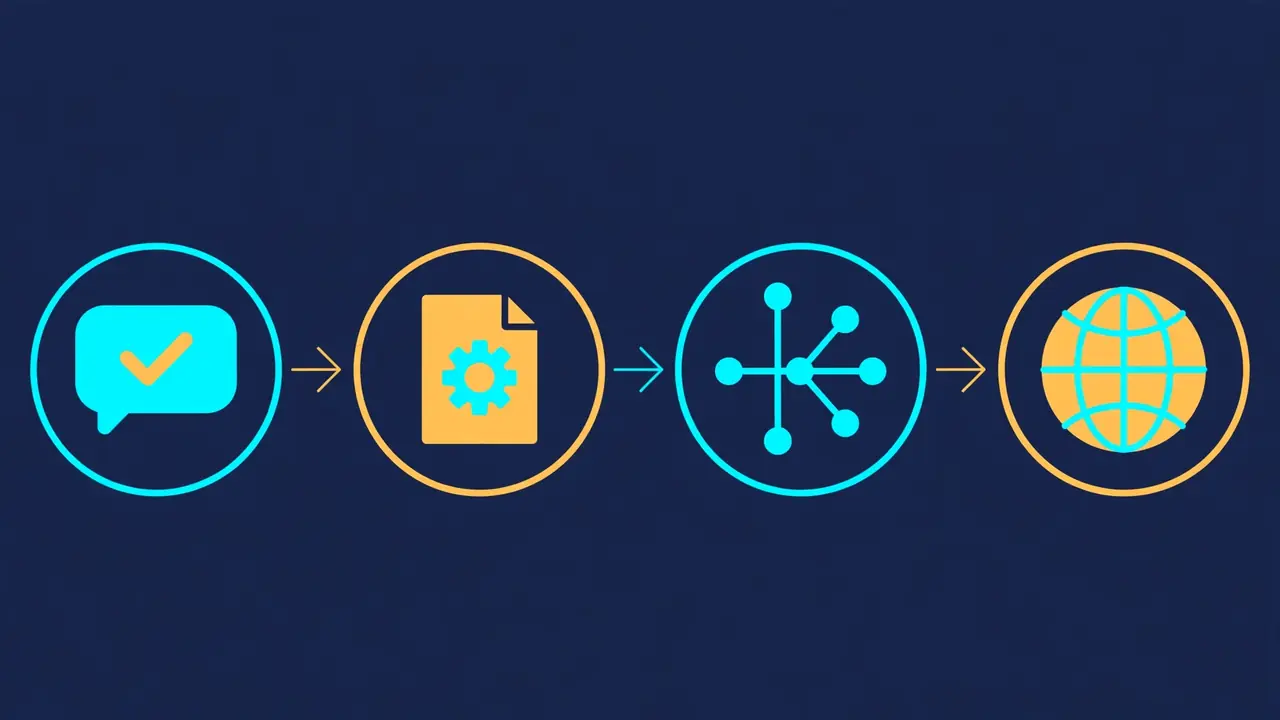
Understanding the mechanism takes two minutes and explains every failure mode that follows. There are four links in the chain, and the protection most people rely on only covers the first.
- You approve a command containing a secret. When Claude Code asks permission to run a Bash command and you choose “Yes, and don't ask again,” Anthropic's permissions documentation says the rule is saved to
.claude/settings.local.jsonat the root of the git repository, and applies to future sessions anywhere in that repo. The rule stores the command verbatim — a rule with no*matches one exact command, secret and all. - Claude Code tries to keep the file out of git — on your machine only. The first time Claude Code writes the file in a git repository that doesn't already ignore it, it adds
**/.claude/settings.local.jsonto your global git excludes file (core.excludesFileif set, otherwise$XDG_CONFIG_HOME/git/ignoreor~/.config/git/ignore). That entry lives in your home directory. It never goes into the repository's own.gitignore, so it cannot travel with the project. - The gaps. The global exclude does not cover a file you created by hand before Claude Code wrote to it — Anthropic's docs say to add that to
.gitignoreyourself. It does not cover a folder that becomes a repo later, or a clone on a second machine that lacks the entry. And it does nothing at all once the file is tracked: git's own documentation is explicit that files already tracked are not affected by ignore rules. - The commit. On a machine without the exclude entry,
git add -Apicks the file up like any other new file. In Apiiro's trace, Claude itself co-authored the commit that changed the settings file in 539 of 1,105 repositories. Once pushed, the secret is public, indexed, and copied into every fork — in half the leaking files Apiiro found, the secret had been sitting on the default branch for at least 217 days.
The same pattern applies beyond Claude Code. Apiiro flagged dozens of similar files on Hugging Face and GitLab, and the shared .claude/settings.json — the file teams commit on purpose — had the same problem on a smaller scale: secrets in 298 of 76,011 public copies, mostly inside allow rules. Any agent that persists approvals, transcripts, or tool outputs to disk can leak the same way. The audit below catches all of it, whichever agent wrote it.
Step 2: Install the scanners#
You need three tools. Install them now; the versions below are the latest releases as of November 12, 2026, and the ones this tutorial was tested against.
Gitleaks 8.30.1 — the fast pattern-matching scanner. On macOS:
brew install gitleaksOn Linux, grab the release binary (replace linux_x64 with linux_arm64 on ARM machines):
curl -sL -o gitleaks.tar.gz \
  https://github.com/gitleaks/gitleaks/releases/download/v8.30.1/gitleaks_8.30.1_linux_x64.tar.gz
tar xzf gitleaks.tar.gz gitleaks
./gitleaks version   # 8.30.1
TruffleHog 3.99.8 — the verifier: it classifies over 800 secret types and, uniquely, tries to log in with each one to tell you whether it is live. On macOS:
brew install trufflehogOn Linux, the install script or the release binary:
curl -sSfL https://raw.githubusercontent.com/trufflesecurity/trufflehog/main/scripts/install.sh \
  | sh -s -- -b /usr/local/bin
trufflehog --version   # trufflehog 3.99.8
git-filter-repo 2.47.0 — the history rewriter you will need in Step 6. It is a single Python file; drop it on your path:
curl -sL -o /usr/local/bin/git-filter-repo \
  https://raw.githubusercontent.com/newren/git-filter-repo/main/git-filter-repo
chmod +x /usr/local/bin/git-filter-repo
git filter-repo --version
If /usr/local/bin is not writable, put it in ~/bin or anywhere else on your PATH instead. One note on Gitleaks: its README now says the project is feature-complete and future releases will be security patches only, as the author shifts focus to a successor. That does not make it less useful today — its rule set is mature and it stays the fastest scanner in this guide — but it is one reason Step 7 pairs it with a second scanner rather than relying on it alone.
Step 3: Scan your repos#
Start with the repos you actually push from. The two commands below scan a repo's entire history, not just the current files — that is the point, because a secret deleted last month is still in last month's commits.
Gitleaks first. From inside any repo:
gitleaks git . --redactThe --redact flag matters: it replaces found secrets with REDACTED in the output, so your terminal scrollback and any report you save do not become a second copy of the leak. Gitleaks exits with code 1 when it finds anything and 0 when clean, so it slots straight into scripts and CI. For a machine-readable report you can keep:
gitleaks git . --redact --report-format json --report-path gitleaks-report.jsonTo scan the working tree instead of history — useful for files that were never committed, like a local .env or a hand-made settings file:
gitleaks dir . --redactThen TruffleHog. From the parent directory of the repo (TruffleHog clones local repos to a temp directory first, as a guard against malicious git configs — CVE-2025-41390):
trufflehog git file://my-project --no-updateTo scan just the files on disk, including a single settings file:
trufflehog filesystem my-project/.claude --no-updateThe --no-update flag skips the startup update check so the output stays clean for scripts. If TruffleHog fails with No space left on device while cloning, your /tmp is full — clear scratch files and retry; the scan itself needs only a few megabytes.
What a real run looks like. To show you honest output rather than a screenshot from someone else's blog, I built a lab repo with four commits containing randomly generated, never-issued credentials in the exact places the leak produces them: an Anthropic key and a Postgres password inside .claude/settings.local.json, an AWS key pair and a GitHub token in .env, and a Postgres URL in app.py. Here is what the two scanners reported on identical history:
| Scanner | Findings | What it caught | What it missed |
|---|---|---|---|
Gitleaks 8.30.1 (gitleaks git .) | 2 | Both .env values, as generic-api-key (exit code 1) | The Anthropic key in settings.local.json and the Postgres password in the database URL |
TruffleHog 3.99.8 (trufflehog git file://…) | 7 | AWS, GitHub, Anthropic, and Postgres — four Postgres hits across the four commits | Nothing in this lab |
Two things in that table deserve attention. First, every TruffleHog finding was reported as unverified — the values were random and never issued, so verification correctly failed. That is the behaviour you want: verification separates “shaped like a key” from “a live key.” Second, Gitleaks missed the Anthropic key entirely. That is not a bug in my lab setup; it is a real blind spot, and Step 4 explains why.
A lab note that will save you confusion. My first lab attempt used obviously fake values — FakePassw0rd-1234, AKIA…FAKEKEY — and Gitleaks reported no leaks found. Its default config allowlists placeholder-looking strings, so FAKE, EXAMPLE, and similar markers are deliberately ignored. If you build your own test repo, generate realistic-format random values instead — never real keys:
# Random, never-issued lab values — generate your own, never reuse these
openssl rand -base64 30 | head -c 40   # a 40-character secret
openssl rand -base64 72 | tr -d '/+=' | head -c 93   # an Anthropic-style key body
Step 4: Read the results like a scanner does#
A scanner report is not a verdict; it is a triage list. TruffleHog sorts every finding into one of three statuses, and the status decides your next move:
- Verified — TruffleHog logged in with the credential and it works. Treat this as an active incident: rotate immediately, then purge (Steps 5–6). In Apiiro's data this is the category that matters most: at least one company confirmed its exposed key was still live.
- Unverified — shaped like a credential, but the login attempt failed. Usually expired, revoked, or — in a lab — never real. Still rotate it if you cannot prove it is dead: you cannot tell an expired key from a mistyped check.
- Unknown — verification itself errored, usually a network failure (in my lab, the Postgres checks against a nonexistent host landed here). Re-run with network access before deciding.
Gitleaks does not verify at all; it reports a rule ID, a file, a line, and an entropy score. Its strength is speed and its enormous default rule set. Its weakness is that its rules encode exact key formats — and real-world data keeps slipping between them. The Anthropic key in my lab is the cleanest example I have seen:
- Gitleaks'
anthropic-api-keyrule matchessk-ant-api03-followed by 93 characters and thenAA— 95 characters after the prefix in total — and requires the next character to be a quote, whitespace, semicolon, or end of input. Real Anthropic keys really do end inAA, and a bare key pasted into a file is caught: fed the key on stdin, Gitleaks flagged it with entropy 5.53. - But inside
.claude/settings.local.json, the key sits in a JSON string. The character after it is\"— a backslash followed by a quote. The backslash is not in the rule's allowed trailing characters, so the match fails and the key sails through. I confirmed this directly: the same key, followed by a backslash-quote, scores no finding; the bare key scores one. - TruffleHog's Anthropic detector has no such restriction, and it flagged the key in the same file.
The lesson generalises. Scanners are pattern libraries, not oracles: Gitleaks caught 564 of Apiiro's 1,122 leaking files and TruffleHog caught 643, and the overlap is not total. Run both, treat any single scanner's clean result as “not found by this tool,” and remember that the most dangerous secrets are the ones with no recognisable format at all — a bare 20-character database password in a Postgres URL, which Gitleaks missed in my lab and TruffleHog only caught because it understands connection strings.
Also scan the places agents write besides repos. TruffleHog's filesystem mode takes any path, and its Hugging Face mode (trufflehog huggingface --model <model_id>) covers the model and dataset repos where Apiiro found the same class of files. Saved agent transcripts — .claude project directories, ~/.claude/projects, chat logs — deserve the same pass; Apiiro's wider 2,539 count includes secrets found in transcripts, not just settings files.
Step 5: Rotate every exposed credential before you touch history#
Do this step first, and do it before anything else in this section. Rewriting git history does not un-leak a secret: every fork, every clone, and every cached copy on GitHub still has it. If the key is still valid when you finish purging, you have cleaned the crime scene and left the front door open.
For each finding, work out what the credential unlocks and rotate it at the source:
- Anthropic / OpenAI / other model keys: revoke in the provider console and issue a replacement. Update every place the key is used — your
.env, your CI secrets, your agent config — then confirm the old key is dead by watching for a failed call, not by assuming. - AWS keys: deactivate (don't just delete) the access key in IAM, create a replacement, update dependents, then delete the old key once nothing breaks.
- GitHub tokens: revoke under Settings → Developer settings → Personal access tokens, or via the organisation's token review. Check the token's scopes first — a token with
reposcope can rewrite your repositories. - Database passwords: change the password, then check the database's connection logs for logins you do not recognise. A password in a public repo for 217 days — the median exposure Apiiro measured — should be treated as used until the logs say otherwise.
- SSH keys: remove the public key from every
authorized_keysit was added to, then generate a fresh pair.
While you rotate, check whether the file itself should have been committed at all. .claude/settings.local.json is personal configuration; the shared .claude/settings.json is the one teams commit deliberately. If your repo contains the local file, remove it from tracking now — git rm --cached .claude/settings.local.json — and add the pattern to the repo's own .gitignore so the protection travels with the project instead of living in one developer's home directory:
git rm --cached .claude/settings.local.json
printf '%s\n' '**/.claude/settings.local.json' >> .gitignore
git add .gitignore && git commit -m "Stop tracking local Claude Code settings"
Verify the ignore works before moving on: git check-ignore -v .claude/settings.local.json should print the matching .gitignore line. Remember the caveat from Step 1: ignore rules only apply to untracked files, which is why the git rm --cached comes first.
Step 6: Purge the secret from git history#
Deleting the file from the latest commit is not enough — the secret is still in every earlier commit. You need to rewrite history so the secret never appears in any revision, then force-push. This is the one destructive step in the tutorial, so work on a copy first and verify the result before touching the real remote.
Clone a scratch copy and rewrite it with git filter-repo. The --replace-text option takes a file of replacement rules — literal values or regular expressions — and applies them to every commit:
cp -r my-project my-project-scrubbed && cd my-project-scrubbed

cat > replacements.txt <<'EOF'
regex:sk-ant-api03-[A-Za-z0-9_-]{95}==>***REMOVED***
regex:AKIA[A-Z0-9]{16}==>***REMOVED***
regex:ghp_[A-Za-z0-9]{20,}==>***REMOVED***
regex:postgres://[A-Za-z0-9_]+:[^@\s"]+@==>postgres://***REMOVED***@
regex:AWS_SECRET_ACCESS_KEY=[A-Za-z0-9/+=]{40}==>AWS_SECRET_ACCESS_KEY=***REMOVED***
EOF

git filter-repo --replace-text replacements.txt --force
Two details in that replacements file come from mistakes I made while testing it, and both are worth knowing. First, literal replacements must cover every distinct value across all of history: my first attempt listed only the values in the latest commit, and the re-scan still flagged the first commit's different password. Format-anchored regexes like the ones above cover every variant at once. Second, anchor broad patterns to their context: a bare [A-Za-z0-9/+=]{40} regex matched KEY= plus the first 36 characters of the AWS secret — = is a valid character in that class — and left a four-character fragment behind. Anchoring the pattern to AWS_SECRET_ACCESS_KEY= fixed it.
Verify the rewrite with both scanners before you believe it:
gitleaks git . --redact        # expect: no leaks found
trufflehog git file://. --no-update --json   # expect: no output lines
In my lab, the corrected replacement file took both scanners from 2 and 7 findings to zero, and the rewritten settings file read Bearer ***REMOVED*** in every commit. If either scanner still reports findings, read them: they are telling you which value or file your rules missed.
The alternative: drop the file entirely. If the secret lives in a file the repo does not need — a committed .env, a settings file — removing the file from all of history is cleaner than redacting inside it:
git filter-repo --invert-paths --path .claude/settings.local.json --path .env --forceBut note what --invert-paths does not do: it only purges the paths you name. When I tested it, the Postgres password survived in app.py because I had not listed that file. Audit the scan report, list every file a secret appears in, and purge all of them — or use --replace-text, which follows the secret wherever it is.
Now push — and warn everyone. History rewriting changes every commit hash after the earliest rewritten commit, so a normal push will be rejected. Coordinate first, then:
git push --force-with-lease origin mainPrefer --force-with-lease over a bare --force: it refuses if someone else pushed since you last fetched. Every collaborator must then re-clone (or reset to the new history); anyone who pulls normally will resurrect the old commits. Tell them explicitly — a teammate's stale clone re-pushing the old history is the most common way a purge silently undoes itself.
One final honesty note: even a perfect purge does not reach every copy. Forks keep the old history until their owners rewrite too, and GitHub keeps cached views of files. If the repo is public and the secret was sensitive, contact GitHub Support and ask them to purge cached views — and treat the credential as compromised regardless, which is why Step 5 comes first.
Step 7: Stop it happening again#
Cleanup without prevention is a recurring appointment. Four layers, cheapest first:
1. The repo's own .gitignore. You added this in Step 5. Extend it to the other files agents write: transcripts, local configs, environment files.
cat >> .gitignore <<'EOF'
**/.claude/settings.local.json
.env
*.pem
EOF
2. A pre-commit hook that blocks the commit. Gitleaks ships a pre-commit hook that scans staged changes before they are committed. Add this to .pre-commit-config.yaml at the repo root (install pre-commit first if you do not have it, then run pre-commit install):
repos:
  - repo: https://github.com/gitleaks/gitleaks
    rev: v8.30.1
    hooks:
      - id: gitleaks
Under the hood the hook runs gitleaks git --pre-commit --redact --staged --verbose. A commit containing a secret fails with the finding printed; bypass it only deliberately with SKIP=gitleaks git commit, never by habit.
3. A CI scan on every push and pull request. The Gitleaks Action (v3 is the current major version) scans the full history on a schedule and on every push. Note fetch-depth: 0 — without a full clone it can only see the latest commit:
name: gitleaks
on:
  pull_request:
  push:
  schedule:
    - cron: "0 4 * * *"   # daily at 04:00 UTC
jobs:
  scan:
    runs-on: ubuntu-latest
    steps:
      - uses: actions/checkout@v6
        with:
          fetch-depth: 0
      - uses: gitleaks/gitleaks-action@v3
        env:
          GITHUB_TOKEN: ${{ secrets.GITHUB_TOKEN }}
          # GITLEAKS_LICENSE is only required for organisations, not personal accounts
TruffleHog's equivalent for pull requests scans only the new commits, which keeps it fast on large repos:
trufflehog git file://. --since-commit main --branch feature-1 \
  --results=verified,unknown --fail
The --fail flag exits with code 183 when results are found, failing the check.
4. GitHub push protection. This is the backstop that would have stopped most of Apiiro's 2,539 secrets at the door. Secret scanning runs automatically and free on public repositories; push protection blocks a push containing a recognised secret instead of merely alerting afterwards. Enable it at Settings → Code security and analysis → Secret Protection → Push protection (or the equivalent at organisation level for all repos). Since October 13, 2026, GitHub's detectors include Anthropic keys — anthropic_service_api_key and anthropic_user_api_key — blocked by push protection by default on repos with secret scanning enabled. Note its limits: it only guards GitHub, only recognises formats GitHub has detectors for, and a developer can bypass the block by giving a reason. It is the last layer, not the only one.
Which scanner should you use?#
Both, for different jobs — and GitHub's native protection as a third layer. The table is the short version; the lab results above are the evidence.
| Tool | Use it for | Strengths | Watch out for |
|---|---|---|---|
| Gitleaks | Pre-commit hooks, CI on every push, fast full-history sweeps | Very fast; huge default rule set; clean JSON/CSV/SARIF reports; exit code 1 on leaks | Pattern-only — no verification; format-specific blind spots (the JSON-escaped Anthropic key); project is feature-complete, future releases are security patches only |
| TruffleHog | The audit itself, triage, and anything where “is it live?” matters | Verifies credentials against their APIs; 800+ detectors; understands connection strings and archives; scans GitHub orgs, S3, Docker images, Hugging Face, and more | Slower; verification makes network calls; needs care with --results filters or you will miss the unverified findings |
| GitHub secret scanning + push protection | The backstop on every push to GitHub | Free on public repos; blocks before the push lands; now covers Anthropic keys by default | GitHub only; detector list is finite; bypassable with a reason; does nothing for history already pushed |
If you can only adopt one thing today, make it the pre-commit hook: it is the only layer that stops the secret before it exists in any history, local or remote. If you can adopt two, add the CI scan — hooks can be skipped, CI cannot. Push protection is the third layer for repos on GitHub. And the audit itself — both scanners, full history, every repo you push from — is a thirty-minute job worth doing tonight, not a quarterly initiative.
The takeaway#
The leak Apiiro found is not a vulnerability in the usual sense. No one broke in; no one exploited a bug. A helpful agent did exactly what it was designed to do — remember an approval so it would not ask again — and the surrounding tooling treated the result as ordinary text. The failure is in the seam between tools: the agent writes secrets into a file, git treats the file as source code, and GitHub treats the push as publication. Each step is correct in isolation.
That is why the fix is a workflow, not a patch. Scan with two tools because neither sees everything. Rotate before you purge because copies outlive history. Put the ignore rule in the repo, not in your home directory, because protection that cannot travel cannot protect a team. And put a scanner between your keyboard and your commits, because the click that causes the next leak will feel just as reasonable as the last one.
Do the audit tonight. It takes thirty minutes, it costs nothing, and the alternative is finding out from someone else's blog post that your database password has been public for 217 days.
Sources
- Dark Reading — “AI Coding Agents Leak Thousands of Secrets to GitHub” (Nov 10, 2026)
- DevOps.com — “The Convenience Click That Put 2,539 Secrets on Public GitHub”
- Cybernews — “Claude Code secrets leak: thousands exposed on GitHub”
- Claude Code documentation — Settings files and precedence
- Gitleaks — GitHub repository and README
- TruffleHog — GitHub repository and README
- git-filter-repo — GitHub repository and README
- WittyTech — “GitHub Secret Scanning Adds AI and Marketing Key Detectors” (Oct 15, 2026)