Design with an elephant, review with a goldfish: hands-on with Google's Elephant-Goldfish Model
Your coding agent writes code before anyone agrees on what to build, then reviews its own work and finds it persuasive. Google's Elephant-Goldfish Model breaks that loop: one context-rich elephant drafts the design, fresh zero-context goldfish reviewers attack it, and you approve it before anything is built. This tutorial installs the plugin — every install command verified in a sandbox — and walks the full loop on a real feature.
- 17,558 stars, 1,314 forks: google/elephant-goldfish-model, Apache 2.0, created September 13, 2026. Version 0.1.1, 188 commits. It gained 4,738 stars in the five days to November 11 — the eighth-fastest pace among the AI repositories tracked by whatstrending.ai.
- Seven skills: egm-brainstorm, egm-draft, egm-review, egm-resolve, egm-bootstrap, egm-drift-report, egm-review-loop. The review runs in five phases: zoom out, comprehension, design critique, a second zoom out, and implementation readiness.
- Verified here: Codex CLI 0.164.0-alpha.9 installed the plugin clean (egm@egm installed, enabled, 0.1.1); all seven skills present on disk; the repo's offline unit suite passed. The brainstorm, draft, and review steps run in your own authenticated agent session.
- What it needs: Claude Code 2.1.271 or later, Codex CLI, or Antigravity CLI, with a session that can spawn fresh subagents. No GPU, no model download, no API key for the plugin itself.
- Google's claim, not a measurement: thousands of Googlers use it daily to ship production code. No independent benchmark of its effect on bug rates has been published.

The failure mode is easy to recognise and hard to admit. You ask a coding agent to build a feature. It starts writing code before anyone has agreed on what the feature is. The same session that argued for a design then reviews its own work, and it finds its own reasoning persuasive, because it wrote it. The code runs, the tests pass, and the feature is wrong in a way nobody notices until a customer hits the edge case the design never mentioned. AI has made coding faster; it has also made building the wrong thing faster.
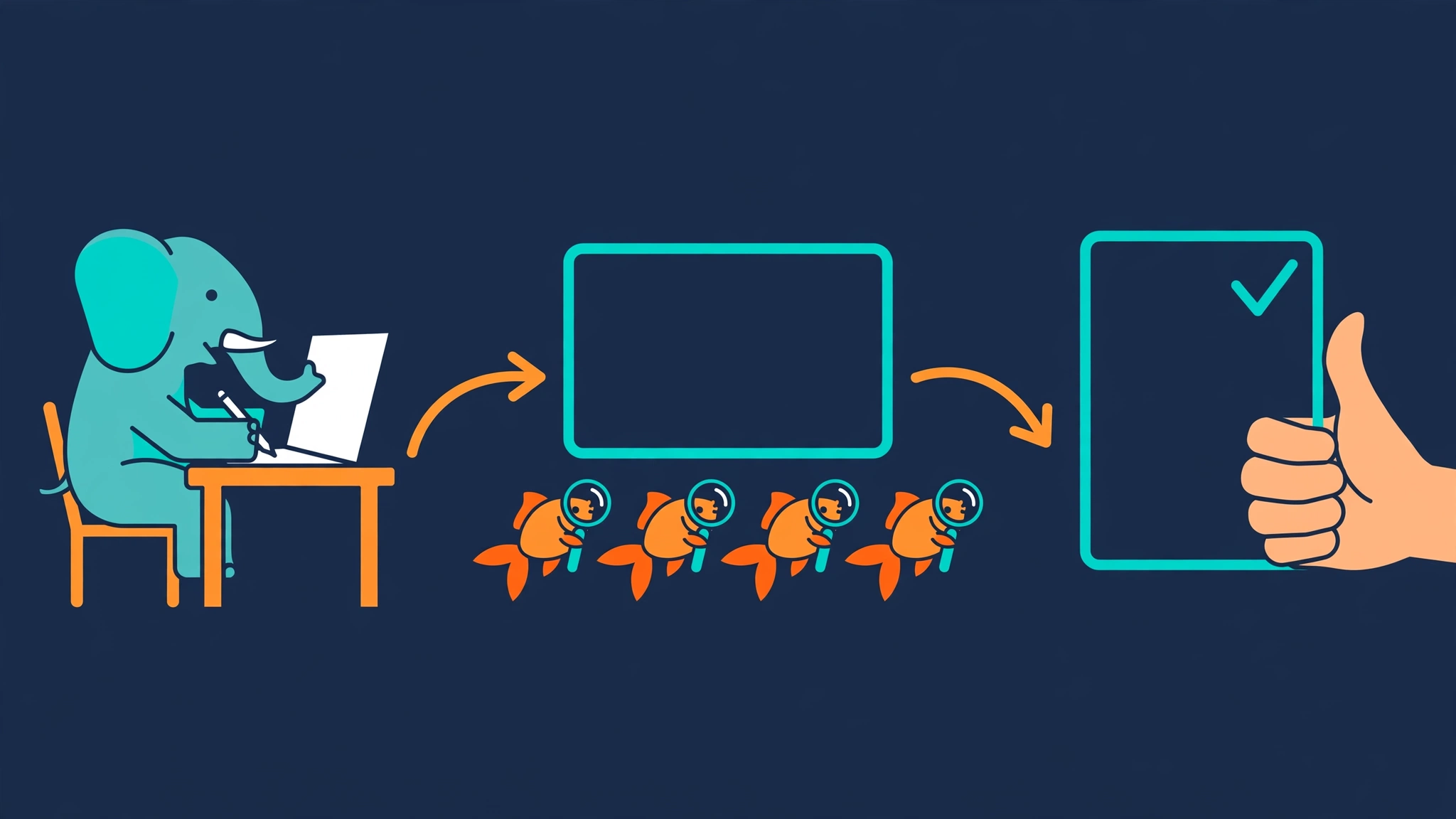
Google's Elephant-Goldfish Model, EGM for short, is a plugin that attacks that failure with structure instead of willpower. It splits the work between two roles with different memories. The elephant is a long session that holds your project context, your requirements, and every decision made along the way, and it drafts the specification. The goldfish are fresh subagents with zero context: they see only the finished document and the source material it references, and they try to tear it apart before a single line of code exists. You make the trade-offs and approve the spec. Only then does anyone build.
Google announced the plugin on its Open Source blog on October 22, 2026, and the numbers since then explain why it is this desk's pick this run. The repository, google/elephant-goldfish-model, holds 17,558 stars at the time of writing, with 1,314 forks — and it gained 4,738 of those stars in the five days to November 11, the eighth-fastest pace among the AI repositories tracked by whatstrending.ai. Google says thousands of its own engineers use the plugin every day to ship production code; that is Google's claim, not an independent measurement, and this tutorial treats it as such. What is independently verifiable is the plugin itself: Apache 2.0, version 0.1.1, seven skills, and no model weights, no new service, and no API key to buy. It runs on the coding agent you already have.
This tutorial installs EGM, verifies the install for real, runs the 60-second review on an existing document, then walks the full loop — brainstorm, draft, review, resolve — on a concrete feature. One honest note up front, in the spirit of the plugin itself: the install commands and the plugin's own checks below were run in a sandbox and their output is quoted verbatim. The agent loop — brainstorm, draft, review — runs inside your own authenticated Claude Code or Codex session, which this sandbox does not have, so those steps show the exact commands, the exact files they produce, and the exact rules the skills enforce, all verified against the repository. Nothing in this tutorial is a guess about what the agent will do.
What you will need#
- A coding agent with a subscription. Claude Code 2.1.271 or later, Codex CLI, or Antigravity CLI. The plugin is free; the agent session it runs in is not — your existing subscription or API usage still applies.
- A session that can spawn fresh subagents. The goldfish review only works if your agent can create subagents with fresh context. If it cannot, EGM stops the review and says so, rather than reviewing in the same context and calling it a goldfish review.
- Git. Only for cloning the repository if you want to run its checks, as Step 2 does.
- Python 3.10 or newer (optional). Only for running the repository's offline unit tests. No GPU, no model download, no API key for the plugin itself.
Step 1: Install the plugin#
EGM installs as a plugin marketplace entry, not as a package you pip-install. Pick your agent. The Codex path below is the one verified hands-on in this tutorial's sandbox; the Claude Code and Antigravity commands are quoted verbatim from the repository README.
In Codex CLI:
codex plugin marketplace add google/elephant-goldfish-model
codex plugin add egm@egm
This is the real output, with the home directory generalised:
Added marketplace `egm` from https://github.com/google/elephant-goldfish-model.git.
Installed marketplace root: ~/.codex/.tmp/marketplaces/egm
Added plugin `egm` from marketplace `egm`.
Installed plugin root: ~/.codex/plugins/cache/egm/egm/0.1.1
Both commands exited 0 against codex-cli 0.164.0-alpha.9, with no login step: adding the marketplace clones the repository, and adding the plugin registers it. In Claude Code (version 2.1.271 or later):
claude plugin marketplace add google/elephant-goldfish-model
claude plugin install egm@egm
In Antigravity CLI:
agy plugin install https://github.com/google/elephant-goldfish-modelChatGPT users install the published EGM plugin from the desktop app; that listing is desktop-only. Whichever agent you use, start a new session after installation so the skills load. The plugin is namespaced egm, so its commands do not collide with your other skills.
Step 2: Verify the install#
Do not trust the install until the agent's own inventory confirms it. In Codex:
codex plugin listPLUGIN STATUS VERSION SOURCE
egm@egm installed, enabled 0.1.1 ~/.codex/.tmp/marketplaces/egmThen confirm the seven skills actually landed on disk:
ls ~/.codex/plugins/cache/egm/egm/0.1.1/skills/egm-bootstrap egm-brainstorm egm-draft egm-drift-report
egm-resolve egm-review egm-review-loopEach directory holds a SKILL.md — the instructions the agent follows — plus its tests and reference material. If you cloned the repository, you can also run its own offline checks, which need no network, no API keys, and no model:
git clone https://github.com/google/elephant-goldfish-model.git
cd elephant-goldfish-model
python3 -m venv .venv && source .venv/bin/activate
python -m pip install --group test
pytest tests/unit -q
That suite passed in this tutorial's sandbox on Python 3.12.3 — frontmatter schemas, link integrity, the portable plugin manifest, and marketplace paths — with two opt-in native probes skipped, because they require an authenticated agent session. The repo's own docs are explicit about the limit: installing or discovering the plugin does not establish end-to-end workflow support. The install is verified; the workflow is what the rest of this tutorial walks through, command by command.
Step 3: The 60-second review on an existing document#
Before committing to the full loop, take the cheapest possible win: hand the goldfish a document that already exists. A design doc, a README, or a PR plan saved as Markdown will do. You do not need to write a new specification. In Claude Code or Antigravity, the commands take the /egm: prefix. In Codex, select the skill from the skill picker instead.
/egm:egm-review docs/designs/webhooks.mdUse the path to your design doc. Fresh reviewers check the design, its clarity, its fit with the code, and its implementation plan — and they do it without the conversation that produced the document, which is the entire point. A reviewer that never heard your reasoning cannot be charmed by it; it can only read what is on the page. If the document leans on a decision that lives only in your head, this is where that shows up.
The companion command is the drift report, worth running weekly once you have design docs checked in:
/egm:egm-drift-report docs/designs/The agent compares each document in the folder with the current source code and reports where they diverge. You decide whether to update the document or the code. EGM's own guide recommends this as a weekly ritual, and it is the cheapest habit in the whole plugin: a design doc that no longer describes the code is worse than no doc, because it misleads with authority.
Step 4: Brainstorm the feature#
The full loop starts before any design exists. This tutorial uses the README's own example: adding webhook delivery to a project — what should happen when a delivery fails, or the same event arrives twice? Open your project in your coding agent and run:
/egm-brainstorm Add webhook delivery to this project.In Claude Code and Antigravity, add the /egm: prefix, as in Step 3. On Antigravity CLI 1.4.10 an unprefixed name is completed to the prefixed command, but 1.4.8 does not do that, so keep the prefix. In Codex, pick the skill from the picker.
What happens next is a conversation, not a generation. The agent asks clarifying questions about requirements and trade-offs — retry policy, ordering, deduplication, payload signing, failure modes — and then spawns a swarm of fresh reviewers to challenge the proposal from several angles. The agreed direction is saved to concepts_brief.md. Three rules from the skill itself govern the tone, and they are worth knowing before you start, because they explain why the session feels different from a normal agent chat. Everything is written in plain English, with no jargon and no promotional adjectives. The agent defaults to stress-testing: it leads with what is wrong, missing, or risky, generates counter-arguments for every strategy, and only agrees when an idea has survived scrutiny. And it does not flatter you — the skill forbids validating adjectives like "brilliant" or "perfect" for your inputs. If that sounds blunt, it is the point: a brainstorm that agrees with everything you say is a mirror, not a review.
Step 5: Draft the specification#
Once the brief is agreed, turn it into a design document:
/egm-draftThe agent turns the brief into design_draft.md, section by section, pausing after each section for your feedback in chat. That pause matters: the draft is built in the open, one section at a time, so a wrong turn costs one section instead of the whole document. The draft covers the decision the brief settled — for webhooks, that means the delivery contract, the retry and backoff policy, the deduplication key, the signature scheme, and the failure modes — with the reasoning attached to each choice. Approved specifications live under docs/designs/, the same directory the drift report watches in Step 3.
One thing the elephant does not do is write code. That is a deliberate boundary, stated in the repository's own docs: the elephant drafts the spec, which is a document, not code. Implementation starts only after you approve the design, which is Step 7.
Step 6: Send it to the goldfish#
This is the step the plugin is named for:
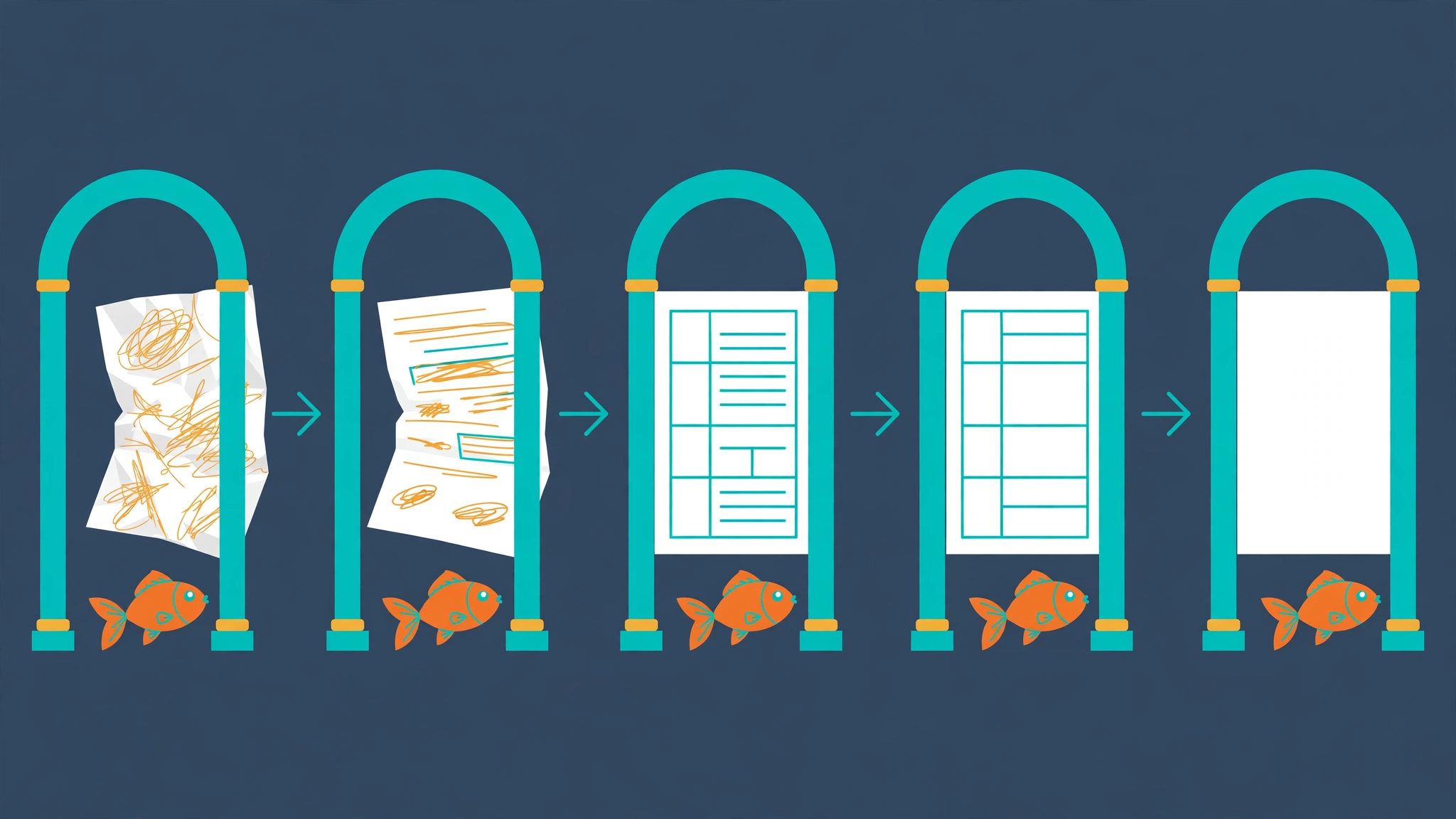
/egm-review design_draft.mdUse the draft path the agent returned. The review runs in five phases, each handled by a different reviewer persona with its own instructions, and each in a fresh context that has never seen your brainstorm:
| Phase | What the reviewer asks |
|---|---|
| 1. Initial Zoom Out Review | Can a fresh reader restate the plan in their own words? |
| 2. Comprehension Review | Is every term, reference, and assumption understandable without the earlier conversation? |
| 3. Design Critique | Where are the edge cases, missing dependencies, and unstated assumptions? What breaks first? |
| 4. Intermediate Zoom Out Review | After the critique, does the plan still hold together as a whole? |
| 5. Implementation Readiness | Are paths, structures, and signatures clear enough to build from without guessing? |
The findings are written to files — the zoom-out report lands in zoom_out_report.md — rather than pasted into chat, because the skill enforces artifact-first delivery: large proposals, drafts, and reports go to the working directory, and chat gets the file path. You choose which findings to address and which to set aside; the review is advisory by design, and the plugin's own guide says to take what is relevant and ignore the rest. Expect a lot of feedback. That is the feature: a review that returns nothing found nothing.
Two supporting skills complete the loop. /egm-resolve works through the review findings with you and agrees on the changes. /egm-review-loop runs a configured group of reviewers for a specific review task, rather than the standard five phases, when a document needs a targeted check. And /egm-bootstrap creates or updates documentation for an existing codebase, so a project with no design docs at all can start from its code instead of from a blank page.
Step 7: Resolve, approve, implement#
Work through the findings with /egm-resolve, update the draft, and approve the design. Then — and only then — ask your coding agent to implement it. EGM's own workflow puts a human review in a pull request between the design and the implementation, and the repository is blunt about why: a review does not replace tests or human judgment. The plugin makes the human review shorter and sharper; it does not remove it.
After implementation, the loop closes with the drift report from Step 3. Run /egm:egm-drift-report docs/designs/ weekly, and reconcile what it finds: either the code drifted from a good design, or the design no longer describes good code. Either way, somebody has to decide, and that somebody is you.
When to use this vs alternatives#
EGM is a process, not a capability — your agent could already write a design doc and could already ask for a review. The plugin's value is that it makes the review adversarial and structural instead of optional. The honest comparison is about when that structure pays for itself.
| Approach | What it does | When it wins |
|---|---|---|
| EGM | Design-first loop: elephant drafts, fresh-context goldfish review in five phases, human approves | Features where building the wrong thing costs more than a design round |
| Plain agent prompting | Ask the agent to design, review, and build in one session | Small fixes and well-understood work; EGM's own docs say to skip the process for a simple bug fix |
| Anthropic's official agent skills | Document skills for Word, Excel, PowerPoint, and PDF | Producing documents; a different job from reviewing a design |
| Cloudflare's security-audit-skill | Hunter and verifier agents audit code for security flaws | When the question is "is this safe", not "is this the right design" |
| Human design review | A person reads the spec before implementation | Always, alongside EGM — the plugin's own loop ends with a human PR review |
The rule of thumb from the repository's own guide is the one to follow: do not force the design-first process on work that does not need it. A one-line fix does not need an elephant. A webhook delivery contract with retries, ordering, and failure modes does.
Troubleshooting: what to do when it misbehaves#
The skill is not listed after install. Start a new session. The README says so explicitly, and the plugin loads its skills at session start; an existing session will not pick them up.
The review stops immediately. Your session cannot create fresh subagents, and EGM stops the review rather than faking it in the same context. The docs are explicit: if the harness has no subagent tool, the agent must stop and tell you. Use a harness that supports subagents — Claude Code, Codex, or Antigravity — or accept that the review cannot run there.
Reviewers seem to know too much. Fresh conversation context does not isolate the filesystem, memory services, or project instruction files. There is a known caveat here: issue #237 in the repository reports that Codex CLI 0.166.0 injected project and user AGENTS.md files into reviewer contexts despite fork_turns: "none". The repo treats instruction-file exclusion as unverified unless a separate probe confirms it for the tested host version. If strict isolation matters to you, verify it with your own probe, or run reviews in Claude Code.
The plugin fails to install. The marketplace add clones from GitHub, so check the repository URL and your network first. The Codex install in this tutorial ran clean on the first attempt; if yours does not, codex plugin list will show whether the marketplace registered before the plugin add failed.
You want evidence it works. There is none published yet — no controlled benchmark showing how much EGM reduces bugs or improves code quality against a conventional workflow. Google's claim is thousands of daily internal users; the repository carries no independent evaluation. Treat the workflow as a process bet with a clear mechanism, not a measured result. That is also why this tutorial is careful about what it claims to have verified: the install, the inventory, and the plugin's own checks ran here; the agent loop runs in your session, and its value is yours to judge after one real design.
The takeaway#
EGM earns its stars for a reason that has nothing to do with the animals: it removes the agent's ability to grade its own homework. The elephant holds the context and writes the plan; the goldfish, who never heard the reasoning, read only the plan; you decide. The whole plugin is Markdown — skills, personas, and document standards — which is why it installs in two commands and costs nothing beyond the agent session you already pay for. Install it, run the 60-second review on a document you already have, and let a reviewer with no memory tell you what your design actually says. Then decide whether your next feature deserves a design before it gets code.
Sources
- google/elephant-goldfish-model — GitHub repository (README, docs, skills, tests)
- Google Open Source Blog — Introducing the Elephant-Goldfish Model plugin: scaling design-driven AI software development (October 22, 2026)
- egm.dev — project site
- whatstrending.ai — AI Repo Acceleration Report, updated November 11, 2026 (star velocity, Nov 6–11 window)