Stop shipping generic AI websites: hands-on with taste-skill, the design-taste skill for coding agents
Ask a coding agent to build a company website and you can tell it was built by a coding agent: the purple gradient, the three-column feature grid, the stock hero, the copy that says nothing. taste-skill exists to break that pattern. It is an Agent Skill that gives the agent art direction — a dealt palette and type pairing, one design system, real product UI and real photographs, and a browser checker that refuses to let the page ship with open failures. This tutorial installs it, deals a design, builds a page, and runs the gate — and reports the gate's verdict honestly, failures included.
- 113,400 stars, 7,637 forks: Leonxlnx/taste-skill, MIT, created February 19, 2026. Version 2.5.1, 321 commits. A weekly roundup of GitHub's trending AI repos put it at #6 for the week to November 6, with 5,426 new stars.
- One skill,
design-taste-frontend: art direction, reference images, and a browser check instead of generic AI pages. Works with Claude Code, Codex, and Cursor. - Verified here: Node.js 24.22.1, Chrome for Testing 157. The deal scripts, copy lint (0 FAIL, 0 WARN), and the browser checker all ran in a sandbox; the demo page renders correctly at desktop width. The
npx skills addinstaller stalled in this sandbox, so the install below uses the repo's owninstall.sh, which was verified instead. - The gate's verdict on the demo: 15 open failures in round 1, 13 in round 2, 11 in round 3 — then rounds run out and the gate stops you. The remaining failures are layout polish, listed in Step 6.
- What it needs: Node.js 22 or newer and Chrome, Edge, or Chromium. ffmpeg is optional. No API keys, no account, nothing installed.
Every coding agent can build a website now. Almost none of them can build a good one. The failure is not in the code — the code runs — it is in the decisions the agent never makes: which palette, which typeface, how much copy fits on one screen, what the hero actually shows, and whether anyone checked the page at phone width before calling it done. Left to itself, an agent picks the average of everything it has seen, and the average of the web in 2026 is a purple gradient and three feature cards.
taste-skill attacks that failure with structure instead of taste-by-prompt. It is a skill in the Agent Skills sense — a SKILL.md plus scripts and assets that a coding agent loads — and it works in three moves. First it deals the design: a palette made for the client's trade, a Google Fonts pairing, and one of eleven tested hero layouts, dealt like cards so the agent cannot fall back to its defaults. Then it builds from one system: a single starter page, one section per screen, real product UI and real photographs, copy written before markup. Then it checks the result in a real browser — headless Chrome at five widths — and a finish gate holds shipment until no fixable failure is left, three rounds at most. The README states the ambition plainly: professional company websites at the figma.com and x.ai level instead of a generic landing page.
This tutorial follows the skill's own workflow, in order, with the commands run for real. The demo client is fictional — Ledgerline, invoicing software for small studios — because the skill insists the copy come from a real brief, and a demo needs a brief of its own. Every number below is from a run on November 11, 2026, including the ones that do not flatter the demo.
What you will need#
- Node.js 22 or newer. The skill's scripts are plain Node; nothing is installed. Verified here with Node.js 24.22.1.
- Chrome, Edge, or Chromium. The checker renders the page in headless Chrome. Set
CHROME_PATHif the browser lives somewhere non-standard. Verified here with Chrome for Testing 157. - A coding agent — Claude Code, Codex, or Cursor — for the intended flow. Steps 2 to 6 below run the skill's scripts directly, with no agent, so you can verify the machinery before trusting it inside an agent session.
- ffmpeg (optional). Only for WebP output and the phone crop of a hero photograph.
- No API key, no account. Bundled Wikimedia Commons photographs work offline; the network is used only to fetch additional photographs, Google Fonts, or brand icons.
Step 1: Install the skill#
The README's first install is the Vercel skills CLI. It installs the skill named design-taste-frontend:
npx skills add https://github.com/Leonxlnx/taste-skill --skill "design-taste-frontend"One honest note before you run it: in this sandbox that command stalled — it never completed and never installed anything — most likely waiting on a prompt with no terminal attached. The skill itself never got the chance to fail; the installer did. So the install used here is the repo's second path, its own install.sh, which symlinks the skill into the agent's skills directory instead of copying it, so a later git pull updates it in place. From a clone of the repo:
git clone https://github.com/Leonxlnx/taste-skill.git
cd taste-skill
./install.sh design-taste-frontend
linked /home/hatch/.claude/skills/design-taste-frontend -> skills/taste-skillVerified: the link lands in ~/.claude/skills/design-taste-frontend and exposes SKILL.md, assets, library, references, and scripts. Use --codex for Codex instead, or --all-agents for both. The plugin route is the third path, and it is the one to use inside the agent itself. In Claude Code:
/plugin marketplace add Leonxlnx/taste-skill
/plugin install taste-skill@taste-skill
And in Codex:
codex plugin marketplace add Leonxlnx/taste-skill
codex plugin add taste-skill@taste-skill
Start a new Codex session afterwards so the skill loads. The skill is namespaced under taste-skill:, so it does not collide with your other skills. If you already have it, run the install command again; the install name did not change. A note on the older skills: this repo now holds one skill. The earlier ones moved to repos of their own — high-end-visual-design and friends to Leonxlnx/taste-skill-classics, image skills to Leonxlnx/imagegen-skills — and full-output-enforcement was removed in favour of Leonxlnx/unlazy.
Step 2: Deal a design#
Every build starts by classifying the client's business — software, gaming, tech, product, service, or place — and planning the page screen by screen before writing markup. The deal is done by a script, not by asking the agent to choose. From the project folder, with the skill linked in:
node scripts/start.mjs deal --page softwareThis is the real output, trimmed. The first palette and the first type pairing are the ones to take:
PALETTES (take the first; --trade <trade> deals the palettes made for the trade):
  graphite-safety-orange     Graphite and orange  bg #18191b surface #222427 ink #eff0f1 accent #ff4a1f
      near-black ground, red accent; made for hardware, devtool, game
  putty-black-teal           Putty and black  bg #dedad3 surface #d3cec6 ink #0a0a0a accent #256f82
      warm stone ground, teal accent; made for cafe, restaurant, workshop, studio, hardware, consumer-product
  steel-orange               Steel and orange  bg #eeeeeb surface #e1e1dd ink #1c1d1f accent #c2501b
      stone ground, orange accent; made for workshop, hardware, retail, consumer-product

TYPE for software (take the first; all Google Fonts; headlines 400 or 500, text 400):
  outfit             Outfit + DM Mono  (geometric; display 400, tracking -4% at hero size)
  funnel             Funnel Display / Funnel Sans + DM Mono  (neo-grotesk; display 400)
  geist              Geist + Geist Mono  (neo-grotesk; display 500, tracking -4.5% at hero size)
      suits: developer tools, AI, infrastructure, fintech: exact, plain and fast
The deal also arms the finish gate in the project folder — the first run prints that it did — and it prints the next command, which turns the deal into the page's head block:
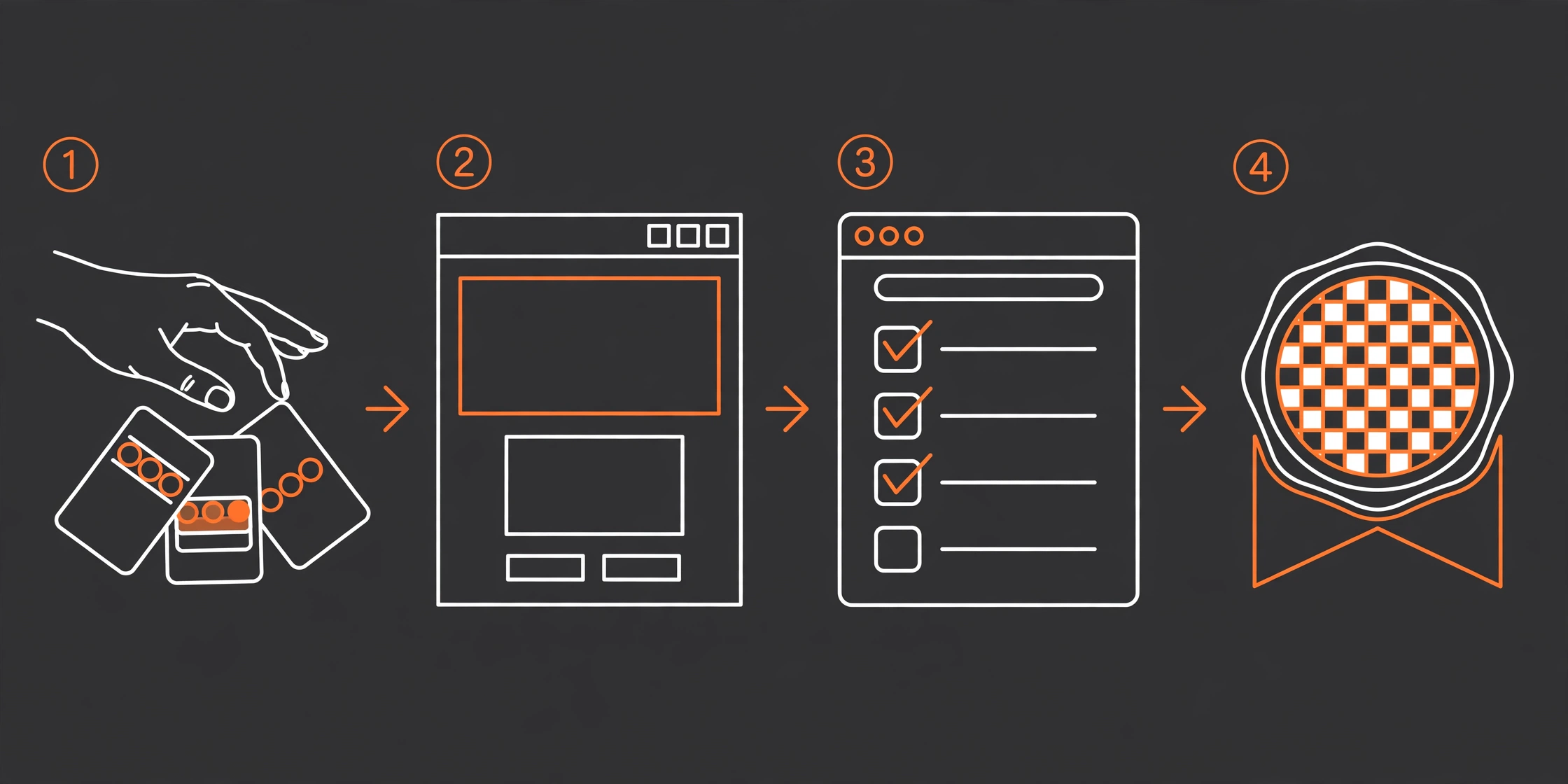
node scripts/start.mjs css --page software --palette graphite-safety-orange --type geist --radius softThat prints the Google Fonts links, the stylesheet links (system.css, ui/cards.css, motion/motion.css, backgrounds/backgrounds.css, layout/layout.css, icons/icon.css), and the :root tokens — background #18191b, surface #222427, ink #eff0f1, accent #ff4a1f, Geist for display and text, Geist Mono for code. Paste that block into the page exactly as printed; the skill alone deals the type. A hero layout comes from the same deal mechanism — assets/layout/deal.mjs deals one of eleven tested layouts (split, centred, product, photo, place, collage, editorial, word, film, statement, triptych) — and the demo below uses the split hero: words on one side, product UI on the other.
Step 3: Build the page#
An empty folder builds a static page: copy the skill's assets into the project and start from assets/starter.html. An existing React, Vue, Svelte, Astro, or Tailwind project builds in its own stack, with the kit served from its public folder. The demo page for this tutorial — Ledgerline, invoicing software for small studios — was built the static way: the dealt head block, a fixed nav, a split hero, one features section, one plans section, and a closing footer. The copy is invented for the demo, and it is labelled as such wherever it matters: the skill's own rule is that copy comes from the client's brief, and a demo brief is still a brief.
The structure is the skill's, not mine. One section per screen at desktop (1440×900). Sixty to eighty words a screen outside UI mocks. The hero is exactly the first screen, with the headline naming the category and the buyer — Invoicing for small studios — a lead with one hard fact, one primary action, and three short facts at the foot. Software pages show real product UI instead of a photograph, so the hero visual is a code fragment from the kit (assets/ui/code/fragment.html), a small TypeScript invoice function with one line marked as the fix. Sections carry a single h2 each; every link goes to an #id on the page. The starter file itself is a 493-line template with a [bracket] everywhere a decision belongs, and system.js outlines any bracket left in place in red — you cannot ship the template by accident.
Two rules from the skill are worth stating before you build, because they explain most of the checker failures in Step 5. Shaders, scroll scenes, and procedural 3D are dealt only on software, tech, and gaming pages, within a four-context WebGL cap, with static fallbacks for phones and reduced motion. Places, shops, cafes, hotels, studios, and services get photographs, sharp typography, and flat colour — and zero WebGL. And photographs are never passed off as the client's own: the skill's library frames are vetted Wikimedia Commons and Unsplash photographs, dealt as detail slots for place pages, credited in one expandable footer line.
Step 4: Lint the copy#
Before the browser check, lint the copy. The copy linter reads the page (or a draft .md file) against the skill's copy rules:
node scripts/copy-lint.mjs index.html --kind software== /tmp/taste-demo/index.html (266 words) 0 FAIL, 0 WARN
INFO copy-contrast contrast frames ("X, not Y", isn't, rather than, instead of, without the): 2 of 2
- "without the" in: Invoicing for small studios, without the admin
- ", not a" in: Ledgerline sends the invoice, chases the late ones ...Zero failures, zero warnings, on 266 words — and that held across all three drafts of the page (197 words, then 258, then 266). The two INFO lines are not failures; they are the linter noting contrast frames, a rhetorical device the skill tracks. Run this before the browser check, not after: copy fixes are cheap, and a page that fails copy lint will fail the gate anyway.
Step 5: Check it in a real browser#
The checker is the skill's centre of gravity. It renders the built page in headless Chrome across 1440, 1024, 820, 768, and 390 pixels, catching empty visuals, broken shaders, contrast drops, misaligned columns, section-height drift, placeholder text, invented street numbers, and slow-network image gaps — then prints PASS, WARN, or FAIL per rule. Serve the page over HTTP first; the checker takes a URL or a file:
python3 -m http.server 8933 --bind 127.0.0.1
CHROME_PATH=/path/to/chrome node scripts/consistency.mjs http://127.0.0.1:8933/index.html --page software
Two environment notes from the sandbox run. First, the checker launches Chrome without --no-sandbox, so running as root — or in a container without a user namespace — exits immediately with Chrome exited early (1). The workaround used here was a two-line wrapper script as CHROME_PATH that adds --no-sandbox; on a normal desktop you will not need it. Second, the checker is slow on a small machine: about three and a half minutes per run here, rendering five widths with SwiftShader. Budget for that.
The first run on the demo page reported 21 FAIL, 35 WARN. The project's own layout demo (assets/layout/hero-split.html, a finished coffee-shop page shipped in the repo) scored 10 FAIL, 25 WARN on the same run — so a double-digit failure count on a first pass is normal, not a sign the page is broken. The failures are specific and actionable, which is the whole point: one-heading (two h2 elements in one section), same-action (the same primary button three times), cut-text (a code line clipped by overflow at 390 pixels), section-height and empty-area (sections that do not fill their screen). The checker also writes crops and a report.json for every finding, so you can see the failure instead of taking its word for it. And the page itself renders correctly — a screenshot of the demo at desktop width shows the dark graphite page, the orange call-to-action, and the code panel exactly as designed. The checker measures; it does not admire, and a page can render well while failing its rules.
One caution about the numbers: they move between runs. A second run of the same page, after the fixes in Step 6, reported 36 FAIL, 33 WARN — worse on the total, better on the specific rules that were fixed. Headless rendering timing and font loading shift width-dependent measurements, so fix by rule name and read the report, not by chasing the total down.

Step 6: Run the finish gate#
The gate is what makes the skill different from a checklist. It arms the page, runs the checks, and holds the finish until no fixable failure is left — three rounds at most. Arm it, then run it:
node scripts/gate.mjs --start http://127.0.0.1:8933/index.html
node scripts/gate.mjs
Round 1 on the demo page: GATE: FAIL 15. Each failure names its fix. The code line clipped at 390 pixels: shorten the line so nothing overflows its box. The features section filling 42% of its screen against a 0.55 aim: fill it or make it a screen shorter. The headline taking four lines at 1440 where three is the most: take the next type pairing the deal printed, or shorten the headline. The fixes from round 1 were small and concrete: the headline went from Invoicing for small studios, without the admin to Invoicing for small studios, the long code line was shortened, two more feature rows were added, and the plans section gained a fourth tier.
Round 2: GATE: FAIL 13. Round 3, after shortening the kicker and adding the enterprise tier: GATE: OPEN 11 (rounds used up), followed by the gate's own instruction: Stop fixing: put these open FAILs and the waivers in your report, then finish. The remaining failures are layout polish on a two-section demo: a plans section still filling 46% of its screen against the 0.55 aim, a hero that ends 4 pixels past the fold at 390 pixels when the headline is filled to its 44-character maximum, and a 404-pixel gap between the plans section and the footer at phone width against a 249-pixel median. A real client page — more sections, real photography, real product UI — gives the checker more to work with than a two-section demo does, and an agent with the skill's layout references would keep fixing past round 3. The gate's design is the lesson: three rounds, at most five waivers, one finding each, never for kit-edited files or checker-gaming, and open failures are documented in the report, not hidden.
When to use this vs alternatives#
taste-skill is one entry in a fast-growing field of things that steer coding agents, and the honest comparison is about what each one is for. Hallmark, covered here on October 27, is the closest relative: a design skill that refuses to let AI-made websites look AI-made, built around themes and an audit. taste-skill is the stricter sibling — it deals the design instead of theming it, and it enforces the result with a browser checker and a gate. Use Hallmark when you want a tasteful theme applied fast; use taste-skill when you want the agent's choices constrained from the start and verified at the end.
| Approach | What it does | When it wins |
|---|---|---|
| taste-skill | Dealt palette, type, and hero; one design system; browser checker plus three-round gate | A company site where the result has to survive a real browser at five widths |
| Hallmark | Anti-slop design skill with themes and an audit | Fast tasteful results; less process overhead |
| Meta's Astryx | Design system built for coding agents: tokens, components, CLI | React work where a component system is the deliverable |
| designlang | Extracts a design system from any existing website | Starting from a site you like, not from a brief |
| Chrome's Modern Web Guidance | 250 guides that stop agents writing 2019-era JavaScript | The code underneath the design; pairs with any of the above |
The combination worth naming is the last row. taste-skill governs what the page looks like; Modern Web Guidance governs how the code underneath is written. They do not overlap, and running both is the closest thing to a complete answer for an agent-built site. The skill also has a blunt scope rule worth respecting: it builds company websites. It is not a general design tool, and its rules — one section per screen, 60 to 80 words a screen, real photographs or real product UI, no invented facts — are what make the constraint useful. If your agent needs freedom, do not install a skill whose job is to remove it.
Troubleshooting: what to do when it misbehaves#
Four issues account for almost everything you will hit. npx skills add stalls and installs nothing — in this sandbox it hung with no terminal attached, most likely waiting on a prompt. Run it in a real terminal, or use the repo's install.sh from a clone, which symlinks the skill in and was verified here. The checker exits with Chrome exited early — you are running as root or in a container without a user namespace, and the checker launches Chrome without --no-sandbox. Point CHROME_PATH at a wrapper that adds the flag, or run as a normal user. The gate reports no Chrome found — the gate spawns the checker, so it needs the same CHROME_PATH in its own environment; setting it once in your shell is not enough if you run the gate from another shell. The failure count goes up after you fix things — expected in headless runs; width-dependent measurements shift with rendering timing and font loading. Fix by rule name, read the crops in the report directory, and let the gate's round count — not the raw total — decide when to stop.
The takeaway#
taste-skill earns its 113,400 stars for a reason that has nothing to do with taste in the abstract: it replaces the agent's defaults with a process. The deal removes choice where choice produces slop. The starter removes structure where structure produces drift. The checker and the gate remove the agent's ability to declare the work done. The demo in this tutorial is the honest advertisement for that process — it renders well, passes copy lint clean, improves measurably across three gate rounds (15 to 13 to 11 open failures), and still does not pass. That is not a failure of the tutorial; it is the skill working as designed, refusing to bless a two-section demo as a finished client site. Install it, let it deal, build from the starter, and let the gate judge the result. The number it prints is the point.