Sing with a simulated throat: hands-on with CHIMERA, the physical-modeling vocal synthesizer
Every singing synthesizer you have used works the same way: it stitches together recordings of a human voice and pitch-shifts them into place. CHIMERA does not. It simulates the thing that makes the sound — lungs, vocal folds, a branched vocal tract, tongue, lips, nose — as a physical system, and the singing comes out of the simulation. Four days after it appeared on GitHub it has more than 900 stars. This guide builds its Rust CLI and renders real audio with it: a spoken sentence, two sung demo songs, a melody of your own, and a beatbox pattern — every step run and measured.
- What: CHIMERA — a physical-modeling voice synthesizer (Rust). Speak, sing, beatbox, and imitate creatures (songbird, seal, alligator, elephant) from a simulated airway. MIT licence.
- Momentum: Created November 5, 2026; 915 stars and 106 forks by November 9, 2026; 226 points on the Hacker News front page the same day.
- Verified: November 9, 2026 in a sandbox: release build of the CLI (1 minute 58 seconds),
render text,render song,render notes,render speech,render beatbox,render vowels, anddiagnose— every WAV checked with ffprobe and ffmpeg volumedetect. Versions: cargo/rustc 1.99.1, commit 092b16c. - Requirements: A Rust toolchain (via rustup) and git. About 15 minutes. No account, no API key, no GPU, no model weights. Bun and the
wasm32-unknown-unknowntarget are only needed for the browser build, not the CLI. - Honest limit: The project is four days old. The author is still tuning naturalness against recordings of real singers, and the in-app WAV export is unfinished — the CLI in this guide is the documented route to audio files.
Why CHIMERA, why now#
Singing synthesis has been stuck on one idea for twenty years. Vocaloid, UTAU, and their descendants all work by concatenating fragments of recorded singing and stretching them to fit a melody. The results can be beautiful, but the approach has a ceiling: every new voice needs hours of studio recordings, every new language needs a new voicebank, and the singer can only ever sound like the person who was recorded.
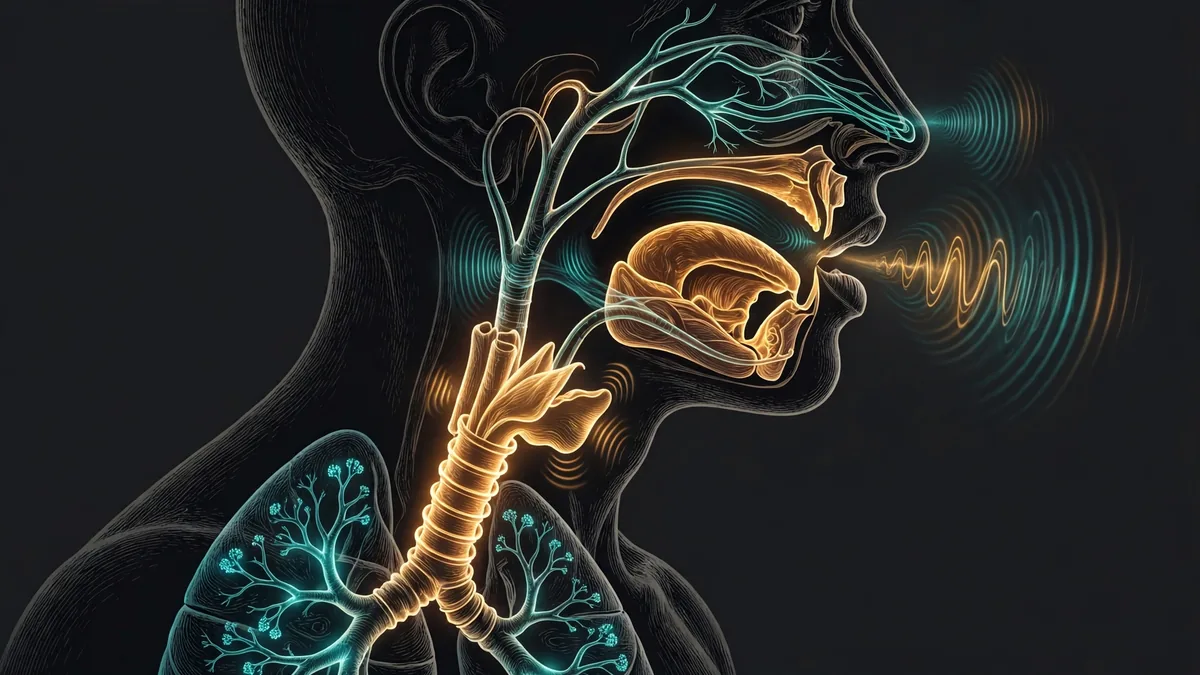
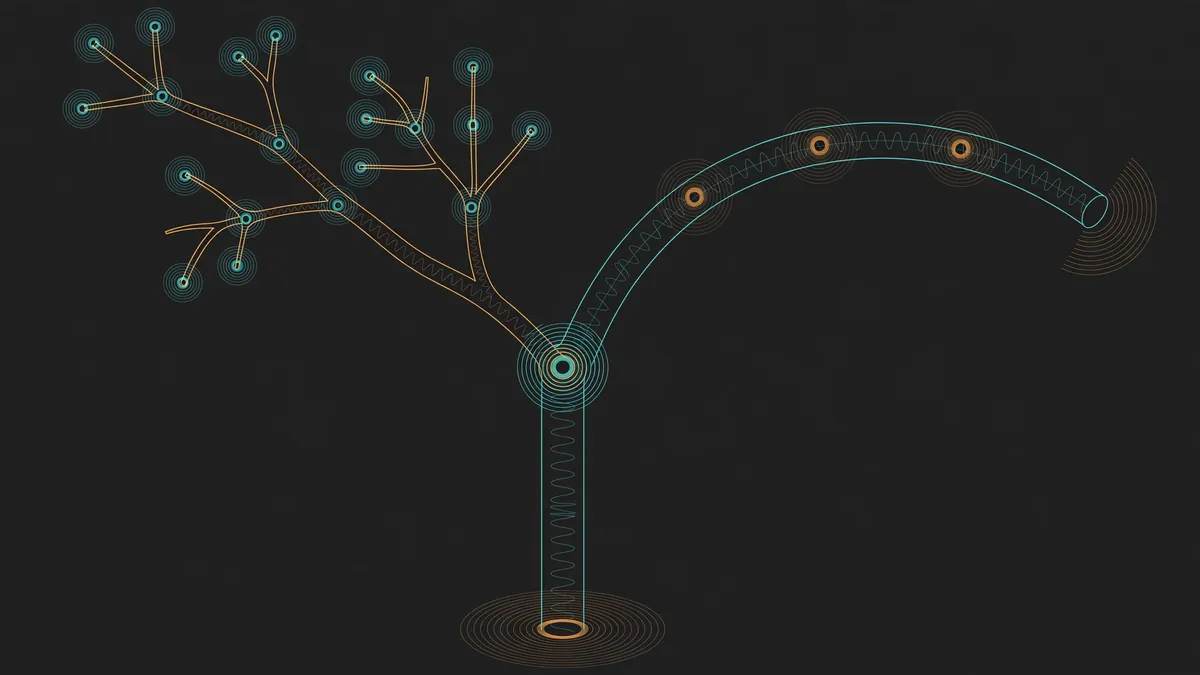
CHIMERA takes the other path, the one speech science has used for decades but rarely shipped as a musical instrument: physical modeling. Instead of recordings, it builds a virtual airway — lung pressure, vocal folds, a branched tube network for the vocal tract, tongue, lips, nose — and computes what sound that airway makes. Change the anatomy and you change the voice: male, female, and child bodies are continuous blends of the same parameters, and the same engine drives a songbird's two-voice syrinx, a seal, an alligator, and an elephant. Nothing is sampled. There is no voicebank to download and no model to train.
The numbers explain the attention. CHIMERA was created on November 5, 2026. By November 9 it had 915 stars and 106 forks, and it was on the Hacker News front page with 226 points. That is fast for a project with no company behind it — it spread because the demo is one page (a playable cutaway head in the browser) and the install is one build command.
This guide does what the README cannot: it builds the offline CLI the way a reader would, renders real audio with it, and measures the output — durations, sample rates, and loudness — so the steps below are the steps that ran, not the steps that should run.
What you'll need#
- A Rust toolchain. Install it from rustup.rs if you do not have it; the sandbox used cargo 1.99.1 and rustc 1.99.1. Check with
cargo --version. - git. For the clone.
- ffmpeg (optional, recommended). Only for checking the rendered audio —
ffprobefor format and duration,ffmpeg -af volumedetectfor loudness. The renders work without it. - About 15 minutes. The build takes under two minutes on a modest machine; the renders take seconds.
- No account, no API key, no GPU, no model weights. Everything runs locally on CPU. The browser app needs Bun and the
wasm32-unknown-unknowntarget, but this guide uses only the native CLI, so neither is required.
Pinned versions, exactly as verified: cargo 1.99.1, rustc 1.99.1, repo commit 092b16c (November 9, 2026).
Step 1 — Build the CLI#
Clone the repo (a shallow clone is enough — the history is four days old anyway) and build the CLI package in release mode:
git clone --depth 1 https://github.com/jamesondh/chimera-vocal-synth.git chimera
cd chimera
cargo build --release -p chimera-cli
On the sandbox this finished in 1 minute 58 seconds: 26 crates, including the chimera engine crate and the chimera-cli front end. The binary lands at target/release/chimera — a single 2.25 MB executable with no runtime dependencies beyond the system C library. (The sandbox ran this build with the target directory on /tmp because its home disk was at its quota cap; on a normal machine the default target directory is fine and nothing about the commands changes.)
Confirm the binary works and see everything it can do:
./target/release/chimera --helpThe usage line lists the render kinds: speech, text, song, notes, beatbox, creature, and vowels, plus diagnose, compare, and calibrate. Every render writes 48 kHz mono 16-bit WAV files. All output is in the sandbox's /tmp here only because that is where this run kept its scratch; use any directory you like.
One quirk to know before you go further: the binary reads its pronunciation dictionary (public/data/cmudict.txt.gz, the CMU Pronouncing Dictionary) from the checkout it was built from, at the absolute build path. Keep the checkout in place at the same path — if you move or delete the repo directory, renders fail with a "No such file or directory" error for that path. Renders work from any working directory; it is the checkout that must stay put, not your shell.
Step 2 — Your first spoken sentence#
The fastest proof that the whole chain works is render text: English in, spoken audio out. The text is converted to phonemes with the CMU dictionary (with a letter-to-sound fallback for words the dictionary does not know), planned into articulatory gestures, and rendered through the simulated airway:
./target/release/chimera render text /tmp/chimera-out/hello "Hello, this is CHIMERA, a voice made of air."The output, exactly as it came back in the sandbox:
həlˈoʊ | ðɪsɪztʃɪmˈɛɹə | əvˈɔɪsmˈeɪɾəvˈɛɹ
wrote /tmp/chimera-out/hello.wav  3.23 s, rendered in 2505 ms
The first line is the phonetic transcription the engine actually rendered — the pronunciation it derived for each word. The second line is the file: hello.wav, 3.23 seconds of audio, rendered in about 2.5 seconds. Verify it is real audio and not silence:
ffprobe -v error -show_entries stream=sample_rate,channels,bits_per_sample,duration -of default=nw=1 /tmp/chimera-out/hello.wav
ffmpeg -i /tmp/chimera-out/hello.wav -af volumedetect -f null - 2>&1 | grep -E "mean_volume|max_volume"
sample_rate=48000
channels=1
bits_per_sample=16
duration=3.225125
mean_volume: -22.7 dB
max_volume: -8.8 dB48 kHz mono 16-bit, 3.23 seconds, mean level −22.7 dB with peaks at −8.8 dB — a normal speech level, not silence and not clipping. The third argument selects the body: male is the default, female speaks at a 205 Hz baseline and child at 250 Hz. If you want raw phonetics instead of English text, render speech takes IPA directly — render speech out "ˈɑpɑ" wrote a 1.09-second WAV at peak 0.374 in the verification run.
Step 3 — Sing the demo songs#
Speech proves the airway works. Singing is the point of the instrument, and the CLI ships with two demo songs — an original tune called "Made of air" and "Twinkle, twinkle" — that render with one command:
./target/release/chimera render song /tmp/chimera-out/songMade of air: 12.1 s, peak 0.721, syllables Breathe in breathe out I am made of air Tongue and lips and throat sin ging a ny where
Twinkle, twinkle: 10.3 s, peak 0.750, syllables Twin kle twin kle lit tle star how I won der what you are
live: syllables hel lo there my friendThree files land in the output directory: made-of-air-male.wav (12.1 seconds), twinkle-twinkle-male.wav (10.3 seconds), and live-male.wav, a short "live-style" take that mimics key presses with gaps and one legato pair, the way the browser keyboard would send them. The printed syllables are the lyric syllables the planner assigned to each note — "sin ging" and "a ny where" are split across notes, and consonants are scheduled to land before the beat, as the README promises. Checking the audio the same way as before: "Twinkle, twinkle" measures mean −12.5 dB, max −2.5 dB — louder than the speech render, as a sung line should be, and still clear of clipping. Pass female or child as the second argument to hear the same songs in the other bodies.
Step 4 — End to end: sing a melody of your own#
The demo songs prove the engine. A melody of your own proves you can drive it. The render notes command takes a JSON file with a tempo, lyrics, and a list of [midi, beats] pairs — one lyric syllable per sounding note, a note with MIDI number 0 or below treated as a rest. Save this as melody.json:
{"bpm": 120, "lyrics": "hello world", "notes": [[72, 1], [74, 1], [76, 2]]}Three notes — C5, D5, E5 — one beat, one beat, two beats, at 120 BPM, with the syllables "hel", "lo", and "world" assigned in order. Render it:
./target/release/chimera render notes melody.json /tmp/chimera-out/melody/tmp/chimera-out/melody.wav: 2.70 s, peak 0.750, 3 notesThe WAV is 2.70 seconds: four beats at 120 BPM is 2.0 seconds of notes, plus the 0.3-second lead-in and the 0.4-second tail the engine adds. Measured: mean −10.3 dB, max −2.5 dB. That is the whole end-to-end loop — a melody you wrote, sung by a simulated throat, in one command and about a second of compute.
Two details matter when you write longer files. First, the syllable count must match the sounding-note count exactly, or the command fails with an error naming both counts — for example "2 syllables for 3 notes" — so count the syllables in your lyrics before you render. Second, vibrato is an optional field in the JSON (default 35.0) that sets the vibrato depth. Two more optional flags write machine-readable sidecars: --artic tracks.json records the articulators over time (for animating a face in sync with the audio) and --tele voice.tele records the voice's full telemetry, which the app's duet page replays on a 3D head.
Step 5 — Beatbox, creatures, vowels, and diagnostics#
The same engine that sings also speaks, beatboxes, and imitates animals — every drum and every creature is an articulatory gesture, not a sample. Three more commands round out the tour. Beatboxing renders a pattern plus each drum sound on its own:
./target/release/chimera render beatbox /tmp/chimera-out/beatboxkch Crash onset -6.8 ms peak 0.075 set-up -2.3 dB tail -0.2 dB lead-in 101 ms
m Hum onset 4.6 ms peak 0.093 set-up -32.5 dB tail 0.4 dB lead-in 106 ms
pattern "Boots and cats": 5.50 s, peak 0.237 -> /tmp/chimera-out/beatbox/boots-and-cats.wavAlongside the 5.50-second "Boots and cats" pattern, the directory holds one WAV per drum sound (B.wav, K.wav, P_.wav, Pf.wav, kch.wav, kit.wav, m.wav, t.wav, tss.wav). The per-drum lines are the engine's own diagnostics: onset timing, peak, set-up and tail levels for each gesture. A creature call works the same way — render creature songbird, seal, alligator, or elephant — each rendered through that animal's anatomy (the songbird uses a two-voice syrinx instead of vocal folds). And render vowels female sweeps the vowel space in the female body and wrote vowels-female.wav in the verification run.
Finally, diagnose measures the voice against its own design targets and writes a set of test utterances:
./target/release/chimera diagnose /tmp/chimera-out/diagIt wrote five WAV files (s1.wav through s5.wav) and printed formant measurements per vowel (LPC estimates against the model's own formants), duration norms (stressed syllables 125 ms against unstressed 83 ms; phrase-final 145 ms against non-final 95 ms), and a pitch summary (29.4% of voiced time at the 110 Hz baseline, 6.2 semitones of range between the 5th and 95th percentiles). You will not need these numbers to use the instrument, but they are the fastest way to confirm a build is healthy: if diagnose prints formants and durations in the expected ranges, the engine, the dictionary, and the audio path all work.
How it works, in one paragraph#
The engine is a branched, staggered-grid finite-difference time-domain (FDTD) transmission-line model of the airway — chosen over the simpler Kelly-Lochbaum model because it handles variable section lengths, pressure build-up behind closures, nonlinear losses at constrictions, yielding walls, and arbitrary branching (the nasal tract, sinuses, two bronchi, vocal sacs) in one framework. The sound source is a parametric glottis: a glottal area pulse with opening and closing phases, open quotient, and skew, driving the airway, with jitter, shimmer, vibrato, diplophonia, vocal fry, and falsetto as perturbations. A gesture scheduler turns notes and phonemes into articulator movements at the control rate, and the airway itself runs at an internal rate of 96 kHz for an adult human (192 kHz for small birds, 48 kHz for huge tracts) before decimation to the 48 kHz output. The design document is candid about what is not built yet — the wider bestiary, the two-mass vocal folds, an IPA chart mode, and the app-side EQ/reverb/limiter chain — and it says, plainly, to treat the code as the truth where the document disagrees. The architecture document in the repo is the place to read all of this in full.
Troubleshooting#
renderfails with "No such file or directory" forpublic/data/cmudict.txt.gz. The binary reads the pronunciation dictionary from the checkout it was built from, at the absolute build path. You moved, renamed, or deleted the repo directory after building. Restore the checkout at the same path (or rebuild from the new location) and it works again.cargo buildfails to find the Rust toolchain. The build needs a Rust toolchain on yourPATH— install it from rustup.rs and open a fresh shell so thecargoshim is picked up. Thewasm32-unknown-unknowntarget is not required for the CLI; only the browser build needs it.render notesreports a syllable/note mismatch. The lyric syllable count must equal the sounding-note count. Rests (MIDI 0 or below) do not take a syllable. Count the syllables — "hello world" is three (hel, lo, world) — and check the error message, which prints both counts.- The rendered audio sounds quiet or robotic. Check the levels first with
ffmpeg -af volumedetect: the verification renders measured means between −10 and −23 dB, which is normal for unmastered synthesis. As for robotic — that is the honest state of the instrument. The author is tuning naturalness against recordings of real singers, and the project's own comparison documents score the voice against the Children's Song Dataset and 23 real speakers. Expect a distinctive synthetic voice, not a human impersonation. - The browser app will not load. The app needs a secure context (localhost or HTTPS) for its AudioWorklet, plus Bun and the
wasm32-unknown-unknowntarget to build. The CLI in this guide needs none of that.
When to use this vs alternatives#
Use CHIMERA when you want a voice you can control at the anatomical level: exact pitch with no resampling artifacts, a voice that morphs continuously between bodies, creature calls and beatboxing from the same engine, and audio rendered fully offline with no weights to download and no API to pay for. It is the right tool for procedural game audio, experimental music, and research into how voices work.
Use Vocaloid or UTAU instead when you need a polished, human-sounding sung vocal in a finished track today. Sample-based synthesis is still far ahead on naturalness, and it comes with decades of voicebanks, editors, and tutorials. CHIMERA is four days old; the comparison is not close yet, and the author says so in the project's own documents.
Use a neural speech model like Kokoro-82M instead when the job is spoken narration. Kokoro runs on CPU, sounds strikingly human, and needs only a text prompt — but it speaks, it does not sing, and you cannot reach in and change its vocal tract. Use a neural song model like YuE2 instead when you want a full produced song from a prompt and have a GPU and model weights to spend. CHIMERA is the tool for the space between those: a voice as a physical system you can inspect, measure, and retune.
The takeaway#
What you built is a working vocal synthesizer with no samples, no weights, and no account: a Rust CLI that renders speech, songs, a melody of your own, beatbox patterns, and creature calls out of a simulated human airway, verified end to end with measured audio at every step. The total cost is one clone, one two-minute build, and a handful of commands. The honest limits, stated plainly: the project is four days old, naturalness is still being tuned, the browser app's WAV export is unfinished, and the binary is tied to the checkout it was built from. Within those limits, it is the most interesting new instrument in vocal synthesis this year — and the reason it has 915 stars in four days is that anyone can hear it in one command.
Frequently asked questions
Do I need a GPU or model weights?
No. CHIMERA is a physical simulation, not a neural model. There are no weights to download, no GPU involved, and no API key. A CPU and a Rust toolchain are the whole requirement.
Can I use the rendered audio in my own projects?
The project is MIT-licensed, so the code and the audio it renders are yours to use. The CMU Pronouncing Dictionary bundled in the repo keeps its own licence (see public/data/CMUDICT-LICENSE.txt), and the fonts in public/fonts/ keep theirs.
How do I hear it without building anything?
The browser demo at chimera-vocal-synth.vercel.app runs the same Rust engine compiled to WebAssembly — drag the tongue and jaw in the cutaway head, or use the piano roll to sing. The CLI in this guide is the route to saving audio files, since in-app WAV export is unfinished.
Why does the binary stop working if I delete the repo?
The CLI reads its pronunciation dictionary from the checkout it was built from, at the absolute build path. Keep the repo directory in place at the same path and renders work from any directory; move or delete it and every render fails on the missing dictionary file.