Turn any document into LLM-ready Markdown: hands-on with Microsoft’s MarkItDown
MarkItDown is back on GitHub’s trending list — 198,000 stars for a tool that turns PDFs, Word docs, spreadsheets, and decks into clean Markdown. Install it, convert a whole folder in under a second, plug it into your coding agent as an MCP server, and know exactly where it falls short.
- The project in one sentence: Microsoft’s MIT-licensed document-to-Markdown converter — 198,703 stars, 15,093 forks, 429 commits, created November 2024, version 0.1.9 released October 21, 2026, and on GitHub’s Python trending list today.
- The verified install:
pip install ‘markitdown[all]’gives 0.1.9 and a 454 MB venv; the core formats alone ([pdf,docx,pptx,xlsx]) still take 366 MB, dominated by pandas and onnxruntime. There is no slim build. - The formats that work: PDF, Word, Excel, PowerPoint, HTML, CSV, JSON, EPUB, ZIP archives, plus images, audio, and YouTube URLs through optional web services.
- The gotchas: PDF tables arrive as flat text, PDF headings lose their
#markers, DOCX tables gain an empty header row, and images yield empty output without exiftool or an LLM client. - The agent angle: the
markitdown-mcppackage (0.0.1a8) serves exactly one tool,convert_to_markdown, over stdio — verified here with raw JSON-RPC, no SDK.

Every RAG pipeline starts with the same unglamorous job: get the documents into text a model can read. The documents are never in one format. The policy is a PDF, the numbers are a spreadsheet, the roadmap is a deck, the meeting notes are a Word file, and the FAQ is an HTML page. The usual answer is a pile of one-off parsers, each with its own quirks, or a heavyweight layout engine for a job that should take one command.
That is why MarkItDown keeps resurfacing. It is Microsoft’s open-source converter that takes a file — almost any file — and returns Markdown. It is back on GitHub’s Python trending list today, at 198,703 stars, two years after its first release, because the problem it solves has only grown: agents and RAG pipelines need clean text, and Markdown is the format models read best. This tutorial runs it end to end: install, one file, eleven files, a searchable corpus, and the MCP server that lets your coding agent do the converting itself. Every command and every output below was run, not copied from documentation — including the three places where the output is worse than you would expect, and what to do about each.
What you’ll need#
- Python 3.10 to 3.14. The README’s supported range. Verified here with Python 3.12.3.
- About 450 MB of free disk for the full install, or about 370 MB for the core formats. There is no slim build — pandas and onnxruntime dominate the footprint either way.
- No API key, no account, no GPU, no credit card. The core converters run locally on CPU. A key only matters if you choose the optional Azure or LLM-backed paths, which this tutorial does not use.
- Optional: the
exiftoolbinary, if you want image files to yield anything. Without it, images convert to empty output — see Step 3.
1. Install MarkItDown#
Install the full package into a virtual environment. The [all] extra pulls in every format converter:
python3 -m venv .venv
source .venv/bin/activate
pip install 'markitdown[all]'
markitdown --version
markitdown 0.1.9The install resolves to 0.1.9 and pulls roughly 70 packages — mammoth for Word, python-pptx for decks, openpyxl for spreadsheets, pdfminer and pdfplumber for PDFs, magika for file-type detection, and the Azure SDKs for the optional cloud backends. The resulting venv measures 454 MB. If that is more than you want, install only the formats you need:
pip install 'markitdown[pdf,docx,pptx,xlsx]'That still measures 366 MB — pandas (80 MB) and onnxruntime (78 MB, magika’s inference engine) dominate, and both arrive with the core package regardless of extras. The honest version: budget hundreds of megabytes either way; the per-format extras are not where the weight lives. The individual extras are [pdf], [docx], [pptx], [xlsx], [xls], [outlook], [az-doc-intel], [az-content-understanding], [audio-transcription], and [youtube-transcription].
Check what you have before converting anything. The CLI’s help lists every flag, including the cloud options you will not need:
markitdown --help
markitdown --list-plugins
Installed MarkItDown 3rd-party Plugins:
* No 3rd-party plugins installed.
Find plugins by searching for the hashtag #markitdown-plugin on GitHub.Plugins are off by default and loaded only with --use-plugins. One exists that matters for scanned documents: markitdown-ocr adds OCR to PDF, DOCX, PPTX, and XLSX using an LLM vision client. It was not exercised here — it needs an LLM API key — but it is the documented path when a PDF has no text layer.
2. Convert your first file#
One file, one command. This is a one-page remote-work policy PDF, built for this tutorial with headings, a paragraph, and a three-row table:
markitdown remote-work-policy.pdf -o remote-work-policy.md
cat remote-work-policy.md
Acme Robotics — Remote Work Policy
Effective January 1, 2026. Applies to all full-time staff.
Eligibility
Employees who have completed their 90-day probation may work remotely up to three days per week.
Core hours are 10:00–15:00 Eastern, when everyone must be reachable on Slack.
Equipment
The company provides one laptop, one monitor, and a $500 home-office stipend per year. Receipts go
to [email protected].
Approved stipend amounts
Item
Laptop
Monitor
Annual allowance
$2,400
$400
Home-office stipend
$500The text is all there, and that is the good news. The bad news is visible in the same output. The headings “Eligibility” and “Equipment” arrive as plain lines, not # headings — a PDF has no heading structure to preserve, only positioned text. And the stipend table is gone as a table: its eight cells arrive as a flat sequence of values with no pipes, no alignment, no rows. That is the PDF converter’s real limit, and it shapes everything in Step 3: MarkItDown extracts PDF text; it does not understand PDF layout. If your PDFs are table-heavy, this is the wrong tool for them — the alternatives section names the right one.
Two more invocations worth knowing. The CLI reads from stdin when no filename is given, with -x hinting the format:
cat remote-work-policy.pdf | markitdown -x pdf > remote-work-policy.md
markitdown report.pdf > report.md
Both work; the stdin form returned the same 527 characters as the file form. Expect each CLI invocation to take about 1.6 seconds, most of it interpreter startup and imports — the conversion itself is milliseconds. That startup cost is why the batch path in Step 4 matters.
3. What each format actually produces#
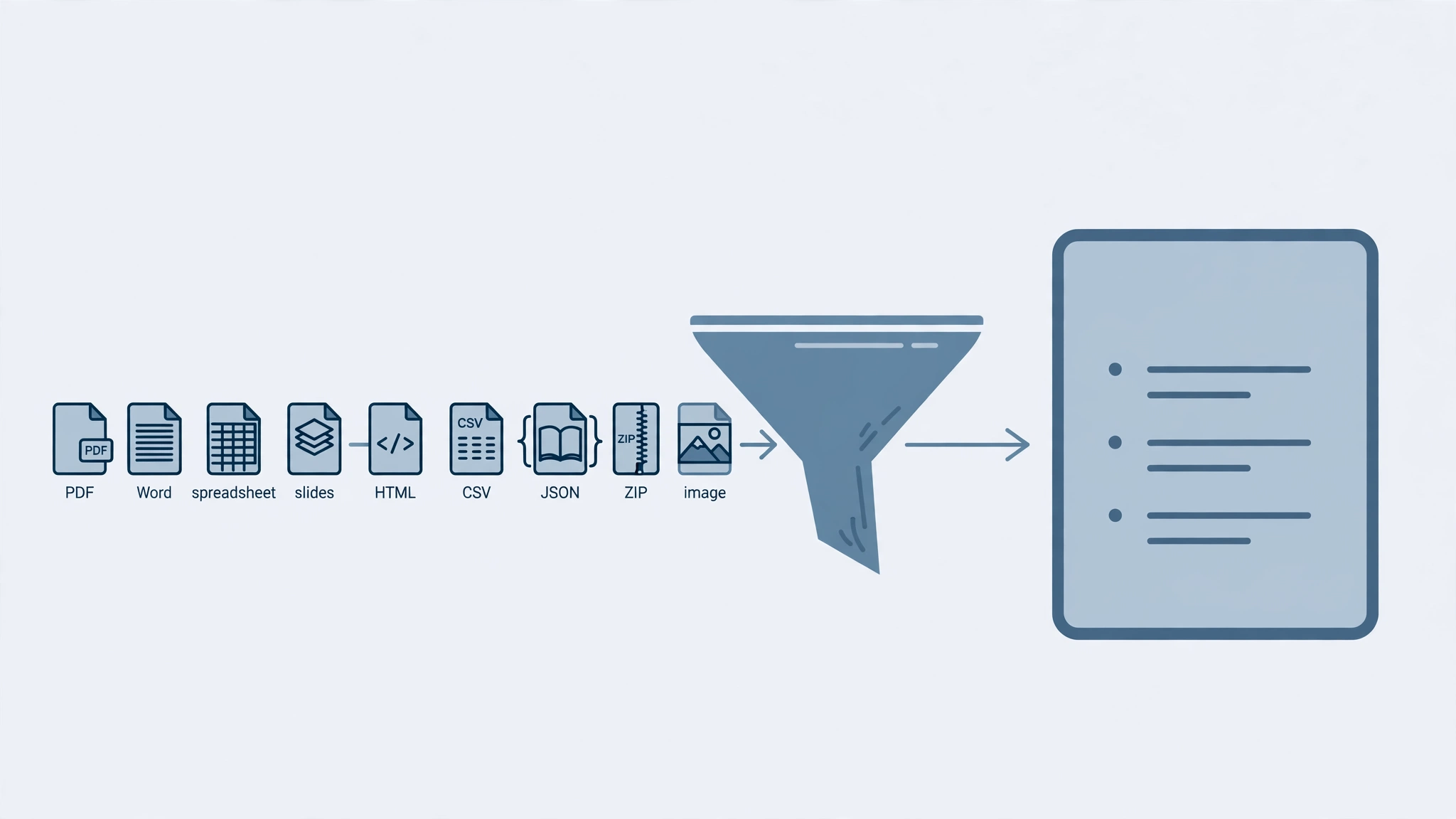
To see the converter honestly, convert eleven files at once: a PDF, a Word document, a spreadsheet, a deck, an HTML page, a CSV, a JSON file, an EPUB, a ZIP archive, a PNG, and a plain text file. All eleven were built for this tutorial with known content, so every output below can be checked against its input. Each CLI call took 1.6–1.9 seconds, except the HTML file at 4.6 seconds. Here is what came out:
| File | What survived | What did not |
|---|---|---|
remote-work-policy.pdf | All text, in order | Headings unmarked; table flattened to bare values |
sprint-41-notes.docx | Headings as #, bullets, table as Markdown table | An empty row appears above the header row |
q3-sales.xlsx | Full table, including the totals row | Number formatting: 184500, not 184,500 |
roadmap-2027.pptx | Slide titles as #, body text, slide order | Nothing structural; slide numbers arrive as HTML comments |
faq.html | Headings, paragraphs, table — the cleanest output of the set | Nothing |
customers.csv | Full table with header row | Nothing |
config.json | Passed through verbatim | No code fence; raw JSON, not Markdown |
handbook.epub | Title/language metadata, headings, lists | Nothing |
archive.zip | Each entry converted under a ## File: heading | Nothing |
logo.png | — | Empty output: no EXIF, no LLM client |
readme.txt | Passed through verbatim | Nothing |
Three of those rows deserve a closer look, because they are the difference between a tutorial that works and one that quietly misleads.
The DOCX table quirk is real. The Word file’s action-items table has a header row (Owner / Task / Due) and two data rows. The output keeps every cell, but renders the header as an empty first row and the header text as a body row:
|  |  |  |
| --- | --- | --- |
| Owner | Task | Due |
| Priya | Draft the launch announcement | Nov 28 |
| Marcus | Update the pricing FAQ | Dec 1 |
This reproduced with a second, plain two-by-two table built with no styling at all, so it is the converter’s behavior, not the fixture. Nothing is lost — every cell is present — but a downstream parser that trusts the first row as the header will read an empty header. Check DOCX table output before indexing it.
The spreadsheet is the best-behaved format. The Q3 sales sheet came back as a clean Markdown table with the totals row intact:
## Q3 Sales
| Region | Units | Revenue USD |
| --- | --- | --- |
| North | 412 | 184500 |
| South | 388 | 171200 |
| East | 521 | 233800 |
| West | 296 | 129400 |
| Total | 1617 | 718900 |
Only the thousands separators are gone. The deck behaved similarly well: each slide’s title became a # heading, the body text followed, and the slide number arrived as an HTML comment (<!-- Slide number: 1 -->). The ZIP archive iterated its contents, converting the text file and the CSV inside it under separate ## File: headings. The EPUB emitted its metadata as bold fields (Title, Language, Identifier) and then the chapter content with headings and lists intact.
Images need help. The PNG converted to zero characters. A JPEG with EXIF tags written in — ImageDescription, Make, Orientation — also converted to empty output. The cause is in the converter’s source: image metadata comes from the exiftool binary, and this machine does not have it installed. Without exiftool, the metadata step returns nothing; without an LLM client, there is no description step either, so the result is empty. With an LLM client configured (MarkItDown(llm_client=client, llm_model="gpt-4o")), the converter asks the model to describe the image instead. That path needs an API key and was not exercised here. The rule for your pipeline: never assume an image file produced text. Check the output length, and treat empty results as “no text extracted”, not as an error.
4. Batch-convert a folder with the Python API#
The CLI’s 1.6-second startup is fine for one file and wasteful for a hundred. The Python API keeps one process and converts the whole folder. This script converts every file in docs/ into corpus/:
from pathlib import Path
from markitdown import MarkItDown

DOCS = Path("docs")
CORPUS = Path("corpus")
CORPUS.mkdir(exist_ok=True)

md = MarkItDown(enable_plugins=False)
for f in sorted(DOCS.iterdir()):
    result = md.convert(str(f))
    (CORPUS / (f.stem + ".md")).write_text(result.markdown)
The measured result on this machine: all 11 files in 0.87 seconds total. The slowest single file was the Word document at 0.47 seconds; the PDF took 0.17 seconds; everything else took 0.08 seconds or less. Compare that with roughly 19 seconds to run the same eleven files through eleven CLI invocations. If you are building an ingestion step, use the API.
Two API details matter. First, convert() accepts local paths, remote URIs, and byte streams; it is intentionally permissive. If your application only ever reads local files, call the narrower convert_local() instead — the README’s security section recommends it, and it returns identical output for local files (verified here: the Q3 total, 718900, is present in both). Second, MarkItDown(enable_plugins=False) is the default posture: third-party plugins stay off unless you opt in. If you run this on files you did not write, sanitize the inputs first — the converter runs with your process’s privileges and will fetch remote URIs you hand it.
5. Ask questions of the corpus#
Conversion is only half the job; the point is to answer questions from the result. Before reaching for embeddings, prove the corpus contains the answers with the simplest possible search — a keyword scan over the Markdown files:
QUESTIONS = {
    "When is the onboarding flow launch?": ["december 2"],
    "What is the Q3 total revenue?": ["718900", "total"],
    "What is the refund window?": ["refund", "30 days"],
    "What is the home-office stipend?": ["stipend", "500"],
    "What is the uptime in the archive?": ["uptime", "99.95"],
}

for question, keys in QUESTIONS.items():
    hits = []
    for mdfile in sorted(CORPUS.glob("*.md")):
        for line in mdfile.read_text(errors="replace").splitlines():
            if all(k.lower() in line.lower() for k in keys):
                hits.append((mdfile.name, line.strip()))
    print(f"Q: {question}")
    for src, line in hits[:3]:
        print(f"   [{src}] {line[:120]}")
All five questions answer correctly from the corpus:
Q: When is the onboarding flow launch?
   [archive.md] Inside the archive: the launch date is December 2, 2026.
   [sprint-41-notes.md] * Ship the new onboarding flow on December 2.
Q: What is the Q3 total revenue?
   [q3-sales.md] | Total | 1617 | 718900 |
   [readme.md] The Q3 total revenue is 718900 USD.
Q: What is the refund window?
   [faq.md] Refunds are available within 30 days of purchase, no questions asked.
Q: What is the home-office stipend?
   [remote-work-policy.md] The company provides one laptop, one monitor, and a $500 home-office stipend per year.
Q: What is the uptime in the archive?
   [archive.md] | uptime | 99.95 |
One lesson from building this: the first version of the launch question used the keywords ["launch", "onboarding"] and returned zero hits, because no single line contains both words — the sprint notes say “Ship the new onboarding flow” and the archive note says “the launch date is”. Requiring every keyword on one line is brittle; distinctive single keywords, or matching across the whole file instead of per line, work better. That is also the honest limit of this demo: keyword search proves the corpus is complete, but a real RAG pipeline wants chunking and embeddings on top. The conversion step is what MarkItDown owns; the retrieval step is yours.
6. Give your agent the same power: the MCP server#
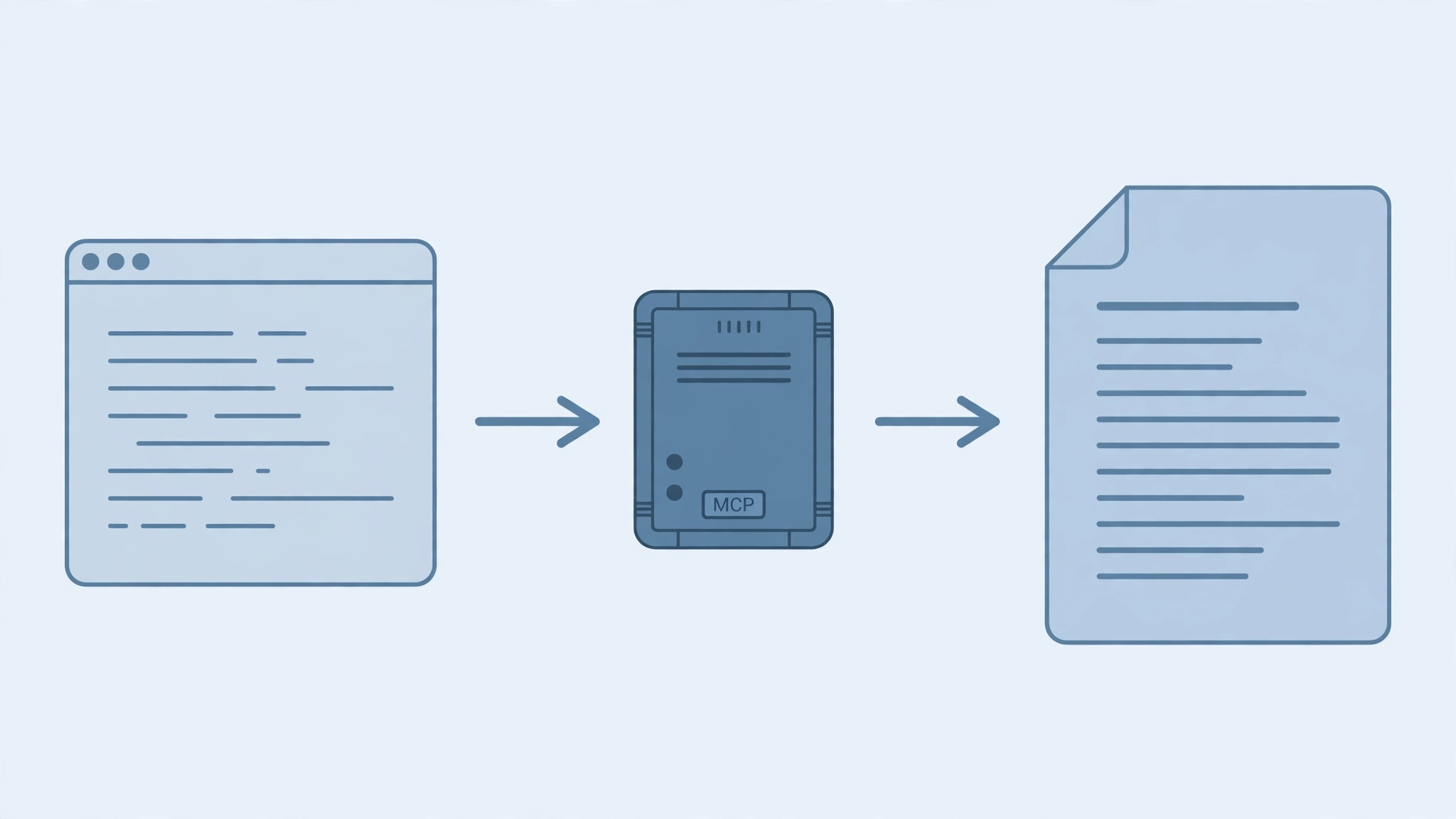
MarkItDown also ships as an MCP server, in the markitdown-mcp package. It exposes exactly one tool — convert_to_markdown — which takes any http:, https:, file:, or data: URI and returns Markdown. Install it and start it:
pip install markitdown-mcp
markitdown-mcp
That starts the server on stdio. The installed version is 0.0.1a8, and it speaks MCP over the same protocol your coding agent does. To verify it without an agent at all, send it raw JSON-RPC over stdin. This is the actual exchange from this machine:
{"jsonrpc": "2.0", "id": 1, "method": "initialize", "params": {
  "protocolVersion": "2025-03-26", "capabilities": {},
  "clientInfo": {"name": "afp-verify", "version": "0.1.0"}}}
→ {"jsonrpc": "2.0", "id": 1, "result": {
  "protocolVersion": "2025-03-26",
  "serverInfo": {"name": "markitdown", "version": ""},
  "capabilities": {"tools": {"listChanged": false}, ...}}}

{"jsonrpc": "2.0", "id": 2, "method": "tools/list", "params": {}}
→ {"jsonrpc": "2.0", "id": 2, "result": {"tools": [{
  "name": "convert_to_markdown",
  "description": "Convert a resource described by an http:, https:, file: or data: URI to markdown",
  "inputSchema": {"type": "object",
    "properties": {"uri": {"type": "string", "title": "Uri"}},
    "required": ["uri"]}}]}}

{"jsonrpc": "2.0", "id": 3, "method": "tools/call", "params": {
  "name": "convert_to_markdown",
  "arguments": {"uri": "file:///var/tmp/mid-work/docs/q3-sales.xlsx"}}}
→ {"jsonrpc": "2.0", "id": 3, "result": {"content": [{
  "type": "text",
  "text": "## Q3 Sales\n| Region | Units | Revenue USD |\n| --- | --- | --- |\n| North | 412 | 184500 |\n... | Total | 1617 | 718900 |"}]}}
The server answers with the same Markdown the CLI produces — the spreadsheet table, totals row included. A second call with the PDF’s file:// URI returned the same policy text as Step 2. To use it from a real client instead of a hand-rolled one, add it to your MCP configuration. For Claude Desktop, the project README documents the Docker form:
{
  "mcpServers": {
    "markitdown": {
      "command": "docker",
      "args": ["run", "--rm", "-i", "markitdown-mcp:latest"]
    }
  }
}
Mount a directory with -v /home/user/data:/workdir if the agent needs local files; without the mount, the container can only convert remote URIs. The server also runs over Streamable HTTP and SSE with markitdown-mcp --http --host 127.0.0.1 --port 3001, and the MCP Inspector (npx @modelcontextprotocol/inspector) connects to either transport. Two security facts from the package README, stated plainly: the server has no authentication, and it runs with the privileges of the user who started it, so the tool can read any file that user can read. Keep it on localhost, keep it local-only, and do not bind it to another interface.
When to use this vs alternatives#
Four tools cover this space, and the right one depends on what your documents demand:
| Tool | What it does best | Use it when |
|---|---|---|
| MarkItDown (this tutorial) | One command, many formats, Markdown out | You need clean text fast and your documents are mostly Office files, HTML, and CSVs |
| Docling | Understands PDF pages: tables, reading order, layout | Your PDFs are table-heavy or scanned, or you are building an index you will cite from |
| Pandoc | Converts between markup formats with fine control | You already live in Pandoc’s world and need format-to-format fidelity, not LLM ingestion |
| Azure Document Intelligence / Content Understanding | Cloud layout analysis, OCR, structured field extraction | You have an Azure account and need fields (invoice amounts, dates) or scanned-document quality |
The practical rule: MarkItDown is the default for mixed Office and web documents. Reach for Docling when the PDF converter’s flat-text output starts costing you answers — the blog’s Docling tutorial covers that path with the same fixture discipline. Reach for Azure when you need structured fields or scanned pages at scale; MarkItDown itself can route files to those backends with --use-docintel or --use-cu if you have the endpoints, which keeps one tool in front of two engines.
What it gets wrong#
Stated plainly, with the outputs to back each one:
- PDF tables flatten. The PDF converter extracts text lines and never reconstructs table structure. A table’s cells arrive in reading order with no rows or columns. If the table is the data, use Docling or the Azure backend.
- PDF structure is lost. Headings, lists, and emphasis in a PDF come out as undifferentiated lines. The Markdown is still searchable, but a chunker that relies on headings will find none.
- DOCX tables gain an empty header row. Reproduced twice: the header text lands in the first body row and an empty row sits above it. Check the output before indexing.
- Images are empty without help. No exiftool binary and no LLM client means zero characters out. Install exiftool for metadata, or configure an LLM client for descriptions.
- Numbers lose formatting. Spreadsheet values arrive unformatted (184500, not 184,500). Harmless for a model, worth knowing for a human reader.
- Not tested here: YouTube transcription, audio transcription, the Azure backends, LLM image descriptions, and the
markitdown-ocrplugin. All exist in the README; all need an account, a key, or a service this sandbox does not have. Treat them as documented options, not verified steps.
The takeaway#
You now have the whole ingestion step in one tool: install MarkItDown, point it at a folder, and get back a Markdown corpus your retriever can actually use — eleven files in under a second through the Python API, five test questions answered from the result, and the same converter available to your coding agent as a one-tool MCP server. The cost is $0, no key, no GPU, and about 450 MB of disk. The limits are specific and checkable: PDF tables flatten, DOCX tables gain an empty header row, images need exiftool or an LLM. None of them is a reason not to use it; all of them are reasons to check the output before you index it. Start with the folder of documents you already have — that is the corpus your next RAG pipeline is waiting for.
Sources#
- Microsoft MarkItDown on GitHub — the README: supported formats, installation, CLI flags, Python API, Docker, plugins, and security considerations. Stars, forks, and commit counts observed November 27, 2026.
- MarkItDown 0.1.9 release notes — published October 21, 2026; changelog v0.1.8 to v0.1.9.
- markitdown-mcp package README — the MCP server: one tool (
convert_to_markdown), stdio and Streamable HTTP transports, Docker form, Claude Desktop configuration, and the localhost-only security note. - MarkItDown on PyPI — package 0.1.9 and the optional-dependency extras.