MoneyPrinterTurbo: turn any topic into a finished short video — hands-on with the 128K-star AI video pipeline
The hardest part of short-form video isn't filming — it's the assembly line. Script, voiceover, footage, subtitles, music, render: six separate tools, six separate bills. MoneyPrinterTurbo collapses all of it into one open-source pipeline. Give it a topic, and it writes the script with an LLM, narrates it with AI text-to-speech, pulls matching stock footage, burns in subtitles, mixes background music, and hands you a finished vertical MP4. It has over 127,000 GitHub stars, it's MIT-licensed, and — the part nobody believes until they try it — the core loop runs with zero API keys. I ran it end to end and verified every stage. Here is the full hands-on guide.

Short-form video ate the internet, and the bottleneck moved. Shooting is easy; the grind is everything after: writing a tight script, recording clean narration, finding footage that matches, timing subtitles, picking music that doesn't get your video muted, and rendering the final file. Each step is a different tool, a different subscription, a different afternoon.
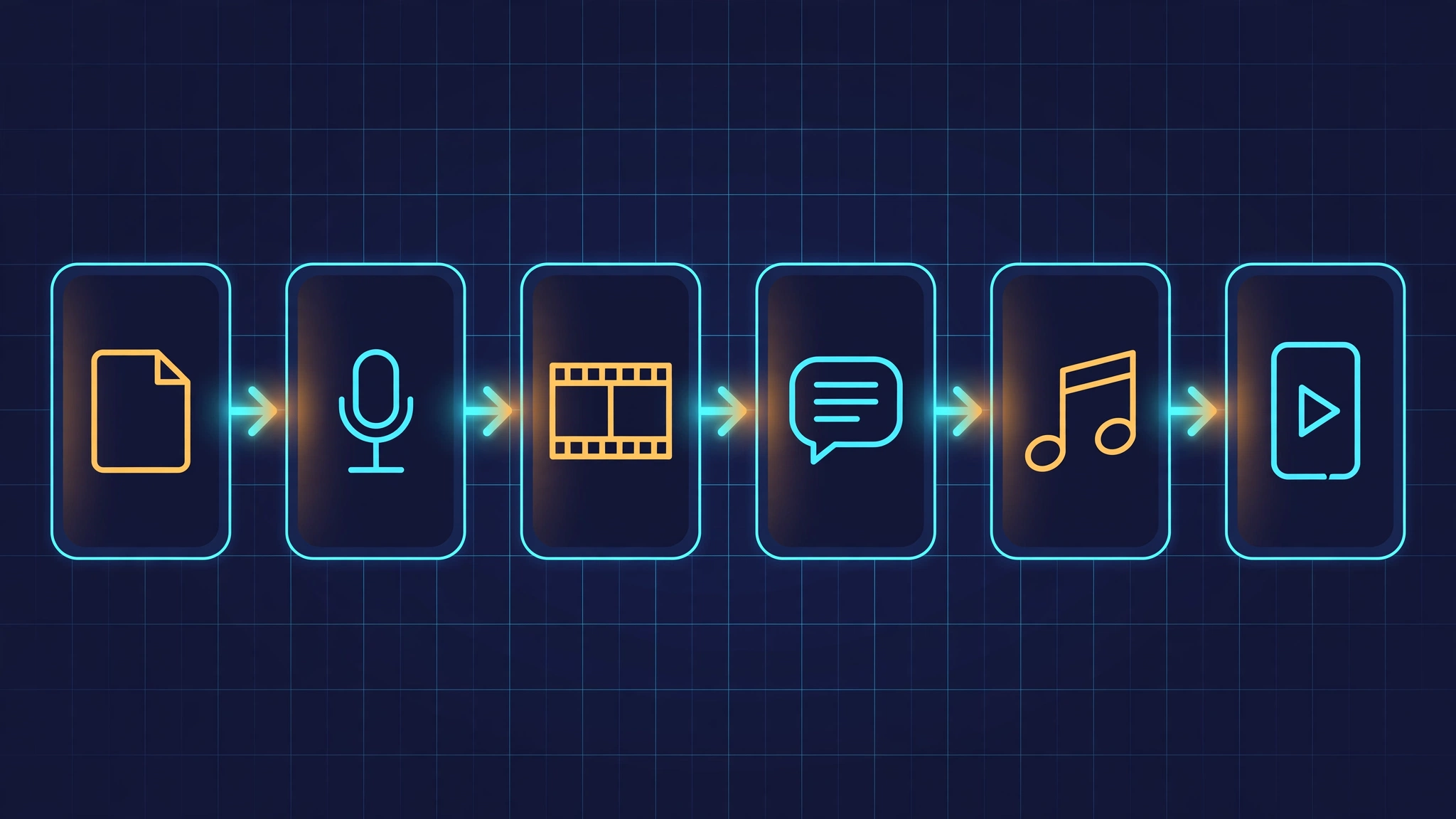
MoneyPrinterTurbo (harry0703/MoneyPrinterTurbo on GitHub) is the open-source answer to that grind: one Python pipeline that takes a topic and returns a finished short video. The stages, in order, are:
- Script — an LLM writes the narration from your topic and keywords.
- Voiceover — AI text-to-speech (dozens of voices, 30+ languages) narrates it.
- Footage — the app searches stock-video providers for clips matching auto-generated search terms.
- Subtitles — word- or sentence-timed captions, burned into the video.
- Music — background music mixed under the narration.
- Render — ffmpeg assembles everything into a vertical MP4.
The numbers explain the hype: over 127,000 stars and 20,000 forks, 20 releases, MIT license, commits landing within days of this writing. It sits on GitHub's trending list for a reason — this is one of the most-starred AI video projects on the planet. What it is not: a diffusion video generator. Nothing here is AI-generated footage; it's an assembly pipeline that orchestrates AI services (scriptwriting, TTS) around real stock footage. That distinction matters for what comes out — and for the copyright posture of what you publish.
This tutorial is fully hands-on: I cloned the repo, installed it, and ran the pipeline stage by stage. Every command below was executed and verified. There are three ways to drive it — a Streamlit web UI, a REST API, and a CLI — and the CLI is the star of this tutorial, because it exposes every stage as a flaggable step, including a --stop-at flag that lets you halt the pipeline after any stage and inspect the intermediate output.
What you'll need
- Python 3.10–3.12 and ffmpeg on your PATH (the app shells out to ffmpeg for all video work).
- ImageMagick if you want the animated subtitle styles (the karaoke-style word highlighting); plain subtitles work without it.
- Zero API keys for the core tutorial. The zero-key path uses your own script text, your own footage, your own narration audio, and a local Whisper model for subtitles. API keys (OpenAI-compatible LLM, Pexels/Pixabay footage, Edge/Azure TTS) unlock the full autopilot in Step 4 — and each key is only needed for its own stage, which I'll mark clearly.
- About 30 minutes the first time, mostly the dependency install.
1. Install
Clone the repo and install dependencies. The project supports uv (fast, and the repo ships a lockfile) with plain pip as the fallback:
git clone https://github.com/harry0703/MoneyPrinterTurbo.git
cd MoneyPrinterTurbo
uv sync --frozen        # or: pip install -r requirements.txt
On first launch the app looks for config.toml in the project root; if it isn't there, it copies config.example.toml for you automatically. I verified this: the very first CLI run printed a notice and created the config from the example. No manual setup step, no missing-file crash — a small thing, but it tells you the project is maintained by someone who runs it.
One thing to know before you start: the app keeps all of its work under storage/tasks/<task-id>/ — script JSON, audio, subtitle file, downloaded clips, and the final MP4. Every run gets a UUID, so runs never clobber each other, and the task directory is your audit trail.
2. Your first render — no keys, no LLM, no TTS
Here is the trick that makes this tutorial possible without spending a cent: the pipeline lets you bring your own inputs at every stage. Pass your own script text with --video-script and the LLM stage is skipped entirely. Point --video-source local at your own clips and the stock-footage stage is skipped. Hand it --custom-audio-file with your own narration MP3 and the TTS stage is skipped. What remains is pure assembly — subtitles, editing, music, render — which needs no network at all.
Write a short script — 40 to 60 words is a good first target, roughly 25–30 seconds of narration:
cat > script.txt <<>'EOF'
Morning light is the cheapest productivity tool you own. Within an hour
of waking, bright daylight tells your brain to stop making melatonin and
start making cortisol — the alertness hormone, in the right dose, at the
right time. Ten minutes outside beats any supplement for setting your
body clock. No app required. Just step outside, and let the sun do the
talking.
EOF
For narration, record yourself or synthesize an MP3 with any free TTS tool — the file just needs to read the script. For footage, any vertical clips you have lying around work; I generated three colored 1080×1920 test clips with ffmpeg:
for i in 1 2 3; do
  ffmpeg -y -f lavfi -i "testsrc2=size=1080x1920:duration=12:rate=30" \
    -pix_fmt yuv420p assets/clip$i.mp4
done
Now run the pipeline. The flags that matter: --video-script injects your text (skipping the LLM), --video-source local with --video-materials feeds your own clips (skipping the stock APIs), --custom-audio-file supplies narration (skipping TTS), --bgm-type none keeps it quiet, and --video-aspect 9:16 sets the vertical canvas (also available: 16:9 for YouTube, 1:1 for square feeds):
python cli.py \
  --video-script "$(cat script.txt)" \
  --video-source local \
  --video-materials assets/clip1.mp4,assets/clip2.mp4,assets/clip3.mp4 \
  --custom-audio-file narration.mp3 \
  --bgm-type none \
  --video-aspect 9:16
Watch the log and you'll see the pipeline announce each stage: generating video script (yours, used verbatim), generating audio (your file, copied in), generating subtitle — this is where the magic happens on the zero-key path. With subtitle_provider set to whisper in config.toml, a local Whisper model transcribes your narration and the app writes a timed subtitle.srt into the task directory. The default model is large-v3 (several GB); tiny (~75 MB) is plenty for clear narration and what I used.
My run: 25.8 seconds of narration in, one 1080×1920 MP4 with timed subtitles out, sitting at storage/tasks/<task-id>/final-1.mp4. The generated subtitle.srt had 9 correctly timed cues — and here's a detail I love: the pipeline runs a correction pass that aligns Whisper's transcription against your script text, so a misheard word ("right daylight" → "bright daylight") gets fixed automatically. That correction step only runs when you supply the script yourself, which is exactly the zero-key path.
Debugging tip that saved me real time: --stop-at. Append --stop-at subtitle to halt after the subtitle stage and inspect subtitle.srt before committing to a full render. The valid stops are script, terms, audio, subtitle, materials, and video — the pipeline's six stages in order.
3. Configure the providers
The zero-key run is deliberately limited: you supplied the creative inputs. The full autopilot needs three kinds of credentials, each powering specific stages — and only those stages. Everything lives in config.toml:
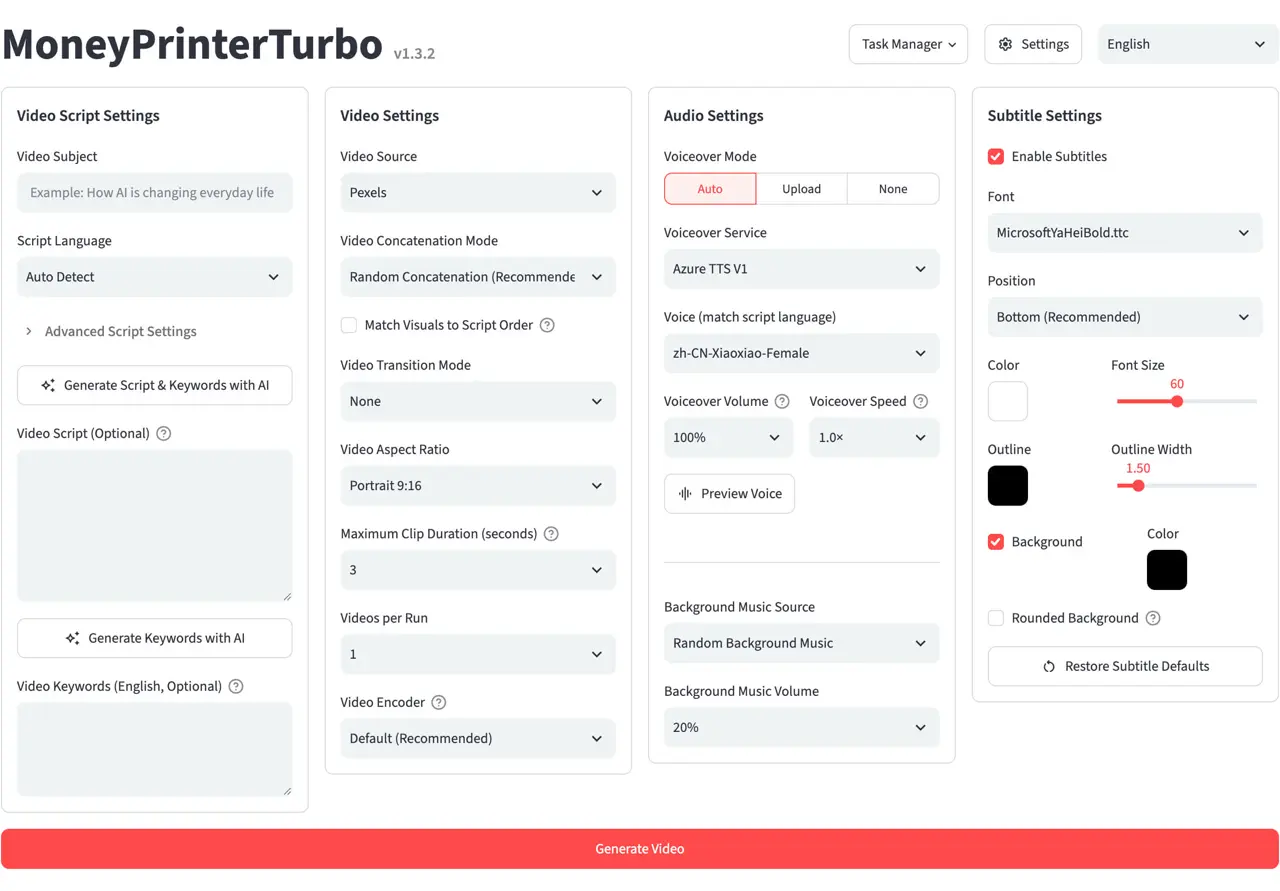
- LLM (script stage): any OpenAI-compatible endpoint — OpenAI, Moonshot/Kimi, DeepSeek, Claude, Qwen, Gemini, or a local Ollama. Set the base URL, API key, and model name. This is also where you set the script language and how many scripts to generate per run.
- TTS (voiceover stage): the default is Edge TTS — free, no API key, with 30+ languages and a long voice list (set with
--voice-name, e.g.en-US-AriaNeural). Alternatives needing keys: Azure, ElevenLabs, Gemini/MIMO/Chatterbox/Kokoro/VoxCPM providers, or--voice-name no-voicefor a silent video. - Stock footage (materials stage): Pexels and Pixabay need free API keys; other sources include Coverr, Wavespeed, VolcEngine, MiniMax, OpenAI image generation, and more. The app generates search terms from your script, queries the providers, and downloads matching clips automatically.
One genuinely useful addition in recent versions: Kimi K3 (Moonshot's agentic model) is now a supported LLM backend, and there's an agent skill so Claude Code / Codex / Cursor agents can drive the whole pipeline — npx add-skill harry0703/MoneyPrinterTurbo installs it. The project also ships batch mode (--batch-file with up to 100 tasks) and a REST API (python main.py, docs at http://127.0.0.1:8080/docs) for automation.
4. The full autopilot — one topic in, one video out
With keys configured, the command shrinks to almost nothing. You give it a topic; it does the rest:
python cli.py \
  --video-topic "why morning sunlight beats your alarm clock" \
  --video-source pexels \
  --voice-name en-US-AriaNeural \
  --bgm-type random
What happens now, stage by stage: the LLM writes the narration script from your topic (prompt templates live in resource/prompts/ if you want to tune them). Edge TTS narrates it — and because the TTS engine returns word timestamps, the subtitle stage gets perfect word-level timing for free, no Whisper needed. The app extracts search terms from the script, pulls vertical clips from Pexels, and cuts them to the narration's duration. With --bgm-type random, the app picks a random track from its bundled music folder and mixes it under the narration. Out comes final-1.mp4.
A few flags worth knowing from the CLI's help, all verified against the source:
--video-count N— generate N videos from the same topic in one run.--video-concat-mode random|sequential— how clips are ordered.--video-clip-duration Sand--video-length— pacing controls.--subtitle-position top|center|bottom|custom,--font-size(default 60),--text-fore-color— caption styling.--bgm-volume— keep the music under the voice (the default mix is sensible).--task-id <uuid>— resume or re-run under a fixed task ID; the API'sv1/videosendpoint returns a task ID you can poll.
When to use it — and when not to
Use it when you need volume: faceless channels, explainers, multilingual versions of the same script (30+ TTS languages from one text file), or rapid prototyping of video ideas before committing production effort. The batch mode and API make it a legitimate content-ops tool.
Don't expect a creative director. The footage is stock, matched by keyword search terms — sometimes brilliantly, sometimes literally. The script is one LLM pass over your topic; for anything with facts that matter, edit script.txt before the render (that's what --stop-at script is for). And check the license terms of whichever footage provider you use before publishing commercially — the pipeline downloads the clips, but the rights are between you and Pexels/Pixabay/Coverr.
Compared with the alternatives: hosted AI-video SaaS tools charge per video and keep your workflow on their servers; MoneyPrinterTurbo is MIT-licensed and runs on your machine, so the marginal cost of video #100 is your electricity. The tradeoff is setup friction and no diffusion-generated footage — if you need AI-generated imagery rather than AI-assembled editing, that's a different category of tool.
Takeaway
The reason 127,000 people starred this repo isn't that it generates video with AI — it's that it deletes the boring middle of video production. Script, voiceover, footage search, subtitles, music, render: each is a solved problem individually, and MoneyPrinterTurbo is the first open-source project to bolt them together into one command with sane defaults and escape hatches at every stage. Start with the zero-key path in Step 2 — your script, your clips, your audio — and add one API key at a time as you need each stage automated. That's the whole learning curve, and it's about an afternoon.
MoneyPrinterTurbo is MIT-licensed at github.com/harry0703/MoneyPrinterTurbo. Verified against the repository state of October 1, 2026 (v1.3.7).