Orkas hands-on: put a 16-agent AI team to work on your own desktop
The agent era has moved from infrastructure to applications, and Orkas is the clearest example of the shift: a local-first desktop app where one Commander turns a goal into finished work by coordinating 16 specialist agents — plus the coding agents you already use. It picked up 1,044 stars in a single day when it first hit GitHub Trending, and it has kept climbing since. This guide installs the current release, v2026.11.4, and puts the team to work on a real launch package.
- Who: Orkas (Orkas-AI/Orkas, MIT), a local-first multi-agent desktop app built around a Commander and 16 built-in specialist agents, with connectors for Gmail, Calendar, Notion, Slack, Shopify and Stripe.
- What: Current release v2026.11.4; 9,087 stars and 524 forks as of November 7, 2026; 904 commits and 22 releases. The Commander splits a goal into to-dos, picks the right agents, and returns finished files for review.
- When: Verified November 7, 2026: the repo, releases, and docs were read directly; the Linux host-dependency check ran and passed on this machine (Node 24, glibc 2.39); install paths and UI flows were checked against the project's own documentation and regression specs.
- Requirement: macOS 12+ or Windows 10+ for the packaged installer; Linux runs from source (Node 22.12+, glibc 2.34+, Python 3). No API key to start — the packaged app includes 500 free credits for the built-in model. Your own provider keys are optional.
For the last month, nearly everything trending in AI open source has been infrastructure: memory engines, context compressors, skill frameworks, orchestrators. Useful, but none of it is the thing itself. Orkas is the thing itself — a desktop app you open, tell what you want in plain language, and watch hand back finished files. It is the first trending repo in this wave that a non-developer could plausibly use on a Monday morning, and it is also the one developers keep starring, because it does something their single coding agent cannot: keep work moving across days, across agents, and across the boundary between code and everything else a business needs.
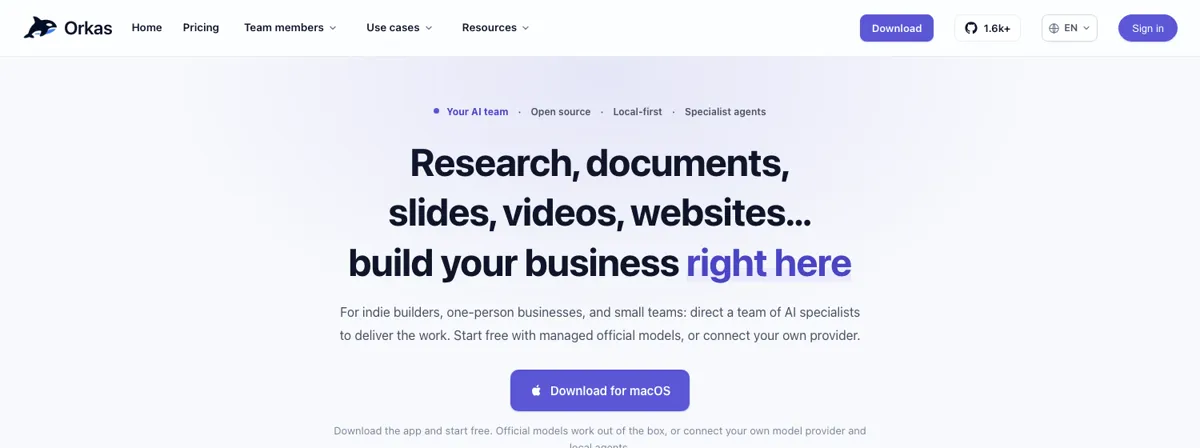
The pitch is a team, not an assistant. You give the Commander a goal — "make a launch kit for the new desk lamp" — and it plans the steps, brings in the specialists, and combines the results. Sixteen of those specialists ship with the app: DeepResearcher for evidence-grounded reports, ContentWriter for posts and articles, PptMaker for editable decks, ImageStudio and VideoStudio for visuals, UIDesigner for HTML-first interfaces, ProductDeveloper for repo-aware coding work, OfficeWorker for Word, Excel, PowerPoint and PDF files, SeoGeoAgent for technical and AI-answer audits, VoiceStudio for narration and audio, StockAnalyser for equity research, and five e-commerce agents covering product research, listings, reviews, sales analysis and store operations. Around them, Orkas runs the CLI agents you already have installed — Claude Code, Codex and OpenCode for coding, OpenClaw and Hermes-Agent for personal-agent work — as local sessions under the same plan.
One honest note on scope before the steps. Orkas is a graphical Electron app, and this guide was verified on a headless 2-core Linux VM, so the app's window itself could not be driven here. What was executed: the repo clone, the project's own Linux host-dependency checker (passed), and a line-by-line read of the launcher, the package scripts, and the project's regression specifications, which describe the exact UI flows step by step. The packaged installer is the recommended path for macOS and Windows readers in any case, and every in-app step below follows the project's documented flow. Where a step depends on a screen rather than a command, the article says so.
What you'll need#
- macOS 12+ (Apple Silicon or Intel) or Windows 10+ for the packaged installer, or a glibc 2.34+ Linux machine (x64 or arm64) to run from source. Alpine and other musl-based distributions are not supported.
- For the source path: Node.js 22.12 or newer, Python 3, and a C/C++ build toolchain on standby for the uncommon native-module fallback. This guide ran against Node v24.22.1 and Python 3.12.3.
- About 15 minutes for the install and first project. No GPU, no model download, no account for the source build; the packaged app asks you to sign in and includes 500 free credits.
- A model to think with: the built-in Orkas model (free credits), your own provider key (Claude, OpenAI, Gemini, DeepSeek, Kimi, GLM, Qwen, MiniMax, Doubao, OpenRouter), or a local OpenAI-compatible endpoint such as Ollama or LM Studio.
- Optional: a coding-agent CLI already installed and authenticated — Claude Code, Codex, OpenCode, OpenClaw or Hermes-Agent — for Step 5. Everything before that works without one.
Step 1: Install Orkas#
There are two ways in. Most readers want the packaged installer: download it from orkas.ai. The releases page lists the three installers — Orkas-mac-arm64.dmg for Apple Silicon, Orkas-mac-x64.dmg for Intel Macs, and Orkas-Setup.exe for Windows x64 — and the download link detects your system and starts the right one. Install it, sign in when first launched, and the 500 free credits are there for the built-in model. That is the whole install.
Linux has no installer yet, so it runs from source — which is also the way to read exactly what the app does before you trust it with your files. Clone the repo and run the launcher:
git clone https://github.com/Orkas-AI/Orkas.git
cd Orkas
./run.sh           # macOS / Linux
run.cmd            # Windows
run.sh is short and worth reading before you run it. It checks for Node 22.12+, stops any previous source instance owned by the checkout, verifies the Linux host dependencies, then runs the two dependency scripts (ensure-deps.cjs and ensure-dev-dependencies.cjs) and launches Electron. The first launch installs the locked npm dependency tree and prepares the pinned Python, uv, Node, an embedding model of about 95 MB, OfficeCLI, FFmpeg, whisper.cpp and the multilingual speech model, then creates a workspace under ~/.orkas/ (macOS/Linux) or <drive>:\.orkas\ (Windows). Local speech transcription downloads and verifies the platform-native whisper.cpp runtime and multilingual model during that first launch. Nothing in that chain compiles from source on a normal machine — the native-module source build is a fallback for when a prebuilt binary is missing, and then you need Python 3 and a C/C++ toolchain.
Before running the full launcher, this guide ran the project's own host checker — the same script run.sh calls — to confirm the machine qualifies:
node scripts/verify-linux-source-dependencies.cjs --host-onlyExpected output on a machine that qualifies:
[linux-deps] verified host:linux-x64, host:node-24, host:glibc-2.39That is the real output from this guide's run: Linux x64, Node 24, glibc 2.39 — all above the documented minimums (Node 22.12+, glibc 2.34+). If the checker fails, it names the missing piece; the documented repair path is npm run native:repair, which restores optional packages, repairs SQLite for Electron, and re-checks the native modules, and npm run native:check runs the same checks without installing anything.
Once the app opens, the source build boots straight in — no account layer at all, per the FAQ. The packaged app asks you to sign in on first launch. Either way, open Settings → AI Providers next; that is Step 2.
Step 2: Choose your model#
Orkas is not itself a model. It orchestrates agents and tools on your machine and calls whichever model you choose: the built-in Orkas model, your own provider keys, or a local endpoint. The Commander and the built-in agents share one model setting, and you can switch it at any time. External CLI agents keep their own model settings.
The fastest start is the built-in model. The packaged app ships with 500 free credits and no API key is needed to begin; after the credits run out you buy credits, take a paid plan, or add your own keys. Credits meter only the managed model service, and the site publishes the consumption rates: roughly 100–300 credits per million input tokens, 2–6 per million cached input tokens, and 200–600 per million output tokens. A paid plan adds a monthly credit allowance (the site lists 0–50,000 credits across its Lite, Pro and Max tiers) plus multi-device sync, more cloud storage and more shared projects; lifetime credit packs are also sold as a one-time purchase. The FAQ is explicit that with your own keys, model calls go straight from your machine to the provider and Orkas adds no markup.
To use your own provider, go to Settings → AI Providers and add a key or OAuth connection for Claude, OpenAI, Gemini, DeepSeek, Kimi, GLM, Qwen, MiniMax, Doubao or OpenRouter. Keys are encrypted locally and excluded from cloud sync. For a local model, the FAQ gives the exact path: open Account settings → Models → Chat → Add model → Custom, select OpenAI-compatible or Anthropic-compatible, and enter the base URL, the exact model ID, and an API key. Then pick the saved model from the task's model control. The source build can run fully offline against a local endpoint; the packaged app needs to sign in, and cloud models need a network connection.
Pick one model before going further. The Commander and all sixteen specialists share the setting, so this single choice governs everything the team does in the next steps. If you are starting on the free credits, leave the default alone.
Step 3: Create your first project#
Orkas is built for work that keeps going, not one-off prompts, and the project is the unit that makes that true. A project holds the goal, the rules, the memory and the files, so every new conversation picks up where the last one left off instead of starting from a blank brief. Create one for something real — a product launch, a store, a client — and give it a workspace directory: the project's files live there, and every read, write and preview the agents do stays inside it. Paths outside the workspace, symlink escapes and path traversal are refused.
Then set the project's instructions. Open the project details and find the Context card: the instructions you write there are attached to the system prompt of every conversation in the project. The Commander can also write them for you — tell it "write this into the project instructions" and it saves them to ORKAS.md in the project. The same mechanism holds project memory: ask it to "remember this project decision" and it records the fact for later sessions. Sub-agents the Commander dispatches can read project instructions and memory but cannot write them; they hand facts back to the Commander, which records them.
Finally, put the work on the board. Every project has a to-do list for people and agents, with exactly four statuses: todo, progress, review and done. Add the pieces of your goal as to-dos now — research, copy, design, video — and leave Auto-advance off. It is off by default, and it should stay off until you have watched the team complete one task and bring it back for review. When you do switch it on, the team picks up the next actionable to-do on its own, verifies the delivery, and moves it to review for you.
With the project set up, give the Commander its first goal. Use the lamp-store example from Orkas's own homepage, which is a real task with checkable outputs:
Make a launch kit for the new desk lamp: a 30-second video, product page copy and a week of posts.That is Step 4.
Step 4: Run a multi-agent launch package#
Send the goal to the Commander — the project's main chat — and watch the routing. The Commander handles general work itself and delegates specialist work through three tools: dispatch_to runs a named agent and returns its result, hand_off_to transfers the remaining work to a named agent, and run_worker runs an anonymous, isolated sub-task and returns a private result. For a launch kit, the split is roughly: DeepResearcher checks the product facts and the market, ContentWriter drafts the copy, UIDesigner builds the product page, and VideoStudio assembles the 30-second video with narration and captions. The agents page shows the same shape for a product launch: research, copy, interface and video, delivered as research.md, a landing-page/ directory and a launch-video.mp4.
What you should get back, per the project's own use-case page for the lamp store: a 30-second video with captions, product page copy in your voice, and a week of posts with images. The video agent can also recreate a reference video's narrative structure, visual style and editing pace using your own product, script and footage — supply a reference video file and your assets, and it proposes what to preserve and what to replace before production. That works best for motion-graphic explainers, SaaS or app demos and product ads built from existing footage; exact camera moves, human performances and frame-by-frame matching are not guaranteed, and the project says so plainly.

Review the delivery before you use any of it. Finished work comes back for your review by design: files land in the project workspace, the message shows attachment chips for what was produced, and the workspace directory on disk matches what the chat shows. Check the copy against your product facts — the lamp in the example is 2700K warm light with Ra 95 color rendering, and those numbers are the kind of detail a model will happily invent if it is not grounded — then approve, edit, or send it back. The Commander keeps the conversation, the files and the to-do state together, so a correction in the same project does not need the brief repeated.
Step 5: Connect Claude Code and the other CLI agents#
The built-in specialists cover research, content, design, video and office work. Code is where the CLI agents come in. Orkas runs the coding agents you already have installed as local sessions next to its own specialists, so one chat can fix the bug, review the change and draft the release note. The five it supports are Claude Code, Codex and OpenCode for coding, plus OpenClaw and Hermes-Agent as personal agents. Open-source tools such as HyperFrames plug in the same way.
Connect one from the AI team page: choose Connect agent, then the External tab. Orkas discovers installed CLIs on your PATH and shows their state in the picker — "detecting" while it probes, "updating" while it checks versions, a version and update prompt if the installed CLI is too old, and a clear "not installed" state when nothing is found. It picks the highest installed version when several are present, and an explicit path variable such as ORKAS_CODEX_PATH overrides discovery. With a CLI selected, the agent's detail page shows its model choice, thinking level, permission level and project directory, in that order.
Two settings deserve attention before the first run. First, permissions. Each CLI has the permission levels it actually supports; OpenCode is fixed at full access and its detail page hides the permission control entirely, while the others fall back to their own native defaults. Full access only exempts the CLI's own file and command requests from approval — connector actions always prompt once, at any permission level. Second, budgets. Native agents and all five CLI adapters share a 24-hour absolute execution deadline and a 30-minute no-progress default, so a runaway agent stops instead of burning tokens overnight; a new message starts a new budget. Unanswered permission prompts auto-decline after 10 minutes.
If you want a check that the wiring works without spending model calls, the repo documents one. From the checkout, npm run test:local-agents:prepare -- --agents codex,claude prepares and checks the named CLIs without issuing a model request; the live variant, npm run test:local-agents:live, sends one fixed-output request through the production registry and runner. Both are test tooling, not part of the app, but they are the project's own way to prove an installed CLI answers before you trust it with a task.
Once connected, try the shape Orkas is built for: one goal that crosses the code/non-code boundary. The homepage's indie-builder example is a good one — "Design the Notely interface, add note search, and fix the login bug with tests" — which splits across UIDesigner, ProductDeveloper twice, and ContentWriter for the changelog. Give the Commander a task like that in your own project and watch it hand the coding to the CLI agent, the review to another agent, and the docs and launch posts to the specialists.
Step 6: Make it repeat itself#
One launch kit is a demo. The value is in the second, third and tenth run, and that is what automations are for. Any task can become a scheduled automation — hourly, daily, weekly or monthly. Weekly and monthly schedules support multiple selections: pick several weekdays or several month dates, or use the Workdays shortcut for Monday to Friday. A due run creates exactly one conversation with the original attachments, and the app notifies you without a manual refresh.
Build the automation from a task that already worked. The lamp store's weekly content plan is the template: "Draft next week's content plan", assigned to ContentWriter, every Monday at 09:00. The project's use-case pages give three more shapes worth copying — a coffee shop's Monday 08:30 weekly brief from ECommerceAnalyzer ("Every Monday, check orders, reviews and stock, and tell me the three things to fix"), reply drafts from ECommerceReviewer every two hours, and a marketing agency's Friday 16:00 client update deck from PptMaker plus daily 08:00 meeting briefs from OfficeWorker. Each automation is scoped to a project or set to Global, survives a full relaunch, and can be run manually without changing its enabled state or schedule.
Two behaviors matter in practice. First, catch-up: from v1.9, each automation catches up its most recent missed run within 12 hours when the computer wakes or Orkas starts — but only the most recent one, and only within that window, so a laptop that slept for a week does not fire seven backlogged briefs. Second, Orkas needs your computer awake. Auto-advance and automations run on your machine; unlike a cloud agent, nothing happens while the computer is off. That is the price of local-first, and it is also the point: the work, the files and the keys never leave your disk unless you choose cloud sync in the packaged app.
Step 7: Teach it your documents#
The last piece is grounding. Add your PDFs and documents to the project's Library and Orkas can answer questions from them with citations back to the source passages, so you can open the original and check. The Library extracts documents into passages and stores a local SQLite vector index; the embedding model runs on your machine. The Commander is required to retrieve Library evidence before summarizing — the project's own model canary pins the rule "retrieve Library evidence first, never summarize from model memory" — which is the difference between a research report you can trust and a fluent fabrication.
The practical limits: text uploads and imports accept files up to 200 MiB, and a text file over 5 MiB is saved but cannot use whole-text preview or automatic search indexing — the app tells you it can read selected sections instead. Put the files the team needs in the Library before you ask for the work, not after: a launch kit grounded in your actual price list, brand voice notes and product specs is a different artifact from one written from the model's general knowledge.
When to use Orkas — and when not to#
| Approach | Best for | Costs |
|---|---|---|
| Orkas | A team of agents rather than one assistant; work that keeps moving across days; data, keys and agents on your own disk | Desktop app — needs your computer awake; 500 free credits, then paid plans or your own keys; GUI, not a library |
| Claude Cowork | Everyday work inside Anthropic's cloud with a paid Claude plan | Cloud by default; Claude models only; no local-first option |
| Manus | Tasks planned in the cloud; desktop app for local folders | Cloud planning by default; closed source |
| CrewAI / LangChain | Embedding orchestration in your own code | Code-first frameworks — you write the orchestration; no desktop workspace |
| OpenClaw | Personal agent with messaging integrations | One agent platform, not a coordinated team with deliverables; it plugs into Orkas instead |
| A single chatbot | One question, one answer | No projects, no to-dos, no automations, no memory of the work |
Orkas is the wrong tool when you just want a single all-purpose chatbot, or a pure code library to embed in your own app — the project says both outright. It is also the wrong choice if you need work to continue while your computer is off; the cloud agents win that one, and Orkas's own comparison table concedes it. And it is early software with a fast release cadence — v2026.11.4 landed this week with GPT-6.1 Terra support and better recurring-automation scheduling — so expect the interface to move between versions and re-check the docs when a menu is not where this guide left it.
Two honest limits from this guide's run. First, the app's graphical interface was not driven end to end here: the verification machine is a headless Linux VM, so the in-app steps follow the project's README, its site, and its regression specifications, which describe each flow and its expected outcomes in detail. The parts that did execute are the repo clone, the Linux host-dependency check (passed: Node 24, glibc 2.39), and a read of the launcher and package scripts. Second, the full source install — the npm tree, the 95 MB embedding model, the whisper.cpp runtime — was not run to completion on this 2-core VM, so treat the first-launch download sizes as the project's stated figures, not measurements. macOS and Windows readers should use the packaged installer in any case.
The takeaway#
The reason Orkas is climbing while a hundred other agent frameworks stall is that it answers the question those frameworks leave open: who does the rest of the work? A coding agent writes the feature; Orkas's team writes the launch post, builds the landing page, cuts the video, files the changelog, and does it again next Monday. Install the packaged app, or clone the repo and let ./run.sh do the setup, pick a model, and give the Commander one real goal from your own work. If the finished files are good enough to ship, you have a team. If they are not, you have spent 500 free credits finding out — and the to-do board, the project memory and the Library will still be there when you try again with a better brief.
Sources#
- Orkas repository (Orkas-AI/Orkas) — README, star count, license, quick start, and FAQ, read November 7, 2026.
- Orkas releases — v2026.11.4 current release; v2026.10.27, v2026.10.17 and v2026.9.22 notes; installer filenames.
- Orkas homepage (orkas.ai) — use cases (lamp store, coffee shop, marketing agency, indie builder), pricing and credit consumption, provider list, FAQ, read November 7, 2026.
- Orkas agents page — Commander and the 16 specialists, launch-package example, read November 7, 2026.
- Orkas docs/test regression specifications — projects and workspace, automation, and local-agent flows, read from the repository November 7, 2026.
- GitHub Trending November 2026 (CoddyKit) — Orkas at 7,016 stars with 1,044 stars on its first trending day; OpenMAIC comparison.