Skip the sprite sheet: hands-on with pixelfx, 244 pixel-art game effects written as code
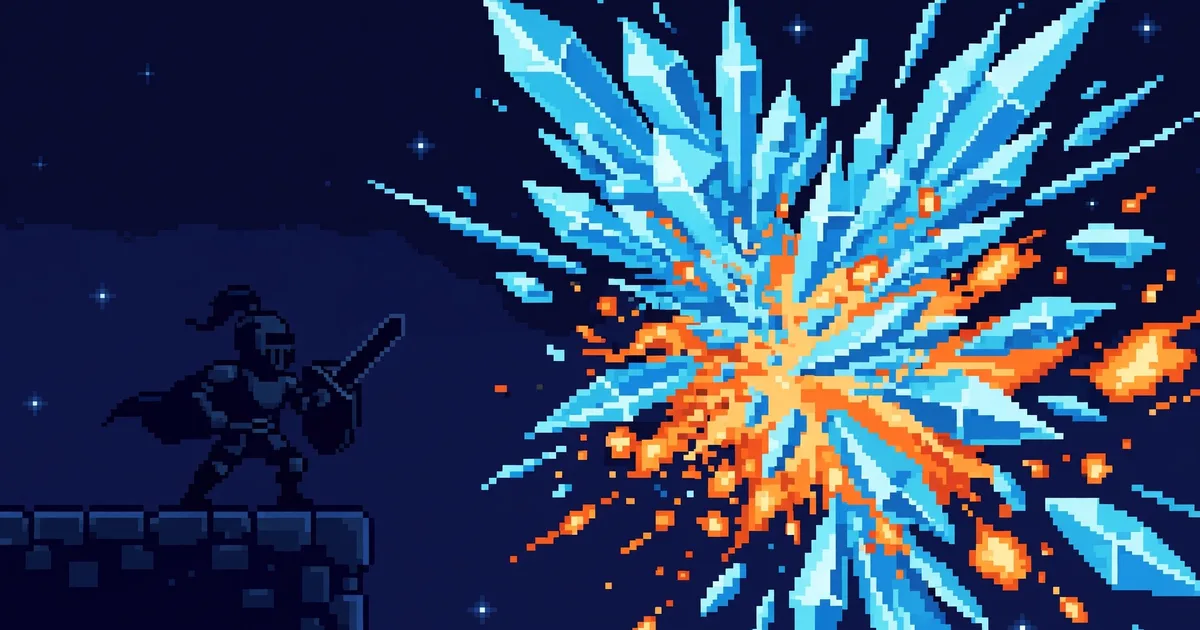
pixelfx (patch-gg/pixelfx, MIT, 1,717 GitHub stars) is 244 pixel-art game effects and animations, each a small piece of JavaScript — no image files. This guide installs it, plays a frost nova on canvas, recolors a torch, exports a sprite sheet for Godot, Unity or Phaser, plays a full acted sword move, and builds a new effect with its Claude Code skill.
- Who: Patch. pixelfx is the studio’s open-source pixel-art effects library, built on Hugo Duprez’s method from Sprite Fusion: code as clay, judged by eye.
- What: 244 pixel-art effects and animations in 21 categories — fire, ice, explosions, weather, UI, pickups, critters, and 12 complete moves. Every effect is one file in
src/fx/<category>/<name>.js; there are no image files. MIT, code and effects, commercial use included. - When: Repository created 30 October 2026. At research time on 1 November 2026: 1,717 GitHub stars, 217 forks, 8 commits, no releases or tags.
- How it works: Pure effects are a function of time alone, so loops tile with no seam; simulated effects step particles, debris and lights at 120 Hz. Two buffers —
colorand additivelight— and seeded randomness, so frame 40 is the same every time. 61 effects act with a 24×38 stock character; poses hold on 12 fps steps. - Install:
npm i github:patch-gg/pixelfx. In a browser game the code has no dependencies. For other engines,node tools/render.mjs ice/frost-nova --sheetwrites a transparent PNG plus Aseprite-style JSON. - Caveat: The Patch Pixel font in
gallery/fontsis Patch’s own and is not covered by the MIT licence: seeNOTICE.md.
Why this matters now
Game effects usually ship as sprite sheets: rows of hand-drawn frames that play in order. They are rigid. Change the colour and you redraw them. Change the timing and you redraw them again. Ask a coding agent for a new one and it has nothing to hold on to — an image is a finished thing, not a set of decisions.
pixelfx takes the other route. Each effect is a short program that simulates its particles at 120 Hz, keeps separate buffers for colour and light, and uses seeded randomness so the same effect plays the same way every time. A fireball becomes a frost bolt by swapping one palette ramp. A hit lands because the animation freezes for a beat on contact, not because someone drew a freeze frame. The method is Hugo Duprez’s, from his guide to making pixel-art effects with Claude: treat code as clay, trust your eyes, feed your references. The README credits Duprez directly, and says src/core/sim.js and the effects that say so at the top adapt his code. This repo is that idea at library scale, with a skill to keep going.
Every command below is the README’s own, checked against the repository on 1 November 2026. The repo was two days old at that point, with 8 commits and no releases, so treat version numbers as absent and check the catalog before building on any one effect.
What you’ll need
- Node.js and npm, for installing the library and running its render tools. The browser code itself has no dependencies.
- A canvas project to drop an effect into — plain canvas, Phaser, PixiJS, Kaplay or three.js. If you only want sprite sheets, Node alone is enough.
- Claude Code, only for Step 7. The skill is optional; every effect can be used and made by hand.
- No GPU, no API key, no account. Nothing in this guide calls a model or a hosted service.
Step 1: Pick an effect in the gallery
Start in the gallery linked from the README, not in the code. It plays all 244 effects live, and lets you recolor and mirror them before you commit to one. The catalog lists them all: 21 categories, from 12 kinds of fire to 12 complete moves. Note the id of the one you want. Ids are category/name — ice/frost-nova, fire/torch, melee/sword-slash — and every effect is a file at src/fx/<category>/<name>.js. If you would rather read code first, open that file: a pure effect exports a draw function, a simulated one exports a create function, and the acting data, where it exists, sits in the same file.
Pick something with a clear silhouette for your first run. Frost nova is the README’s own example, and it shows the two things that matter — a burst that reads at a glance, and a palette you can change without touching the code.
Step 2: Install pixelfx and play a frost nova on canvas
Install from GitHub. There is no npm registry release to pin — the README’s install is the repository itself, so record the commit you installed if you ship with it.
npm i github:patch-gg/pixelfxThen play one effect on a canvas. This is the README’s browser example, unchanged: a frame at your game’s pixel resolution, an effect placed at a point, drawn behind and in front of your characters, composited into an ImageData you put on the canvas scaled up with image-rendering: pixelated.
import { createFrame, clearFrame, createFx, composite } from "pixelfx";
import * as frostNova from "pixelfx/fx/ice/frost-nova";

const frame = createFrame(320, 180);                   // your game's pixel resolution
const img = new ImageData(320, 180);
const fx = createFx(frostNova, { x: 160, y: 140 });   // also: flip, angle, seed, palette, light...

function tick(dt) {
  fx.update(dt);
  clearFrame(frame);
  fx.draw(frame, "back");                              // behind characters
  drawCharacters();
  fx.draw(frame, "front");
  composite(frame, img.data, backgroundColor);         // color, then light added on top
  ctx.putImageData(img, 0, 0);                         // scale up with image-rendering: pixelated
}
The options on createFx are the whole control surface: position, flip, angle, seed, palette and light. Effects draw around their own origin in local space, and directional effects face right, so mirroring is a flag, not a second asset. If nothing appears, check the two things the README makes load-bearing: the frame size must match the ImageData, and the canvas must scale with nearest-neighbour filtering, or the pixels blur into mush.
Step 3: Recolor it with a palette
Any effect takes a palette: a dark-to-bright ramp of hex colours. Swap the ramp and the same simulation burns a different colour, with no new drawing. The README’s example turns a torch blue through the render tool:
node tools/render.mjs fire/torch --gif --opts '{"palette": ["#102","#215","#43a","#8cf","#cff","#fff"]}'That command renders a GIF with the new palette. The same ramp can be passed in code as the palette option on createFx. One effect becomes a family this way: a fireball, a frost bolt and a poison spit are one simulation with three ramps. Keep the ramp dark-to-bright and keep the count the effect expects — the ramp is the effect’s colour grading, and a ramp that jumps from dark to white in one step will blow out the light buffer.

Step 4: Export a sprite sheet for your engine
Browser games use the code directly. Every other engine wants frames, and pixelfx exports them instead of asking you to screenshot the gallery:
node tools/render.mjs ice/frost-nova --sheetThat writes a transparent PNG of every frame in a grid, plus an Aseprite-style JSON file with frame rects, durations, and meta.pixelfx carrying fps, loop, columns and the pivot. The README says Phaser’s atlas loader and the Aseprite importers for Godot and Unity read it. Import the PNG and JSON the way you would hand-drawn art, and keep the pivot: effects are drawn around an origin, and a wrong pivot is what makes a frost nova float a foot above the mage’s hands.
To export everything at once, run node tools/sheets.mjs, which exports the whole library to sheets/. That is the bulk path for a game that wants the full catalog available offline — but export only the categories you use if build size matters, because 244 effects is a lot of frames to carry for a handful of spells.
Step 5: Play a whole acted move, not just particles
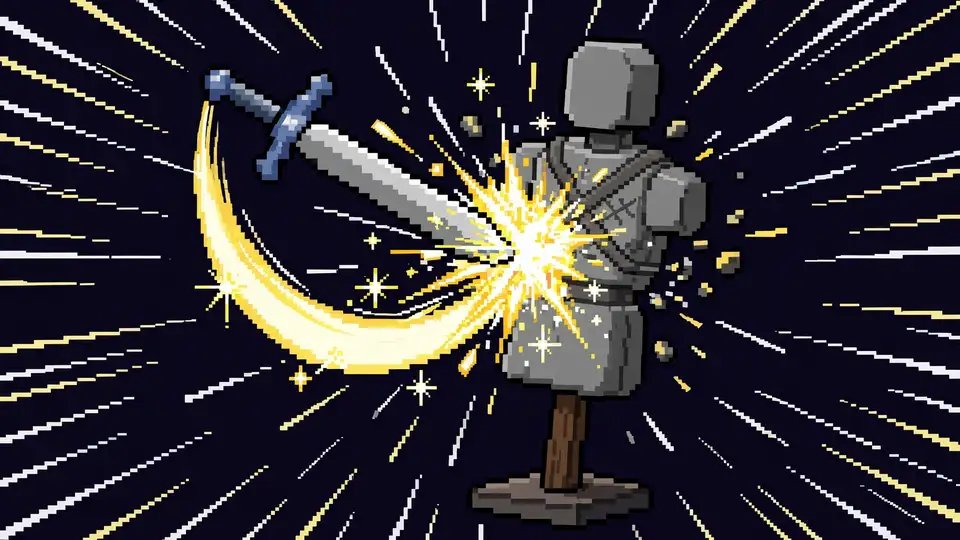
An effect on its own looks like a sticker, the README says. What sells a hit is the body around it: the wind-up that says something is coming, the freeze on contact, the target rocking back, the recovery. Sixty-one effects act with a character, and 12 moves chain the effects into attacks from wind-up to recovery. Each one says what the body does and when, in an act export — poses on a timeline, and hits with a freeze:
export const act = {
  target: { x: 58 },
  poses: [
    [-0.55, GUARD],            // he starts before the effect does (t = 0 is the effect's first frame)
    [-0.3, WIND_UP],
    [0, CUT, "snap"],          // "snap" holds the last pose and jumps on the key
    [0.06, FOLLOW_THROUGH, "snap"],
    [0.86, GUARD],
  ],
  hits: [{ t: 0.06, stop: 0.14, shake: 0.18, amp: 2, push: 2.8, straw: 18 }],   // freeze for 0.14 s on contact
};
Play the whole thing, character and target included, by swapping createFx for createAct:
import { createFrame, clearFrame, createAct, composite } from "pixelfx";
import * as slash from "pixelfx/fx/melee/sword-slash";

const act = createAct(slash, { x: 80, y: 140 });

function tick(dt) {
  act.update(dt);                                  // holds still by itself during a freeze
  clearFrame(frame);
  act.draw(frame);                                 // { body: false } and { target: false } leave them out
  composite(frame, img.data, backgroundColor);
  const [sx, sy] = act.shake;                      // throw the picture this far
  ctx.putImageData(img, sx, sy);
}
Two details do the work. The hit freeze is data, not code: stop: 0.14 holds the frame for 0.14 seconds on contact, and act.update holds still by itself during it. And act.shake tells you how far to throw the whole picture, so the screen shake and the freeze stay in sync. If you have your own character, the timing is still plain data: read slash.act, or meta.pixelfx.act in a sprite sheet’s JSON, which carries windup, recovery and hits with t and freeze. Start your own wind-up animation that long before the effect, and stop updating everything for freeze seconds at each hit. node tools/act.mjs <id> --sheet bakes a whole act, character included, into a sprite sheet.
Step 6: Make your own effect
New effects start from a scaffold, not a blank file. The tooling is a loop — draft, render, look, refine — and the README gives it as four commands:
node tools/new.mjs arcane/my-spell       # a working starting point (add --loop for a loop)
node tools/render.mjs arcane/my-spell    # records/arcane/my-spell/contact.png: look at it
node tools/check.mjs arcane/my-spell     # spills, seams, unseeded randomness, slow frames
Render, look at the contact sheet, fix the worst thing, render again. --gif and --mp4 show the motion, --all shows every frame, and node tools/act.mjs arcane/my-spell shows an act as consecutive 12 fps steps, because the README is blunt that motion bugs do not show in samples. docs/AUTHORING.md has the contract, the drawing API and the quality bar. node tools/serve.mjs runs the gallery locally with your effects in it, so you can judge a new effect next to the 244 that set the bar instead of alone on a blank page.
The checks in check.mjs are worth running before you trust an effect in a game: spills and seams are visible defects, unseeded randomness breaks the promise that a frame is the same every time, and slow frames are the difference between a 120 Hz simulation on paper and a stutter in play. Fix what it reports; do not ship around it by lowering the frame rate.
Step 7: Let Claude Code do the drafting with the skill
The pixelfx skill teaches Claude Code to find, use, export and make effects. Install it as a plugin:
/plugin marketplace add patch-gg/pixelfx
/plugin install pixelfx@pixelfx
Or copy skills/pixelfx into ~/.claude/skills/. Then ask for what you want, in the README’s own examples:
- “Add a frost nova to my mage’s ultimate.”
- “Make five takes on a coin pickup sparkle and show me the best two.”
- “Export the fire and explosions categories as sprite sheets for Godot.”
- “This hit effect feels floaty. Make it punchier.”
- “Give this spell a wind-up and make the enemy react to it.”
The skill’s workflow is draft, render, look, refine — the same loop as Step 6, with the model doing the drafting and you doing the looking. That division matters: Duprez’s advice, quoted in the README, is that your taste is built from your references, so gather the games you want to look like before you ask for anything. A model handed no references will give you the average of every pixel effect it has seen. Five takes with a reference beat one take without one, and the contact sheet is where you catch the one that only looks right as a still.
What you built
A game effect that is code, not art assets: a frost nova playing on a canvas from a library install, recolorable with one palette ramp, exportable as a sprite sheet with frame data for Phaser, Godot or Unity, and — where the effect acts — playable as a whole move with wind-up, hit freeze and recovery. Plus the loop for making the next one: scaffold, render, check, and a Claude Code skill that drafts in the same style. The library stays small in the ways that matter for a browser game: no dependencies for the code path, deterministic frames from seeded randomness, and effects that are files you can read, not images you can only look at.
Honest limitations
- Two days old. Created 30 October 2026, 8 commits, no releases or tags at research time. The API, the effect list and even the count can move without warning. Pin the commit you verified; do not build on
mainand assume it stays still. - No registry release. Installation is
npm i github:patch-gg/pixelfx, or copyingsrc/coreand the effects you want. There is no versioned package to roll back to except a commit hash. - The stock character is the default body. Effects drawn on the body paint a 24×38 dummy built on a 3D skeleton. If you ship your own character, regenerate those effects and drive your wind-up and freeze from the act timing data — the shipped timing will not match a body it was never drawn on.
- Code effects are not hand-drawn art. Seeded particles and palette ramps give you families of effects fast, but they will not give you a one-off illustration, a licensed character, or a style the simulation was never built to draw. The gallery is the quality bar; judge your game against it, not against the promise in the README.
- The font is excluded. The Patch Pixel font in
gallery/fontsis Patch’s own and is not covered by the MIT licence. Do not lift it into a shipped game on the strength of the library licence.
Frequently asked questions
Do I need a game engine, a GPU, or an API key to use pixelfx?
No. In a browser game the code has no dependencies and runs on canvas; Node is only needed for the install and the render tools. Engines enter through exported sprite sheets, not through a runtime, and nothing in this guide calls a model or a hosted service.
Can I use the effects in a commercial game?
Yes for the code and effects: the licence is MIT, commercial use included. The exception is the Patch Pixel font in gallery/fonts, which is Patch’s own and is not covered — check NOTICE.md before shipping anything that uses it.
Will an effect look the same every time it plays?
Yes, by design: every random number comes from the effect’s seed, so a given frame is the same on every run, and pure effects are a function of time alone, so loops tile with no seam. If yours does not repeat, run node tools/check.mjs — unseeded randomness is one of the defects it checks for.