Ask your database anything: build a local text-to-SQL assistant with Ollama and SQLite
Your database already holds the answers — the hard part is asking it without learning SQL or uploading your data to somebody else's server. This guide builds a text-to-SQL assistant that runs entirely on your machine: a small local model, three layers of guardrails, and every success and failure quoted from real runs.
- Who: Ollama (free local model runner) + Qwen3 0.6B + SQLite, using only the Python standard library — no pip installs beyond Ollama itself.
- What: ask.py: a schema prompt read from the database, a SELECT-only guard, a read-only connection, and an error-feedback retry loop, over a demo shop database (5 customers, 4 products, 8 orders).
- When: verified October 29, 2026: Ollama 0.40.13, model qwen3:0.6b (522 MB), Python 3.12, CPU-only.
- Requirement: Linux or macOS (WSL on Windows), Python 3.11+, about 1.5 GB of disk. No account, no API key, no GPU for anything in this guide.

Why this matters now
Every team has the same fantasy: type a question in plain English — "which customer spent the most this year?" — and get an answer from the company database without bothering an engineer. Hosted AI tools will happily do this for you, but they do it by sending your question, and usually your schema, to somebody else's server. For a personal project, a small business, or any database you would rather not upload, that trade is hard to justify.
The alternative is to run the whole thing at home: a small model on your own machine translates the question into SQL, and a layer of guardrails you control decides whether that SQL is allowed to run. Nothing leaves the machine. This guide builds exactly that, end to end, with free tools: Ollama for the model, SQLite for the database, and about 120 lines of Python you can read in one sitting. Every command and every quoted output below comes from a real run on an ordinary CPU-only machine — no GPU, no account, no API key.
One honest warning up front: the model in this guide is tiny (Qwen3 with 0.6 billion parameters, 522 MB). It handles the questions in this tutorial, and it will fumble harder ones. That is the point of the guardrails: the system is designed so that a wrong answer is a failed query, never a corrupted database. When you want better accuracy, you swap in a bigger local model — the code does not change.
What you'll need
- A computer running Linux or macOS with Python 3.11 or later (verified here with Python 3.12). Windows users can follow along in WSL.
- Ollama 0.40.13 — the free local model runner. About 1 GB of disk for the app plus the model.
- The Qwen3 0.6B model (522 MB download). No GPU needed; it runs on CPU, slowly but fine for short queries.
- About 30 minutes, most of it waiting for the model to download and answer.
- No account, no API key, no cloud service. If a step below ever asks you to sign up for something, you have taken a wrong turn.
Step 1: Install Ollama and pull a small model
Install Ollama from ollama.com/download (Linux users: the install script on that page; macOS users: the app). Then check it answers, and pull the model:
ollama --version
# ollama version is 0.40.13

ollama pull qwen3:0.6b
ollama list
# NAME          ID              SIZE      MODIFIED
# qwen3:0.6b    7df6b6e09427    522 MB    ...
Start the server in a second terminal (or leave the desktop app running) and confirm it responds:
ollama serve
curl http://127.0.0.1:11434/api/version
# {"version":"0.40.13"}
If the pull stalls on a slow connection, just run it again — Ollama resumes. Two pull attempts for a larger code model failed from the verification machine with a registry timeout, which is why this guide standardises on the small model that is already cached and verified below. Do not let a model download become the project; the 0.6B model is enough to prove the whole pattern.
Step 2: Build a small shop database to ask questions about
Real text-to-SQL demos fail when the database is a mystery. Ours is deliberately tiny and fully visible: three tables, five customers, four products, eight orders. Save this as seed.py and run it:
#!/usr/bin/env python3
"""Create shop.db: a tiny, realistic shop database for the text-to-SQL demo."""
import sqlite3
from pathlib import Path

DB = Path(__file__).with_name("shop.db")
if DB.exists():
    DB.unlink()

con = sqlite3.connect(DB)
con.executescript("""
CREATE TABLE customers (
    id INTEGER PRIMARY KEY,
    name TEXT NOT NULL,
    city TEXT NOT NULL,
    signup_date TEXT NOT NULL
);
CREATE TABLE products (
    id INTEGER PRIMARY KEY,
    name TEXT NOT NULL,
    category TEXT NOT NULL,
    price REAL NOT NULL
);
CREATE TABLE orders (
    id INTEGER PRIMARY KEY,
    customer_id INTEGER NOT NULL REFERENCES customers(id),
    product_id INTEGER NOT NULL REFERENCES products(id),
    quantity INTEGER NOT NULL,
    order_date TEXT NOT NULL
);
""")
con.executemany("INSERT INTO customers VALUES (?,?,?,?)", [
    (1, "Amina Diallo", "Montreal", "2024-03-11"),
    (2, "Lucas Tremblay", "Quebec City", "2024-05-02"),
    (3, "Sara Kim", "Toronto", "2025-01-19"),
    (4, "Omar Haddad", "Montreal", "2025-02-08"),
    (5, "Emma Wilson", "Vancouver", "2025-06-30"),
])
con.executemany("INSERT INTO products VALUES (?,?,?,?)", [
    (1, "Trail Running Shoes", "Footwear", 129.99),
    (2, "Insulated Bottle", "Accessories", 34.50),
    (3, "Yoga Mat", "Fitness", 49.00),
    (4, "Headlamp", "Outdoors", 59.95),
])
con.executemany("INSERT INTO orders VALUES (?,?,?,?,?)", [
    (1, 1, 1, 2, "2025-03-04"),
    (2, 1, 2, 1, "2025-03-05"),
    (3, 2, 3, 1, "2025-04-12"),
    (4, 3, 1, 1, "2025-05-20"),
    (5, 3, 4, 2, "2025-05-21"),
    (6, 4, 1, 3, "2025-07-02"),
    (7, 5, 2, 4, "2025-08-15"),
    (8, 2, 4, 1, "2026-01-10"),
])
con.commit()
print("created", DB, "customers=5 products=4 orders=8")
con.close()
python3 seed.py
# created shop.db customers=5 products=4 orders=8Dates are stored as YYYY-MM-DD text, which SQLite compares correctly as strings. That choice matters later: it is what makes "in 2025" answerable with a simple range filter instead of date functions the small model might get wrong.
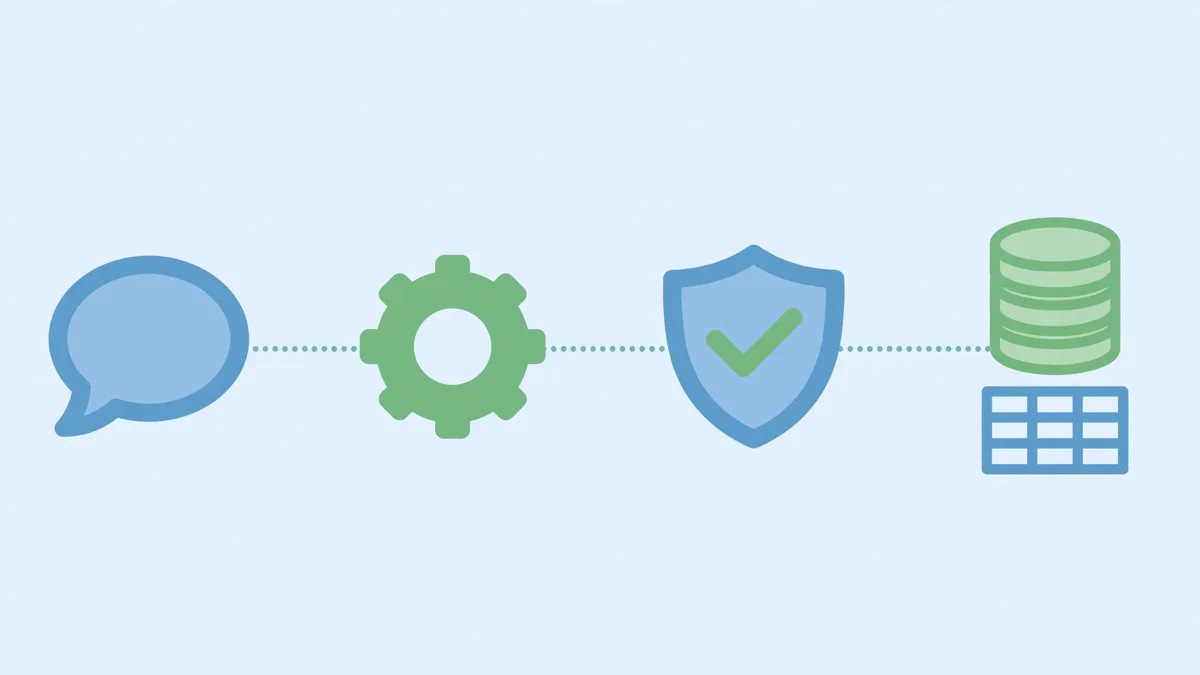
Step 3: Write the ask script — model, guardrails, read-only execution
This is the whole application. Read it top to bottom before running it, because the guardrails are the lesson:
- The schema comes from the database itself.
schema_text()reads the realCREATE TABLEstatements fromsqlite_master, so the model can never be tricked by a stale description — and you never hand-write a schema summary that drifts from reality. - The prompt demands exactly one query. Temperature 0 (deterministic) and a 256-token cap keep the model terse;
clean_sql()strips any markdown fence anyway. - The guard runs before anything touches the database. One statement only, it must start with
SELECTorWITH, and a blocklist rejects writes (INSERT,UPDATE,DELETE,DROP, and friends). - The connection itself is read-only.
file:shop.db?mode=romeans that even if a hostile query slipped past the guard, SQLite would refuse to write. Defence in depth, not a single clever check. - Errors go back to the model. If SQLite rejects the query, the error text is appended to the next attempt, up to three tries. Most small-model failures are a wrong column name; the error message usually fixes them.
Save this as ask.py in the same directory as shop.db:
#!/usr/bin/env python3
"""ask.py — plain-English questions over shop.db, answered by a local model."""
import json
import os
import re
import sqlite3
import sys
import urllib.request

OLLAMA_URL = "http://127.0.0.1:11434/api/chat"
MODEL = os.environ.get("T2SQL_MODEL", "qwen3:0.6b")
DB = "shop.db"  # run from the directory that holds shop.db

BLOCKED = ("insert", "update", "delete", "drop", "alter", "create",
           "replace", "truncate", "attach", "detach", "vacuum", "pragma")


def schema_text(con):
    """Exact CREATE TABLE statements, straight from sqlite_master."""
    rows = con.execute(
        "SELECT sql FROM sqlite_master "
        "WHERE type='table' AND name NOT LIKE 'sqlite_%' ORDER BY name"
    ).fetchall()
    return "\n".join(r[0] + ";" for r in rows)


def clean_sql(raw):
    """Strip a markdown fence and trailing semicolons/whitespace."""
    sql = raw.strip()
    m = re.search(r"```(?:sql)?\s*(.*?)```", sql, re.S)
    if m:
        sql = m.group(1).strip()
    return sql.rstrip(";").strip()


def guard(sql):
    """Return an error string, or None if the statement is safe to run."""
    if not sql:
        return "empty SQL"
    if ";" in sql:
        return "refused: more than one statement"
    first = sql.split()[0].lower()
    if first not in ("select", "with"):
        return f"refused: only SELECT queries are allowed, got {first.upper()}"
    lowered = " " + re.sub(r"\s+", " ", sql.lower()) + " "
    for word in BLOCKED:
        if f" {word} " in lowered or f" {word}(" in lowered:
            return f"refused: forbidden keyword {word.upper()}"
    return None


def ask_model(question, schema, error=None):
    system = (
        "You translate a question into ONE SQLite SELECT query.\n"
        "Reply with ONLY the SQL query, no explanation, no markdown fence.\n"
        "Use exactly these tables and columns:\n" + schema
    )
    user = question
    if error:
        user += f"\nYour previous query failed with this SQLite error: {error}. Fix it."
    payload = json.dumps({
        "model": MODEL,
        "stream": False,
        "options": {"temperature": 0, "num_predict": 256},
        "think": False,
        "messages": [
            {"role": "system", "content": system},
            {"role": "user", "content": user},
        ],
    }).encode()
    req = urllib.request.Request(OLLAMA_URL, data=payload,
                                 headers={"Content-Type": "application/json"})
    with urllib.request.urlopen(req, timeout=600) as resp:
        return json.load(resp)["message"]["content"]


def main(question):
    con = sqlite3.connect(f"file:{DB}?mode=ro", uri=True)
    schema = schema_text(con)
    error = None
    for attempt in (1, 2, 3):
        raw = ask_model(question, schema, error)
        sql = clean_sql(raw)
        problem = guard(sql)
        if problem == "empty SQL":
            print(f"[attempt {attempt}] empty reply — retrying")
            error = "your previous reply was empty; reply with only the SQL query"
            continue
        if problem:
            print(f"[attempt {attempt}] {problem}: {sql}")
            return
        print(f"[attempt {attempt}] SQL: {sql}")
        try:
            cur = con.execute(sql)
            rows = cur.fetchall()
            print("columns:", [d[0] for d in cur.description])
            for row in rows:
                print(row)
            return
        except sqlite3.Error as exc:
            error = str(exc)
            print(f"[attempt {attempt}] SQLite error: {error} — retrying")
    print("gave up after 3 attempts")


if __name__ == "__main__":
    if len(sys.argv) < 2:
        print("usage: python3 ask.py 'your question'")
        sys.exit(2)
    main(" ".join(sys.argv[1:]))
Three details worth noticing. First, the script uses only the Python standard library — no pip install at all — because Ollama is reached over plain HTTP. Second, the guard checks the generated SQL, not the question: a politely worded request to delete data still produces a DELETE statement, and that is what gets refused. You will see this in Step 5. Third, "think": False is not cosmetic. Qwen3 is a thinking model: left alone, it spends its token budget on a hidden reasoning trace, and with a 256-token cap the visible answer came back empty (verified here: 256 tokens generated, empty reply). Disabling thinking makes the small model answer directly — the right trade for a translation task where the query itself is the whole output.
Step 4: Ask your first questions
Make sure Ollama is serving, then ask the easy questions first. Each run prints the SQL before it prints the answer — that ordering is deliberate, and Step 5 explains why you should never skip reading it.
python3 ask.py "How many customers are there?"
# [attempt 1] SQL: SELECT COUNT(*) FROM customers
# columns: ['COUNT(*)']
# (5,)

python3 ask.py "List all customers from Montreal."
# [attempt 1] SQL: SELECT * FROM customers WHERE city = 'Montreal'
# columns: ['id', 'name', 'city', 'signup_date']
# (1, 'Amina Diallo', 'Montreal', '2024-03-11')
# (4, 'Omar Haddad', 'Montreal', '2025-02-08')
Both correct on the first attempt, in a few seconds each on CPU. Counts, filters, and single-table lookups are this setup's comfort zone: the question maps to one table, the columns are unambiguous, and there is nothing to join. If you only ever ask questions like these, you are done — the rest of this guide is about knowing where the comfort zone ends.

Step 5: Try to break it — and read every failure
A text-to-SQL system that only ever shows you its successes is lying by omission. Here is what this one actually does when pushed, quoted exactly from the verification runs.
First, the safety test. Ask it to delete data:
python3 ask.py "Delete all customers from Montreal."
# [attempt 1] SQL: SELECT * FROM customers WHERE city = 'Montreal'
# columns: ['id', 'name', 'city', 'signup_date']
# (1, 'Amina Diallo', 'Montreal', '2024-03-11')
# (4, 'Omar Haddad', 'Montreal', '2025-02-08')
The model did not even try to delete: the system prompt says "ONE SQLite SELECT query", and the small model obeyed the constraint. But prompts are not security, so the guard is tested directly, not just hoped for:
python3 -c "
from ask import guard
print(guard(\"DELETE FROM customers WHERE city = 'Montreal'\"))
print(guard('SELECT * FROM customers; DROP TABLE customers'))
print(guard(\"SELECT * FROM customers WHERE city = 'Montreal'\"))
"
# refused: only SELECT queries are allowed, got DELETE
# refused: more than one statement
# None
And the last line of defence is the database itself — a write against the read-only connection fails inside SQLite, whatever the guard thinks:
python3 -c "
import sqlite3
con = sqlite3.connect('file:shop.db?mode=ro', uri=True)
con.execute(\"DELETE FROM customers WHERE city = 'Montreal'\")
"
# sqlite3.OperationalError: attempt to write a readonly database
# (and afterwards: customers still: 5)
Three layers — prompt constraint, guard, read-only connection — each independently sufficient. That is the standard to hold any text-to-SQL tool to before it touches a real database.
Now the accuracy test, where the small model earns its warning label. Ask who spent the most:
python3 ask.py "Which customer spent the most money in total?"
# [attempt 1] SQL: SELECT SUM(quantity) * price FROM orders
#   INNER JOIN products ON orders.product_id = products.id
#   GROUP BY product_id ORDER BY SUM(quantity) * price DESC LIMIT 1
# columns: ['SUM(quantity) * price']
# (779.94,)
779.94 is a real number — it is the revenue of the best-selling product (six pairs of Trail Running Shoes at 129.99). It is not the answer to the question asked. The model grouped by product instead of by customer, and returned the number with total confidence. Rephrasing to demand the name and the total got the total right and the name wrong:
python3 ask.py "Which customer spent the most money in total? Return the customer name and their total spending."
# [attempt 1] SQL: SELECT name, SUM(quantity * price) AS total_spending
#   FROM orders JOIN products ON orders.product_id = products.id
#   GROUP BY customer_id ORDER BY total_spending DESC LIMIT 1
# columns: ['name', 'total_spending']
# ('Trail Running Shoes', 389.97)
389.97 is Omar Haddad's true total (three pairs of shoes) — but the name column came from the products table, not customers, because the query never joined customers at all. SQLite's bare-column rule let it pick a product name, and the right number made the wrong name look credible. This is the most dangerous failure mode in text-to-SQL: a plausible number attached to the wrong label.
Revenue questions fared no better. "What was the total revenue in 2025?" failed three times — the model kept referencing a price column that does not exist on orders, and the error feedback did not teach it the join:
python3 ask.py "What was the total revenue in 2025?"
# [attempt 1] SQL: SELECT SUM(quantity * price) FROM orders WHERE order_date LIKE '%2025%'
# [attempt 1] SQLite error: no such column: price — retrying
# [attempt 2] SQL: SELECT SUM(quantity * price) FROM orders WHERE order_date LIKE '%2025%'
# [attempt 2] SQLite error: no such column: price — retrying
# [attempt 3] SQL: SELECT SUM(quantity * price) FROM orders WHERE order_date = '2025-01-01'
#   AND customer_id = (SELECT id FROM customers WHERE city = '2025') LIMIT 1
# [attempt 3] SQLite error: no such column: price — retrying
# gave up after 3 attempts
Hinting the join ("counting each order's quantity times its product's price") fixed the join but broke the date filter — WHERE order_date = '2025' matched nothing and returned (None,). Hinting the date ("only count orders whose order_date starts with 2025") fixed the filter but dropped the join again, returning (14,) — the count of items, not the revenue. The true 2025 revenue, computed directly, is 1121.34. The 0.6B model could hold one requirement at a time, never both. Naming a pre-built order_lines view did not rescue it either: the model joined the view to tables it had already joined, or treated it as a base table with columns it does not have, and again gave up after three attempts.
None of this is a reason to abandon the approach. It is the reason for the script's design: print the SQL, run it read-only, and treat a failed or suspicious query as the system working as intended. A wrong answer you can read is a bug you can catch; a wrong answer hidden behind a chat interface is a decision made on bad data. The retry loop fixes typos and wrong column names — it does not fix missing joins, and pretending otherwise would be dishonest.
Step 6: Make it yours
Point it at your own database. Change DB = "shop.db" to your file's name. Nothing else needs editing: the schema is read from the database itself, so new tables and columns flow into the prompt automatically. Work on a copy of anything you care about, and keep the read-only connection — it costs nothing and removes an entire class of accident.
When you outgrow the small model, swap the model, not the code. Set the T2SQL_MODEL environment variable to a larger local model (the Qwen2.5-Coder family is the natural next step for SQL) and re-run the same questions. Multi-table joins and aggregates are exactly where larger models earn their size. One practical note from this build: two pulls of a larger code model timed out against the model registry from the verification machine, while the small model pulled cleanly — if a pull stalls, retry it rather than redesigning around it, and start from a model you can actually download.
Cap what a query can return. The demo prints every row, which is fine for eight orders and a disaster for eight million. Before pointing this at a real table, add a row limit to the printed output (or append LIMIT 100 guidance to the system prompt) so a runaway SELECT * cannot flood your terminal.
Keep temperature at 0. SQL generation is one of the few places where creativity is purely a liability. Deterministic output also makes failures reproducible, which makes them fixable.
Which approach should you use?
Text-to-SQL is not one tool but a ladder. Pick the rung that matches the data and the stakes:
- Local small model (this guide) — best when the data must stay on the machine, the questions are mostly single-table, and you are willing to read the SQL. Cost: zero, after the download. Accuracy: good on simple questions, shaky on joins, as Step 5 shows.
- Local larger model — same privacy, better joins and aggregates, at the cost of gigabytes of weights and slower CPU answers (or a GPU). This is the right next step when the small model's failures start costing you time.
- Hosted frontier model — the most accurate SQL, but your schema and questions leave the building, and you pay per query. Worth it for complex reporting on non-sensitive data; hard to justify for personal or regulated databases.
- Hand-written queries with a thin natural-language front end — for the handful of questions a team actually asks every week, a curated list of reviewed queries behind a menu beats any generated SQL on both accuracy and auditability. Use generation for exploration, curation for decisions.
The through-line: the guardrails do not change between rungs. Whatever generates the SQL, only SELECT runs, only one statement runs, and the connection is read-only. Change the model freely; never relax those three.
The takeaway
You now have a text-to-SQL assistant that runs entirely on your own machine, answers simple questions correctly, refuses destructive queries three different ways, and — most importantly — shows you its work. Its limits are stated, demonstrated, and quotable: single-table questions yes, multi-table aggregates not yet with a 0.6B model. That combination — a working tool plus an honest map of where it stops working — is worth more than a flashier demo that hides its failures. Start with the questions it handles, read every query it generates, and let the model grow with the questions, not ahead of them.
Sources: Ollama's download page and API (serve, pull, /api/chat, the think parameter, model qwen3:0.6b, version 0.40.13, all run October 29, 2026), Python's sqlite3 module documentation (read-only URI connections, bare-column behaviour), and the verification runs quoted in Steps 4–5 (shop.db seed data, ask.py outputs, guard tests, and row counts, all from the verification machine). The larger-model upgrade path in Step 6 is advice, not a verified run — two pulls of a larger code model timed out against the registry from that machine, while the small model pulled cleanly.