dsh-superagent: put DeepSeek's proactive coding agent to work on your GitHub repo — hands-on
Your GitHub issues never sleep. DeepSeek's dsh-superagent is built for that gap: a proactive coding agent that watches one repository, takes requests from the people you allow, and does the work in its own session — then answers with a pull request. It passed 20,000 stars in its first week, and this guide sets it up end to end, with every command from the project's own docs.
- Who: dsh-superagent (deepseek-ai/dsh-superagent-prototype, MIT), a proactive coding agent from the DeepSeek Harness team, packaged as a bundle for DeepSeek Harness (DSH).
- What: Watches one GitHub repository (and optionally Feishu chats), takes requests from allowed accounts, turns each into a Ticket, works in its own agent session and directory, and answers in the original conversation — for example with a pull request.
- When: Published October 31, 2026; verified November 7, 2026 at v0.1.0 with 20,416 stars and 2,379 forks.
- Requirement: Node.js 22.19+ or 24+, pnpm, git 2.32+, tmux, Python 3.8+, GitHub CLI 2.48+, a configured DSH model provider, and a dedicated GitHub account for the agent.
- Cost: Free and open source (MIT); you pay only your model provider. The panel runs on 127.0.0.1:3082; the agent starts in observe mode, recording what it would do without doing it.

Your GitHub issues never sleep. DeepSeek's dsh-superagent is built for that gap: a proactive coding agent that watches one repository, takes requests from the people you allow, and does the work in its own session — then answers with a pull request. It reached 20,416 stars and 2,379 forks in its first week after publication on October 31, 2026, and this guide sets it up end to end: install DeepSeek Harness, give the agent its own GitHub account, run the agent-guided setup, and send it your first ticket. Every command below comes from the project's own README, SETUP.md, and deployment docs, verified November 7, 2026.
The idea behind it is stated in the project's philosophy document: take as little human attention as possible, and give as much value as possible. The agent acts only when asked, or when a written rule allows it, and it speaks only when a person must act or can use a result. It starts in observe mode — recording what it would have done without doing it — so you can widen its leeway once its judgment looks right. The design is described in the paper Exploring Super-agent Design: Towards a More Autonomous Agent System, though the README is clear that some designs in the paper are directions for future development and are not implemented in this prototype. And the README is blunt about the state of things: this is a research prototype for reference only, not an official DeepSeek product, and it may still contain bugs. Treat it as a lab setup on a repository you can afford to experiment with, not as production infrastructure.
What you'll need#
- A machine that stays on while the agent works — macOS, Windows, or Linux — with Node.js 22.19+ or 24+, pnpm, git 2.32+, tmux, Python 3.8+, and GitHub CLI 2.48 or later.
- DeepSeek Harness (DSH) with a model provider configured. The agent runs on the profile's default model unless the Eval or Execution settings name another. If Harness itself is new to you, our hands-on with DSH Go shows what the runtime looks like from the other end — a phone.
- A repository on github.com. GitHub Enterprise Server is not supported. Keep a local clone around: each Ticket gets its own checkout built from it.
- A dedicated GitHub account for the agent — never your own — with write access to the repository. A GitHub App cannot be the agent, because dsh-superagent reads the account's notifications.
- About 30–45 minutes for the guided setup, most of it answering one short question at a time. Feishu is optional and skipped here; the GitHub-only path is the whole guide.
Step 1: Install DeepSeek Harness and clone the prototype#
Install the pinned DSH release first — the deployment docs pin it, and other versions must satisfy the engines.dsh range (^0.2.1-alpha.2) in the prototype's package.json. Then clone the prototype and build it:
npm install -g @deepseek-ai/[email protected]
git clone https://github.com/deepseek-ai/dsh-superagent-prototype.git dsh-superagent && cd dsh-superagent
pnpm install && pnpm build
That gives you the v0.1.0 bundle (TypeScript, MIT). If you want a sanity check before going further, pnpm check runs the typecheck, the tests, and the build — those are the exact scripts in package.json.
Step 2: Create the agent's GitHub account and CLI wrapper#
Create a GitHub user account for the agent and give it write access to the repository. Everything the agent writes — comments, branches, pull requests — appears under this name, which is exactly why it must not be your own account. Then give it a GitHub CLI that uses only its own credentials, via a wrapper script from the deployment docs:
mkdir -p ~/.local/bin
cat > ~/.local/bin/gh-agent <<'EOF'
#!/bin/sh
GH_CONFIG_DIR="$HOME/.config/gh-agent" exec gh "$@"
EOF
chmod +x ~/.local/bin/gh-agent
gh-agent auth login
gh-agent api user --jq .login
Sign in as the agent account; the last command prints its login, and dsh-superagent reads the login the same way. Keep this wrapper path — the setup will ask for it as the agent CLI.
Step 3: Create the superagent profile and install the bundle#
dsh-superagent runs as its own DeepSeek Harness profile, called superagent, created from the Web profile template. Keep it separate from the profile you work in: the bundle changes process-wide PATH and git settings, and it needs independent restarts and upgrades. From the checkout:
dsh superagent --from-default-profile web --dump-config > /dev/null
dsh plugin --profile superagent add "link:$PWD"
Then copy the example machine configuration into place and replace every placeholder:
cp examples/profile.cordis.patch.yml ~/.dsh/profiles/superagent/cordis.patch.ymlThe two values that matter most: stateDir, an absolute path that holds the database, the lock, the command shims, the agent's git configuration, and the Ticket directories (back it up before upgrades), and the webserver entry, which sets the panel's port — 3082 by default. One warning from the docs, worth heeding: run the profile-creation command only for a new installation. On an existing profile it replaces the profile and deletes its cordis.patch.yml, including your machine configuration.
Step 4: Run the agent-guided setup#
You do not configure this by hand. The setup is done by a coding agent following SETUP.md — ask yours, in the checkout:
Read SETUP.md in this repository and set up dsh-superagent with me.
It probes your machine first (Node, pnpm, git, tmux, Python, gh, dsh, and whether a dsh-superagent profile already exists), then asks one short question per message and waits for each answer. It collects every answer, shows the full plan once, and executes only after you confirm. Never ask for a secret in chat: creating the agent account, signing CLIs in, and accepting the repository invitation are operator steps you do in your own terminal. The probe it runs, from the checkout:
node -v; pnpm -v; git --version; tmux -V; python3 --version; gh --version | head -1; dsh --version
gh api user --jq .login
command -v lark-cli
grep -l -E 'id: dsh-superagent\b' "${DSH_HOME:-$HOME/.dsh}"/profiles/*/cordis.patch.yml 2>/dev/null
The questions come in the order work flows — first where requests come from, then who may ask, then what the agent does with a Ticket:
- Sources. GitHub only, unless your team works in Feishu.
- Repository. Which repo, as
owner/name. - Agent account. The dedicated account from Step 2 — never the operator's own.
- On GitHub, who may ask for work? Start with only your own login. A short list keeps the team's noise low while you learn how the agent behaves.
- Checkout. Which local clone each Ticket checks out from — a new clone under
~/src/<name>is the recommended answer. - Commit identity. The agent account, so its work is visibly its own.
- Auto-merge. No: people merge until the agent's pull requests have been right for a while.
Values with good defaults are filled in, not asked about: profile superagent, port 3082, state directory <home>/.dsh/state/superagent, an hourly self-check, branch prefix agent/, and accept mode observe. Settings are saved through the local Management API (http://127.0.0.1:3082/orchestrator/api, header x-orchestrator-request: 1) in this order: the github Source, the policy block with the allowed lists, the executor block with the prepare command, then the prompts. A save that returns restarting: true restarts the service — wait until scripts/dsh-superagent status no longer exits 1 before the next request.
Step 5: Start it and check its health#
Start the service with the script the repo ships:
scripts/dsh-superagent start
scripts/dsh-superagent status
start runs dsh --profile superagent in the tmux session dsh-superagent and waits up to a minute for the runtime to become ready or report a setup requirement. It refuses duplicate instances, including ones started outside the script. status exits with one of four codes: 0 means the service runs normally; 1 means it does not run, runs twice, does not answer, or its runtime reports an error (a restart may fix it); 2 means it runs but a part other than the runtime — a Source, a Policy sync — reports an error (a restart does not fix it); 3 means it runs and waits for setup. Open the URL printed in the log, then choose Superagent in the sidebar. Until setup succeeds, Overview lists the missing requirements and links to their settings.
Keep it alive with the hourly check from the deployment docs — create it in the DSH profile you normally use, not in superagent, so it keeps running when the agent service is down. The check is one command: scripts/dsh-superagent --profile superagent status. Exit 0: do nothing and say nothing. Exit 1: restart with --respect-stop. Exit 2 or 3: report the errors or the setup requirement, and do not restart. If it reports manually_stopped: true, leave it stopped.
Step 6: Send it your first ticket#
From an allowed GitHub account, open an issue or post a comment containing @<agent login> <request>. Within a polling interval — one minute by default — Overview shows a Ticket. The agent acknowledges the request once and names what it will do, stays quiet while it works, then writes again when a result is ready, when it needs a decision, or when it cannot finish. It works in its own session and directory and delivers in the original conversation — for example with a pull request. Note the deliberate limits: adding a mention by editing an existing issue body does not arrive; post a new comment instead. And a person's message on the ticket's thread resumes the ticket under the same mandate, while messages from bots and CI do not reach it.
What you built#
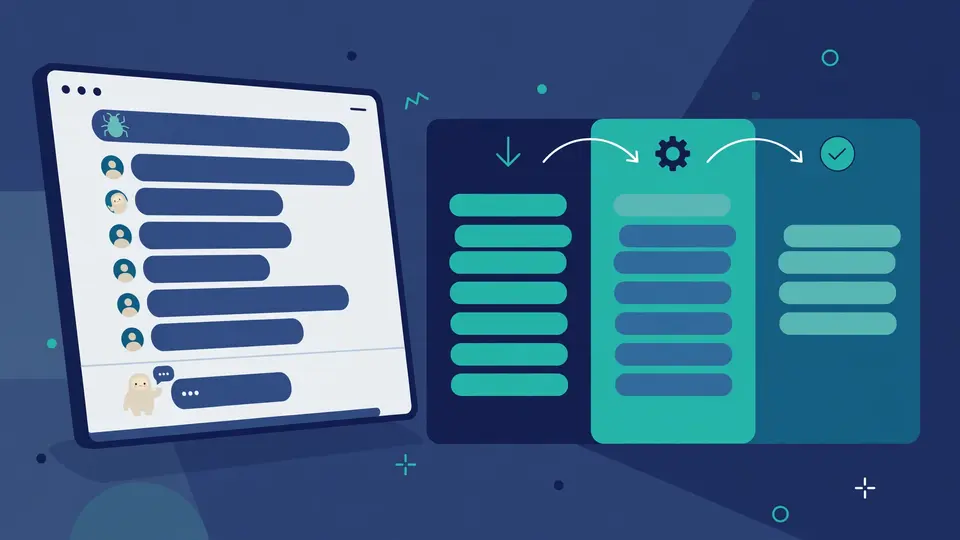
A proactive agent on your repository. Requests arrive as Triggers from a Source; Eval judges each batch and accepts the ones that ask for new work; each accepted request becomes a Ticket with a Mandate that states why the work may be done and how far it may go; an Executor runs the Ticket in its own DSH session and directory; results go back through a Channel as a comment or a pull request. The panel shows only what needs a person — a healthy state takes no space. If you would rather drive the coding agents you already use from your phone than hand a repository to a proactive one, T3 Code is the remote control for that job. And persistent memory is the other half of a useful coding agent: claude-mem gives Claude Code memory across sessions, so the agent stops re-learning your project from scratch.
Honest limitations#
- It is a research prototype. Not an official DeepSeek product, not production-ready software, and it may still contain bugs. Some designs in the super-agent paper are future directions, not implemented here. Run it on a repository you can afford to experiment with.
- Setup is heavy. A dedicated GitHub account, a model provider, an agent-guided question round, and a profile of your own — there is no one-click install, and the first run prints missing setup information rather than just working.
- GitHub only, and only github.com. GitHub Enterprise Server is not supported. Feishu is the only other source.
- Isolation is your job. Both agent presets run with
danger-full-accessas the operator's OS user; a worker can execute programs by path and read the operator's home directory. The docs recommend a dedicated OS account containing only the agent's credentials. - It speaks for you. The agent comments, opens pull requests, and messages people under accounts your team sees every day. The project's own responsibility rules say it plainly: start narrow, tune for less noise, do not use it to produce volume, and own what it says.
Frequently asked questions
Is dsh-superagent an official DeepSeek product?
No. The README calls it a research prototype for reference only, not an official DeepSeek product, grown out of the team's day-to-day work with much of the engineering done by coding agents. Expect bugs, and review and adapt it before using it in your own environment.
How do I ask the agent for work?
From a GitHub account on the allowed list, comment @<agent login> <request> on an issue in the repository. A Ticket appears on the overview within about a minute; the agent acknowledges once, works in its own session, and answers in the original conversation, for example with a pull request.
Does the agent need its own GitHub account?
Yes — a dedicated account, never the operator's own, because everything the agent writes appears under that name. A GitHub App cannot be the agent, because dsh-superagent reads the account's notifications.