End-to-end tests rot faster than any other code you own. A button moves, a selector breaks, and a test that was green on Friday fails on Monday for reasons nobody can explain. The industry's answer has been armies of brittle CSS selectors and XPath expressions that someone has to nurse forever.
e2e takes a different bet: let an AI agent figure out the clicks, but keep the verdict deterministic. You describe the goal in plain language — “upgrade the workspace to the Pro plan” — and the framework's agent drives the app to get there. Then ordinary locators and assertions check the result, the way your old tests did. When an assertion confirms an agent step, the step's recorded actions replay on the next run with no model calls at all, until the app changes. It is the #1 trending repository on GitHub today, with 3,400+ stars, built by TesterArmy and released under Apache-2.0.
What you get at the end: tests you can read like sentences, agents that absorb UI churn, and deterministic checks that keep the AI honest. Here's the whole thing, hands-on.
e2e, plus @e2e-dev/web for browsers and @e2e-dev/mobile for phones).One command starts everything:
npx e2e initThe wizard asks two questions — engine (web or mobile) and model provider — then writes a config and an example test. The docs cover the rest, and they ship inside the e2e package too, so a coding agent can read them offline from node_modules/e2e/docs.
If you picked a subscription in the wizard, sign in to it — no API key needed:
npx e2e login openai          # ChatGPT Plus or Pro
npx e2e login github-copilot  # reuses your gh CLI login if available
npx e2e login opencode-console
npx e2e login spacexai        # SuperGrok or X Premium+
Going the API-key route? Set your provider's key in the terminal where you run e2e — OpenRouter uses OPENROUTER_API_KEY, and a project linked with vercel link can use a Vercel OIDC token instead. Picked None in the wizard? Add a model first — agent steps have nothing to think with until you do.
This is the README's own example, and it shows the whole philosophy — the agent handles navigation, the assertions stay exact:
// tests/checkout.e2e.ts
import { test, expect } from 'e2e';

test('a member upgrades to Pro', async ({ app, agent, screen }) => {
  await app.open('/settings/billing');

  await agent.act('upgrade the workspace to the Pro plan');
  await agent.assert('the invoice preview shows a prorated amount');

  await expect(screen.getByRole('status')).toContainText('Pro');
});
The three primitives: agent.act drives the app toward one goal, agent.assert judges the screen semantically (“does this look right?”), and plain expect checks exact values. Two details from the docs worth knowing: give agent.act one goal per call — compound goals drift — and know that app.open() launches the app fresh, while without it a test starts wherever the previous one left the device.

Run the suite the way you'd expect, and add --headed the first time so you can watch the agent work a web test in a visible browser:
npx e2e --headedHere is the part that changes the economics. An agent step that a later assertion verifies records its actions, and the next run replays them with no model calls until the app changes. Your suite is only as expensive as its churn: stable screens cost nothing, changed screens re-invoke the agent. To force fresh agent runs and skip the replay cache:
npx e2e --no-cacheOne housekeeping note while you're here: the CLI sends anonymous usage telemetry (which commands and engines run, where runs fail — no test content, app content, or credentials). Opt out any time:
npx e2e telemetry disableor set E2E_TELEMETRY_DISABLED=1.
The quickstart's recommended path skips the manual setup entirely: open Claude Code, Codex, or Cursor in your app's directory and paste the prompt from the docs. It installs the e2e skill, after which prompts like “add a test for checkout” or “why did this run fail” just work — the agent reads the bundled docs, writes the test, and debugs failures against real runs.
For CI, the @e2e-dev/github package reports results as a pull-request comment, so the suite slots into the workflow your team already has.
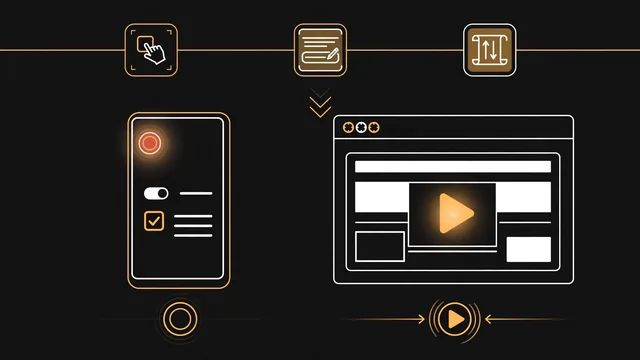
A test suite with a split personality, in the good sense: an AI agent absorbs the navigation churn that used to rot your selectors, deterministic locators and assertions hold the verdict, and recorded replays keep the model bill proportional to how often your UI actually changes. The tests read like sentences, which means the next person to touch them doesn't need to decode your XPath.
agent.assert is a judgment, not a measurement. Great for “does this look right”, wrong tool for exact values — keep those in expect().agent.act call, and treat the first run of a new test as a review: watch what the agent actually did before you trust the replay.