Ditch headless Chrome: scrape, screenshot, and automate the web with Obscura's 70 MB Rust browser
Headless Chrome is the default answer to “my agent needs a browser” — and a heavy one: a 300 MB+ download, 200 MB or more of RAM per instance, and a full browser you have to install, update, and babysit. Obscura (h4ckf0r0day/obscura, Apache-2.0) is a headless browser engine written in Rust, with its own rendering and an embedded V8 — no Chromium anywhere. It fetches pages, runs their JavaScript, takes screenshots, exports PDFs, and speaks the Chrome DevTools Protocol, from a single binary you download and run.
- What it is: a headless browser engine in Rust — own rendering, embedded V8, CDP-compatible, CLI plus MCP server, Apache-2.0.
- Why it is trending: 36,014 stars, 2,847 forks, 1,724 commits, and the #12 spot on GitHub’s weekly AI trending list with about 3,600 new stars in seven days; the README notes it inspired Cloudflare’s Kitesurf prototype.
- Cost: free and open source. No account, no API key, no GPU; the only bill is whatever your MCP client charges for model calls.
- Verified in this tutorial: every command below ran in our sandbox on November 17, 2026 — install, fetch and eval, JavaScript execution, screenshot, parallel scrape, CDP server with Puppeteer, and the MCP handshake with live tool calls.
The numbers explain why it is climbing GitHub's trending lists: 36,014 stars, 2,847 forks, 1,724 commits, and the #12 spot on this week's AI trending list with about 3,600 new stars in seven days. The project's README notes that Obscura inspired the first prototype of Cloudflare's Kitesurf agent browser. This tutorial installs version 0.2.7 and verifies every step below by running it — fetch, JavaScript execution, screenshots, parallel scraping, a CDP server driving Puppeteer, and the MCP server handing the browser to an agent.
What you'll need#
- Linux (x86_64), macOS, or Windows. Prebuilt binaries exist for all three; the commands below use the Linux build.
- About 80 MB of disk. The download is roughly 69 MB; the extracted main binary is about 77 MB, plus a 72 MB worker binary that must sit beside it.
- No account, no API key, no GPU, no Docker. Everything runs locally and costs nothing.
- Optional: Node.js 18+ and npm, only for the Puppeteer step, and Python 3, only for the small local test page in step 3.
1. Install the binary#
There is no package to install and no build to run. Grab the latest release archive for your platform from the project's Releases page and extract it:
curl -LO https://github.com/h4ckf0r0day/obscura/releases/latest/download/obscura-x86_64-linux.tar.gz
tar xzf obscura-x86_64-linux.tar.gz
ls -la obscura obscura-worker
Our run downloaded a 72,018,118-byte archive and extracted two files:
-rwxr-xr-x 1 root root 80903256 Nov 13 22:12 obscura
-rwxr-xr-x 1 root root 75983952 Nov 13 22:12 obscura-worker
Keep both binaries in the same directory: obscura-worker is the process that does the parallel scrape work. Confirm the install:
./obscura --version
./obscura --help
obscura 0.2.7The help lists four subcommands — serve, fetch, scrape, and mcp — and global flags including --proxy, --stealth, --obey-robots, --user-agent, and --allow-private-network. The release page also ships -stealth variants (stealth transport included) and -no-render variants (no rendering engine, smaller); the default archive used here has rendering but not the stealth transport, which matters in the stealth section below. Building from source is possible — the README says a first build takes about five minutes because V8 compiles from source — but there is no reason to do it when the binary works.
2. First fetch: title, text, links#
The fetch subcommand loads one page, renders it, and returns what you ask for. Start with a JavaScript evaluation:
./obscura fetch https://example.com --eval "document.title"Fetching https://example.com...
Page loaded: https://example.com/ - "Example Domain"
Example DomainThe --dump flag chooses the output format: html, text, links, markdown, assets (NDJSON of every sub-resource URL), or original (the raw response body). The text and Markdown dumps of example.com return the page's body copy, and the links dump of Hacker News returns real links with their anchor text:
./obscura fetch https://news.ycombinator.com --dump links --quiethttps://news.ycombinator.com
https://news.ycombinator.com/news Hacker News
https://news.ycombinator.com/newest new
https://news.ycombinator.com/front past
https://news.ycombinator.com/newcomments comments
https://news.ycombinator.com/ask ask
https://news.ycombinator.com/show show
https://news.ycombinator.com/jobs jobsTwo flags worth knowing now: --wait-until accepts load, domcontentloaded, or networkidle0, and --wait N adds a fixed post-load settling delay. Both matter in the next step, where the page's content only exists after JavaScript runs.
3. Prove it runs JavaScript#
A headless browser that cannot run JavaScript is a fancy curl. Obscura embeds V8 directly, so the test is simple: serve a page whose content only exists after a script runs, and fetch it. Create two files in an empty directory — a page with inline JavaScript and an XHR call, and a ten-line server for it:
mkdir -p localtest && cd localtest
cat > test.html <<'EOF'
<!doctype html><html><head><title>static title</title></head><body>
<div id="app">loading...</div>
<div id="xhr">xhr pending</div>
<script>
document.getElementById('app').textContent = 'JS rendered: 2+2=' + (2+2);
document.title = 'JS Title Works';
fetch('/api/data').then(r => r.json()).then(d => {
  document.getElementById('xhr').textContent = 'XHR got: ' + d.message;
}).catch(e => { document.getElementById('xhr').textContent = 'XHR failed: ' + e; });
</script>
</body></html>
EOF
cat > server.py <<'EOF'
import json
from http.server import BaseHTTPRequestHandler, HTTPServer
class H(BaseHTTPRequestHandler):
    def do_GET(self):
        if self.path == '/api/data':
            body = json.dumps({"message": "hello-from-local-api"}).encode()
            self.send_response(200); self.send_header('Content-Type','application/json')
            self.send_header('Content-Length', str(len(body))); self.end_headers(); self.wfile.write(body)
        elif self.path == '/test.html':
            body = open('test.html','rb').read()
            self.send_response(200); self.send_header('Content-Type','text/html')
            self.send_header('Content-Length', str(len(body))); self.end_headers(); self.wfile.write(body)
        else:
            self.send_response(404); self.end_headers()
    def log_message(self, *a): pass
HTTPServer(('127.0.0.1', 8901), H).serve_forever()
EOF
python3 server.py &
Obscura blocks fetches to private addresses by default — an SSRF guard, not a bug — so point it at the local server with --allow-private-network:
./obscura --allow-private-network fetch http://127.0.0.1:8901/test.html --dump text --quiet --wait 3
./obscura --allow-private-network fetch http://127.0.0.1:8901/test.html --eval "document.title" --quiet
JS rendered: 2+2=4
XHR got: hello-from-local-apiJS Title WorksBoth halves of the proof landed: the inline script executed (2+2 became 4, and the title changed from the static 'static title' to 'JS Title Works'), and the fetch() call to the local API completed and wrote its result into the page. One honest caveat from our run: the public JavaScript demo page at quotes.toscrape.com/js/ loaded its shell but its XHR-loaded quotes never appeared when fetched through this sandbox's egress proxy — the same fetch path shows a rustls TLS quirk in the proxy logs. The local page above is the reproducible proof; it runs identically on any machine with Python 3.
4. Screenshots and parallel scraping#
The rendering engine is real: it does CSS layout and paint, so fetch can capture a page as a PNG without starting Chromium. The -s flag writes the screenshot:
./obscura fetch https://example.com -s example-shot.png --quiet
file example-shot.png
example-shot.png: PNG image data, 1280 x 720, 8-bit/color RGBA, non-interlaced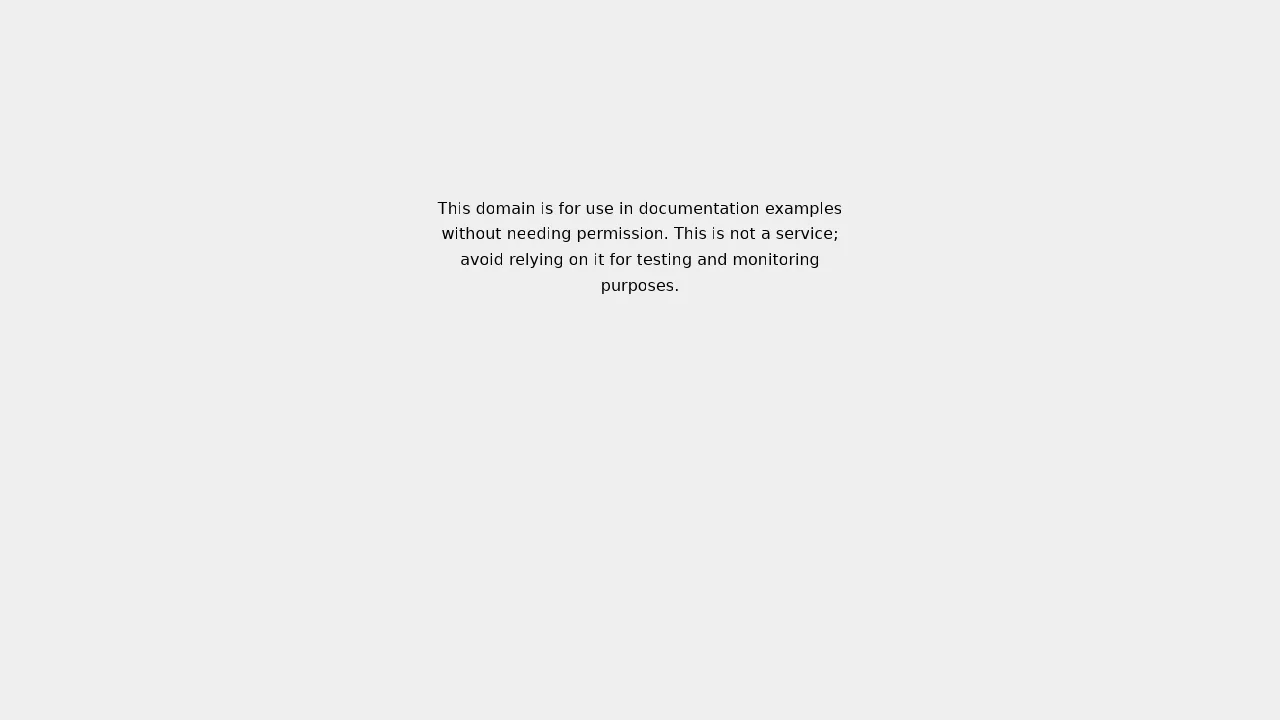
For more than one URL, scrape runs fetches in parallel worker processes and returns one JSON document, in input order, with per-URL timings:
./obscura scrape https://example.com https://example.org --quiet --format json{
"total_urls": 2,
"concurrency": 10,
"total_time_ms": 3064,
"avg_time_ms": 1532.0,
"results": [
{
"url": "https://example.com",
"title": "Example Domain",
"eval": null,
"time_ms": 3056,
"worker": 0
},
{
"url": "https://example.org",
"title": "Example Domain",
"eval": null,
"time_ms": 2948,
"worker": 1
}
]
}Two URLs took 3.06 seconds total through this sandbox's proxy, with each page around 1.5 seconds — the wall-clock cost here is the proxy, not the engine. The --concurrency flag (default 10) controls how many workers run at once, --eval runs the same JavaScript expression on every page, and --format text switches the output from JSON to plain text. Results stay in input order even though the fetches run in parallel.
5. Drive it from Puppeteer and Playwright#
The CLI covers one-off fetches. For scripts, serve starts a Chrome DevTools Protocol server that Puppeteer and Playwright can connect to exactly as if it were Chrome:
./obscura serve --port 9222
curl -s http://127.0.0.1:9222/json/version
{
"Browser": "Chrome/145.0.0.0",
"Protocol-Version": "1.3",
"User-Agent": "Mozilla/5.0 (X11; Linux x86_64) AppleWebKit/537.36 (KHTML, like Gecko) Chrome/145.0.0.0 Safari/537.36",
"V8-Version": "14.5.0.0",
"WebKit-Version": "537.36",
"webSocketDebuggerUrl": "ws://127.0.0.1:9222/devtools/browser"
}It identifies as Chrome 145 over CDP 1.3, with V8 14.5. The Puppeteer script from the README connects to that endpoint, loads Hacker News, and pulls the top stories — run verbatim, it worked on the first try:
npm install puppeteer-coreimport puppeteer from 'puppeteer-core';
const browser = await puppeteer.connect({
browserWSEndpoint: 'ws://127.0.0.1:9222/devtools/browser',
});
const page = await browser.newPage();
await page.goto('https://news.ycombinator.com');
const stories = await page.evaluate(() =>
Array.from(document.querySelectorAll('.titleline > a'))
.map(a => ({ title: a.textContent, url: a.href }))
);
console.log(stories);
await browser.disconnect();TITLE: Hacker News
STORIES: [
{
"title": "Carnegie Mellon is putting computer science courses on YouTube for free",
"url": "https://www.cs.cmu.edu/learn/"
},
{
"title": "Windows 11 Is Collecting Data on Which Coding Agents and Developer Tools You Use",
"url": "https://xusheng.dev/posts/windows-coding-agent-telemetry/"
},
{
"title": "BugMeNot has closed",
"url": "https://www.bugmenot.com/"
}
]
SCREENSHOT OKThe same session also saved an 800×600 PNG screenshot of the front page through the CDP Page.captureScreenshot call — proof that the rendering path works over the protocol, not just the CLI:
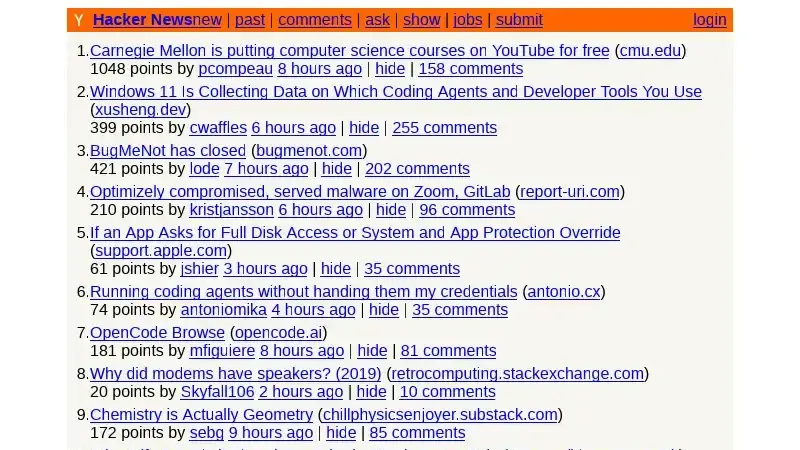
The README documents the Playwright equivalent (chromium.connectOverCDP with endpointURL: 'ws://127.0.0.1:9222') and a login flow against quotes.toscrape.com; only the Puppeteer path above was executed here. The CDP surface covers the domains a script normally needs — Target, Page (including screenshots, screencasts, and PDF export), Runtime, DOM, Network, Fetch interception, IO, Storage, Input, and an LP.getMarkdown domain that converts the DOM to Markdown.
6. Give your agent the browser#
Obscura also ships an MCP server, so a coding agent can drive it without any code of yours. It speaks MCP over stdio by default:
./obscura mcpWire it into Claude Desktop (or any MCP client that launches a subprocess) with the config from the README:
{
  "mcpServers": {
    "obscura": {
      "command": "obscura",
      "args": ["mcp"]
    }
  }
}
The handshake works without any client at all — send JSON-RPC over stdin and it answers. Our probe returned server identity obscura-mcp version 0.2.7, and tools/list returned 38 tools. That number matters: the README's tool table lists only 14 (navigate, snapshot, screenshot, PDF, click, fill, type, press key, select option, evaluate, wait for, network requests, console messages, close). The live server exposes those plus tab management, cookies, storage state, form detection and filling, scrolling, search, extraction, and more — the README table lags the server, so trust the live list, not the docs page. The tools themselves work, not just list. A navigate followed by a snapshot, sent as plain JSON-RPC, returned:
{"jsonrpc": "2.0", "id": 2, "method": "tools/call",
 "params": {"name": "browser_navigate", "arguments": {"url": "https://example.com"}}}
{"jsonrpc": "2.0", "id": 3, "method": "tools/call",
 "params": {"name": "browser_snapshot", "arguments": {}}}
--- id 2 ---
Navigated to https://example.com/ — "Example Domain"
--- id 3 ---
URL: https://example.com/
Title: Example Domain
This domain is for use in documentation examples without needing permission. This is not a service; avoid relying on it for testing and monitoring purposes.There is also an HTTP transport — obscura mcp --http --port 8080 serves the MCP endpoint at http://127.0.0.1:8080/mcp — documented in the README and not exercised here. Both transports accept --proxy, --user-agent, --font-dir, and --stealth.
Stealth mode, honestly#
Obscura markets a stealth mode, and it is worth separating what it does from what it sounds like. The global --stealth flag enables per-session fingerprint randomization, realistic navigator.userAgentData, event.isTrusted = true for dispatched events, hidden internal properties, native function masking, and navigator.webdriver = false. On the default binary we installed, the flag works at the level the help text promises:
./obscura --stealth fetch https://example.com --eval "navigator.webdriver" --quietfalseTwo pieces need the separate -stealth release archive, not the default one: TLS impersonation and tracker blocking (3,520 domains, per the README). The help text says so — 'with the stealth build feature, TLS impersonation plus tracker blocking' — so if your use case needs those, download the -stealth archive instead of the plain one.
A word on use. Stealth features are legitimate when you are testing your own site's fingerprinting defenses, or working around bot-mitigation false positives on pages you have a right to read. They are not a license to evade protections on sites that forbid scraping. Obscura itself ships the counterweight: --obey-robots makes fetch and scrape respect robots.txt, and the README's stance is that the open-source engine stays fully featured with no gating. Use the flag, respect the target's rules, and scrape your own properties and public data.
Gotchas worth knowing before you rely on it#
- Private IPs are blocked by default. Fetching
http://127.0.0.1:3000or any RFC1918 address fails with an SSRF error unless you pass--allow-private-network(or setOBSCURA_ALLOW_PRIVATE_NETWORK=1). That is the documented behavior, and it is the right default — but it will confuse you the first time you point Obscura at a local dev server. Our own sandbox needed the flag for a different reason: the egress proxy hostname resolves to a private address, so plain fetches failed until the flag was passed. - Script execution has a 30-second budget. A slow or hung page cannot stall a worker past the default deadline; raise it with
OBSCURA_SCRIPT_DEADLINE_MSfor heavy single-page apps, and pair it with a matching navigation timeout in your CDP client. - The README's tool table is out of date. It lists 14 MCP tools; the server exposes 38. Check the live
tools/listoutput rather than the docs page when you plan an agent workflow. - The speed table is the project's own. The README claims 51 ms vs Chrome's ~500 ms for static HTML, and 84 ms vs ~800 ms for JS plus XHR. Those are the maintainers' benchmarks, not independent measurements. Our sandbox fetches ran around 1.5 seconds each, but that number is dominated by the egress proxy in front of the sandbox, so neither figure is a clean comparison — the honest claim is the footprint, which we did measure: a fetch peaked at about 35 MB of RAM, against the project's 30 MB claim.
- It is an independent engine, not Chrome. The README is upfront that long-tail CSS, some Web APIs, media playback, compositor effects, and platform font rasterization may differ from Chromium. If a page depends on an exotic API, verify it the way step 3 verifies JavaScript — with a small local page — before building on it.
When to use this vs alternatives#
| Tool | Use it when | Watch out for |
|---|---|---|
| Obscura | You need a browser engine in a script, a container, or an agent loop — scraping, screenshots, PDFs, CDP automation — and you do not want to install or maintain Chrome. | Independent engine: rare rendering differences vs Chromium; README tool table lags the server. |
| Headless Chrome | You need pixel-perfect Chromium fidelity, the full DevTools feature set, or a page that only works in real Chrome. | 300 MB+ install, 200 MB+ RAM per instance, slower cold start. |
| chrome-devtools-mcp | Your coding agent needs to see and debug your own app in a real browser — console errors, traces, Lighthouse. | Requires Chrome; it drives a browser, it does not replace one. |
| agent-browser | Your agent needs an accessibility-tree view of pages from the shell, with refs it can click and fill. | Drives Chrome for Testing by default — though it can use Obscura itself as an engine via --engine. |
| Playwright / Puppeteer + Chrome | You are writing a test suite or a large automation codebase and want the mature API, browsers, and community. | Heaviest option; overkill for a one-off scrape or a screenshot. |
The takeaway#
Obscura earns its trending spot the unglamorous way: it removes a dependency. Headless Chrome is a whole browser you install to do a browser's chores; Obscura is a 77 MB binary that fetches, renders, screenshots, scrapes, and serves CDP, with an MCP server that hands the same surface to an agent. Every command in this tutorial ran as written — the only surprises were honest ones (a README table that lags the server, a stealth flag split across two archives) and none of them blocked the work. If your pipeline, container, or agent loop currently shells out to Chrome for screenshots and scraping, try replacing that one call with obscura fetch and measure the difference. The install is a download, the cost is zero, and the binary is small enough to stop thinking about.
Sources: the Obscura repository and its README. Star counts, fork and commit counts, and trending placement as observed November 17, 2026; version 0.2.7 and every command output verified by running them in our sandbox.